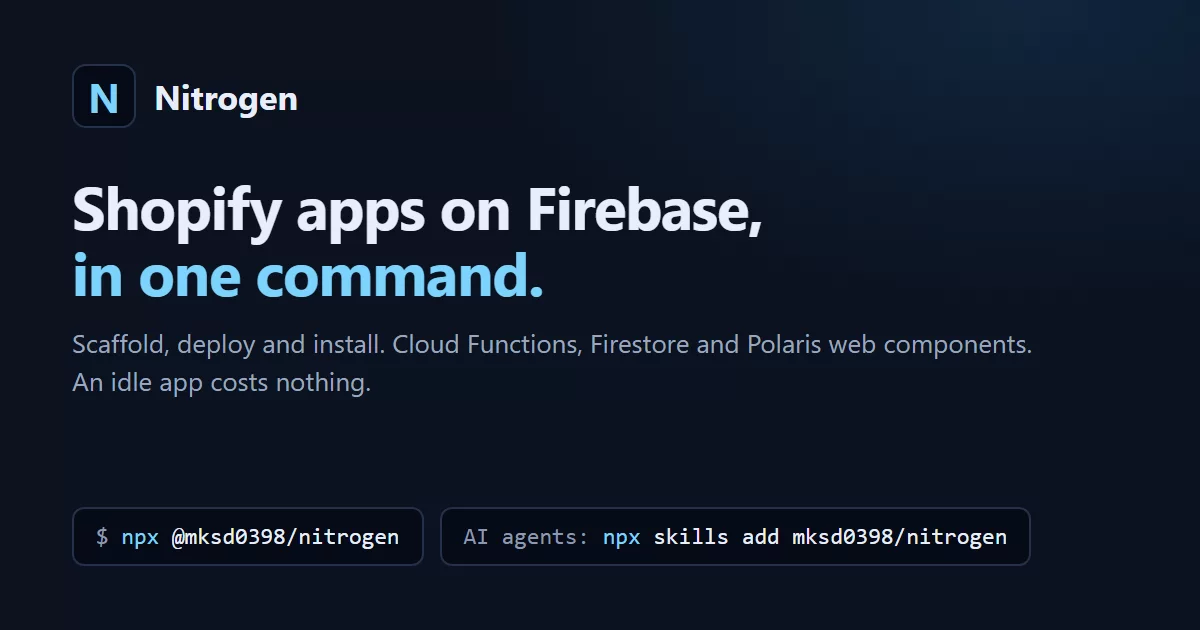

Nitrogen: Shopify apps on Firebase
One command scaffolds a Shopify app, deploys it to Firebase, and hands you an install link. Cloud Functions, Firestore and Hosting. Polaris web components and App Bridge. No framework, no server.
Inert by design — nothing running while nobody is using it.
Hydrogen is the fuel. Oxygen is the oxidiser. Nitrogen is the 78% of the atmosphere that everything else just runs inside.
npx @mksd0398/nitrogen my-app
Website · Will it be free for my app? Try the cost calculator · Build it with an AI agent


Table of Contents
- What is this?
- Quick Start
- Build with an AI agent
- Why Firebase?
- What's Inside
- Architecture
- Writing an API
- Security
- Multi-tenancy
- Rate Limits
- What It Costs
- CLI Usage
- Development
- Extending Your App
- GDPR Compliance
- Troubleshooting
- Contributing
- Related
- License
What is this?
The Firebase alternative to shopify app init. Instead of Remix + Prisma + a server, you get:
- Firebase v2 Cloud Functions (gen 2, Node 24) — one function per API resource, each scaling on its own
- Cloud Firestore for sessions and app data
- Firebase Hosting for the embedded admin dashboard
- Polaris web components + App Bridge — 6 pages, no React, no build step
- A complete reference inside your app — every Polaris component and every App Bridge API, each with a working example to copy
- Theme App Extension for storefront UI (works on all Shopify plans)
- Shopify API 2026-10 — token exchange, OAuth, session tokens, webhooks, GDPR handlers
- Single- or multi-tenant — locked to one store, open to many, or several Shopify apps on one backend
- API keys for callers outside Shopify — hashed at rest, scoped, per tenant
- A test suite in every generated project —
npm testcovers auth, webhooks, routing and wiring
One command does the whole thing: signs you in to Shopify, creates the app, creates and provisions the Firebase project, stores the client secret in Secret Manager, deploys, and hands you an install link. No copying Client IDs between dashboards, and no pasting your Client Secret — the CLI reads it from the Shopify CLI itself.
Quick Start
Prerequisites
The CLI checks all of these before it does anything, and offers to install what's missing.
| Tool | Install | Required? |
|---|---|---|
| Node.js 20+ | nodejs.org | Yes — Cloud Functions run on Node 24 |
| Firebase CLI | npm i -g firebase-tools |
Yes — offered automatically if missing |
| Shopify CLI | npm i -g @shopify/cli |
Yes — offered automatically if missing |
| git | git-scm.com | Optional — only for the initial commit |
| gcloud | Cloud SDK | Optional — auto-enables the Firestore API |
You also need a Shopify Partner account and a Google account. The CLI signs you in to both; you don't need to open either dashboard first.
Cloud Functions and Secret Manager require the Firebase Blaze plan. Blaze includes the free tier described in What It Costs, but a billing account has to be attached. That is the one step the CLI cannot do for you.
1. Run the scaffold
npx @mksd0398/nitrogen my-app
The CLI walks the entire flow:
  🛍️  +  🔥  Nitrogen

  === Environment Check ===

  ✔ Node.js        v22.20.0
  ✔ npm            10.9.4
  ✔ git            2.47.1
  ✔ Firebase CLI   15.10.0
  ✔ Shopify CLI    4.6.0
  ✔ gcloud         565.0.0
  ✔ Environment ready

  === Sign In to Shopify ===

  ℹ A browser window opens — approve the code shown below.
  ✔ Signed in to Shopify

  === Choose Your Template ===

  ? What would you like to create?
    ❯ Shopify + Firebase app (full-stack serverless)
      Extension-only app (Shopify CLI)

  === Project Setup ===

  ? Language for Cloud Functions        › TypeScript
  ? What API access does your app need? › read_products
  ? Who is this app for?                › Many stores (multi-tenant)

  === Create Your Shopify App ===

    (the Shopify CLI asks which organization, and lets you create a new app)
  ✔ Client ID:     12dfc4d0d6d0b40d85b0f64b80de28af
  ✔ Client Secret: shpss_09**************(38 chars)

  === Firebase Setup ===

  ? Select a Firebase project
    ❯ [create a new project]

  ? Where should your database live?       › europe-west1
  ✔ Firestore: europe-west1
  ✔ Hosting: https://my-store-app.web.app
  ? Where should your app's functions run? › europe-west1  (next to your database)
  ✔ Functions region: europe-west1
  ✔ App config written — https://my-store-app.web.app

  === Going Live ===

  ✔ Client Secret stored in Secret Manager
  ✔ Deployed to Firebase
  ✔ Shopify app updated

  ✔  All done! Your Shopify + Firebase app is ready.
You never paste the Client Secret. The CLI reads it from shopify app env show
once the app exists — which is exactly why the Shopify app is created before Firebase.
2. Install it on a development store
Install the app from your Partner Dashboard (Apps → your app → Test on development store). Shopify installs it and opens it embedded in the admin; the app obtains its access token by token exchange on the first request.
The legacy OAuth link also works:
https://YOUR-PROJECT.web.app/auth?shop=YOUR-STORE.myshopify.com
3. Make changes
cd my-store-app
# edit web/ or functions/src/
cd functions && npm test && cd ..
firebase deploy --force
Build with an AI agent
Nitrogen ships an agent skill that teaches an AI coding agent how a Nitrogen app fits together. With it, an agent can:
- scaffold an app without a terminal;
- add an API, a webhook or a page;
- call Shopify;
- test and deploy;
without breaking the security and tenancy rules.
npx skills add mksd0398/nitrogen
That installs it for Claude Code, Cursor, Codex, GitHub Copilot, Gemini CLI and
the other agents the skills CLI
supports. In Claude Code you can add it as a plugin instead:
/plugin marketplace add mksd0398/nitrogen
/plugin install nitrogen@nitrogen
Every generated app also carries an AGENTS.md, plus a CLAUDE.md that imports
it. An agent opened inside the project follows the same rules with nothing installed.
An agent has no terminal to answer the wizard's questions in, so it passes the
answers as flags. The client secret goes in SHOPIFY_API_SECRET, which keeps it
out of the command line and out of the agent's transcript:
SHOPIFY_API_SECRET="$(cat secret.txt)" npx @mksd0398/nitrogen my-app \
  --api-key=CLIENT_ID --project-id=FIREBASE_PROJECT_ID
Why Firebase?
Nothing runs while nobody is using your app. Every function scales to zero, so an app with no traffic costs nothing, and a small app fits inside the free tier. What It Costs has the arithmetic.
shopify app init (Remix) |
Nitrogen | |
|---|---|---|
| Backend | One Remix server | Firebase v2 Cloud Functions, one per API resource |
| Database | Prisma + PostgreSQL | Cloud Firestore |
| Frontend | React + Polaris | Polaris web components + App Bridge (no build) |
| Hosting | Vercel / Fly.io / Heroku | Firebase Hosting |
| Auth | @shopify/shopify-app-react-router |
Four verifiers in one file, verify.ts — you own it |
| Secrets | Host environment variables | Google Secret Manager |
| Build | Vite | tsc (no bundler), or nothing for JavaScript |
| Deploy | Varies | Done for you — the CLI deploys before it exits |
| Idle cost | A server that is always on | Zero — everything scales to zero |
| Scaling | Single server | Per-function (Cloud Run), capped by maxInstances |
| GDPR webhooks | Auto-handled | Included, shop/redact implemented |
| Theme extensions | Supported | Supported (same Shopify format) |
When to use this
- Custom apps for one merchant, or one app per brand on a shared backend
- Public apps with a straightforward admin UI
- Teams already on Firebase / Google Cloud
- You want to be able to read every line your app runs
When to use Remix instead
- Admin UIs that need Polaris React and client-side state
- A team already invested in Remix
- You need server-side rendering for app pages
What's Inside
my-app/
├── shopify.app.toml              # Shopify app config (API 2026-10)
├── firebase.json                 # Hosting rewrites, headers, functions, Firestore
├── firestore.rules               # Deny-all: only Cloud Functions touch the data
│
├── functions/                    # ── Backend ──
│   ├── src/
│   │   ├── index.ts              # THE API SURFACE: one export per function
│   │   ├── http.ts               # endpoint(): auth, rate limit, routing, errors
│   │   ├── verify.ts             # Every Shopify signature check, fail-closed
│   │   ├── config.ts             # App registry, secrets, region
│   │   ├── auth.ts               # OAuth, token exchange, sessions
│   │   ├── shopify.ts            # Admin GraphQL client
│   │   ├── api-keys.ts           # Keys for callers outside Shopify
│   │   ├── webhooks.ts           # Webhook handlers
│   │   ├── proxy.ts              # Storefront App Proxy routes
│   │   ├── firebase.ts           # Firebase Admin SDK init
│   │   └── api/                  # One file per resource
│   │       ├── shop.ts           #   GET  /api/shop
│   │       ├── products.ts       #   GET  /api/products/search, /api/products/:id
│   │       ├── settings.ts       #   GET, POST /api/settings
│   │       ├── keys.ts           #   GET, POST /api/keys, DELETE /api/keys/:id
│   │       └── status.ts         #   GET  /api/status   (session OR API key)
│   ├── test/                     # npm test — no emulator or network needed
│   ├── .env                      # Client id, URL, scopes, region (git-ignored)
│   └── .secret.local             # Client secret, for the emulator only (git-ignored)
│
├── web/                          # ── Frontend (6 pages) ──
│   ├── index.html                # Dashboard
│   ├── products.html             # Product search + detail
│   ├── settings.html             # Form persisted to Firestore
│   ├── keys.html                 # Create and revoke API keys
│   ├── polaris.html              # Every Polaris component, with examples
│   ├── apis.html                 # Every App Bridge API, with Run buttons
│   ├── js/app.js                 # apiFetch (session token + one 401 retry), toast
│   ├── js/pages/                 # One module per page
│   └── css/app.css
│
└── extensions/                   # ── Storefront ──
    └── theme-block/
JavaScript projects have the same files with .js.
Architecture
  Shopify admin (iframe)        Storefront            Shopify          Outside systems
  web/ + App Bridge             theme / App Proxy     webhooks         mobile app, script
        │                            │                   │                   │
        │ session token              │ signature         │ HMAC              │ API key
        ▼                            ▼                   ▼                   ▼
  ┌──────────────────────────────────────────────────────────────────────────────────┐
  │  Firebase Hosting — HTTPS only, rewrites each path to one function                 │
  └──────────────────────────────────────────────────────────────────────────────────┘
        │                            │                   │                   │
        ▼                            ▼                   ▼                   ▼
  ┌───────────┐ ┌───────────┐  ┌───────────┐      ┌───────────┐       ┌───────────┐
  │ shop      │ │ products  │  │ proxy     │      │ webhooks  │       │ status    │
  │ settings  │ │ keys      │  │           │      │ auth      │       │           │
  └───────────┘ └───────────┘  └───────────┘      └───────────┘       └───────────┘
   Each box is its own Cloud Run service: own scaling, memory, timeout, logs, deploy.
        │                                                │
        ▼                                                ▼
  ┌──────────────────────────────┐          ┌──────────────────────────────┐
  │  Cloud Firestore             │          │  Secret Manager              │
  │  shopSessions  access tokens │          │  SHOPIFY_API_SECRET          │
  │  appSettings   per tenant    │          │  mounted into each function  │
  │  apiKeys       sha256 only   │          └──────────────────────────────┘
  │  authNonces    OAuth state   │
  └──────────────────────────────┘
The functions
| Function | Path | Caller | Verified by |
|---|---|---|---|
auth |
/auth, /auth/callback |
Browser, during a legacy install | OAuth HMAC + single-use nonce |
webhooks |
/webhooks |
Shopify | HMAC over the raw body |
proxy |
/proxy/** |
Storefront, through the App Proxy | Query signature |
shop |
/api/shop |
Embedded admin | Session token |
products |
/api/products/** |
Embedded admin | Session token |
settings |
/api/settings |
Embedded admin | Session token |
keys |
/api/keys/** |
Embedded admin | Session token |
status |
/api/status |
Embedded admin or an outside system | Session token or API key |
Why one function per resource
A single Express app behind /api/** is one Cloud Run service: every route shares
its instances, its memory ceiling, its timeout and its fate. One slow route — a CSV
import, a report — starves everything else, including the routes merchants are
waiting on.
One function per resource means each one scales, fails, times out and deploys on its own, and a heavy resource can be given more memory without paying for it everywhere.
What it costs you:
- One export and one or two rewrites per resource.
npm testchecks they agree. - A cold start per function rather than one for the whole API.
- Instance caches are per function.
- Shared modules are bundled into every function, so after changing one, deploy
them all with
firebase deploy --only functions.
Routes that belong together stay together: products serves both search and
detail. Split further only when a route needs different resources or must not
share fate with its neighbours.
Writing an API
An API is three things that must agree. Say the resource is orders.
1. The routes — functions/src/api/orders.ts
import { endpoint, HttpError } from "../http";
import { graphql } from "../shopify";

export default endpoint({
  "GET /api/orders": async (ctx) => {
    const data = await graphql(ctx, `{ orders(first: 10) { nodes { id name } } }`);
    return { orders: data.orders.nodes };
  },

  "GET /api/orders/:id": async (ctx) => {
    if (!/^\d+$/.test(ctx.params.id)) throw new HttpError(400, "Invalid order id");
    const data = await graphql(
      ctx,
      `query ($id: ID!) { order(id: $id) { id name } }`,
      { id: `gid://shopify/Order/${ctx.params.id}` },
    );
    if (!data.order) throw new HttpError(404, "Order not found");
    return { order: data.order };
  },
});
A route returns the JSON to send, or throws HttpError. Anything else
thrown becomes a 500 whose detail stays in the logs.
2. The export — functions/src/index.ts
import ordersApi from "./api/orders";

export const orders = onRequest(base, ordersApi);
This line is what creates the Cloud Function. index.ts is the whole API surface:
if it is not exported there, it does not exist.
3. The rewrites — firebase.json
{ "source": "/api/orders", "run": { "serviceId": "orders", "region": "europe-west1" } },
{ "source": "/api/orders/**", "run": { "serviceId": "orders", "region": "europe-west1" } }
Then:
cd functions && npm test     # fails if the export and the rewrites disagree
firebase deploy --only functions:orders,hosting
What a route receives
ctx |
|
|---|---|
ctx.shop |
The shop, e.g. demo.myshopify.com. From the verified credential, never from the request. |
ctx.app |
The Shopify app the caller belongs to (see Multi-tenancy). |
ctx.userId |
Staff user id, for session callers. |
ctx.apiKey |
The key used, for API-key callers. |
ctx.params |
Path parameters, decoded. |
ctx.query, ctx.body |
Query string and parsed JSON body. Validate them — they are caller input. |
ctx.req, ctx.res |
The raw request and response, when you need them. |
Who may call it
endpoint(routes)                                  // the embedded admin
endpoint(routes, { apiKey: "read" })              // ...and API keys with the "read" scope
endpoint(routes, { auth: "proxy" })               // the storefront, via the App Proxy
endpoint(routes, { rateLimit: { max: 30, windowSeconds: 60 } })
A resource that needs more
export const imports = onRequest(
  { ...base, memory: "1GiB", timeoutSeconds: 60 },
  importsApi,
);
Traps
Each of these cost real time in production.
| Trap | What happens |
|---|---|
serviceId is the export name lowercased |
orderSync deploys as ordersync. A camelCase serviceId makes Hosting refuse to finalize. |
| Region mismatch between function and rewrite | The deploy succeeds. Hosting serves 404. |
Dropping invoker: "public" |
An update serves Google's own 403 page, which reads exactly like a CORS bug. |
| Hosting cuts a rewritten request at 60 seconds | Whatever timeoutSeconds says. Long work is chunked by the client, or queued. |
--only functions:a after changing a shared module |
Every other function stays on the old code. |
Removing a function from index.ts |
A non-interactive deploy refuses. Run firebase functions:delete <name> --region <region> --force first. |
| Work started after the response is sent | Gen 2 throttles CPU once the response is delivered. Await it, or queue it. |
Security
| Entry point | Check | Fails closed when |
|---|---|---|
| Webhooks | HMAC-SHA256 over the raw body, timing-safe | The header or the body is missing, the HMAC is wrong, or the shop domain is malformed |
| Admin API | App Bridge session token: HS256, aud, exp, nbf, issuer |
Any claim is wrong, or the token is more than 10 seconds past expiry |
| App Proxy | Signature over the sorted query string | The signature is missing or wrong |
| OAuth callback | HMAC, then a single-use nonce bound to the shop and the app, 10-minute life | The nonce is unknown, expired, replayed, or belongs to another shop or app |
| API keys | sha256 lookup, scope, active flag | The key is unknown, revoked, or carries another scope |
Also:
- The client secret is in Secret Manager, not
functions/.env. Everything infunctions/is baked into the deployed container;.gitignorehas no say in that. - Firestore rules deny everything. Only Cloud Functions, through the Admin SDK, read or write. A browser can never reach `shopSessions