

Manage APIs and OAuth in one place, visualize requests, cost and usage
MCP · Visualization · Management


Live Demo · Install · Features · Agents and MCP · Documentation · 简体中文
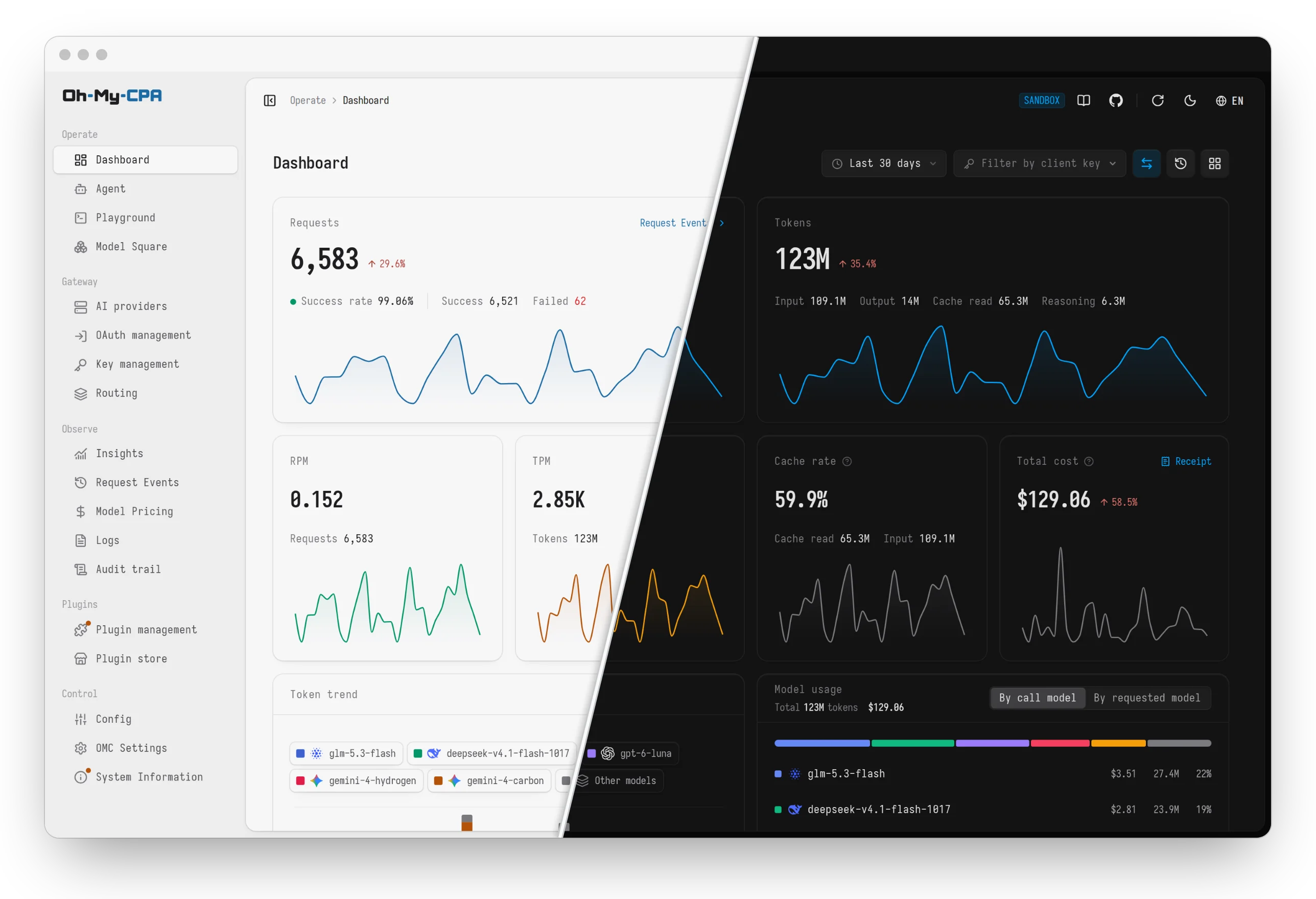
CLIProxyAPI (CPA) is an API gateway: it adapts protocols, holds credentials and proxies requests. Oh My CPA (OMC) is a web console for it. OMC manages the gateway's providers, credentials and configuration, and records the usage and cost of every request. It is a single Go binary with the React console embedded and a local SQLite database, runs offline, and signs in with CPA's management key.
Tip
Screenshots
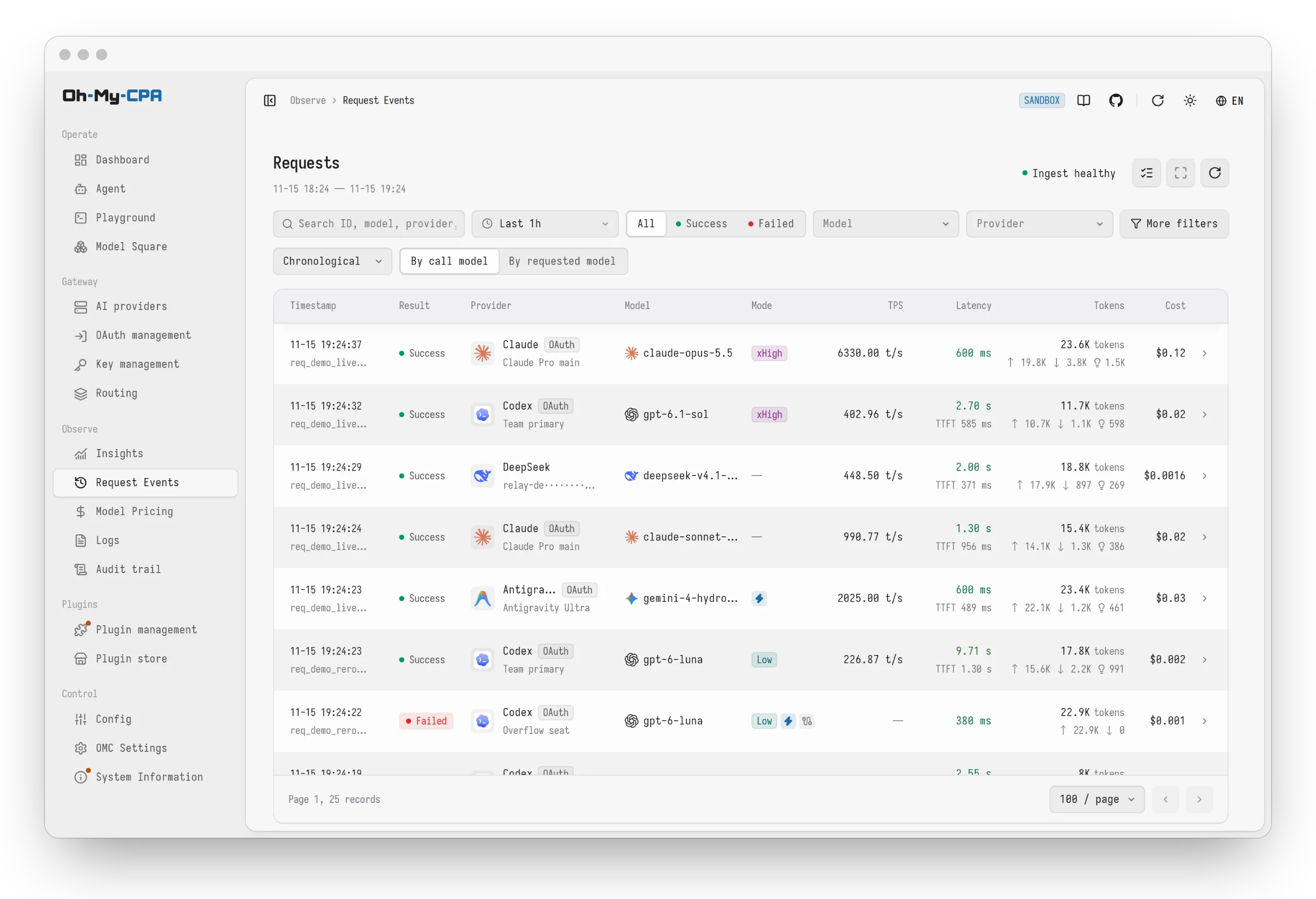
Request records |
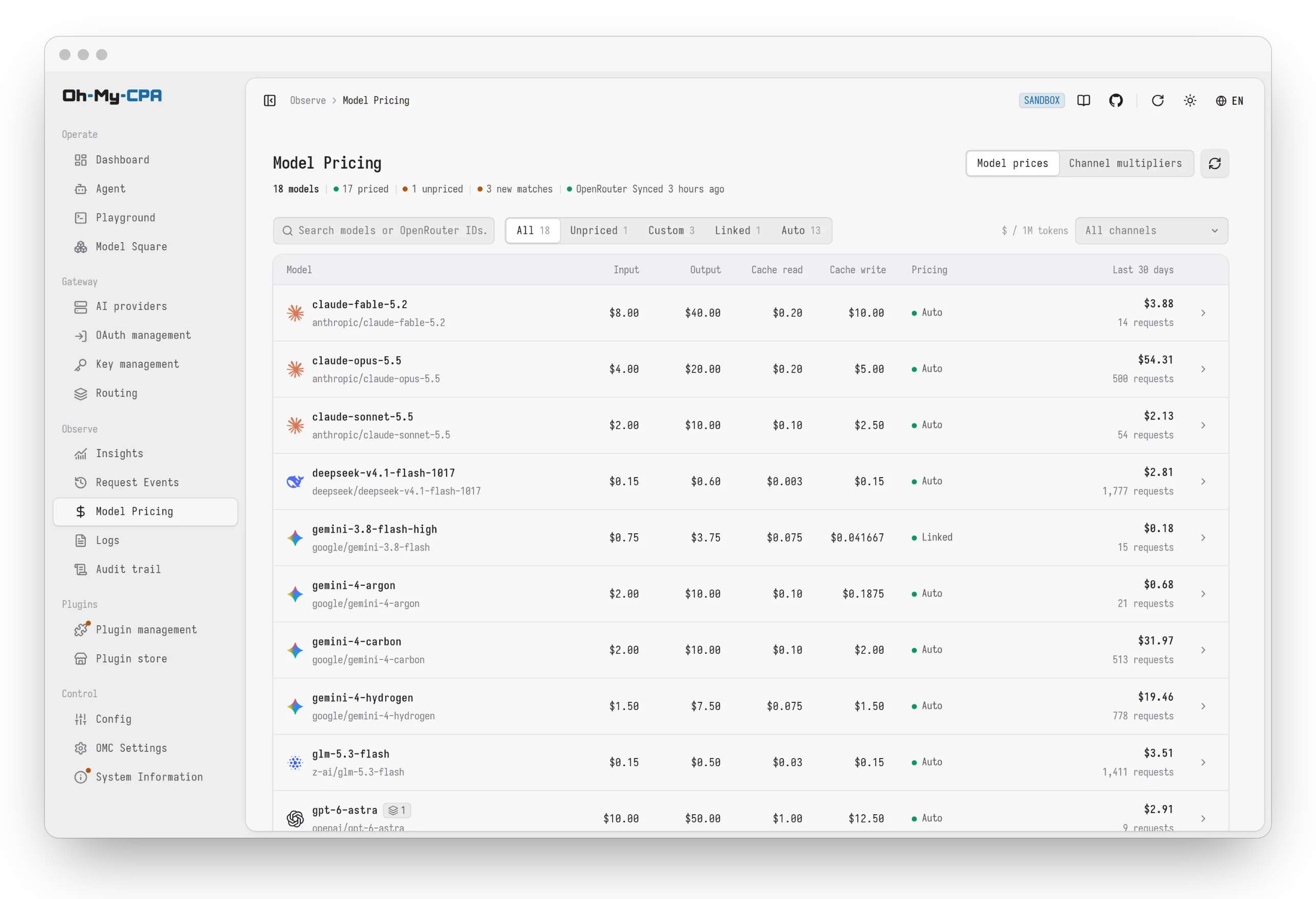
Cost & usage |
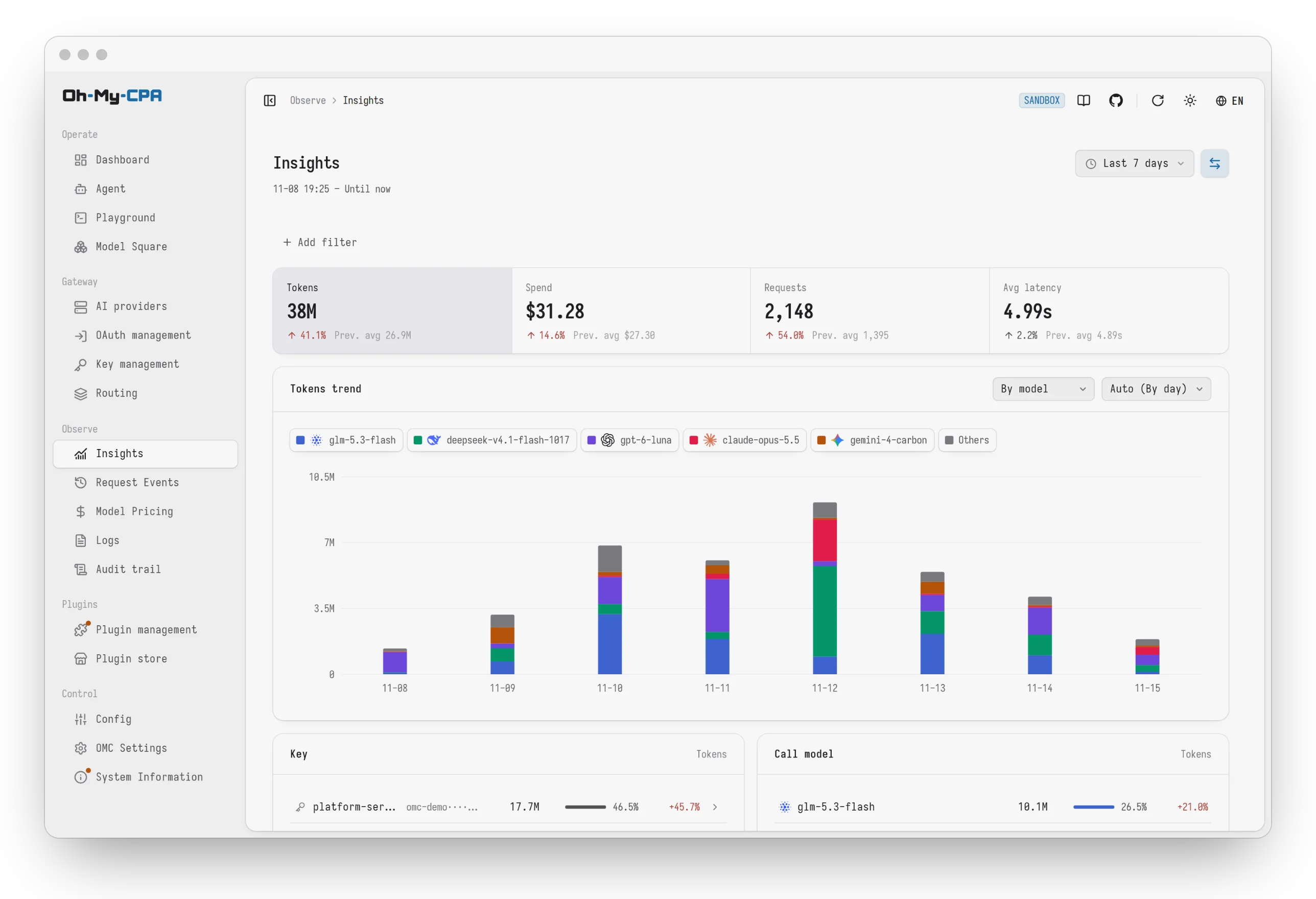
Insights |
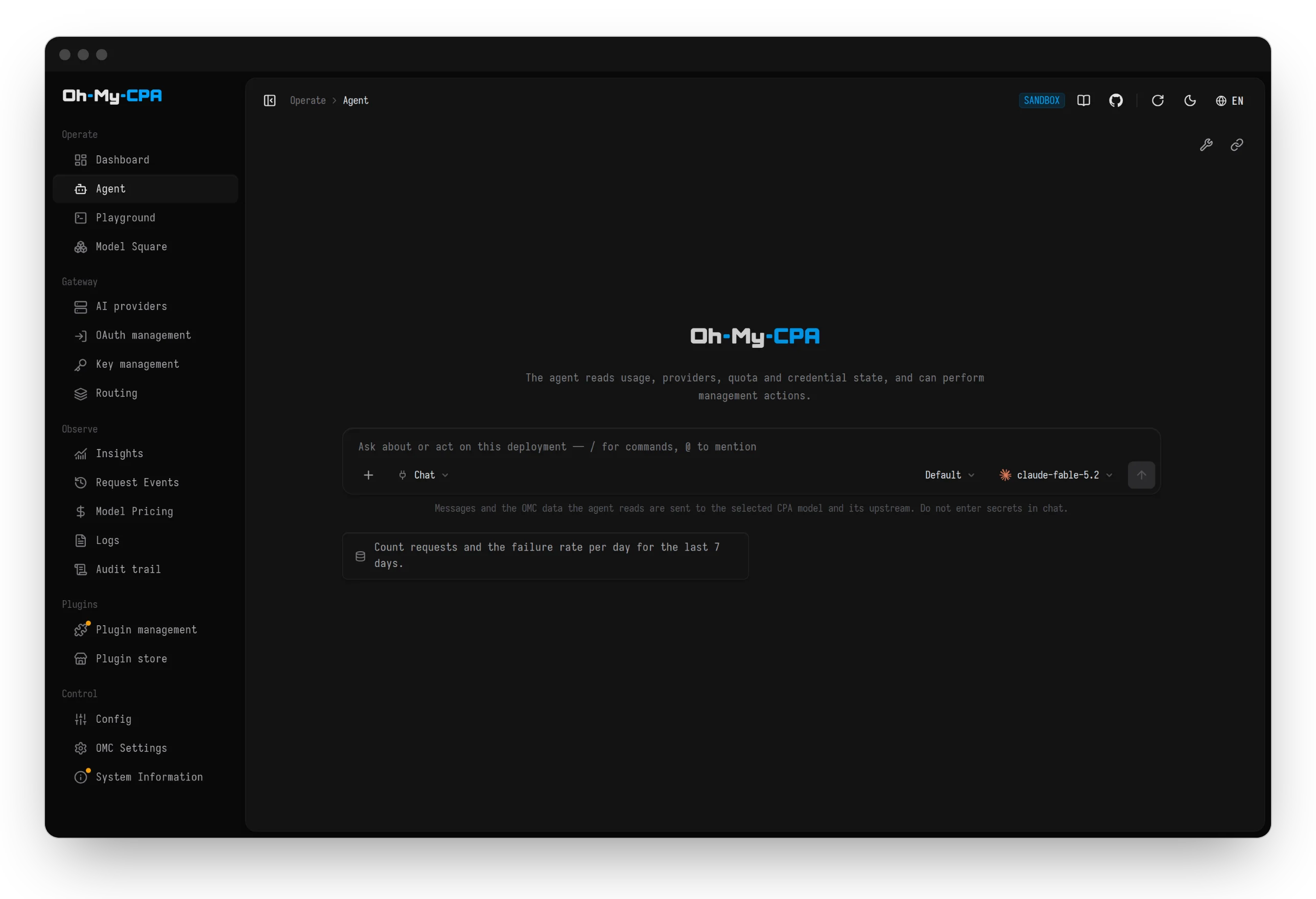
Agent |

OAuth management |
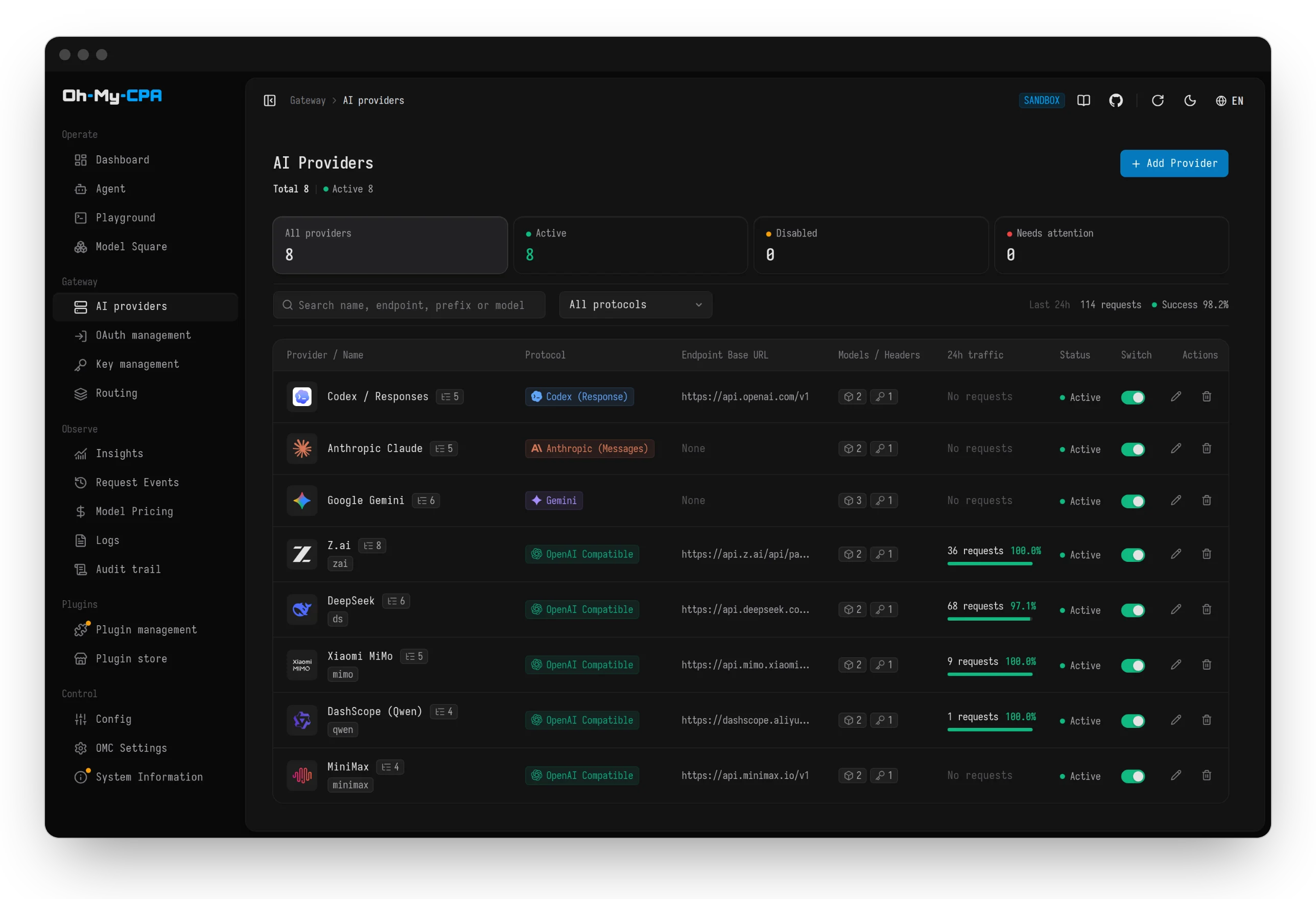
AI providers |
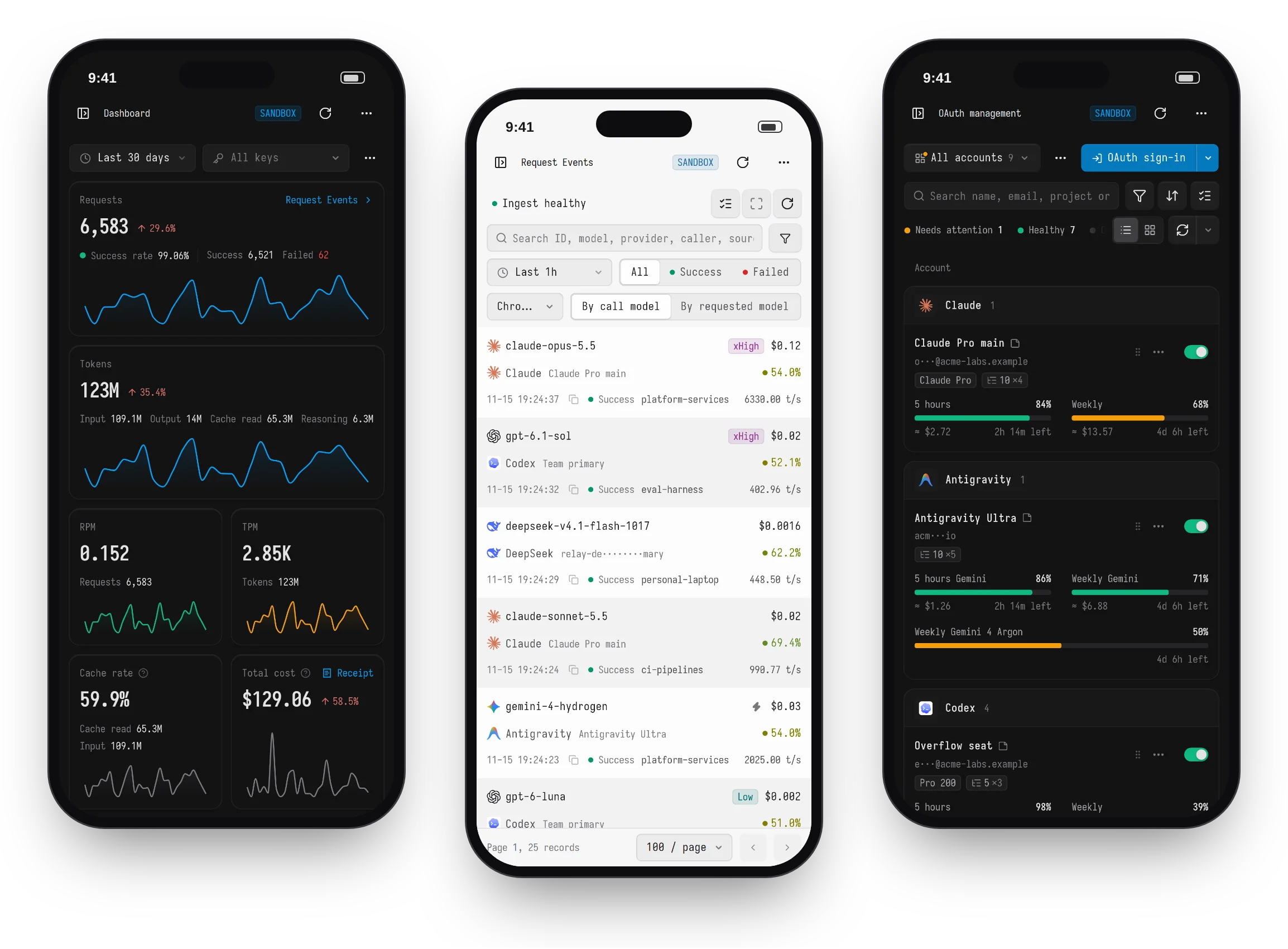
Mobile layout
Every page adapts to a narrow screen
Install
Install with an agent
Paste the following into Claude Code, Codex, Cursor or another coding agent. The agent inspects the machine, picks the matching method and installs it:
Install Oh My CPA for me by following
https://raw.githubusercontent.com/WizisCool/oh-my-cpa/main/docs/install-for-agents.md
Install with Docker Compose
Requires Docker Engine with the Compose plugin and CLIProxyAPI v8.0.0 or later. The
commands assume a Linux or macOS shell with curl and openssl. The console's sign-in
password is CPA's management key.
| Scenario | Method |
|---|---|
| CPA is not deployed yet | New install |
| CPA is deployed with Docker Compose | CLIProxyAPI is already installed |
| CPA is deployed another way | Standalone |
New install
Save the following as compose.yml in a new directory:
services:
  cli-proxy-api:
    image: eceasy/cli-proxy-api:latest
    restart: unless-stopped
    ports:
      - "127.0.0.1:8317:8317"
    environment:
      MANAGEMENT_PASSWORD: ${CPA_MANAGEMENT_KEY:?}
    volumes:
      - ./config.yaml:/CLIProxyAPI/config.yaml
      - ./auths:/root/.cli-proxy-api
      - ./logs:/CLIProxyAPI/logs
      - ./plugins:/CLIProxyAPI/plugins

  oh-my-cpa:
    image: wiziscool/oh-my-cpa:latest
    restart: unless-stopped
    depends_on:
      - cli-proxy-api
    ports:
      - "127.0.0.1:8080:8080"
    environment:
      OMCPA_BASE_PATH: /
      OMCPA_CPA_BASE_URL: http://cli-proxy-api:8317
      OMCPA_CPA_MANAGEMENT_KEY: ${CPA_MANAGEMENT_KEY:?}
      OMCPA_MASTER_KEY: ${OMCPA_MASTER_KEY:?}
      OMCPA_DATA_DIR: /data
    volumes:
      - oh-my-cpa-data:/data

  oh-my-cpa-updater:
    image: wiziscool/oh-my-cpa:latest
    restart: unless-stopped
    command: ["updater", "serve"]
    user: "0:0"
    read_only: true
    cap_drop: [ALL]
    volumes:
      - /var/run/docker.sock:/var/run/docker.sock

volumes:
  oh-my-cpa-data:
In that directory, download CPA's starter configuration, generate the two keys and start both services:
curl -fsSL https://github.com/WizisCool/oh-my-cpa/releases/latest/download/cpa.config.example.yaml -o config.yaml
printf 'CPA_MANAGEMENT_KEY=%s\nOMCPA_MASTER_KEY=%s\n' "$(openssl rand -hex 24)" "$(openssl rand -hex 32)" > .env
chmod 600 .env
docker compose up -d
Open http://127.0.0.1:8080/ and sign in with the CPA_MANAGEMENT_KEY value
from .env. Providers and client keys are added in the console; clients send requests
to CPA at http://127.0.0.1:8317.
CLIProxyAPI is already installed
Add the services under services: in the Compose file that runs CPA, and merge
oh-my-cpa-data: into the top-level volumes: key if one exists. cli-proxy-api is
the service name in CPA's own Compose file; replace it if the service is named
differently.
  oh-my-cpa:
    image: wiziscool/oh-my-cpa:latest
    restart: unless-stopped
    ports:
      - "127.0.0.1:8080:8080"
    environment:
      OMCPA_BASE_PATH: /
      OMCPA_CPA_BASE_URL: http://cli-proxy-api:8317
      OMCPA_CPA_MANAGEMENT_KEY: ${OMCPA_CPA_MANAGEMENT_KEY:?}
      OMCPA_MASTER_KEY: ${OMCPA_MASTER_KEY:?}
      OMCPA_DATA_DIR: /data
    volumes:
      - oh-my-cpa-data:/data

  oh-my-cpa-updater:
    image: wiziscool/oh-my-cpa:latest
    restart: unless-stopped
    command: ["updater", "serve"]
    user: "0:0"
    read_only: true
    cap_drop: [ALL]
    volumes:
      - /var/run/docker.sock:/var/run/docker.sock

volumes:
  oh-my-cpa-data:
Add two lines to .env in the same directory:
OMCPA_CPA_MANAGEMENT_KEY=<CPA's management key in plaintext, not the hash in config.yaml>
OMCPA_MASTER_KEY=<output of: openssl rand -hex 32>
Add the oh-my-cpa-updater service from the snippet as well to update from the console.
Run docker compose up -d oh-my-cpa oh-my-cpa-updater, which leaves the CPA container
running as it is.
Open http://127.0.0.1:8080/ and sign in with the management key.
Standalone
Save the following as compose.yml in a new directory. OMCPA_CPA_BASE_URL is CPA's
address as seen from inside the container: the value below reaches a CPA on the same
machine that listens on all interfaces, and reaching CPA
lists the other cases.
services:
  oh-my-cpa:
    image: wiziscool/oh-my-cpa:latest
    restart: unless-stopped
    ports:
      - "127.0.0.1:8080:8080"
    extra_hosts:
      - host.docker.internal:host-gateway
    environment:
      OMCPA_BASE_PATH: /
      OMCPA_CPA_BASE_URL: http://host.docker.internal:8317
      OMCPA_CPA_MANAGEMENT_KEY: ${OMCPA_CPA_MANAGEMENT_KEY:?}
      OMCPA_MASTER_KEY: ${OMCPA_MASTER_KEY:?}
      OMCPA_DATA_DIR: /data
    volumes:
      - oh-my-cpa-data:/data

  oh-my-cpa-updater:
    image: wiziscool/oh-my-cpa:latest
    restart: unless-stopped
    command: ["updater", "serve"]
    user: "0:0"
    read_only: true
    cap_drop: [ALL]
    volumes:
      - /var/run/docker.sock:/var/run/docker.sock

volumes:
  oh-my-cpa-data:
Create .env in the same directory:
OMCPA_CPA_MANAGEMENT_KEY=<CPA's management key in plaintext, not the hash in config.yaml>
OMCPA_MASTER_KEY=<output of: openssl rand -hex 32>
Run docker compose up -d, then open http://127.0.0.1:8080/ and sign in with
the management key.
Updating
With the oh-my-cpa-updater service in place, System Information in the console shows
Update now beside a newer release of Oh My CPA or CLIProxyAPI. The updater pulls the
image, replaces the container with its settings, volumes and networks unchanged, and
restores the previous container if the new one does not start.
A deployment installed before this service existed gains it with one command on the Docker host; the Compose file is not edited:
docker run --rm --pull always -u 0 -v /var/run/docker.sock:/var/run/docker.sock wiziscool/oh-my-cpa:latest updater install
The command adds an oh-my-cpa-updater container and brings Oh My CPA up to the current
release in the same step. docker rm -f oh-my-cpa-updater removes it. An image pinned to
a version tag is never changed from the console. Upgrading
describes each case and the manual alternative.
Install a native executable
Tagged releases include executables
for macOS (Darwin), Windows, Linux and FreeBSD, on amd64 and arm64. Each archive embeds
the console and includes an environment template; verify its SHA-256 hash against the
release's checksums.txt. No Go, Node or Docker is required. CPA must be installed
separately. Follow the native installation guide
for configuration, permissions and upgrades.
Notes
Important
Back up
.env.OMCPA_MASTER_KEYencrypts the database, and the data cannot be read without it.
CPA hands each usage record to a single reader. If another usage tracker reads the same
CPA, stop it, or add OMCPA_USAGE_INGEST_MODE: "off" under environment: to use OMC
for management only. Other management panels do not conflict.
oh-my-cpa-updater mounts the Docker socket, which amounts to control of Docker on that
host. Console updates are turned off by deleting the service from the Compose file and
removing its running container with docker rm -f oh-my-cpa-updater; Compose leaves a
container whose service was deleted running. Updates are then applied with
docker compose pull && docker compose up -d.
The installation guide covers the hardened Compose files published with each release, remote access, HTTPS, building from source, upgrades and troubleshooting.
Features
Gateway & providers
- AI providers: Codex, Claude, Gemini, Meta Muse, xAI, Vertex AI, Gemini Interactions, DeepSeek and OpenAI-compatible services, each with credentials, advanced model options, runtime retry/error policies, priority, weight, proxy and an enable switch enforced by the gateway.
- OAuth management: sign in from the console for Codex, Claude, Antigravity, xAI, Kimi (kimi.com and kimi.ai), Devin and Meta Muse, or import a Vertex service account key. Auth files, manual token refresh, model lists, Meta quota, live xAI/Antigravity plan readings and credential-specific aliases are managed per credential; shared model aliases and exclusion rules apply provider-wide. Window capacity is estimated for Codex, Claude and supported Antigravity groups, with the previous cycle shown as a labelled reference. Quota readings refresh themselves about a minute after a window resets and every six hours by default, adjustable in OMC Settings. Codex/Claude window warmup adds opt-in reset and daily schedules, credential overrides and an optional confirmed tiny request. Approved schedules check current quota and billing before sending, then observe window activation.
- Client keys: create, name and revoke gateway API keys. Names appear in request records and filters.
- Model catalog: pull model lists straight from upstream providers.
- Playground: test any routed model with text and images, streamed multi-turn answers and request diagnostics.
- Plugins: installed plugins, a plugin store, typed settings forms, and trusted plugin pages with native CPA management/model-directory compatibility. See the trust boundary.
Observability
- Insights: per-key, per-model, per-provider and per-credential comparison over today, yesterday, this or last week and month, rolling spans or custom ranges, each against the previous period, with each key's model mix, a traffic flow and an hour-of-day usage rhythm.
- Dashboard: request volume, token throughput, cache hit rate and cost over presets from 15 minutes to 90 days, an all-time window since installation, or any custom range, plus a year-long token heatmap. Statistics are kept permanently; request records roll out of a configurable retention.
- Live routing: a rolling minute of which models were called and which credentials and providers CPA sent them to. Each new request travels the map out to its credential and back, rerouted attempts and cooldowns included. The panel updates as records are stored, falls back to a short poll when the live stream is unavailable, and is shown on desktop widths.
- Model panels: token trend and usage ring by call model or by requested model, with cost shares.
- Request records: multi-select facets and full-text search; with auto-refresh on, new records appear as soon as they are stored; a detail drawer with duration, TTFT, token breakdown and the raw per-request log. Each record keeps the model the upstream reported serving, and flags the ones where it differs from the model requested.
- Display currency: choose from eleven mainstream currencies, including USD, CNY, MYR, JPY and EUR, in OMC Settings. Dashboard, request records and Insights use Frankfurter v2 rates, refreshed daily or manually and cached in SQLite; accounting and Cost & Usage stay in USD.
- Background collection: usage is ingested by stream or polling, even with no browser open.
- Logs and audit trail: tail the gateway log, read the console's own service log, and review an append-only audit trail with filters and JSON export.
Pricing & cost
- Request-time snapshots: a request's cost is fixed by immutable price versions when it completes.
- OpenRouter price book: every served model priced from OpenRouter's public list, including long-context and time-of-day tiers.
- Linked and custom prices: pin a model to an OpenRouter entry or set custom rates, with tier presets and a calculator.
- Channel multipliers: scale everything one provider answers, for example a relay billed at 30% of list.
- Channel model prices: give the same model different custom rates and time tiers on different channels, with shared prices as the default.
Configuration & security
- Dual-mode config editor: structured forms, or a Monaco YAML editor that preserves comments.
- Automatic config backups: an encrypted copy of
config.yamlbefore every change, restorable from the console. - Encryption at rest: stored credentials and raw usage messages are AES-GCM encrypted.
- Audited sensitive actions: revealing keys, downloading auth files and exporting logs are written to the audit log, and refused if that write fails.
- Offline operation: bundled assets are embedded in the binary; installed and uploaded fonts are stored and served by the deployment. The browser contacts no CDN.
- Personalization: four interface languages, light and dark themes with custom palettes, interface and monospace fonts from a font library (bundled, uploaded or installed from Google Fonts and served by the console itself), a deployment time zone, and K/M/B or 万/亿 number units.
Agents and MCP
In the console: On the /agent page, a model routed through CPA answers questions
and operates the console: usage and request analysis, providers, OAuth, quota, client
keys, configuration and pricing. Reads run directly. Changes are prepared server-side
and run only after an Allow in the console. Secrets, tokens and OAuth authorization
never enter the model's context. Answers can mix text with inline interactive components that
appear while they are generated: local filters, calculators, diagrams and charts. Components
use the console's visual system; follow-ups needing new data or actions stay in the reviewed
conversation flow.
From an external agent: The same capabilities are served over MCP at
<console URL>/api/mcp (Streamable HTTP), so an agent on another machine connects by
URL with the CPA management key as a bearer token. Nothing is installed on the agent's
side. The Connect action at the top of /agent shows the deployment's own endpoint
with ready-to-copy configuration.
Claude Code:
claude mcp add --transport http oh-my-cpa https://cpa.example.com/api/mcp \
  --header "Authorization: Bearer $OMCPA_CPA_MANAGEMENT_KEY"
Codex (~/.codex/config.toml):
[mcp_servers.oh-my-cpa]
url = "https://cpa.example.com/api/mcp"
bearer_token_env_var = "OMCPA_CPA_MANAGEMENT_KEY"
Clients configured in JSON, such as Cursor:
{
  "mcpServers": {
    "oh-my-cpa": {
      "url": "https://cpa.example.com/api/mcp",
      "headers": { "Authorization": "Bearer <CPA management key>" }
    }
  }
}
Clients that only support stdio
The binary carries a stdio bridge that forwards to the console:
{
  "mcpServers": {
    "oh-my-cpa": {
      "command": "/path/to/oh-my-cpa",
      "args": ["mcp"],
      "env": {
        "OMCPA_SERVER_URL": "https://cpa.example.com",
        "OMCPA_CPA_MANAGEMENT_KEY": "<CPA management key>"