OpenNotch
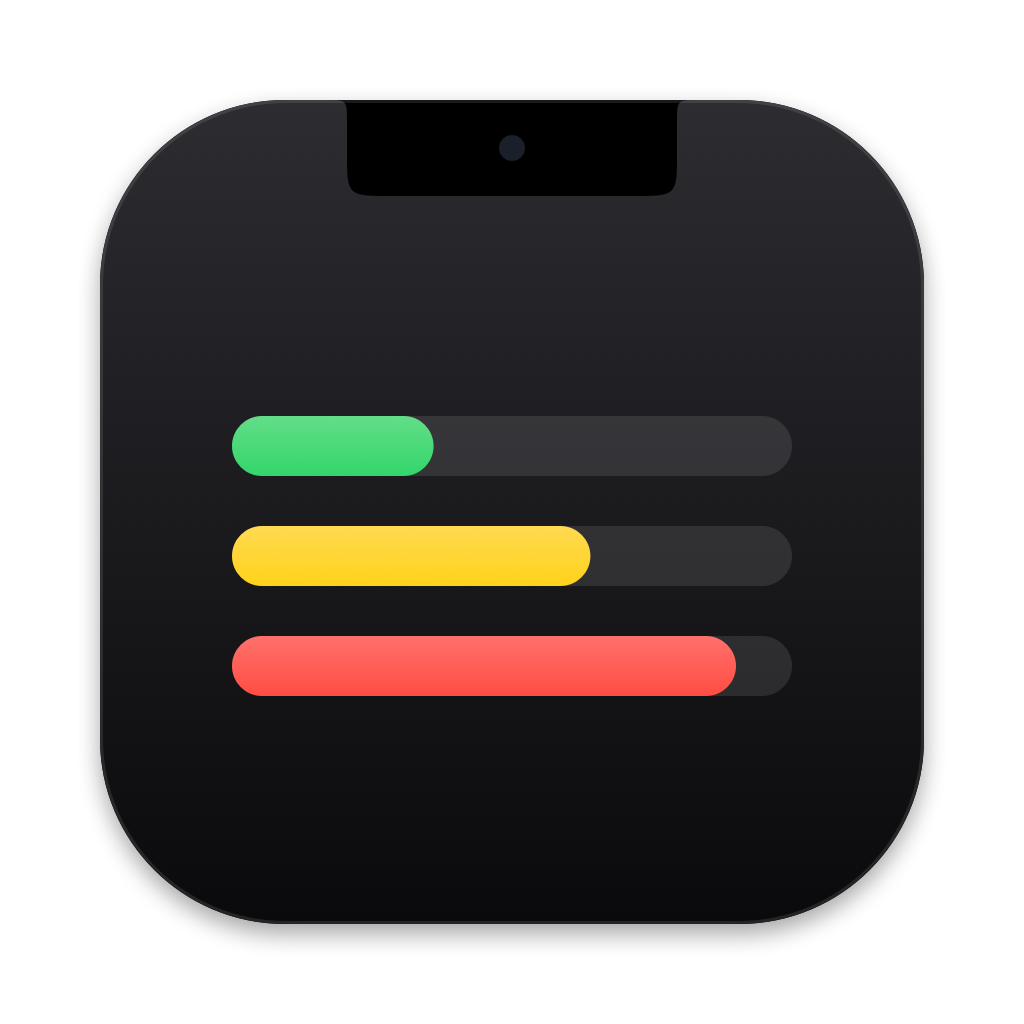
Your AI usage limits, living in your MacBook's notch.
Claude · ChatGPT (Codex) · Cursor · Devin · Antigravity · Gemini · Amp — read with the sessions already on your Mac. No API keys.
Why
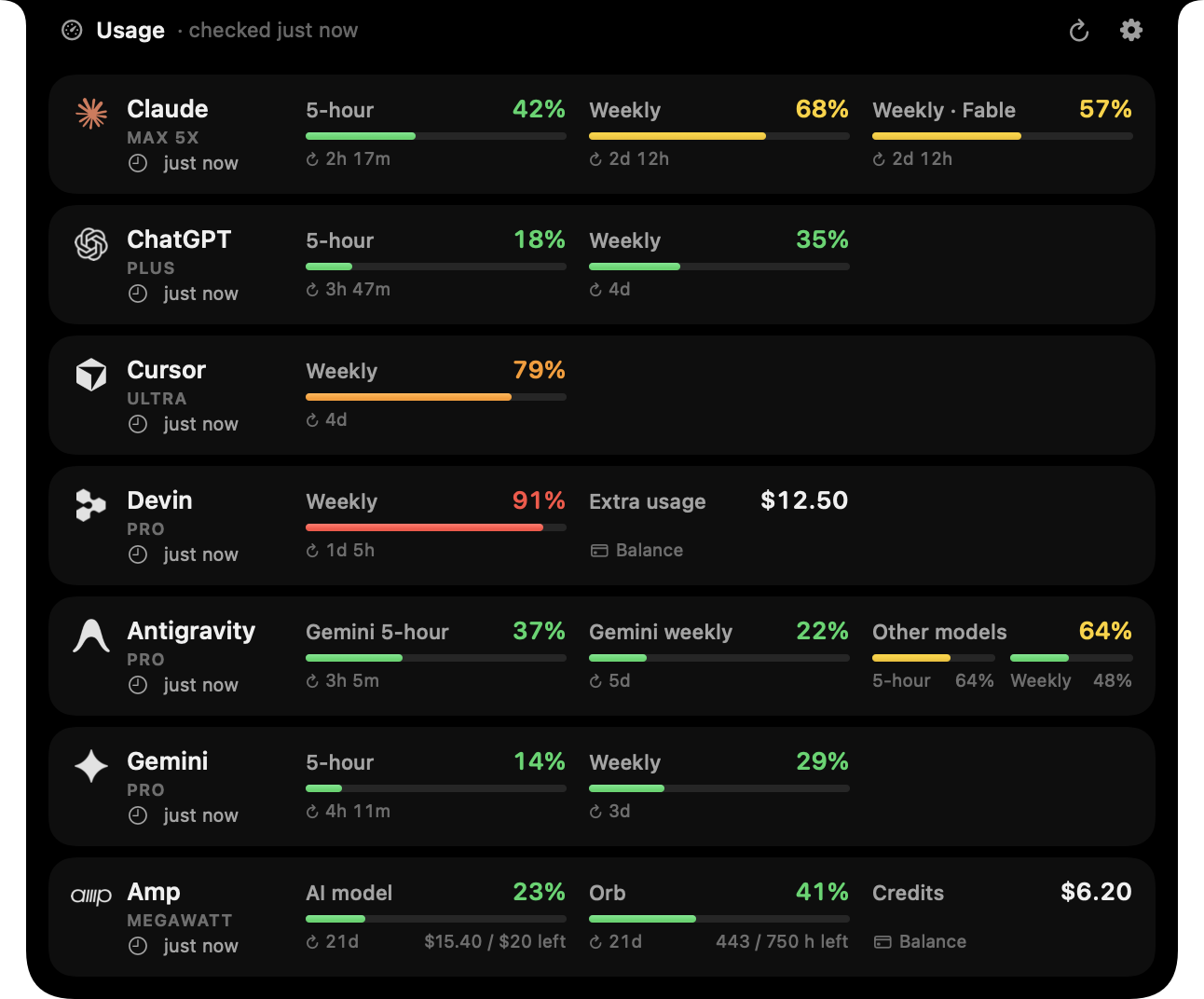
If you use several AI coding tools, their limits live in different places: a 5-hour window here, a weekly quota there, a monthly pool somewhere else. OpenNotch puts all of them in one glanceable spot — the notch — so you know which tool still has headroom before you start a long task.
Features
- Glanceable — while closed, the notch shows the limit closest to running out (or a small ring for every service).
- Hover to open — every limit with a colour-coded bar and a reset countdown; move away to close.
- Zero setup — detects which tools you are signed in to and reuses their existing local sessions.
- Fresh without effort — refreshes every 15 minutes (5–60 configurable), instantly from the ↻ button, and right after a limit window resets.
- Private by design — credentials are only read at refresh time and only sent to each service's own API. Nothing is copied, stored or refreshed.
- Native and light — SwiftUI + AppKit, official vector logos, ~0% CPU while idle.


What it tracks
| Service | Limits shown | Session it reads |
|---|---|---|
| Claude | 5-hour and Weekly | Claude Code — macOS Keychain item Claude Code-credentials (or ~/.claude/.credentials.json); optional Claude Desktop fallback |
| ChatGPT | Codex limits of your plan (5-hour and/or Weekly) | Codex CLI — ~/.codex/auth.json |
| Cursor | One Weekly pool on The X Subscription. Older plans show Grok & Composer, plus Grok Bot when that allowance is still separate | Cursor app (state.vscdb) or the Grok Bot app |
| Devin | Daily and Weekly on Pro; Weekly only when the plan hides the daily quota (Max) | Devin CLI — ~/.local/share/devin/credentials.toml, or Devin Desktop |
| Antigravity | Gemini 5-hour and Weekly | Antigravity app or agy CLI — ~/.gemini/jetski-standalone-oauth-token; once that expires, the running Antigravity app |
| Gemini | 5-hour and Weekly usage pools, plus remaining AI credits when active | Gemini macOS app — ~/Library/Application Support/com.google.GeminiMacOS (Gemini Safe Storage Keychain key) |
| Amp | AI model (agent) usage, Orb hours, credits balance | Amp CLI — ~/.local/share/amp/secrets.json |
Tools you aren't signed in to are simply hidden. Each one can also be turned off in Settings, and dragged into the order you want.
Install
Requires macOS 14 Sonoma or later and the Swift 6 toolchain (Xcode 16 or newer). A MacBook with a notch is recommended; on other displays OpenNotch draws a small virtual notch at the top centre of the screen.
git clone https://github.com/rasitakyol/opennotch.git
cd opennotch
make install
make install builds the app, copies it to /Applications and launches it. Use make run to try it from build/ instead. Turn on Launch at login in Settings to keep it around.
Using it
- Hover the notch (or click it) to open the panel; move away or click elsewhere to close it.
- ↻ refreshes everything now, ⚙ opens Settings.
- Right-click the notch for Refresh Now, Settings and Quit.
- Hover a row and click ↗ to open that service's own usage page.
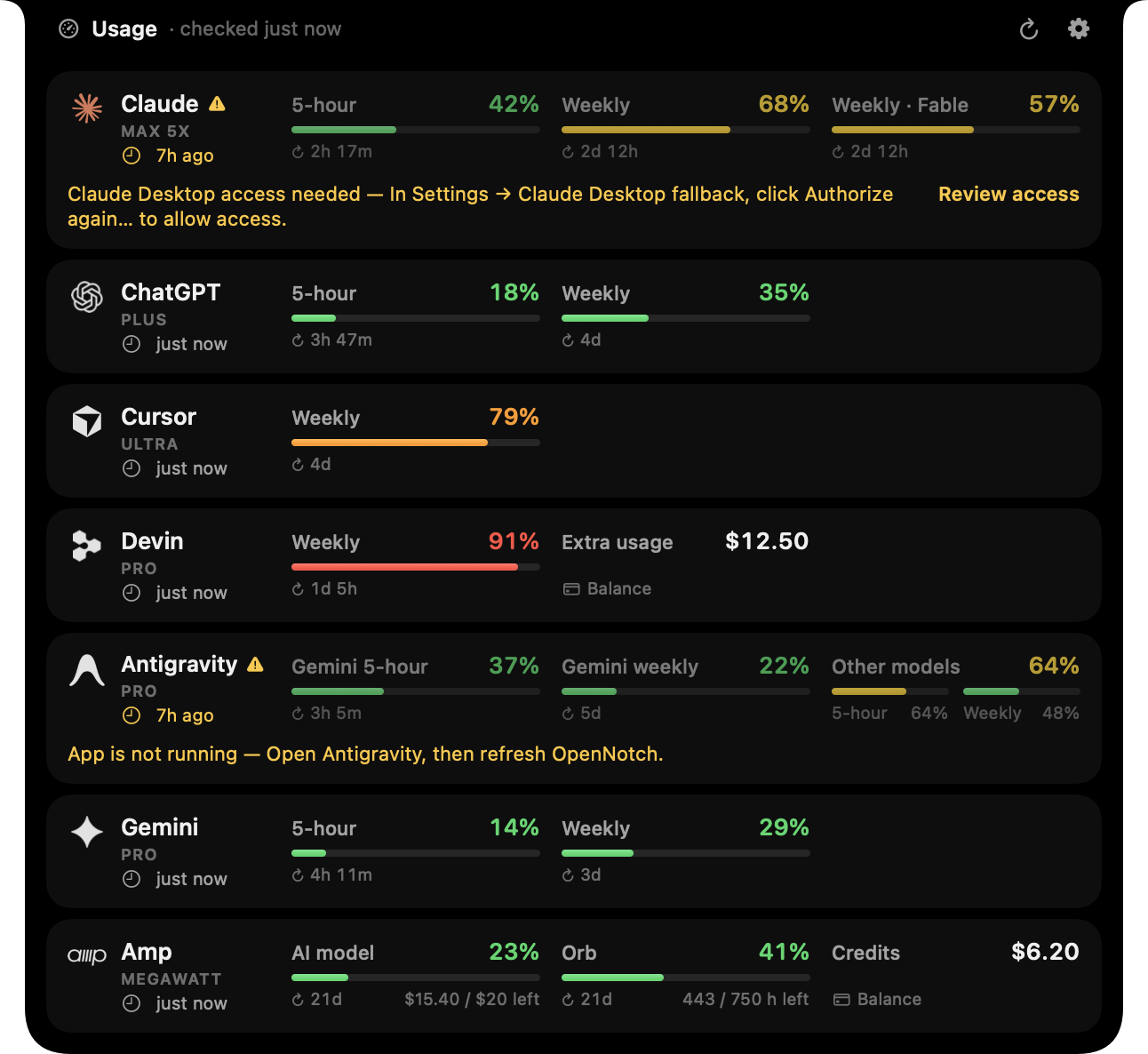
- Each row shows when its usage was last successfully updated. A ⚠︎ means the latest check failed: the last known numbers stay visible, with the failure and recovery step below the row. The header's short time (
just now,5m ago) records the latest attempt, including failures. - App is not running for Antigravity means its saved session needs the running app to supply fresh usage. Open Antigravity and refresh. App connection unavailable means the local connection could not be read; reopen the app and retry.
Settings: refresh interval, what the closed notch shows (most critical limit / all services / notch only), open on hover, haptic feedback, launch at login, which services to track, and their order (drag a row to move it).
Optional Claude Desktop fallback
In Settings → Claude Desktop fallback, turn on Use Claude Desktop when needed. It is off by default. OpenNotch still tries Claude Code first; it reads Desktop's Code session only if the CLI session is missing, expired or rejected by the usage API. Network errors and rate limits do not switch sessions. A Desktop-only installation is supported after opting in and signing in through Desktop's Code tab.
- Enabling the setting or clicking Authorize again… can ask for the Claude Safe Storage Keychain item. Always Allow permits later reads without a dialog. Denying the initial enable leaves the setting off.
- This is also the key that protects Desktop's cookies. Although OpenNotch only reads the Code token cache, granting access means trusting it with a key capable of decrypting those other values.
- Startup, detection, refreshes, wake from sleep and
--probenever request Desktop Keychain permission. If access is unavailable, click Review access in the Claude row, then Settings → Claude Desktop fallback → Authorize again…. Only this explicit action (or enabling the toggle) can show a permission dialog. The integration stays enabled if reauthorization is denied, and the error remains visible. Ad-hoc builds can require permission again after rebuilding. - Desktop owns token renewal. OpenNotch reads
~/Library/Application Support/Claude/config.json(oauth:tokenCacheV2) and the Keychain key, decrypts the access token in memory, and sends it only to the usage endpoint below. It never writes Desktop files, reads cookie databases, uses refresh tokens or persists credentials. - The format is undocumented and can change. An unreadable cache produces an actionable error; OpenNotch does not try other Desktop storage. Settings and
--probeshow which session supplied the latest reading. The CLI and Desktop may be signed in to different accounts.
The cache format was researched from Notchlet PR #29. This fallback supplies the same current usage windows as the CLI; it does not import conversations or a historical usage timeline.
Signing and Keychain permission across builds
The default build uses an ad-hoc signature whose designated requirement includes the executable's hash. A changed build can therefore need new Claude Desktop Keychain permission even if Always Allow was granted before. Reauthorize from Settings on the new build.
If you already have a persistent code-signing identity, use the same identity and bundle identifier for subsequent builds:
OPENNOTCH_SIGNING_IDENTITY="Developer ID Application: Your Name (TEAMID)" make install
The identity must exist in your Keychain. The build fails if signing with it fails; it does not fall back to ad-hoc signing. Stable signing can preserve Keychain trust, but first-time permission and revoked access still require authorization. The build does not create certificates or change Keychain access rules.
How it works
For every tool, OpenNotch reads the token that tool already keeps on your Mac and asks the same backend that powers the tool's own usage screen:
| Service | Request |
|---|---|
| Claude | GET https://api.anthropic.com/api/oauth/usage |
| ChatGPT | GET https://chatgpt.com/backend-api/wham/usage |
| Cursor | POST https://api2.cursor.sh/aiserver.v1.DashboardService/GetCurrentPeriodUsage, …/GetPlanInfo (weekly or monthly included usage) and …/GetSandUsageStatus (Grok Bot) |
| Devin | POST https://server.codeium.com/exa.seat_management_pb.SeatManagementService/GetUserStatus |
| Antigravity | POST https://cloudcode-pa.googleapis.com/v1internal:retrieveUserQuotaSummary and …:loadCodeAssist (plan); after the session expires, the same calls on the running app's loopback server (…LanguageServerService/RetrieveUserQuotaSummary, …/GetLoadCodeAssist) |
| Gemini | POST https://robinfrontend-pa.googleapis.com/$rpc/assistant.mobile.robin.RobinService/GetUsageInfo |
| Amp | POST https://ampcode.com/api/internal?userDisplayBalanceInfo (the call behind amp usage) |
Privacy notes
- Tokens are never refreshed by OpenNotch. These tools rotate their refresh tokens, so refreshing from a second app could sign you out of the tool itself. If a session expires, OpenNotch keeps the last numbers and asks you to open that tool once.
- Antigravity's Google access token lasts about an hour, and Antigravity and
agyrenew it only in memory, so the file is usually expired. OpenNotch then asks the running Antigravity app instead: it reads the per-launch CSRF token from the app's language server command line (ps), finds that server's loopback port (lsof) and requests the same summary from127.0.0.1. When the app isn't open, the row keeps the last numbers. Google's backend only answers Antigravity clients, so the direct requests identify as the installed Antigravity app. - The Claude Code Keychain item is read through
/usr/bin/security, the same tool Claude Code uses to write it, so no extra permission prompt appears. - Only usage readings, plan names, session-source labels and refresh status are cached, in
~/Library/Application Support/OpenNotch/usage-cache.json. - These endpoints are undocumented and may change. If a service stops working, please open an issue.
Troubleshooting
Print exactly what each service returns (usage numbers and error titles only, never credentials):
build/OpenNotch.app/Contents/MacOS/OpenNotch --probe
Development
make test                 # parsing, credential fallback, permission policy and settings tests
make run                  # build the .app into build/ and launch it
make probe                # run the live provider check from source
make icon                 # regenerate the app icon
swift run OpenNotch --render-docs docs/images   # regenerate README images from demo data
build/OpenNotch.app/Contents/MacOS/OpenNotch --preview   # keep the panel open while working on layout
Sources/OpenNotchCore   credential discovery, provider clients, response parsing (unit-tested, no UI)
Sources/OpenNotch       notch windows (AppKit), SwiftUI views, settings, refresh scheduling
Resources/              Info.plist, app icon, service logos (SVG)
Tests/                  parsing tests built from real (anonymised) responses
Adding a service means implementing UsageProvider (detect() + fetch()), registering it in ProviderRegistry, and dropping its SVG logo into Resources/Logos.
For the Desktop integration's local permission checks, see the manual verification steps. Automated tests use synthetic encrypted fixtures and injected Keychain/network responses, never personal credentials.
Disclaimer
OpenNotch is an independent project and is not affiliated with or endorsed by Anthropic, OpenAI, Anysphere (Cursor), Cognition (Devin), Google (Antigravity, Gemini) or Amp. Product names and logos are trademarks of their respective owners and are used only to identify the services.