
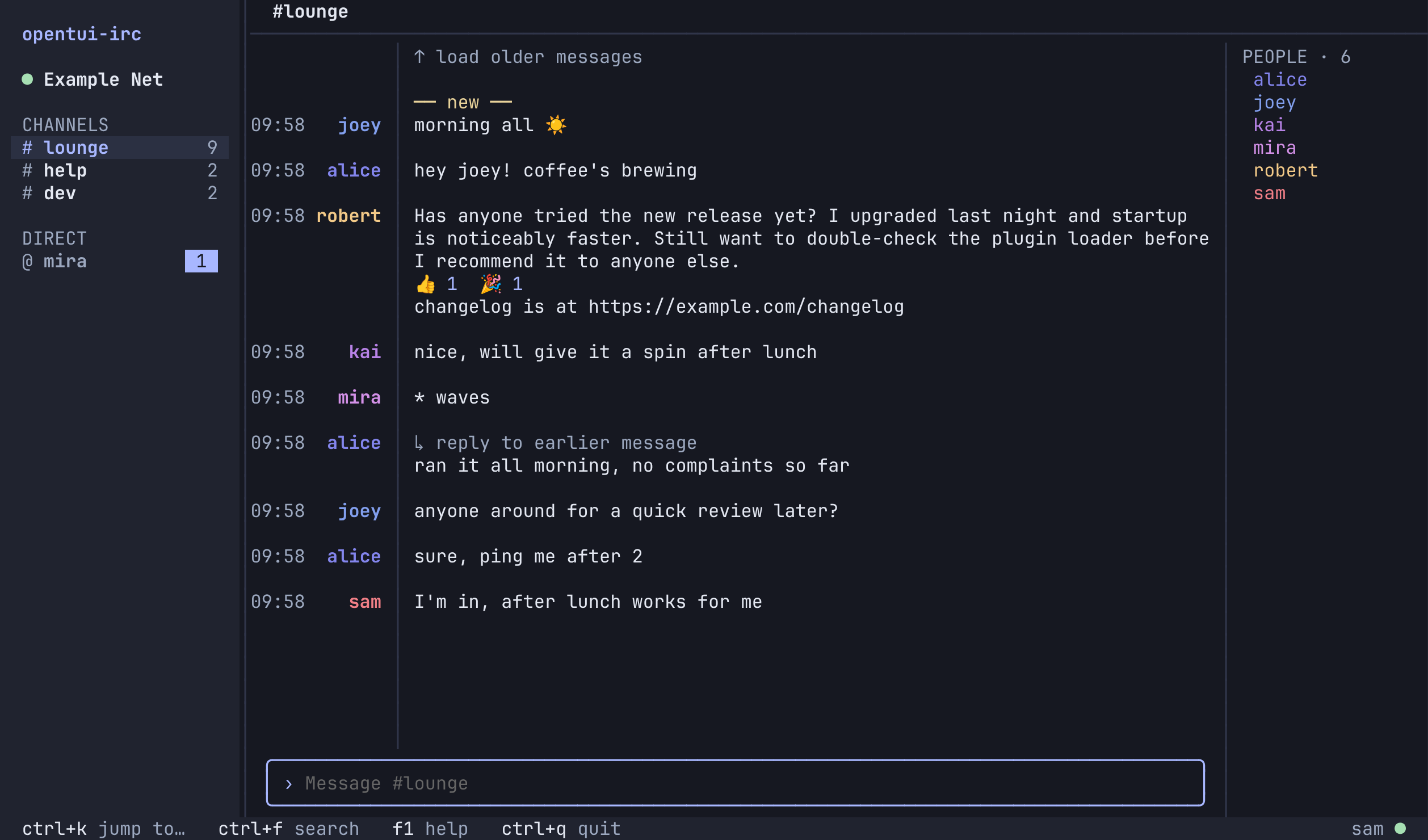
A friendly terminal IRC client for Linux and macOS. It has a channel/DM sidebar, one conversation at a time, and full mouse support with keyboard shortcuts throughout. Built with Bun, SolidJS and OpenTUI.
Status: alpha. It's the author's daily driver, but expect rough edges and breaking config changes before 1.0.
Why opentui-irc
- Easy for newcomers. Add a network, join a channel and start chatting from menus. You don't need to know slash commands, but
/helplists them. - Calm layout. Grouped messages, a sidebar with unread and mention badges, a member list on wide windows, and one footer showing the keys you can use right now.
- Modern IRC where the server supports it. IRCv3 chat history, replies, reactions, typing indicators, read markers and message removal. Each one turns on only when the server offers it; the rest of IRC works as usual.
- Safe by default. Verified TLS, and SASL only over TLS. Passwords live in your OS keychain or an environment variable, never in plaintext config. Uncertain sends are never replayed automatically.
- Agents can configure it. A versioned JSON control API lets your coding agent read the config schema, preview changes and apply them, even while the client is running.
Screenshots
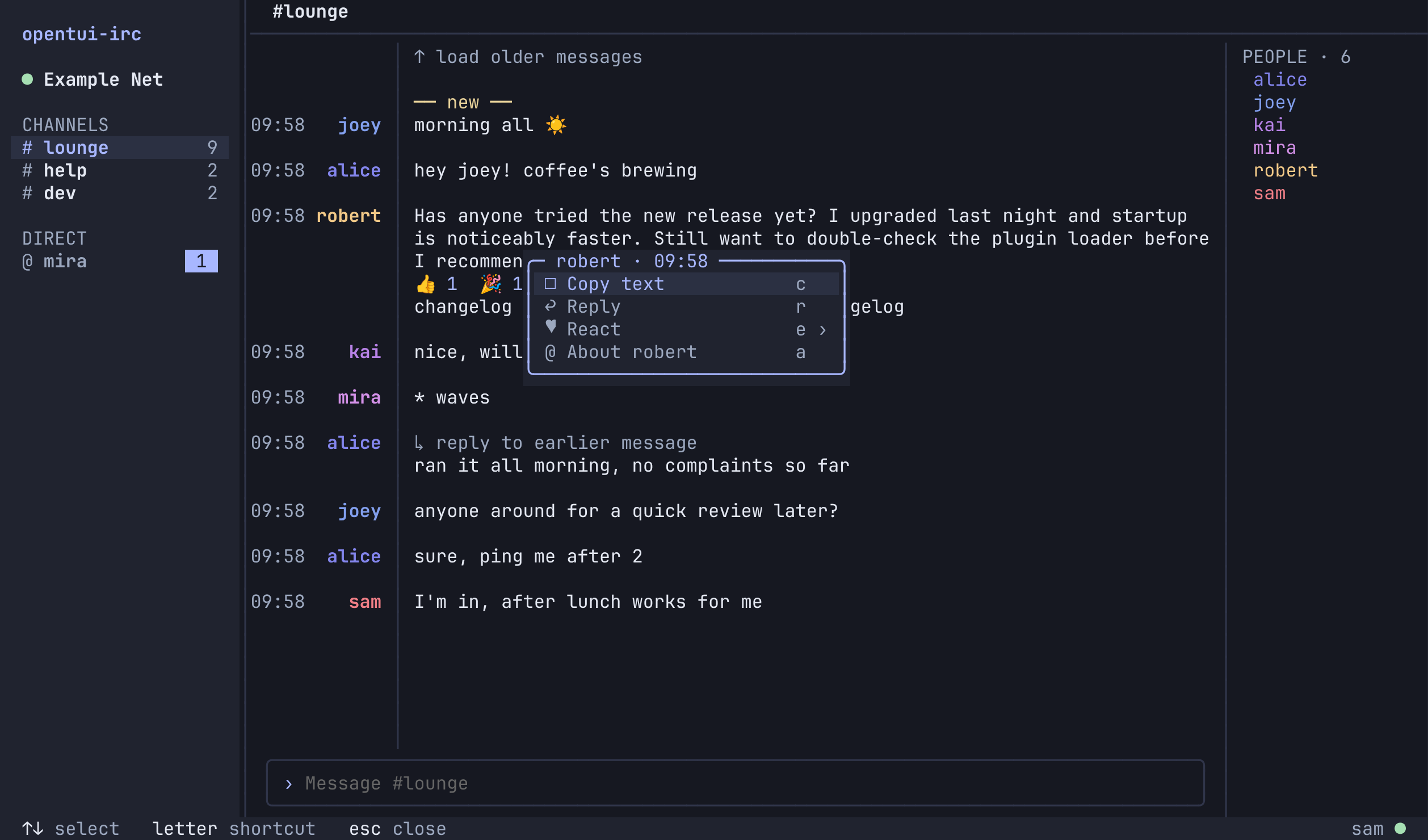
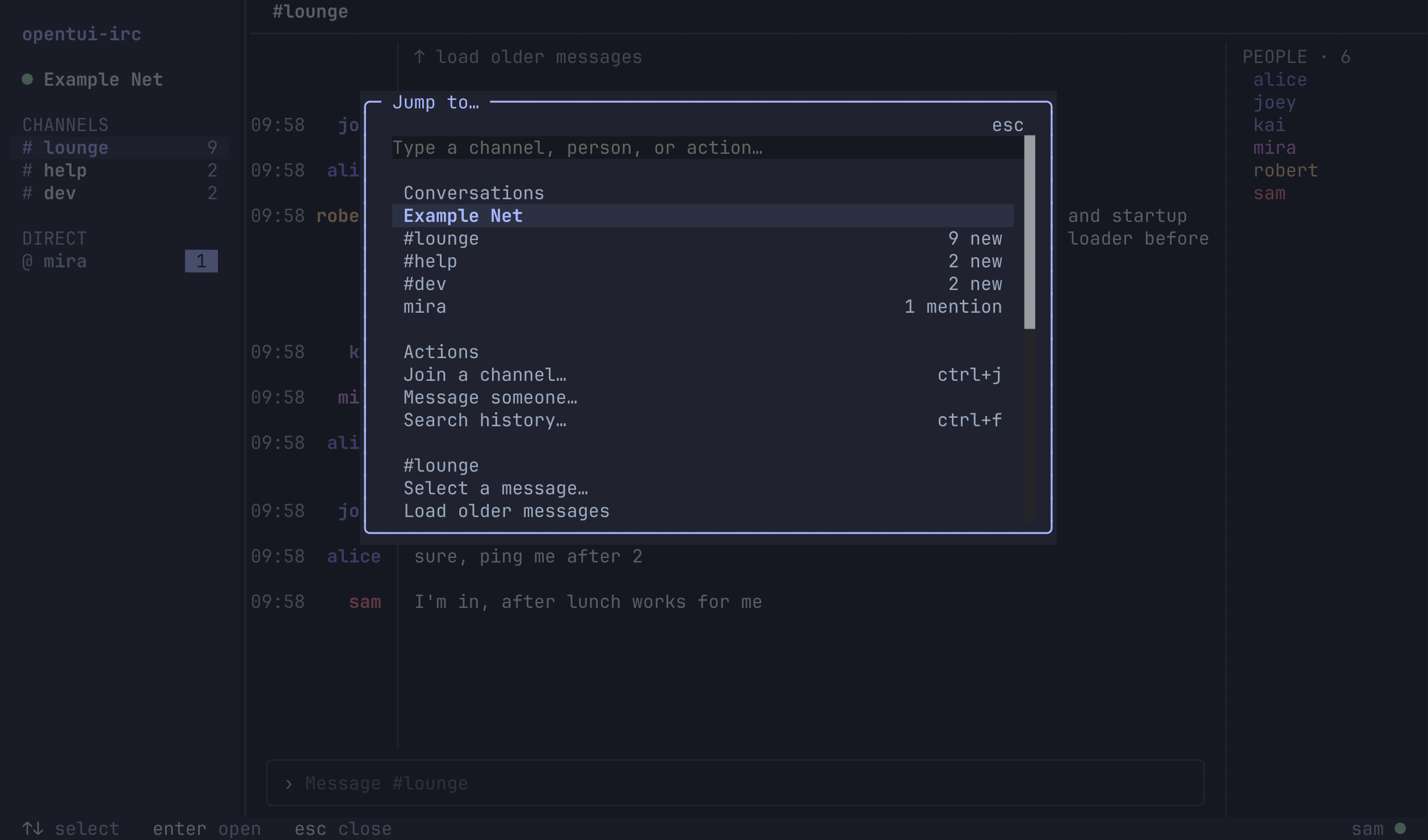
| Click a message for actions | Ctrl+K to jump anywhere |
|---|---|
 |
 |
Light theme
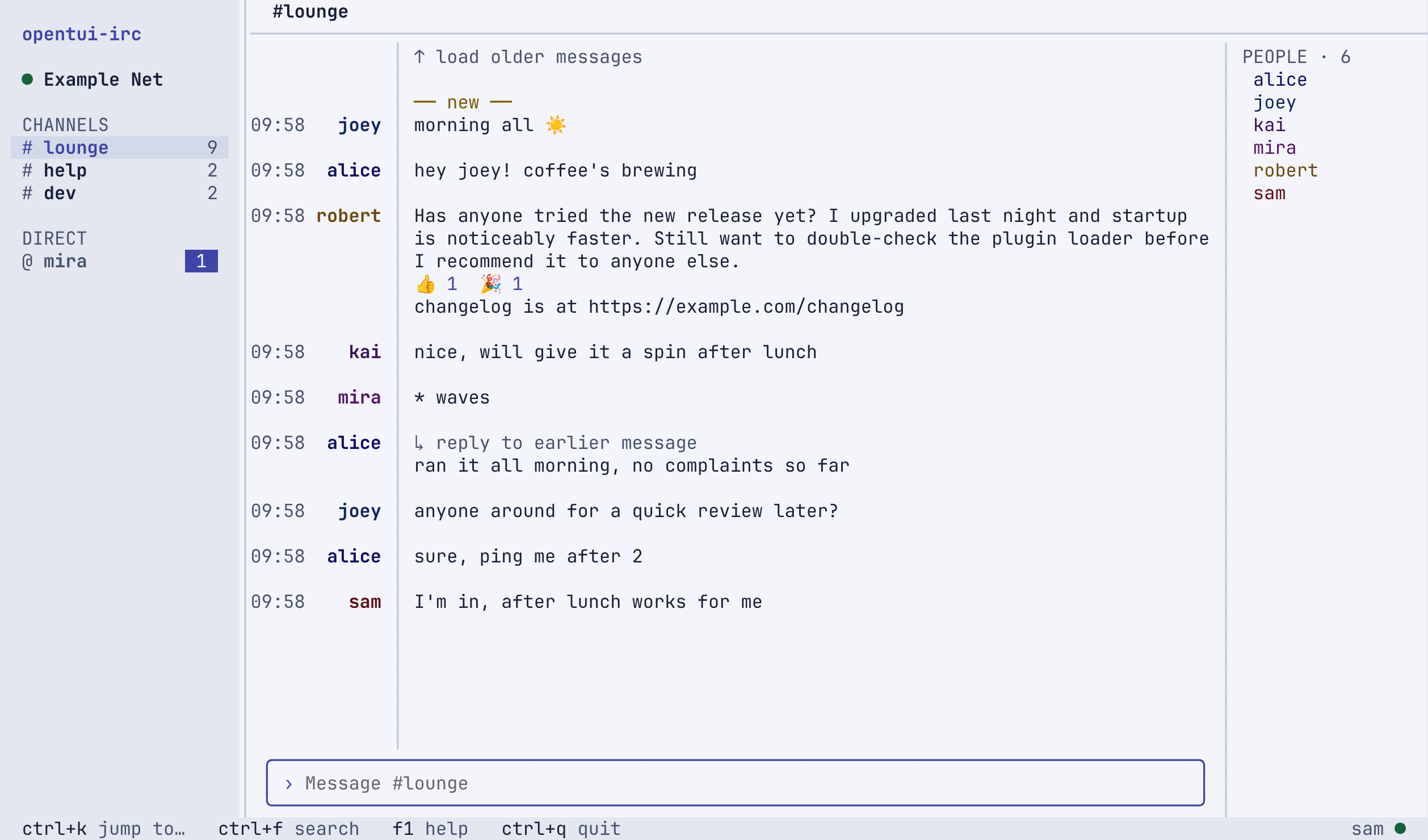
Screenshots come from a local test server with made-up users.
Install
Requires Bun 1.3.14 or newer.
git clone https://github.com/benvinegar/opentui-irc.git && cd opentui-irc
bun install --frozen-lockfile
bun link        # adds `openirc` (and `opentui-irc`) to your PATH (~/.bun/bin)
bun link runs straight from the checkout. To update, git pull (and bun install if dependencies changed). To uninstall, run bun unlink.
Standalone binary: run bun run build to get dist/openirc, a single executable that needs neither Bun nor the source. Copy it anywhere on your PATH. It only runs on the OS and CPU it was built on.
Quick start
openirc
- Choose Set up a network. Presets fill in Libera.Chat and OFTC, or enter any TLS server.
- Pick a nickname. Optionally add your SASL account.
- Connect, then press Ctrl+J to join a channel.
| Key | Action |
|---|---|
| Ctrl+K | Switch conversation / more actions |
| Ctrl+J | Join a channel |
| Ctrl+F | Search local history |
| Enter / Shift+Enter | Send / new line |
| Tab | Complete nicknames and commands |
| F1 | Help |
| Ctrl+Q | Quit |
Click a message to copy, reply, react or open links. Click a nickname to see who they are. Drag across text to copy it.
Configuration
Settings are JSONC files you can edit by hand, change in the in-app Settings screen, or change through the control CLI:
openirc config get                                   # current settings
openirc config schema                                # every setting, with types and defaults
openirc config set tui.density '"comfortable"' --dry-run
openirc config set tui.density '"comfortable"'      # applies live if the client is running
openirc --check-config                               # validate the files
| Data | Location |
|---|---|
| Settings | ${XDG_CONFIG_HOME:-~/.config}/openirc/openirc.jsonc and tui.jsonc |
| History | ${XDG_DATA_HOME:-~/.local/share}/openirc/history.sqlite (Linux) |
~/Library/Application Support/OpenIRC/history.sqlite (macOS) |
To have a coding agent set things up for you, point it at docs/AGENT_GUIDE.md. By default the control socket can inspect and configure. Reading messages, sending chat and destructive actions each need a separate, explicit grant.
Good to know
- History is local plaintext SQLite, kept for 30 days by default. You can turn off logging in Settings.
- Closing the client disconnects. There's no background service; use a bouncer if you want to stay online.
- Nicknames aren't identities. DMs are addressed by nickname, which anyone can take later. Check WHOIS before sharing anything private.
- No link previews. Nothing is fetched automatically, and opening a link asks first.
- Not included: plugins, scripting, DCC, moderation tools, split panes.
Docs
- Agent guide and control API
- Security and privacy model
- Architecture, contracts and decisions
- Product plan and implementation status
- IRC behaviour test matrix
- Changelog
Contributing
Bug reports and pull requests are welcome. Read CONTRIBUTING.md first. In short:
bun install --frozen-lockfile   # also installs the pre-commit hook
bun run check                   # format, lint, types and every test
Node.js 24 is also needed for the Vitest suite. Tests use local fake IRC servers and never connect to public networks.
Security
Please report vulnerabilities privately; see SECURITY.md.
License
MIT © Ben Vinegar