

ParrotFlow
Dictation for builders.
Local dictation for macOS that you can program.

https://github.com/user-attachments/assets/bfdeb558-cd49-4a70-8605-a5ede1bd8f00
Install
ParrotFlow needs Apple silicon and macOS 15+. It uses about 2 GB of disk and 1 GB of memory.
brew install znat/tap/parrotflow
Not using Homebrew?
The script installs the same app, in the same place.
curl -fsSL https://raw.githubusercontent.com/znat/parrotflow/main/scripts/install.sh | sh
What it does
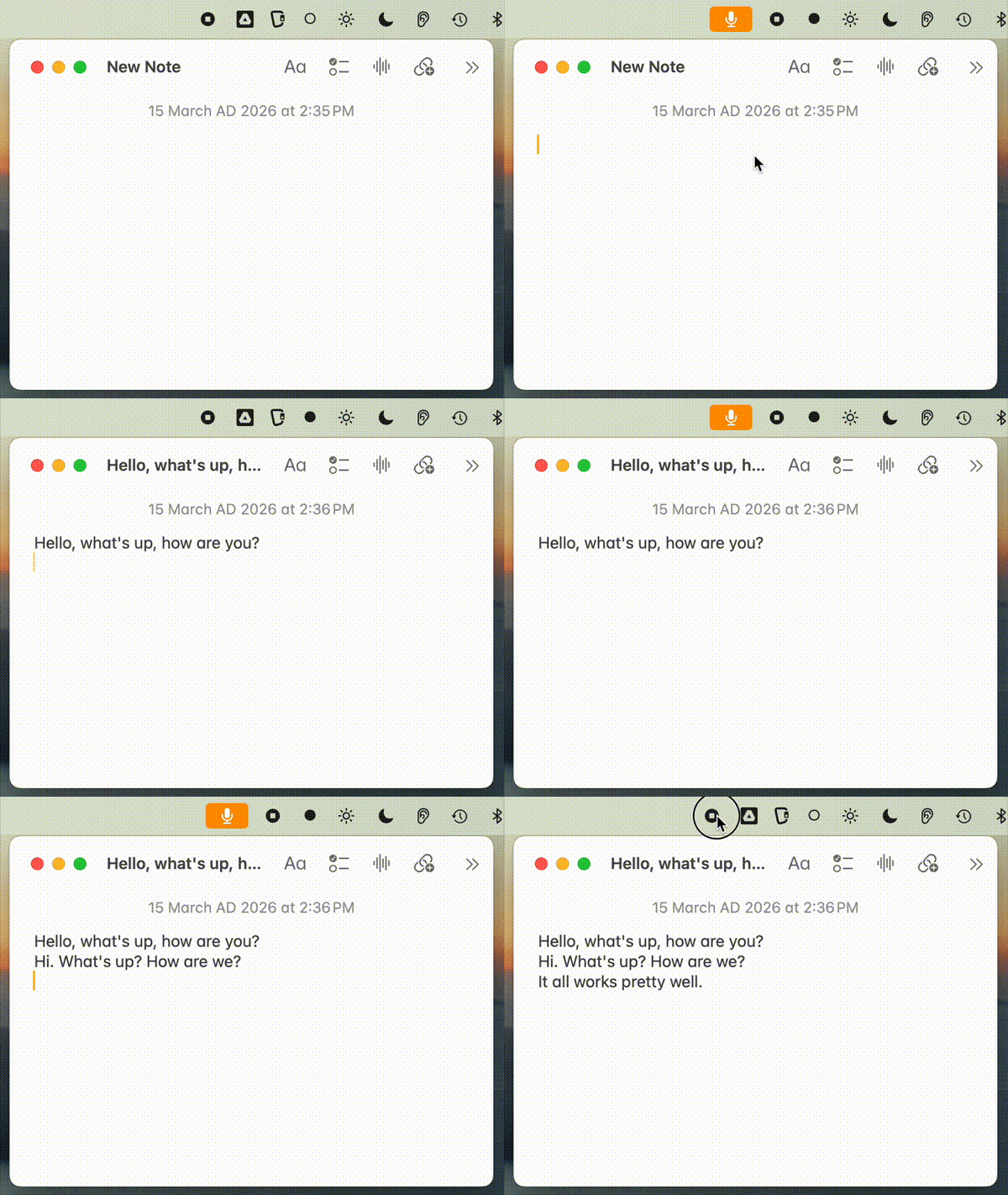
Five things, one example each. Each picture is a still from the video, and the config under it is what does it.
1. Your own rules
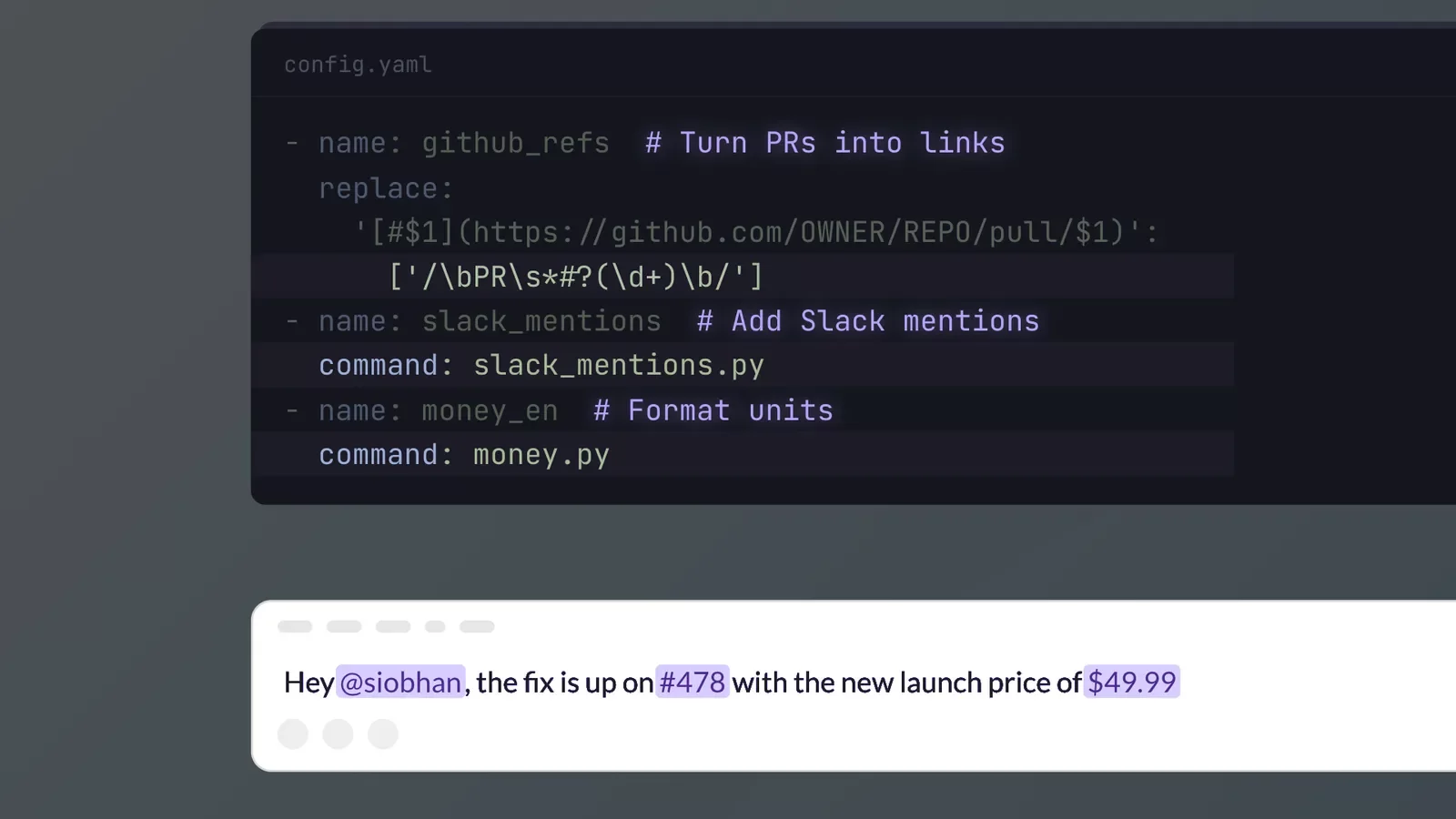
A rule is a pattern and what replaces it, or a small script of your own. These three turn a PR number into a link, a first name into a Slack mention, and a spoken price into digits.
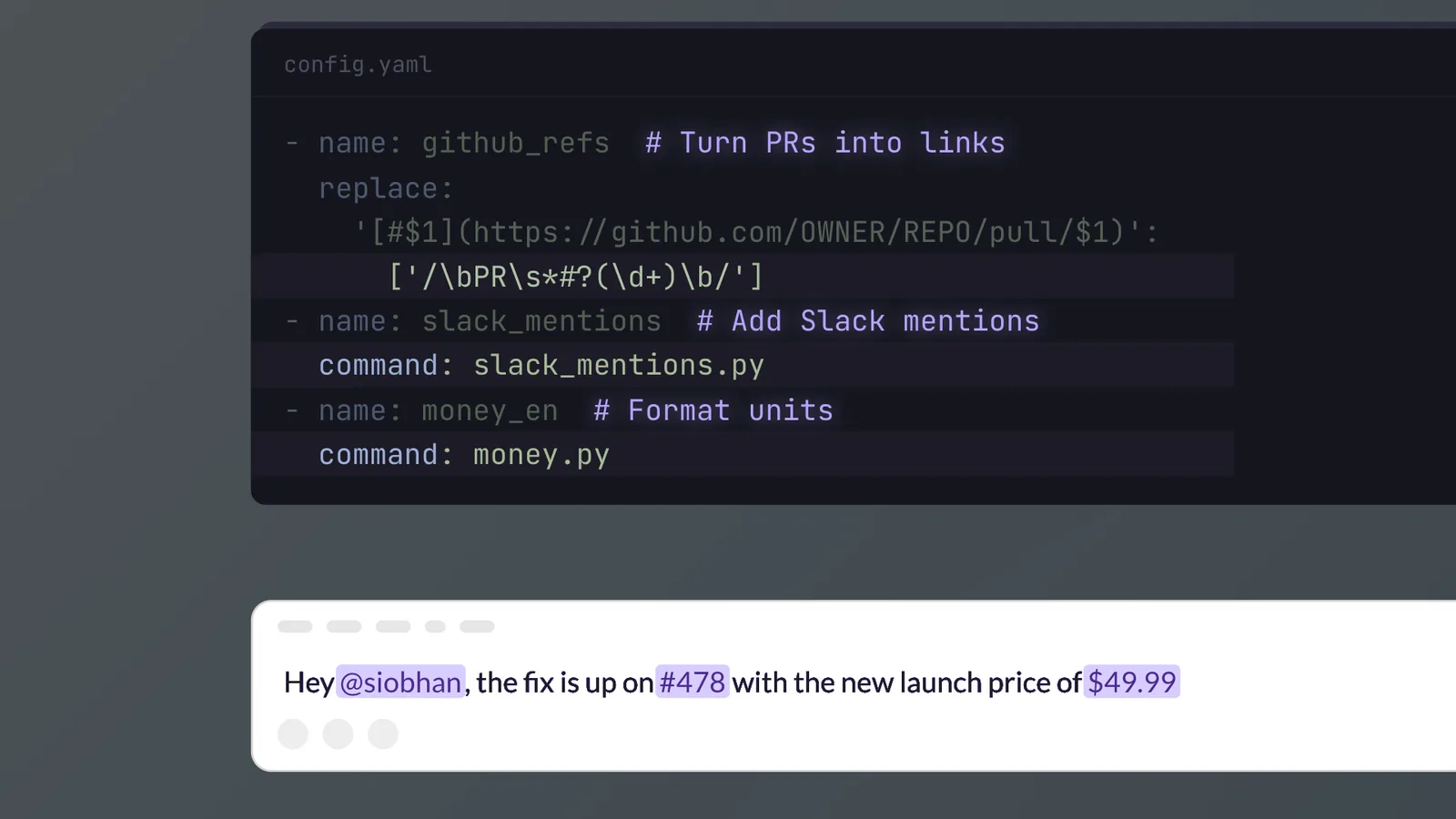
"PR 478" → #478 · "Siobhan" → @siobhan · "forty nine dollars ninety nine" → $49.99
transforms:
  - name: github_refs        # Turn PRs into links
    command: built-in/github_refs/github_refs.py https://github.com/OWNER/REPO
  - name: slack_mentions     # Add Slack mentions
    command: slack_mentions.py
  - name: money_en           # Format units
    command: money.py
2. Context
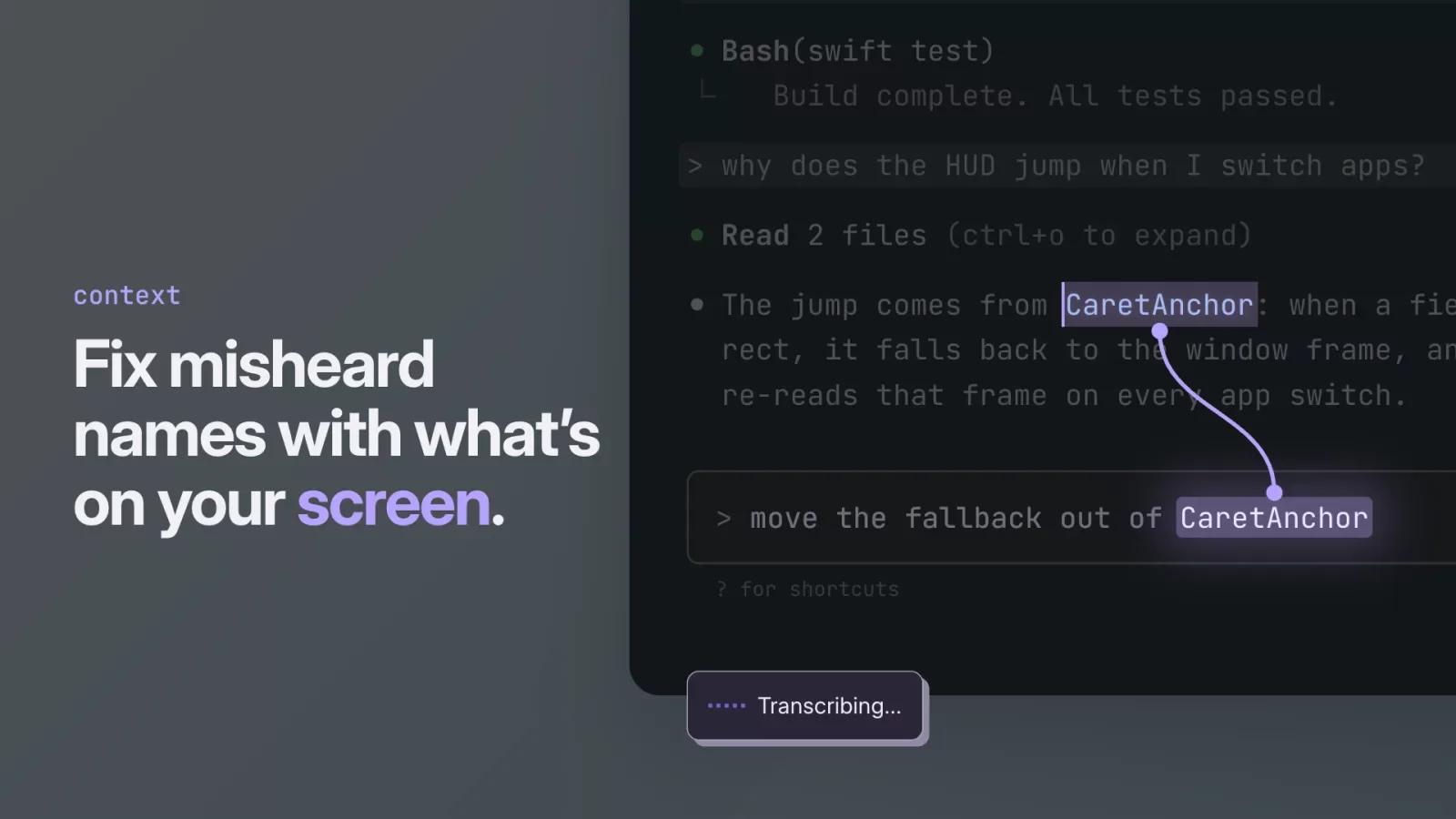
Claude Code just wrote CaretAnchor. You say it, and the recogniser hears
"carrot anchor". ParrotFlow reads the window you dictate into and writes
CaretAnchor. It reads the window in every app, except password managers,
Keychain Access, System Settings and password fields. The screen is read on
your Mac, when you press the key, and needs the Accessibility permission. Set
transcription.context.every_app: false to read only terminals and Slack.
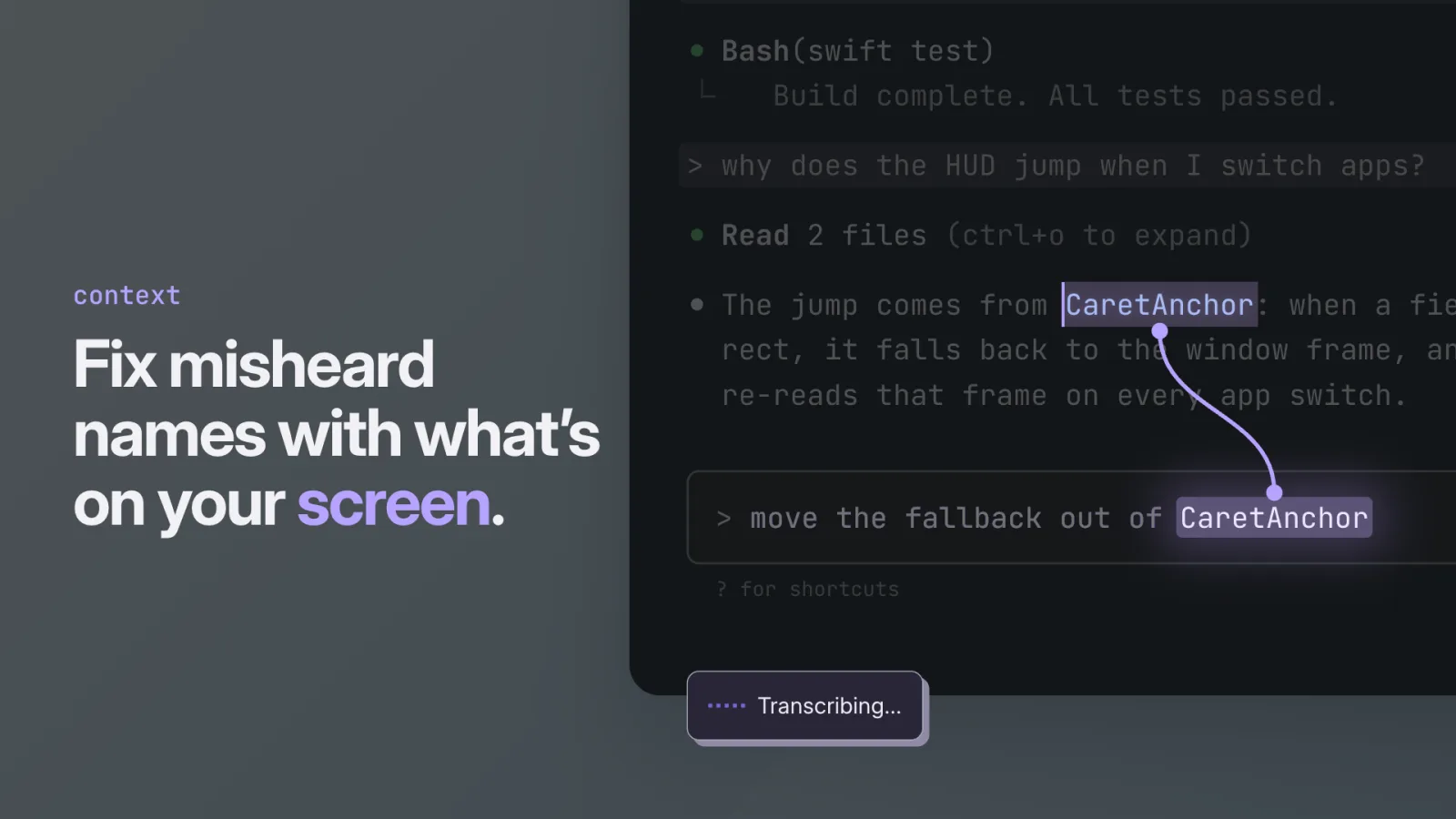
"carrot anchor" → CaretAnchor
transcription:
  context_spelling: {enabled: true}   # on by default
3. Vocabulary
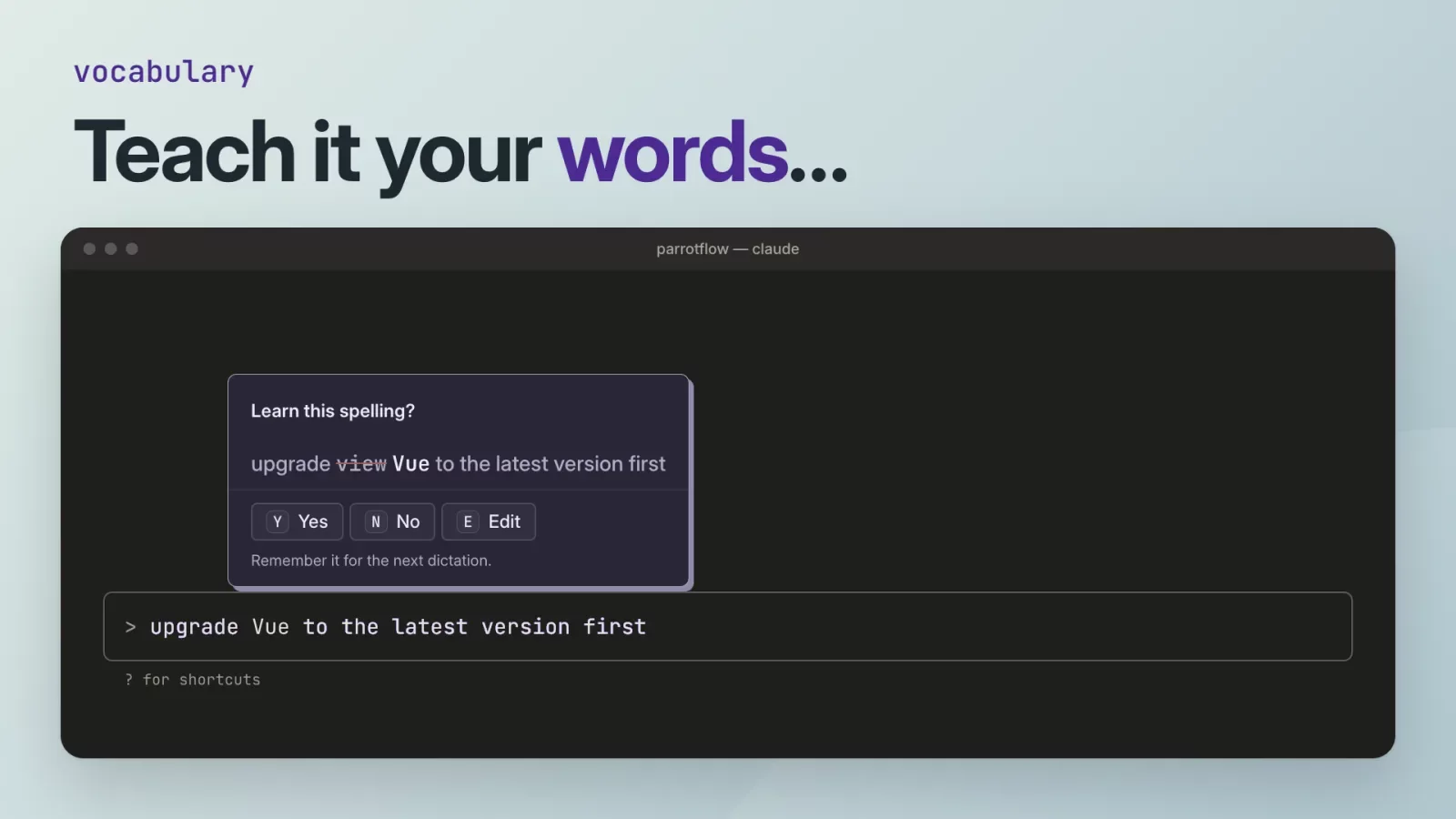
Fix a word once and the pill offers to learn it: Y to keep it, N to skip. Next time, "upgrade view" becomes "upgrade Vue". In "re-render the whole view", the word stays "view". A small parser reads the sentence around each place and decides, in English and French. When it cannot tell, the pill asks.
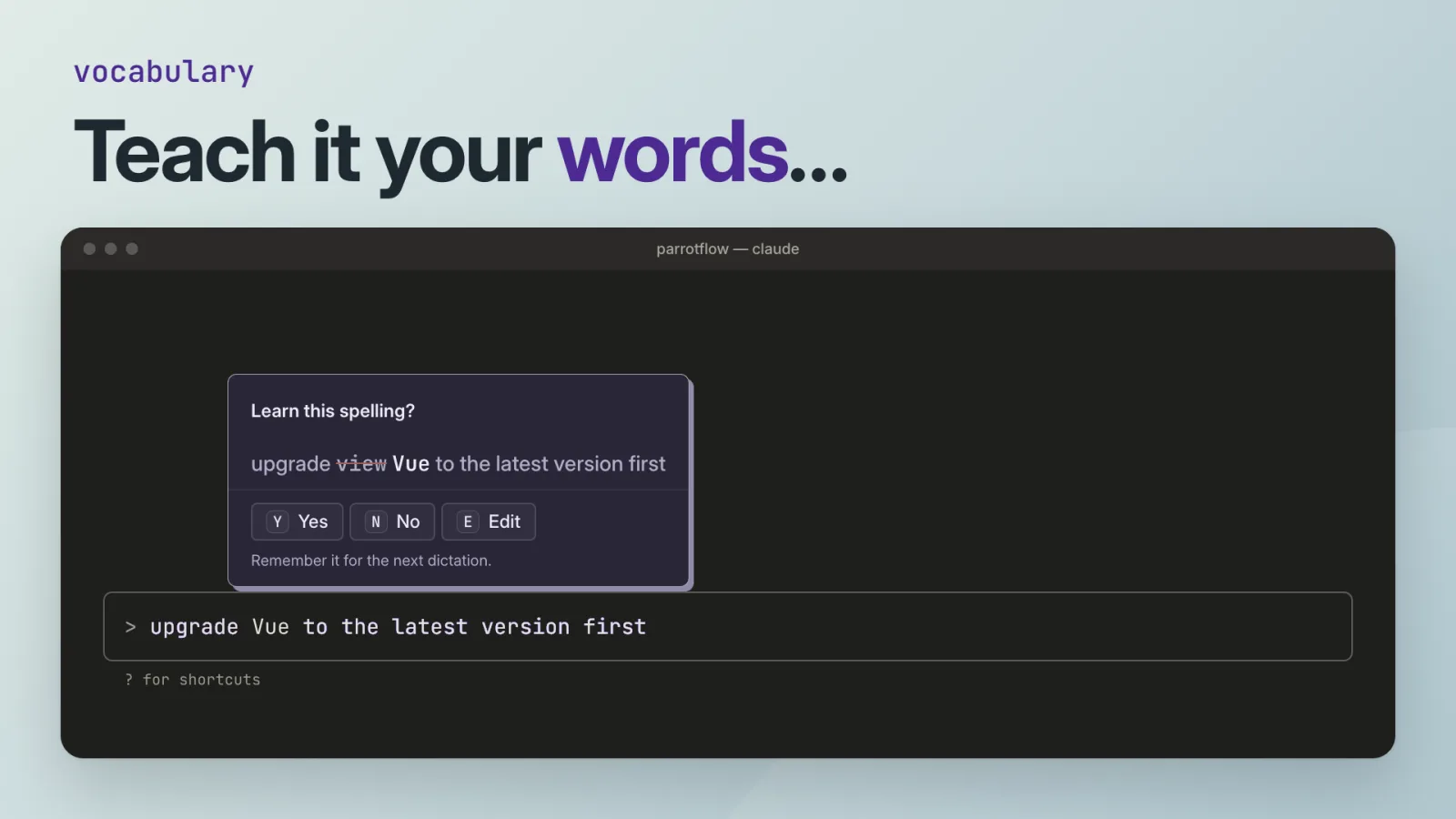
"upgrade view" → "upgrade Vue" · "the whole view" stays "the whole view"
transcription:
  vocabulary: {enabled: true}         # on by default
4. Commands as buttons
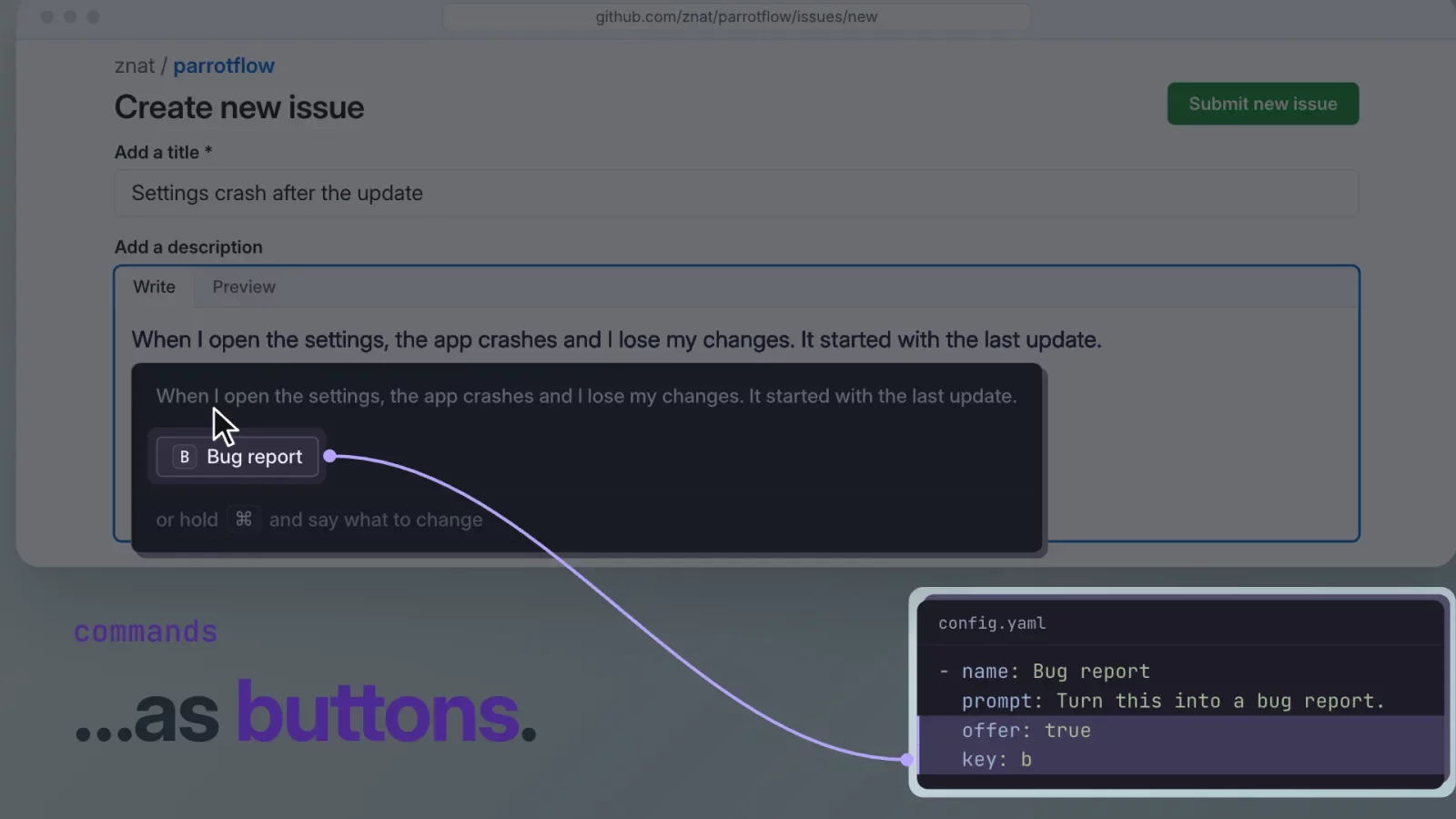
Write a prompt and add offer: true with a key. After you dictate, the pill
shows it as a button. Press B and the dictation becomes a bug report. This is
the only kind of step that rewrites your text with a model, and only when you
add one. It runs on the model you choose, local or in the cloud: see
Use language models only when they're needed.
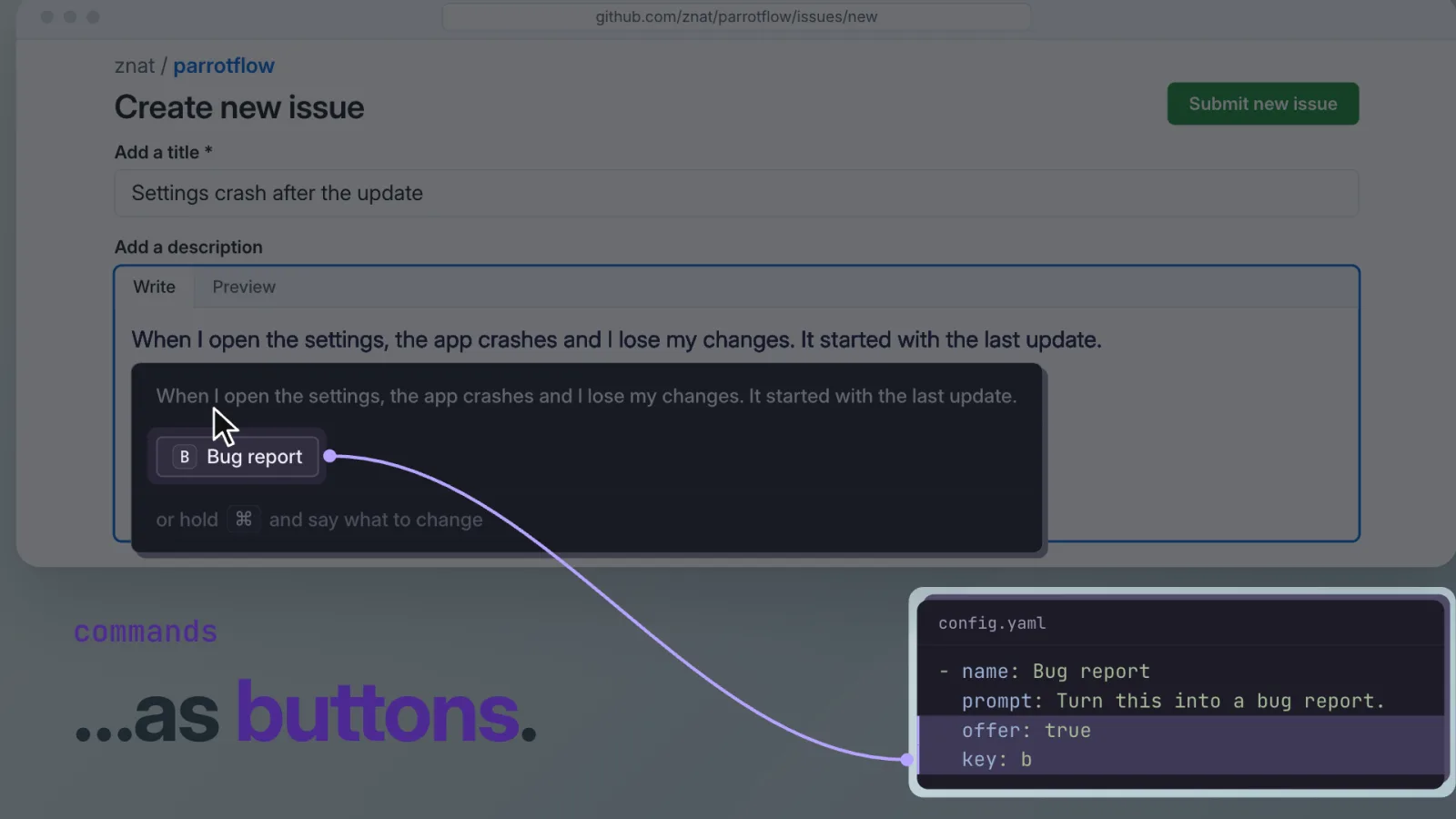
transforms:
  - name: Bug report
    prompt: Turn this into a bug report.
    offer: true
    key: b
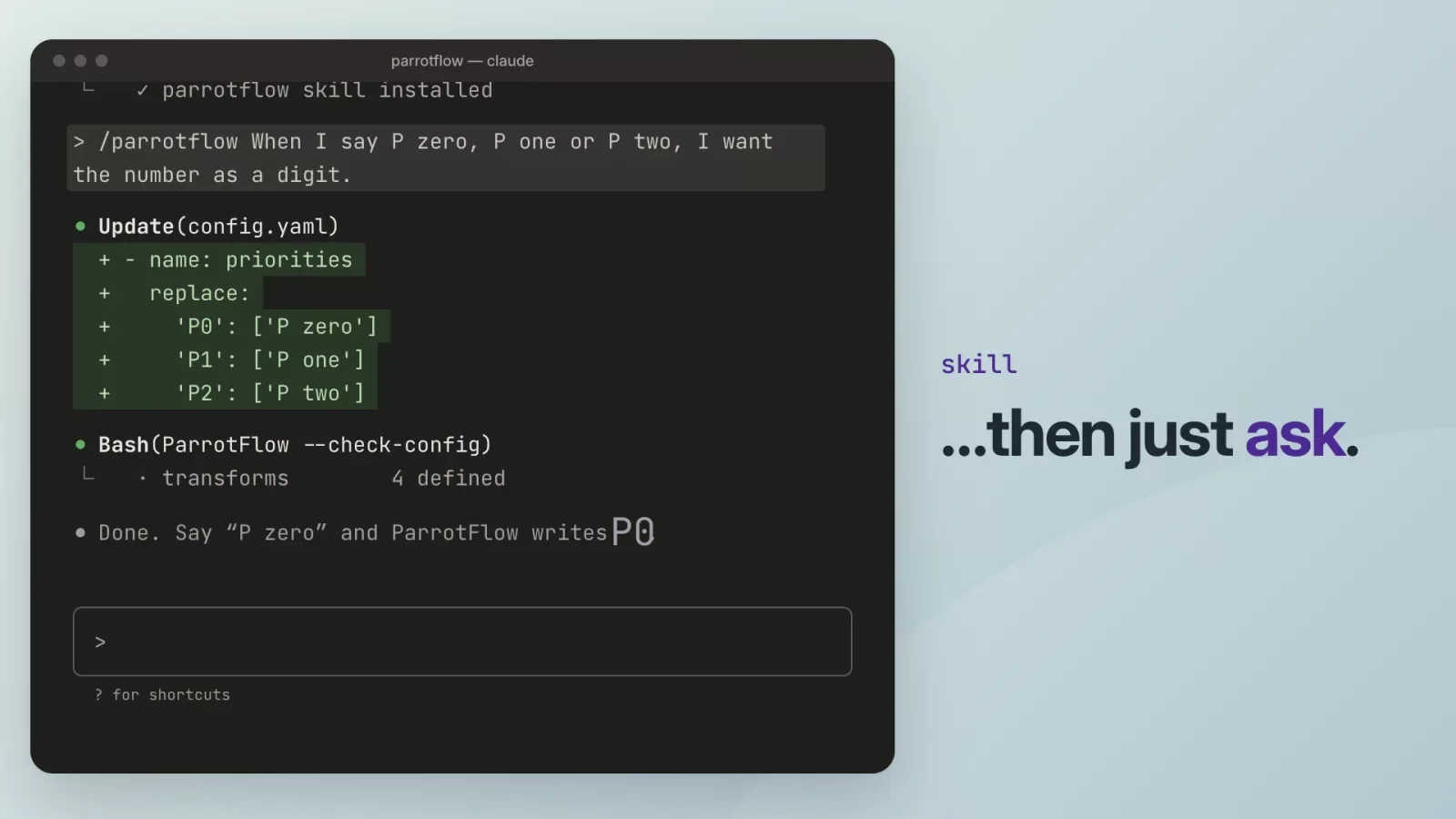
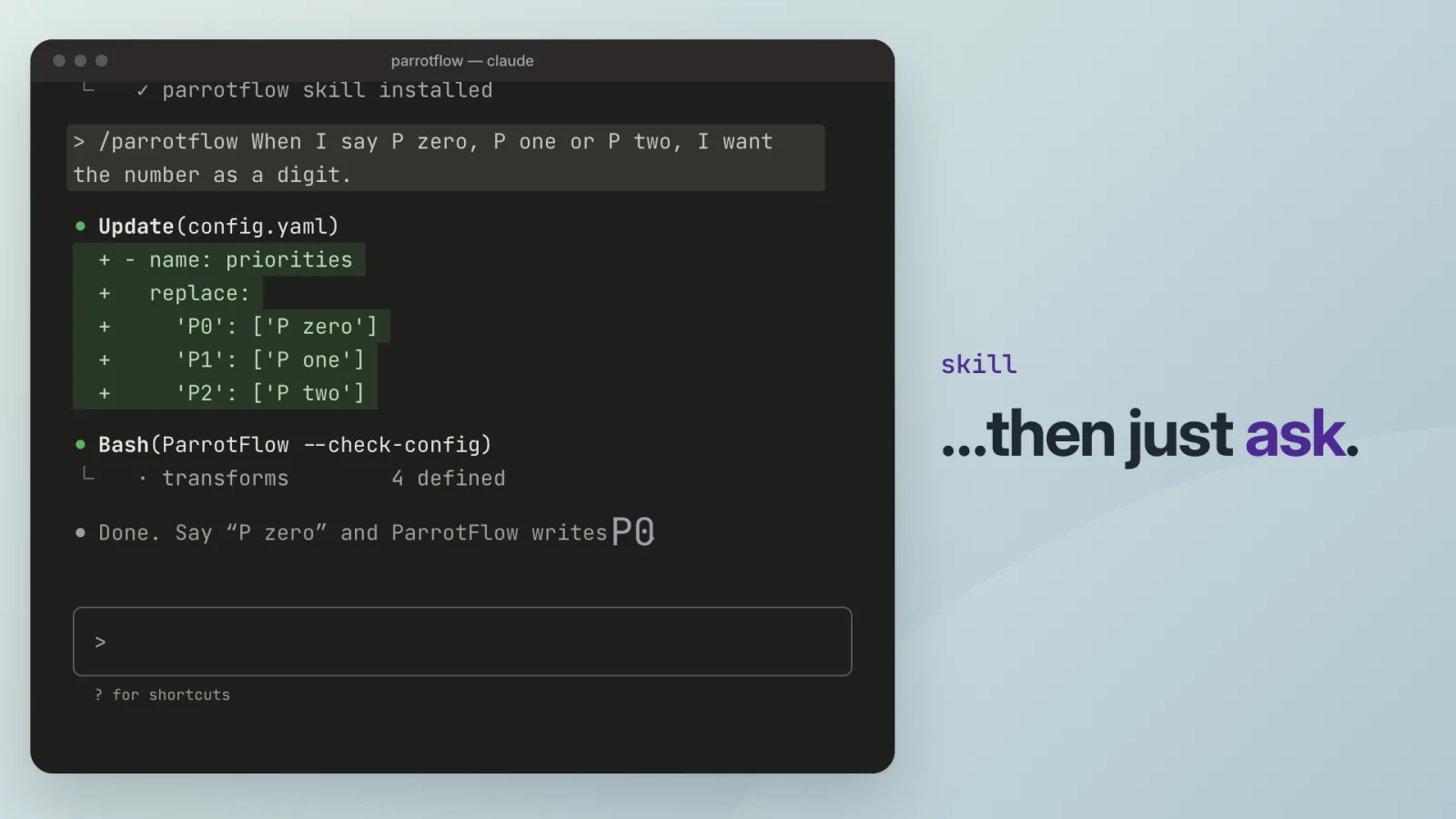
5. The ParrotFlow skill
Add the ParrotFlow skill to your coding agent, then describe the rule in your
own words. The agent writes it into config.yaml and checks it with
ParrotFlow --check-config.
npx skills add znat/parrotflow --skill parrotflow
To match the skill to the app version you run, name its tag:
npx skills add 'znat/parrotflow#v0.18.0@parrotflow'
/parrotflow When I say P zero, P one or P two, I want the number as a digit.
transforms:
  - name: priorities
    replace:
      'P0': ['P zero']
      'P1': ['P one']
      'P2': ['P two']

transcription:
  pipeline:
    # ...your other steps
    - transform: priorities   # without a step, the rule never runs
Truly local and extensible
ParrotFlow uses very small models, such as mmBERT, Qwen3 0.6B and spaCy, to understand what you mean, use your vocabulary in context, correct hesitations and repair raw ASR output without relying on a powerful LLM to rewrite what you said.
| ParrotFlow | Local1 | Cloud2 | |
|---|---|---|---|
| 🔒 Truly local | ✅ | ✅ | ❌ |
| ✍️ Keeps your wording3 — no LLM rewrites it | ✅ | ❌ | ❌ |
| 📖 Knows your vocabulary — and where it belongs | ✅ | ❌ | ❌ |
| 🧩 Extensible — your own rules, prompts and scripts | ✅ | ❌ | ❌ |
| 🔑 No cloud key — for any built-in step | ✅ | ❌4 | ❌ |
1 Handy, VoiceInk, MacWhisper, FluidVoice. 2 Wispr Flow, Aqua, Willow. 3 Built-in steps never rewrite. A prompt step that does is yours to add. 4 FluidVoice bundles a local rewrite model.
Extend with rules, prompts and scripts
Tip
These examples go one step further than What it does.
What makes ParrotFlow truly unique is that you can fully customize it with regular expressions, prompts or scripts.
All you have to do is point your coding agent to your config.yaml file and ask what you need.
Example: Automatically add Slack mentions.
transforms:
  - name: slack_mentions
    description: turn people's names into Slack mentions
    display: Slack Mentions          # what the menu bar says while it runs
    offer: true                      # a chip on the pill after each dictation
    key: s                           # press S to run it
    say: [slack mentions, mentions]  # hold the hotkey and say either one
    command: slack_mentions.py
offer, key and say are three ways to run a transform on demand: a chip
on the pill, a letter, or your voice. A transform that should run on every
dictation goes in the pipeline instead.
Where slack_mentions.py is:
#!/usr/bin/env python3
import re, sys

ROSTER = {"Ada": "@ada.lovelace"}
text = sys.stdin.read()

for name, handle in ROSTER.items():
    # Skip a name already written as a handle. Case-sensitive, so
    # "mark it as done" is not Mark.
    text = re.sub(rf"(?<![@\w.]){re.escape(name)}\b", handle, text)

sys.stdout.write(text)
This one ships. Open transforms/slack_mentions/slack_mentions.py beside your
config and fill the roster.
Combine transforms in a pipeline
transcription:
  pipeline:
    - transform: numbers_en   # "one two three" -> 123, so github_refs has digits
    - transform: github_refs
slack_mentions stays out of the pipeline on purpose: a message that names
someone is not always a message that should ping them. Keep it on the pill.
Use language models only when they're needed
You can use LLMs for prompt transforms, for example fixing grammar, formatting your dictation as an email, bulletizing an enumeration, anything.
Note: An LLM is not required to benefit from all the features above.
models:
  gemma:               # on your Mac, through Ollama
    api: ollama
    model: gemma4:e4b-mlx
    default: true      # what a transform runs on when it names no model
  gpt:                 # remote, for the harder jobs
    api: openai
    model: gpt-5.6-luna
A small local model does quick, solid rewrites on your Mac: grammar, tone, structure. Gemma through Ollama is the one this example names.
transforms:
  - name: grammar
    description: fix grammar and punctuation
    model: gemma       # stays on your Mac
    offer: true        # put a chip on the pill after every dictation
    key: g             # press G to run it
    say: [Fix grammar] # Hold the hotkey, say "Fix grammar"
    prompt: Fix grammar and punctuation...
See built-in/transforms/grammar for a more elaborate version.
Or you can run the grammar fix in chat and mail apps (but not in coding agents, for instance) for all dictations:
transcription:
  pipeline:
    - transform: grammar
      app: /slack|outlook/    # Grammar only checked in Slack and Outlook
You can define very granular conditions for pipeline stages — on the text so far, on the app being dictated into, or on your own variables. See Conditions and Apps.
More examples
Each with its own test cases, in built-in/transforms.
fillers, dates, numbers, money and disfluency are in the pipeline a
new install gets; the rest ship with no step — see What ships
unwired.
- numbers — spoken numbers as digits, one
script per language: "two hundred forty-three" →
243, "soixante-quinze pour cent" →75%. - disfluency — what you did not mean to say, taken out: a word said twice, "the the prompt" → "the prompt"; a phrase begun again, "in the ter in the terminal"; and a marker that carries nothing, "so use like you know five" → "so use five". Only that last one wants a parse; the rest are string work.
- dates — a dictated date or time in the shape it was said, "at ten fifteen" → "at 10:15". One script per language, above the numbers step; English is in the pipeline and French is two lines of config away.
Pipelines · Writing a transform · Where the time goes
Documentation
Tip
Point your coding agent at this repo and say what you want. It can edit
config.yaml, write a transform's prompt or script, and harden it against real test cases before you trust it — start at AGENTS.md.
docs/README.md — configuration, pipelines, transforms, the command line, permissions, architecture.
CONTRIBUTING.md — build it, test it, send a change. Questions that are not bugs go to Discussions.
License
macOS dictation · offline speech to text · local voice typing · open source Wispr Flow alternative · privacy-first transcription · Parakeet · Ollama