PraisonAI 🦞

PraisonAI 🦞 — Hire a 24/7 AI Workforce. Stop writing boilerplate and start shipping autonomous, self-improving agents that research, plan, and execute tasks across your apps. From one agent to an entire organization, deployed in 5 lines of code.
curl -fsSL https://praison.ai/install.sh | bash


 ██████╗ ██████╗  █████╗ ██╗███████╗ ██████╗ ███╗   ██╗     █████╗ ██╗
 ██╔══██╗██╔══██╗██╔══██╗██║██╔════╝██╔═══██╗████╗  ██║    ██╔══██╗██║
 ██████╔╝██████╔╝███████║██║███████╗██║   ██║██╔██╗ ██║    ███████║██║
 ██╔═══╝ ██╔══██╗██╔══██║██║╚════██║██║   ██║██║╚██╗██║    ██╔══██║██║
 ██║     ██║  ██║██║  ██║██║███████║╚██████╔╝██║ ╚████║    ██║  ██║██║
 ╚═╝     ╚═╝  ╚═╝╚═╝  ╚═╝╚═╝╚══════╝ ╚═════╝ ╚═╝  ╚═══╝    ╚═╝  ╚═╝╚═╝

 pip install praisonai

🎯 Use Cases
AI agents solving real-world problems across industries:
| Use Case | Description |
|---|---|
| 🔍 Research & Analysis | Conduct deep research, gather information, and generate insights from multiple sources automatically |
| 💻 Code Generation | Write, debug, and refactor code with AI agents that understand your codebase and requirements |
| ✍️ Content Creation | Generate blog posts, documentation, marketing copy, and technical writing with multi-agent teams |
| 📊 Data Pipelines | Extract, transform, and analyze data from APIs, databases, and web sources automatically |
| 🤖 Customer Support | Deploy 24/7 support bots on Telegram, Discord, Slack with memory and knowledge-backed responses |
| ⚙️ Workflow Automation | Automate multi-step business processes with agents that hand off tasks, verify results, and self-correct |
🚀 Meet your first Agent (Under 1 Minute)
- Install the lightweight core SDK:
pip install praisonaiagents
export OPENAI_API_KEY="your-api-key"
- Run your first autonomous agent:
from praisonaiagents import Agent

# Give your agent a goal, and watch it work.
agent = Agent(instructions="You are a senior data analyst.")
agent.start("Analyze the top 3 tech trends of 2026 and format as a markdown table.")
🧬 The Five-Layer Agent Stack
Most frameworks hand you one or two layers and leave the rest as homework. PraisonAI covers all five — plus the outer layer that decides where your agent actually runs.
Each layer wraps the one inside it. When an agent misbehaves, the layer tells you where to look.
┌─────────────────────────────────────────────────────────────────┐
│ ⬡ MANAGED AGENTS — Where does it actually run?                  │
│ ┌─────────────────────────────────────────────────────────────┐ │
│ │ 5 · GRAPH — Who runs when, and who checks whom?             │ │
│ │ ┌─────────────────────────────────────────────────────────┐ │ │
│ │ │ 4 · LOOP — When do we stop?                             │ │ │
│ │ │ ┌─────────────────────────────────────────────────────┐ │ │ │
│ │ │ │ 3 · HARNESS — Can it act, and be checked?           │ │ │ │
│ │ │ │ ┌─────────────────────────────────────────────────┐ │ │ │ │
│ │ │ │ │ 2 · CONTEXT — Is the right thing in the window? │ │ │ │ │
│ │ │ │ │ ┌─────────────────────────────────────────────┐ │ │ │ │ │
│ │ │ │ │ │ 1 · PROMPT — Did I say it clearly?          │ │ │ │ │ │
│ │ │ │ │ └─────────────────────────────────────────────┘ │ │ │ │ │
│ │ │ │ └─────────────────────────────────────────────────┘ │ │ │ │
│ │ │ └─────────────────────────────────────────────────────┘ │ │ │
│ │ └─────────────────────────────────────────────────────────┘ │ │
│ └─────────────────────────────────────────────────────────────┘ │
└─────────────────────────────────────────────────────────────────┘
| Layer | The question it answers | PraisonAI |
|---|---|---|
| 1 · Prompt | Did I say it clearly? | instructions=, role/goal/backstory, output=, templates= |
| 2 · Context | Is the right thing in the window? | memory=, knowledge=, context=, handoff ContextPolicy |
| 3 · Harness | Can it act, and be checked? | tools=, MCP(), guardrails=, approval=, hooks=, sandbox= |
| 4 · Loop | When do we stop? | execution=ExecutionConfig(...), reflection=, autonomy=, doom-loop detection |
| 5 · Graph | Who runs when, and who checks whom? | AgentFlow, route(), parallel(), loop(), repeat() |
| ⬡ Managed | Where does it actually run? | tools_run_on="docker" — one shared sandbox for the tools, or run_on="anthropic" for the whole agent |
Layer 1 · Prompt — Did I say it clearly?
Role, instructions, examples, output format.
from praisonaiagents import Agent

agent = Agent(
    role="Senior Data Analyst",
    goal="Turn raw numbers into decisions",
    output="verbose",              # markdown-formatted output
)
agent.start("Summarise Q3 revenue trends")
Layer 2 · Context — Is the right thing in the window?
Write, select, compress, isolate — the four context operations, one parameter each.
from praisonaiagents import Agent

agent = Agent(
    instructions="You are a support engineer.",
    memory={"user_id": "u-42"},    # write    — persists across runs (needs a user_id)
    knowledge=["docs/"],           # select   — retrieves only what's relevant
    context="summarize",           # compress — auto-compacts before the limit
)
Isolate is
handoffs=[specialist]— a sub-agent inherits the last few messages and the intersection of your tools, not your whole transcript. 📖 Handoffs
Layer 3 · Harness — Can it act, and be checked?
Agent = Model + Harness. Tool dispatch, plus the guides that steer before acting and the sensors that observe after.
from praisonaiagents import Agent, MCP, tool

@tool
def deploy(env: str) -> str:
    """Deploy the current build to an environment."""
    return f"Deployed to {env}"

agent = Agent(
    name="ReleaseEngineer",
    instructions="You are a release engineer.",
    tools=[deploy, MCP("npx -y @modelcontextprotocol/server-filesystem /tmp")],
    approval=True,                 # guide — human gate before risky tools run
)
agent.start("Deploy to staging, then list the files you can read")
Layer 4 · Loop — When do we stop?
Hard iteration caps, budget ceilings, no-progress detection and completion checks — every brake is explicit.
from praisonaiagents import Agent, ExecutionConfig

agent = Agent(
    instructions="Fix the failing tests.",
    execution=ExecutionConfig(max_iter=30, max_budget=0.50, on_budget_exceeded="stop"),
    autonomy=True,                 # required to drive the loop with run_autonomous()
)
result = agent.run_autonomous("Refactor the auth module", max_iterations=5)

print(result.completion_reason)
# goal | no_tool_calls | max_iterations | timeout | doom_loop | needs_help | error
# (with on_budget_exceeded="stop", hitting the cap raises BudgetExceededError,
#  surfaced here as completion_reason="error")
Doom-loop detection is on by default. Repeated identical tool calls and A→B→A→B oscillation get caught — while a poller whose output keeps changing does not. 📖 Doom Loop Detection
Layer 5 · Graph — Who runs when, and who checks whom?
Topology as a versionable artifact: prompt chaining, routing, parallelisation, orchestrator-worker.
from praisonaiagents import AgentFlow
from praisonaiagents.workflows import route, parallel, repeat

flow = AgentFlow(steps=[
    classifier,
    route({"bug": [bug_agent], "feature": [feature_agent], "default": [triage]}),
    parallel([reviewer, tester]),                      # fan out, join automatically
    repeat(editor, until=lambda ctx: "approved" in ctx.previous_result.lower(),
           max_iterations=3),                          # evaluator–optimizer
])
flow.run("Ticket #123: login fails on Safari")
The same graph is expressible in YAML with no Python at all. 📖 AgentFlow
⬡ Outside the stack: Managed Agents — Where does it actually run?
The harness is commoditising; where the agent executes is the next multiplier. Rather than burning your laptop's CPU, hand an agent a short-lived cloud sandbox — repo, tools and tests run there.
pip install praisonai
The simplest way in is tools_run_on= — one whole team or workflow shares one sandbox, so a file written by step 1 is there for step 2. Thinking stays on your machine:
from praisonaiagents import Agent, AgentFlow

writer = Agent(name="Writer", instructions="You write files.")
reader = Agent(name="Reader", instructions="You read files.")

flow = AgentFlow(tools_run_on="docker", steps=[writer, reader])  # or e2b | modal | daytona | flyio
flow.run("Write 'hello' to /workspace/note.txt, then read it back")
Same thing with no Python at all:
name: remote-demo
tools_run_on: docker      # every step shares one sandbox
agents:
  writer: {role: Writer, goal: Write files}
  reader: {role: Reader, goal: Read files}
steps:
  - agent: writer
    action: "Write 'hello' to /workspace/note.txt"
  - agent: reader
    action: "Read /workspace/note.txt"
For a single agent, two words cover it — and they answer different questions:
from praisonaiagents import Agent

# A. Only the TOOLS move. Thinking stays on your machine.
agent = Agent(name="builder", instructions="You build things.",
              tools_run_on="docker")   # docker | e2b | modal | daytona | flyio
                                       # tenki | sandlock | ssh | novita | subprocess

# B. The WHOLE agent moves — model calls, loop and tools
agent = Agent(name="teacher", instructions="You teach.", run_on="anthropic")  # hosted
agent = Agent(name="builder", instructions="You build.", run_on="docker")     # self-hosted
agent.start("Write a Python script that prints the first 10 primes, then run it")
Ask any object where it runs, and it will tell you:
>>> Agent(name="builder", instructions="x", tools_run_on="docker")
Agent(name='builder', thinks_on='this machine', tools_run_on='a Docker container')

>>> agent.where_does_it_run()
Thinking (the AI model calls) happens on this machine.
Tools run on a Docker container.
Your own tools (check_db) still run on this machine -- only shell, file and
code tools move. They read and write this machine's files.
Naming a place that cannot do the job is a typo, not a preference, so it says so:
>>> Agent(name="x", instructions="i", run_on="e2b")
TypeError: Agent(run_on='e2b') is not valid: run_on= places the whole agent
-- model calls, loop and tools -- on a managed runtime, and 'e2b' runs
commands but cannot host an agent loop.
  To run only the tools there:  Agent(tools_run_on='e2b')
To run one block of code somewhere else, name the place on that call:
agent.execute_code_sync("print(6 * 7)", run_in="sandlock") # kernel-enforced
See what is running and reclaim strays:
praisonai managed ps          # list running sandboxes
praisonai managed stop --all  # reclaim them
Sandboxes shut themselves down when idle (auto_shutdown, idle_timeout_s), and a post-setup snapshot is reused so the next run skips the image pull and dependency install. Commit a .praisonai/environment.yaml and the environment travels with the repo.
📖 20 runnable examples · manage sessions with
praisonai managed sessions list <agent-id>orpraisonai managed sessions resume <session-id> "<prompt>"
Stack framing adapted from The Five-Layer Agent Stack and Agent Harnesses vs Orbs.
🌌 The PraisonAI Ecosystem
Start simple with the core SDK, or expand to full visual builders and dashboards when you're ready.
- Core SDK (
praisonaiagents): For pure Python development.pip install praisonaiagents - 💻 PraisonAI CLI (
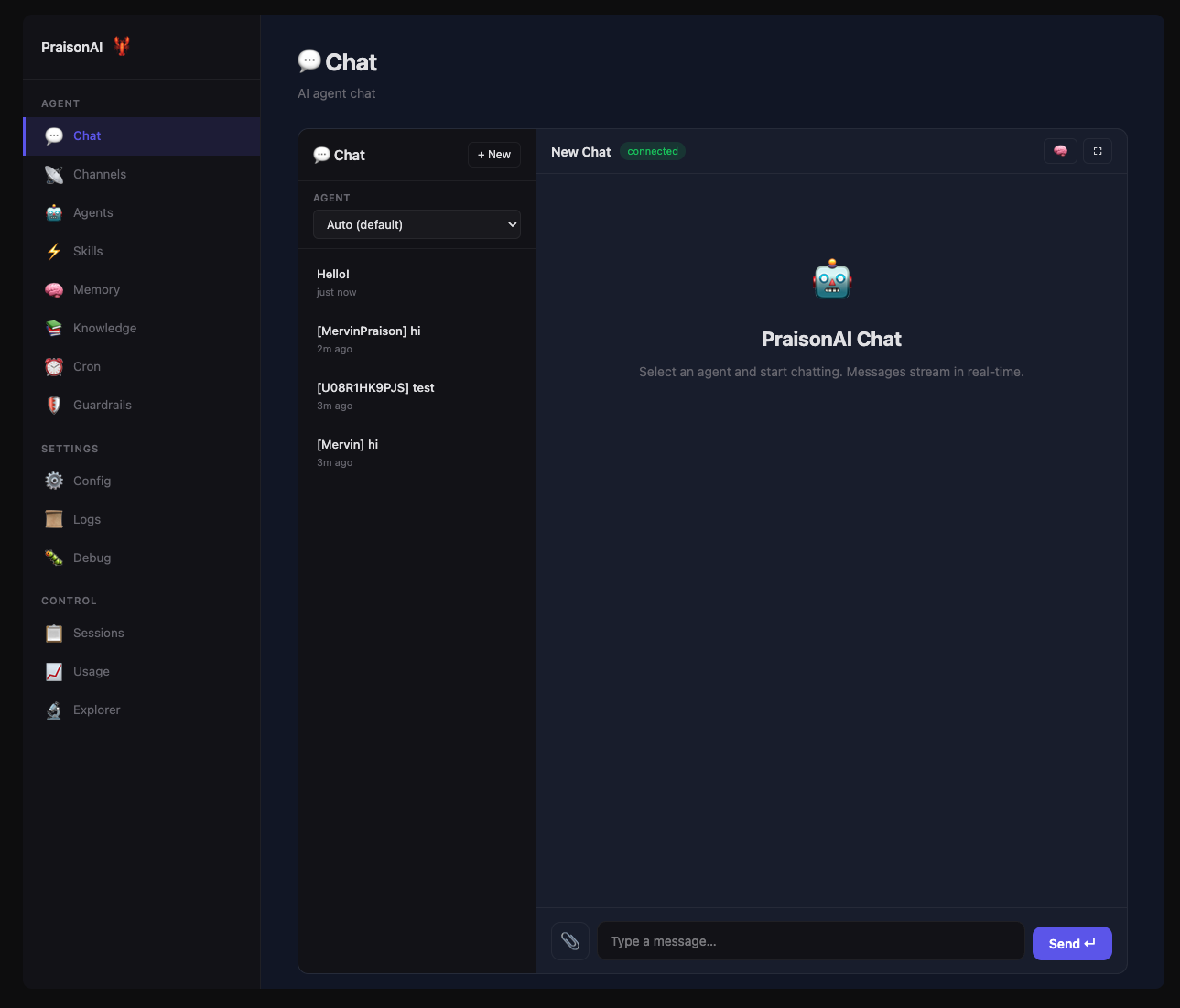
praisonai): For terminal-based developers.pip install praisonai - 🦞 Claw Dashboard: Connect agents directly to Telegram, Slack, or Discord.
pip install "praisonai[claw]" - 🔗 Flow Visual Builder: Drag-and-drop workflow creation.
pip install "praisonai[flow]" - 🤖 PraisonAI UI: Clean chat interface.
pip install "praisonai[ui]"
JavaScript SDK
npm install praisonai
🧠 Supported Providers & Features
Powered by 100+ LLMs (OpenAI, Anthropic, Gemini & local models).


View all 24 providers with examples
| Provider | Example |
|---|---|
| OpenAI | Example |
| Anthropic | Example |
| Google Gemini | Example |
| Ollama | Example |
| Groq | Example |
| DeepSeek | Example |
| xAI Grok | Example |
| Mistral | Example |
| Cohere | Example |
| Perplexity | Example |
| Fireworks | Example |
| Together AI | Example |
| OpenRouter | Example |
| HuggingFace | Example |
| Azure OpenAI | Example |
| AWS Bedrock | Example |
| Google Vertex | Example |
| Databricks | Example |
| Cloudflare | Example |
| AI21 | Example |
| Replicate | [Example](https://github.com/m |