

PumpGTM MCP server
Run LinkedIn, email and X outreach from any AI agent.
PumpGTM finds the buyers showing intent this week, drafts and sends the outreach from your own accounts inside each platform's limits, and hands every reply back to a human. This is the public reference for the hosted MCP server at https://mcp.pumpgtm.com/mcp.
Quickstart · Docs · tools.json · REST API · Platforms and agencies · YouTube
What your agent is driving
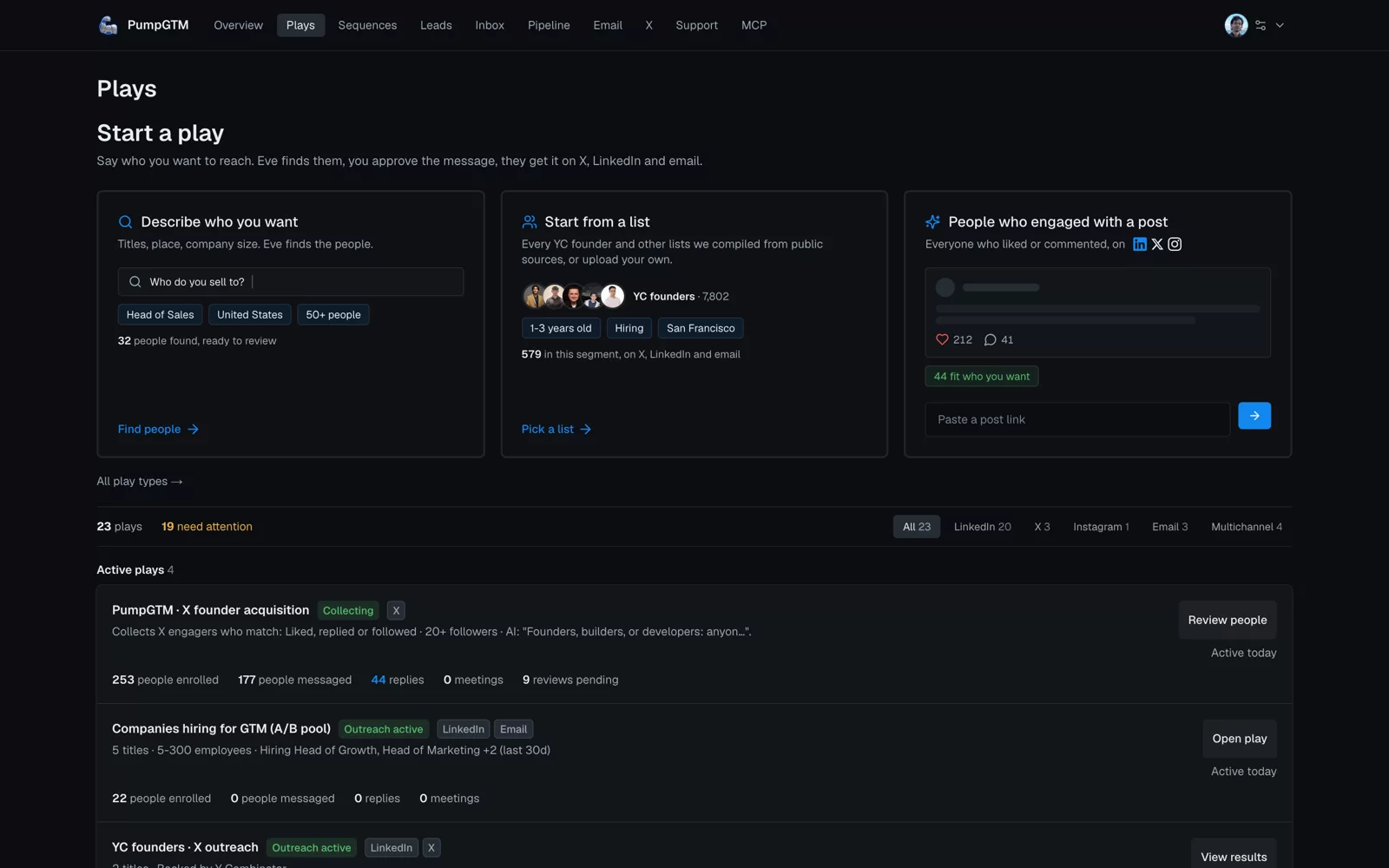
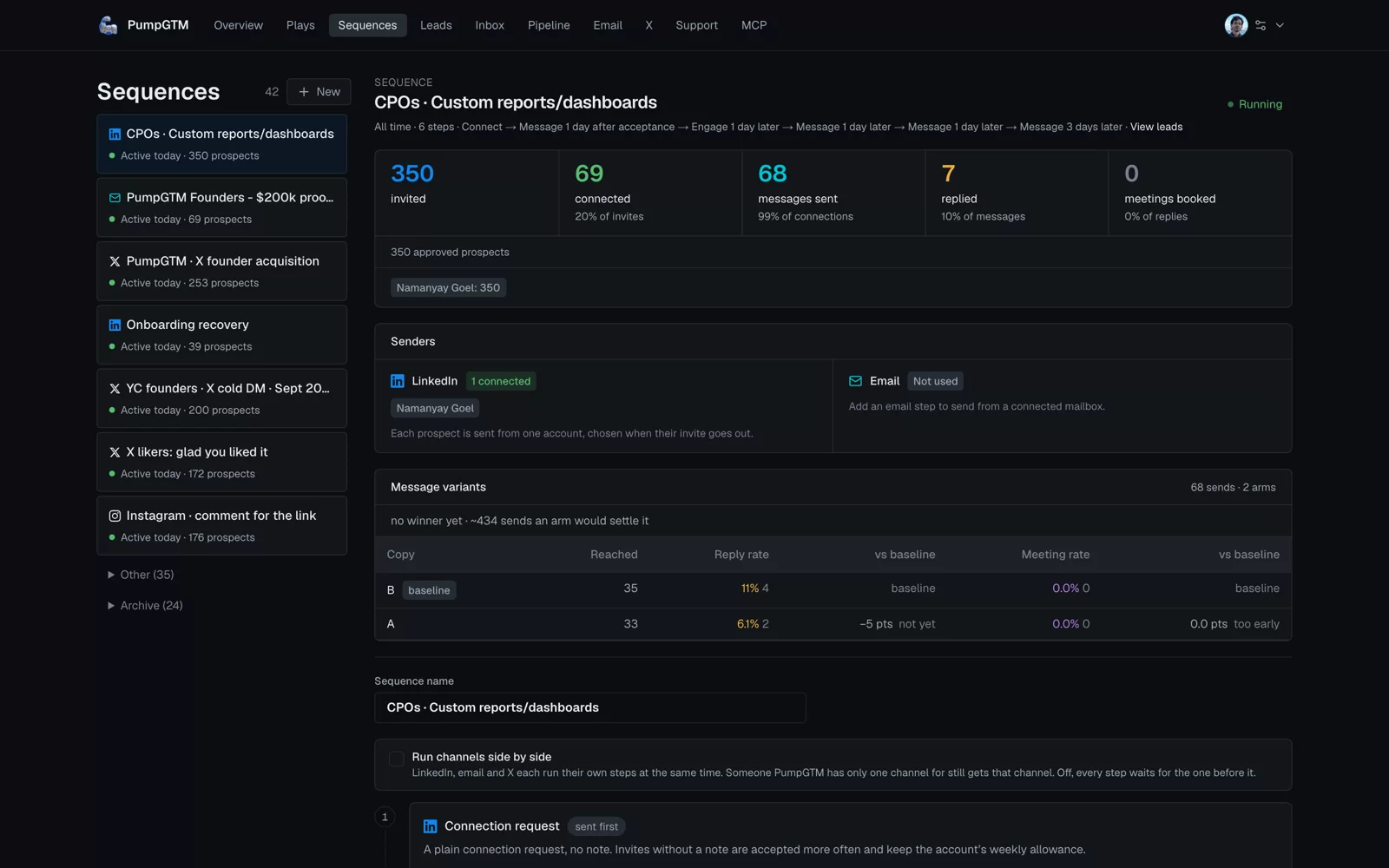
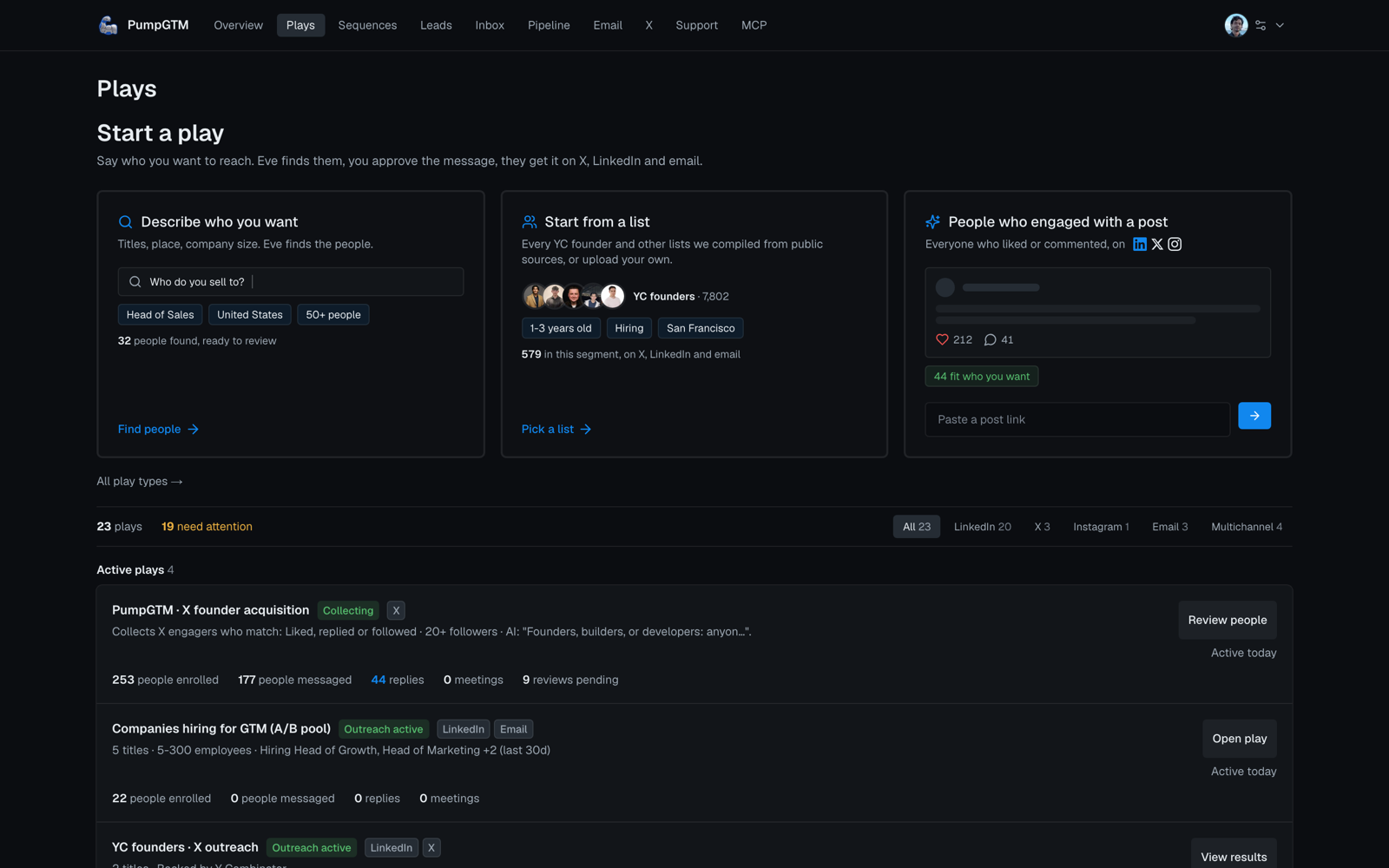
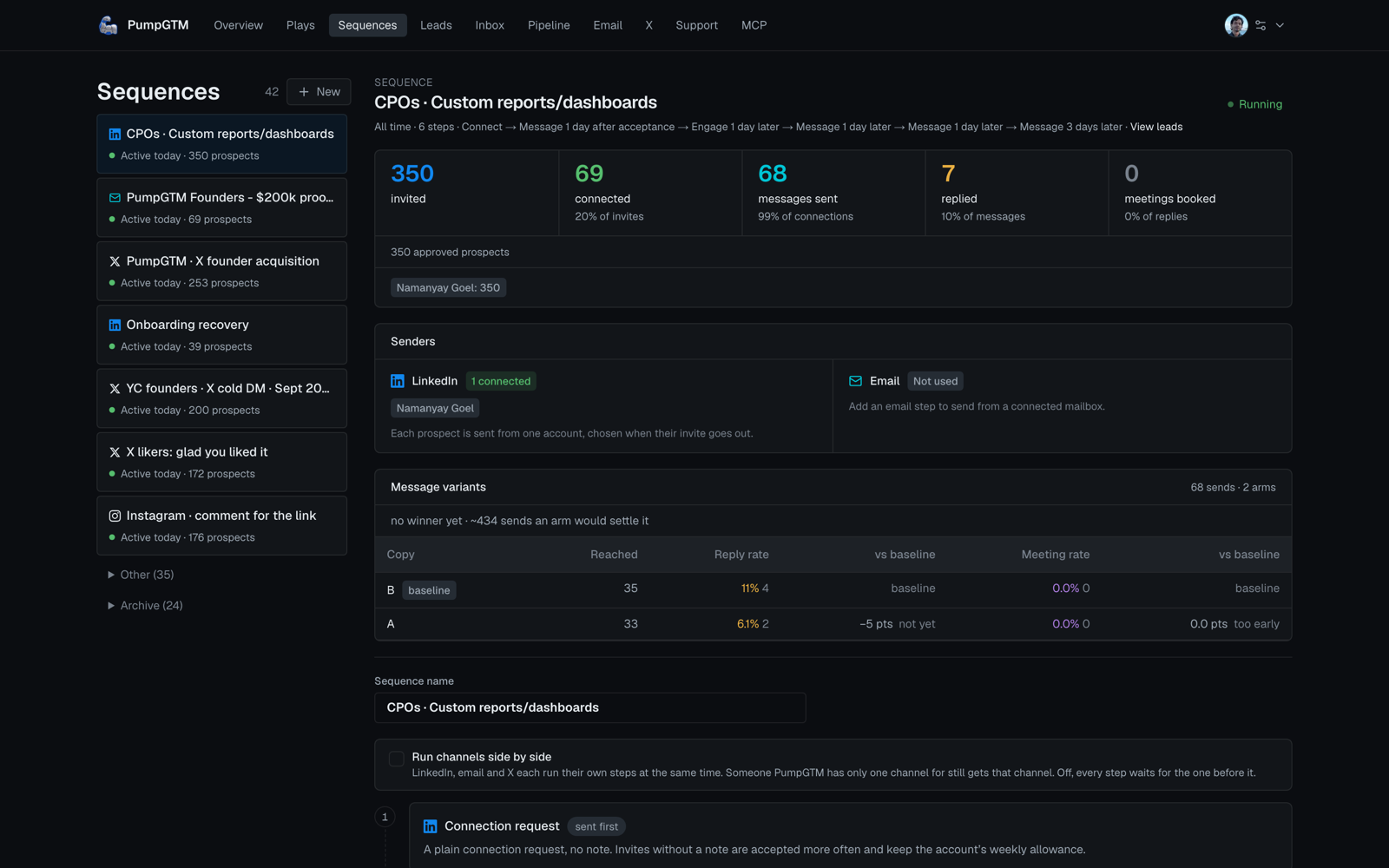
The same workspace the dashboard shows. Plays find people, sequences reach them across LinkedIn, email and X, and every reply waits for a human.
How it fits together
flowchart LR
  A[Your AI agent<br/>Claude, Cursor, Codex, your own] -- MCP over Streamable HTTP --> M[mcp.pumpgtm.com]
  M --> W[Your PumpGTM workspace]
  W -- find_people --> P[Buyers showing intent]
  W -- sequences --> L[LinkedIn]
  W -- sequences --> E[Email]
  W -- sequences --> X[X]
  L & E & X -- replies --> R[Human decides]
  R -- webhook reply.received --> A
Watch and read
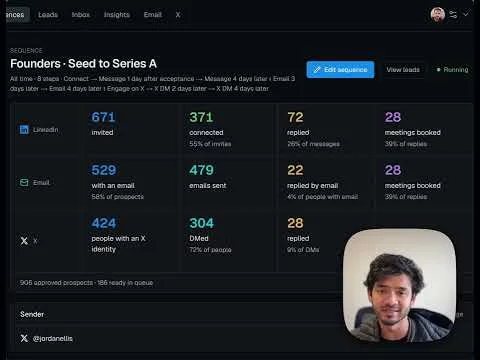
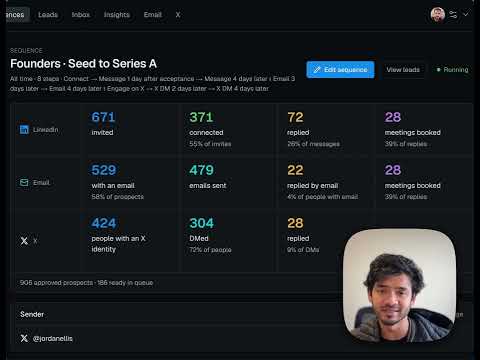 What is PumpGTM, and how does it actually work? 4 minute walkthrough |
 Using AI to run founder-led outbound for 10 YC companies Namanyay's article on X: one lead universe, shared prospects, copy measured by meetings. Read on pumpgtm.com |
More on the PumpGTM YouTube channel and in PumpGTM in the wild, videos founders and creators made on their own channels.
Connect
Endpoint (Streamable HTTP): https://mcp.pumpgtm.com/mcp
Two ways to authenticate, both scoped to one workspace:
- OAuth 2.1 for Claude (web and desktop), Claude Code, Codex, Cursor, ChatGPT and Grok. Add the endpoint and sign in; no key is needed. Dynamic client registration and PKCE are supported; metadata is at
https://pumpgtm.com/.well-known/oauth-authorization-server. Access tokens last 30 days, refresh tokens 90. - Workspace key for your own agent, the MCP SDKs, and the REST API. Sign in at app.pumpgtm.com, open MCP in the left nav, and copy the key. Send it as
Authorization: Bearer eve_mcp_..on every request. The key does not expire. Rotation is not self-serve yet: write to hello@pumpgtm.com and we rotate it for you.
The key's database row fixes the workspace. It cannot read or act on any other workspace.
import { Client } from "@modelcontextprotocol/sdk/client/index.js";
import { StreamableHTTPClientTransport } from "@modelcontextprotocol/sdk/client/streamableHttp.js";

const client = new Client({ name: "your-agent", version: "1.0.0" });
await client.connect(
  new StreamableHTTPClientTransport(new URL("https://mcp.pumpgtm.com/mcp"), {
    requestInit: { headers: { Authorization: "Bearer YOUR_WORKSPACE_KEY" } },
  }),
);
const { tools } = await client.listTools(); // up to 34 tools, depending on the workspace's features
ChatGPT (until the PumpGTM listing is approved in the ChatGPT directory; Developer mode is no longer needed): open Plugins (chatgpt.com/plugins), click + and choose Add custom MCP server. Name it PumpGTM, paste https://mcp.pumpgtm.com/mcp as the Server URL, keep OAuth, click I understand and want to continue, then Create as a plugin. Open your personal plugins (chatgpt.com/plugins?view=personal), open PumpGTM and click + to install it, then sign in to PumpGTM and allow the connection. In a chat, type @PumpGTM and ask it to find buyers.
Claude Code: claude mcp add --transport http pumpgtm https://mcp.pumpgtm.com/mcp, then run /mcp (or claude mcp login pumpgtm) and sign in. Codex: codex mcp add pumpgtm --url https://mcp.pumpgtm.com/mcp then codex mcp login pumpgtm. Cursor: add a server with only the URL and sign in when it asks. Cline: add "pumpgtm": { "type": "streamableHttp", "url": "https://mcp.pumpgtm.com/mcp" } under mcpServers in cline_mcp_settings.json and sign in when it asks. Grok: at grok.com/connectors choose New Connector, then Custom, paste https://mcp.pumpgtm.com/mcp, and sign in (works on the free plan).
Install as a plugin
The PumpGTM plugin bundles this server with five skills: write a cold message, make a message sound human, find buyers, handle replies, and look up a person. In Claude Code:
/plugin marketplace add pumpgtm/pumpgtm-mcp
/plugin install pumpgtm@pumpgtm
Then run /mcp and sign in to PumpGTM. The plugin's manifest, skills and server config live in github.com/pumpgtm/pumpgtm-mcp.
In Codex:
codex plugin marketplace add pumpgtm/pumpgtm-mcp
codex plugin add pumpgtm@pumpgtm
codex mcp login pumpgtm
In Gemini CLI:
gemini extensions install https://github.com/pumpgtm/pumpgtm-mcp
Then run /mcp auth pumpgtm and sign in.
How results come back
- Every tool result is one MCP
contentblock of typetextwhosetextis a JSON string, and the same object instructuredContent. Parse the JSON. - Most results include
next:{ tool, arguments, reason, requiresConfirmation, requiresNewRequestId? }. It is the suggested following call, not an instruction to skip the customer. - Errors return
isError: trueand{ status, retryable, changed, message, details }.changed: falsemeans nothing was written. A missing object returns coderesource_not_found. - Tools that write take a
requestId: 8 to 120 characters of letters, digits,. _ : -, starting with a letter or digit. It is an idempotency key. Use a fresh one per call; reuse one only to retry the same call. - Metered workspaces carry Energy: one Energy is one person found.
get_workspacereturnsenergywith the monthly allowance, used and remaining, andfind_peoplerefuses withenergy_exhaustedwhen a run would exceed it. Workspaces without Energy see no such field. See Energy. - Nothing reaches LinkedIn, email or X until a person approves it.
find_people,review_people,save_sequence_draftandadd_leadsnever send. Sending starts withset_sequence_statusactiveon an approved sequence, and each reply is answered only throughdecide_reply.
Tool permissions
Every tool is classified for AI clients that ask before acting. Read tools never change anything. Write tools change workspace records but contact no one. Sensitive writes contact a third party, act in public, or spend money, so an AI client should show the details and get the user's yes each time. Hints in tools/list match this table (readOnlyHint, destructiveHint, openWorldHint).
| Tool | Class | Side effect |
|---|---|---|
get_cold_message_examples |
Read | none |
get_company |
Read | none |
get_lead_profile |
Read | none |
get_pipeline |
Read | none |
get_workspace |
Read | none |
get_x_play_review |
Read | none |
list_leads |
Read | none |
list_pending_replies |
Read | none |
list_sequences |
Read | none |
list_signal_events |
Read | none |
list_signal_types |
Read | none |
search_known_people |
Read | none |
add_company_contact |
Write | changes workspace records only; contacts no one |
record_customer_signal |
Write | changes workspace records only; contacts no one |
remove_leads |
Write | stops future automation for those people; never deletes history |
save_company |
Write | changes workspace records only; contacts no one |
save_opportunity |
Write | changes workspace records only; contacts no one |
add_leads |
Sensitive write | people enter a sequence and a live sequence will contact them |
add_to_sequence |
Sensitive write | people enter a sequence and a live sequence will contact them |
decide_reply |
Sensitive write | send, invite and booking_link message the prospect at once; opt_out is permanent |
energy |
Sensitive write | reading changes nothing; turning on automatic top-up authorizes future card charges |
enrich_person |
Sensitive write | spends workspace Energy (paid) |
find_people |
Sensitive write | with confirmed=true runs a paid search (can use Energy); never contacts anyone |
manage_x_play |
Sensitive write | resuming or enabling enrollment can start future X outreach |
reach_post_engagers |
Sensitive write | LinkedIn: enrolls the post's engagers into a live sequence; X: collects them for review |
reach_universe |
Sensitive write | people enter a sequence or email campaign that can contact them |
research_competitor |
Sensitive write | starts paid background research; never contacts anyone |
review_people |
Sensitive write | good fits enter the chosen sequence; a live sequence will contact them |
review_x_play_candidates |
Sensitive write | good fits enter the Play's X sequence; an active sequence will DM them |
save_sequence_draft |
Sensitive write | the saved sequence is live and its steps contact the people enrolled in it |
sequence_email_settings |
Write | changes which mailboxes, schedule and daily limit a sequence uses; sends nothing |
set_lead_input |
Sensitive write | releases a held message step for that person |
set_sequence_status |
Sensitive write | active or approved lets the paced engine contact enrolled people |
x_account |
Sensitive write | follows, likes or reposts publicly from the connected X account |
A complete flow
get_workspaceto read setup state, sequences, unfinished reviews and pending replies.find_peoplewithtargetingandconfirmed: falseto save a Play and show the targeting summary. Thenfind_peoplewithplayIdandconfirmed: trueto run it.review_peoplewithdecisionsandfinish: trueto queue the good fits into a sequence.save_sequence_draftwith steps, thenset_sequence_statusapprovedwithexpectedRevision, thenactive.list_pending_replies, show the draft to the customer,decide_reply.
Reporting: get_workspace (view: "summary" for the funnel and account pacing, view: "activity" for the ledger) and list_leads with stage or sinceDays. The same numbers are available over REST at /docs/api.
Resources and prompts
resources/list returns six lead-search guides: gigacatalyst://lead-search/catalog, quickstart, fields, query-builder, patterns and results. Read fields before writing targeting by hand. One prompt, gigacatalyst_find_people, takes requestedCount ("10" to "100").
Versioning
Tools scheduled for removal say so in their description for at least 90 days before leaving tools/list. There is no fixed rate limit on the MCP server today; discovery is paced by each workspace's daily provider budget.
Tool reference: all 34 tools, arguments and modes (generated from the live tools/list)
Tool reference
Generated from the live tools/list on 2026-10-12: 34 tools. "Read only" tools never write. Feature-gated groups return a structured error on workspaces without that feature. Every tool also takes an optional workspaceId: a Team owner uses it to act on one of their workspaces; omit it for your own.
Start here
get_workspace (read only)
Start here for account status. Read-only schemaVersion 2 summary: company, billing access, every saved LinkedIn/X/email/Instagram sender with separate connection, health and execution evidence, all Play types and sequence states, review coverage, period-labelled results, discovery allowance and excluded companies. Each section returns state, data and issues; unknown is not disconnected or zero. Lists are bounded previews with totals. Missing optional channels do not block other channels. Follow scoped attention and returned Accounts/Billing/Company links. view=activity reads the workspace audit ledger; view=x_posts separately reads recent X posts from the provider and may refresh that account's grant.
| Argument | Type | Notes |
|---|---|---|
view |
summary, activity, x_posts |
default "summary". |
sinceDays |
integer | default 7. range 0 to 365. |
account |
string | |
as |
string | view=x_posts only: which connected X account's posts (@handle) when the workspace has several; default the first connected. |
actions |
array of resolve, invite, invite_withdrawn, accepted, like, message, followup, reply_detected, view_profile, endorse, comment, tool_prepare, enrich, meeting_invited, reply_drafted, reply_sent, reply_dismissed, reply_snoozed, sequence_started, sequence_stopped, meeting_booked, meeting_no_show, meeting_synced, manual_override, x_dm, x_follow, x_like, x_follow_back, x_unfollow, x_repost, x_lookup_cached, memory_search, x_follow_back_scan, x_credit_balance, x_reply_subscription, x_follow_event, x_auto_accept, instagram_dm, instagram_comment, instagram_unlock, track_unavailable, track_done, ad_campaign_architected, ad_campaign_saved, ad_creative_generated, ad_budget_revised, ad_approval_requested, ad_campaign_approved, ad_campaign_published_paused, linkedin_search, web_pages_read, email_found, email_campaign_created, email_campaign_added, email_sent, email_replied, email_auto_reply, email_skipped, email_bounced, email_unsubscribed, email_click, testimonial_submitted, sequence_people_added, lead_replenishment_enabled, lead_replenishment_disabled, recovery_eligible, recovery_matched, recovery_enrolled, recovery_review, recovery_invite_sent, recovery_invite_accepted, recovery_message_sent, recovery_reply_detected, recovery_suppressed, engine_run, linkedin_connect, error |
|
outcome |
ok, failed, skipped |
|
limit |
integer | default 100. range 1 to 500. |
energy
Read this workspace's Energy (what is left, what each action costs, this month's use, renewal); estimate what planned work will cost against it; and, when asked, get a payment link to buy packs or switch automatic top-up on or off. Buying needs the customer to open the link and pay. Enabling automatic top-up authorizes future charges to the saved card and requires explicit customer consent after explaining the amount and threshold.
| Argument | Type | Notes |
|---|---|---|
estimate |
object | Counts of planned work: peopleToFind, xAudiencePeople, xDms (with history checks), xDmsUnchecked (send-only, 0.6 Energy each), xFollows, xUnfollows, xLikes, xReposts (cost Energy) and linkedinInvites, linkedinMessages, emails (free, listed as zero). Returns the Energy and dollars it will cost, whether the balance covers it, and the packs that would close a shortfall. |
buy |
object | |
autoTopUp |
boolean | true authorizes recurring $10 card charges for 200 Energy whenever the balance falls below 50; obtain explicit customer consent to those terms first. false turns it off. |
Find and review people
find_people
Create or revise a Play from targeting and run it. Targeting may include a hiring signal (currentCompanyHiringRolesAny): the person's current company must have an open job posting for one of those roles, posted within currentCompanyHiringPostedWithinDays. It may include a fundraising signal (currentCompanyRaisedWithinDays, optionally currentCompanyRoundTypesAny and currentCompanyMinRaisedUsd): the person's current company must have closed a funding round that recently; such a Play is re-run once a day so newly funded companies keep arriving for review. Without confirmed=true it only saves the Play and returns the targeting summary for the customer to confirm. Company names are resolved automatically and never block: when several companies share a name, an exclusion covers all of them and a required company includes every strong match; pass a website domain in currentCompanyDomainsAny or a LinkedIn company URL in currentCompanyLinkedInUrlsAny to pin one exactly. The result's companyResolution reports each company's outcome (matched, matched_several, unmatched) with the companies chosen, so you can mention it in one line if useful. With confirmed=true, the Play runs discovery and returns candidates in retrieval order. Pass playId alone to rerun an existing ready Play. Optional sequenceId sets the Play's default sequence. Creates no leads and contacts no one.
| Argument | Type | Notes |
|---|---|---|
requestId |
string | required. Stable idempotency key; reuse it only to retry this exact request. |
targeting |
object | |
playId |
uuid | |
expectedRevision |
integer | range to 9007199254740991. Required with targeting when revising an existing playId. |
confirmed |
boolean | default false. |
sequenceId |
uuid |
review_people
Without decisions: read one review batch with its candidates and saved choices. With decisions: record the customer's explicit good_fit and not_a_fit choices; a top-level sequenceId applies to every good fit, finish=true completes the review and queues good fits into the sequence. For add all, mark every candidate good_fit with finish=true. Sends nothing in this call. Open world: people queued into a live sequence are later contacted by its paced steps.
| Argument | Type | Notes |
|---|---|---|
batchId |
uuid | required. |
requestId |
string | Required with decisions. |
sequenceId |
uuid | |
decisions |
array of objects | |
finish |
boolean | default false. |
search_known_people (read only)
Search a company, professional role, or explicitly stated accelerator cohort in permitted shared professional evidence. Returns at most 20 matching identities; coverage is incomplete and includes labelled historical roles and interpretations. This is not a live provider search, does not expose other customers' lists or messages, and does not authorize outreach. Check source dates before recommending someone.
| Argument | Type | Notes |
|---|---|---|
query |
string | required. |
get_lead_profile (read only)
Read source-dated public identities, available employment history, public activity and relationship observations for a lead owned by this workspace. Public profile links and AI interpretations require review. This does not fetch providers, change identities, enroll or contact anyone.
| Argument | Type | Notes |
|---|---|---|
leadId |
uuid | required. |