

A full desktop experience built with web technologies. Open source, free, and accessible from anywhere.

Website · Documentation (user) · Contributing · Troubleshooting · Changelog · 🇭🇺 Magyar
Note: Code comments in this codebase may be written in Hungarian, but all code — variable names, function names, UI strings, and other identifiers — is in English.
Table of Contents
- What is Racona?
- Features
- Built-in Applications
- Tech Stack
- Quick Start
- Project Structure
- Docker
- Plugin Development
- Documentation
- Contributing
- Disclaimer
- License
What is Racona?
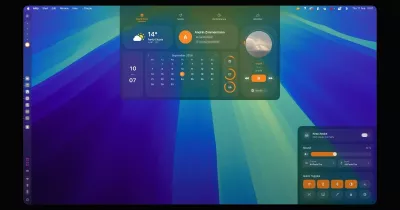
Racona combines the functionality of a traditional desktop OS with the flexibility of modern web technologies. Users access a full desktop environment — window management, taskbar, start menu, desktop shortcuts, context menus — entirely through the browser.
It's modular and extensible: build your own apps as plugins using the SDK, or self-host the entire platform with Docker.
Features
- Window Management — drag, resize, minimize, maximize, snap
- Taskbar & Start Menu — customizable position, grid/list view, search
- Desktop Shortcuts — drag-and-drop, right-click context menu
- Plugin System — install third-party apps or build your own with
@racona/sdk - Authentication — email/password, email OTP, Google sign-in, 2FA (TOTP)
- Internationalization — database-backed i18n with runtime locale switching
- Real-time Chat — built-in messaging via Socket.IO
- Dark/Light Mode — system-aware theme switching
- Self-hostable — single Docker Compose command to run everything
Built-in Applications
| App | Description |
|---|---|
| Settings | Appearance, security, language, desktop |
| Users | Account, group, and role management |
| Log | System and error log viewer |
| Plugin Manager | Upload and install plugins |
| Chat | Real-time internal messaging |
| Notifications | System notification management |
| Help | Built-in documentation browser |
Tech Stack
| Layer | Technology |
|---|---|
| Frontend | SvelteKit 2, Svelte 5, TypeScript 5, Tailwind CSS 4 |
| Backend | SvelteKit server, Express + Socket.IO |
| Database | PostgreSQL via Drizzle ORM |
| Auth | better-auth (email, OTP, Google, 2FA) |
| Runtime | Bun |
| Infrastructure | Docker + Docker Compose |
| Testing | Vitest, fast-check, Playwright |
Quick Start
Prerequisites
- Docker and Docker Compose — required
Recommended for macOS users: Consider using OrbStack instead of Docker Desktop. OrbStack offers significantly faster container and VM startup, uses a fraction of the memory and CPU, integrates natively with macOS Keychain, and has a much smaller app footprint. It's also free for personal use.
- Bun (v1.0+) — optional, needed for the convenience
bun docker:*commands; the system can be started without Bun using raw Docker commands directly
Environment Configuration
This is a critical step. Skipping or misconfiguring it will cause features to break.
Before starting the system, copy the example file and fill in the values:
cp .env.example .env
With Varlock + Infisical (recommended): Only two variables are required in .env:
INFISICAL_CLIENT_ID=your-machine-identity-client-id
INFISICAL_CLIENT_SECRET=your-machine-identity-client-secret
All other secrets (database URL, auth secrets, SMTP credentials, etc.) are fetched from Infisical at runtime. To request Infisical access, contact your team admin and ask for a Machine Identity for your environment.
Without Infisical (local fallback mode): Set VARLOCK_FALLBACK=local and provide all variables in .env. The .env.example file lists all available variables with documentation.
| Variable | Required | Effect if missing or incorrect |
|---|---|---|
INFISICAL_CLIENT_ID |
Always (Infisical mode) | Varlock cannot authenticate — app won't start |
INFISICAL_CLIENT_SECRET |
Always (Infisical mode) | Varlock cannot authenticate — app won't start |
VARLOCK_FALLBACK=local |
Only for local fallback mode | Without this, Varlock tries to connect to Infisical |
BETTER_AUTH_SECRET |
Fallback mode only | Auth tokens cannot be signed — login breaks |
APP_URL / ORIGIN |
Fallback mode only | SvelteKit CSRF protection blocks all server actions (403), auth callbacks break |
DATABASE_URL |
Fallback mode only | App cannot connect to the database |
GOOGLE_CLIENT_ID / GOOGLE_CLIENT_SECRET |
Only for Google login | Google sign-in will not work |
SMTP_* / RESEND_API_KEY / etc. |
Only for email features | Email verification, OTP, and password reset will not work |
ADMIN_USER_EMAIL |
Recommended | Admin account will use the default email from seed data |
See docs/CONFIGURATION.md for the full environment variable reference and Varlock configuration details.
Developer Onboarding
To set up your local development environment with Infisical:
- Request Infisical access — contact your team admin and ask for a Machine Identity for the
racona-coreproject in thedevelopmentenvironment. - Receive bootstrap credentials — you'll get an
INFISICAL_CLIENT_IDandINFISICAL_CLIENT_SECRET. - Configure your
.env:cp .env.example .env # Add your bootstrap credentials: INFISICAL_CLIENT_ID=your-client-id INFISICAL_CLIENT_SECRET=your-client-secret - Start the app — Varlock will fetch all secrets from Infisical automatically on startup.
If you don't have Infisical access yet, use local fallback mode:
# .env
VARLOCK_FALLBACK=local
# ... fill in all variables from .env.example
Using Docker (recommended)
This method creates a fully self-contained, runnable system in Docker containers. Both Racona and the database run in containers, so no local Node.js, Bun, or PostgreSQL installation is required — Docker is all you need.
With Bun (if installed):
# Clone the repository
git clone https://github.com/szigetidev/racona-core
cd racona-core

# Copy and configure environment variables (see section above)
cp .env.example .env

# Start Racona + PostgreSQL
bun docker:up

# Open in browser
open http://localhost:3000
Without Bun (Docker only):
# Clone the repository
git clone https://github.com/szigetidev/racona-core
cd racona-core

# Copy and configure environment variables (see section above)
cp .env.example .env

# Start Racona + PostgreSQL
docker compose -f docker/docker-compose.yml up -d

# Open in browser
open http://localhost:3000
Default admin account
After the first startup, the system comes with a pre-configured administrator user with full access.
- Email: the value of
ADMIN_USER_EMAILset in your.envfile - Password:
Admin123.
Important: Change this password immediately after your first login via Settings → Security.
Local Development
# Install dependencies
bun install

# Copy and configure environment variables (see section above)
cp .env.example .env

# Start PostgreSQL
bun docker:db

# Initialize database (generate + migrate + seed)
bun db:init

# Start dev server
bun app:dev
The app will be available at http://localhost:5173.
Common Commands
bun app:dev           # Start dev server
bun app:build         # Production build
bun app:check         # Type checking (svelte-check + tsc)

bun db:generate       # Generate migrations from schema changes
bun db:migrate        # Run pending migrations
bun db:studio         # Open Drizzle Studio
bun db:seed           # Seed database
bun db:reset          # Reset database

bun docker:up         # Start full stack (postgres + db-init + app)
bun docker:up:bundle  # Start bundle stack (postgres + app, SQL-based init)
bun docker:up:app     # Start app only (external database)
bun docker:down       # Stop Docker containers
bun docker:logs       # Follow container logs
bun docker:db         # Start only PostgreSQL (for local development)

bun test              # Run all tests (from apps/web)
bun lint              # Lint check
bun format            # Format code
Project Structure
racona-core/
├── apps/web/                     # Main SvelteKit application
│   └── src/
│       ├── routes/               # File-based routing
│       ├── apps/                 # Built-in desktop applications
│       └── lib/                  # Shared libraries, components, stores
├── packages/
│   ├── database/                 # Drizzle ORM schemas, migrations, seeds
│   ├── sdk/                      # @racona/sdk — plugin SDK (npm)
│   └── create-racona-app/      # CLI tool for scaffolding plugins (npm)
├── examples/plugins/             # Example plugin implementations
├── docker/                       # Dockerfile and docker-compose.yml
├── docs/                         # Documentation
└── .github/                      # CI/CD workflows, issue/PR templates
Docker
Self-hosting
Racona offers three Docker deployment modes depending on your needs:
Option 1 — Full stack (recommended for most users)
bun docker:up
Starts three containers in order:
- postgres — PostgreSQL 18 with
postgres-json-schemaextension - db-init — one-time initialization: Drizzle migrations + seed data
- racona — the application (starts after db-init completes)
Option 2 — Bundle (postgres + app, SQL-based init)
Ideal when you want a self-contained stack initialized from a pre-generated SQL file instead of running migration scripts at startup.
# Generate the init SQL first (only needed once, or after schema changes)
bun db:generate-sql

# Start postgres + app
bun docker:up:bundle
The postgres container automatically loads packages/database/init.sql on first startup. No db-init container needed. To fully reset: docker compose -f docker/docker-compose.bundle.yml down -v.
Option 3 — App only (external database)
If you manage your own PostgreSQL instance:
bun docker:up:app
Only the Racona app container starts. Set DATABASE_URL in your .env to point to your external database. You are responsible for running migrations and seeding separately.
The app will be available at http://localhost:3000 (configurable via RACONA_PORT), PostgreSQL on port 5432 (configurable via POSTGRES_PORT).
Running a locally built image on a server
Release images are not published to a registry: build the image on your own machine and copy it to the server. (The Docker Image Publish workflow can still be started by hand, but the images on GitHub Container Registry are not kept up to date.)
1. Build and compress the image (on your machine):
bun docker:build:amd64          # racona/core:latest-amd64
bun docker:save:zstd:amd64      # docker/racona-core-amd64.tar.zst
Use the arm64 variants for an ARM server.
2. Copy and load it:
# on your machine
scp docker/racona-core-amd64.tar.zst user@server:/srv/racona/

# on the server
zstd -dc /srv/racona/racona-core-amd64.tar.zst | docker load
3. Start it with Docker Compose. Create a docker-compose.yml file:
services:
  postgres:
    image: postgres:18-alpine
    environment:
      POSTGRES_USER: racona
      POSTGRES_PASSWORD: racona123
      POSTGRES_DB: racona
    volumes:
      - postgres-data:/var/lib/postgresql/data
    healthcheck:
      test: ['CMD-SHELL', 'pg_isready -U racona -d racona']
      interval: 10s
      timeout: 5s
      retries: 5

  db-init:
    image: racona/core:latest-amd64
    command: ['bun', '--filter', '@racona/database', 'db:init']
    env_file:
      - .env
    depends_on:
      postgres:
        condition: service_healthy
    restart: 'no'

  app:
    image: racona/core:latest-amd64
    ports:
      - '3000:3000'
    env_file:
      - .env
    volumes:
      - ./uploads:/app/uploads
    depends_on:
      db-init:
        condition: service_completed_successfully
    restart: unless-stopped

volumes:
  postgres-data:
Then start it:
docker compose up -d
On an upgrade, load the new image and run docker compose up -d again: db-init applies the pending migrations before the app starts. Back up the database and the uploads folder first (uploaded files and plugin files are stored there).
Important: In your .env file, the DATABASE_URL must point to the postgres service within the Docker network:
DATABASE_URL=postgresql://racona:racona123@postgres:5432/racona
Database initialization and reset
The db-init container (and the bun db:init script) is idempotent — safe to run multiple times without duplicating data (upsert logic).
If you need a full database reset (wipe all data and re-seed to initial state):
RESET=1 bun docker:up
This runs the same db-init container but truncates all tables before seeding.
Environment Variables
See .env.example for all available configuration options, including database credentials, auth providers, and dev mode settings.
Building the image
# Full image (includes db-init capability)
docker build -f docker/Dockerfile -t racona/core:latest .

# App-only image (no db-init, connects to external database)
docker build -f docker/Dockerfile.app -t racona/core-app:latest .

# Platform-specific builds
bun docker:build:amd64        # Full image, linux/amd64
bun docker:build:arm64        # Full image, linux/arm64
bun docker:build:app:amd64    # App-only, linux/amd64
bun docker:build:app:arm64    # App-only, linux/arm64

# Save a compressed image for copying to a server
bun docker:save:zstd:amd64    # docker/racona-core-amd64.tar.zst
bun docker:save:zstd:arm64    # docker/racona-core-arm64.tar.zst
The build stage runs Vite with a real Node binary (copied from the node image), so the NODE_OPTIONS heap limit applies; the final image only contains Bun.
Plugin Development
Racona comes with a complete plugin ecosystem. Create plugins with the CLI, develop with the mock SDK, then load them into a running Racona instance.
Coming soon... Detailed documentation and guides for plugin development.
Documentation
- User Documentation — comprehensive guide for users
- Developer Documentation — API reference and developer guides
- Application Development — building custom applications for Racona
- Contributing Guide — development setup, code style, PR process
- Troubleshooting — common setup issues and how to fix them
- Disclaimer — liability and warranty information
Contributing
We welcome contributions of all kinds — bug fixes, new features, documentation improvements, and plugin examples.
Please read the Contributing Guide before submitting a pull request.
Support
I'm a software developer from Hungary with several years of experience, building Racona in my spare time (solo, for now) – together with an AI who also needs to be fed. 🤑
If you find it useful or simply like what I'm doing, even a small contribution helps me keep going.

Disclaimer
Racona is provided "as is", without warranty of any kind, express or implied — including but not limited to warranties of merchantability, fitness for a particular purpose, or non-infringement.
The authors and contributors of this software accept no liability for any direct, indirect, incidental, special, consequential, or punitive damages arising from the use, misconfiguration, operation of, or inability to use the software — even if advised of the possibility of such damages.
This includes but is not limited to: data loss or corruption, loss of business revenue or profits, system downtime or service interruption, security incidents or unauthorized access, incompatibility with third-party systems, or any other damages of any kind.
Use of this software is entirely at your own risk. Before deploying in a production environment, it is your responsibility to perform appropriate security audits, configuration reviews, and testing.
See the full disclaimer and [LICENSE](https://github.com/szigetidev/racona-core/blob/main/LICEN