Read-along for Claude Code
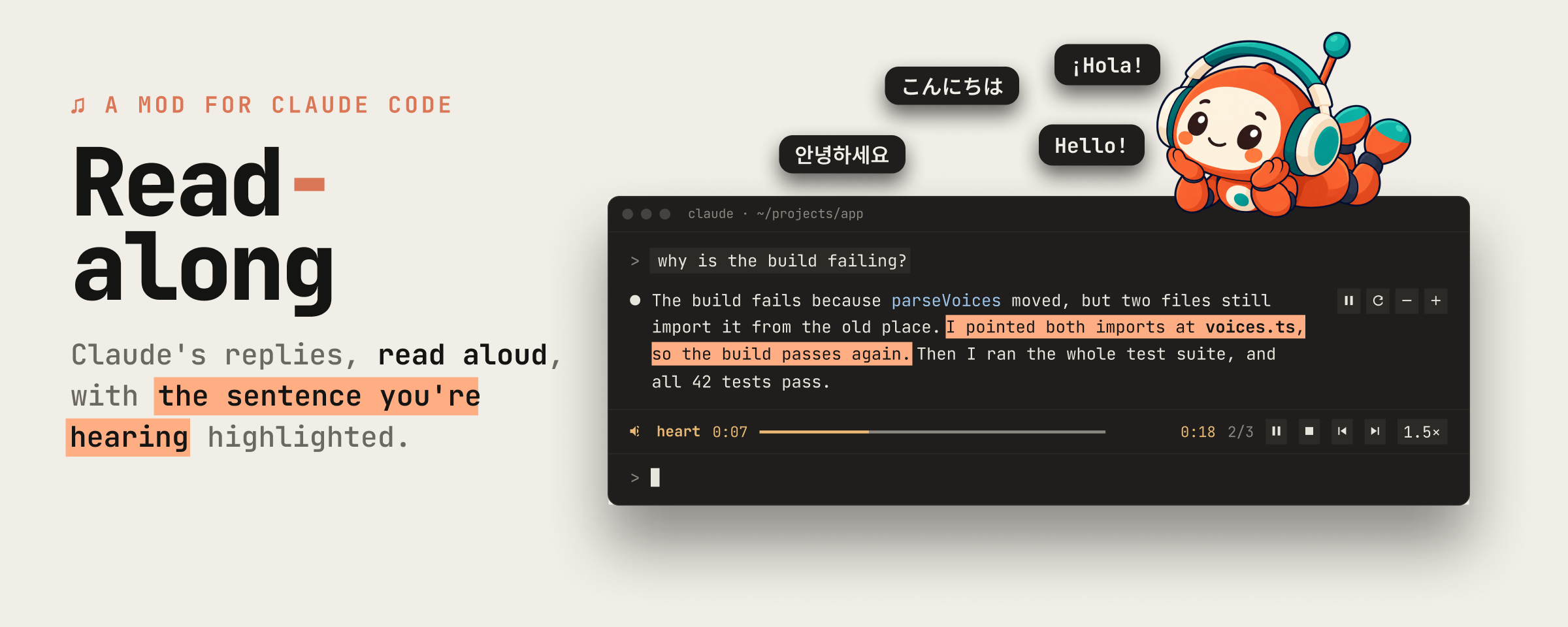
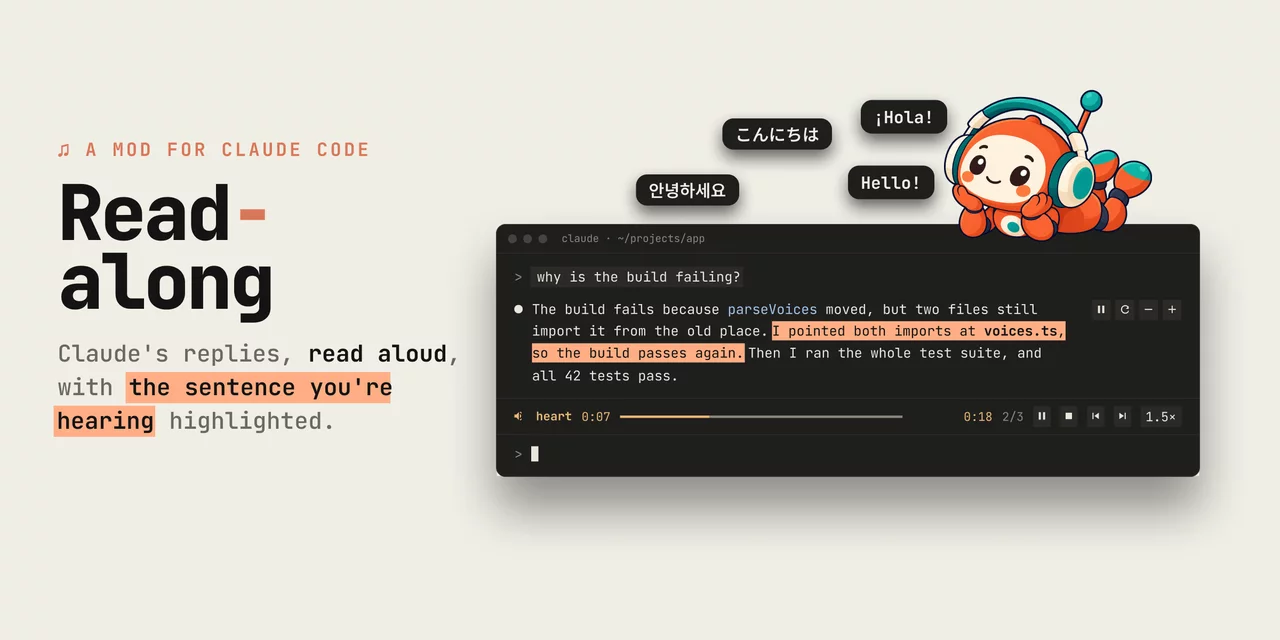
A mod for Claude Code: listen to Claude's replies while the sentence being read is highlighted in the terminal, so you can follow along with your eyes and ears together. Try the demo on its web page.
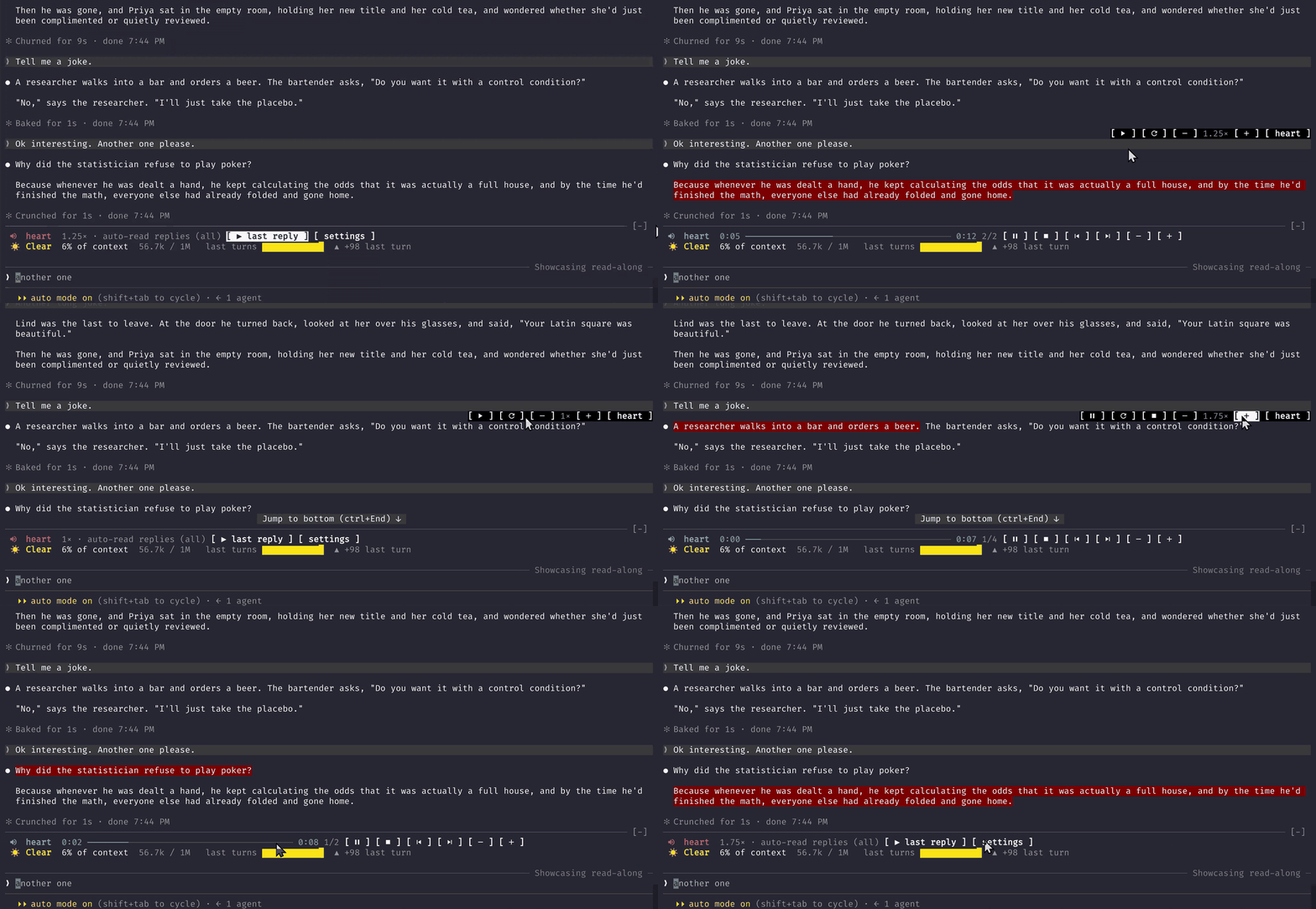
No sound in a GIF; the web page has the recordings with the voice.
Read-along is for anyone who would rather hear long replies than read them: people with dyslexia, low vision, ADHD or eye strain, people reading in a second language, and anyone who wants to look away from the screen while Claude explains something. It is not a screen reader and doesn't replace one.
- Play any message. Hover a message for its play, speed and voice buttons.
- Follow the highlight. The sentence being spoken is highlighted in the message.
- A player above the prompt. Pause, stop, skip back or forward, and change speed and voice.
- Auto-read. Have each reply read when it arrives, or every update Claude writes between tool calls too.
- Several languages in one reply. Japanese, Chinese, Korean, Hebrew, Arabic, Cyrillic, Hindi, Greek and Thai sentences each get their own voice.
- Local and private. Speech is made on your machine. Nothing you read is sent anywhere, unless you turn on the optional numbers as words setting.
- Fast without chipmunk voices. Speeds up to 4× keep the voice's pitch.
Hear it
Kokoro and Pocket TTS voices, made with read-along's own setup on a laptop CPU. Each link opens a short MP3; the web page plays them in place, with their text.
| Voice | Language | Sample |
|---|---|---|
kokoro:af_heart |
English (US) | listen · at 2× speed |
kokoro:am_fenrir |
English (US) | listen |
kokoro:bf_emma |
English (UK) | listen |
kokoro:jf_alpha |
Japanese | listen |
kokoro:ef_dora |
Spanish | listen |
kokoro:ff_siwis |
French | listen |
pocket:alba |
English (Pocket TTS) | listen |
pocket:marius |
English (Pocket TTS) | listen |
pocket:juergen |
German (Pocket TTS) | listen |
What you need
- Claude Code 2.1.287 or later, in the terminal. Read-along is a mod, a plugin that draws in Claude Code's interface. Mods are on by default from that version. They also draw in the JetBrains plugin and the desktop app's Code tab, but not in the desktop app's WSL sessions.
- WSL, Linux or macOS. Native Windows isn't supported yet; use it through WSL (#5). So far read-along has been used day to day on WSL only. On Linux and macOS its tests, the doctor and a spoken sentence pass in CI, but nobody has tried it there by hand yet: reports are welcome in #2 (Linux) and #1 (macOS).
- Python 3.9 or newer as
python3. The speech service needs only the standard library. - An audio player:
ffplay(comes with ffmpeg) or SoX'splay. - At least one voice engine:
| Engine | Where | Quality | Setup |
|---|---|---|---|
| Kokoro | everywhere | natural, neural | /read-along setup (about 1 GB, CPU is fine) |
| macOS voices | macOS | good (Enhanced and Premium voices are better) | built in |
| Windows voices | WSL | good with the newer "natural" voices | built in |
| eSpeak NG | Linux, WSL | robotic, but about 100 languages | sudo apt install espeak-ng |
| Pocket TTS (optional) | everywhere | natural, neural; 27 voices, and your own | /read-along setup (about 1.3 GB, CPU is fine) |
Other languages use the system voices or eSpeak NG (its languages).
Kokoro
Kokoro, by hexgrad, is the
default: an 82-million-parameter model that speaks English (US and UK),
Japanese, Chinese, Spanish, French, Hindi, Italian and Portuguese
(its voices).
Setup installs kokoro-onnx,
which runs on the CPU at about 3 times real time, and auto picks Kokoro
whenever it has a voice for the language.
Pocket TTS
Pocket TTS, by Kyutai, is
optional. It adds 27 voices (pocket:alba, pocket:marius, …) and can
speak in a voice of your own, cloned from a short recording. It reads the
main language when it has a model for it (English, French, German, Italian,
Portuguese, Spanish or Dutch), and English otherwise, at about 3 times real
time on 4 CPU threads. auto never picks it, so you choose its voices
yourself, in the settings or with /read-along voice pocket:alba.
Install it with /read-along setup (Claude asks whether you want it), or
yourself with python3 <plugin folder>/bin/setup.py pocket. It goes into a
Python of its own in the data folder, with PyTorch for the CPU: about 1.3 GB
with its English model.
Its model and built-in voices download from Hugging Face the first time each
is used. Already have Pocket TTS? Point read-along at its Python instead:
setup.py pocket --python /path/to/python.
A voice of your own. Put a recording in the voices folder
(~/.local/share/claude-read-along/voices; on macOS, under
~/Library/Application Support/claude-read-along), one file per voice, and
run /read-along restart: me.wav becomes the voice pocket:me, listed
under "Your voices" in the settings. About 10 to 30 seconds of clear speech
works well. A .safetensors voice state made by pocket-tts export-voice
works too, and loads at once. Use setup.py pocket --voices FOLDER to keep
your voices somewhere else.
Cloning a voice from a recording uses Kyutai's gated model:
- Make a free account at Hugging Face.
- Accept Kyutai's terms on kyutai/pocket-tts.
- Sign in on your machine:
hf auth login(or setHF_TOKEN).
Without that, Pocket TTS loads a model that can't clone: the built-in voices and saved voice states still work, and setup says what's missing.
Clone only your own voice, or a voice whose owner has agreed. Kyutai's terms forbid cloning or impersonating anyone without their explicit consent, and passing generated speech off as a real recording (Prohibited use). Your recordings are read only on your machine and never uploaded.
setup.py pocket-off stops read-along using Pocket TTS; delete the data
folder's pocket folder to free the space.
Install
At the Claude Code prompt:
/plugin install read-along --marketplace tomfluff/claude-read-along
Answer y to add the marketplace, then pick the user scope.
Next, check what your machine has:
/read-along doctor
To get the voices, run /read-along setup. It puts a request in the
prompt box; press Enter and Claude walks you through it with the mod's
setup skill: Kokoro, and Pocket TTS if you want it too, asking before it
installs anything. To do it yourself instead, run
python3 <plugin folder>/bin/setup.py kokoro (add --japanese for
Japanese), and optionally python3 <plugin folder>/bin/setup.py pocket.
Both go into their own folder,
~/.local/share/claude-read-along (on macOS,
~/Library/Application Support/claude-read-along), and nowhere else.
To see what the mod hooks and calls before you install it, clone the
repository and run claude plugin validate . in it.
Using it
- Hover a message for its buttons: play or pause, restart, slower, faster, and the voice (click to step to the next voice).
- The player sits above the prompt. While idle it shows the voice and
speed, plus buttons to read the last reply and open the settings. While
reading it shows progress, pause, stop, back, forward and speed. Its buttons
have hotkeys:
ppause,sstop,bback,nnext,rread the last reply,osettings. /read-alongopens the settings: a voice per language, speed, volume, auto-read and the player's place. Changes last for the session; save as defaults keeps them.
| Command | |
|---|---|
/read-along read |
read the last reply |
/read-along stop, pause |
stop, or pause and resume |
/read-along speed 1.5 |
set the speed (0.5 to 4) |
/read-along voice kokoro:af_heart |
set the main voice; voice ja kokoro:jf_alpha for Japanese |
/read-along voices |
list the installed voices |
/read-along auto replies all |
auto-read: off, final (each turn's last reply) or all |
/read-along auto mine on |
also read your own messages |
/read-along auto thinking on |
with auto-read all, also read Claude's thinking where it's shown as updates |
/read-along words on |
say numbers and symbols as words (optional; asks Claude Haiku, see below) |
/read-along save |
keep this session's choices as the defaults |
/read-along reset |
put this session's choices back to your saved defaults (asks first; also "reset…" in the settings) |
/read-along reset defaults |
put the saved settings back to the plugin's own (says what changes, then asks) |
/read-along doctor |
what works on this machine and what to install |
/read-along setup |
ask Claude to set up the Kokoro voices |
/read-along restart |
restart the speech service |
Settings
All in /config under read-along.
| Setting | Default | |
|---|---|---|
| Voices | auto |
A voice per language; see below. |
| Speed | 1.25 | 0.5 to 4. |
| Volume | 100 | Percent, 0 to 200. |
| Auto-read Claude's replies | off | off, final, all. |
| Auto-read my messages | off | |
| Read thinking updates | off | With auto-read all, also read Claude's thinking. Turn it on where your Claude Code shows thinking as updates in the transcript; Claude Code doesn't tell read-along whether it's shown. |
| Say numbers and symbols as words | off | Optional: asks Claude Haiku how to say a message's numbers and symbols before reading it. See below. |
| Read code blocks | off | Off says "code block" instead. |
| Highlight | reverse |
Swaps text and background colours, which works on any theme. Or a colour: yellow, #f1fa8c/#282a36 (background/text). |
| Message buttons | hover | hover, glyph (only over a ♪ at the message's right; no flashing while scrolling), always, off. |
| Player | band | band above the prompt, hint (dim text under the prompt), message (under the message being read), band+message. |
| Icons | text | nerd for Nerd Font media icons. |
| Lower other apps while reading | off | WSL only for now: turns music and browsers down while speaking. |
Voices
A voice is written engine:name:
kokoro:af_heart,kokoro:jf_alpha: Kokoro (the first letter is the language, the second the gender)mac:Samantha,mac:Ava (Premium): macOSwin:Microsoft Aria: Windows, from WSLespeak:en-us,espeak:he: eSpeak NGpocket:alba,pocket:me: Pocket TTS, its own voices and yours (Pocket TTS)auto: the best voice installed for the language
The Voices setting gives each language group a list. Latin-script text is
read by main, and every other script by its own group (ja, zh, ko,
he, ar, ru, hi, el, th). The first voice in a list is the one
used; the voice button steps through the main list:
main=kokoro:af_heart, kokoro:bf_emma, mac:Samantha; ja=kokoro:jf_alpha; he=mac:Carmit
If your Latin-script text isn't English, tell auto which language it is:
python3 <plugin folder>/bin/setup.py language es.
Numbers and symbols as words
Voices read some written forms badly: v0.9.1, 2.5x, ~/.claude, ->,
API. With Say numbers and symbols as words on (in the settings, or
/read-along words on), read-along first asks Claude Haiku how a person
would say each such span in a message, and the voice says that. The message
on screen stays as written, and the highlight still follows it.
It's optional and off by default, because it changes what leaves your machine:
- Each message read is sent once to Claude Haiku, through your own Claude Code session. That text came from Claude in the first place, but with this on, "nothing you read is sent anywhere" no longer holds.
- It uses a little of your Claude usage, and reading starts a second or two later. A message with no digits, symbols or abbreviations isn't sent.
- If Haiku fails or takes over 10 seconds, the message is read as written.
It uses the haiku alias, so it follows the newest Haiku model.
Privacy
The mod runs a small speech service on your machine. It is reached over a Unix socket that only your user can open, and it sends nothing over the network. The network is used only to get the voices: by setup, where Python packages come from PyPI and Kokoro's model from the kokoro-onnx releases, checked against a pinned SHA-256; and, if you install Pocket TTS, by Pocket TTS fetching its model and built-in voices from Hugging Face the first time each is used. What you read is never sent anywhere, and neither are your voice recordings, with one optional exception: with numbers as words on, each message read goes once to Claude Haiku through your Claude Code session.
Troubleshooting
- Silent? Run
/read-along doctor, then look at the service's log:/tmp/read-along-<your uid>.log. - Changed something (installed a voice, ran setup)? Run
/read-along restart. - Crackling on WSL? The service already uses a 300 ms audio buffer there, which WSLg needs. Check that nothing else is holding the audio device.
- No player above the prompt? The band above the prompt is shared: mods
draw it in turn, in the order of
enabledPluginsin~/.claude/settings.json, and a mod that draws its own line there without passing the band on hides the mods after it. Read-along notices this, says so once, and shows the player on the line under the prompt meanwhile;/read-along doctorreports it too. To get the band back, move"read-along@claude-read-along": trueabove that mod inenabledPluginsand run/reload-plugins, or setplayertohintto keep it under the prompt. - No buttons in the phone or desktop app (Remote Control)? Neither shows
read-along's buttons when it follows a terminal session over Remote Control
(#6); the desktop
app draws no mods there at all as of Claude Code 2.1.296. Typed commands such
as
/read-along read,pause,stopandspeed 2still work from both, and the voice always plays on the computer running the session./read-along doctorin the terminal lists, under "Surfaces", each app following the session and what it has asked read-along to draw. - The first read is slow. Kokoro loads its model on the first read of a session (a few seconds), then keeps it until the service has been idle for 30 minutes.
How it works
flowchart LR
    reply["Claude's reply"] --> mod["read-along<br/>(in Claude Code)"]
    mod -- "text" --> service["speech service<br/>(on your machine)"]
    service -- "a sentence" --> engine["voice<br/>Kokoro · macOS · Windows · eSpeak · Pocket TTS"]
    engine -- "audio" --> player["ffplay or SoX"] --> speakers(["your speakers"])
    service -. "the sentence being heard" .-> mod
plugin/hooks/register.tsx is the Claude Code side: the buttons, the highlight, the
player and the commands. plugin/bin/speakd.py is the speech service, shared by
every Claude Code session so only one voice talks at a time. It splits a
message into sentences, makes each one with the engines in plugin/bin/engines.py,
and plays them through ffplay or SoX, sped up without changing pitch.
plugin/bin/setup.py installs Kokoro.
Credits and licence
MIT licence; see LICENSE. Read-along uses, without bundling: Kokoro-82M and misaki (Apache-2.0), kokoro-onnx (MIT), eSpeak NG (GPL-3.0, run as a separate program), optionally Pocket TTS by Kyutai (code MIT, model weights CC BY 4.0, run in its own Python; its built-in voices come from kyutai/tts-voices, each under its own licence, some non-commercial), and FFmpeg or SoX for playback.