

RetroRecomp
Retro consoles and classic computers. One growing project.
Master System · Game Gear · Game Boy · NES · Mega Drive · Super Nintendo · Neo Geo · Capcom CPS-1 · Sharp X68000
Less emulation. No FPGA. As native as possible.
Download · Build from source · Compatibility · What's new · Credits and licensing · Website
https://github.com/user-attachments/assets/818d3278-d698-491e-a58b-e11edc602923
RetroRecomp in under two minutes: how your own game dumps become native Windows and Linux programs.
https://github.com/user-attachments/assets/b6b677e2-8165-4cd6-945c-6a0fd57c232e
Under the hood, in under three minutes: how RetroRecomp is built and how it works.

Compiled Games, in French: favorites, scan-level stars, covers, summaries and New paths.
RetroRecomp brings several recompilers together in one application. It turns your own game dumps into standalone Windows or Linux executables, with as much native code as possible: no emulator to configure, no dedicated FPGA hardware.
What RetroRecomp does
Convert
- Nine console profiles. Master System, Game Gear, Game Boy, NES, Mega Drive, Super Nintendo and Neo Geo are supported; Capcom CPS-1 and Sharp X68000 are experimental. See console support.
- A whole collection at once. Drop ROMs, ZIPs, arcade romsets, disk images or mixed folders. Consoles are detected automatically, and up to eight conversions run side by side.
- Checked native code. Each conversion translates the game to native code and compares it with a reference CPU on scripted routes. Any remaining interpreter fallback is reported, never hidden.
- Your choice of depth. Quick, Standard, Extended or Thorough discovery per console, with reproducible pseudo-random play routes.
- Standalone games. Exports need no Python, no separate ROM file and no external SDL library, and can carry box-art icons.
Keep your games current
- Only what needs it. Up-to-date games are skipped. When an update only changes menus or presentation, games are upgraded without rediscovery.
- A collection that keeps itself current. Compiled Games remembers your games, favorites, covers and short summaries. Discoveries saved when a game closes appear at once, without rescanning. Browse it with a controller too.
- New paths (N). One button recompiles only the games whose play found new paths; closing RetroRecomp offers the same.
- Pick up where you left off. An interrupted batch returns to the list.
Learn and share
- Play to improve. A game that meets interpreter fallback saves small hints when it closes; the next conversion uses them.
- Shared knowledge. A base of verified paths for 1,609 exact game
identities, the whole convertible Neo Geo library among them, sits beside
the converter (
Retro-Recomp-base.zip) and stays current through small differences, without waiting for a release. Your own discoveries stay in your local library. - Knowledge files. Export your discoveries, qualified hints and raw observations alike, as one ROM-free file, or import someone else's. Only numbers travel: addresses and positions in the ROM, never ROM bytes. Imported hints are always rechecked, and set aside if they make a conversion fail.
- The shared base and its leaderboard. Sign in at retro-recomp.com with an e-mailed code, or use the base without an account. Before a batch (at most once a day), or with Knowledge › Sync with the shared base, the converter brings its base up to date with the paths other players found for your exact ROMs; a path is qualified once another player's conversion has reached and confirmed it, and every conversion checks it again. Signed in, your new discoveries leave after each batch, or with the same Sync. A new path earns points at once for its first finder; confirmed paths rise to Platinum or Diamond, and conversions, deeper scans and useful problem reports bring RR coins. They buy titles, name styles, badges, pins, frames and more in the shop, where a fitting room tries them on your own portrait first. Your portrait, points, coins and title sit in the converter's header.
Play
- One menu on every console. F2 gathers controls and options on pages: keyboard, gamepad, guns, quit and restart combinations, audio filter. F1 shows help, F3 changes filters (xBR, Scale2x, scanlines), F4 cycles fullscreen modes, F8/F9 save and load quick states.
- Languages. Games speak English, French, Italian, Spanish and German (F7); the converter also speaks Japanese, Chinese and Russian.
- Light guns with the mouse. Light Phaser, Zapper, Menacer and Super Scope.
- Beyond the original limits, as options. Fewer flickering sprites on Master System and Game Gear, no eight-sprite limit on NES, an enhanced Neo Geo mode and MVS/AES switching.
Gallery
 |
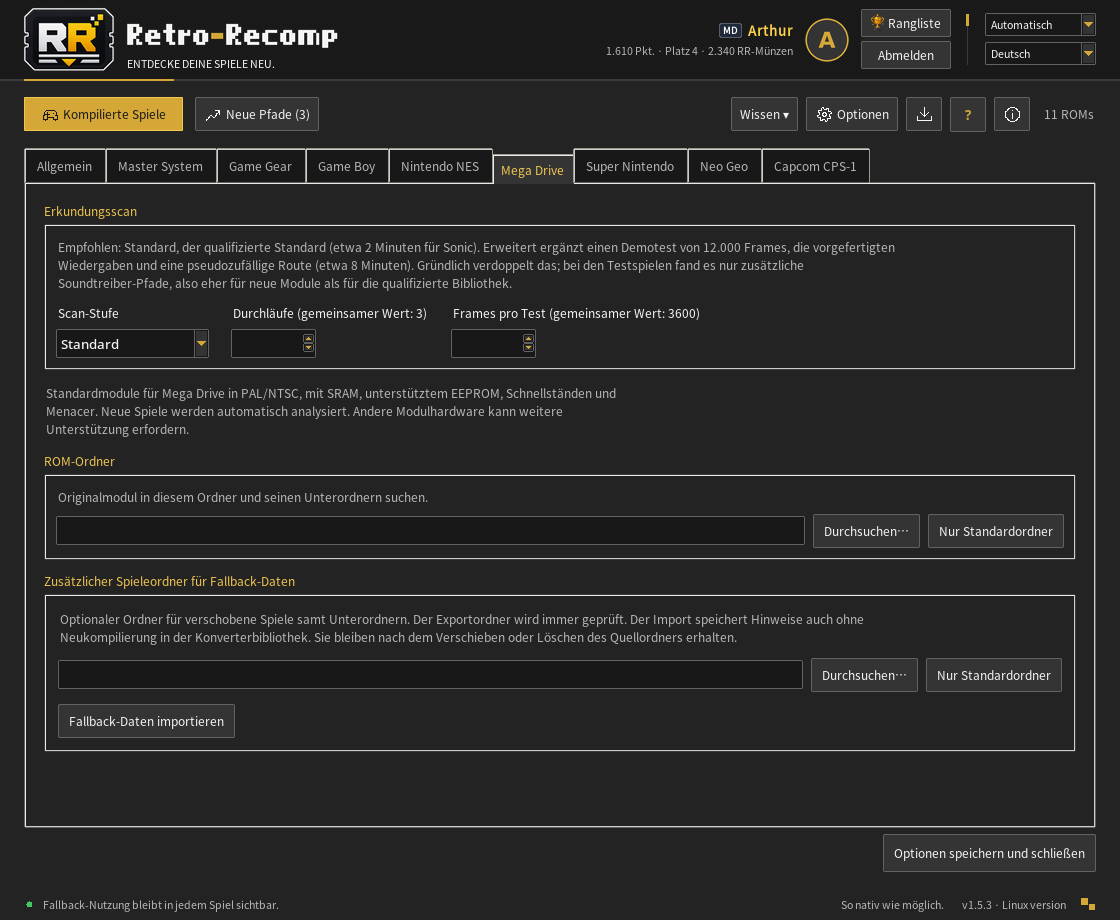 |
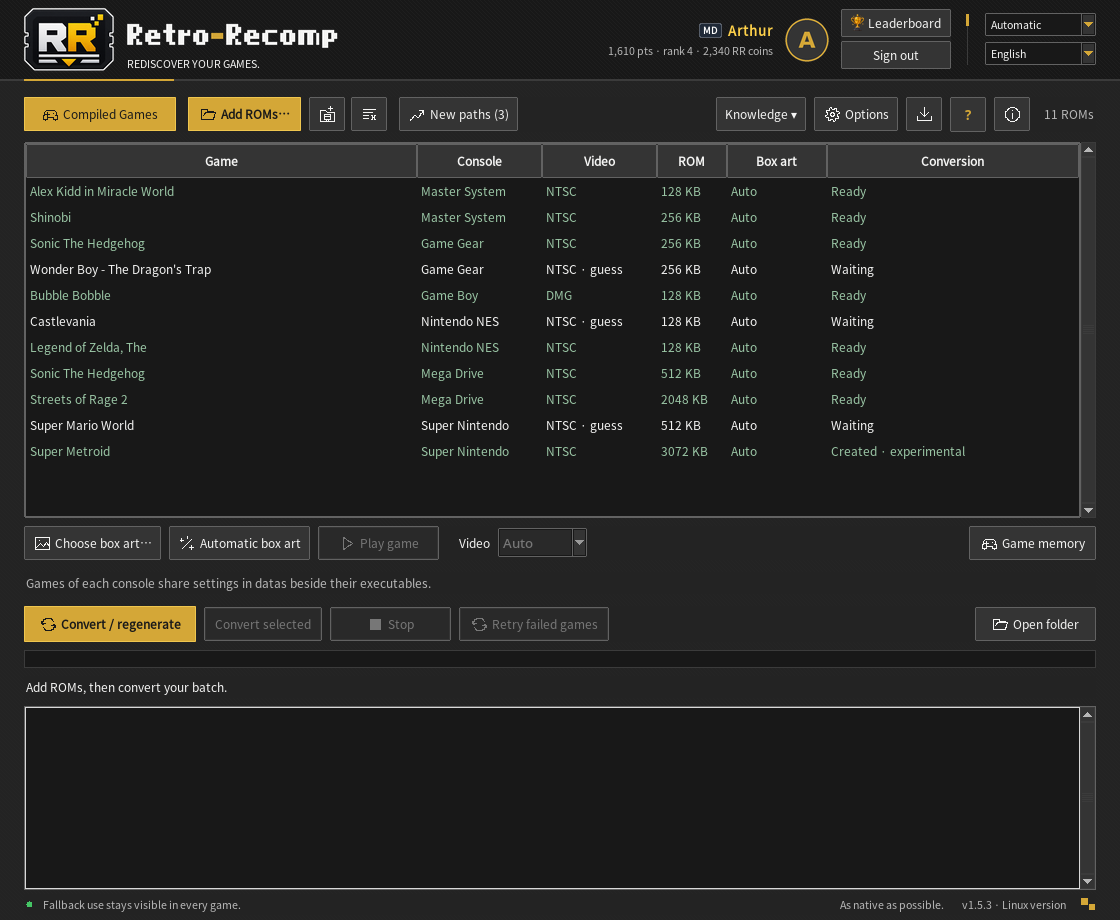
| The conversion queue: drop games from several consoles and convert them together. Captured on Linux with a sample account; Windows shows the same window. | Options, in German: one tab per console, scan levels and folders. |
 |
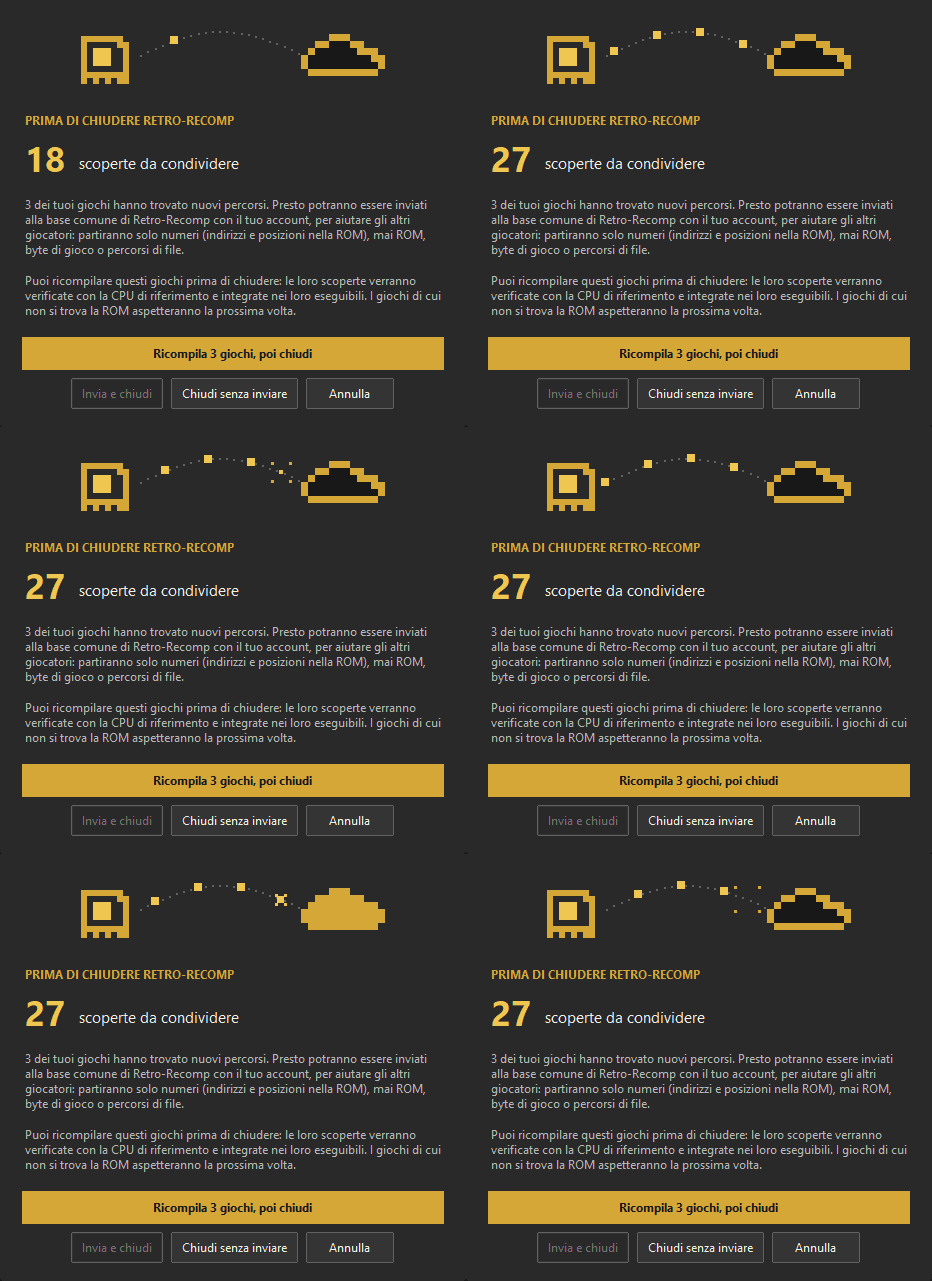 |
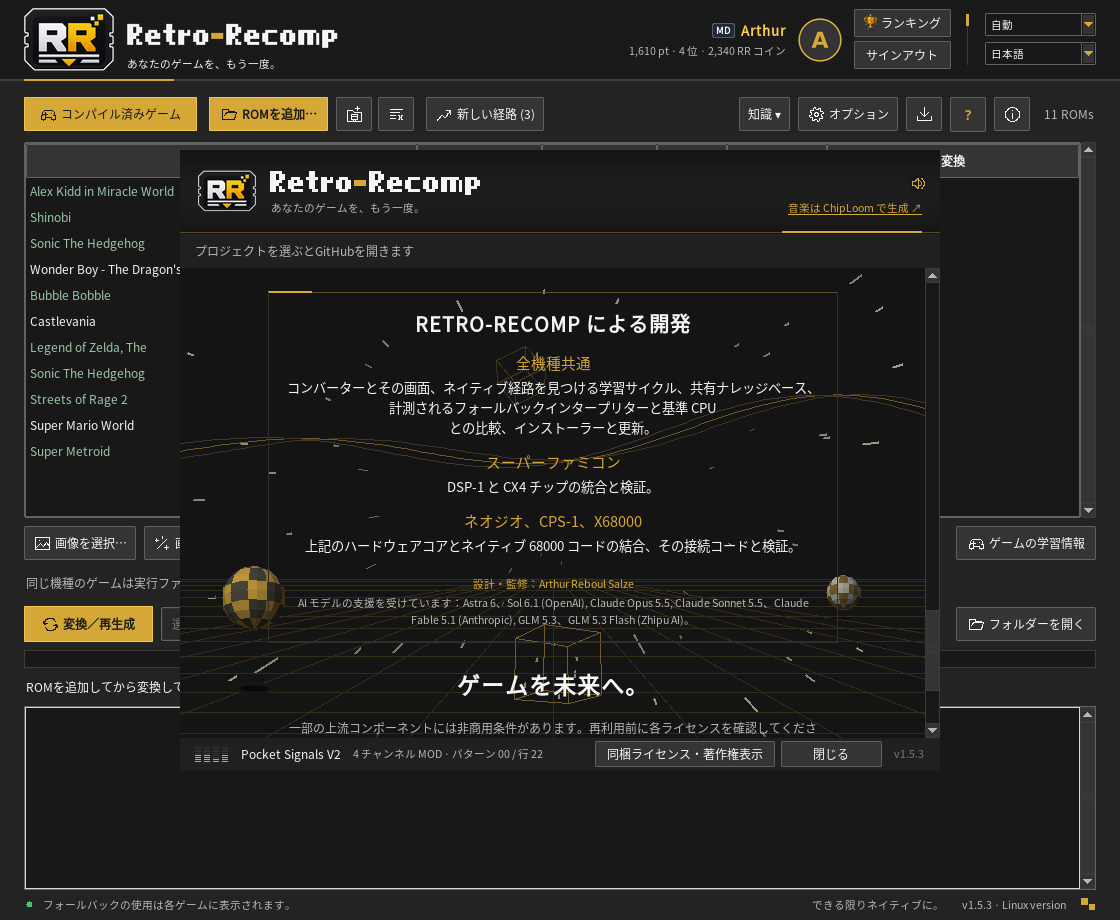
| Credits, in Japanese: what Retro-Recomp brings, over a demoscene backdrop with live ChipLoom music. | Before closing, in Italian: recompile the games with new paths. |
 |
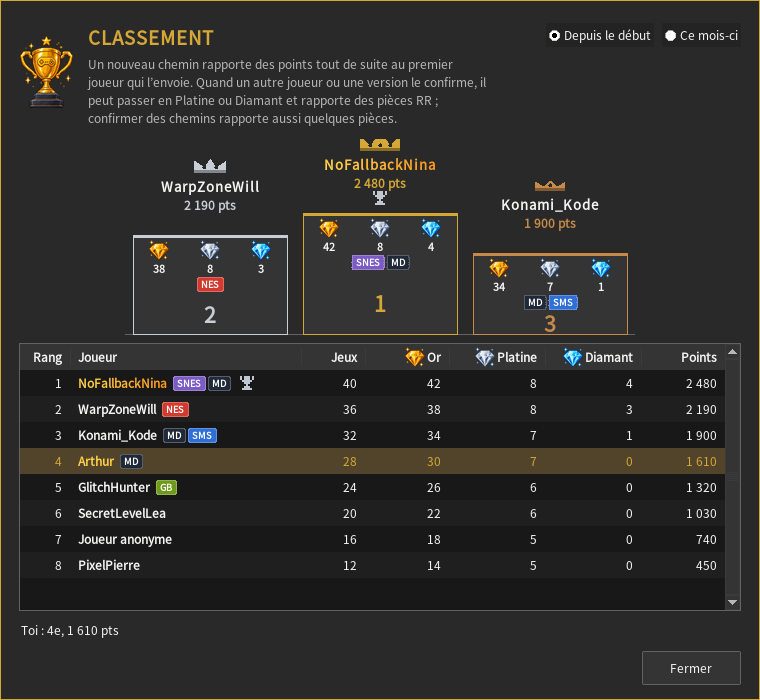 |
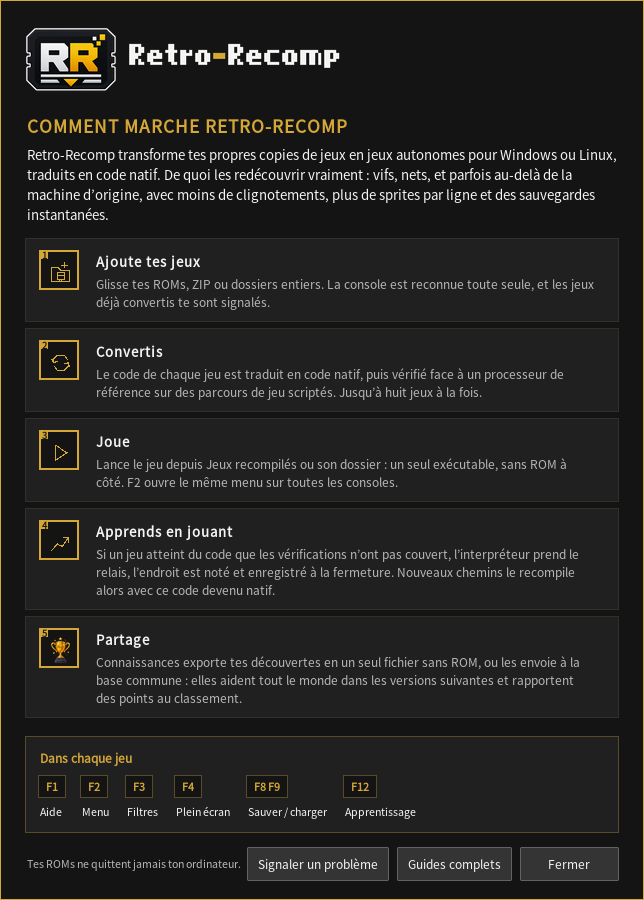
| Help, in French: how it works in five steps. | The leaderboard, in French (sample players): podium, crowns, class gems and shop badges. |

Generated Master System games, with optional box-art icons. More on the website.
Play. Learn. Recompile.
The goal is native execution from the first export. Learning is an extra safeguard for code paths the conversion checks have not reached: if a game meets interpreter fallback, it keeps small hints in memory and saves them when you close it, never during play. Regenerating then covers those paths.

Recording is on by default; F12 switches it off or on, and each game's file stays under about 128 KiB. Options → console → Import fallback hints recovers hints from games stored elsewhere. See how the learning loop works and sharing discoveries.
Console support
| Console | Current status |
|---|---|
| Master System | Supported; two players, PAL/NTSC, quick states and Light Phaser |
| Game Gear | Supported; native handheld display and colors |
| Game Boy | Supported; original Game Boy, quick states, grayscale or classic green |
| NES | Supported; validated cartridge layouts, PAL/NTSC, quick states and Zapper |
| Mega Drive | Supported; standard cartridges, PAL/NTSC, SRAM/supported EEPROM, quick states and Menacer |
| Super Nintendo | Supported standard cartridges; LoROM/HiROM, PAL/NTSC, quick states, battery saves and Super Scope |
| Neo Geo | Supported cartridge profile; arcade MVS, optional console AES, two players, scores, memory card and quick states |
| Capcom CPS-1 | Experimental; MAME/FBNeo ZIP romsets of the standard boards (no QSound), up to four players and six buttons, DIP switches, vertical games rotated, quick states |
| Sharp X68000 | Experimental; DIM/XDF disks and multi-disk sets, your own IPL and font ROM, quick states, mouse and keyboard |
Compatibility depends on the game and revision; see the compatibility guide and 16-bit support. The 16-bit profiles analyze new games automatically; there is no fixed game list. Neo Geo needs your BIOS ZIP in Options → Neo Geo (guide); CPS-1 needs no BIOS, and a split clone needs its parent ZIP beside it (guide); the X68000 needs your own IPL and font ROM (status).
Get started
- Download the Windows setup EXE, the
.debpackage (Debian, Ubuntu: double-click it) or the Linux x86-64.runinstaller from the latest release. Portable downloads remain available. - Add your ROMs or folders, leave console detection on Automatic, and convert.
- Open the generated games in their console folders under Games beside the app.
Converting compiles each game on your computer: before the first conversion, RetroRecomp offers to install the missing build tools itself (a portable Git and a portable compiler on Windows, without administrator rights; a few packages on Debian/Ubuntu); see the setup guide. Playing the exported games needs no development tools. ROMs and downloaded box art are not included.
Installers keep the in-app updater working without administrator rights; games, settings, favorites and learning data survive updates and uninstall (installation guide). Update checks are manual. The Linux package is built and checked on Debian 13 / glibc 2.41; other distributions and ARM64 remain to be qualified (Linux guide). All in-game shortcuts are listed in controls.
Windows security warnings
RetroRecomp is not signed with a paid code-signing certificate yet. On first
launch Windows may show "Windows protected your PC": it means unknown
publisher, not virus found. To continue, choose More info → Run anyway.
Everything can be checked: the full source code is public, every release lists
the SHA-256 of each file (SHA256SUMS.txt), and the executables are built from
the released source. Download RetroRecomp only from
retro-recomp.com or the project's
GitHub releases.
The games you convert are compiled on your own computer, so they cannot carry any publisher signature, ours included. On Windows 11 with Smart App Control turned on, Windows may refuse to start them without offering to run them anyway; Smart App Control has to be turned off (Windows Security → App & browser control) to play them.
If your antivirus flags a file, please tell us: it is a false positive (often caused by executable compression) that we will report to the vendor.
What comes next
The groundwork for these machines has been reviewed; each would join in its own experimental phase: Capcom CPS-2, PC Engine / TurboGrafx-16, Game Boy Advance, Atari ST, Amiga 500 and 1200 (WHDLoad-based), Nintendo 64 and PlayStation. These are plans, not release dates or compatibility promises; see the roadmap.
Measures, compatibility and credits
Interpreter fallback is reported when needed. Native coverage, CPU agreement, hardware fidelity, gameplay testing and physical latency are separate measures; native execution alone does not guarantee complete compatibility or zero latency. Detailed checks live in the documentation, performance work in the performance notes, and each version's changes in the release notes.
Created and integrated by Arthur Reboul Salze. The app's Credits page links the independent projects behind each console.
Original RetroRecomp contributions use the MIT license. Imported components retain their own terms, including noncommercial restrictions; MIT does not override them. See third-party notices. Notices are embedded in the converter; the matching UPX source archive is available in this repository.
Feedback and contributions are welcome. Please read CONTRIBUTING.md.