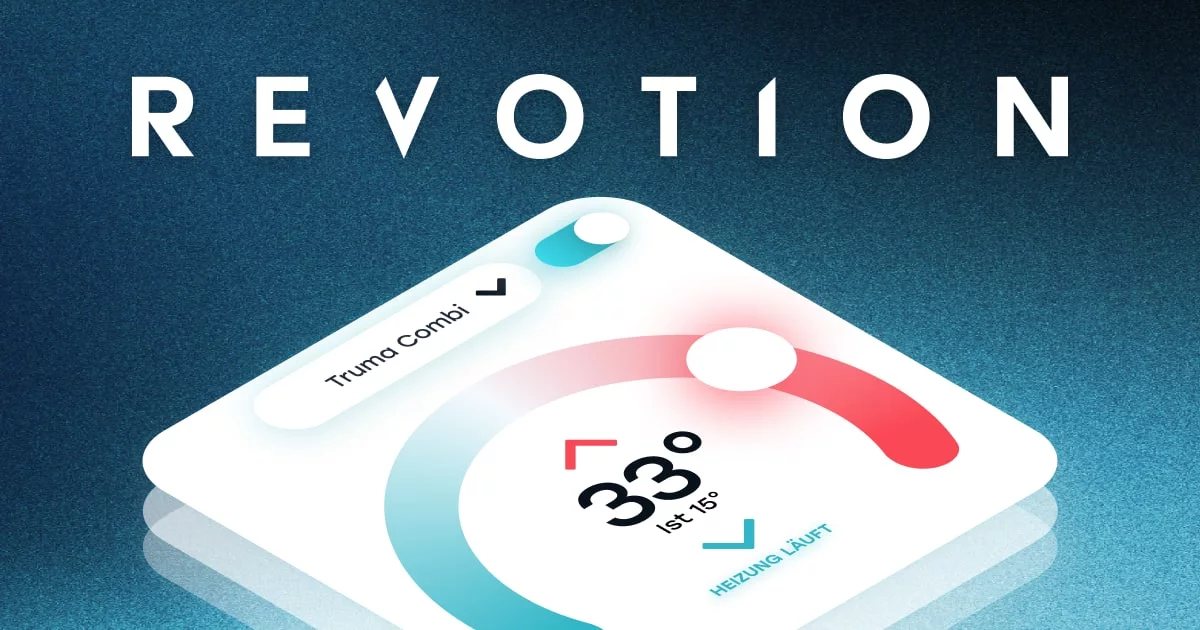

Revotion Home Assistant Integration
A custom Home Assistant integration for Revotion digital control systems for campers and boats. Connects Brain and Node devices natively into Home Assistant with real-time MQTT data and full entity control.
Features
- Real-time data via MQTT push (REST polling as fallback)
- Multi-Brain support -- add multiple Brains (camper + boat)
- Multi-channel capabilities -- Multiwhite & Multiswitch nodes expose one entity per channel
- Connect devices -- heaters (Truma Combi / CP plus, Alde, Eberspächer Airtronic), Dometic air conditioners and fridges, EcoFlow power stations, Thitronik alarm systems and the Victron energy family (BMV / SmartShunt, MPPT, Orion XS, Phoenix charger & inverter, CAN batteries) as native climate, switch, select, number, light, lock and alarm entities
- Reliable commands -- optimistic UI with real command acknowledgements from the Brain (firmware 2.3.3+): failures roll back and notify immediately
- GPS tracking -- camper/boat location on the HA map
- Dynamic discovery -- new nodes appear automatically when paired
- German translations included
- Diagnostics download for troubleshooting
Requirements
- Home Assistant 2025.2.0 or newer
- Revotion Brain with WiFi connection (Brain version 2.3.2 or newer; some features -- Victron energy devices, total current, command acknowledgements, FreshJet input-current limit -- require 2.3.3)
- Revotion Flutter App (to generate the access token)
Installation
HACS (Recommended)

Or manually:
- Open HACS in Home Assistant
- Click the three dots menu (top right) > Custom repositories
- Add
https://github.com/RevotionGmbH/homeassistant-revotion, select category Integration, and click Add - Search for "Revotion" in HACS and click Download
- Restart Home Assistant
Manual
- Copy the
custom_components/revotion/folder into your HAconfig/custom_components/directory - Restart Home Assistant
Configuration
- In the Revotion App, open the System section and tap REMOTE
- Under Share remote access your QR code is displayed -- tap it to enlarge it
- Scan the QR code with a QR scanner app that shows its content as text, and copy the text
- This workaround is only needed until the next app update, which adds a button to copy the configuration directly.
- In Home Assistant, go to Settings > Devices & Services > Add Integration
- Search for Revotion and select it
- Paste the copied JSON into the text field
- Confirm the detected Brain name and MAC address
The integration automatically validates your token and sets up all discovered devices.
Entities
| Capability | HA Platform | Entity Type | Description |
|---|---|---|---|
| Switch | switch |
SwitchEntity | On/off control for relay outputs |
| Two-Way | cover |
CoverEntity | Bidirectional drive (OPEN/CLOSE/STOP) — awning/window/shutter |
| Temperature | sensor |
SensorEntity | Temperature reading (Celsius) |
| Battery | sensor |
SensorEntity | SOC, Voltage, Current, Temperature, Time Remaining, Time to Full, Charge Cycles |
| Level | sensor |
SensorEntity | Tank level (Frischwasser, Grauwasser, etc.) |
| High Current | sensor |
SensorEntity | High-current output monitoring |
| Ambient Light | light |
LightEntity | RGBW light with brightness and color control |
| Multiwhite | light |
LightEntity | Multi-channel light — one RGBW/brightness entity per channel |
| Multiswitch | switch |
SwitchEntity | Multi-channel relay — one on/off entity per channel |
| Connect | climate, switch, select, number, light, sensor, binary_sensor, lock, alarm_control_panel, button |
per device | Third-party devices behind a Connect node — heaters, AC, fridges, power stations, alarm systems, Victron energy devices; entities match the device type |
| Brain Online | binary_sensor |
BinarySensorEntity | Brain connectivity status |
| GPS Position | device_tracker |
TrackerEntity | Camper/boat location on map |
Battery Sub-Entities
Each Battery capability creates multiple sensor entities:
| Sub-Entity | Unit | Device Class |
|---|---|---|
| State of Charge | % | battery |
| Voltage | V | voltage |
| Current (per channel) | A | current |
| Temperature | C | temperature |
| Time Remaining | -- | duration |
| Time to Full | -- | duration |
| Charge Cycles | -- | -- |
Switch Timer Attributes
Switch and light entities expose timer attributes when active:
timer_state: "active" or "inactive"timer_remaining: "HH:MM:SS" countdowntimer_scheduled_utc: ISO 8601 timestamp of scheduled end
Dynamic Discovery
When you pair a new Node to your Brain, the integration automatically:
- Detects the pair event via MQTT
- Fetches the new Node's configuration from the Revotion API
- Creates all corresponding devices and entities
When you unpair a Node, its entities are marked as unavailable (not deleted), preserving your automations and history.
Token Renewal
Revotion tokens are valid for 180 days. When your token is about to expire (< 14 days remaining), Home Assistant shows a persistent notification. Once the token has expired, Home Assistant automatically asks for re-authentication:
- Open the Revotion App > System > REMOTE > Share remote access
- Copy the configuration JSON (see Configuration for the QR code workaround)
- Paste it into the re-authentication dialog in Home Assistant
Your devices, entities, and automations are preserved.
Diagnostics
Download diagnostics from Settings > Devices & Services > Revotion > 3 dots > Download diagnostics. Includes MQTT connection status, token expiry, Brain/Node inventory, firmware versions, and recent error history. Sensitive data is automatically redacted (tokens fully, MAC addresses partially).
Troubleshooting
| Issue | Solution |
|---|---|
| Entities show "unavailable" | Check if Brain is online in the Revotion App |
| No real-time updates | Verify MQTT connection in diagnostics download |
| Token expired | Follow token renewal steps above |
| New node not appearing | Wait 5 seconds after pairing, then check HA |
License
Licensed under the Apache License, Version 2.0. See LICENSE for details.
Copyright 2026 Revotion GmbH