
ntfy for agents. One inbox between you and your AI agents. Free to start at app.rply.sh, open source and self-hostable.
Website · Docs · Hosted app · @rply/cli on npm
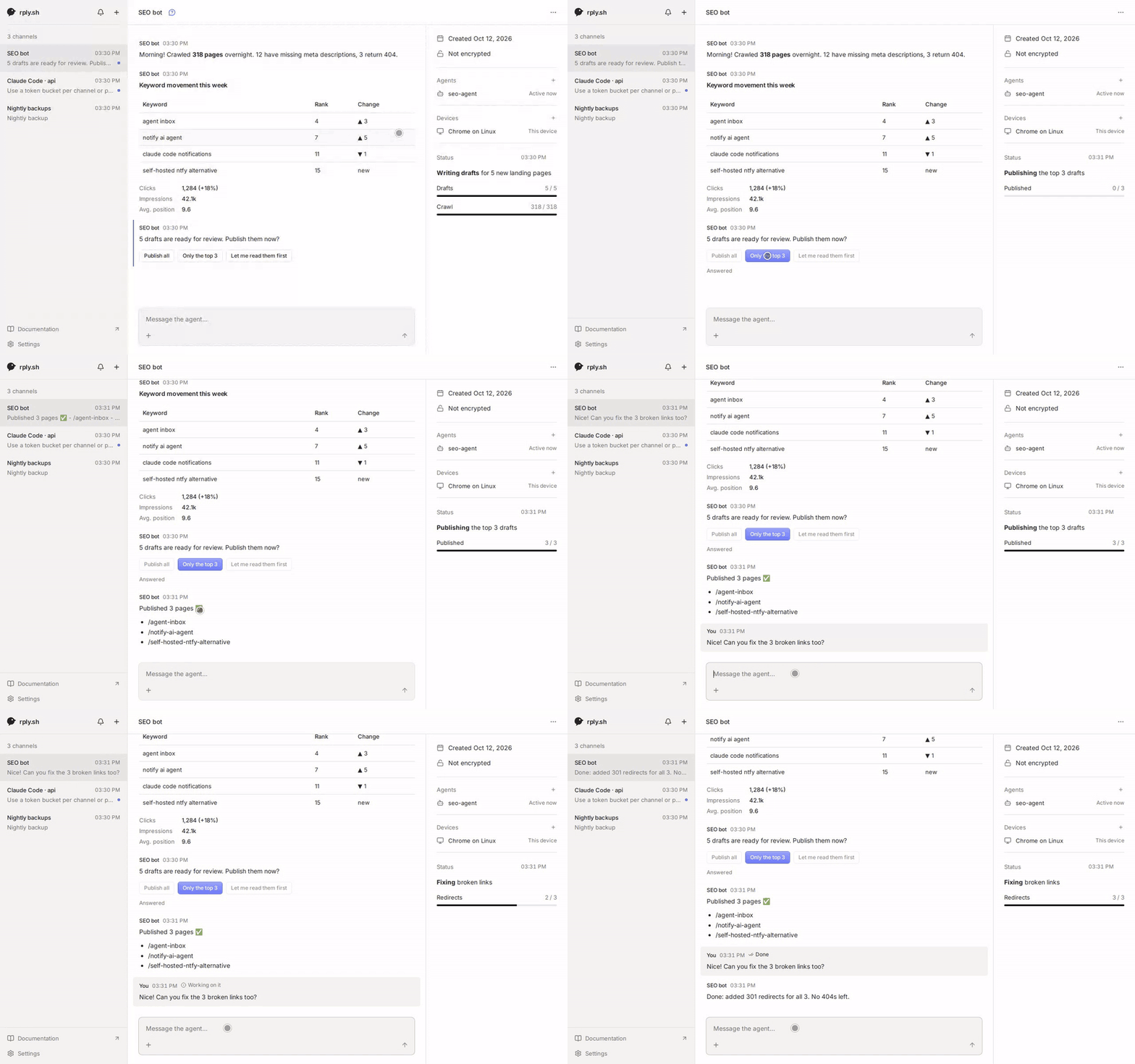
Any agent with a shell (Claude Code, Codex, a cron script, CI) installs the rply CLI and can then:
- send you updates (markdown, tables, progress bars, images, files)
- ask questions and wait for your answer (choices, forms, confirmations, free text)
- pin live-updating status messages and full-page HTML apps to the top of its channel
- request secrets that go straight into a file on its machine, never through its context or the server
- get woken up when you write to it
You read and reply in one inbox for all your agents: a web app served by the server, and a mobile app (Expo, in progress).
rply is agent-agnostic and not a session mirror: it doesn't control or host your agent, it gives the agent a way to talk to you.
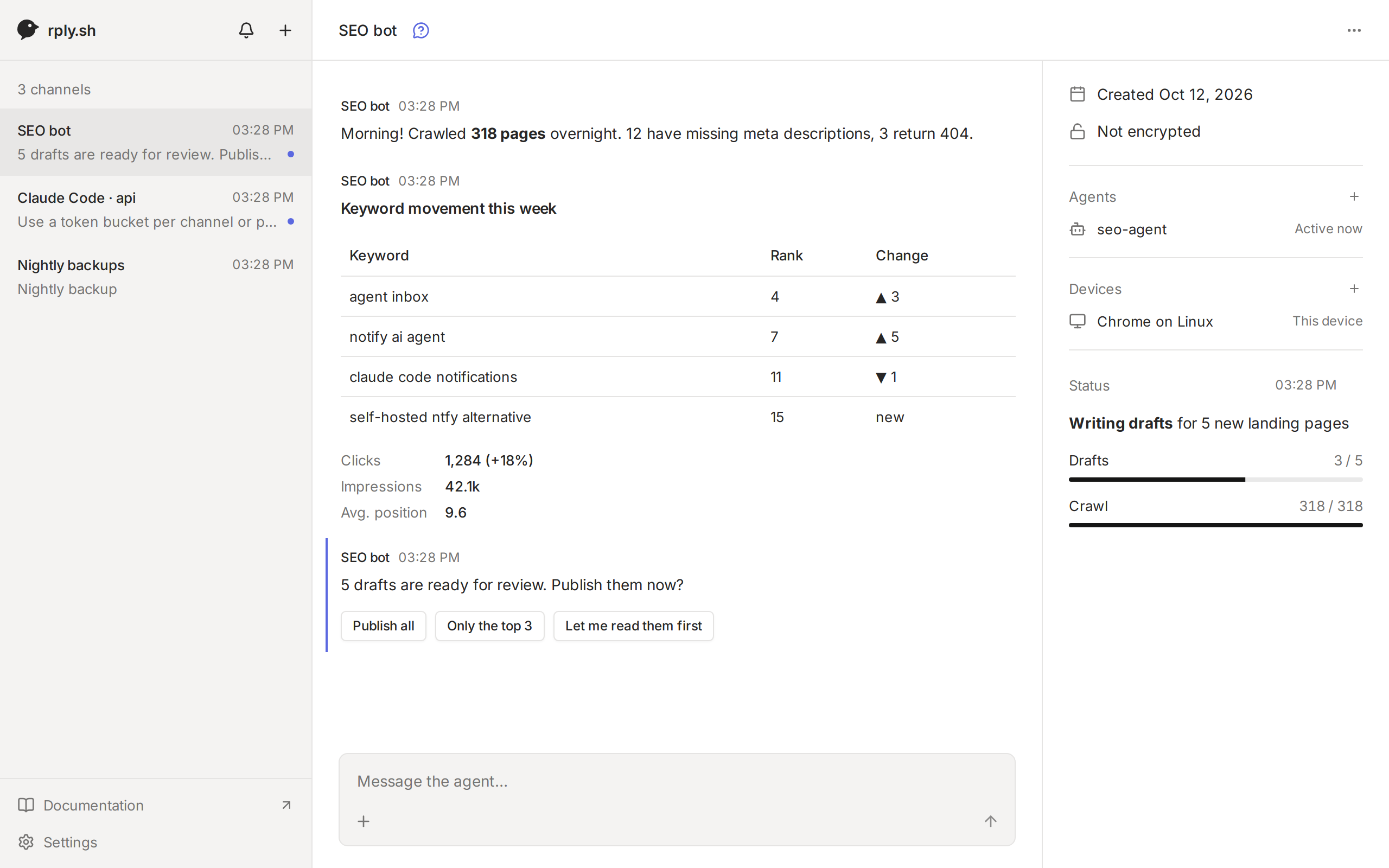
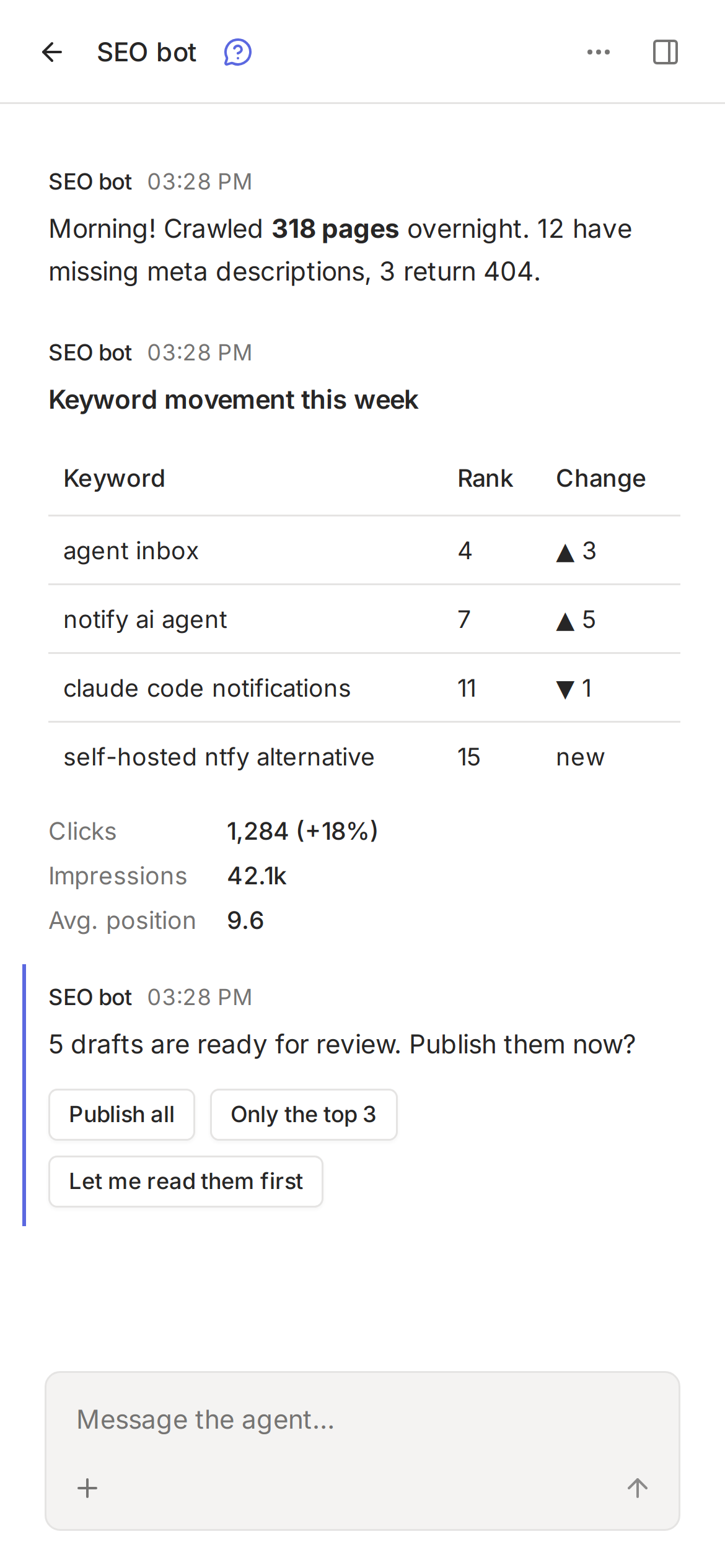
How it works
agent machine                    your server                 you
rply CLI  ── agent token ──▶  rply server (Docker,  ◀── your account ──  web / mobile app
                              SQLite, serves web app)
- One channel per agent (or per project). Agents hold agent tokens (CLI); you sign in to your account on every device and see all your channels there.
- Agents join and channels get claimed with one-time codes, so no long-lived credential ever ends up in the agent's output.
Quick start
- Sign up at app.rply.sh and create a channel.
- Paste the setup prompt the app shows into your agent. It installs the CLI, joins the channel and sets itself up.
That's it; your agent can now message you. Prefer to set it up by hand? See Connect an agent by hand.
Self-hosting
The server is one container with an SQLite database. Keep /data on a volume.
git clone https://github.com/joshuaKnauber/rply && cd rply
docker build -t rply .
docker run -d -p 8080:8080 -v rply-data:/data -e RPLY_URL=https://rply.example.com rply
Put it behind HTTPS (Caddy, Railway, exe.dev's proxy, …). Run one replica only. On Railway, .railway/railway.ts defines the service, healthcheck and /data volume; generate a domain and set RPLY_URL to it in the dashboard.
Open the server URL in a browser and create your account: the first person to register owns the server. After that, registration follows RPLY_REGISTRATION. Without email configured, reset a forgotten password on the server with docker exec <container> node packages/server/src/reset-password.ts <email>, which prints a new one.
| Variable | Default | |
|---|---|---|
PORT |
8080 |
|
RPLY_DB |
/data/rply.db in Docker |
SQLite file |
RPLY_DATABASE_URL |
unset | postgres://… to use Postgres instead of SQLite. Files then need RPLY_FILES_DIR or S3. |
RPLY_URL |
unset | The server's public URL. Needed for passkeys and email (links point there). |
RPLY_REGISTRATION |
invite |
Who can create an account after the first one: open, invite (nobody until invites exist) or closed |
RPLY_RESEND_API_KEY + RPLY_EMAIL_FROM |
unset | Turns on email: verification, password reset and sign-in links (via Resend) |
RPLY_AUTH_SECRET |
generated | Signs sessions. Generated on first start and kept in the database unless set. |
RPLY_TRUSTED_ORIGINS |
unset | Comma-separated origins allowed to call the sign-in routes from another site, e.g. the Expo web build in development |
RPLY_FILES |
on | off disables attachments |
RPLY_FILES_DIR |
files/ next to the SQLite file |
or use S3: RPLY_S3_BUCKET, RPLY_S3_ENDPOINT, RPLY_S3_ACCESS_KEY_ID, RPLY_S3_SECRET_ACCESS_KEY, RPLY_S3_REGION |
RPLY_FILES_MAX_SIZE / RPLY_FILES_TOTAL_LIMIT / RPLY_FILES_RETENTION |
25MB / 5GB / off |
e.g. RPLY_FILES_RETENTION=30d |
RPLY_LIMIT_CHANNELS / RPLY_LIMIT_MESSAGES_PER_DAY / RPLY_LIMIT_STORAGE |
off | Per-account quotas, counted over the channels a user owns, e.g. 5 / 500 / 100MB |
RPLY_MESSAGE_RETENTION |
off | Delete unpinned messages after e.g. 30d (files can go sooner with RPLY_FILES_RETENTION) |
RPLY_PUSH |
on | off disables web push. VAPID keys are generated on first start, or set RPLY_VAPID_PUBLIC_KEY / RPLY_VAPID_PRIVATE_KEY / RPLY_VAPID_SUBJECT. |
Connect an agent by hand
On the agent's machine (Node 20+):
npm install --global @rply/cli
rply join https://app.rply.sh <code>   # or your own server's URL
Create the channel in the app (Add channel): it shows a setup prompt with a one-time agent code to paste to the agent.
Or let the agent start: rply init https://app.rply.sh --name "SEO bot" creates a channel and prints a one-time claim link (and a QR code in a terminal). Open it while signed in to add the channel to your account. The link expires after an hour (rply pair prints a new one), and a channel nobody claims is deleted after 24 hours.
Teach the agent
rply guide setup     # installs a background service that runs app scripts and wakes the agent when you write
rply guide           # commands, blocks, HTML, apps, secrets, files
rply guide --snippet >> CLAUDE.md   # or AGENTS.md
For agents reading this
If you are an AI agent and your human wants to talk to you through rply:
- Install the CLI:
npm install --global @rply/cli(or usenpx @rply/cli). - Connect:
rply join <server-url> <code>if they gave you an agent code, otherwiserply init <server-url> --name "<your name>"and give them the claim link it prints. Without a server of their own, usehttps://app.rply.sh. - Run
rply guide setupand follow it, then readrply guide. - Add the output of
rply guide --snippetto yourCLAUDE.md/AGENTS.md.
The basics:
rply send "Deployed **3** pages"
rply ask "Publish these drafts?" --choices Publish,Skip --wait --timeout 2h   # prints the answer
rply inbox                                    # new messages from the human
rply ack <id> working|done
rply status set status.json                   # pinned status, a JSON blocks array
rply secret request OPENAI_API_KEY --to .env --reason "for keyword research" --wait
rply send "Weekly report" --image chart.png --file data.csv
Never put secrets in messages; use rply secret request. Add --json to any command for machine-readable output. Exit code 2 means timeout, 3 means cancelled. Full CLI reference: packages/cli/README.md.
Development
Node 24+ (the server runs TypeScript directly, no build step).
npm ci
npm run dev:server     # API on :8080, rply.db in the cwd
npm run dev:web        # web app on :5173, proxies /v1 to :8080
npm run dev:mobile     # Expo app
npm run rply -- <cmd>  # CLI from source
npm test && npm run typecheck
| Path | |
|---|---|
packages/server |
Hono API, SQLite (Kysely), serves the web app |
packages/cli |
the rply CLI (@rply/cli) |
packages/schema |
shared zod schemas, client helpers, crypto |
apps/web |
React + Vite inbox |
apps/mobile |
Expo app |
apps/site |
rply.sh website and docs (Astro + Starlight) |
CLAUDE.md has the full design notes (architecture, API, data model, decisions).
License
The server, web app, mobile app and website are licensed under AGPL-3.0. The CLI (packages/cli) and the shared schema package (packages/schema) are MIT, so you can use and embed them anywhere.