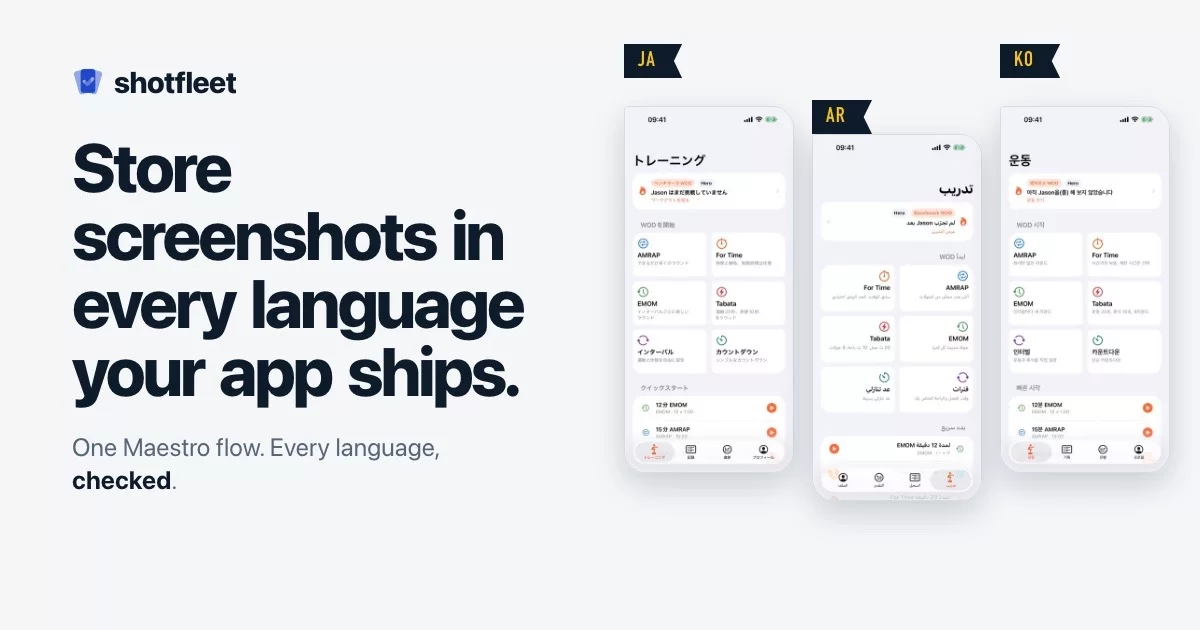

This repo is the agent skills and MCP server config for shotfleet, a macOS command-line tool that captures your App Store and Google Play screenshots in every language your app ships, from one English Maestro flow (or your own XCUITest screenshot tests, since 0.1.6), and checks that each screenshot is really in the right language.
shotfleet itself is a paid, closed-source program with a free tier: check is free, run is free for up to 2
languages. The files here are MIT licensed and contain no shotfleet source; they only tell your AI coding agent how to
use it. They match shotfleet 0.1.9.
The skills let your AI coding agent know how to install, set up, run and check shotfleet, and how to read the report:
| Skill | What it does |
|---|---|
shotfleet |
the main one: which command to run, exit codes, --json, writing the flow, troubleshooting |
shotfleet-review |
turns a check report into a fix list (which language to capture again, and if the fix is in the app or the flow) |
shotfleet-ci |
adds shotfleet check to GitHub Actions or another CI |
The skills tell your agent what to type. The agent still needs shotfleet itself on your Mac:
curl -fsSL https://shotfleet.com/install.sh | sh
Install
MCP server
After installing shotfleet:
claude mcp add shotfleet -- shotfleet mcp
For any other MCP client, the command is shotfleet mcp (stdio). See the MCP server section below.
Claude Code plugin
In a Claude Code session:
/plugin marketplace add noloman/shotfleet-skills
/plugin install shotfleet@shotfleet
Or from your shell:
claude plugin marketplace add noloman/shotfleet-skills
claude plugin install shotfleet@shotfleet
The plugin brings the three skills and the shotfleet MCP server (shotfleet mcp, with check, run and doctor).
The MCP server only starts if shotfleet is installed; without it, /mcp shows it as failed and the skills still work.
If you already ran shotfleet skill install, you'll see the skills twice. Remove one copy (~/.claude/skills/shotfleet*).
GitHub Copilot, Codex, Cursor, Gemini CLI and others (gh)
With GitHub CLI 2.90 or newer:
gh skill install noloman/shotfleet-skills --all --scope user
Pick the agent with --agent, for example --agent codex, --agent cursor, --agent gemini-cli or
--agent claude-code. Leave out --scope user to install into the current project instead.
Any agent (npx)
npx skills add noloman/shotfleet-skills --skill '*' -g
Gemini CLI
gemini skills install https://github.com/noloman/shotfleet-skills.git --path skills/shotfleet
gemini skills install https://github.com/noloman/shotfleet-skills.git --path skills/shotfleet-review
gemini skills install https://github.com/noloman/shotfleet-skills.git --path skills/shotfleet-ci
Already have shotfleet?
Then you already have the skills too. This copies them where Claude Code, Codex, Cursor, Gemini CLI and Copilot look:
shotfleet skill install
Start a new agent session after any of these, then ask something like "check my fastlane screenshots with shotfleet".
MCP server
shotfleet mcp runs a local stdio MCP server. It needs shotfleet installed on your Mac.
| Tool | What it does |
|---|---|
check |
checks a folder of screenshots: each one shows its own language, no copies across languages, none missing, store size and count rules; returns a short summary |
doctor |
says whether Maestro, Xcode and the Android SDK are ready, and what is missing; changes nothing |
run |
captures screenshots in every language from a shotfleet.toml, then checks them; boots simulators and emulators, so it takes minutes |
Safety: no command written in your config runs over MCP unless the call passes hooks: true. Without it, run skips
[hooks] and refuses a config with a [capture] build, [ios] simctl or [android] shell. run always installs and
runs the config's app on the simulators, so only point it at a project you trust. check is not read-only: it writes
its report (check.json and index.html) to a report folder, and never changes a screenshot.
Price
The skills are free, MIT licensed. In shotfleet, check is free and run is free for up to 2 languages. run
beyond 2 languages and export need a licence: shotfleet.com.
Your licence key
Never paste your licence key into an agent config, a chat, an MCP setting or a repo. Run this once yourself, in your own terminal:
shotfleet activate <your key>
After that your agent uses shotfleet and never sees the key. In CI, put the key in a secret called SHOTFLEET_KEY.
Don't pass it with claude mcp add --env: it would end up in plain text in ~/.claude.json.
Questions
Write to me at hello@shotfleet.com. The files here are copied from the shotfleet source at each release, see SYNC.md.