A personal bookkeeping application raised from the ashes of QuickBooks 2003 Pro.
Free, source-available, and complete: double-entry accounting, unlimited invoicing, US payroll with tamper-evident tax forms, perpetual inventory, bank feeds, analytics — with every record in local files you control. No cloud, no account, no telemetry, no caps, no paid tiers. Multi-user Server Edition is built into the same signed installer — no Docker required (Docker remains an optional path for Linux servers).
Get started: Windows installer · macOS DMG · Docker / Linux · slowbookspro.com · 🐢 Support SlowBooks Pro
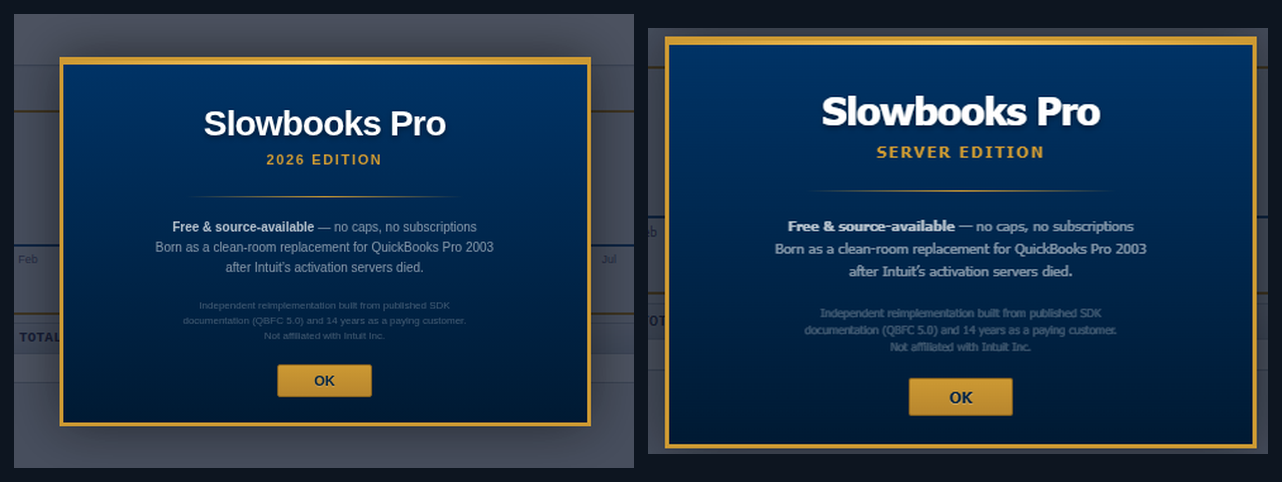
One free product, two shapes: your desktop — or the whole office from one PC.
The Story
I ran QuickBooks 2003 Pro for 14 years for side-business invoicing and bookkeeping. Then the hard drive died. Intuit's activation servers have been dead since ~2017, so the software can't be reinstalled. The license I paid for is worthless.
So I built my own replacement, and transferred my data out of the old
.QBW file using IIF export/import. Early versions wore the grief openly —
the code was annotated with invented "decompilation" comments referencing
QBW32.EXE offsets and Btrieve table layouts as a tribute to software
that served me well until its maker decided it should stop working. The
codebase has since grown up; the last of those comments came out in
v2.14.0, and the fiction now lives only in this origin story. The
software never depended on it.
This is an independent, from-scratch reimplementation. No Intuit source code or binaries were available, decompiled, or used.
Accessibility
SlowBooks Pro strives to conform to WCAG 2.1 AA: every form field has a name a screen reader can say, AA contrast in both themes on every page and dialog, real dialogs, announced notifications, and every generated PDF tagged (PDF/UA-1) so tax forms read to a screen reader. Details, known gaps and how to report a barrier: docs/accessibility.md and the accessibility page.
What's New
v2.30 — Construction from estimate to pay application, and reports on a cash basis. A construction company runs a job from the estimate (packages and sections, allowances, alternates, unit prices, markups) through the contract and its schedule of values, buyout and commitments with retainage, change orders (owner, sub and potential, numbered per job), progress billing with retainage held and released, lien waivers, and the job reports: WIP with its adjusting entry, cost to complete, the change-order log and commitment status (#550–#556). Reports run on a cash basis: a basis on every ledger line, cash recognised at payment, and the P&L, Balance Sheet, Trial Balance, General Ledger, P&L Detail and Sales Tax switch between the company default, accrual and cash (#483). The Trial Balance shows balance-sheet accounts at their balance as of the end date (#597). Online payments post to a clearing account per provider with the fee, and a payout is recorded and matched to the bank feed (#583, #584). Account numbers are optional on the chart (#567), vendors search and show a payment history (#569), the register keeps the last entry's date and links the payee to a vendor (#566, #590), one deposit can carry several donors (#606), email takes Cc and Bcc (#611), the company records its legal entity type with the equity accounts and returns to match (#488), a bill's memo prints on the check and Pay Bills prints its checks in one go (#602, #603), and the desktop window zooms (#597).
Patch releases and everything before 2.30 are in CHANGELOG.md.
Wait — it does that?
Cryptographically tamper-evident tax forms. Every W-2, W-3, 940, and
941 PDF carries a SHA-256 content hash and audit ID printed in the
footer. An auditor can recompute the hash and confirm the form hasn't
been edited since generation, against the local document_audits chain.
Not a watermark — a verification trail.
Bring-your-own-AI, including your own gateway. AI Insights runs against any of eight providers (Anthropic Claude and xAI Grok first, then Groq, Cloudflare Workers AI, OpenAI, Google Gemini, a Cloudflare Worker you host yourself, or any OpenAI-compatible endpoint you name) — keys encrypted at rest with versioned, rotatable ciphertext. And the whole app is agent-operable: every install serves a self-documenting local REST API (719 operations in v2.30.0) — built for Claude Code and Grok first, and any agentic CLI works; the AI setup guide has the paste-prompt. What stays on your machine is the company file and the API. A cloud-backed CLI's model does not: what the agent reads from your books goes to its provider under that provider's terms, and only a model you run locally, and have checked makes no outbound calls, keeps all of it home. AI Insights has the same shape — it sends the figures it is given to the provider you chose, over public HTTPS only.
One-click reseller-permit verification. Per-state format validation (WA/CA/TX), one click opens the state's official lookup, and the who-and-when verification trail lands on the customer record.
Boots refuse to lie to you. Dev and debug containers run the frontend↔backend wiring audit before uvicorn binds the port — drift between the JS and the routes fails the boot instead of 404-ing mid-feature. Release images gate on the same check in CI.
What it does
Full catalog in docs/features.md. Highlights:
- Accounts receivable — invoices, estimates, payments with multi-invoice allocation, credit memos, recurring schedules, batch payments, Quick Entry for paper backlogs
- Accounts payable — purchase orders, bills, bill payments, vendor credits, AP aging
- Double-entry core — auto + manual journals, closing-date enforcement, automatic audit log, 50-account contractor chart
- Banking — the register is the ledger (entries post, feeds are a review queue, reconciliation over ledger lines), transfers, deposits, check printing, OFX/QFX + Bank of America/Chase/PayPal CSV import with dedup, SimpleFIN and Mercury bank feeds, shared auto-categorization rules
- Reports & tax — P&L (plain & by Class), Balance Sheet, Trial Balance, agings, GL, Cash Flow, Sales Tax with pay-to-government flow, Schedule C, printable PDF pack
- Payroll & HR — full US module with W-2/W-3/940/941, deductions, garnishments, PTO, onboarding, and a token-accessed employee portal (docs/payroll-hr-module.md)
- Inventory — perpetual ledger, weighted-average cost, automatic COGS, reorder points
- Analytics + AI — 8 live metrics, 90-day cash forecast, optional BYOK insights
- Server Edition — users, roles, attributed audit trail, serves the office from one PC, built into the same signed installer (docs/server-edition.md)
- Bank feeds — SimpleFIN: you hold the bank credential, no middleman server (docs/setup-bank-feeds.md); Mercury connects directly with a read-only API token, with optional signed webhooks for bank balance updates
- Jobs & job costing — Customer:Job on every form, cost codes and types with burden, time posted at loaded rates, budget vs actual
- Receipt intake — scan a photo or PDF into a Bill, Expense or Sales Receipt with the OCR built into macOS and Windows (Tesseract on Linux)
- Online payments — Stripe, PayPal, Square behind one abstraction, desktop-mode recording included
- Interop & migration — QuickBooks IIF round-trip incl. sales receipts, and QuickBooks Online from its own Export data zip with no Intuit developer app (docs/migrate-from-quickbooks.md), Migrate Data for Xero / MYOB / Sage 50 / Wave / Zoho Books / GnuCash, Opening Balances wizard
- Fixed assets — register, depreciation runs, disposal with gain/loss, reconciliation report
- Nonprofit mode — your own words on every screen and document; funds with restrictions, releases, functional expenses, donor acknowledgments, giving statements, pledges (docs/nonprofit-module.md)
- Construction mode — one switch adds the contractor accounts (retainage, deposits, use tax, work in progress), the standard division and section cost codes, a Sub vendor type with license and insurance, and the contractor reports (docs/contractor-mode.md)
- Accessibility — AA contrast in both themes, tagged PDFs, working toward WCAG 2.1 AA (docs/accessibility.md)
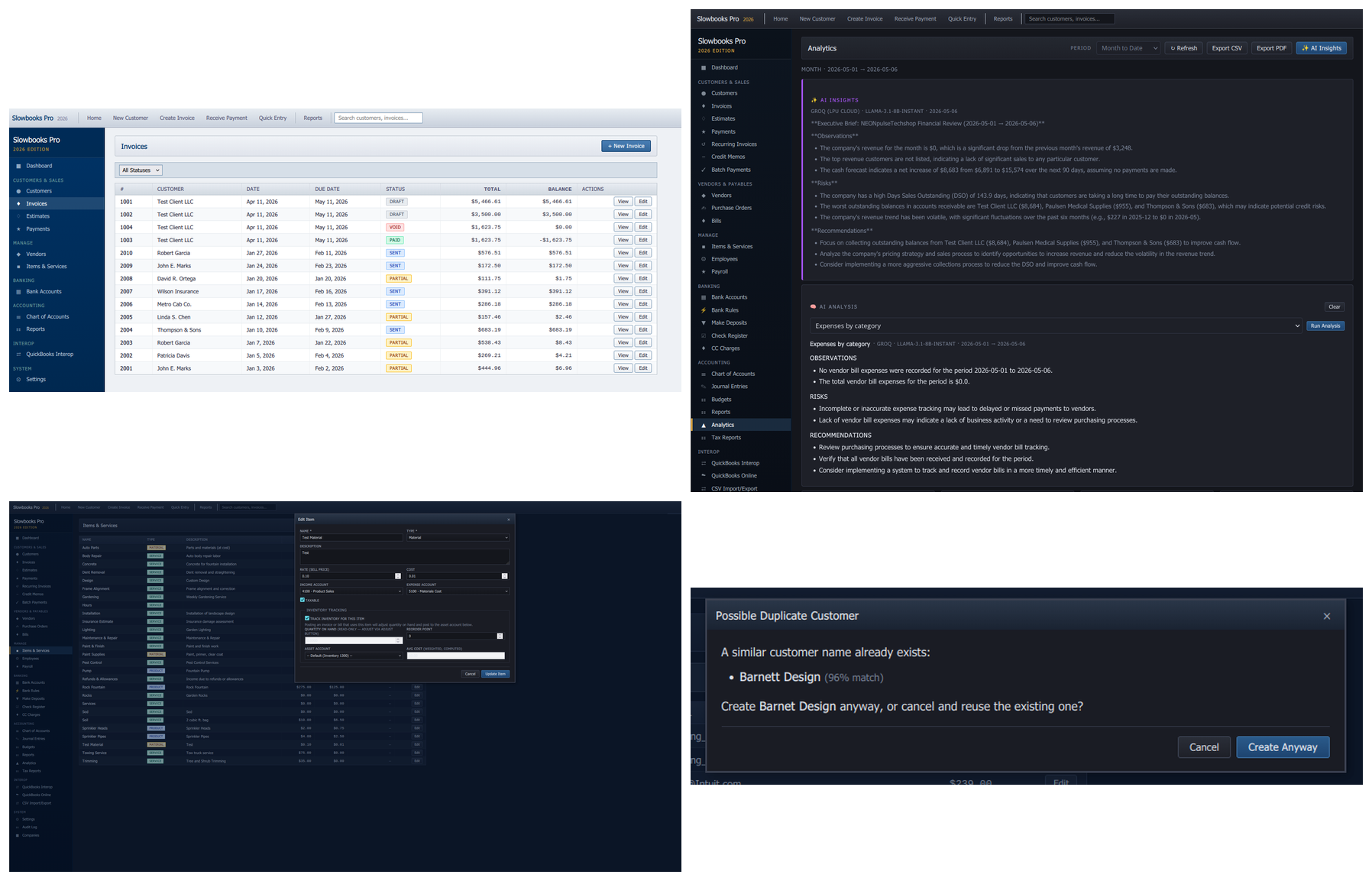
- Duplicate detection — fuzzy customer/vendor matching at create time
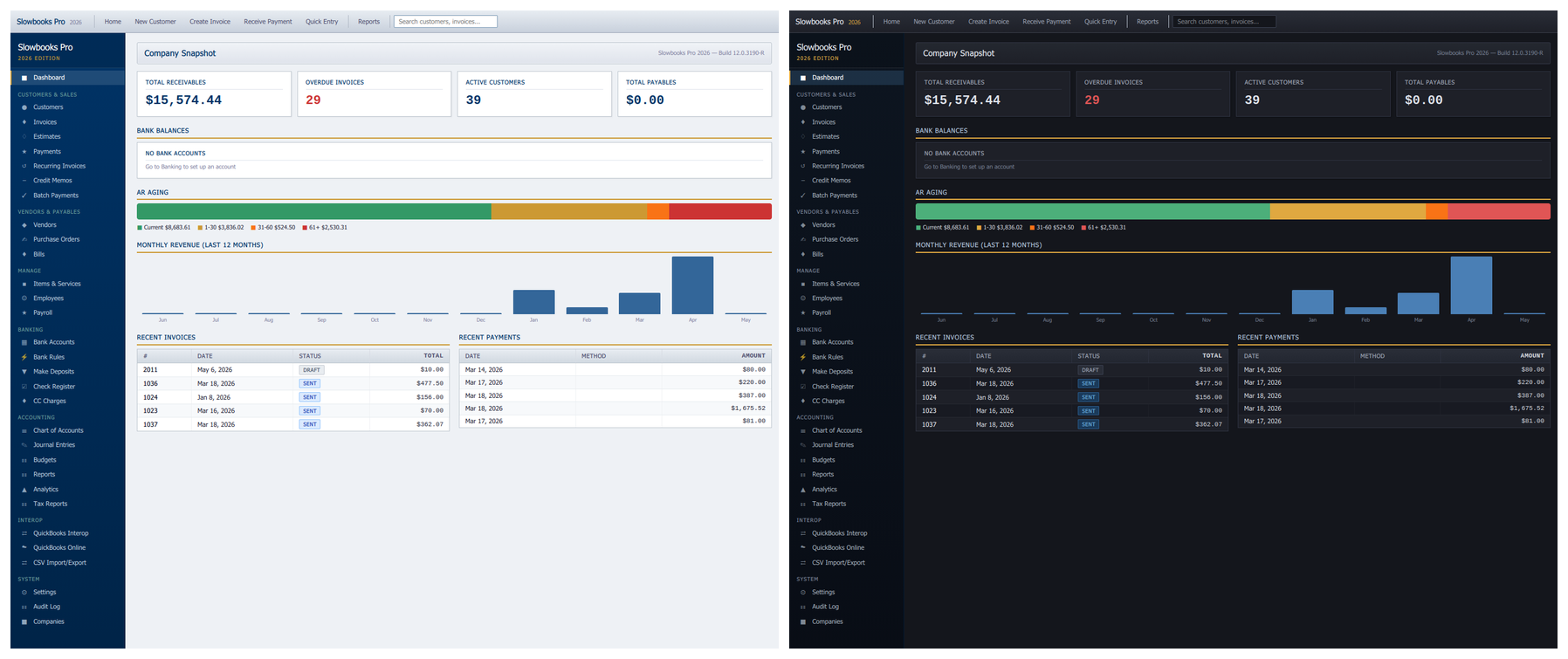
Both themes ship in the box — toggle from the topbar or Alt+D; the choice persists.
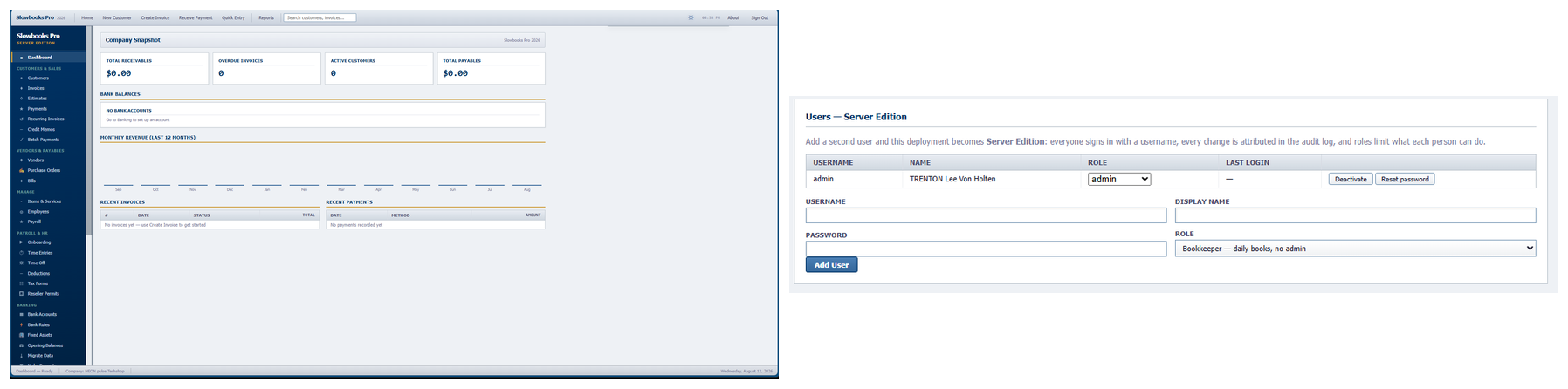
Server Edition: an edition is a state, not a SKU — add a second user and you've promoted yourself, free either way.
Quick Start
Windows — signed installer
Download SlowBooksPro-Setup-x64.exe
and double-click. Fully self-contained (64-bit Windows 10/11); a portable
.zip is on the releases page
— it needs the Microsoft Edge WebView2 runtime, which Windows 11 has and the
installer sets up; without it the app offers to open in your browser instead.
Each company is one SQLite file under %LOCALAPPDATA%\SlowBooksPro —
upgrades and even uninstalls never touch your books.
Serve the office (Server Edition): on the host PC, run the bundled
serveredition-install.ps1 from an elevated PowerShell — firewall,
startup task, and machine-wide data location handled. Details in
docs/server-edition.md.
macOS — signed Apple Silicon app
Download SlowBooksPro-macos-arm64.dmg, drag SlowBooks Pro to Applications, launch. Signed and notarized with the project's Apple Developer ID on every release; macOS 15+, Apple Silicon. Intel Macs: Docker.
Docker (Linux servers, Intel Mac)
Docker is optional — multi-user LAN serving on Windows is Server Edition, built into the signed installer above (no containers involved). Docker remains the path for Linux servers and Intel Macs:
git clone https://github.com/VonHoltenCodes/SlowBooks-Pro-2026.git
cd SlowBooks-Pro-2026
docker compose up
Open http://localhost:3001 — PostgreSQL, migrations, and seed data
are automatic. The image includes tesseract-ocr and poppler-utils so
receipt scanning works out of the box; native installs add them with
sudo apt install tesseract-ocr poppler-utils (optional — scanning
degrades gracefully when they're absent).
Native installs, demo data, troubleshooting: INSTALL.md. Backups, restore, key rotation: docs/operations.md. Production checklist: docs/release-checklist.md.
Documentation
| Doc | Covers |
|---|---|
| INSTALL.md | Install / first-run / upgrade (installer + DMG + Docker + native) |
| docs/server-edition.md | Serving the office: setup, users & roles, troubleshooting |
| packaging/macos/README.md | macOS maintainer build, signing, notarization runbook |
| docs/features.md | Full feature catalog + API endpoint reference |
| docs/development.md | Tech stack, project structure, contributor flow |
| docs/data-model.md | Database schema |
| docs/operations.md | Backups, restore, key rotation, monitoring |
| docs/payroll-hr-module.md | Payroll / HR module reference |
| docs/release-checklist.md | Production deployment checklist |
| docs/tls-proxy-setup.md | Real certs in front of Slowbooks (Caddy, nginx, Traefik) |
| docs/cloud-hosting.md | Your own books on a cloud server: VPS, Docker, Caddy, backups off the box, what it does and does not give you |
| docs/working-with-your-accountant.md | The Accountant role, adjusting entries, the package, the IIF round trip and the Accountant's Copy |
| docs/security-hardening.md | Security pass — what changed, why, how it's tested |
| docs/company-file-encryption.md | Encrypting the company file: the recovery key, who unlocks it, backups and restores |
| docs/hipaa-compliance.md | HIPAA mapping — honest gap list included |
| docs/wiring-audit.md | Frontend ↔ backend drift audit methodology |
| docs/banking.md | The register is the ledger: entries, feeds as a review queue, transfers, reconciliation |
| docs/nonprofit-module.md | Nonprofit mode: funds, restrictions, functional expenses, donor documents |
| docs/contractor-mode.md | Construction mode: contractor accounts, cost codes, the Sub vendor type, the report set |
| docs/accessibility.md | WCAG 2.1 AA conformance, known gaps, how to report a barrier |
| docs/migrate-from-quickbooks.md | QuickBooks Desktop (IIF) and QuickBooks Online (its Export data zip, no Intuit app) migration, sales receipts included |
| docs/state-withholding.md | State income-tax withholding tables and their sources |
| docs/setup-bank-feeds.md | SimpleFIN bank feeds |
| docs/setup-mercury.md | Mercury read-only bank feed and signed balance webhooks |
| Stripe · PayPal · Square | Payment integrations |
| docs/migrate-from-myob.md | MYOB migration walkthrough |
| SECURITY.md · CONTRIBUTING.md · CHANGELOG.md | Policy, contributing, history |
Tech Stack
Python + FastAPI on PostgreSQL (SQLite for tests and desktop companies, one file each) with SQLAlchemy 2.0 and Alembic. Vanilla HTML/CSS/JS single-page app — no framework, no build step. WeasyPrint + Jinja2 for PDFs; self-hosted Chart.js (no CDN, LAN-deployable). Hosted-checkout payments only — card data never touches the app. Port 3001.
The Windows and Apple Silicon desktop builds freeze the same codebase with PyInstaller + pywebview. Both sign in CI on every release tag: Windows via Azure Trusted Signing, macOS with the project's Apple Developer ID — signed, notarized, and stapled on the runner (signing credentials live only in repo secrets, never in the repo).
Full layout in docs/development.md.
License
Source-available. Free forever. Yours to self-host. Use it for yourself or your business, modify it, redistribute it, keep your clients' books on it. Don't sell it, offer it as a paid service, or build it into one, in whole or in part. Tools and connectors that talk to it are welcome, commercial or not. Illinois law. The full terms, version 2.0, are in LICENSE; the app shows the short form once on first launch and the Windows installer shows the whole thing. Contributions come in under the Contributor Terms in [CONTRIBUTING.md](h