
Spaces
The AI software factory for your team.
Specs go in. Reviewed, tested pull requests come out.
Website · Documentation · Getting started
Quick start · How Spaces works · What it does · A look around · FAQ · Documentation
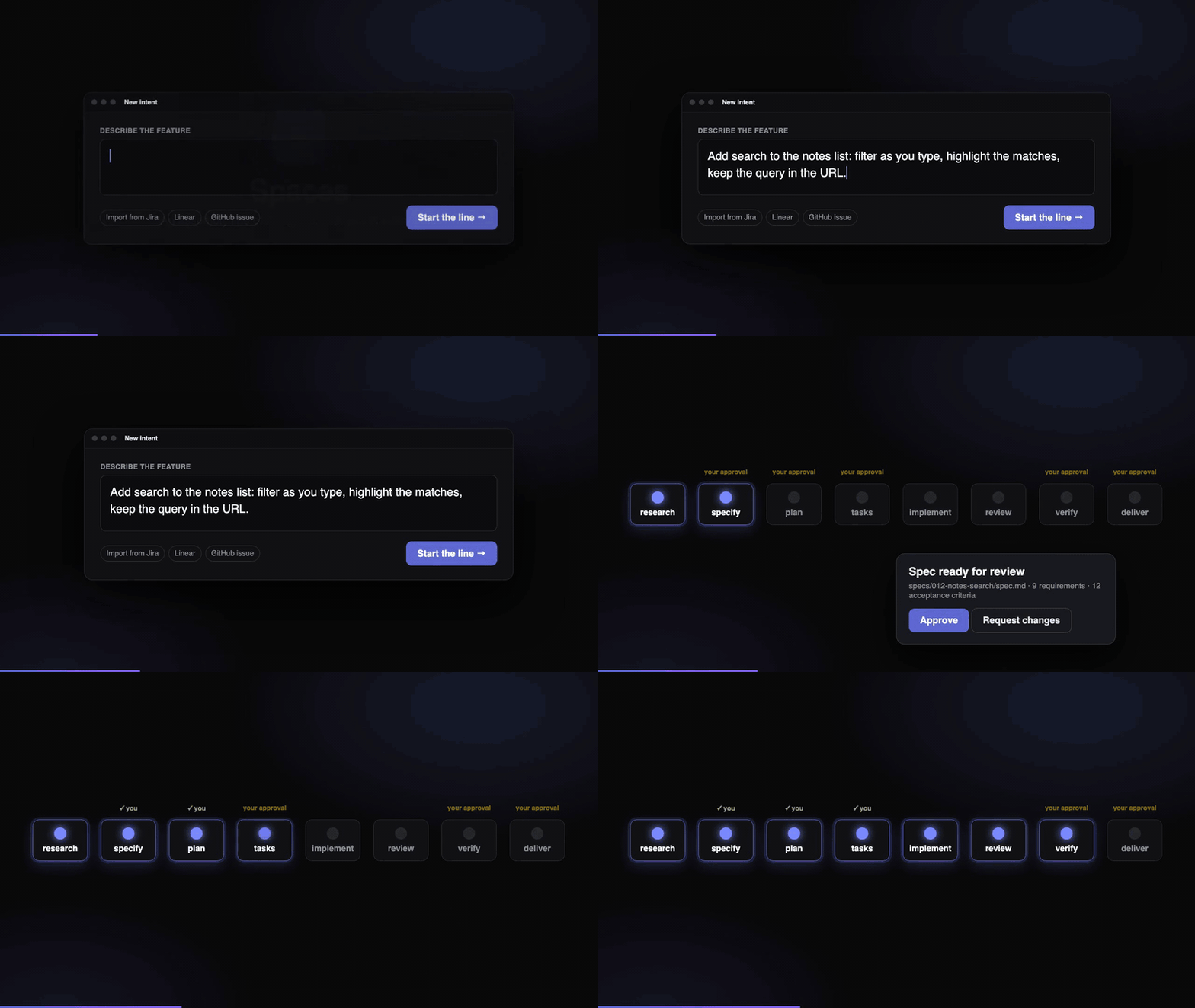
research → specify → plan → tasks → implement → review → verify → deliver
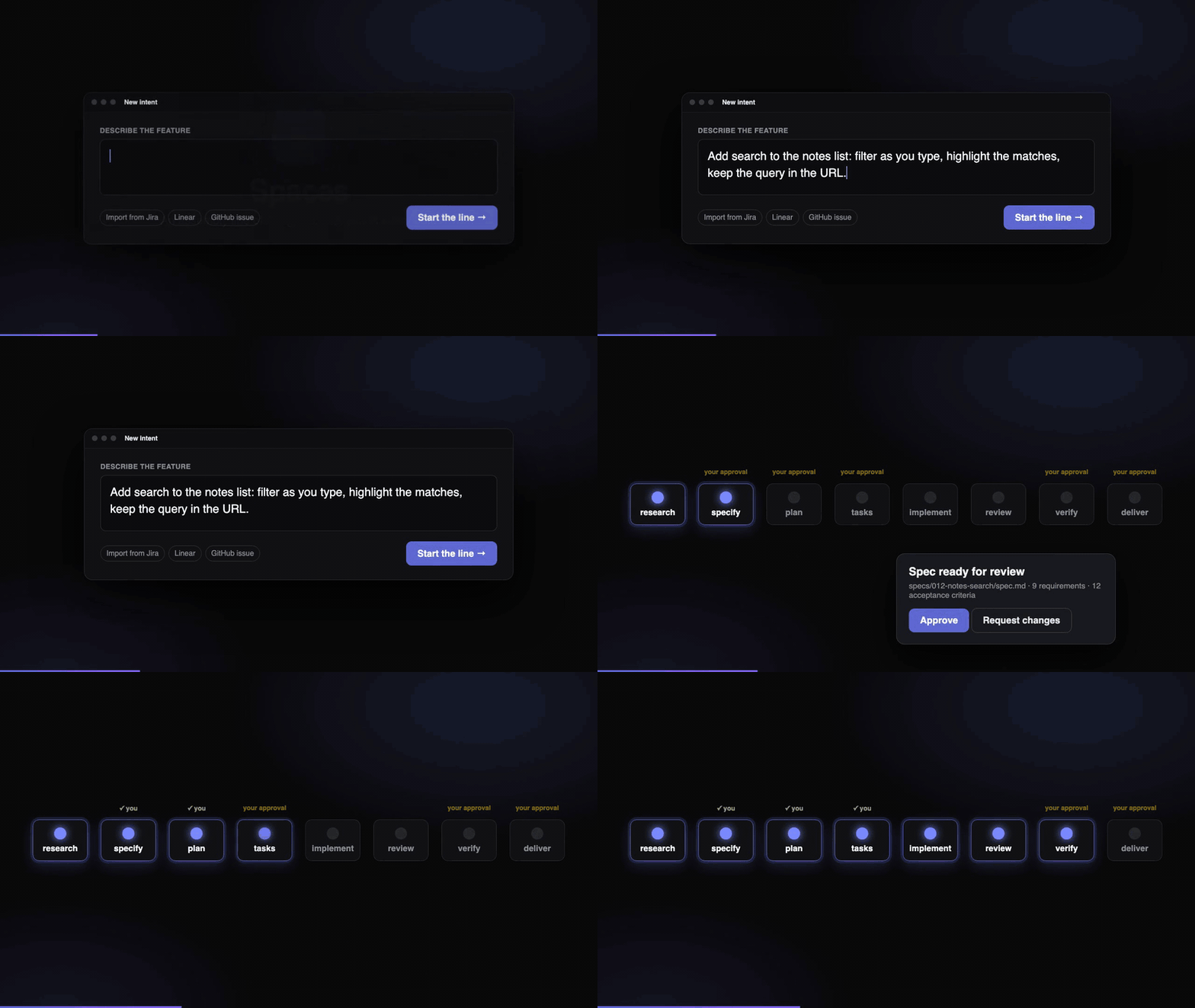
▶ Watch the 90-second demo (with sound) · Blog
Have a ticket, a page of requirements or an idea in plain words? Give it to Spaces. A line of agents, each with one job, turns it into a spec, a plan, tasks, code, a code review, a QA report and a merged pull request. They know your codebase, your team's conventions and the tickets behind the work. You approve at the gates; the factory does the rest.
Every stage leaves an artifact you can read (spec.md, plan.md,
tasks.md, code-review.md, verification-report.md, delivery-report.md),
and the spec is committed alongside the code. A board shows the whole floor:
every card is a feature on the line, with live agent output and the cost of
every run.
Spaces runs on GitHub's Spec Kit and the Pi Coding Agent SDK, and follows the ideas of AWS's AI-Driven Development Life Cycle: role-based agents, inception and construction phases, and human approval gates.
Try it at spacesos.dev: registration is by invitation for now; join the waitlist on the landing page.
Quick start
Run it locally
Prerequisites: Bun 1.4+ and Docker (for Postgres).
git clone https://github.com/rayedbajwa/spaces.git
cd spaces
make setup   # .env with a fresh ENCRYPTION_KEY, dependencies, Chromium, Postgres, schema, UI
make up      # web server + supervisor in the background (logs in .run/)
Open http://localhost:3000 and create the first
account; it becomes the owner. make status shows the processes and the
queue, make down stops everything.
Without make
cp .env.example .env   # set ENCRYPTION_KEY: openssl rand -base64 48
bun install
bun run db:up
bun run db:migrate
bun run dev            # web UI on http://localhost:3000
bun run worker         # in a second terminal
Add a model key
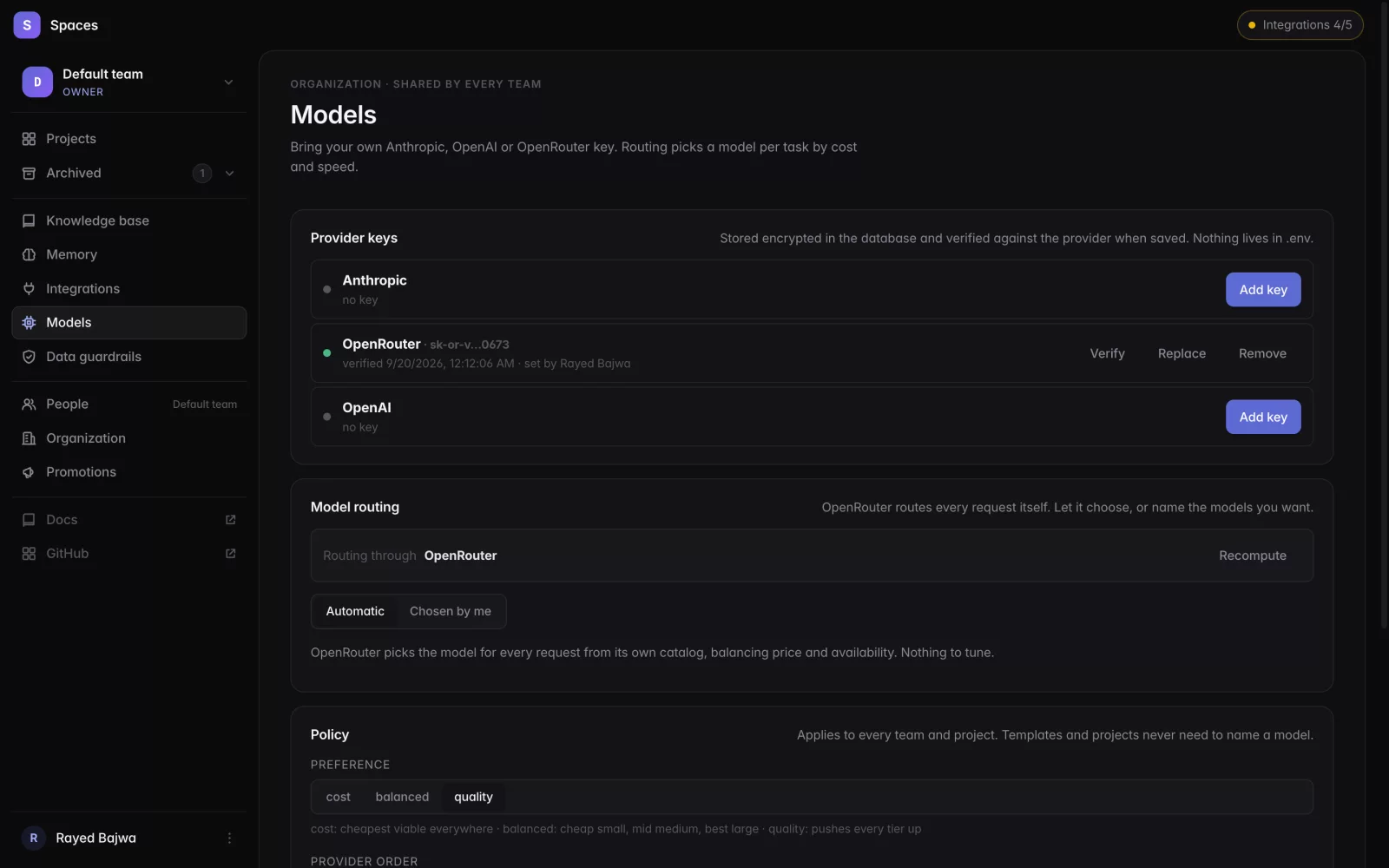
Spaces never names a model and ships with no model access. As an owner or admin, open Organization → Models and paste a key from Anthropic, OpenAI or OpenRouter. It is checked with the provider, stored encrypted, and picked up by every process within a second. Spaces sorts what the key unlocks into small, medium and large tiers and routes each stage to one. See Getting started.
Start your first intent
Connect GitHub from Integrations (one click: Spaces creates a GitHub App for you), press New project, and describe the first piece of work:
Add search to the notes list: filter by title and body as you type,
highlight the matches, and keep the query in the URL so it can be shared.
Or import a Jira or Linear ticket as the starting point. Spaces clones the repositories, learns them, and starts the line. You'll be asked to approve the spec, the plan and the tasks before any code is written.
How Spaces works
Each feature is an intent that moves down the line. Every stage is an agent with one job; the gates between them are yours.
flowchart LR
  T["Ticket, page<br/>or idea"] --> R[research] --> S[specify] --> P[plan] --> K[tasks]
  K --> I[implement] --> V[review] --> Q[verify] --> D[deliver] --> M["Merged and<br/>deployed"]
  V -. changes requested .-> I
  Q -. short of passing .-> I
  S & P & K & Q & D -. your approval .-> G((gate))
- Research picks and clones the repositories a feature needs and reads your knowledge base (Confluence, Jira, Linear, GitHub docs) before anything is specified.
- Implement opens a pull request per workstream and loops through code review and QA on its own until both are nearly done. Workstreams that depend on each other get stacked pull requests.
- Verify runs the tests, drives the app in a headless browser, and writes a verification report with a traceability table. What only a person can check is listed for you instead of sent back to implement.
- Deliver fixes what blocks each pull request (rebase, CI, review comments), merges in order once you approve, and confirms the deployment.
Under the hood one image runs in three roles, connected by Postgres, which is the database, the job queue and the event bus. In production the web service runs no agents; every project gets its own worker with its own disk, which sleeps when idle.
flowchart LR
  U[Browser] -->|HTTPS + SSE| W["web<br/>UI · API · OAuth"]
  W -->|wake · forward · deploy when idle| A["worker per project<br/>agents · git · tests · browser"]
  A --- VA[("its own volume")]
  W & A --> P[("Postgres 16 + pgvector<br/>job queue · events · knowledge")]
  A --> X["LLMs · GitHub · Jira · Linear · Slack"]
  W & A -->|OTLP| PX[Arize Phoenix]
Read Architecture & scaling for the details.
What it does
| Area | What Spaces gives you | Guide |
|---|---|---|
| Pipelines | Declarative YAML templates: stages, roles, branches, loops, retries and gates | Pipeline templates |
| Intents | Bug fix, feature, MVP, spike or chore; every document, status and change kept in Postgres and browsable in the app | Intents |
| Pull requests | A Conventional-Commits PR per workstream, stacked where workstreams depend on each other, authored by your GitHub App's bot so humans can approve | Delivery |
| Code review and QA | A review posted on the PR with findings by severity; QA that runs tests and a real browser, with screenshots | Pipelines & stages |
| Knowledge | Confluence, Jira, Linear, GitHub docs, web pages and notes, indexed with full-text search and pgvector embeddings for every stage | Integrations as knowledge |
| Intake | Watch Jira and Linear scopes; new tickets land in a work inbox and become intents in one click | Inbound intake |
| Approvals | Approve in the app, from Slack, or through an emailed link sent to whoever is accountable for the stage | Organization, teams & access |
| Models | Automatic routing by cost and speed across Anthropic, OpenAI and OpenRouter, tuned per organization | Getting started |
| Data guardrails | Secrets and personal data become tokens before anything reaches a model, and are restored only where agents write | Data guardrails |
| Releases | Link a Railway service; approving delivery deploys it and Spaces watches until it is live | Delivery |
| Cost | Tokens and cost per model call, rolled up by stage, run, project and organization | Agents, workers & context |
| Tracing | A trace per agent turn in Arize Phoenix, with run status, cost and people's gate decisions as annotations | Configuration |
| Scale | A worker per project on Railway, Kubernetes or Docker; idle ones sleep, and deploys never interrupt an agent | Project workers |
A look around
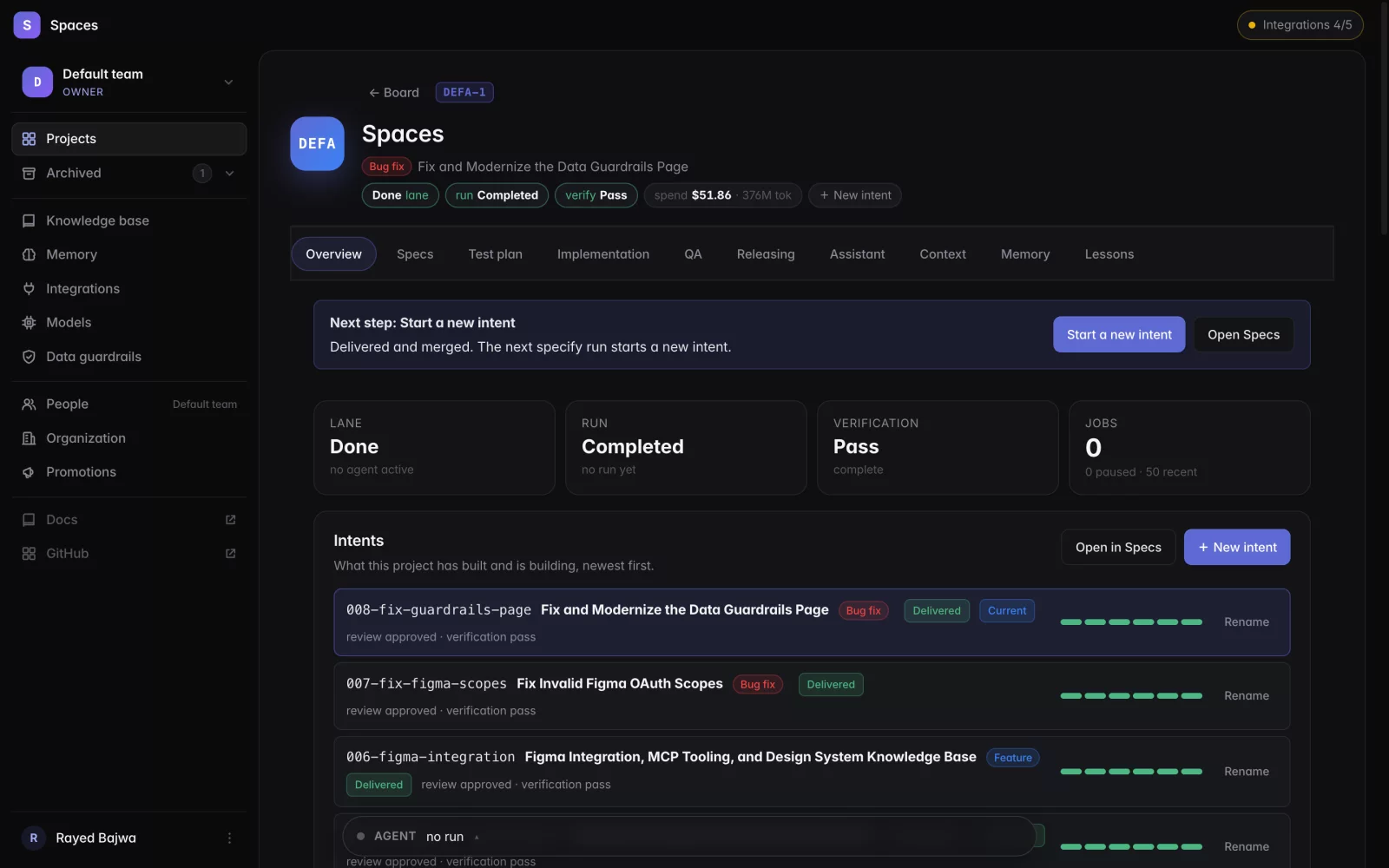
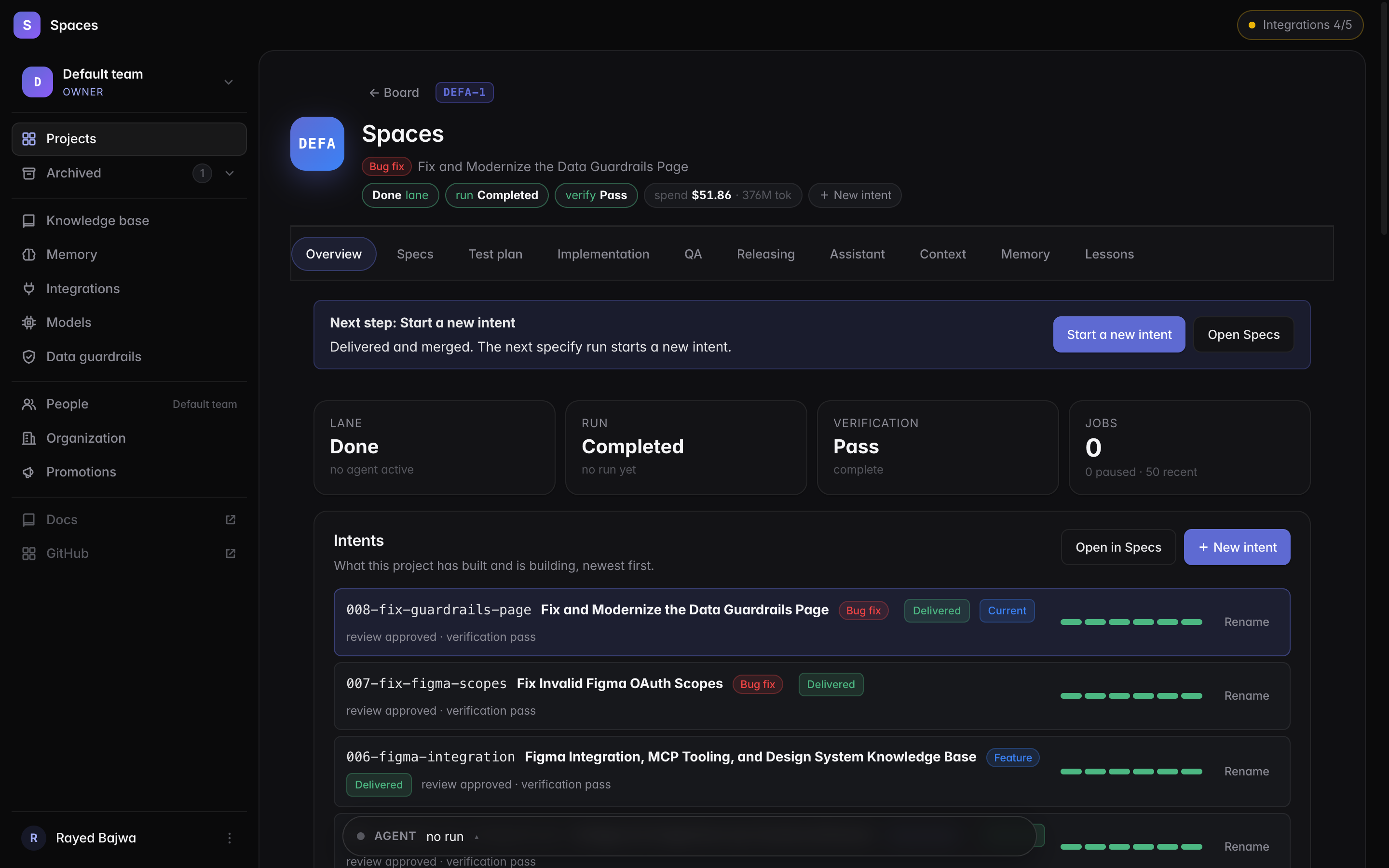 Project page. Lane, run, verification and repositories at a glance, with the live agent output pinned below. |
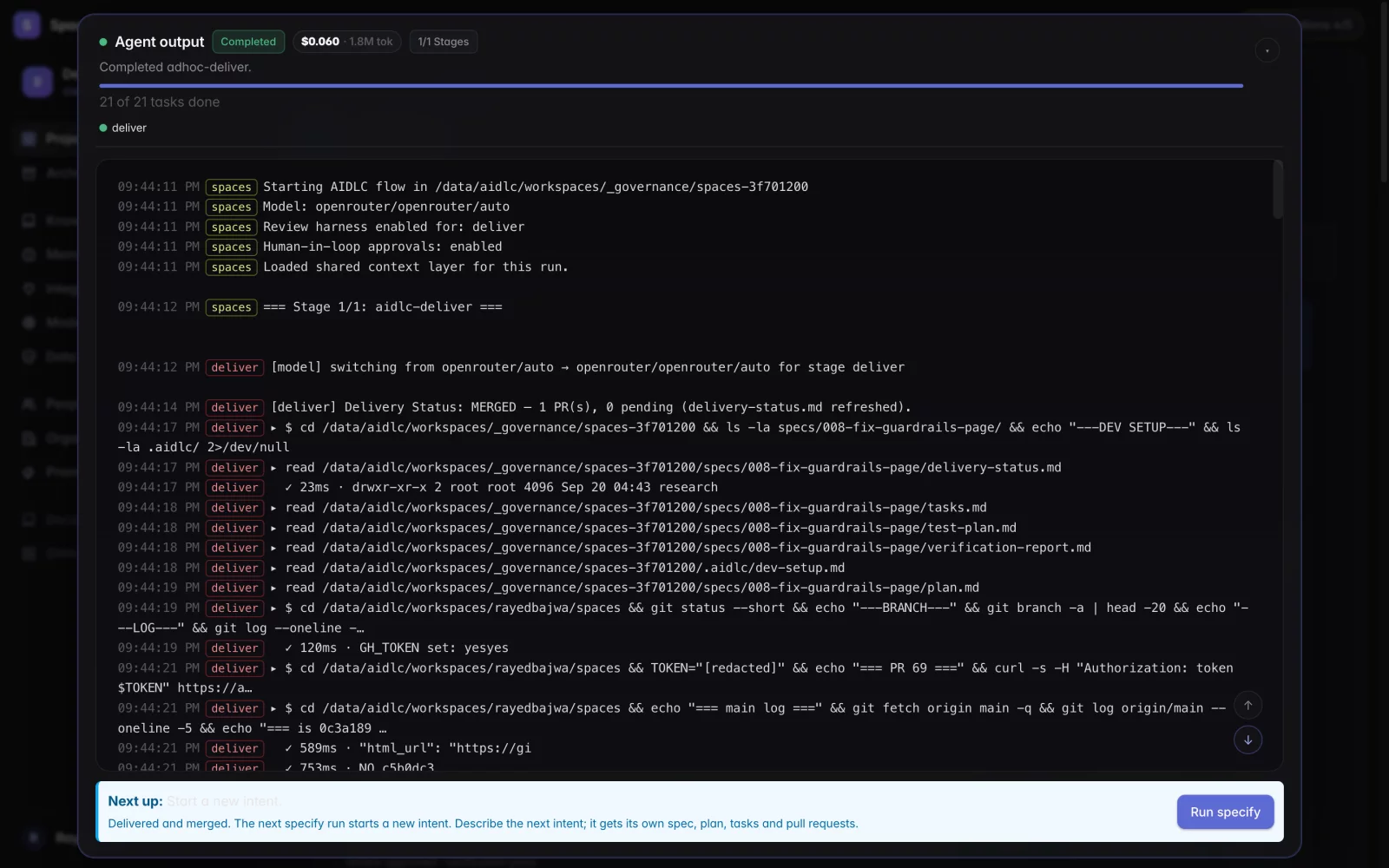
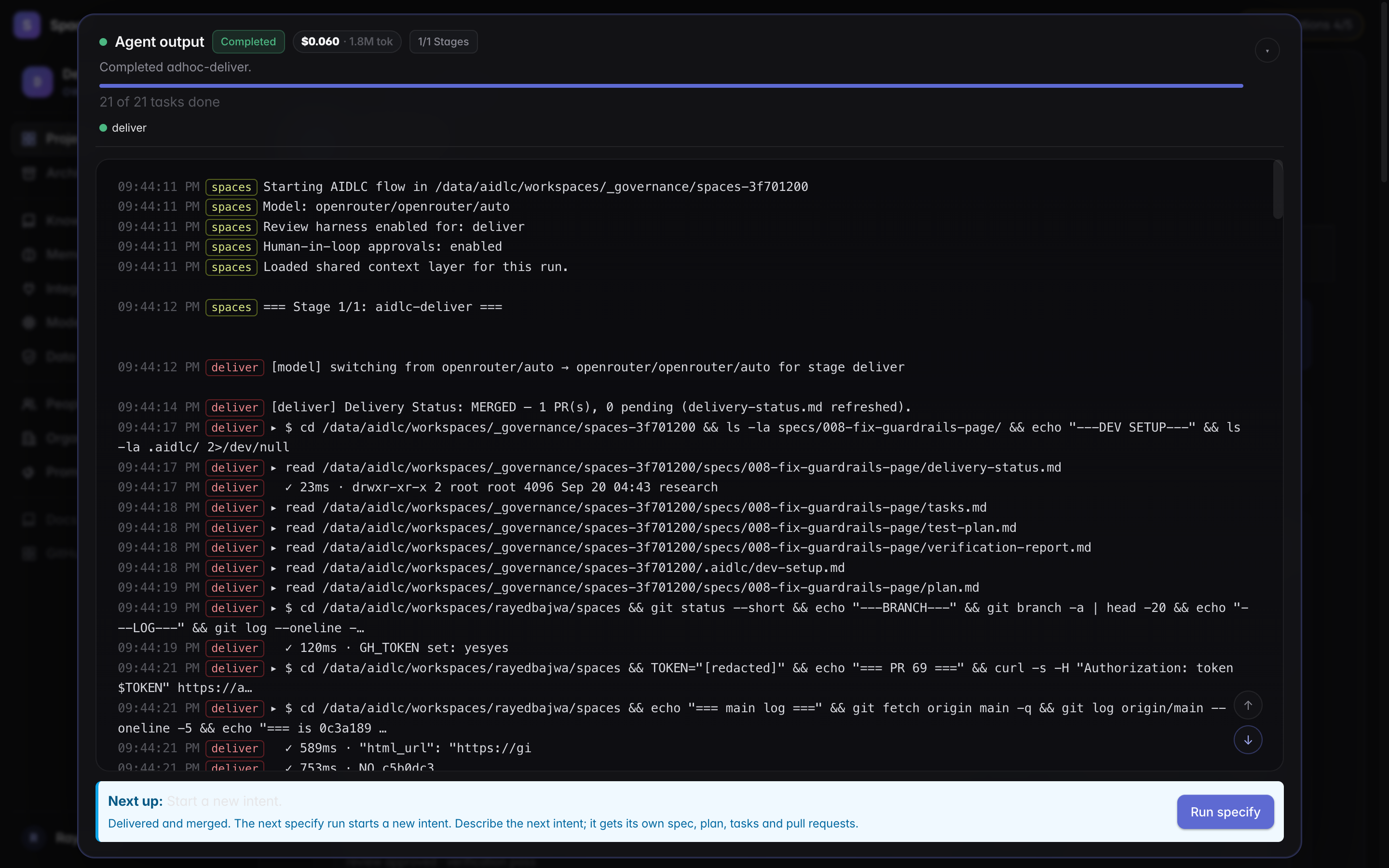 Agent output. Stage progress, a line per tool call, and approvals and questions when a person is needed. |
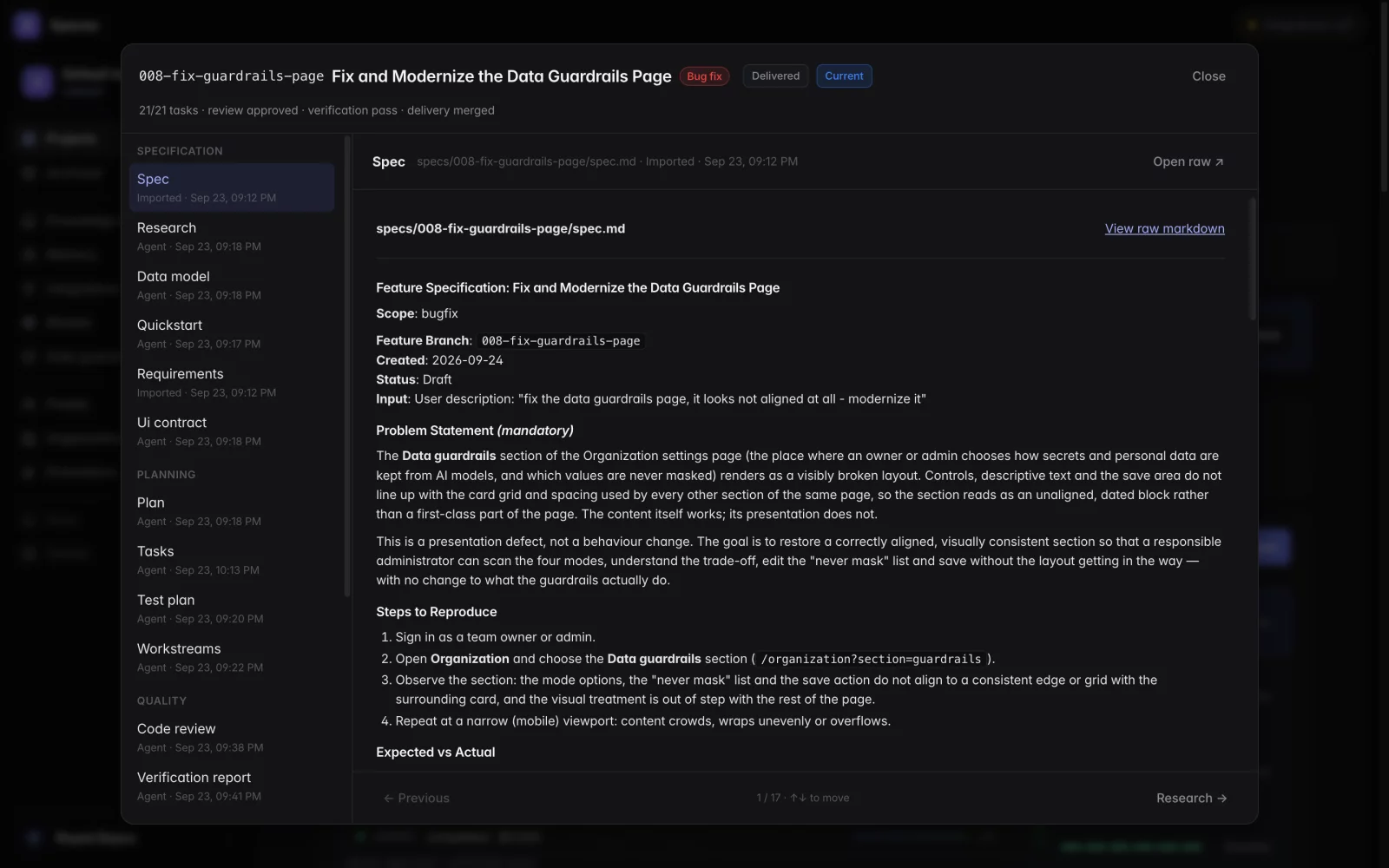
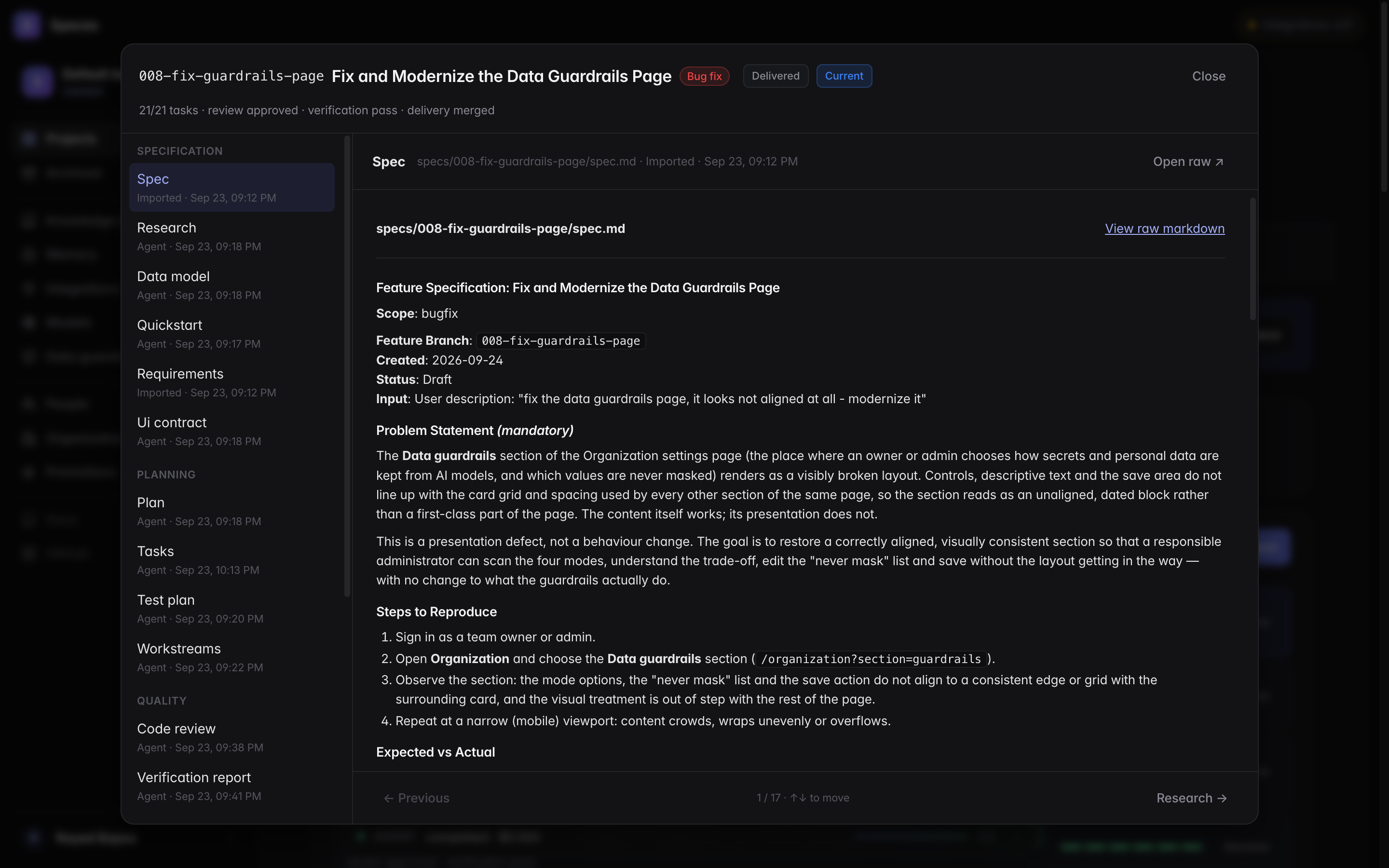 Every artifact, in the app. Page through an intent's spec, plan, tasks and reports, with their history. |
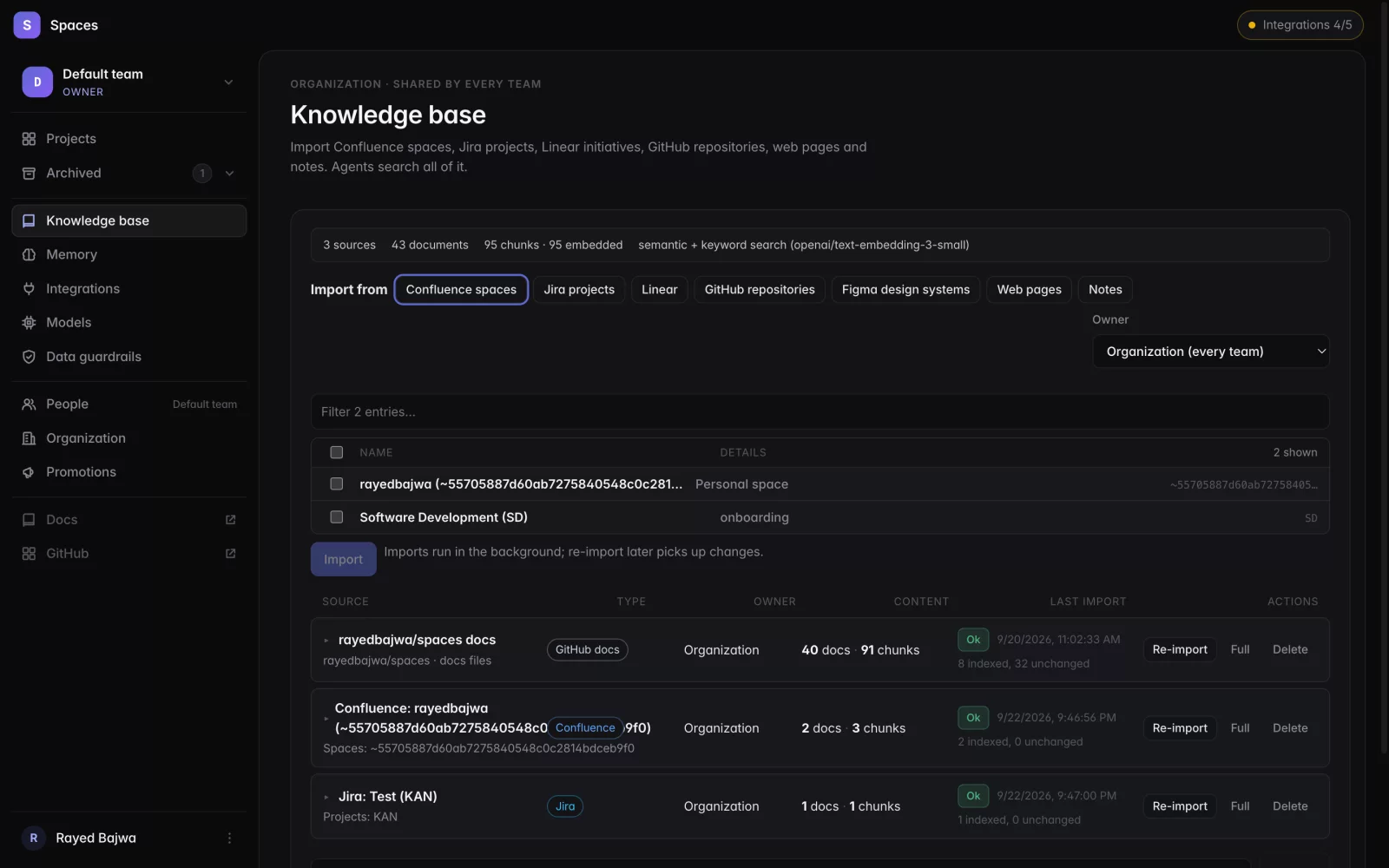
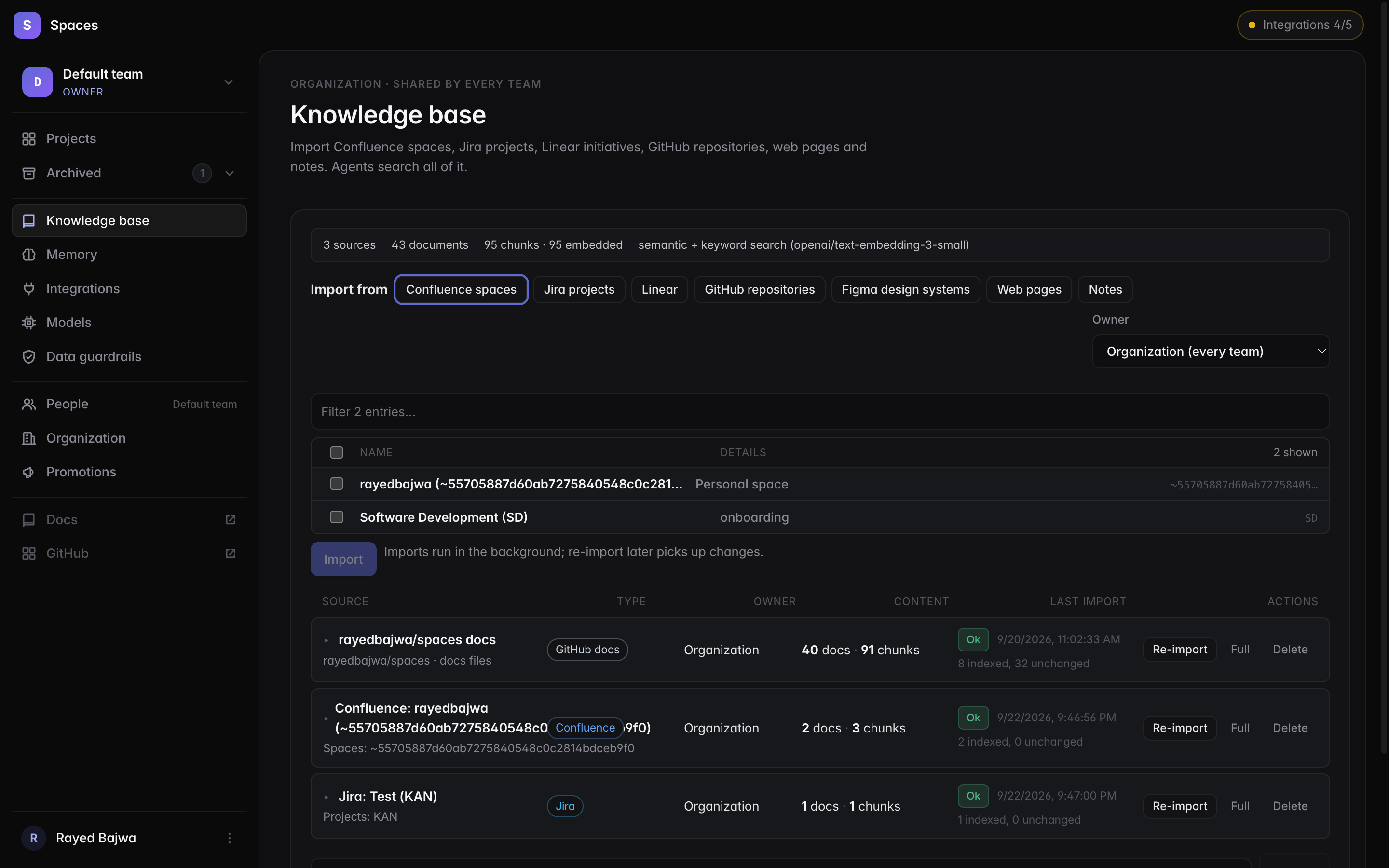 Knowledge base. Confluence, Jira, Linear and GitHub, searched by every stage. |
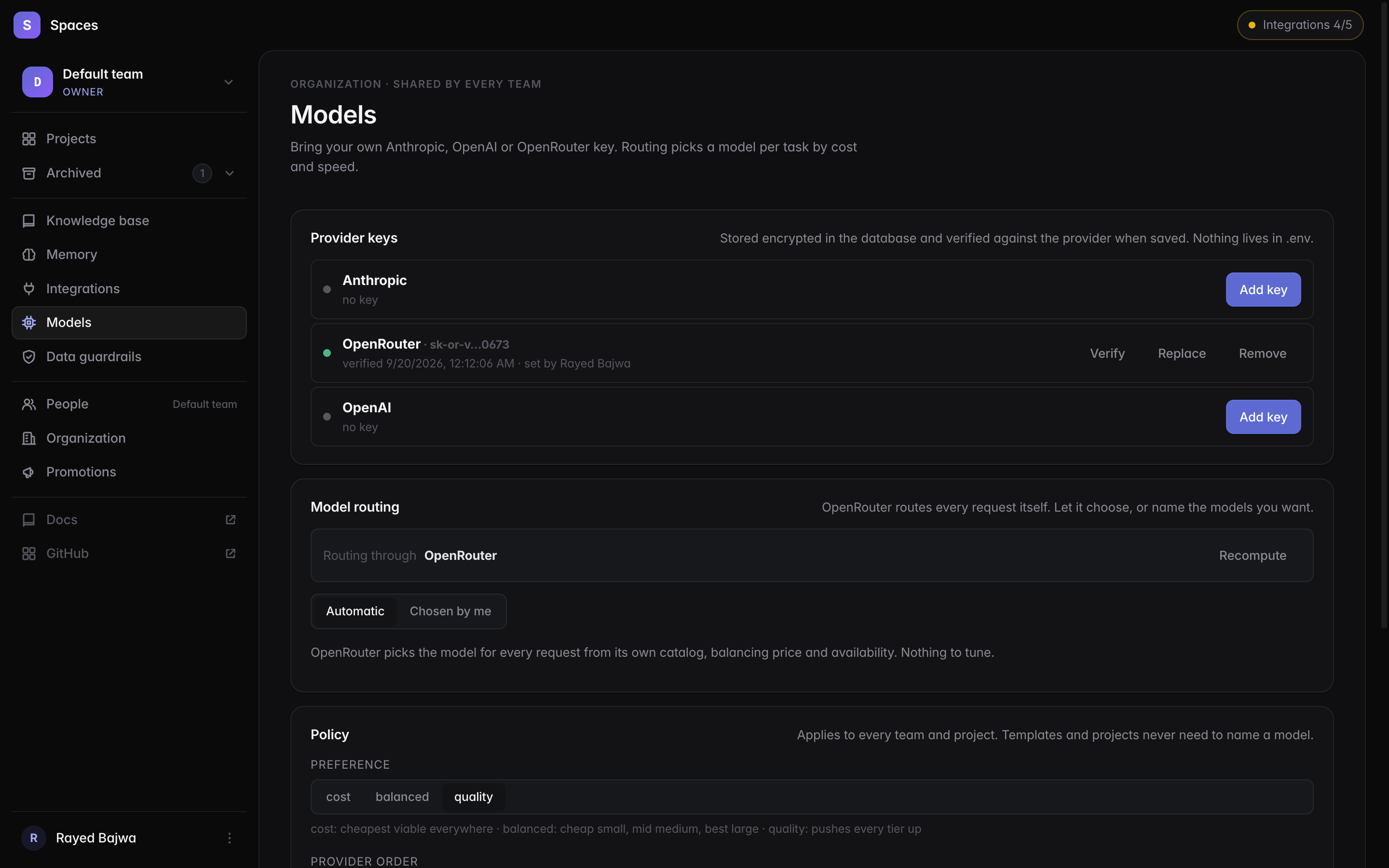 Models. No model names anywhere: bring a key and set a policy. |
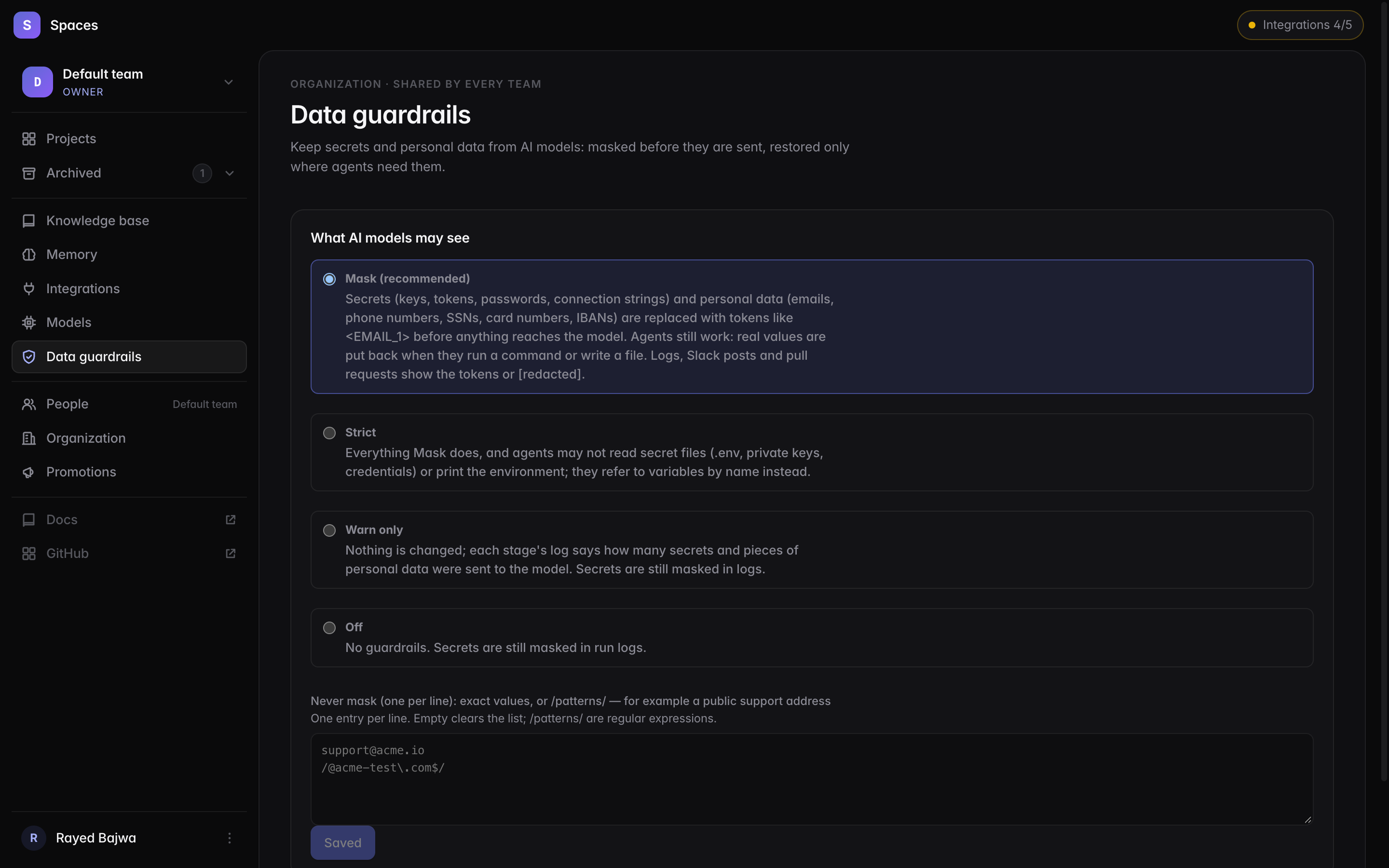 Data guardrails. Mask, Strict, Warn or Off, per organization. |
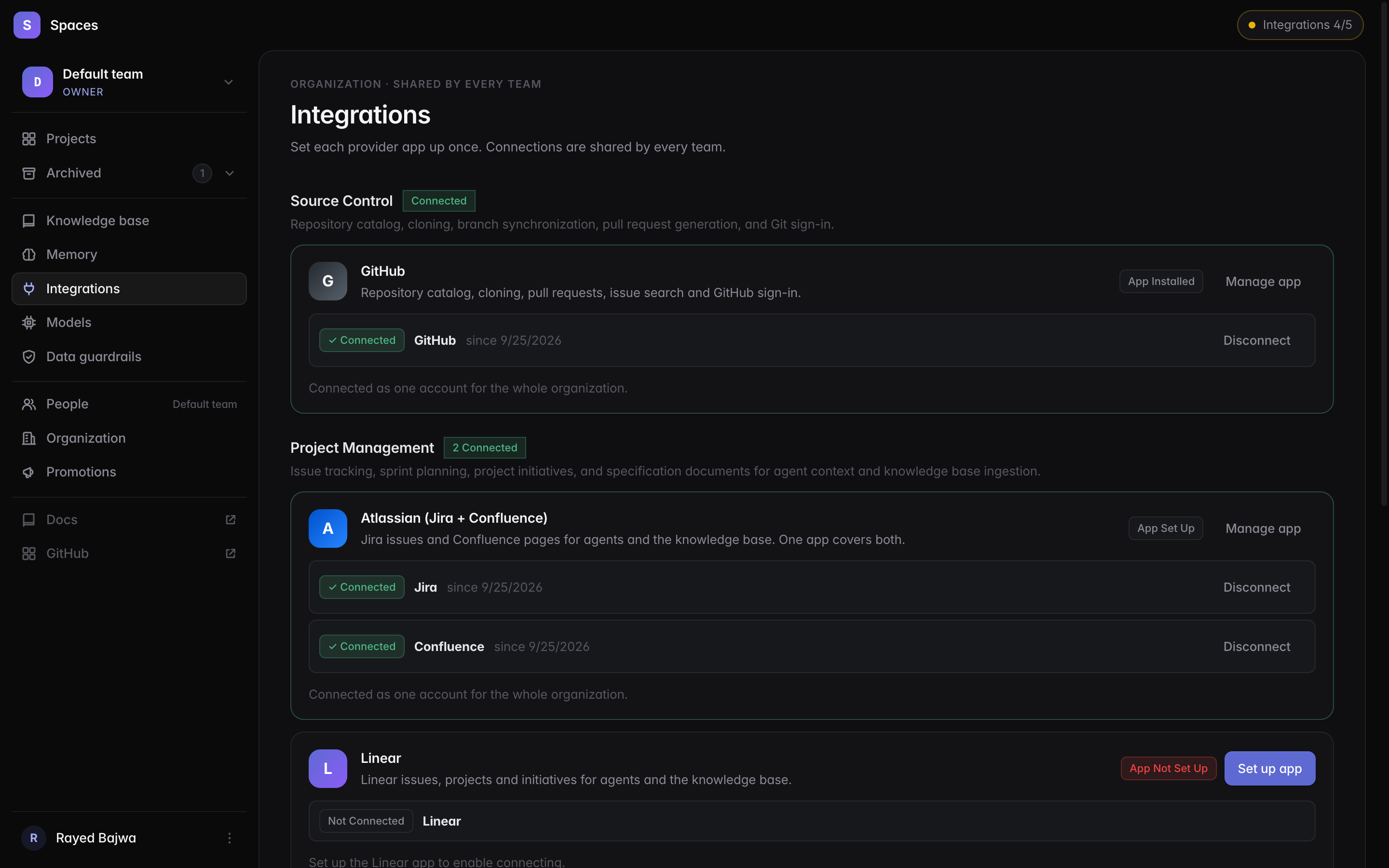 Self-serve integrations. GitHub, Jira, Confluence, Linear and Slack, set up in the app. |
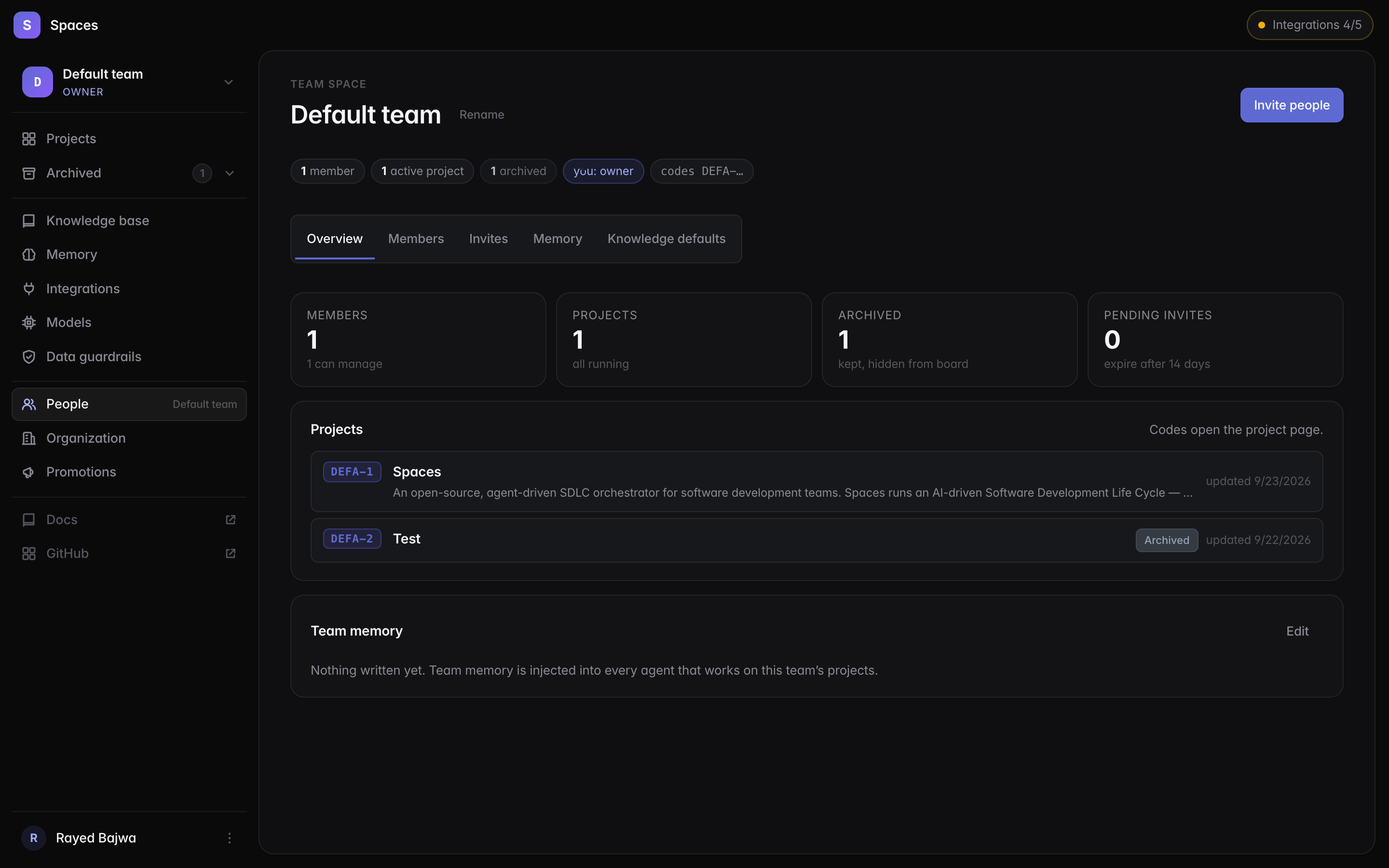 Teams. Members and roles, invites, team memory and knowledge defaults. |
FAQ
Is this a code generator I fire and forget?
No. Spaces is a workflow runtime with explicit gates. You approve the spec, the plan, the tasks and the release; agents do the work in between, and every step leaves a document you can read and change.
Which models does it use?
Whatever your keys unlock. Spaces reads the provider's catalog, sorts models into small, medium and large tiers by cost and speed, and routes each stage to one. An organization policy leans it towards cost or quality, orders providers, and can pin a tier to an exact model. With OpenRouter, OpenRouter routes each request itself. Usage is billed by your provider; Spaces adds nothing.
Does my code leave my machine?
Agents run where Spaces runs: on your machine locally, or on the project's own worker in production. What reaches a model provider passes through the data guardrails first, so secrets and personal data are replaced with tokens. The provider has its own data policy.
Who pushes the code and who approves it?
With GitHub set up as a GitHub App (the one-click flow), agents push, open pull requests and merge as the app's bot, so a person can approve them and branch protection applies to the agent. See Delivery.
What if verification never quite passes?
Accept it. When verification comes close, or what is left needs a person (a signed build on a device, production keys, a sign-off), the board recommends Accept and finish instead of another implement run. Your note is recorded with the acceptance. See Pipelines & stages.
How do I run it for a team?
Deploy a web service and let Spaces create a worker per project on Railway or Kubernetes, or run everything as one service on a single VM with Docker Compose. Agents execute code and hold repository tokens, so treat a hosted instance as a trusted deployment. See Deploying to the cloud and SECURITY.md.
Something is stuck. Where do I look?
Running & troubleshooting covers stuck
queues, workers that never sleep and pending updates. Every process logs JSON
lines with a mod field naming the module, and the account menu's
Project workers page shows each worker's state.
Documentation
The full documentation is at rayedbajwa.github.io/spaces.
- Getting started: install, first account, model keys and the first project.
- Pipelines & stages and Intents: how work moves down the line.
- Delivery: pull requests, code review, merging, deployment and UAT.
- Integrations as knowledge and Inbound intake: GitHub, Jira, Confluence, Linear and Slack.
- Architecture & scaling: roles, the job queue, workers and failure modes.
- Configuration, HTTP API and Pipeline templates.
- Deploying to the cloud and Project workers.
Report vulnerabilities through SECURITY.md.
Contributing
Issues and pull requests are welcome. See CONTRIBUTING.md for
the development setup, conventions and checks. bun test only writes to a test
database (see
Configuration).
License
Personal, non-commercial use only; no redistribution. See LICENSE.