

Spyhop
See which of your AI coding sessions is waiting for you.
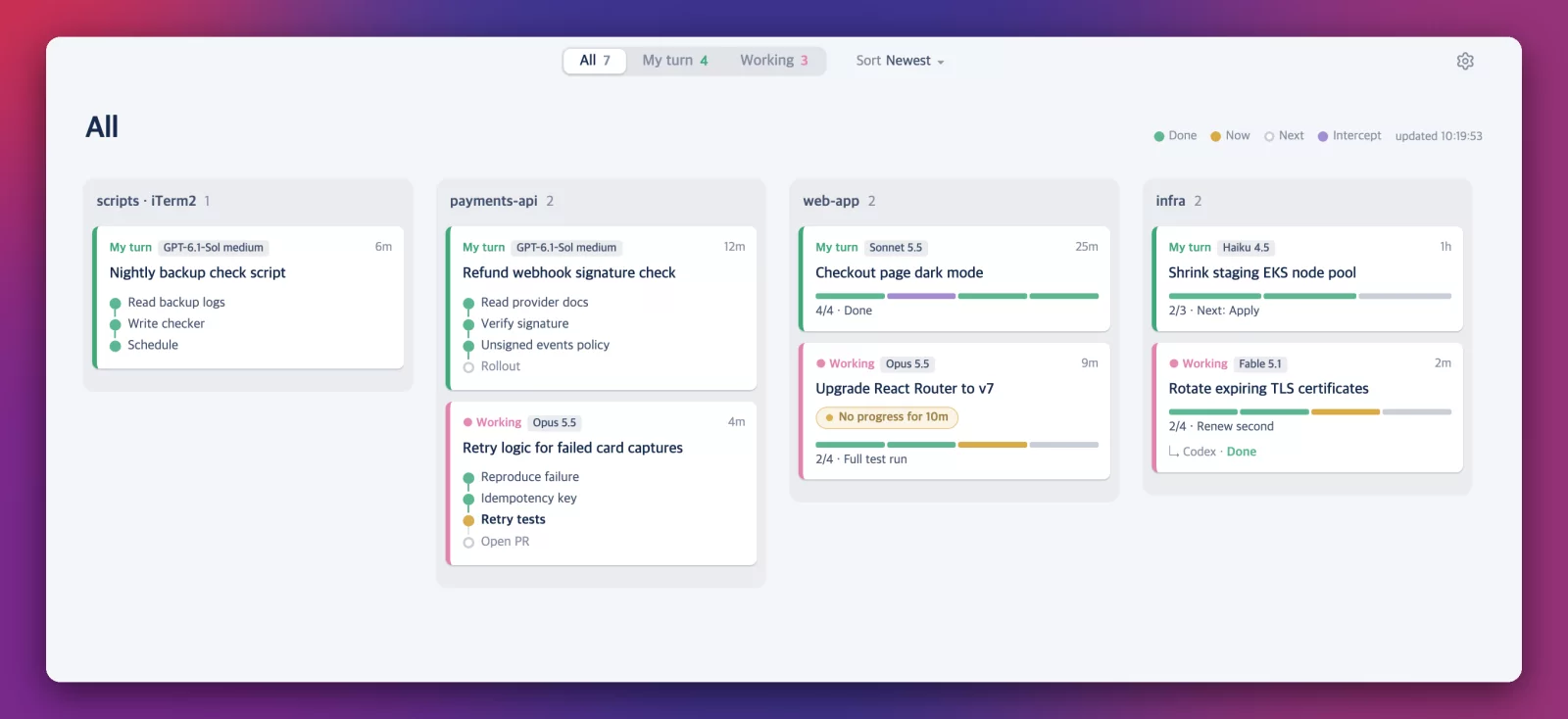
Spyhop puts every Claude Code, Codex and OMP session on one board, with how far each one has come: done, now, next.

Works in Orca, Terminal, iTerm2, Ghostty, WezTerm, cmux and the Claude desktop app.
brew install leeleelee3264/tap/spyhop && open -a Spyhop
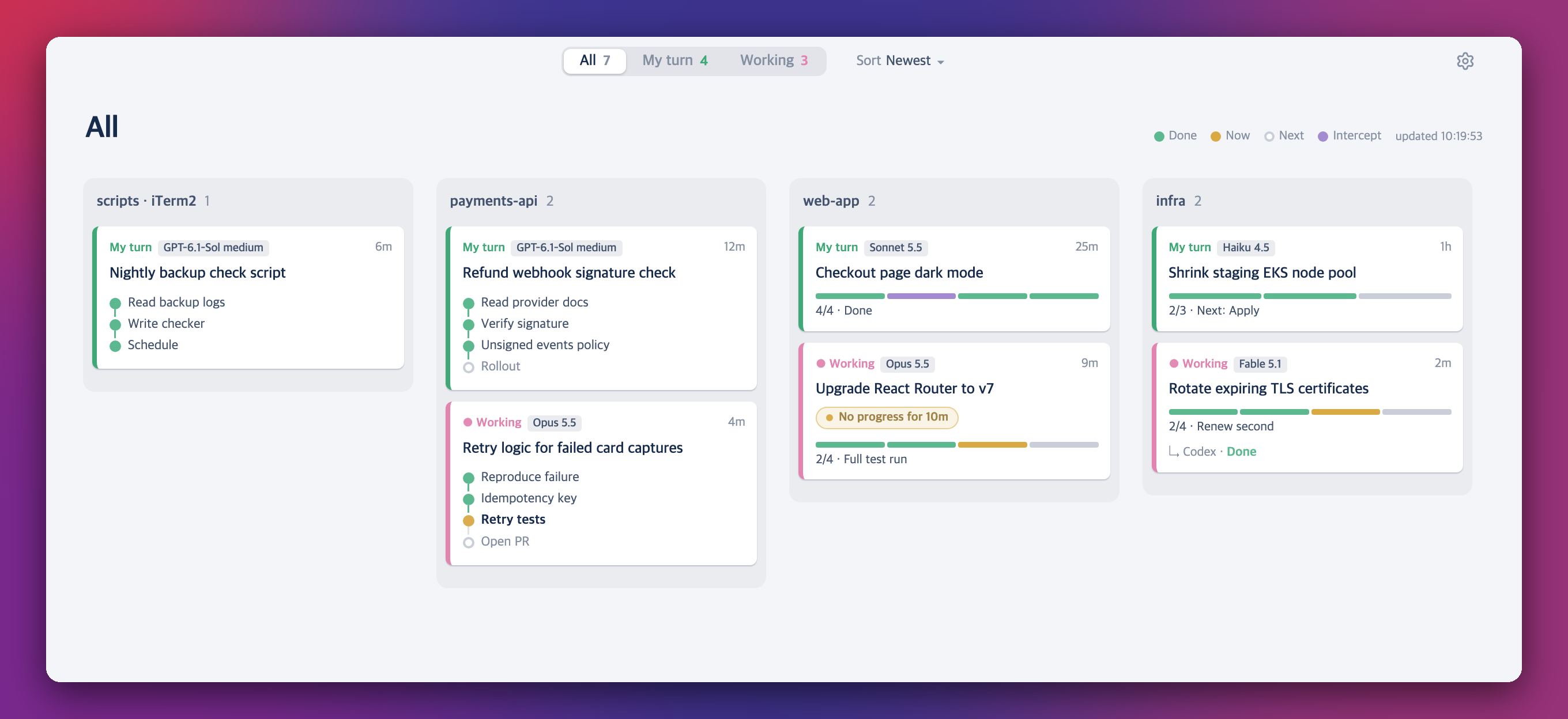
Demo data. The last column is a session started in iTerm2, outside Orca.
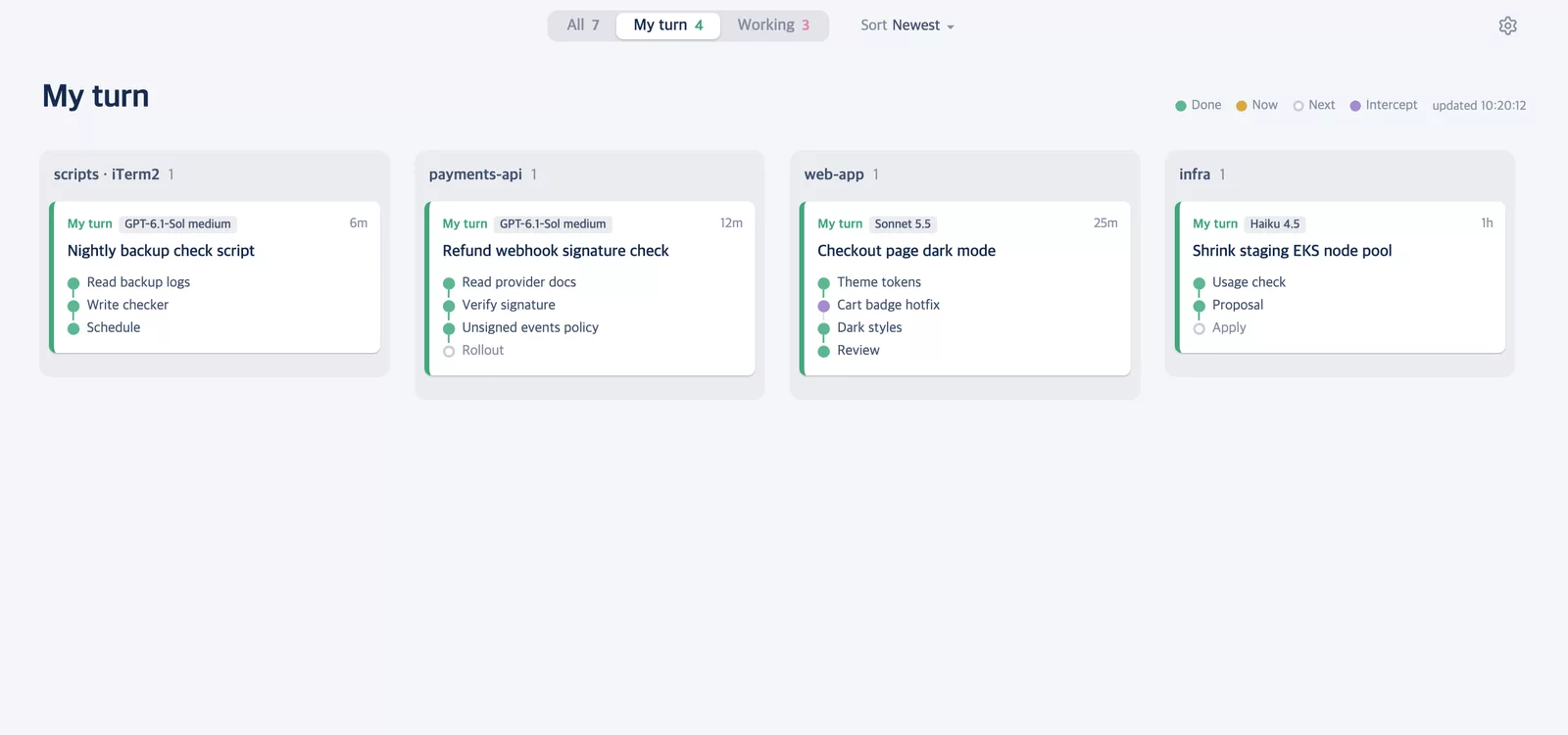
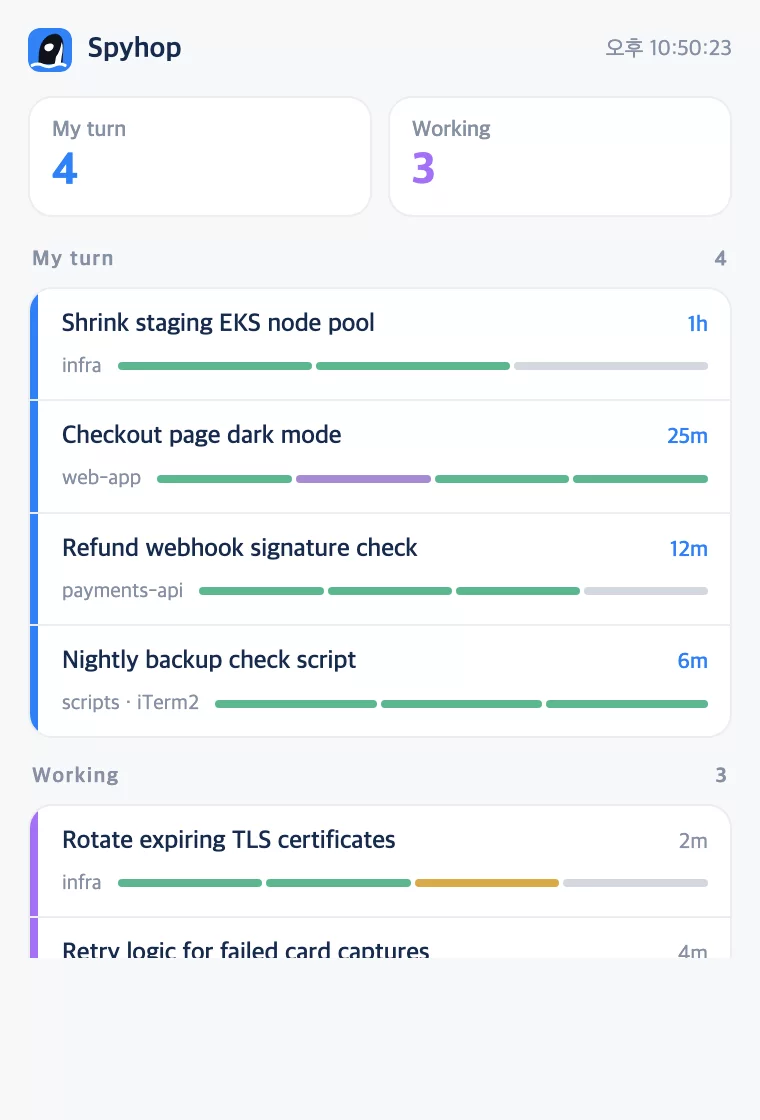
- Know whose turn it is: sessions waiting for you rise to the top of the board, and the orca in the menu bar shows how many there are.
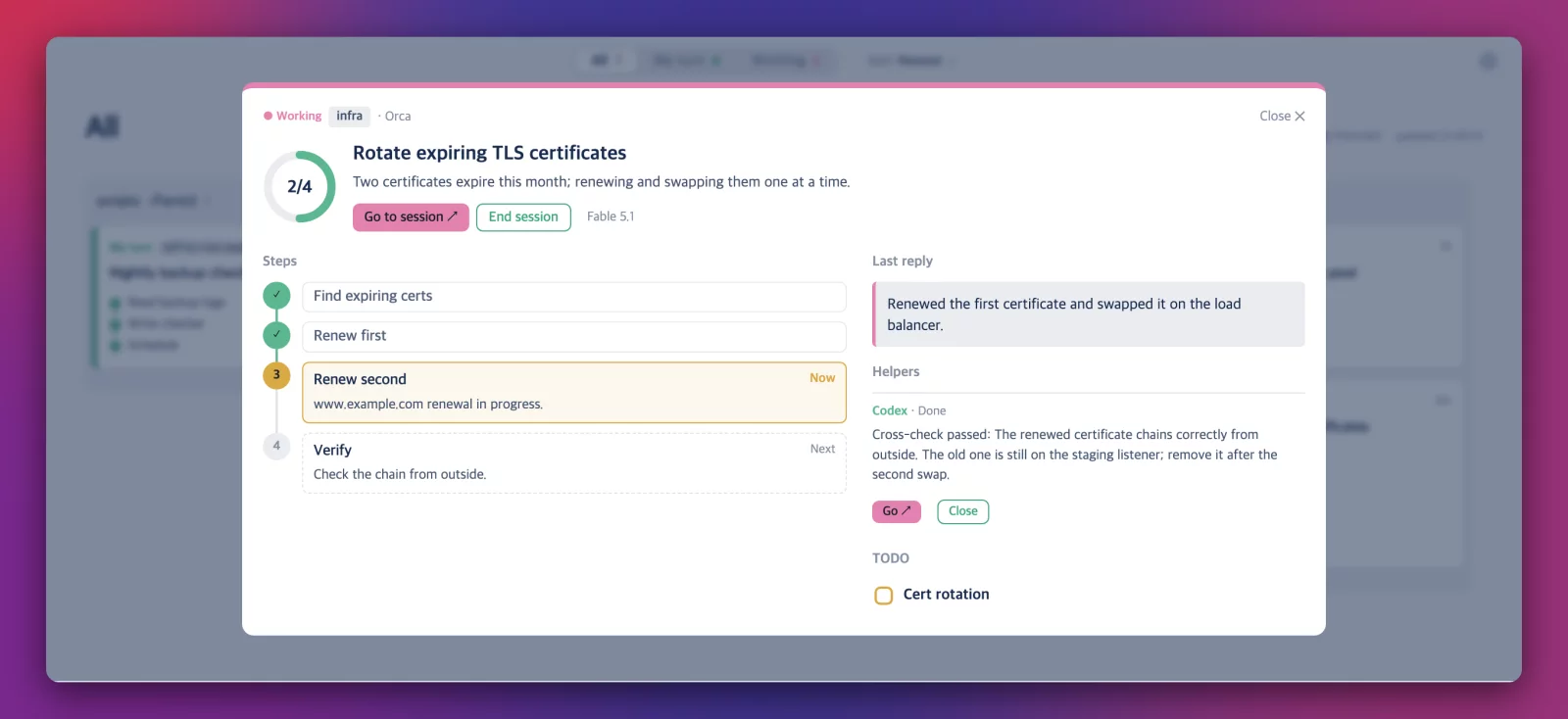
- Progress for each session: Spyhop reads the transcript and lays the work out as steps: what's done, what it's on now, what's next.
- Jump to the session: click a card to go to that exact Orca pane or terminal tab.
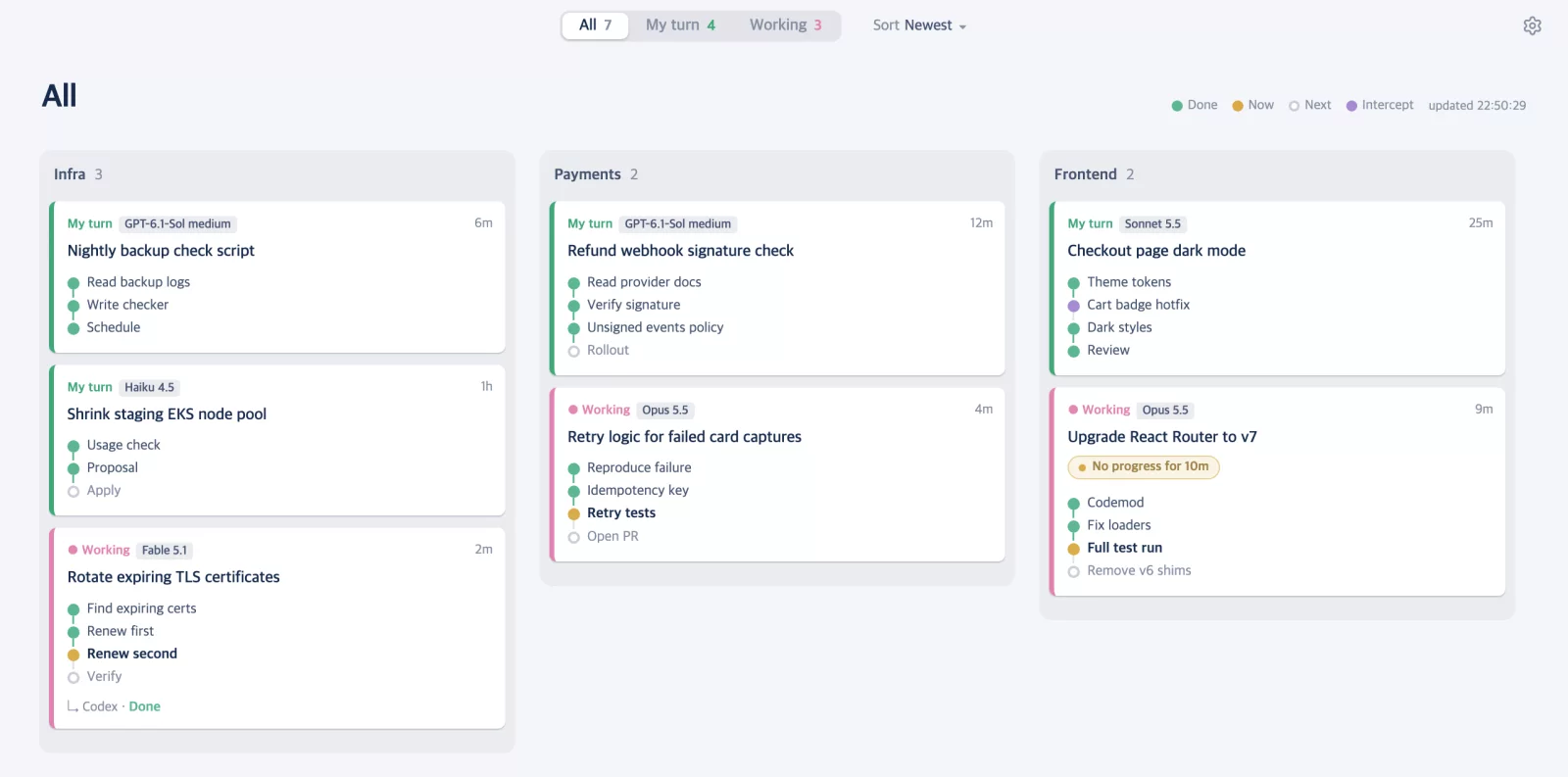
- Grouped by topic: switch to AI topics and the AI puts sessions doing related work in one column, by what the work is about rather than which folder it runs in.
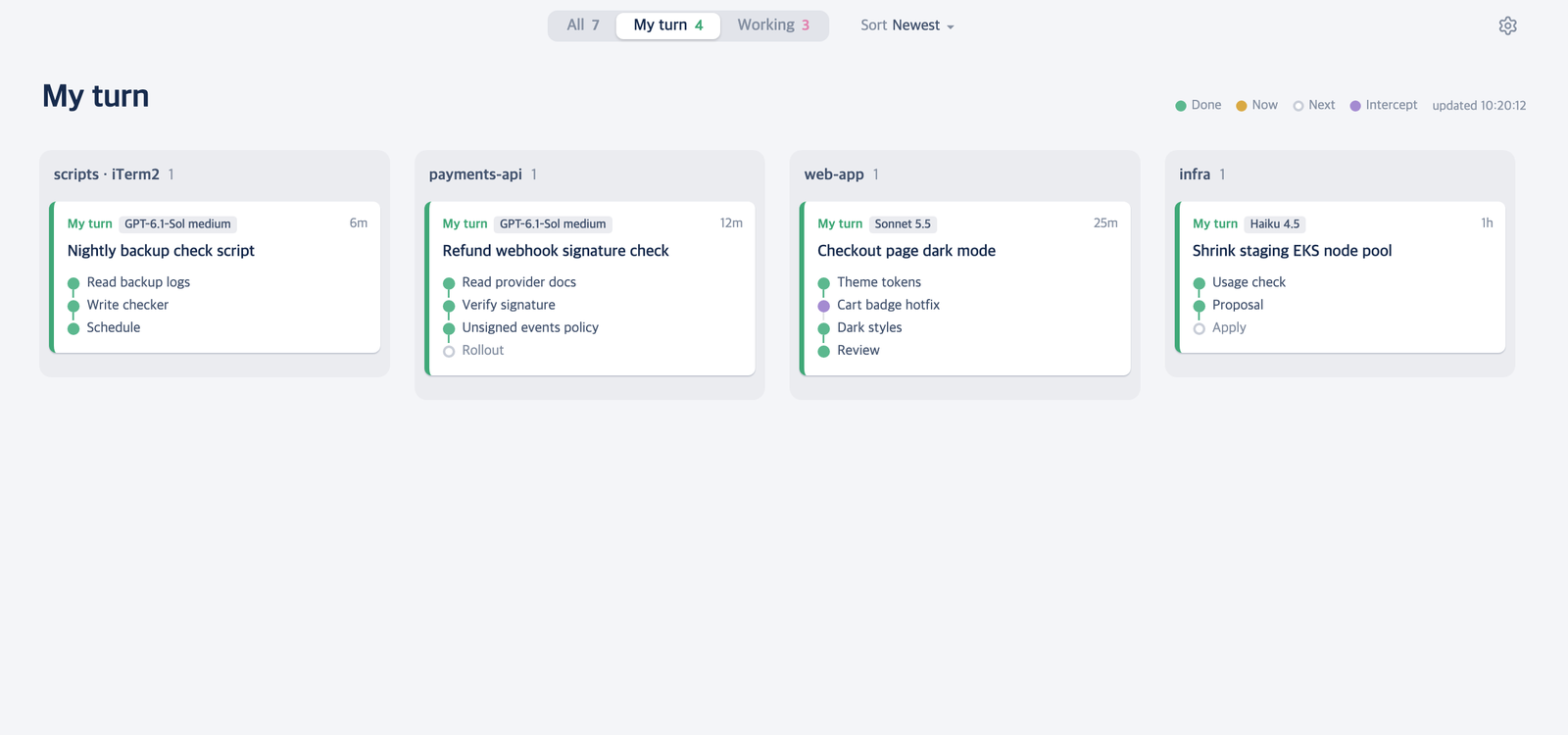 My turn: only the sessions waiting for you. |
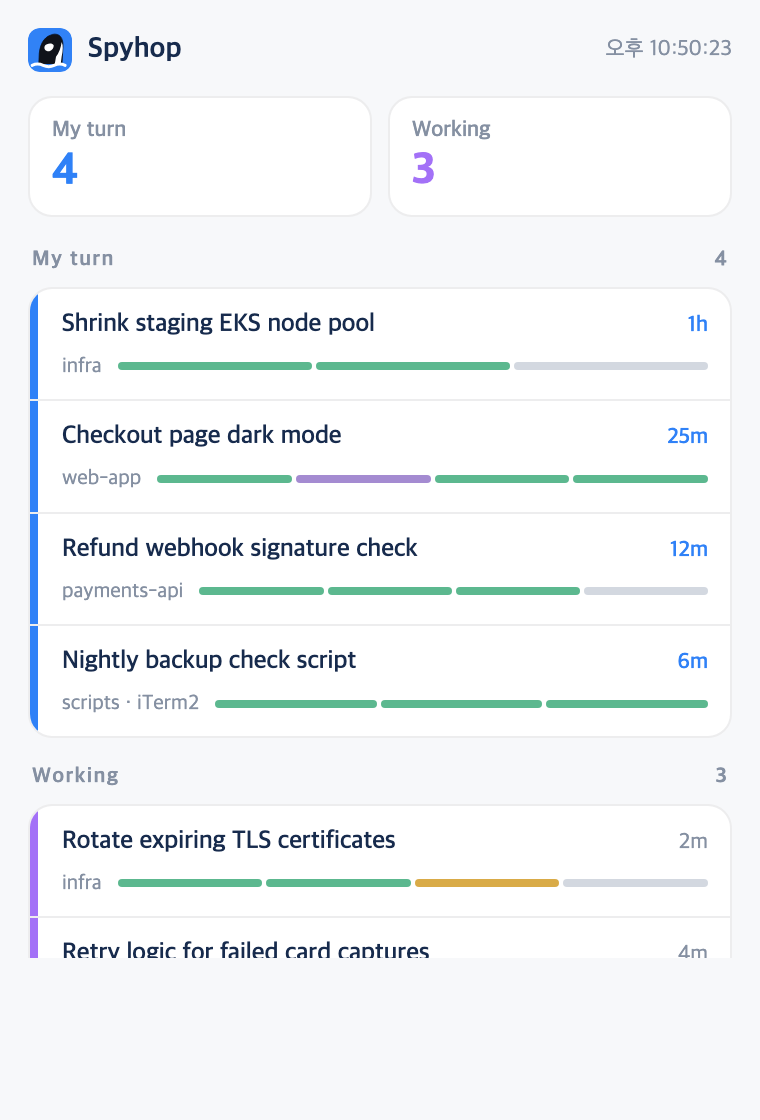 Menu bar: how many sessions are waiting, and a click jumps to one. |
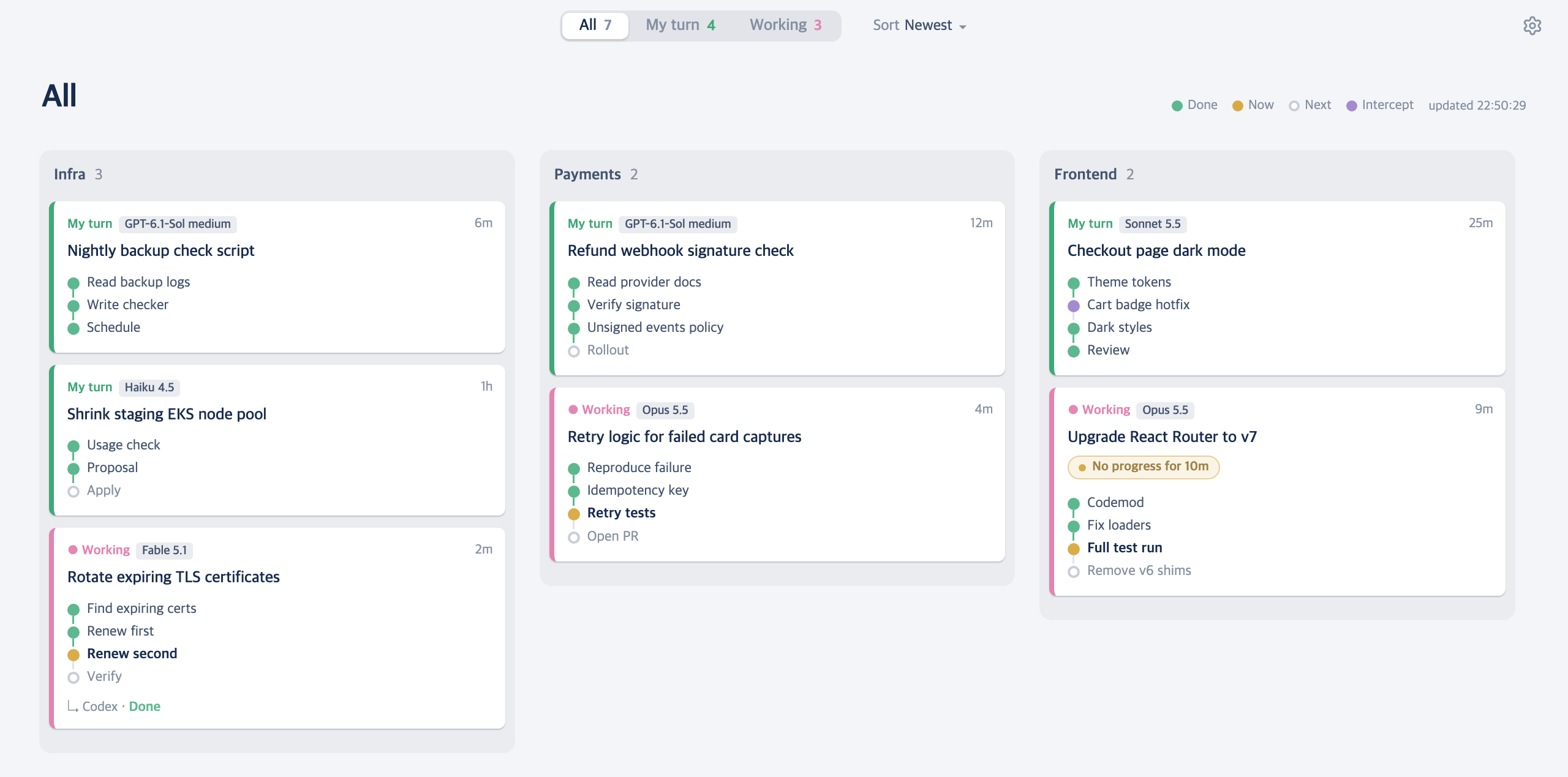 AI topics: related work in one column. |
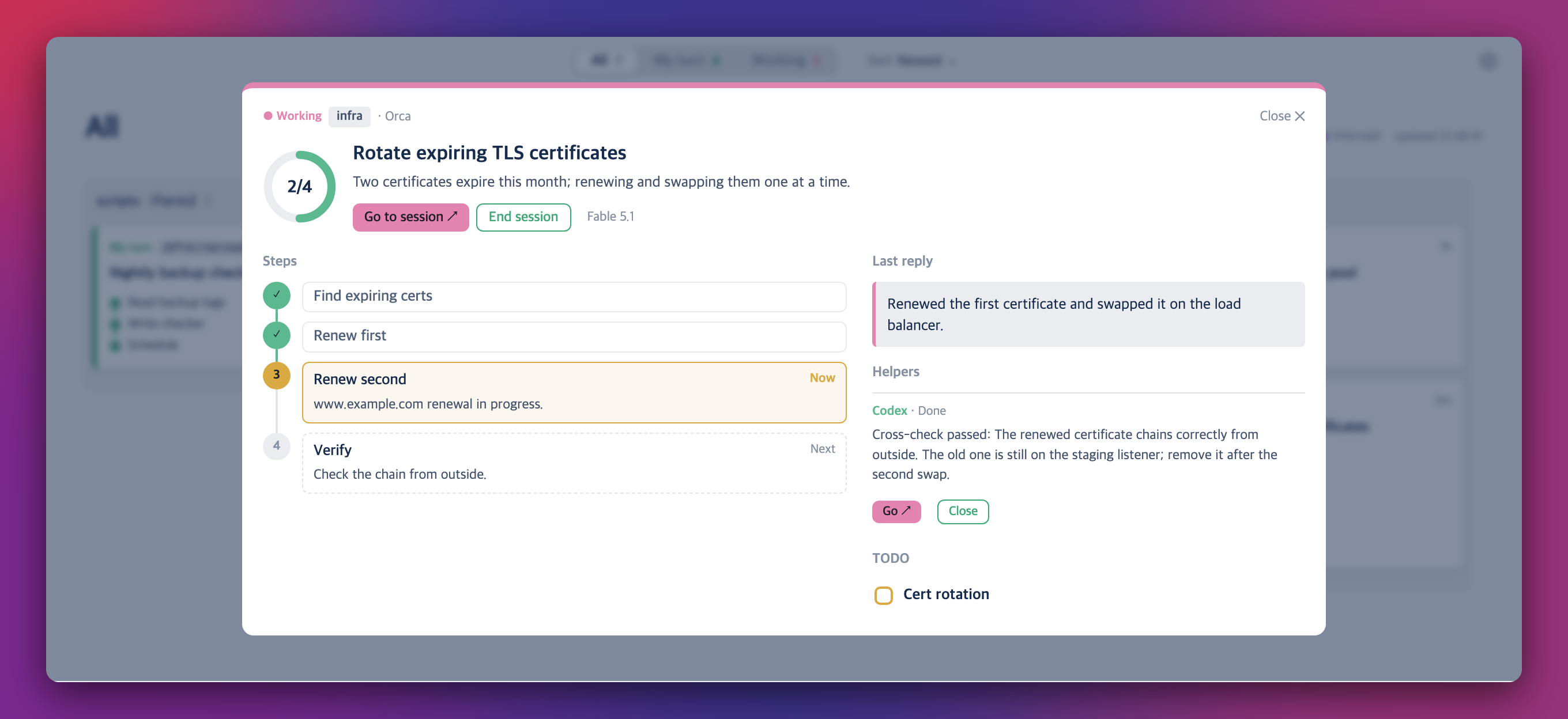 Detail view: every step, the last reply and the TODO list. |
Tour all features (intro page with demo video) →
What works where
| Orca | Terminal, iTerm2, Ghostty, WezTerm, cmux | Claude desktop app | Other terminals | |
|---|---|---|---|---|
| Go to session | the exact pane | the exact tab | that session | brings the app forward |
| Drag a card to another workspace | ✅ | ❌ | ❌ | ❌ |
| Cross-check line under a card | ✅ | ❌ | ❌ | ❌ |
Cards, steps, summaries, the detail view, AI topics and the doctor work everywhere. tmux and SSH sessions outside Orca are not supported. Full table and cmux setup: guide.
Get started
You need macOS 13 or later, Homebrew, the Xcode Command Line Tools (for Python) and a logged-in claude or codex CLI, which Spyhop uses to summarize. Orca is optional.
xcode-select --install    # skip if already installed
brew install leeleelee3264/tap/spyhop
open -a Spyhop
The board opens in its own window, and the orca in the menu bar shows how many sessions are waiting for you. Start or keep a Claude Code or Codex session running and it shows up as a card within a few seconds. Click a card to see every step, the last reply and its TODO list. Go to session jumps to that pane or tab.
Closing the window keeps the orca in the menu bar; Start at login in Settings opens it there at login.
Update
brew update
brew upgrade --cask leeleelee3264/tap/spyhop
open -a Spyhop
From 2.1.0 on, Spyhop → Check for Updates… inside the app does the same.
Troubleshoot
If a session is missing or looks wrong, the doctor explains, card by card, how each session was found or why it was not:
/usr/bin/python3 /Applications/Spyhop.app/Contents/Resources/spyhop/board.py --doctor
Coming from the browser version, using OMP or cmux, or uninstalling: see the guide. On Windows? A community-maintained preview lives in windows/. It is separate from the macOS app and not installed through Homebrew.
Privacy and cost
Only the transcript leaves your Mac. It goes to the summarizer model you pick in Settings, with anything that looks like a key or password masked first.
Spyhop summarizes a session only when its transcript changed, at most once a minute, and sends only the new part. Idle sessions cost nothing. Measured over 30 minutes with 6 sessions open: 53 summarizer calls, about 4,500 characters each. More in docs/details.md.
Roadmap
- Work without Orca: sessions in Terminal, iTerm2, Ghostty, WezTerm and cmux, grouped by folder and terminal.
- A doctor (
board.py --doctor) to explain missing or wrong cards. - A "reset groups" button for AI topics.
- Moving a session to another workspace, made safe end to end.
- Notify when a session turns to "My turn".
- Search past Claude and Codex sessions and reopen one (
claude --resume/codex resume) from the board.