

Stayput
Your files stay put.
Free, open-source tools for images, PDFs, video and audio that run entirely in your browser.
Your files are not uploaded, there are no accounts or file size caps beyond what your device can hold, and it works offline after one visit (the AI-model tools need one online run to download their model).
Open stayput.dev · Tools · Verify the claim · How it works · MCP server · Privacy

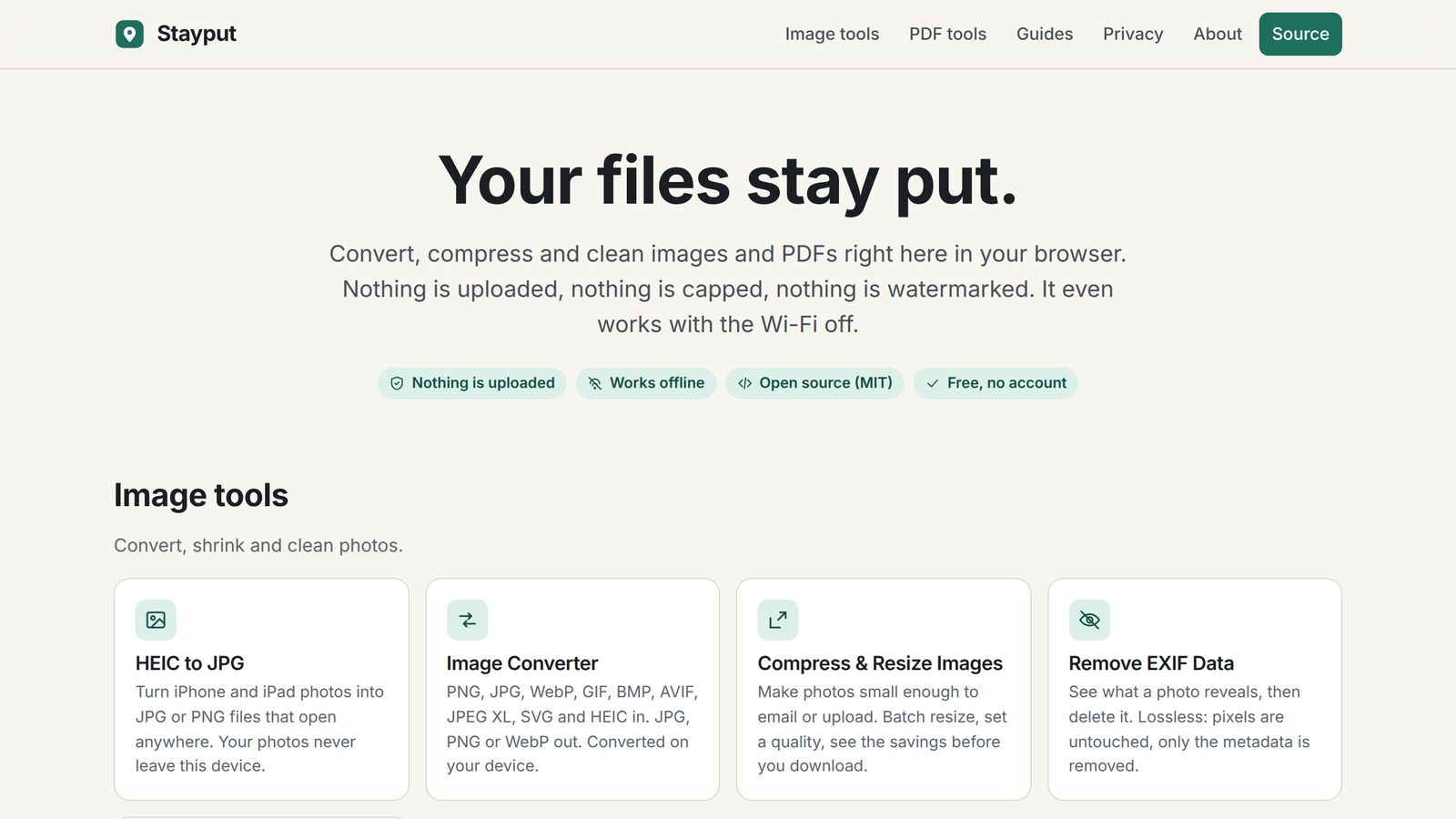
Convert HEIC photos from an iPhone, merge, split, sign and compress PDFs, shrink images and strip GPS and EXIF data. Every tool is a static page and a bit of JavaScript and WebAssembly that does the work in your tab. There is no server that could receive your files.
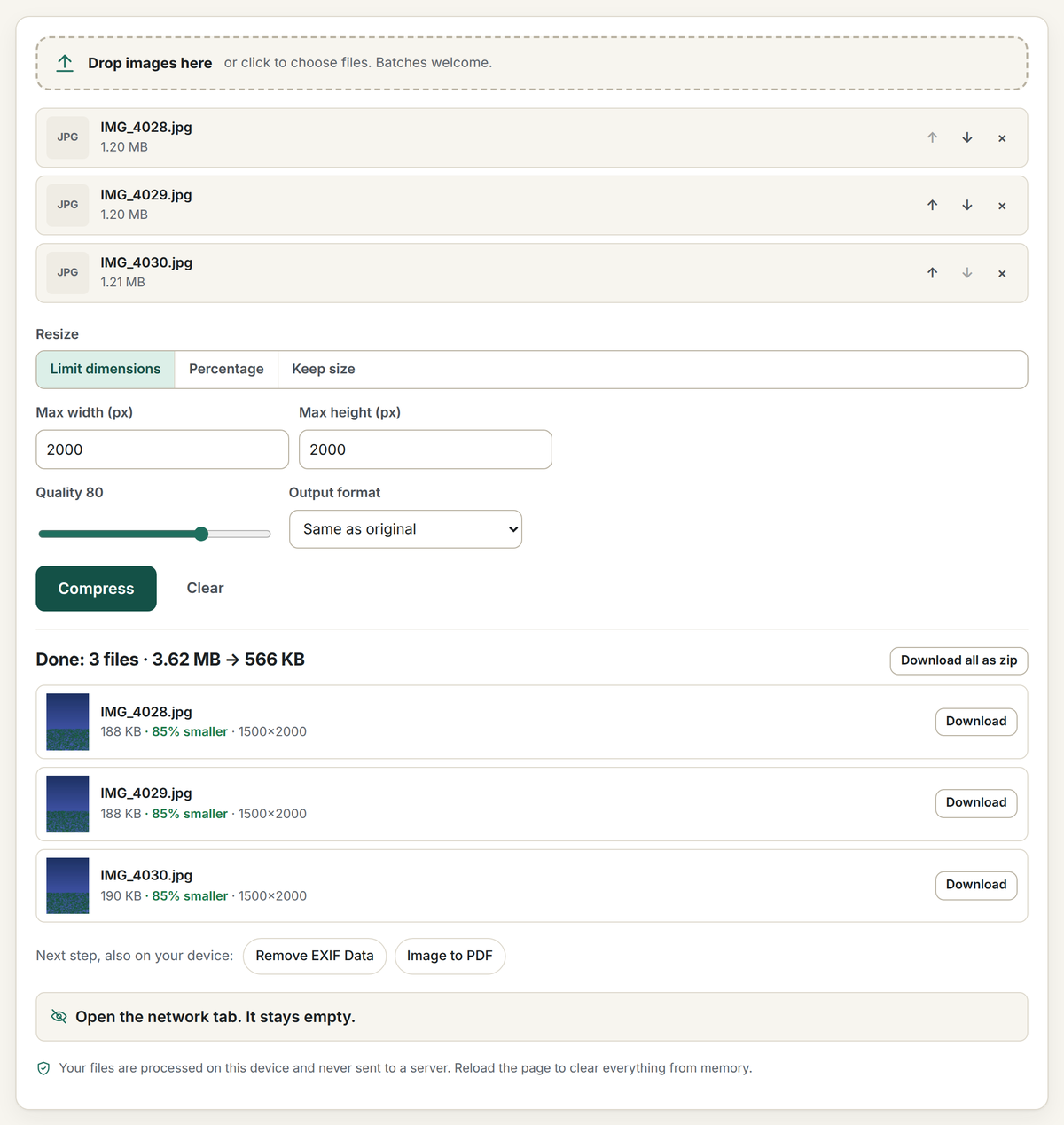
Open the network tab. Your files never appear in it.
That is the whole pitch, and you can check it in three ways:
- Watch the network. Open your browser's developer tools (F12, or Cmd-Option-I on a Mac), pick the Network tab, open any tool and drop a file. You will see requests for the page's own code, the site's own decoder files on the pages that need them, and one anonymous page count. You will never see a request carrying your file, because there is nowhere for it to go. Every tool page also counts its own requests after you add files and shows you the list.
- Turn the network off. Load a tool, switch to airplane mode, and use it. It keeps working, because after one visit the site is cached by a service worker and the work happens in your tab.
- Read the code. This repository is the site. It builds to static HTML, CSS and JavaScript with no backend; the deploy has no server-side code at all. The privacy page lists every request the site makes.
Tools
| Images | PDFs |
|---|---|
| HEIC to JPG or PNG (batch, keep or drop EXIF) | Merge PDF |
| Convert images (PNG, JPG, WebP, AVIF, JPEG XL, HEIC, SVG in; JPG, PNG, WebP out) | Split PDF / extract pages |
| Compress and resize images (plus Compress PNG, transparency kept, Compress GIF, Resize GIF and Crop GIF) | Compress PDF (lossless cleanup, image recompression, or flatten) |
| Remove EXIF and GPS data (image data unchanged; sideways JPGs re-encoded only with Apply orientation on) | Rotate PDF pages |
| Crop image (ratios, exact pixels, circle) | Images to PDF |
| EXIF viewer (location, camera, date and every field) | PDF to images (PNG, JPG or one multi-page TIFF) |
| Video to GIF (MP4, MOV, WebM; trim, size, frame rate) | Reorder and delete pages |
| Blur or pixelate image (faces, plates, text; blur, pixelate or black box) | Sign PDF (draw or type, place on any page) |
| Rotate or flip image (quarter turns, mirror, batch) | Add page numbers |
| Video or audio to MP3 (MP4, MOV, M4A, WAV; or to WAV) | PDF to Word or text (paragraphs and headings, not layout) |
| Image to text (OCR) (photos, screenshots, scans; copy or .txt) | Unlock PDF (remove a password you know, or print/copy restrictions) |
| Color picker from image (HEX, RGB, HSL; main-colour palette) | Password protect PDF (AES-256) |
| GIF to MP4 (animated GIF to video, up to 90% smaller) | Extract images from PDF (every picture at its stored size) |
| Compress video (MP4, MOV, WebM; fit 10 MB for Discord or 25 MB for email) | |
| Video to MP4 (MOV, MKV, WebM; H.264 copied with no quality loss) | |
| Video to MOV (MP4, WebM, MKV; H.264 and AAC copied with no quality loss) | |
| Trim video (cut a clip without re-encoding) | |
| Video splitter (cut one video into parts at times, every N seconds or into equal parts, in one zip) | |
| Mute video (remove the sound, picture copied untouched) | |
| Resize video (1080p, 720p, custom size) | |
| Rotate video (90°, 180°, flip) | |
| Crop video (any box, 9:16, 1:1) | |
| Change video speed (0.25× to 8×, pitch kept) | |
| Merge videos (join clips into one MP4) | |
| Side by side video (two clips left and right or top and bottom in one MP4, with the sound you choose) | |
| Add audio to video (music or voice-over, picture copied untouched) | |
| Reverse video (play a clip backwards) | |
| Video to JPG (save frames as JPG or PNG) | |
| Trim audio (cut MP3, WAV, M4A with a waveform) | |
| Audio splitter (split an MP3 or WAV into parts at times or every N minutes) | |
| Screen recorder (screen, window or tab, with sound and microphone) | |
| Collage maker (grids, side by side, stitched screenshots) | |
| Split image (Instagram grids and carousels) | |
| Add text to image (captions, memes, watermarks) | Add text to GIF (a caption on every frame) |
| AI image upscaler (2×, 3× or 4× with Real-ESRGAN, on the device) | |
| Remove object from photo (paint over it, MI-GAN fills it in on the device) | |
| Adjust photo (brightness, contrast, saturation, warmth, sharpen, invert) | |
| Emote resizer (Twitch emotes and sub badges, Discord emoji and stickers, Slack emoji) | |
| Image to ASCII art (width, character sets, invert, colour PNG, .txt) | |
| Pixel art converter (auto or retro palettes, dithering, grid) | |
| Photo to sketch (pencil, charcoal, coloured pencil) | |
| Add border to image (border colour and width, rounded corners) | |
| Compress audio (smaller MP3 or OGG, or fit a size limit) | |
| Volume booster (louder, quieter or normalized audio and video) | |
| Pitch and speed changer (change key by semitones, speed up or slow down) | |
| BPM and key finder (tempo, key and Camelot code from an audio file) | |
| Audio converter (MP3, WAV, FLAC, M4A, OGG) | |
| QR code generator (link, Wi-Fi, contact, email, phone; PNG or SVG) | |
| Barcode generator (Code 128, Code 39, UPC, EAN, ITF-14; PNG, SVG or PDF) | |
| Signature maker (draw, type or photo; transparent PNG, SVG) | |
| QR code scanner (image, paste, drop or camera; links are shown, never opened) | |
| Voice recorder (microphone to MP3, WAV or M4A) | |
| Merge audio (join MP3, WAV, M4A with silence or crossfades) | |
| Metronome (any time signature, subdivisions, tap tempo) | |
| GIF maker (animated GIF from photos or screenshots; timing, size, loop, there-and-back) | |
| Merge GIFs (join animated GIFs end to end, fitted to the first one's size) | |
| Image to SVG (trace PNG or JPG into vector shapes; black and white, logo or detailed) | |
| Transcribe audio to text (Whisper on your device; text, SRT or WebVTT; 16+ languages) | |
| Add subtitles to video (captions from the speech or your SRT, burned into the picture) | |
| Vocal remover (karaoke instrumental or acapella, AI model on your device) | |
| Video background remover (blur, colour or a picture behind the person) | |
| OCR PDF (make a scanned PDF searchable) | |
| Document scanner (phone photos of paper to a clean PDF) | |
| EPUB to PDF (DRM-free ebooks to a paginated PDF) | |
| Text to PDF (type, paste or drop .txt files; A4 or Letter) | |
| PDF to EPUB (reflowable ebook from a PDF's text) | |
| Open ZIP, RAR and 7z (extract archives; password-protected ZIPs open with the password) | |
| Create ZIP (files or folders, optional AES-256 password) | |
| Remove silence (shorten pauses, trim quiet ends) | |
| Remove background noise (hiss, hum, fans and traffic out of voice recordings and videos) | |
| Add watermark to video (text or logo, corner or centre, size and opacity; sound kept) | |
| Blur faces in video (automatic, frame by frame; blur, pixelate, box or emoji) | |
| Resize PDF pages (A4, Letter, Legal, A3, A5, Tabloid; content scaled to fit, text stays text) | |
| Flatten PDF (form fields, comments, stamps and signatures into the page; text stays selectable) | |
| Fill PDF form (type into fillable fields, tick boxes, optional flatten) | |
| Online tuner (guitar, bass, ukulele, violin, chromatic; reference notes) | |
| Mic test (level meter, verdict, record and play back) | |
| Webcam test (preview, real resolution and frame rate, snapshot) | |
| Keyboard test (on-screen ANSI or ISO keyboard, key and code log) | |
| Speaker test (left, right or both channels, tones, sweep, pink noise) | |
| Dead pixel test (full-screen black, white, red, green and blue; click or arrow keys, cycle mode) | |
| Audio to video (MP3 plus a cover picture to MP4; 16:9, square, 9:16) |
Plus dedicated pages for the jobs people search for: image conversions such as HEIC to PNG, PNG to JPG, WebP to PNG, AVIF to JPG and JXL to PNG; tool presets such as JPG to PDF, PDF to JPG, Combine PDF, Resize image, Crop to circle and Remove location from photos; and guides that answer the question behind the tool ("is it safe to merge PDFs online?", "how do I remove location data from photos?").
MCP server
Stayput also ships as a local Model Context Protocol server, stayput-mcp, so an LLM client can call the same PDF and photo tools as tool calls, still with no network access and no uploads:
{ "mcpServers": { "stayput": { "command": "npx", "args": ["-y", "stayput-mcp"] } } }
See mcp/README.md for the full tool list, or stayput.dev/mcp.
How it works
The site is a static Astro build: one page per tool, a shared tool shell, and a TypeScript module per tool that does the work in the tab. The MCP server (above) is the one part of this repo that does run as a local process; everything else described below is the browser-only website.
- HEIC decoding: heic-to, a WebAssembly build of libheif, served by the site itself from
/vendor/(copied out of node_modules at build time byscripts/vendor.mjs). The request fetches only the decoder; no image data is sent. - PDF editing: pdf-lib for merge, split, rotate, reorder, page numbers (standard fonts, nothing embedded), signature stamps, image embedding and rewriting image streams.
- PDF to Word: pdf.js reads the positioned text runs;
src/lib/pdftext.tsrebuilds lines, paragraphs and headings andsrc/lib/docx.tswrites a minimal Office Open XML document with fflate. Text and structure only, no layout. - PDF rendering: pdf.js (legacy build for wide browser support) on a dedicated web worker.
- Image resize and encode: the canvas API, with stepped downscaling for sharp results.
- Encrypted PDFs: many PDFs carry "owner" encryption with an empty user password (statements, forms with printing restrictions). pdf-lib cannot read those streams, so every PDF tool first checks the trailer for
/Encryptand, when found, runs qpdf compiled to WebAssembly (@neslinesli93/qpdf-wasm, served from/vendor/and loaded only when needed) to strip the encryption in the tab. Files with a user password prompt for it once; outputs are written without encryption. Seesrc/lib/unlock.ts. - AVI decoding: most video runs on your browser's WebCodecs through Mediabunny. For old formats the browser cannot read, the page loads a decoder built from FFmpeg's libraries (LGPL) only when you convert such a file. Today that is AVI (Xvid and DivX 4+, Motion JPEG; MP3, MP2, AC-3, PCM sound) and 3GP (H.263 and MPEG-4 picture, AMR sound; builds in
vendor-builds/libav-3gp/, workersrc/lib/threegp-decode.worker.ts). The decoder is libav.js 6.10.9.0 with a short component list; the build script, the list and the patent-expiry evidence for each codec are invendor-builds/libav-avi/anddocs/research/avi-decoder-codec-patents-2026-10.md. The built files are committed andscripts/vendor.mjscopies them to/vendor/libav.js@6.10.9.0/; the conversion runs in a module worker (src/lib/avi-decode.worker.ts), and the file never leaves the tab. - WMA decoding: a second, smaller build of the same FFmpeg libraries (LGPL) with only the ASF demuxer and the Windows Media Audio 1 and 2 decoders, loaded only when you convert a WMA to MP3. WMA Pro, WMA Lossless and WMA Voice are left out on purpose and refused by name. The build script, the component list and the reasoning are in
vendor-builds/libav-wma/anddocs/research/wma-decoder-codec-patents-2026-10.md; the conversion runs in a module worker (src/lib/wma-decode.worker.ts), and the file never leaves the tab. - FLV reading: FLV is a container no browser opens, so the page loads a second, smaller libav.js build (the FLV demuxer and the MP3 decoder, nothing else) only when you convert an FLV. The H.264 picture and AAC sound are copied into the MP4 packet by packet and not decoded; MP3 is decoded and written as AAC. VP6, Sorenson Spark and other codecs have no decoder in the build and are refused by name. The build script, config and patent reasoning are in
vendor-builds/libav-flv/anddocs/research/flv-reader-codec-patents-2026-10.md; the worker issrc/lib/flv-decode.worker.ts. - JPEG XL and AVIF decoding: the browser's own decoder when it has one (AVIF everywhere, JXL in Safari); otherwise the jSquash WebAssembly builds of libjxl and libavif, served from
/vendor/like the HEIC decoder. Tool pages that accept these formats ask the service worker to cache the decoders they may need (only JXL/AVIF decoders the browser lacks) and mark<html data-decoders="cached">when they are in, so they work offline after one visit; the service worker does not precache them for every visitor because together they are about 6 MB. Seesrc/lib/vendor.ts. - Signatures: drawn on a canvas with pointer events (pressure-aware for pens) or typed in the self-hosted Caveat font, cropped to a transparent PNG and placed at preview coordinates mapped into PDF user space, page rotation included.
- EXIF removal: a hand-written, lossless segment and chunk editor for JPEG, PNG and WebP in
src/lib/exif.ts. It deletes only the metadata segments and writes the image data back unchanged, so the pixels are identical and the file only gets smaller. The one exception is the tool's "Apply orientation" option (on by default), which re-encodes a JPEG stored sideways at quality 95 so it displays upright; the MCP server never does this. It also extracts EXIF from HEIC containers so "keep metadata" works on HEIC conversions. - TIFF input: [UTIF.js](https://