Taktra
Local time tracking without the overhead.
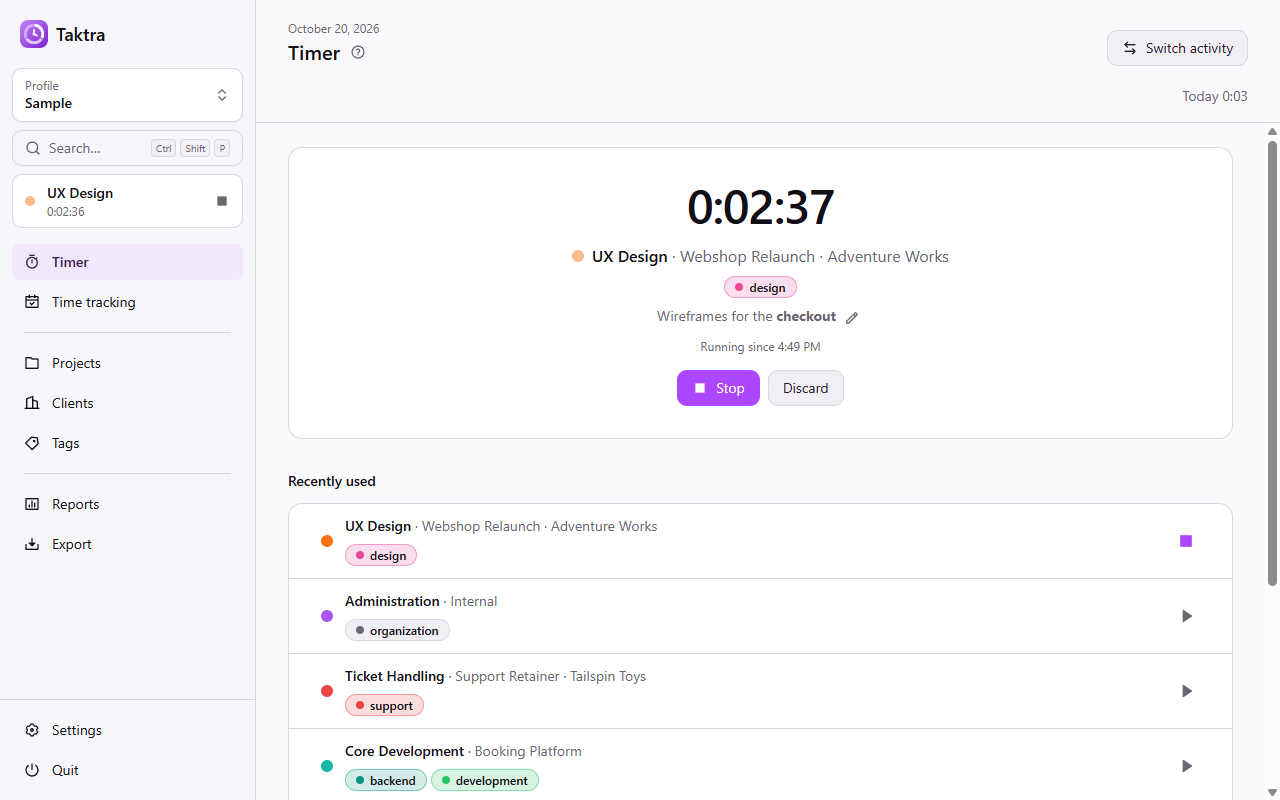
Table of Contents
Introduction
Taktra is a local-first time tracker for the desktop. Install it, start a timer, and you are done: there is no server to run, no account to create and no cloud that holds your data. Everything happens on your machine, and your data is a plain file you own.
- Your data, your file. Each profile is a single
*.taktrafile wherever you keep it. Backing it up or moving it is as simple as copying a document. - Works offline, always. No server, no account, no telemetry. The only network access is the optional update check, which can be turned off.
- A timer one click away. From the start page, the tray icon or a global shortcut.
- Lean by design. It starts instantly, lives quietly in the tray and does one thing well.
Features
- Projects, activities and tags; recurring work is simply the same activity booked again
- Clients to see who the work is for
- Time entries with start and end, as a plain duration or by a start/stop timer, with Markdown notes
- Quick start from the tray or a global shortcut, and an always-on-top mini timer
- Reports by project, client and tag over any period
- Custom fields on projects, clients and activities, e.g. an order number or a cost center
- Export to CSV, JSON or Excel in a stable format for billing and other tools, with the columns chosen per export and saved as templates on demand, and with sums per day, also with the days as columns like a time sheet
- Several profiles, each in its own file, like KeePass databases
- Light and dark theme, English and German, command palette and keyboard shortcuts
- An in-app help that explains the concepts in short chapters
Screenshots
 |
 |
 |
 |
 |
 |
Screenshots show the generated sample profile.
Download
Taktra is available for Windows so far. The latest release offers two packages:
- Installer (
taktra-<version>-setup.exe): installs per user without admin rights and keeps itself up to date. - Portable zip (
taktra-<version>-portable.zip): runs without installation. It does not update itself but points to new releases.
The welcome screen offers a sample profile to look around before booking your own time.
Motivation
I built Taktra for my own work. I needed to keep track of how my time is split across projects and recurring tasks, and the tools I looked at were either hosted services that hold my data or self-hosted platforms that require running and maintaining a server, a database and user accounts — far too much overhead for one person who just wants to book a few hours a day.
What I wanted was something lean: an app that starts instantly, works offline, and keeps everything in a single local file that I can back up or move myself. Taktra is exactly that and deliberately not more — no server to run, no account, no BI tool, just booking time and seeing where it went.
Development
The development environment needs nothing besides Node.js. better-sqlite3 ships prebuilt binaries for
Windows, macOS and Linux, so no compiler toolchain is required.
Requirements:
- Node.js 24+ and NPM
Installs the dependencies, including Electron itself.
npm install
Starts the app in development mode with hot reload for the renderer.
npm run dev
Profiles and settings are stored in the user data directory — %APPDATA%\taktra on Windows,
~/Library/Application Support/taktra on macOS, ~/.config/taktra on Linux. The sample profile on the
welcome screen is the quickest way to get realistic data for development.
Database Migrations
The schema lives in src/main/db/schema/. After changing it, generate a migration and commit it together
with the schema change. Generated migrations are never edited by hand.
npm run db:generate -- --name <what_changed>
Checks
Type checking, linting and formatting must pass before a change is done. CI runs them on every push and pull request.
npm run typecheck
npm run lint
npm run format
Build
Packaging is configured for Windows so far. The build runs the type check, bundles the app with
electron-vite and creates two packages in dist/: an installer (taktra-<version>-setup.exe) that
installs per user without admin rights and lets you choose the folder, and a portable zip
(taktra-<version>-portable.zip) that runs without installation.
npm run build:windows
npm run build:unpack builds an unpacked app directory instead, which is handy for a quick test of the
production build.
Release
Releases are built by GitHub Actions. Pushing a tag v<version> that matches the version in
package.json builds both packages on Windows and creates a draft GitHub release. Its notes are taken
from the matching section in CHANGELOG.md, so that section has to exist before tagging. The draft is
only visible once it is published by hand.
-
In
CHANGELOG.md, rename## [Unreleased]to## [<version>] - <date>and add a new empty## [Unreleased]above it. -
Commit, tag and push.
git tag v<version> git push origin main v<version> -
Check the draft release on GitHub and publish it.
Running the release workflow manually rehearses the same steps from the [Unreleased] section without
creating a release; the packages are kept as workflow artifacts.
License
Copyright (c) 2026 Constantin Müller
GNU AFFERO GENERAL PUBLIC LICENSE or LICENSE for more details.
Forbidden
Hold Liable: Software is provided without warranty and the software author/license owner cannot be held liable for damages.