
Tasks for Mattermost
Channel-scoped tasks for Mattermost, with a list panel, a Kanban board, due-date reminders and a REST API for bots and scripts. Tasks live inside Mattermost, in the plugin's own tables in your Mattermost Postgres database.
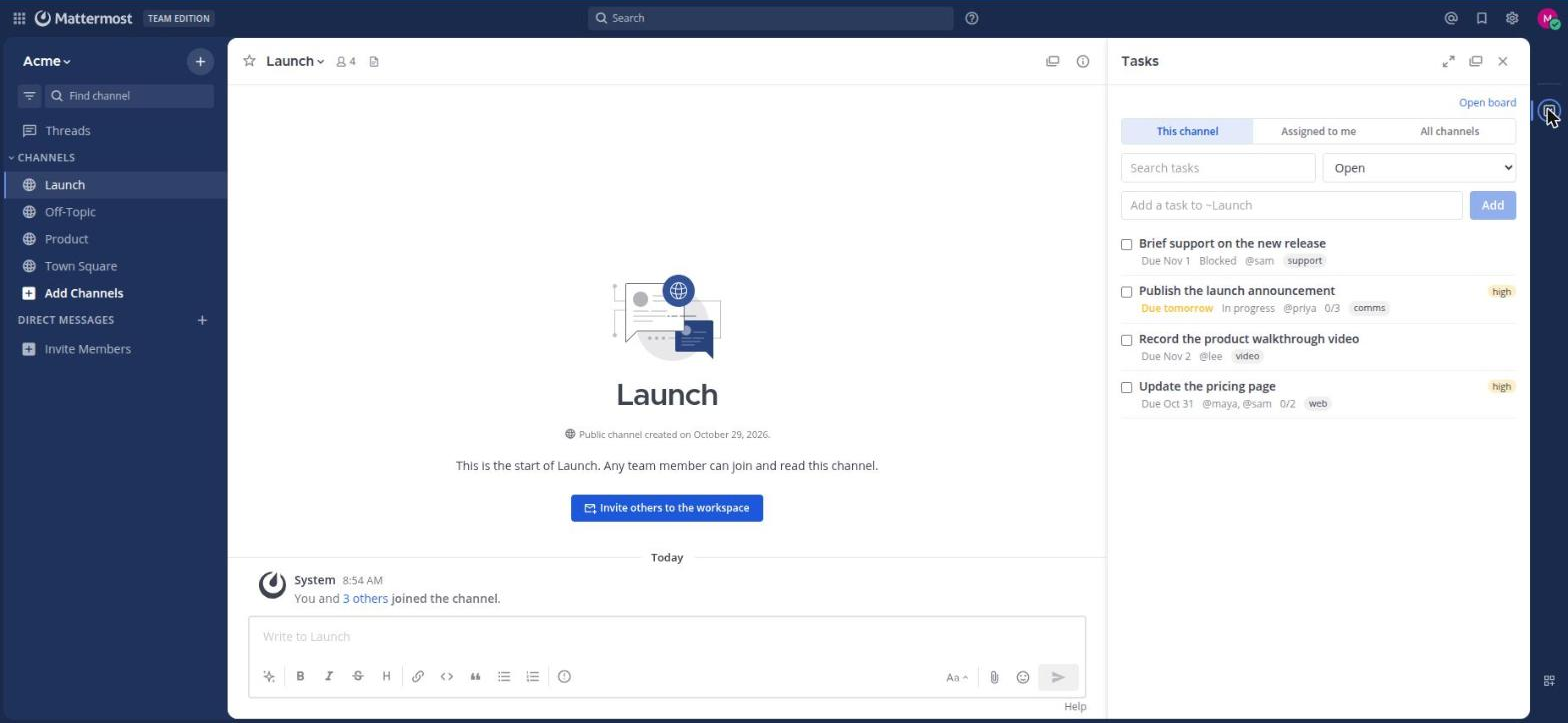
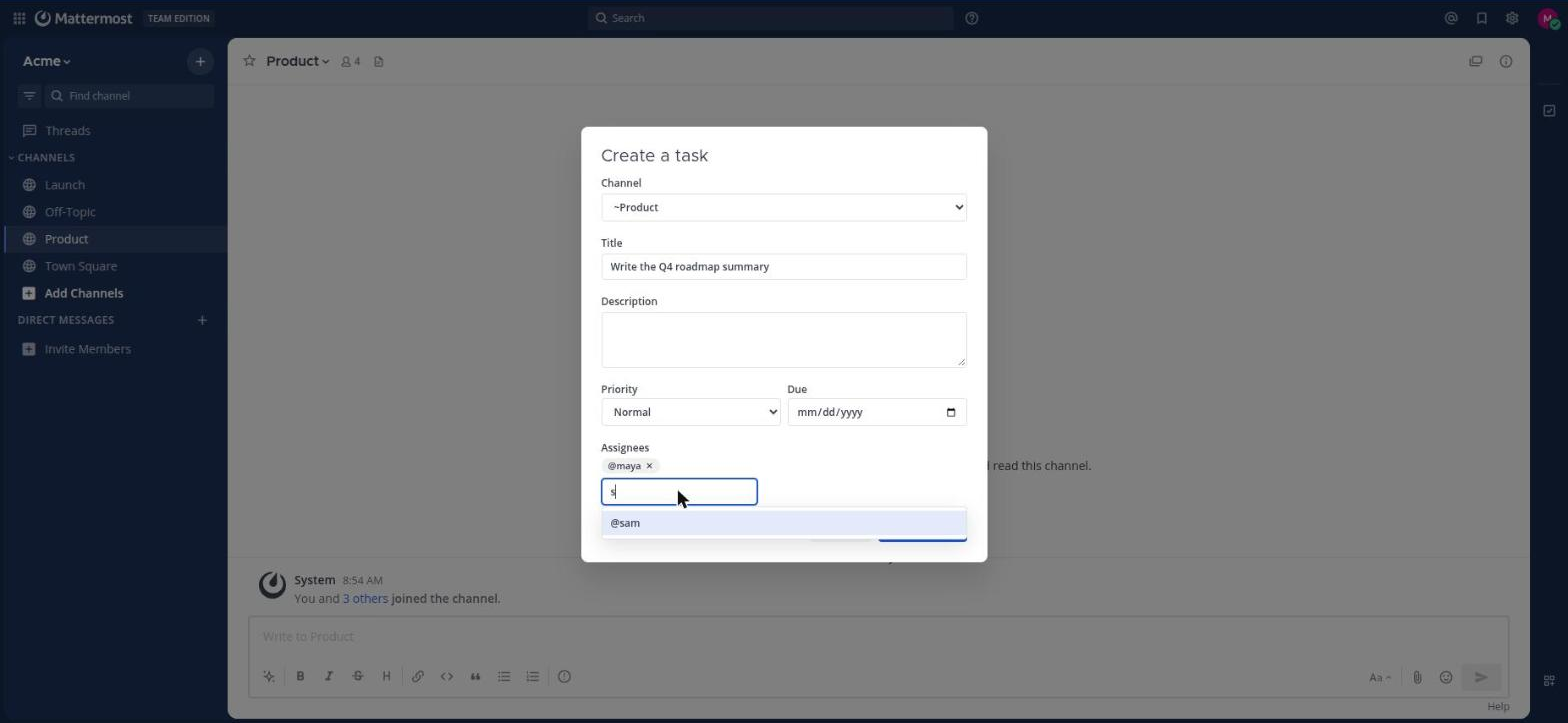
- List panel in the right-hand sidebar: this channel, assigned to me, or all your channels; search and status filter; quick add; complete with a click; edit title, description, priority, due date, assignees and checklist inline. Assignees are picked from the task's channel members.
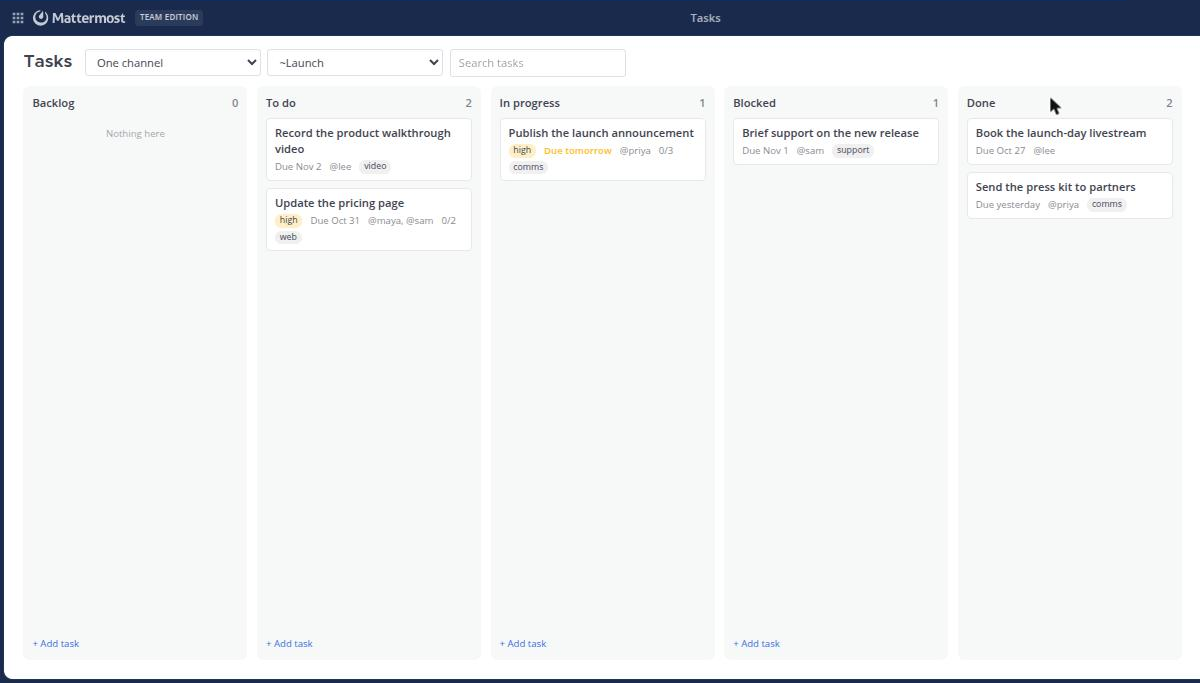
- Kanban board at
/tasks-board: five columns (Backlog, To do, In progress, Blocked, Done), drag and drop, quick add per column. - Create from a message: post menu → Create task. The task links back to the message and the Tasks bot can reply in the thread.
- Reminders: a direct message from the Tasks bot when a task is due within a day or newly overdue, plus an opt-in daily digest at 09:00 in the user's own timezone.
- Slash command:
/task add,/task list,/task digest on|off,/task help. - REST API and signed webhooks for agents and integrations. One bot per integration; access follows channel membership. See docs/api.md.
- Live updates over the Mattermost websocket.
Access follows channels: you can see a task if you can read its channel, and change it if you can post there. Private channels stay private.
Screenshots
Requirements
- Mattermost 12.0 or later (the web app is built for React 19).
- PostgreSQL (the plugin creates its own
rt_tasks_*tables). - No Enterprise licence needed; it is developed and tested against the Team edition.
Install
- Download
com.royalti.tasks-<version>.tar.gzfrom the releases page. - In System Console → Plugins → Plugin Management, enable Enable Plugins and
Enable Uploads (
PluginSettings.EnableUploads), then upload the file. - Enable the plugin. The first start creates its tables and a
tasksbot.
Open the panel with the Tasks icon in the channel header, or the board from the Open board link or the product switcher.
Configuration
System Console → Plugins → Tasks:
| Setting | Purpose |
|---|---|
| Limit the UI to these usernames | Empty shows the UI to everyone. Handy for a staged rollout. It does not affect the API. |
| Disable reminders | Stops reminder DMs and digests. |
| Webhook URL / Webhook secret | Receive a signed POST for every task change. See docs/api.md. |
For agents, create a bot account per integration, add it to the team and to only the channels it needs, and give it a token. docs/api.md has the steps.
Data, upgrades and removal
Migrations run automatically on activation and are safe to re-run. They are append-only; back up your database before upgrading as you would for any plugin.
Disabling the plugin keeps your data. To remove it completely, disable the plugin and drop its tables:
DROP TABLE rt_tasks_reminder_state, rt_tasks_checklist_item, rt_tasks_label,
           rt_tasks_assignee, rt_tasks_task, rt_tasks_migrations;
User preferences (the digest setting) live in the plugin's key-value store.
Known limits
- Statuses are fixed (Backlog, To do, In progress, Blocked, Done). Custom columns are planned.
- No file attachments, recurring tasks or time tracking.
- Many repeated drops between the same two cards eventually run out of float precision and fall back to ordering by age.
- Direct and group messages are not offered in the board's channel picker.
Development
Requirements: Go (see go.mod), Node (see .nvmrc), Docker for the integration tests.
make apply                                   # generate the manifest files
cd webapp && npm ci && npm run lint && npm run check-types && npx jest
SKIP_DOCKER_TESTS=1 go test ./server/...     # unit tests, no Docker
go test ./server/store/sqlstore              # store tests against Postgres (Docker)

# Integration tests start a real Mattermost and Postgres and deploy the built bundle:
make apply server webapp bundle MM_SERVICESETTINGS_ENABLEDEVELOPER=true DEFAULT_GOOS=linux DEFAULT_GOARCH=amd64
MM_TEST_IMAGE=mattermost/mattermost-team-edition:12.0.1 go test ./server

make dist                                    # build the release bundle in dist/
Layout:
server/: plugin entry point, REST handlers (api*.go), reminders and digest (reminders.go),/taskcommand (commands.go), webhooks (webhook.go,emit.go).server/tasks/: task model and validation (no Mattermost or SQL dependencies).server/store/sqlstore/: Postgres store and migrations.webapp/src/: the React app;components/holds the panel, board and dialogs.docs/api.md: REST API, agent setup and webhooks.
See CONTRIBUTING.md.
Licence
Apache License 2.0. See LICENSE and NOTICE. Started from the Apache-2.0 Mattermost plugin starter template. This project is not affiliated with or endorsed by Mattermost, Inc.