ThinkRail — CommanderTvis fork
Tip
Check out SharpRail.
A fork of JetBrains/thinkrail. Upstream is a desktop-and-mobile
client for the pi coding agent. This
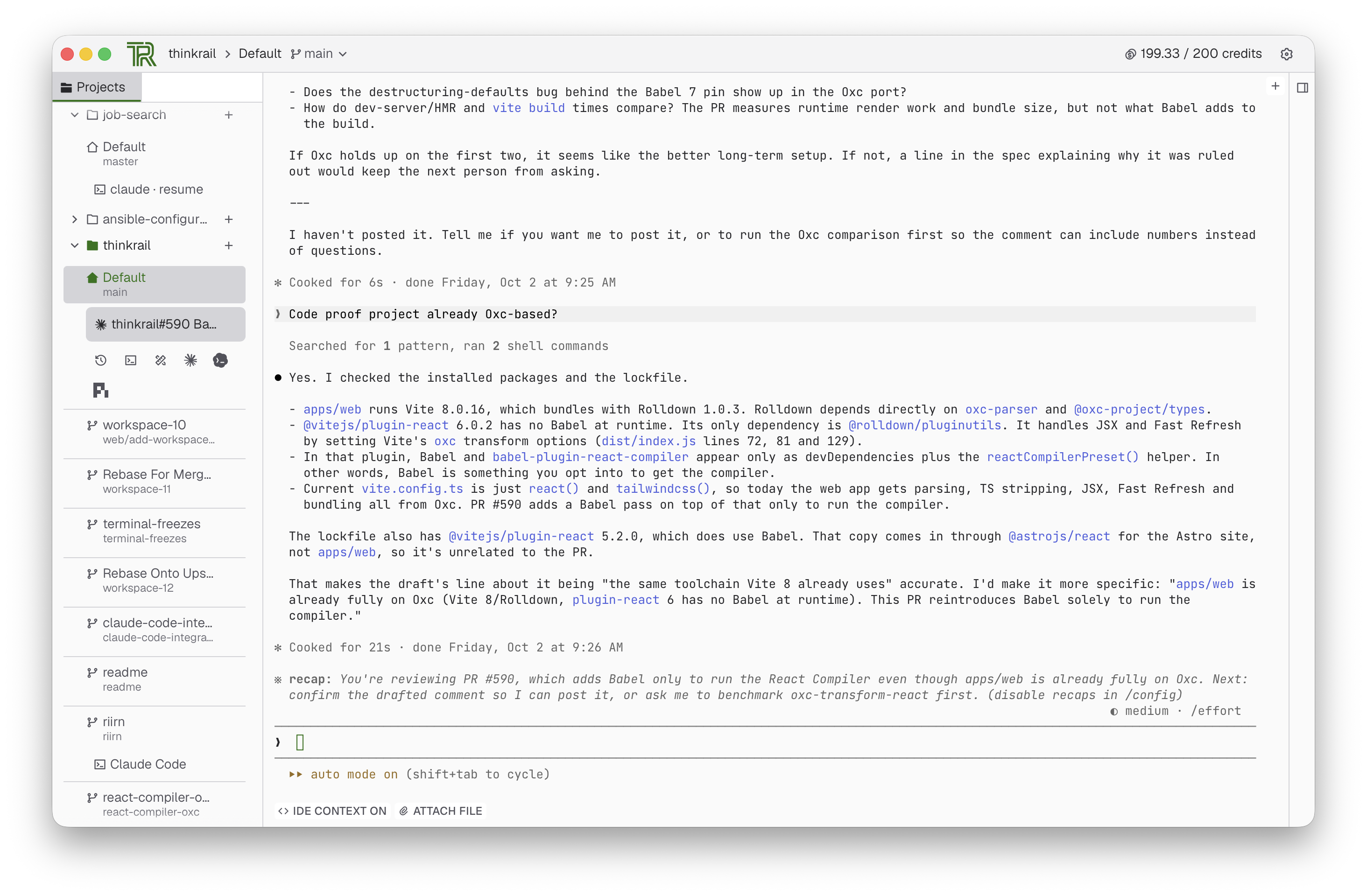
fork turns it into a workbench for more than one agent: Claude Code runs in its terminals as a first-class
agent, with its own configuration pane, IDE bridge, hooks, launcher and the workspace's spec tools reachable
over MCP.
Plugin API
packages/plugin-api is the contract: a manifest, typed methods, channels and settings, a
pi-free tool definition for the agent and MCP surfaces, and host and web contexts. The server loads builtin
and external plugins, validates their wire traffic, serves their assets and feeds their pi resources into
every session; the web client loads a plugin's UI half, at build time for builtins or over the wire for an
external one. packages/ui is the shared UI kit plugins draw with. External plugins live under
~/.thinkrail/plugins/<id>/ or at the paths AppConfig.pluginPaths lists, and are enabled and disabled
while the app runs. A plugin defines a tool once and both a pi chat and a terminal agent (over MCP) can
call it. Plugins add side tools, launchers, tab decorations, file viewers, file icons, settings sections
and terminal accessories. See packages/plugin-api/SPEC.md and
packages/server/src/plugins/SPEC.md.
Builtin plugins
Eight builtin plugins, each kept in its own commit so it can be extracted to its own repository. Claude Code and Codex integrate terminal agents; the others add specification tools, viewers or presence:
| Plugin | What it adds |
|---|---|
plugin-spec-dialect |
the spec-graph read, the Specs side tool and the spec_* tool renderers |
plugin-blueprint |
the Blueprint interactive-spec format, its author and reactor |
plugin-claude-code |
Claude Code as the terminal agent: config pane, IDE bridge, hook status, launcher, terminal facts and picker driving, the shipped Claude marketplace |
plugin-codex |
OpenAI Codex as a terminal agent: config pane, launcher, hook status, /ide editor context and ThinkRail MCP tools |
plugin-discord |
Discord Rich Presence over local IPC |
plugin-branch-graph |
the project's Git Graph side tool |
plugin-visualize |
the terminal agent's live drawing surface, surfaced as an MCP tool |
plugin-file-icons |
material-icon-theme file-type glyphs |
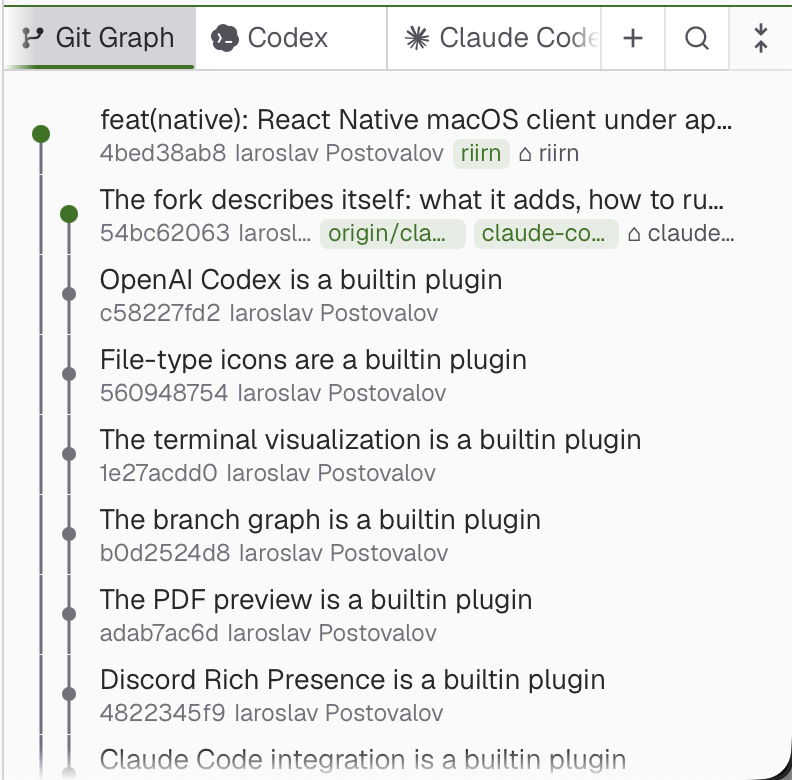
The Git Graph side tool draws the project's branches and commits beside the terminal.
Claude Code
The Claude Code plugin bridges terminal agent sessions to ThinkRail's workspace and UI.
- The terminal bar drives Claude Code's interactive
/modelpicker and effort slider, and its Attach File button inserts workspace-relative@filepaths. - An IDE bridge feeds terminal events and facts into the app; hook status badges each tab, and resume works after a terminal is revived.
- The plugin ships its own Claude marketplace with a hook plugin, and keeps Claude's cached copy at the shipped version through Claude's own install and update commands.
- An agent that Claude Code starts, such as Codex, never takes over the tab.
 |
 |
 |
 |
 |
|
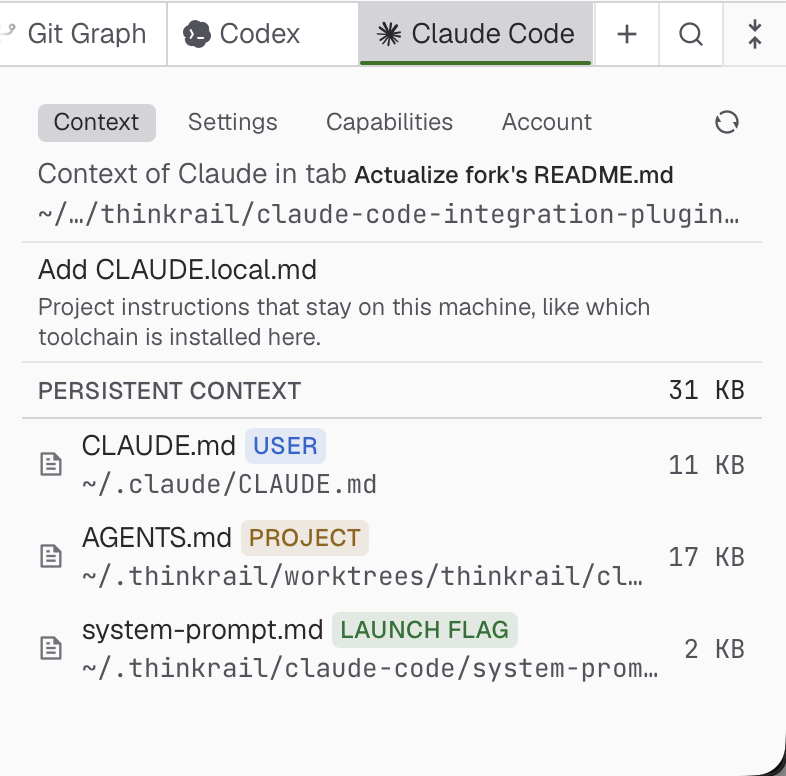
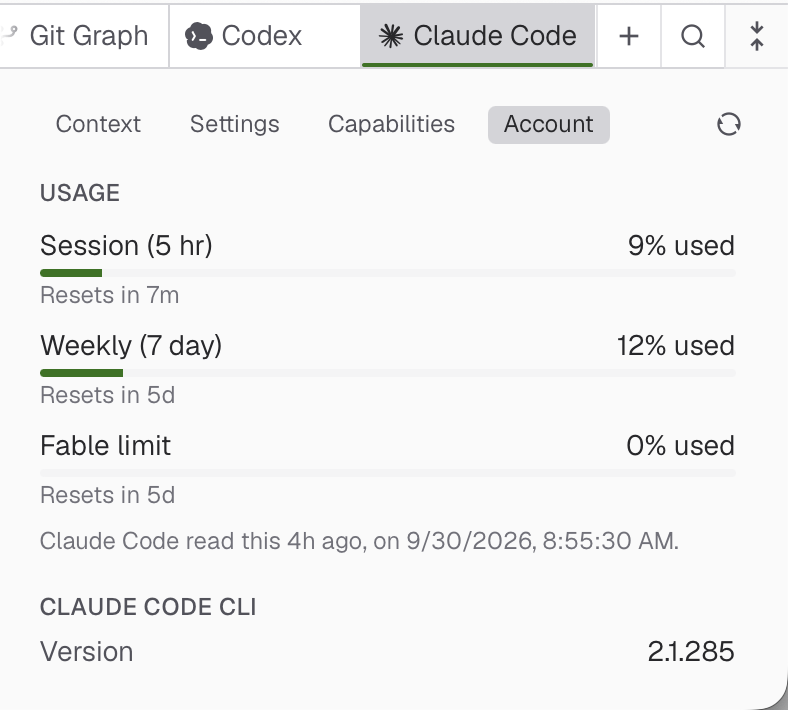
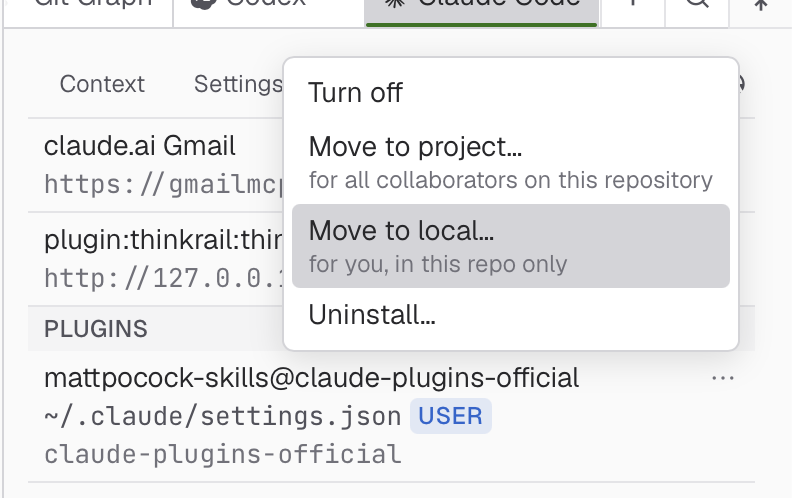
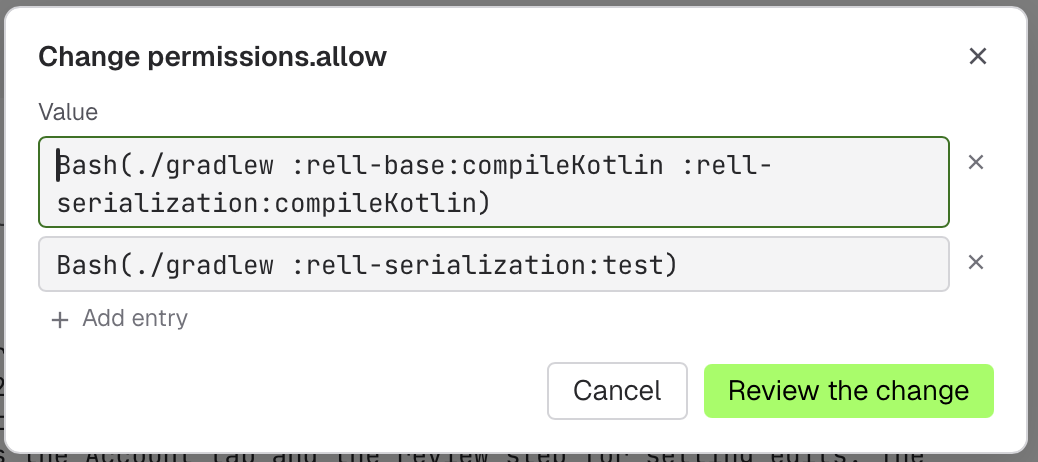
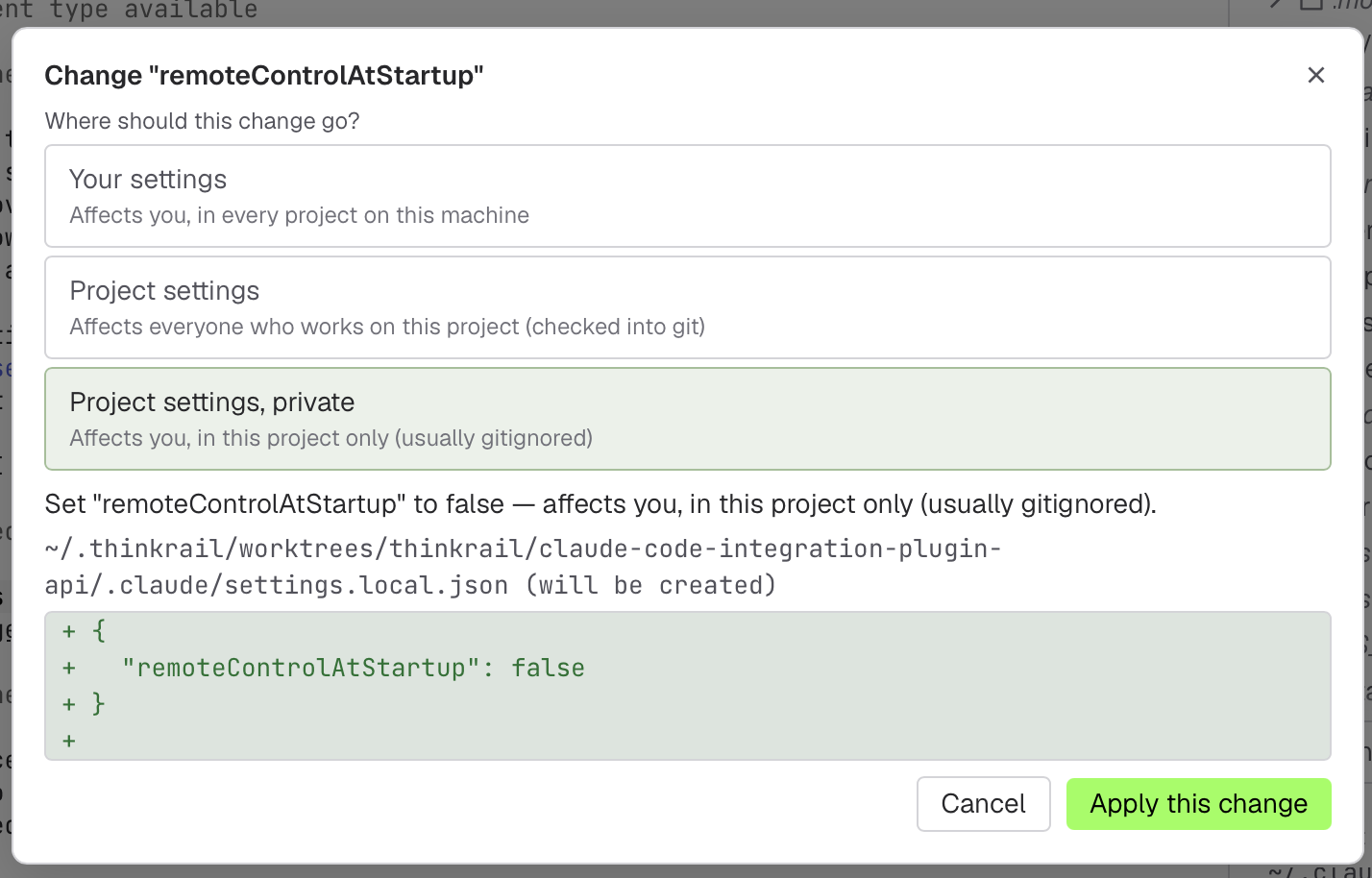
The Context tab displays active instructions across global ~/.claude/CLAUDE.md, project CLAUDE.md, referenced AGENTS.md files and launch flags, with live size accounting. The Account tab shows session and weekly usage limits and the CLI version. The Capabilities tab lists installed plugins, skills, hooks and ThinkRail's loopback MCP server, and moves any capability between User, Project and Local scope. Settings are edited in place, and each change asks which settings file it goes to and shows the diff before it is written.
Codex
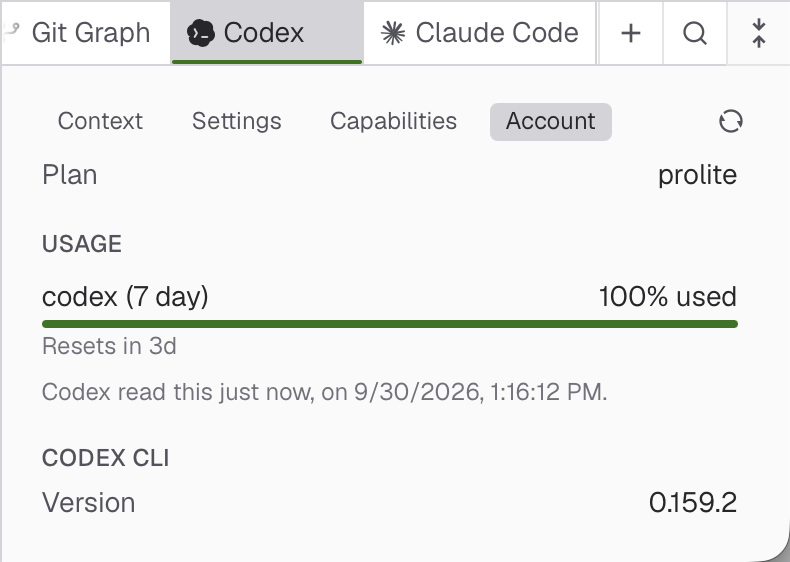
The Codex plugin runs the Codex CLI in a terminal the way Claude Code runs.
- A right-click launcher offers continue, resume or fork, sandbox choice, reasoning effort and web search.
- Tab status comes from Codex's own lifecycle hooks, installed once into
~/.codex/hooks.jsonand inert outside a ThinkRail terminal. - The model chip switches a running session's model for that session only, never saving a new default.
- An IDE bridge speaks Codex's
ide-contextprotocol, so/idesees the open files, the active file and the selection without the VS Code extension. - The config pane resolves project, user and system
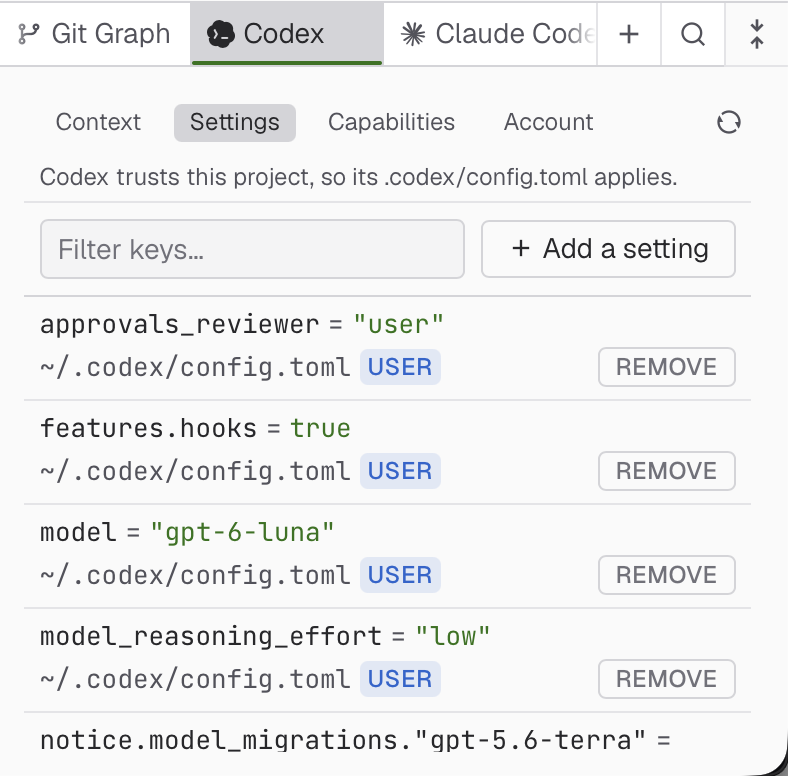
config.tomlwith provenance, shows theAGENTS.mdchain, and edits values in place by TOML type, each key linking to Codex's configuration reference.
 |
 |
Configuration discovery covers the user, system and worktree-root files; profiles and nested project
configuration are not modelled. See packages/plugin-codex/SPEC.md for
the current scope and limitations.
Blueprint, spec dialect and the rest
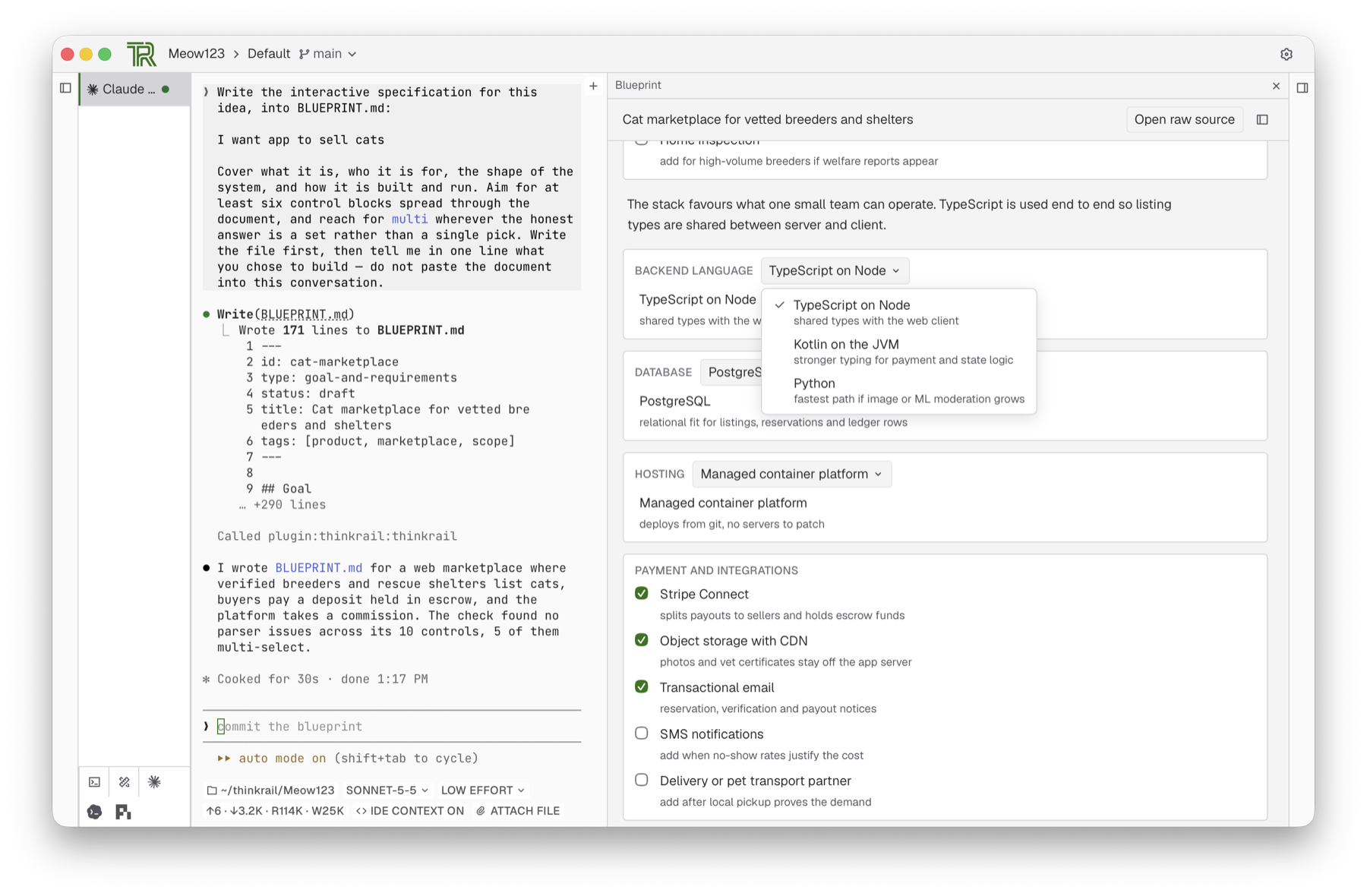
- Blueprint pairs agent authoring with an interactive spec viewer for terminal agents and
pichats. The agent writesBLUEPRINT.mdand verifies it with theblueprint_checkMCP tool; the viewer renders decision cards, option selectors and rationale blocks live. It builds on the spec dialect, which owns the Specs panel and thespec_*tools for every session and sub-agent. - The terminal visualization plugin gives the agent a
visualizetool: it draws, publishes, then waits for your verdict. Drawings persist per terminal. - The Git Graph draws commit lanes, is hidden in a folder with no history, and scopes the Changes panel when you click a commit.
- Discord Rich Presence is off by default, with a blocklist of projects and a switch for showing file names.
- File icons use recoloured material-icon-theme glyphs, with a fallback when the plugin is off.
Improvements that apply to upstream directly
Kept as atomic commits so each can become a pull request:
- Projects and files: open a plain folder as a project without git, clone a repository URL into a project, search the whole workspace from one popup, create, rename, drag and trash files in the tree, reveal a file in the file manager, and a notice when an open file is deleted on disk.
- Editing and previews: an outline column that drives preview and source, frontmatter as an Obsidian-style properties block, Cmd+F in every preview, zoomable inline diagrams, a code font of your choice with ligatures, and an editor selection sent into a pi chat.
- Workbench: vertical tabs under their workspace, a frame that belongs to its project, branch pickers that show every remote, and a desktop window that returns to its port with its tabs.
- Terminals and agents: the spec tools reachable by any terminal agent over MCP, a terminal that thaws after a lost drain event, a pty that no longer inherits a stale utmpx user, live reattach that restores full-screen input modes, and a default model, hidden models and JetBrains AI org switching in Settings.
ThinkRail Playground
Try it without installing anything: https://commandertvis.github.io/thinkrail/ opens the Playground
straight away. With no ThinkRail host to connect to, the host screen (click the connection status in the top bar) offers
Open the ThinkRail Playground. The host then runs in a Web Worker of the page
(packages/tab-host): projects live in an in-memory filesystem mirrored to
the browser's origin-private storage, so they survive a reload; git is isomorphic-git, cloning over HTTPS
through a CORS proxy you can change in the clone dialog; pi chats run with an API key you connect under
Settings → Providers. Terminals and the agent's bash run a simulated shell (just-bash: coreutils, rg,
jq, pipes, and git including pull/push), plus node, npm install, npx and tsc.
Risks. node, npm and npx run third-party code from the npm registry inside your browser tab. It
runs in a separate worker on a copy of the project, without your API keys, but it can change or delete the
project's files and reach the network. npm never runs install scripts, native addons don't work, and
node is an emulation: no child processes, servers or sockets. The first use in each shell prints this
warning.
Plugins that need a host process (Claude Code, Codex, Discord, Git Graph) declare
runsInBrowserTab: false and stay off. To remove everything the Playground stored (projects, chats,
settings, API keys), open the host screen and press Delete all Playground data, or clear the site's
data for its address in your browser's settings.
Install
Nightly builds of this fork (branch claude-code-integration-plugin-api) are published whenever it
changes, checked daily at 03:00 UTC. They install as thinkrail (CLI) and a desktop app.
macOS (Apple Silicon), from commandertvis/homebrew-thinkrail:
brew trust --tap commandertvis/thinkrail   # Homebrew 7+ refuses untrusted taps
brew tap commandertvis/thinkrail
brew install commandertvis/thinkrail/thinkrail                  # CLI
brew install --cask commandertvis/thinkrail/thinkrail-desktop   # desktop app (ThinkRail-canary.app)
Windows, from CommanderTvis/winget-thinkrail (the CLI for x64 and ARM64, the desktop for x64 on Windows 11):
winget source add --name thinkrail --arg https://winget-thinkrail.vercel.app --type Microsoft.Rest   # once, as administrator
winget install --id CommanderTvis.ThinkRail --exact --source thinkrail --scope user                  # CLI
winget install --id CommanderTvis.ThinkRail.Desktop --exact --source thinkrail --scope user --interactive   # desktop app
Update through Homebrew or WinGet rather than the CLI's built-in self-update; the desktop app also updates itself from the fork's nightly feed. Each repository's README covers upgrading, uninstalling and the other packages it carries.
Clone and run
The fork is developed and tested on macOS only. Other platforms build, but nothing here has been run on them.
Prerequisites: Bun 1.4.0, Node.js 22.19 or newer, and git on PATH. Authenticate the Claude Code or Codex
CLI to use its terminal integration, or a pi provider for built-in chats. App state lives under
~/.thinkrail.
git clone --branch claude-code-integration-plugin-api https://github.com/CommanderTvis/thinkrail.git
cd thinkrail
bun install
bun run dev                          # host + web client in the browser
For the desktop app:
bun run desktop:dev
Update this checkout with Git and rebuild it. The upstream installers and releases install JetBrains' build, without this fork's plugins; use the Install builds above for this fork.
Analytics & privacy
CommanderTvis fork builds omit the analytics key and send no usage analytics or installation attribution. The behavior below describes upstream builds configured with an analytics key.
ThinkRail collects basic usage events — launches, chat creation, message sends, provider connections — tied to
a random installation ID. Usage analytics never include prompts, code, files, credentials, or account
identity. Error reports are also always sent, tied to the same installation ID, so we can fix crashes: the
error type and code and where in ThinkRail's own code it happened. They never include error messages, file
paths, names, URLs, or anything from your projects or extensions. Additional product
usage and how you found ThinkRail are shared only while Share additional usage
data is on; the switch is offered at first launch and lives in Settings → Privacy. When launching from
the command line, thinkrail --no-analytics (or THINKRAIL_NO_ANALYTICS=1) turns additional sharing off for
that run. With additional sharing on, a packaged build may open the ThinkRail blog in your browser once to
link your installation to the website visit that brought you here — only where you accepted marketing cookies on the
website or no consent is required — and that link expires after 30 days.