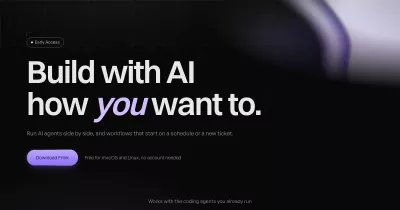

touri desktop
touri is a local-first desktop app for macOS, Linux and Windows for running persistent AI teammates ("bots") on your own Codex, Claude Code or OpenCode CLI. Everything runs on your computer: your conversations, memory, routines and secrets never leave the machine unless you explicitly configure a remote.
Built with Tauri v2 (Rust shell), a Bun sidecar and a React UI.
Features
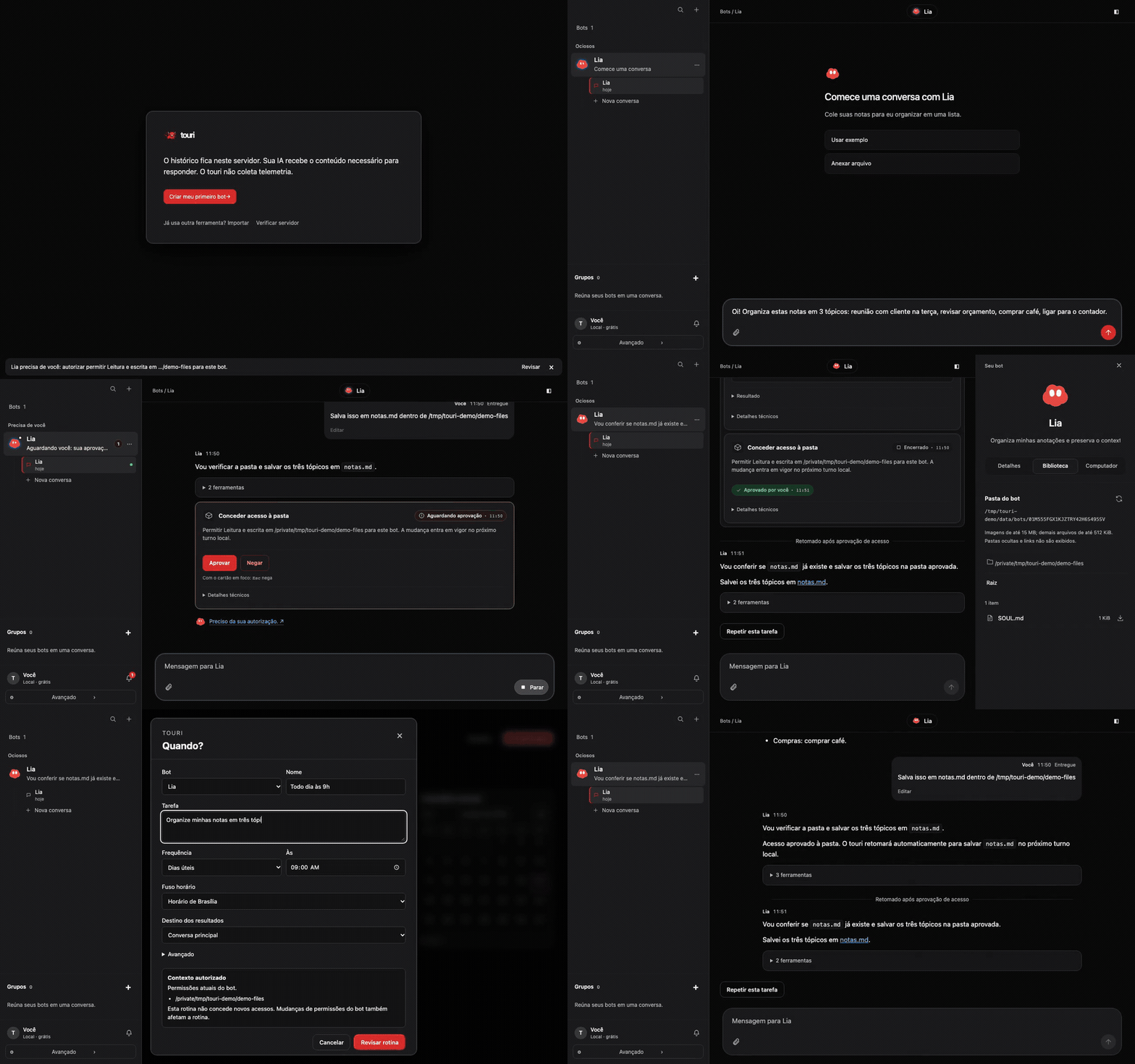
- Persistent bots with their own instructions, memory, skills and full branching chat history.
- Codex and Claude Code runtimes, with approval modes (
on-request,workspace-write,full). - Routines: cron-scheduled bot runs with overlap and catch-up control.
- Projects: connect a local repo, run supervised processes (databases, servers) and preview them in-app.
- Agent browser with human take-over, and opt-in computer use with a visible indicator and kill switch.
- MCP gateway with per-thread tokens and approval prompts.
- Bot machines: Apple
containeron macOS; rootless Podman or Docker containers on Linux. - Importer for data exported by an earlier setup (see below).
- API models with your own key, model discovery and a connection test in Settings.
Your own API key
Open Settings → API models (Configurações → Modelos por API), choose a provider, paste its API key, and load the model list or enter a model ID. Test connection sends a short real message and may use a small amount of provider credit. Save the model, then select it when creating a bot or in the bot settings.
Presets cover OpenRouter, DeepSeek, Z.ai/GLM, Moonshot/Kimi and Groq. A custom compatible API needs its base URL, including its API version path. Use HTTPS; HTTP is accepted only for loopback servers. Choose a chat model that supports tools. API models run through OpenCode with the same folder permissions, tools and approval bridge, locally or in a bot's isolated machine; the cloud runtime does not support them. If the executor is missing, the setup screen links to installation instructions and offers a recheck.
The selected provider bills usage directly. Keys use the existing system secret store, or the encrypted secret store in headless Linux server mode. Only model metadata enters SQLite. Removing a saved model deletes its key; bots using it ask you to choose another model instead of falling back to another account.
Privacy
- Local-first: data lives in SQLite in the OS application data directory.
- No telemetry and no account required.
- Desktop credentials use macOS Keychain, Linux Secret Service or Windows Credential Manager, never the database, logs or exports.
- Optional cloud hosting is a separate, opt-in protocol (
docs/protocol/cloud-v1.md).
Platforms
- macOS (Apple Silicon): pre-release, macOS 14 or newer.
- Linux (x86_64/arm64): supported. Packages and desktop onboarding have been tested on x86_64; the arm64 sidecar is cross-built, with native arm64 packaging/runtime validation still pending.
- Windows (x64): unsigned MSI and EXE installers; see the platform runbook for remaining limitations.
Install (GitHub Releases)
Release v0.3.0 provides packages for all three platforms. See the release notes in Portuguese and English. The links below target the v0.3.0 assets and become available when that release is published.
| Platform | Download |
|---|---|
| macOS · Apple Silicon · pre-release | touri_0.3.0_aarch64.dmg |
| Linux · x86_64 · AppImage | touri_0.3.0_amd64.AppImage |
| Linux · x86_64 · Debian package | touri_0.3.0_amd64.deb |
| Windows · x64 · MSI | touri_0.3.0_x64_en-US.msi |
| Windows · x64 · EXE installer | touri_0.3.0_x64-setup.exe |
macOS install (pre-release)
Download the disk image above and drag touri.app to /Applications.
Release builds are currently unsigned and not notarized, so macOS Gatekeeper blocks the first launch:
- Open
touri.app. macOS shows a warning and refuses to open it. - Open System Settings > Privacy & Security, scroll to the message about touri and click "Open Anyway".
- Confirm with your password. Later launches open normally.
On macOS 15 and later, Control-click > Open no longer bypasses Gatekeeper, so use the steps above.
Or remove the quarantine flag from a terminal:
xattr -dr com.apple.quarantine /Applications/touri.app
Linux install
Download the Linux x86_64 AppImage or Debian package from the table above. With the AppImage:
chmod +x touri_0.3.0_amd64.AppImage
./touri_0.3.0_amd64.AppImage
On a compatible Debian/Ubuntu desktop, run this command in the download folder:
sudo apt install ./touri_0.3.0_amd64.deb
Runtime library requirements depend on the release build environment; the package manager checks the Debian package's declared dependencies before installation.
Linux needs WebKitGTK 4.1, SQLite, xdg-utils, and a session D-Bus with libsecret and an
unlocked Secret Service keyring, such as GNOME Keyring or KWallet with its Secret Service
interface enabled. Credentials use that service; a missing or locked keyring is reported
by doctor and never causes plaintext credential storage. AppImages also need FUSE, or
APPIMAGE_EXTRACT_AND_RUN=1 on hosts without FUSE.
On Linux systems with the proprietary graphics driver detected, Touri sets
WEBKIT_DISABLE_DMABUF_RENDERER=1 before opening its window unless that variable is already
set. This avoids a known WebView graphics compatibility issue and may reduce rendering
performance. To try the fallback manually with an installed package, run
WEBKIT_DISABLE_DMABUF_RENDERER=1 touri.
Desktop data lives in $XDG_DATA_HOME/touri (default ~/.local/share/touri).
The standalone headless server retains ~/.touri; TOURI_APP_DATA overrides either location.
For a persistent single-replica deployment, see touri on Kubernetes
(Português), including HTTPS, pairing and browser sandbox requirements.
Podman or Docker is optional for VM bots. If no working container engine is available,
local bots remain available and the machine feature reports why it cannot start.
Host computer use is hidden on Linux. Managed browser automation needs stable system Chrome
or an explicit TOURI_CHROME_BIN. Hosts without a display also need Xvfb; touri starts its own
local display and keeps the browser headful, including in server mode. Each bot uses a private
persistent profile. Interactive provider onboarding currently uses
credential import. Linux OCI lifecycle/isolation contracts are tested, but live container
onboarding could not be verified on the build host because it denies user namespaces.
Windows install
Use Windows x64 with WebView2 installed. Download either the .msi package or the -setup.exe
installer from the table above and run it. Both installers are currently unsigned.
SmartScreen may warn: choose More info → Run anyway only if you trust the downloaded release.
Em português: Mais informações → Executar assim mesmo.
Desktop data lives in %APPDATA%\touri; credentials use Windows Credential Manager.
Host computer control is unavailable on Windows. See the platform runbook
for browser, isolation and other platform limitations.
Requirements
- macOS 14 or newer on Apple Silicon. The optional bot-machine feature needs macOS 26 and Apple
container>= 1.5.0; on older systems local bots keep working and the machine feature reports itself as unavailable. - Bun 1.4.3 or newer
- Rust 1.90 or newer with the
aarch64-apple-darwintarget - A Codex or Claude Code CLI signed in on the computer running touri
Linux and Windows build instructions and remaining platform limitations: platform runbook.
Build from source
bun install
bun run build:sidecar
bun run tauri build --bundles app
open src-tauri/target/release/bundle/macos/touri.app
For local rebuilds that retain saved logins, use stable macOS signing and scripts/build-macos-signed.sh.
Signing, notarization and the updater are wired but disabled (docs/DECISIONS.md).
For development: bun run build:sidecar && TOURI_SIDECAR_BIN="$PWD/src-tauri/binaries/touri-sidecar-aarch64-apple-darwin" bun run tauri dev.
Build from source on Linux
Install Bun 1.4.3+ and Rust 1.90+. On Debian/Ubuntu, install the system dependencies:
sudo apt install build-essential pkg-config libssl-dev libgtk-3-dev \
  libwebkit2gtk-4.1-dev libayatana-appindicator3-dev librsvg2-dev \
  libdbus-1-dev libsecret-1-0 gnome-keyring libsqlite3-0 patchelf xdg-utils unzip
bun install --frozen-lockfile
bun run build:sidecar:linux
bun run tauri build --bundles appimage,deb
Bundles are written to src-tauri/target/release/bundle/{appimage,deb}.
On an arm64 Linux host, use bun run build:sidecar:linux:arm64 before the same Tauri build.
GTK/WebKit development libraries must match the shell's architecture. Full platform
requirements, container setup and account-free checks are in the runbook.
Verify
bun run typecheck
bun run lint
TOURI_BROWSER_HEADLESS=1 bun test sidecar/test
(cd ui && bunx vitest run && bunx vite build && bunx playwright test)
(cd src-tauri && cargo test && cargo clippy --all-targets -- -D warnings)
Opt-in real CLI smoke: TOURI_E2E_REAL_CLI=1 bun test sidecar/test/runtime/real-cli.test.ts.
Import from a previous setup (dry run)
The importer reads the data directory of an earlier bot setup, from a local path or over SSH, and maps bots, chats, memory, skills and routines into touri. It is idempotent, imports routines disabled, and never reads credential files.
TOURI_APP_DATA="$HOME/Library/Application Support/touri-dev" \
  bun sidecar/src/importer/legacy/cli.ts --source ssh --host user@host.example \
  --root '~/.legacy-app' --dry-run --all
The SSH source is read-only on the remote (allowlisted files only, no remote writes).
Drop --dry-run to import, --bot <name> selects bots, --cwd-map <from>=<to> maps paths.
Run the sidecar directly
TOURI_UI_TOKEN=dev-ui-token bun run sidecar/src/main.ts serve
It prints one SidecarHandshake JSON line to stdout. The MCP stdio mode is a byte
pipe for a running sidecar and reads only the per-thread token file; it does not open
SQLite:
bun run sidecar/src/main.ts mcp-stdio --thread <thread-id>
Repository rules
packages/contracts/ holds the shared types, SQL schema and MCP tool schema; changes
there require a contract change before dependent work merges. Credentials are never
imported or stored in SQLite. See CONTRIBUTING.md, SECURITY.md, NOTICE and
TRADEMARKS.md.
License
Apache-2.0, see LICENSE. Third-party notices: THIRD_PARTY_NOTICES.