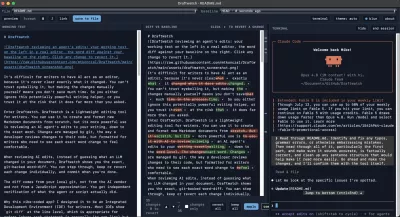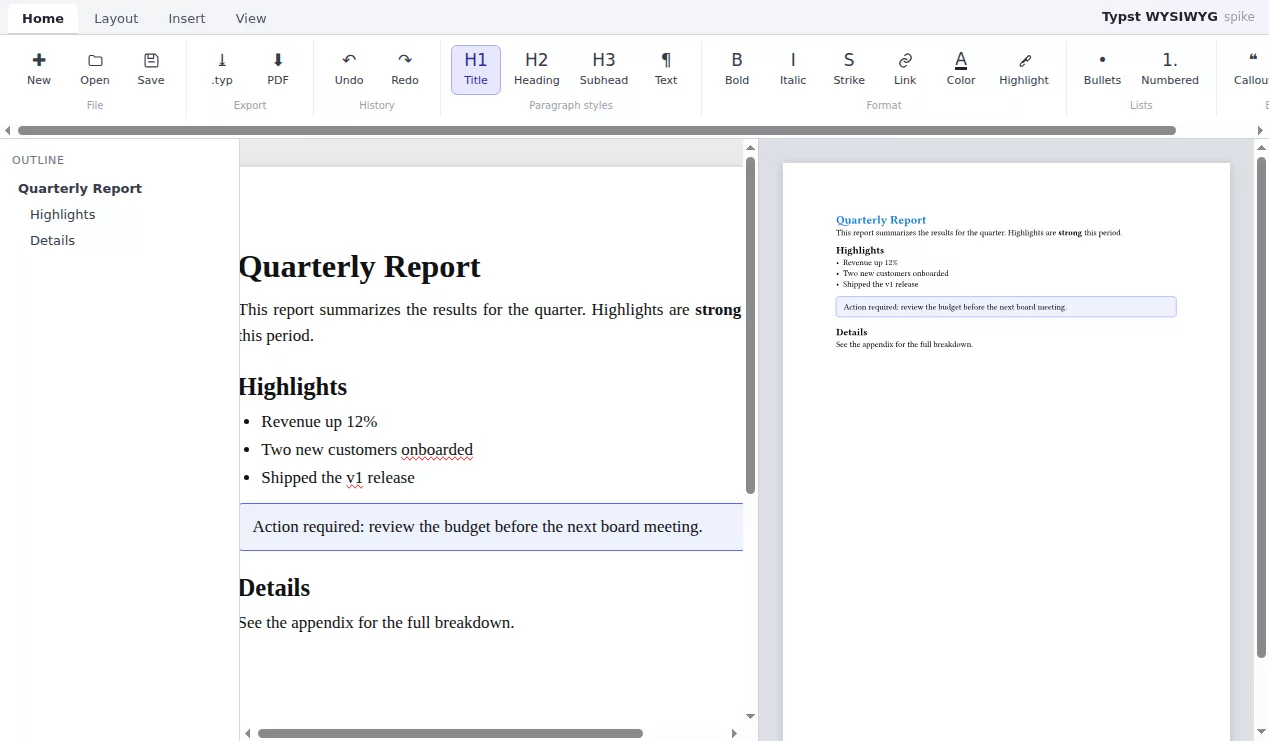

A prototype for a WYSIWYG editor for Typst — created using AI (Claude Code).
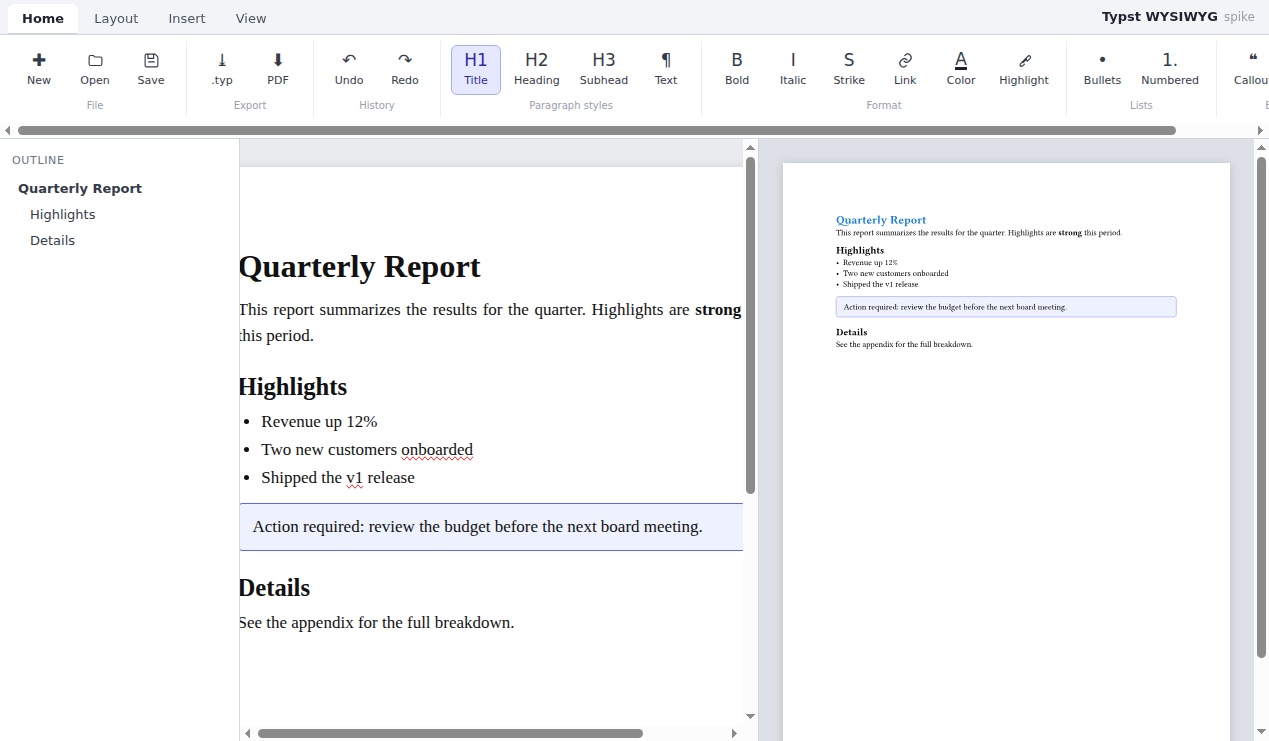
It explores what a block-based, "normal user" friendly editor for Typst could look
like: you edit a real document on a page-styled canvas, while the Typst-specific
machinery (#set rules, #let definitions, templates) is managed through a familiar
Word-style ribbon instead of raw code.
▶ Try the live demo
The Typst compiler runs entirely in your browser via WebAssembly — nothing is uploaded. The first load fetches a ~28 MB compiler, so give it a moment.
⚠️ This is an early prototype / spike, not a finished product. It is meant to validate the core idea and UX, not to be production-ready.
The core idea
Typst isn't a document format — it's a programming language. So the editor owns a structured document model and compiles it one way to Typst:
structured model (JSON AST) ──▶ generated .typ ──▶ Typst compiler (WASM) ──▶ SVG / PDF
Loading a .typ parses it back into that model (see typimport.ts): a structural,
marker-free scan that turns recognized constructs into editable blocks and keeps anything
it can't model — imports, custom #set arguments, arbitrary preamble — verbatim, so
loading and re-saving doesn't quietly drop things.
Save writes a .typ that is real Typst source and carries the editable state in a
trailing comment, so the editor's own files round-trip exactly.
Two layers
- Content layer — a true WYSIWYG canvas backed by ProseMirror (via TipTap), so
selection, clipboard, undo/redo and inline marks all behave like a real editor.
Headings look like headings, lists like lists, the callout like a box. Type directly,
use markdown-style shortcuts (
#,-,**bold**), apply bold / italic / strike / links inline, and use the Notion-style six-dot handle (⠿) next to the current block to change its type, move, insert or delete it. A raw-Typst block is the power-user escape hatch. - Logic / style layer —
#set,#letand#show, managed through the ribbon (Layout tab for page/text/paragraph settings, Insert → Definitions for#letbindings, Insert → Show rules for a structured#showeditor). Normal users never touch code. The built-incalloutis a real, editable definition here, and any imports / preamble preserved from a loaded.typare shown read-only alongside it.
Templates
Because a document is just data, a template is a saved document. The picker is a searchable modal of templates (Blank, Letter, Report, Invoice, Meeting Notes), each with an icon.
Features in this prototype
- Word-style ribbon: Home / Layout / Insert / View tabs.
- ProseMirror-backed WYSIWYG editing with real selection, clipboard, undo/redo and markdown-style input rules.
- Inline formatting: bold, italic, strike, links.
- Tables — editable (add/remove rows & columns, resizable), full-width, serialized
to
#table(...). Styling from an imported table (column widths,align,stroke, …) is kept verbatim on save while the cells stay editable. - Images — insert, drag-and-drop or paste a picture; it renders in the live preview
too (the bytes are fed to the Typst compiler's virtual filesystem). Inline editable
figure captions →
#figure(image(..), caption: [..]). - Equations — a block equation with a live-rendered (Typst-compiled) preview above an
editable source field; serializes to
$ … $. - Inline math — render Typst math at text size inside a paragraph; serializes to
$…$. - Page breaks (
#pagebreak()) and footnotes (inline marker + popover editor →#footnote[…]). - Block handle (⠿) for changing block type, moving, inserting and deleting.
- Context-sensitive ribbon tabs (Word-style): selecting an image shows an Image tab (width, border); working in a table shows a Table tab (rows/columns, header, striped, borders).
- Slash (
/) menu to insert any block by typing, with search and keyboard nav. - Selection bubble toolbar (bold / italic / strike / code / link) and drag-to-reorder blocks from the handle.
- Inline formatting: bold, italic, strike, inline code, links, text colour and highlight.
- Find & replace (Ctrl/Cmd+F) with highlighted matches, and an outline / TOC panel.
- Page setup: paper, margins, multi-column, font (with suggestions), size, leading, justification, page numbers, header and footer.
- Save / open
.typby default — the saved file is real Typst source that also carries the editable state in a trailing comment, so your own documents round-trip exactly. Any other.typis parsed structurally: headings, lists, tables, callouts, figures,#let/#showand#setrules become editable, while imports and anything unmodeled (#import, custom#setargs,#show: template.with(…)) are preserved verbatim. Plus autosave to the browser (Ctrl/Cmd+S), and native file dialogs in the desktop build. - Structured
#showrule editor (restyle headings, emphasis, links, … by set-style or a fullit => …function, with custom selectors) and a#letdefinitions editor that lists every definition — the built-incallout, your own bindings, and the imports/preamble preserved from a loaded file. - Live Typst preview (compiled in the browser via WASM) — shown by default and remembered across sessions, with friendly compile errors that offer to open the Typst source at the offending spot.
- Zoom the editor page and the preview independently (View tab) via a numeric dropdown per surface; both levels are remembered across sessions.
- Editable Typst source with syntax highlighting (View → Typst source): edit the markup and apply to re-parse it back into the document.
- Template gallery with search and icons.
- Export to
.typand PDF. - Built-in, editable
calloutcomponent and a raw Typst escape hatch.
Tech
- Vite + TypeScript, plain DOM for the chrome (ribbon/modals).
- TipTap / ProseMirror for the editing canvas.
@myriaddreamin/typst.ts— the Typst compiler + renderer compiled to WebAssembly, for live preview and export.
Run
npm install
npm run dev      # http://localhost:1420
npm run build    # typecheck + production build
The first load fetches a ~28 MB WASM compiler; give it a moment on a cold start.
Desktop app (Tauri showcase)
The same frontend is packaged as a native desktop app with Tauri
(src-tauri/). The Typst compiler still runs in the embedded webview's WASM — there is
no separate backend. The desktop build adds a couple of things the browser can't:
native Open/Save/Export dialogs writing straight to disk, and it hides the in-app
title since the OS window already shows it.
Prerequisites: the Rust toolchain and your platform's Tauri system dependencies (on Linux, WebKitGTK — see the Tauri prerequisites).
npm install
npm run tauri:dev      # run the desktop app against the dev server
npm run tauri:build    # produce a native installer in src-tauri/target/release/bundle
The Vite base switches automatically: /typst-wysiwyg/ for the GitHub Pages demo,
relative (./) for the Tauri bundle (--mode tauri), and / for npm run dev.
The repo ships the Tauri scaffold (config, Rust entrypoint, capabilities, icons); a binary is produced by
tauri:buildon a machine with the Rust + webview prerequisites.
Source map
| File | Role |
|---|---|
src/model.ts |
The logic layer the editor owns (#set / #let / #show) |
src/editor.ts |
TipTap/ProseMirror schema, custom nodes, editor factory |
src/serialize.ts |
ProseMirror document → Typst markup (inc. inline marks) |
src/generate.ts |
Logic layer + serialized content → full .typ |
src/blockhandle.ts |
The six-dot block handle: menu + drag-to-reorder |
src/bubble.ts |
Selection formatting toolbar |
src/slash.ts |
The / command menu |
src/search.ts |
Find & replace plugin + helpers |
src/{math,mathinline,footnote,image}view.ts |
NodeViews (live math, footnote, figure) |
src/desktop.ts |
Native file dialogs (Tauri) |
src/typst.ts / src/assets.ts |
WASM compiler wrapper + image asset store |
src/templates.ts |
Templates (logic layer + ProseMirror content), picker icons |
src/main.ts |
Ribbon, modals, preview, export — the UI shell |
Roadmap / next steps
Most of the editor is in place (see Features), including multi-column layout,
function-style #show rules, labels + cross-references (<label> /
#ref with automatic heading numbering), citations & bibliography (paste
BibTeX or Hayagriva YAML, cite entries inline), a code listing block
(syntax-highlighted ``` raw blocks), user templates, and a marker-free,
structural .typ importer: it parses the whole document in one pass — routing
code statements (#let/#set/#show/#import) to the logic layer wherever they
appear and turning headings (with <label>s), nested lists, tables (styling
kept verbatim), callouts, columns and code listings into editable blocks — and
preserves imports and any unmodeled preamble verbatim, so loading and re-saving
doesn't lose them. Labels and cross-references use the full Typst prefix:name
convention (<fig:sun>, @fig:sun). It imports #image/#figure (single- or
multi-line) as real image nodes — keeping width, caption and figure <label> —
with a placeholder preview (a plain .typ carries no image bytes), and
#figure(table(…)) as an editable, captioned, labelled table; anything it can't
model faithfully (e.g. a table with bare $math$ cells) is kept as a lossless raw
block rather than corrupted. There are golden round-trip serializer tests and
fidelity tests against real-world templates (npm test).
Compilation runs in a Web Worker, so even large documents never block typing
or scrolling. The embedded compiler only emits opaque span IDs, not source ranges,
so a precise error→block map isn't possible via its snippet API; instead, a compile
error offers an Open Typst source action that opens the generated .typ and —
when the message names an identifier — scrolls to and highlights it (and, where an
identifier matches a single raw/math block, also offers a jump into the editor).
Known gaps / next up: some constructs still import as (lossless) raw blocks
rather than dedicated editable nodes — block quotes (#quote), horizontal rules
(#line), term lists (/ term:), and tables whose cells can't be modeled (e.g.
bare $math$ cells or table.header[…] bracket syntax). #underline has no
editor mark yet, so it's dropped on import.
Deliberately out of scope:
- Per-section page setups (different paper/margins mid-document). The WYSIWYG canvas renders one physical sheet size with real, content-aware pagination; mixing paper sizes or margins mid-document would either render incorrectly in the editor or require a pagination rewrite, so it's deferred rather than shipped half-working. Per-section column layouts (the common case) are supported via the columns block.
- Real-time collaboration — single-user, local-first for now.
License
MIT © Ortic
🤖 Built with Claude Code.