UNFIT FOR PRINT
A party game for hideous people.
Play now at unfit.cards · How to play · Changelog · Report a bug
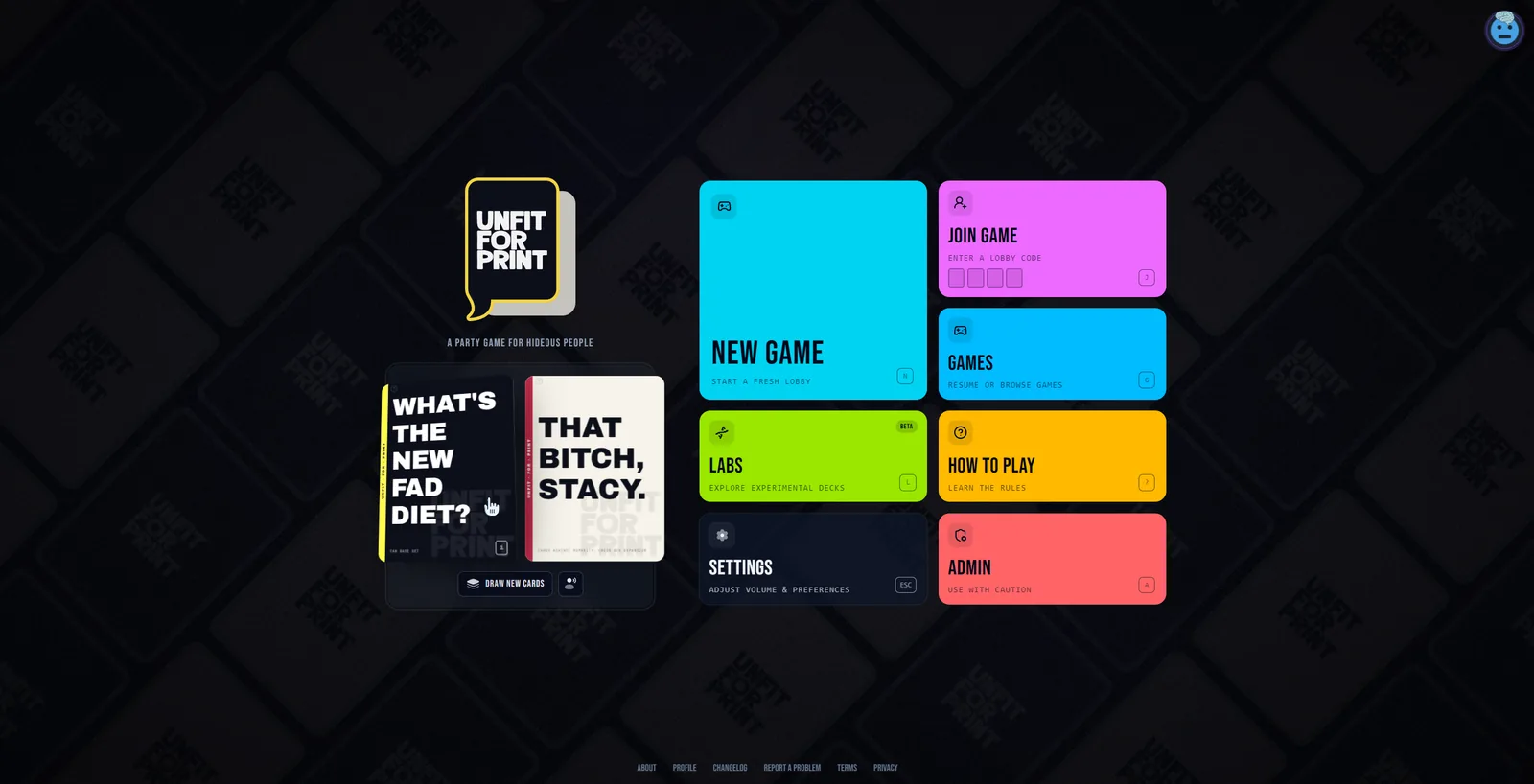
Unfit for Print is a Cards Against Humanity-style game for the browser. Start a lobby, share the four-letter code, and take turns being terrible. One player judges each round, everyone else plays their worst white card, and the judge picks a winner. First to the target score wins.
Made by MYND at PPO.GG.
Not affiliated with Cards Against Humanity — we just love their game.
Screenshots
 |
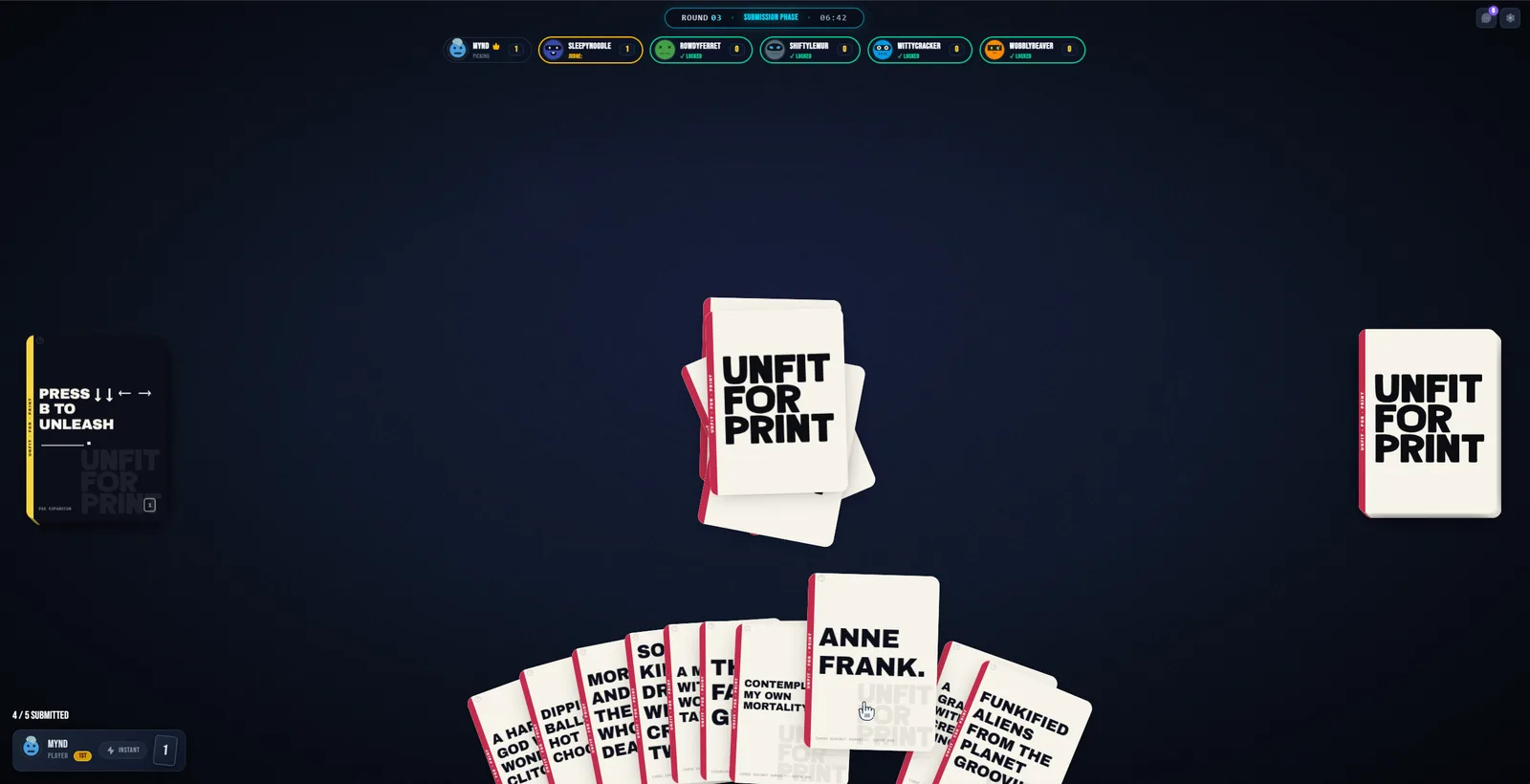 |
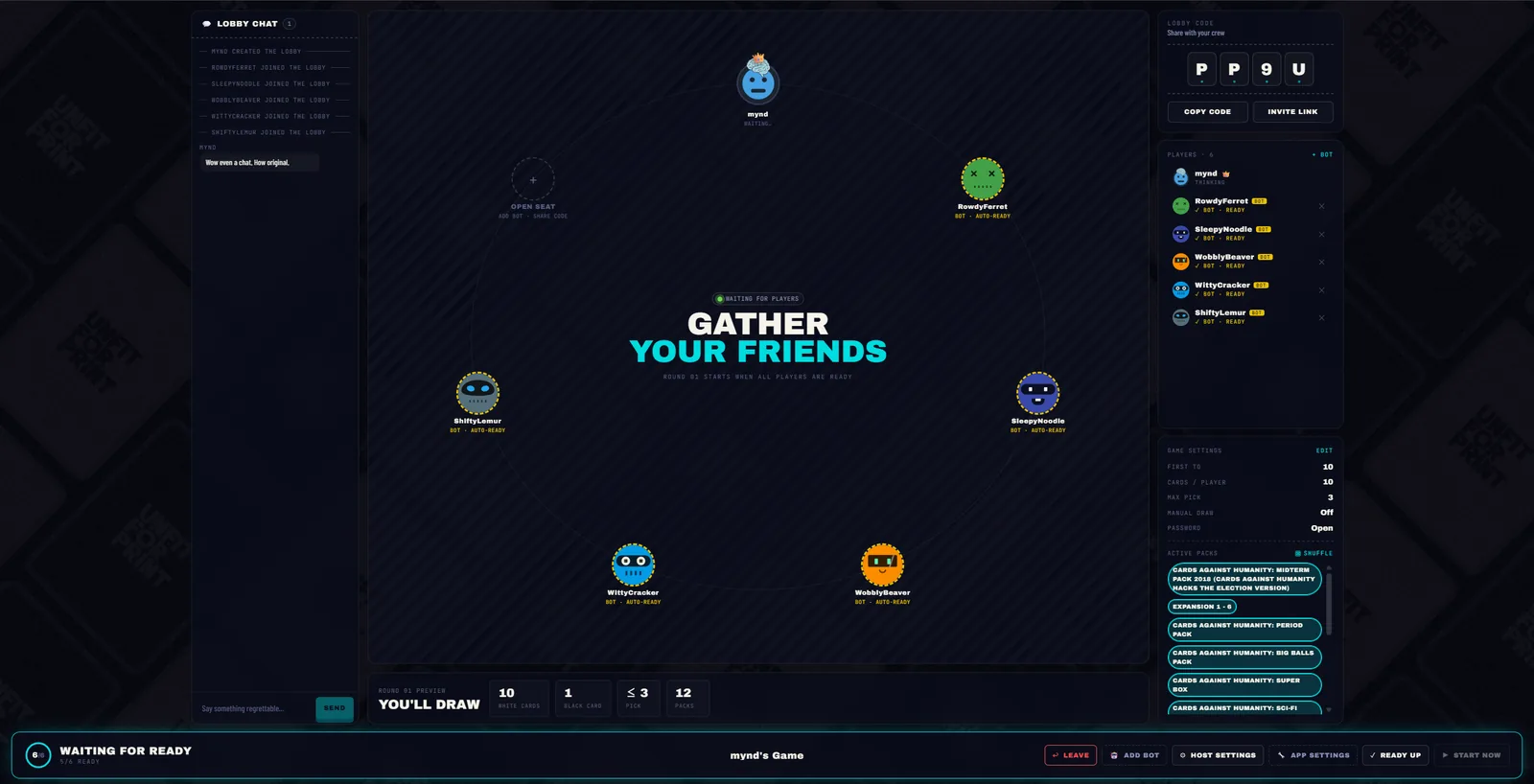
| The lobby: fill empty seats with bots while you wait for friends | Mid-round: pick a card from your hand before the judge reveals |
Features
At the table
- Real-time multiplayer. Every play, reveal and pick syncs instantly across the table.
- Rotating judge. Everyone takes a turn choosing the funniest (or most horrible) answer, and the judge can skip one dud prompt per round.
- Bots. The host can fill empty seats with up to five bots, so a game of three still feels like a party.
- Card packs. Choose which decks to play with each game, including the community-made Unfit Labs pack.
- Read aloud. The judge can have cards read out to the whole table with text-to-speech.
- Host controls. Set the target score and hand size, and skip a stalled player or judge so the round keeps moving.
- Spectators. Watch a game in progress and deal yourself in when you're ready.
Lobbies and social
- Public or private lobbies. Browse open games or share a code and invite link. Private lobbies can require a password.
- Lobby chat for talking trash between rounds.
- Discord Activity. Play right inside a Discord voice channel.
- Discord login or guest. Jump in without an account, or sign in to keep your profile.
- Avatar decorations to dress up your seat.
Unfit Labs
- Write your own cards. Submit white or black cards, vote on other people's, and the best ones get adopted into the Unfit Labs pack.
Everywhere else
- 9 interface languages: English, Spanish, French, German, Portuguese, Russian, Japanese, Korean and Chinese. Card text stays in English because the jokes don't survive translation.
- Installable as a PWA on desktop and mobile.
- Sound effects to keep the energy up.
Tech stack
| Layer | Tech |
|---|---|
| Framework | Nuxt 4, Vue 3 Composition API |
| UI | Nuxt UI v4, Tailwind CSS 4, GSAP |
| Real-time | Yjs CRDTs on Cloudflare Durable Objects |
| Backend | Nitro server routes, PostgreSQL with Drizzle ORM |
| Auth | Discord OAuth2 and guest accounts (nuxt-auth-utils) |
| i18n | @nuxtjs/i18n, 9 locales |
| Testing | Vitest |
| Hosting | Self-hosted Docker images, published to GHCR on release |
How it works
State is split by how long it needs to live.
- Live game state (hands, submissions, scores, whose turn it is) lives in a Yjs document. Every game action runs in the players' browsers and syncs through the sync worker in
sync-worker/, a Cloudflare Worker with one Durable Object per lobby. The document is saved to Durable Object storage, so it survives restarts and deploys, and is deleted 10 minutes after the last player leaves. - Durable data (users, lobbies, cards and packs, Labs submissions, reports) lives in Postgres and is reached only through the Nitro API in
server/api/.
flowchart LR
    B1[Player browser] <-- Yjs over WebSocket --> T[Sync worker]
    B2[Player browser] <-- Yjs over WebSocket --> T
    B1 -- REST --> W[Nuxt / Nitro API]
    B2 -- REST --> W
    W --> DB[(PostgreSQL)]
The game rules live in app/composables/useYjsGameEngine.ts. For the full architecture, conventions and gotchas, read AGENTS.md.
Running locally
You'll need Node 22, pnpm 10 (corepack enable gets you the pinned version), and Postgres 16. Docker is the easiest way to get Postgres.
1. Install and configure
pnpm install
cp .env.example .env
DATABASE_URL and NUXT_SESSION_PASSWORD are required. Generate the session password with openssl rand -base64 32. Everything else is optional: the Discord keys are only needed for Discord login and the Activity, and the TTS and R2 keys only for read-aloud voices and decoration uploads. Guest play works without them.
2. Start Postgres and apply migrations
docker run -d --name unfit-postgres -p 5432:5432 -e POSTGRES_USER=unfit -e POSTGRES_PASSWORD=unfit -e POSTGRES_DB=unfit postgres:16-alpine
pnpm db:migrate
That container matches the default DATABASE_URL in .env.example.
3. Run the sync server
.env.example points at the production sync worker (wss://sync.unfit.cards). For development, run your own so your test lobbies stay local:
cd sync-worker && pnpm install && cp .dev.vars.example .dev.vars && pnpm dev
Then set NUXT_PUBLIC_LOBBY_TELEPORTAL_URL=ws://localhost:1235 and NUXT_SYNC_ADMIN_TOKEN=dev-sync-admin-token in .env.
4. Start the app
pnpm dev
The app runs at http://localhost:3000.
5. Add some cards
A fresh database has no cards. To load some, sign in once (guest is fine), then make yourself an admin by setting is_admin = true on your row in the users table. pnpm db:studio is the quickest way to do that. Then open /admin/cards/upload and upload a card-pack JSON: an array of { name, white: [...], black: [{ text, pick }] } packs. The schema is in server/api/dev/seed.ts.
Tests
pnpm test
The server and database suites delete table data before every test, so they refuse to run unless TEST_DATABASE_URL is set and differs from DATABASE_URL. Point it at a throwaway database, never your real one:
docker run -d --name unfit-postgres-test -p 5433:5432 -e POSTGRES_USER=unfit -e POSTGRES_PASSWORD=unfit -e POSTGRES_DB=unfit postgres:16-alpine
Then apply migrations to it with DATABASE_URL=$TEST_DATABASE_URL pnpm db:migrate.
Contributing
Found a bug or have an idea? Open an issue. Pull requests are welcome.
- Commits follow Conventional Commits, and commitlint enforces this in CI. The scopes in use are
web,serverandbot. - release-please builds releases and the changelog from those commits, so don't edit
CHANGELOG.mdor the version inpackage.jsonby hand. - All work targets
main. - New user-facing strings go in
i18n/locales/en.jsonat minimum.
Still in active development. Things might break, and things might not work as intended.
License
Licensed under CC BY-NC-SA 4.0. See LICENSE for details.