



Local-first design software for vector, layout, typography, motion, prototyping, and print — one application, no subscription, no cloud account.

Public beta. This repository contains the
0.5.1update. The download page lists verified published application installers for Linux, macOS, and Windows, with their signing status. Core workflows are usable today, but the.varvedocument format and interfaces can still change. Platform signing and updater signatures are verified separately; check the download guidance for the chosen build. Update checks run only after you enable them.



Website · Docs · How it's built · Releases · Discussions
Design, illustrate, and publish — locally, without subscriptions. Vector graphics, typography, layout, motion, and print production in one application. Free under FSL-1.1-MIT (converts to MIT after 2 years), runs on Linux, macOS, and Windows, with an experimental browser build.
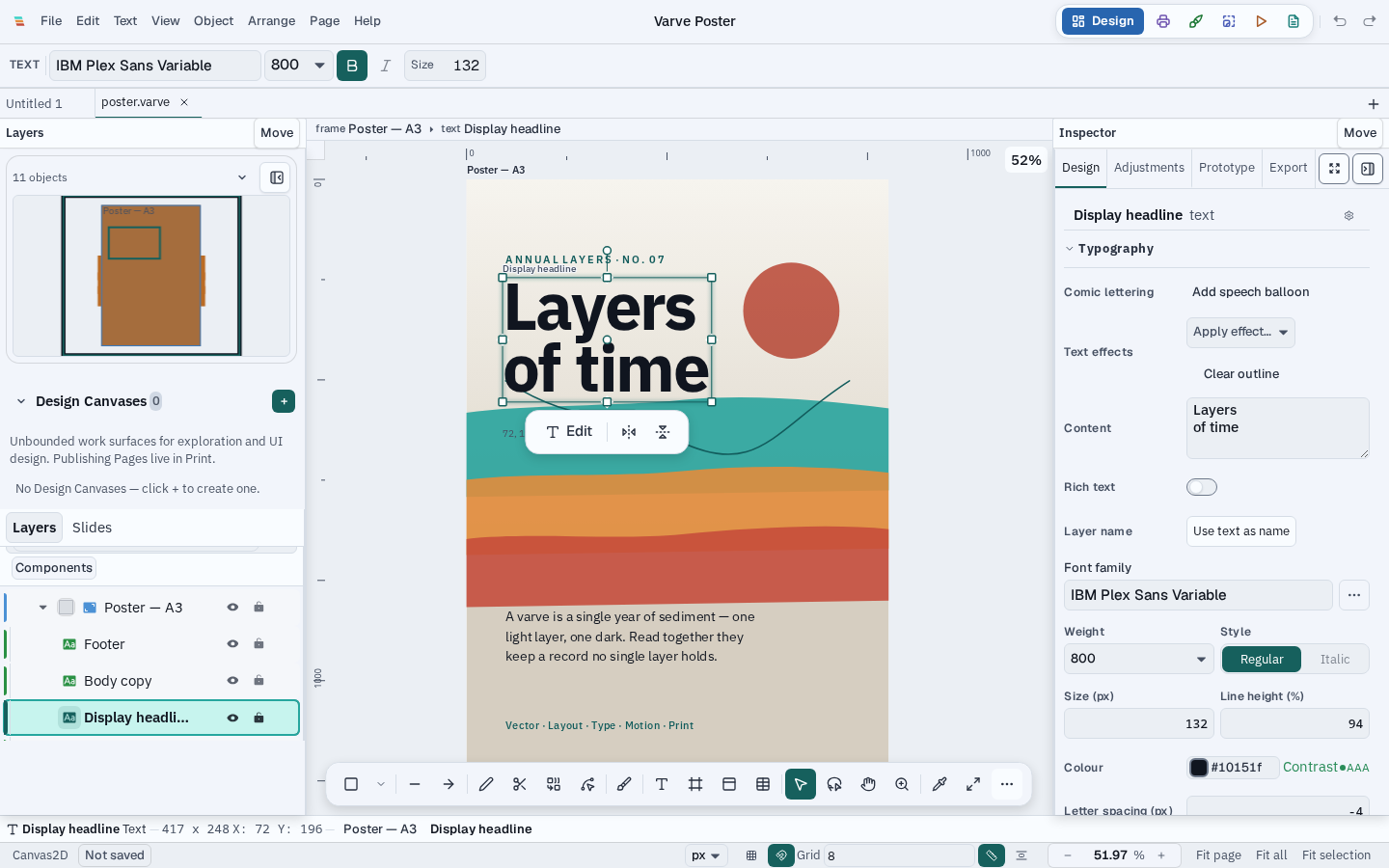
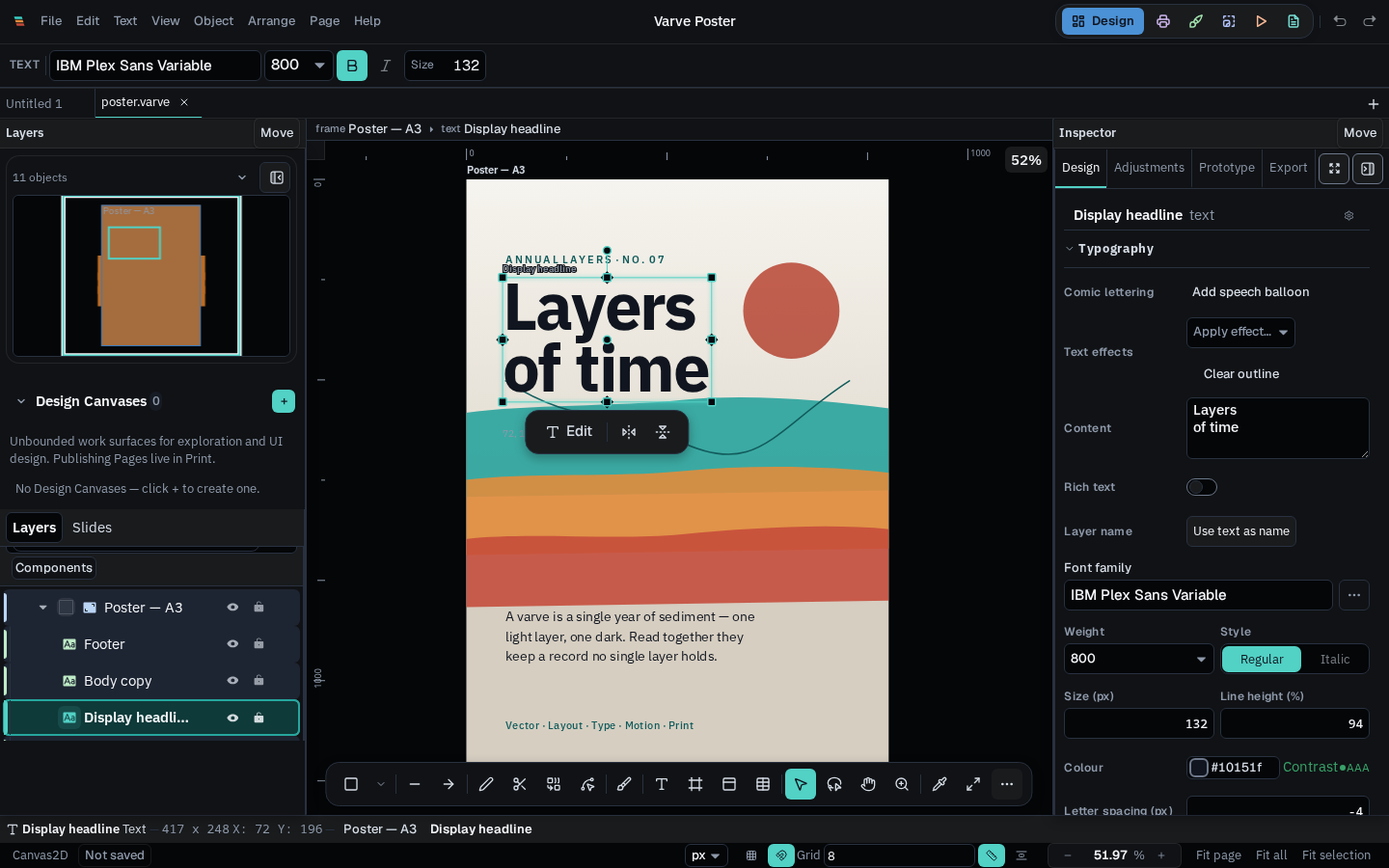
Watch the 15-second deterministic editing workflow — select a headline, edit a Bézier path, and open export.
What works today
- Six task workspaces — Design, Print, Draw, Photo, Motion, and Email share one document. Panels can be docked, split, floated, and restored; Logo tools stay in Design and Code export is available from every workspace.
- Vector and layout — paths, Boolean operations, Shape Builder, node editing, multi-page documents, flex/grid layout, reusable components, and pattern definitions with bounded editing and export support.
- Typography — paragraph and character styling, supported OpenType features, variable-font axes, text-on-path, and shaped-glyph outlines.
- Illustration and comics — brush opacity/flow, stylus controls, separable flats and shading, panel layouts, editable captions and balloons, and localization-aware lettering.
- Photo work — adjustments, retouching, tracing, masks, and colorization; supported RAW input and model-assisted workflows have documented limits.
- Motion and prototyping — a timeline with keyframes, easing, and interactive prototypes. Motion is still in public beta.
- Presentation decks — ordered editable frames with preview and raster PDF or PNG delivery. The PDF is not editable or searchable and has no tagged reading order.
- Print production (desktop) — CMYK via ICC profiles, PDF/X export, and printer marks. Export support varies by format and document content.
- Tokens and local plugins — manual token import/re-import and bounded local WebAssembly plugins for selected-layer analysis and batch renaming; there is no automatic token write-back or plugin marketplace.
- Export — SVG, PDF, React, Svelte, Vue, Flutter, SwiftUI, email HTML, Web Components, Tailwind, and Lottie/CSS/SVG animation, computed locally.
- Images and local intelligence — adjustments, effects, background removal, palette extraction, object selection, depth blur, on-device enhancement, and Generative Edit (mask-guided Fill, Remove, and Expand on one selected image; Replace and prompt-conditioned modes stay gated until a qualified local model exists). AI features are on in Settings by default and can be turned off. Larger models download only when requested.
Not yet implemented: real-time collaboration exists only as UI scaffolding. The native desktop application is the full product; an experimental browser build is available at varve.studio/try, and Varve on Chromebook explains the browser, installed-web-app, and ChromeOS Linux routes.
See Varve in action
Screenshots are generated by the deterministic capture pipeline
(pnpm screenshots:product) from the running application against seeded
demo documents — never hand-edited. See
scripts/screenshots/README.md.
A short deterministic workflow recording (select, node-edit, export) plays
on varve.studio/product; GitHub renders the
verified still above, with the video available from the linked
product page.
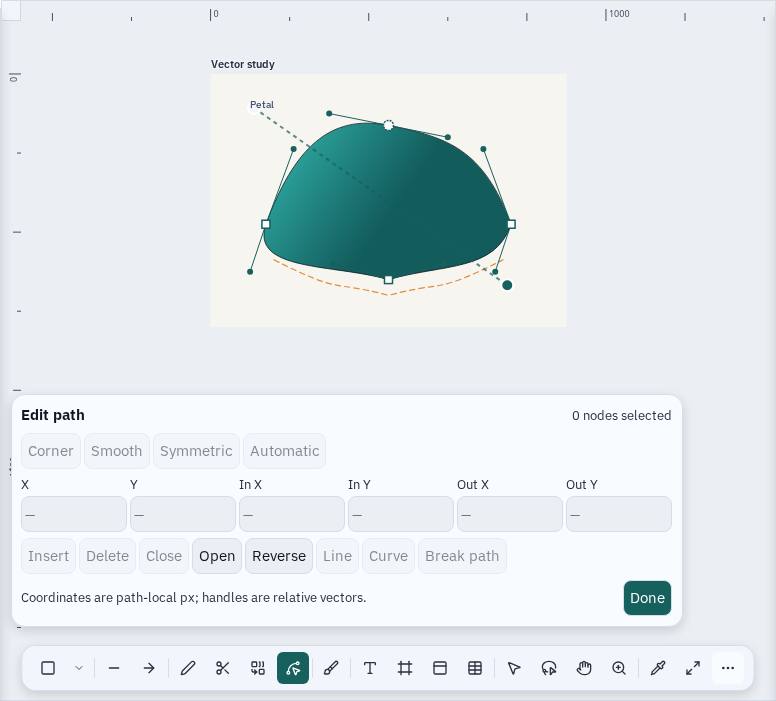
Node editing with live Bézier handles |
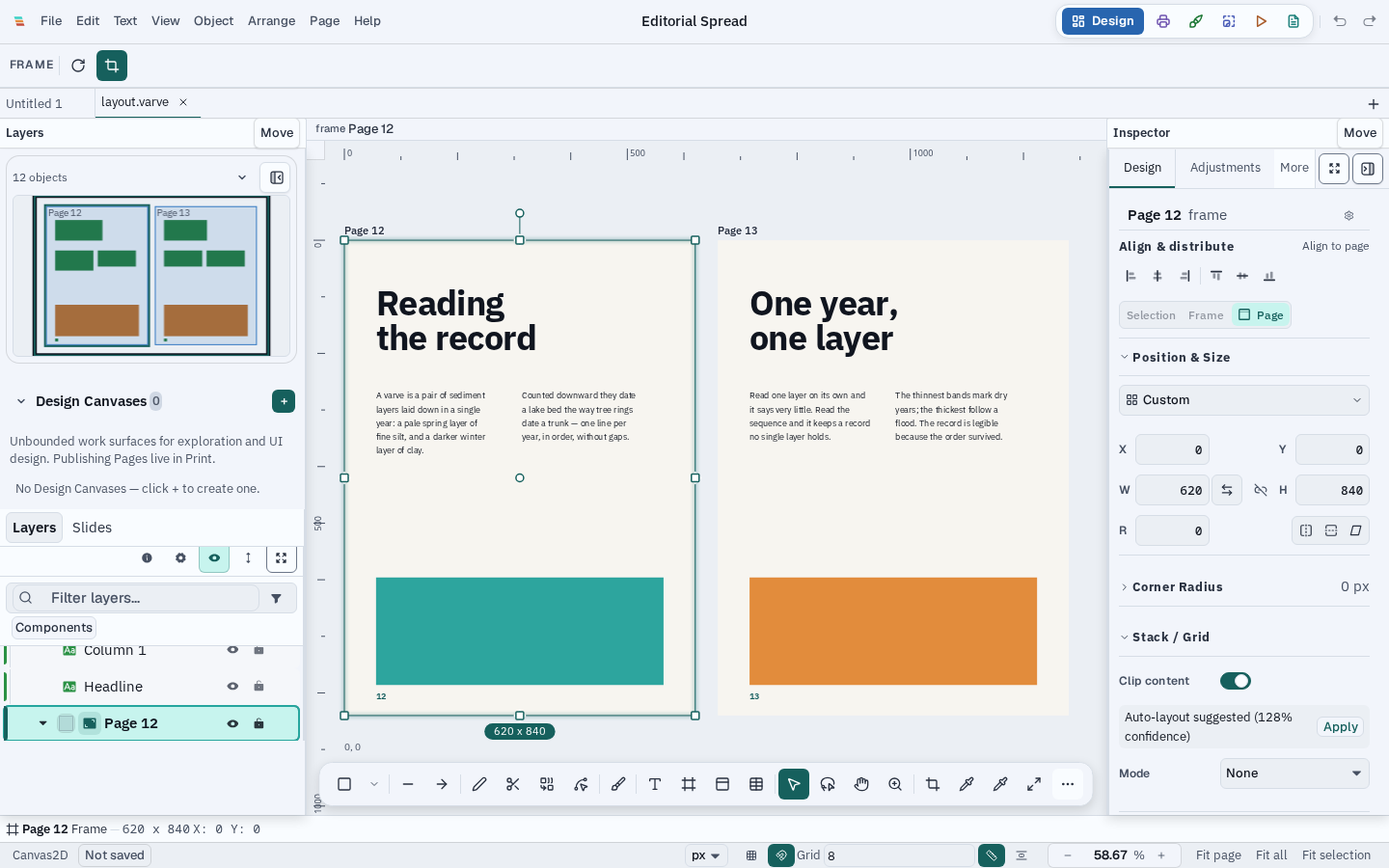
A multi-page editorial spread |
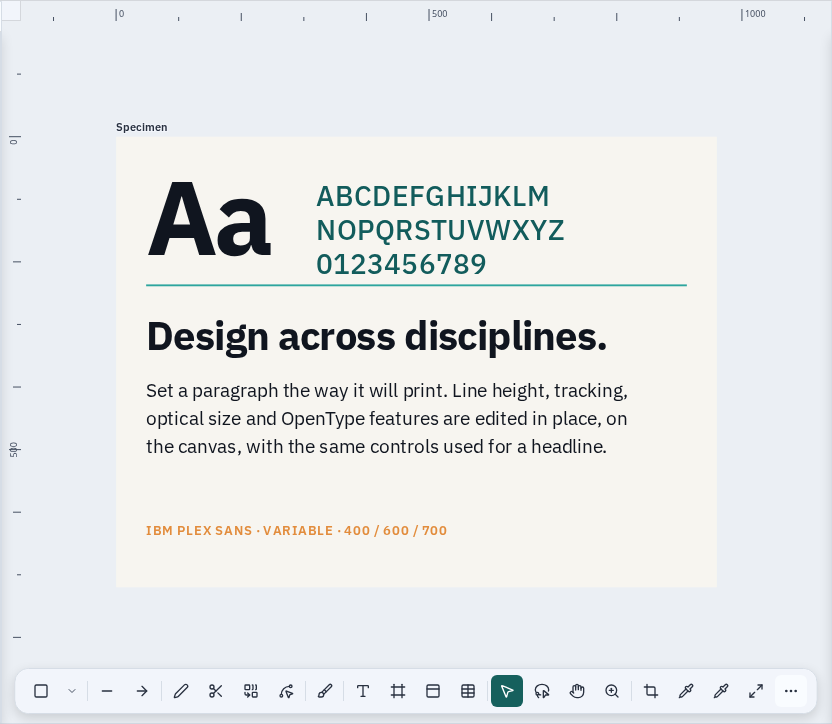
A type hierarchy set on the canvas |
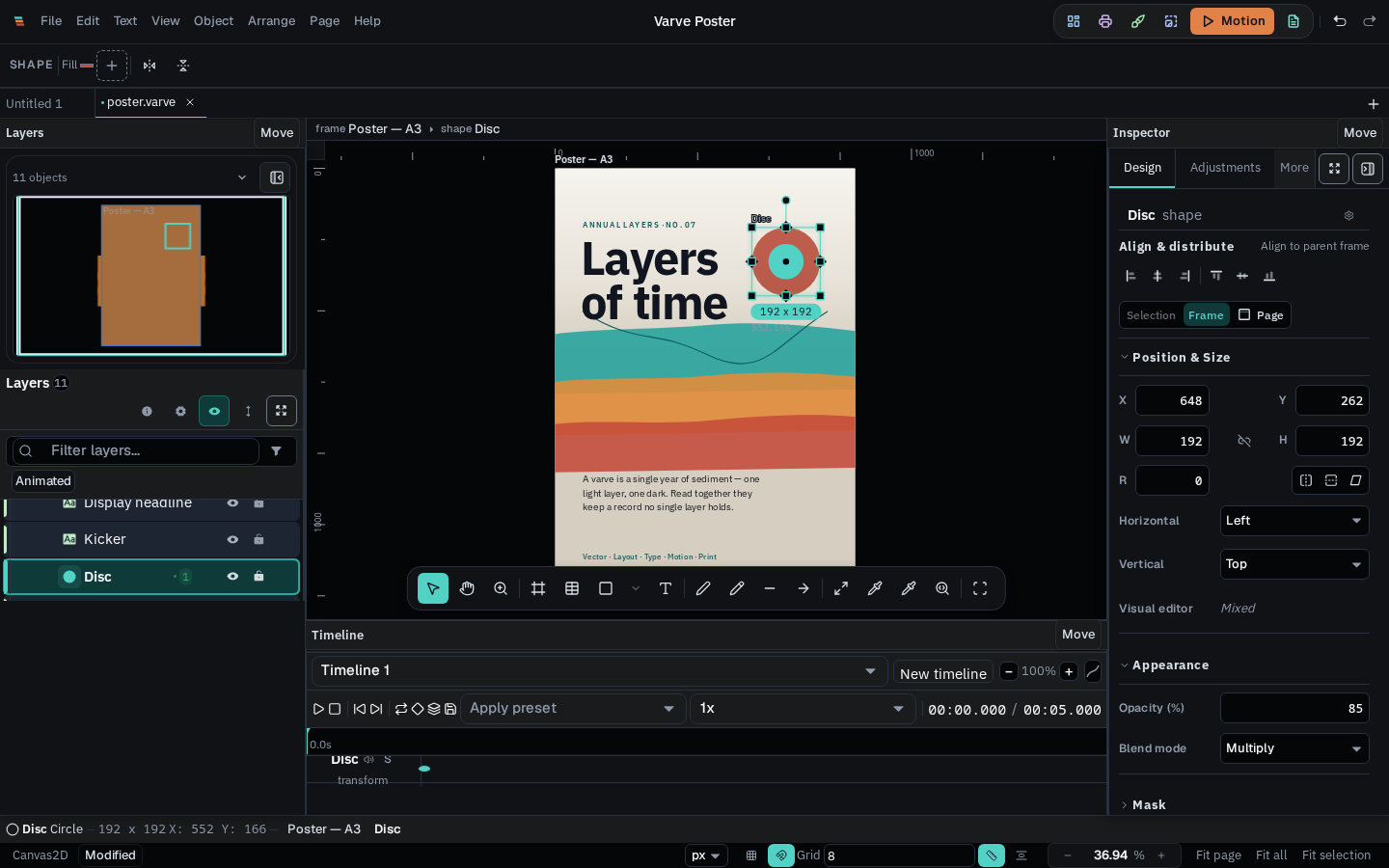
The timeline panel in the motion workspace |
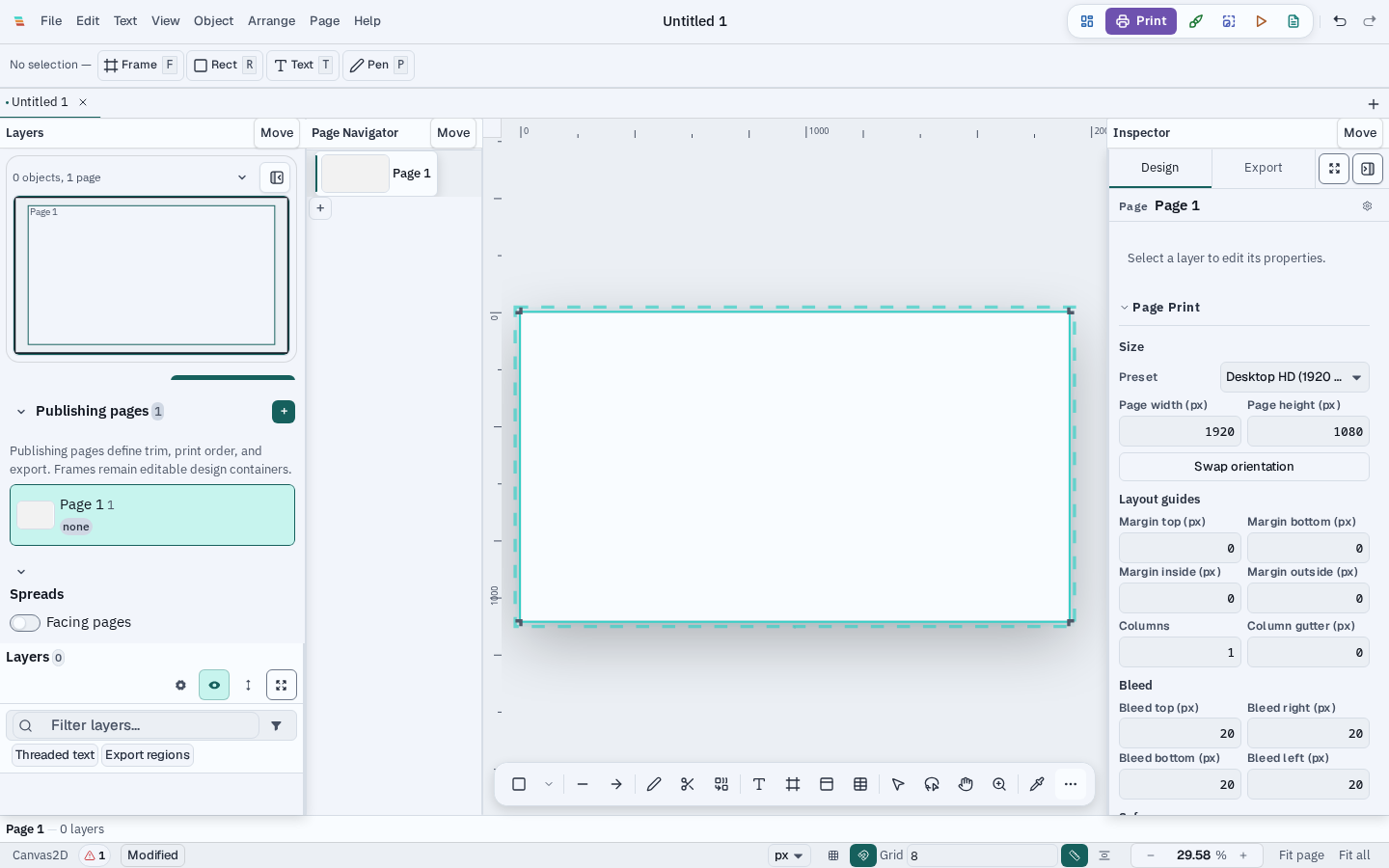
Bleed and trim guides for print production |
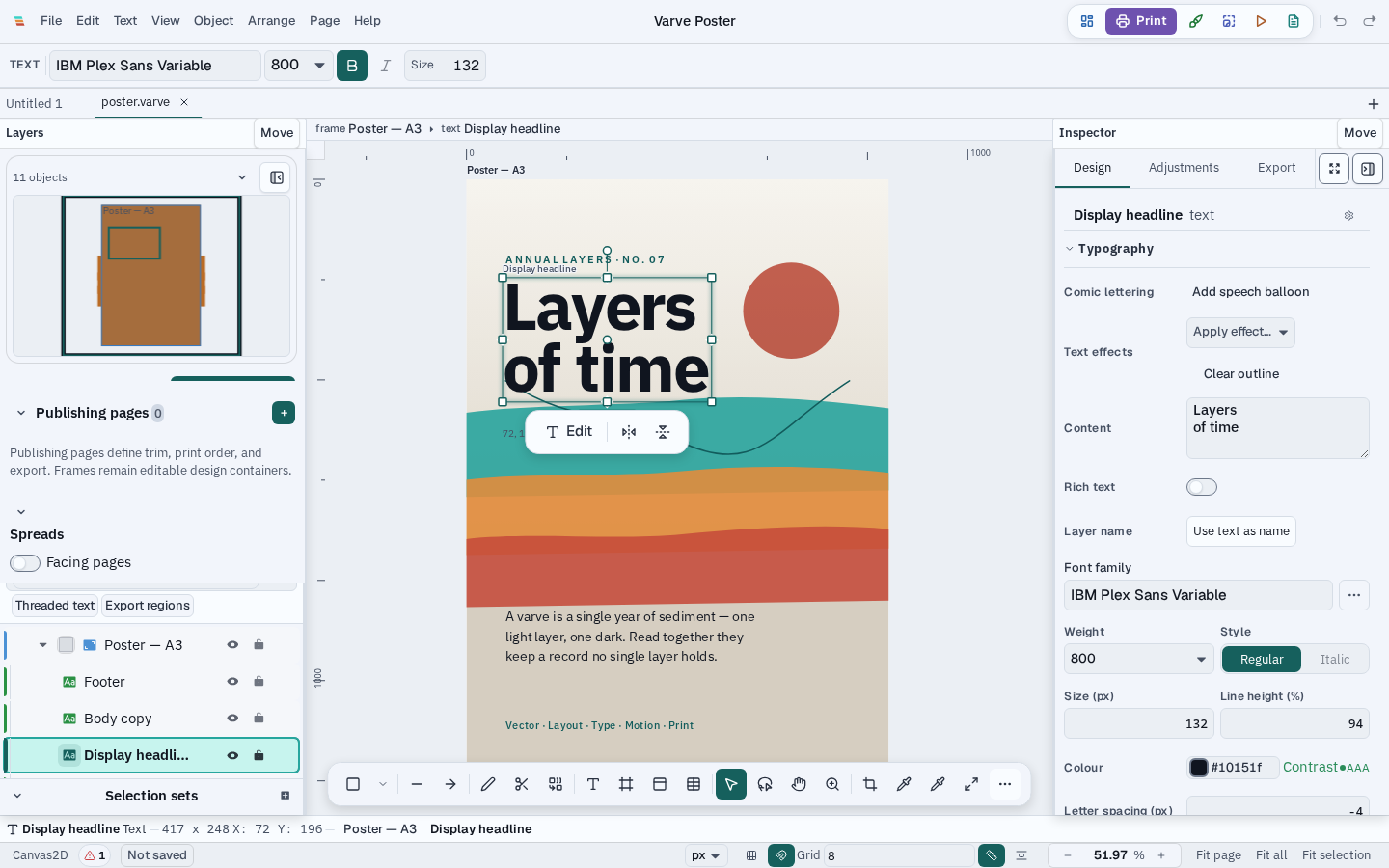
Workspaces swap panels for the task |
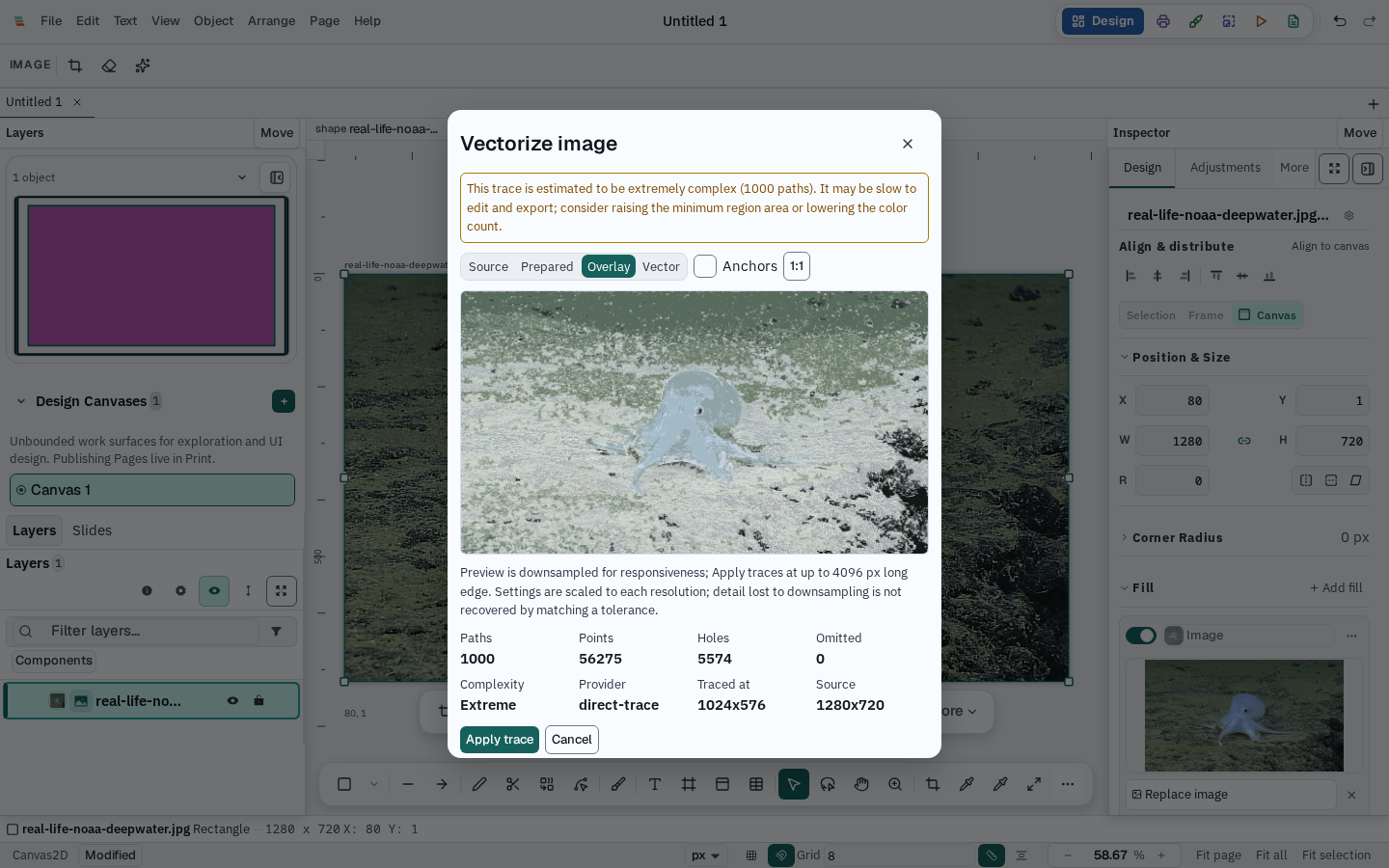
Trace an image into editable paths |
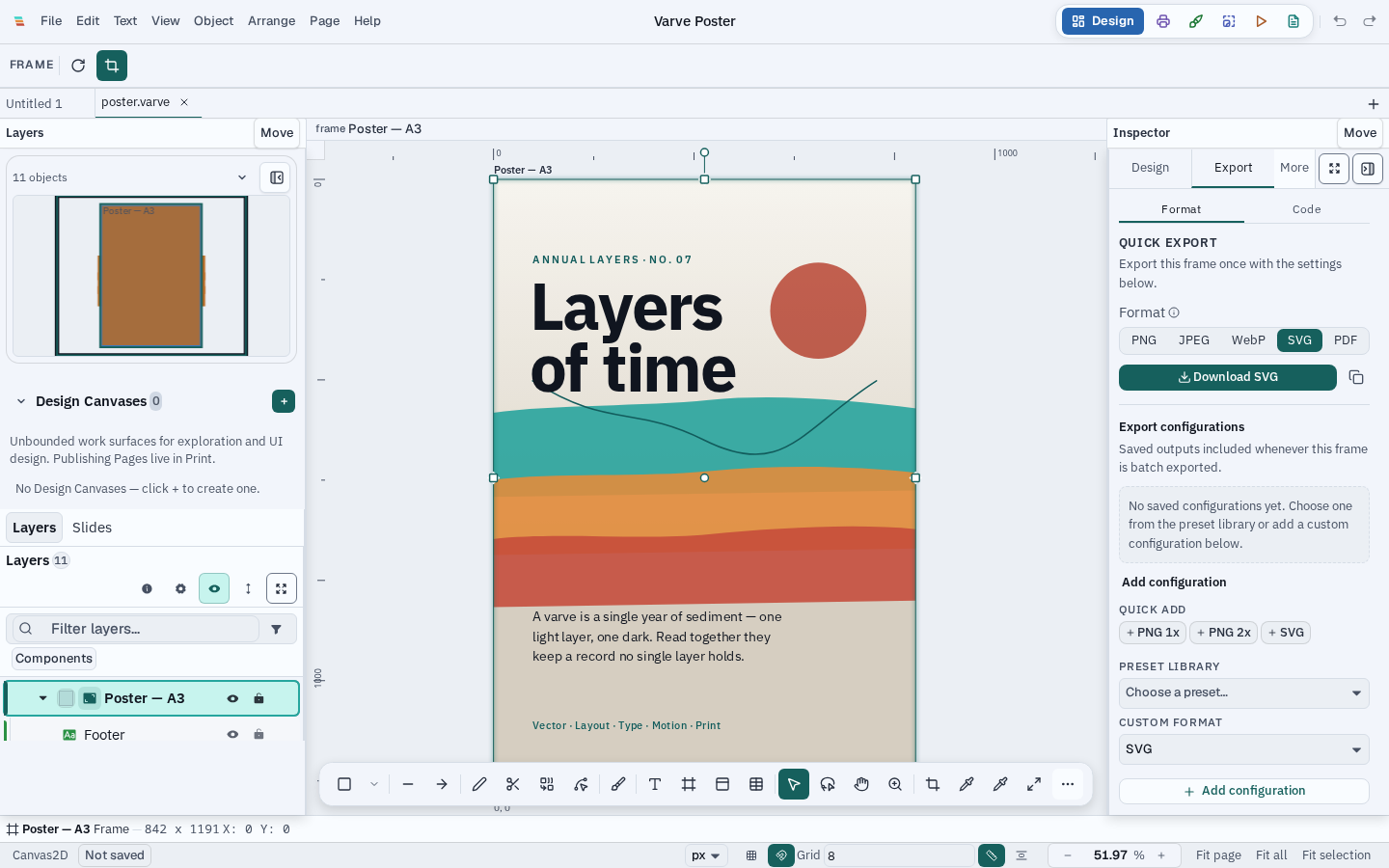
Export to SVG, PNG, WebP, or PDF |
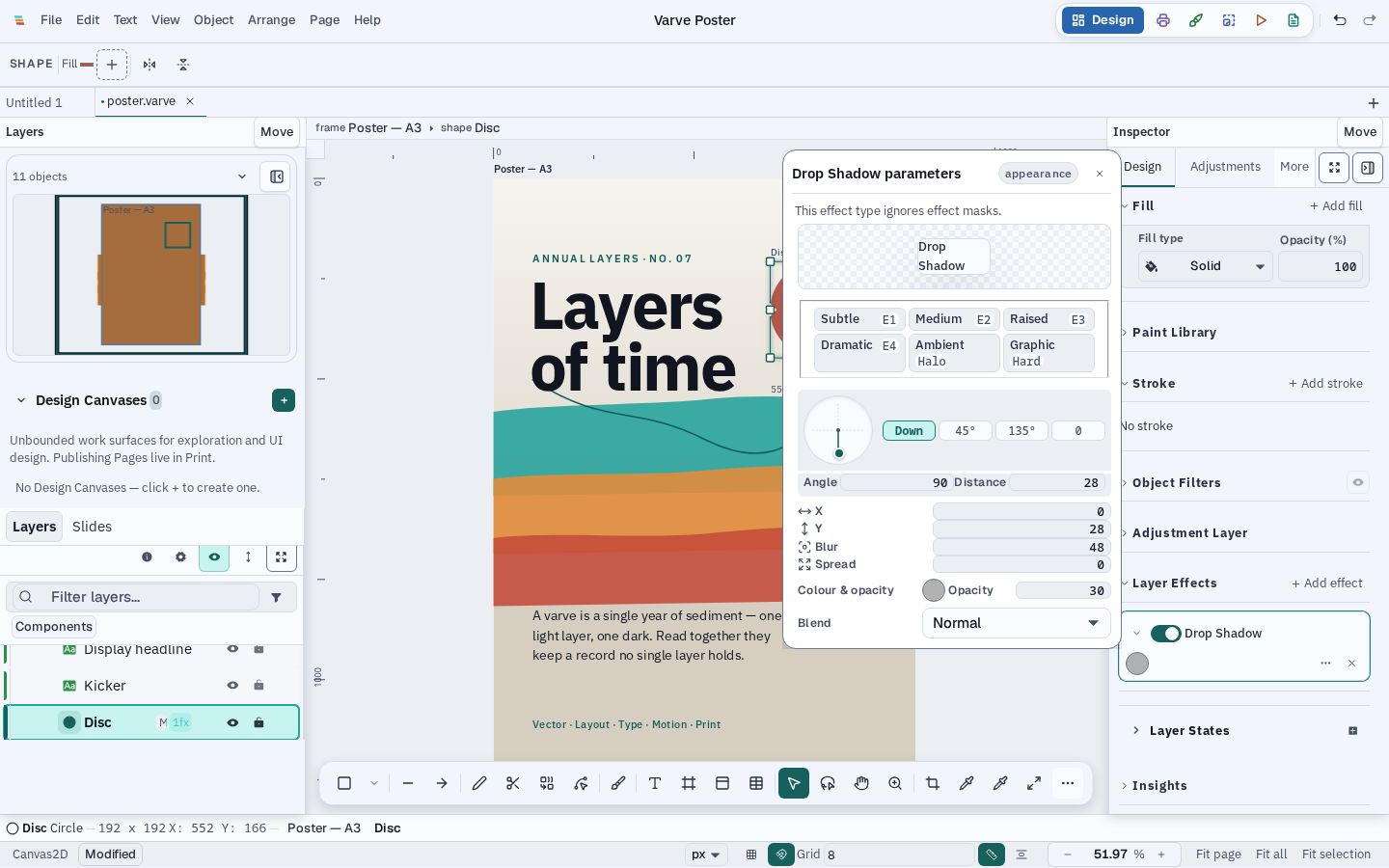
Stackable, non-destructive effects |
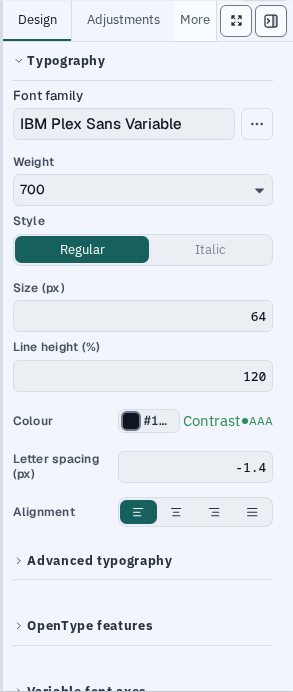
Type controls for the selected text |
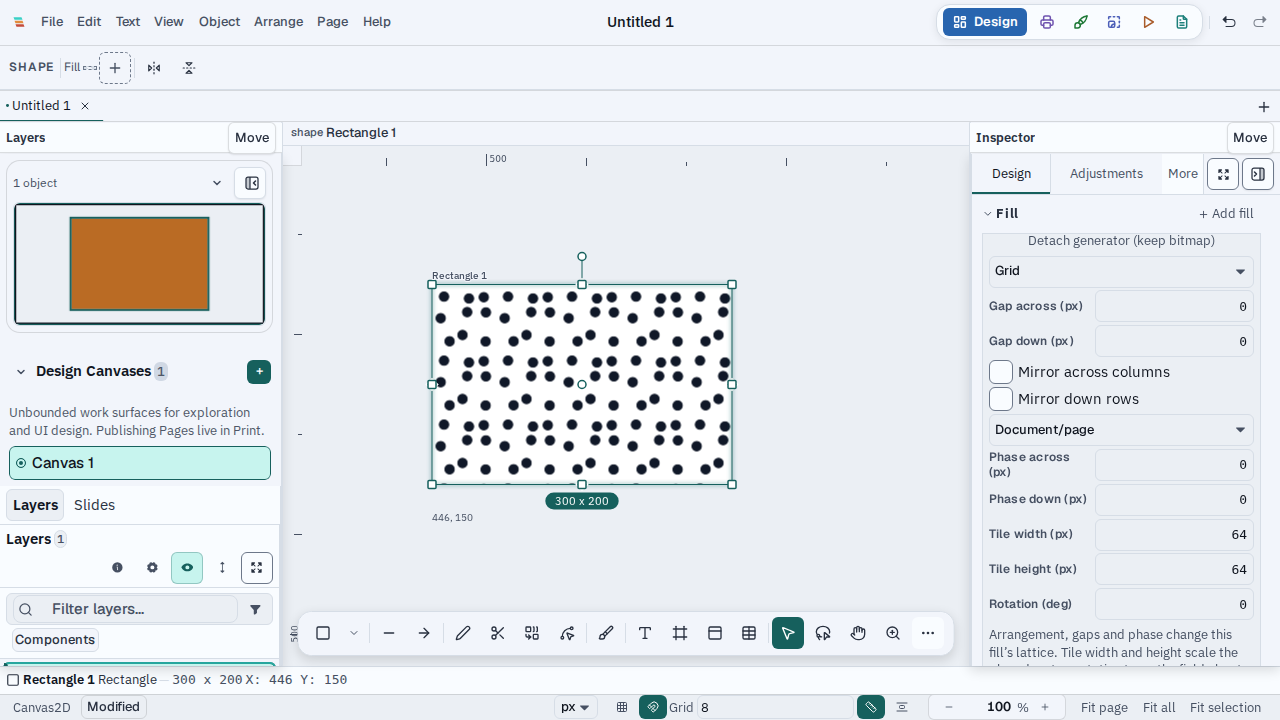
Apply a reusable pattern and align it to the document |
Download
Get application installers from the Varve download page or the Varve v0.5.1 release. Optional AI models are published as separate releases.
Platform support
| Platform | Package | Status | Signing |
|---|---|---|---|
| Linux x86_64 | AppImage · .deb · .rpm |
Tier 1 on tested Arch/CachyOS; best effort on other distributions | Unsigned — SHA-256 checksums, SBOM, and build provenance published |
| Linux ARM64 | AppImage · .deb · .rpm |
Best effort — native ARM64 release qualification passed | Unsigned — SHA-256 checksums, SBOM, and build provenance published |
| macOS 13+ Apple Silicon (arm64) | .dmg |
Best effort — release qualification passed; ongoing Mac hardware coverage is limited | Unsigned, not notarized |
| Windows 10 (1809+) / 11 x86_64 | NSIS .exe |
Best effort — native release qualification passed | Unsigned |
| Windows 10 (1809+) / 11 ARM64 | NSIS .exe |
Best effort — native ARM64 release qualification passed | Unsigned |
| macOS Intel (x86_64) | — | Not published | — |
Minimum 4 GB RAM (8 GB recommended), 500 MB storage. Full detail and the policy behind each tier: docs/release/platform-support-matrix.md.
Privacy and local-first operation
Core editing works fully offline and no account is required. Varve does not send analytics or crash reports by default. Network access is feature-specific and may be used for:
- Optional model downloads, fetched from the model provider shown in the model dialog and verified against a pinned checksum when one is available.
- Online font and icon search, when you invoke those providers.
- Update checks, only after you enable them. The published stable feed carries Tauri-signed metadata for Linux AppImage and Windows NSIS builds on both x86_64 and ARM64, plus Apple Silicon macOS app updates. Installed Debian/RPM packages and unsupported or non-writable copies update manually. Tauri update signatures are separate from platform code signing. Update checks send only your current version, platform, architecture, and release channel — no document data or device identifiers.
- Optional cloud providers, only when you configure and invoke one (for example, a user-supplied background-removal endpoint).
- Website and browser-demo analytics, GoatCounter only after Allow. The desktop app sends no usage stats. Crash reports remain local unless a build explicitly configures an upload endpoint; the public build does not.
Develop Varve
Full instructions, prerequisites, and per-OS system packages: docs/development/setup.md.
git clone https://github.com/varvedesign/varve
cd varve
pnpm install
just check-env             # verify Rust, pnpm, just, and WebKitGTK pkg-config
Run the application:
cd apps/desktop
pnpm tauri:dev              # native desktop window (Tauri)
# or
pnpm dev                    # web build via Vite → http://localhost:1420
pnpm --filter @varve/ui storybook runs Storybook, the UI component
development environment — it is not the application.
Test and validate:
pnpm verify:affected        # impact-aware validation (default inner loop)
pnpm verify:push            # exact outgoing refs; reports CI deferrals
just test-rust              # cargo test --workspace
just test-js                # Vitest
See docs/development/setup.md#testing for the full validation strategy.
For GitHub Actions diagnosis and CachyOS local runner parity, see
docs/CI_CD_RESILIENCE.md. The shortest pre-push
checkpoint is pnpm verify:push; it validates the exact refs Git is about to
send and reports heavyweight CI deferrals without running the full suite.
Use pnpm verify:plan / pnpm verify:affected for current worktree changes,
bash scripts/install-ci-tooling.sh --check for runner parity, and
just ci-debug RUN_ID=<id> for a concise report from a failed remote run.
Architecture
Desktop shell (Tauri)
        ↓
Editor / scene model  (@varve/editor, @varve/scene)
        ↓
Engine abstraction     (@varve/engine — Tauri / WASM / in-memory)
        ↓
Rust native ⇄ WASM     (crates/varve-core, varve-layout, varve-effects, …)
        ↓
Render IR
        ↓
Canvas2D (default) / WebGPU and WebGL2 (experimental, opt-in)
The Rust engine computes a scene and emits a compact render IR; the webview replays it to Canvas2D by default. WebGPU and WebGL2 are opt-in experimental paths with hardware-dependent coverage and Canvas2D fallback. Start with the architecture overview, then see ADR-0001 for the rationale and docs/architecture/render-pipeline.md for the full pipeline. A bounded browser demo is hosted at varve.studio/try with honest capability messaging; the full product path is the native desktop application.
| Package | Purpose |
|---|---|
@varve/ui |
Design system tokens, APG-pattern components, icon system |
@varve/editor |
Editor shell, canvas, layers, inspector, tools, shortcuts |
@varve/engine |
WASM/native/stub engine facade with IR-replay renderer |
@varve/scene |
Immutable document model with ops |
@varve/codegen |
SVG, React, Svelte, Vue, Flutter, SwiftUI, Web Components, email HTML, and more |
@varve/platform |
Platform abstraction (Tauri/web/memory) |
apps/       desktop shell + website (Astro)
packages/   TypeScript packages (editor, engine, scene, ui, codegen, …)
crates/     Rust workspace (varve-core, varve-layout, varve-effects, …)
docs/       architecture, ADRs, release engineering, security, privacy
scripts/    release, screenshot, and quality-gate tooling
.github/    CI/CD workflows, issue templates, Dependabot
Project status
Varve is in public beta. The latest published application release is
v0.5.1, published on 2026-10-15 after the tagged candidate passed the
release and publication gates. v0.5.0 shipped on 2026-10-09 as the previous
public-beta release. Published installers cover Linux, macOS
(Apple Silicon), and Windows. This checkout
targets source version <!-- VARVE_VERSION -->0.5.1<!-- /VARVE_VERSION -->.
Versioning follows SemVer; release notes are kept in
CHANGELOG.md. Published v0.2.1 used document schema 2.21; this
source tree writes schema 2.33, including a migration that removes the
unwanted outline across existing pointed balloon tails. The app version and
document schema are separate. A 2.33 file may not open safely in older app versions, so back up
important documents and use v0.5.0 or later for files saved by this release.
Documents with the legacy .strata extension remain openable through the
migration pipeline.
Frequently asked questions
Is Varve free?
Yes. The Community Edition is free to download and use, with no subscription and no feature paywall.
Is Varve open source or source-available?
The application is source-available under FSL-1.1-MIT: the source is public and you may use, modify, and redistribute it for any purpose that doesn't compete commercially with Varve. Each release automatically converts to the plain MIT license two years after it ships. See LICENSE.
Several engine crates (varve-core, varve-colour,
varve-trace, and others) are licensed separately under
MIT OR Apache-2.0 — genuine OSI-approved open source. See
docs/licensing/mixed-license-model.md.
Does Varve require an account or the cloud?
No account is required, and core editing works fully offline. Optional network features include model downloads, online font/icon search, consented update checks, user-configured cloud providers, and aggregate analytics — see Privacy and local-first operation.
What operating systems does Varve support?
Linux, macOS, and Windows. See Platform support for per-platform maturity and signing status. There is no mobile build.