
Ventic
A media library and BitTorrent player for the desktop and Android TV
Keeps track of what you're watching, and plays torrents in a real mpv window rather than a
browser <video> tag — so half-downloaded MKVs, HEVC, AV1 and DTS all just play. Built with
Nuxt and Tauri, driven as happily by a TV remote as by a mouse.
[![Version][badge-version]][releases] [![License][badge-license]][license] [![Tauri][badge-tauri]][tauri] [![Nuxt][badge-nuxt]][nuxt] [![Engine][badge-engine]][librqbit] [![Platforms][badge-platforms]][releases]

Why Ventic · Features · Sources · Install · Build · Architecture · FAQ · Contributing
https://github.com/user-attachments/assets/2d0bd58f-c838-43e2-a0ce-e503f9317aa8
One minute, end to end · browsing, themes and backgrounds, then a torrent playing in the embedded mpv window with the subtitle menu open.
Important
Ventic hosts no content and indexes no content. It ships with no sources, searches nothing on its own, and will not suggest anywhere to look. A source is a URL you add — see Sources. With none configured, Ventic is a general-purpose torrent client with a very good player attached.
Table of contents
Why Ventic
Most torrent-backed players are a browser <video> tag in a trench coat, and the codec support
shows. Ventic embeds the real thing and keeps the library around it honest and local.
- A real mpv window, not a video tag. On Linux and Windows the Rust side parents an actual mpv window into the page and keeps it glued to a box in the layout. mpv carries its own ffmpeg, so HEVC, AV1, 10-bit, E-AC-3, DTS and half-downloaded MKVs play with no codec packs.
- The engine is in the app. [librqbit][librqbit] runs in-process — a full downloads UI with file pickers, seeding, speed limits and a disk budget, not a hidden cache.
- Streaming while it downloads. Playback starts on the first bytes; already-downloaded titles replay with no TMDB lookup, no source search and no peers.
- One player, three backends. Where mpv can't be embedded, ExoPlayer (Android) or the
webview's
<video>answers the same command protocol, so there is one player component and one set of controls rather than three. - Your library stays yours. History, progress, favourites and the watchlist live in this device's storage. No Ventic account and no Ventic server — one file carries the lot, and sync goes through a WebDAV folder you already have.
- Usable from the sofa. Full d-pad navigation, focus-first styling and an Android TV build — a remote reaches everything a mouse does.
- No sources, ever. The empty source list is a deliberate feature, not an oversight. It is the whole reason this project can be published.
Feature Tour
|
Browse and track Home, Movies, TV, Anime, Search, plus Favourites, Watchlist and History. TMDB metadata throughout — posters, backdrops, cast, ratings, per-episode watched state and resume points. Live TV from an M3U playlist or an Xtream login, and a profile per person. |
Play anything Embedded mpv on the desktop, ExoPlayer on Android, |
Own the pipes An in-process BitTorrent engine with a real downloads page: magnets, |
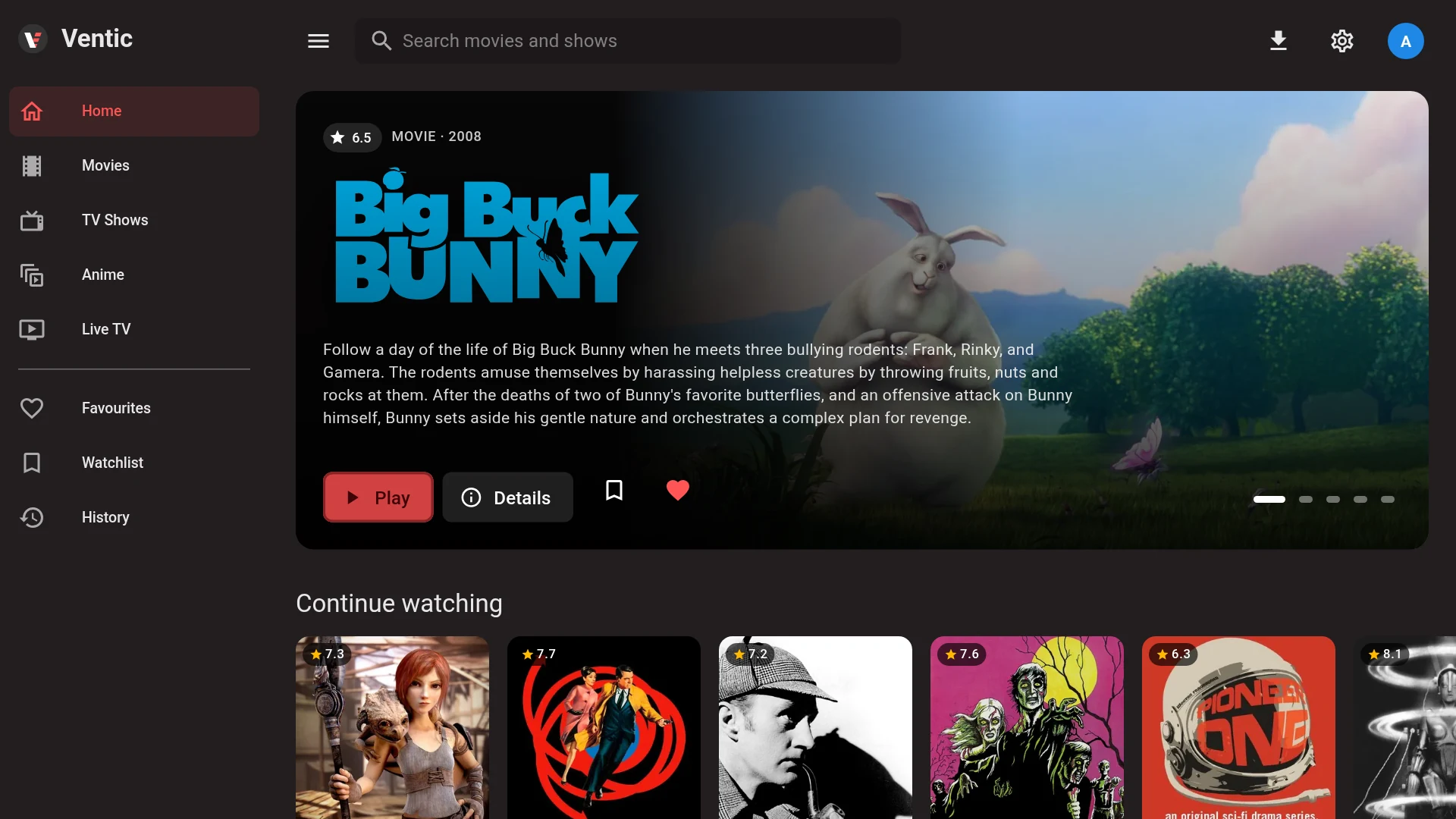
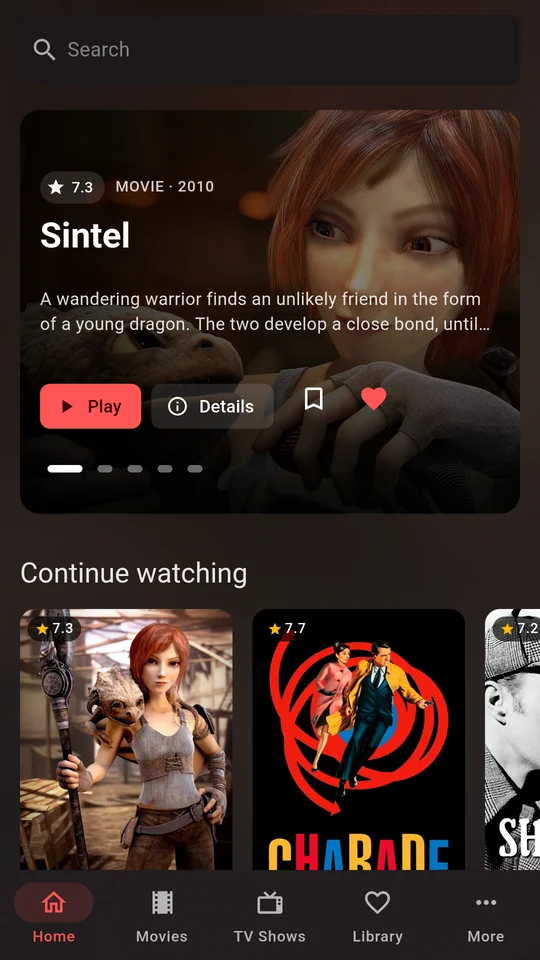
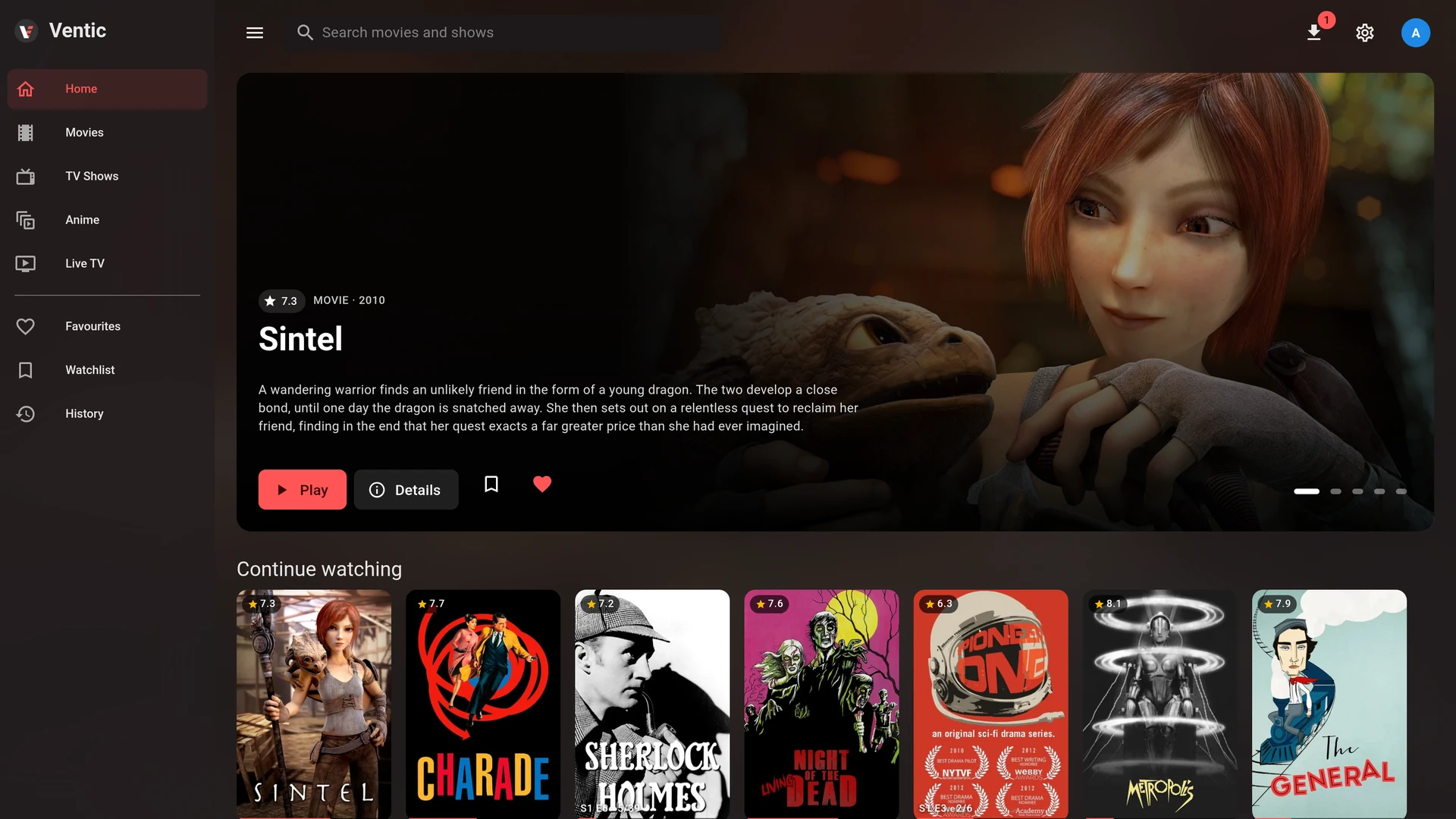 Home · a featured title, then Continue watching across films and episodes, then TMDB's lists. |
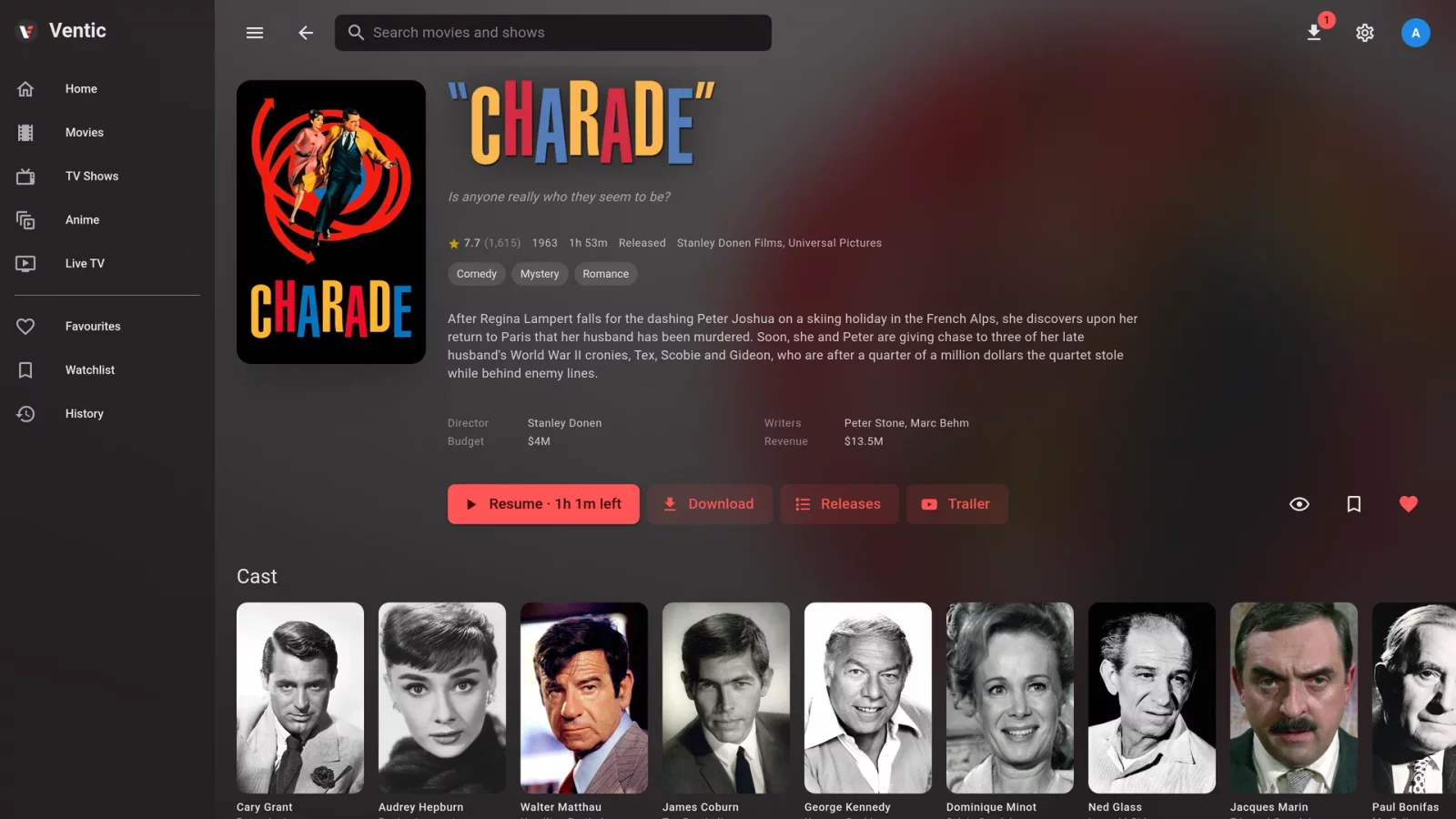
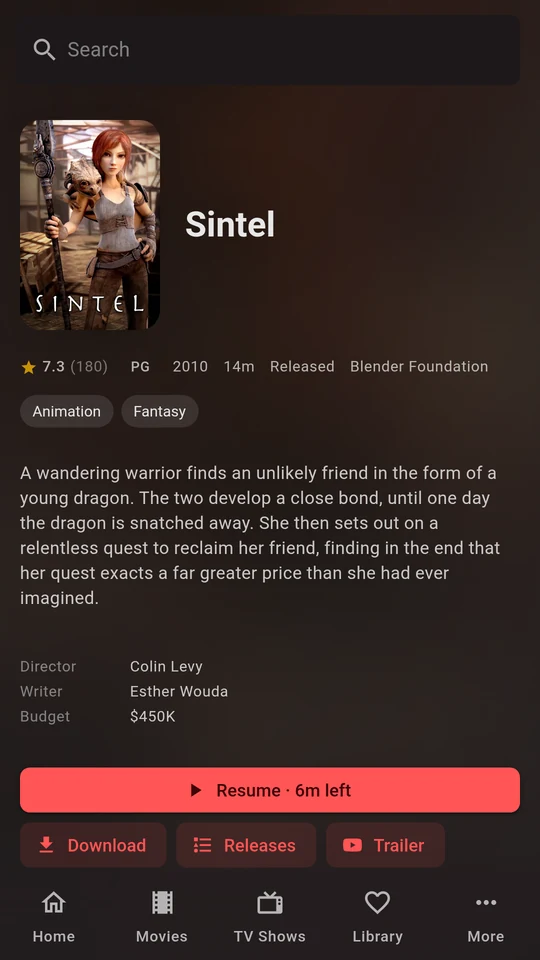
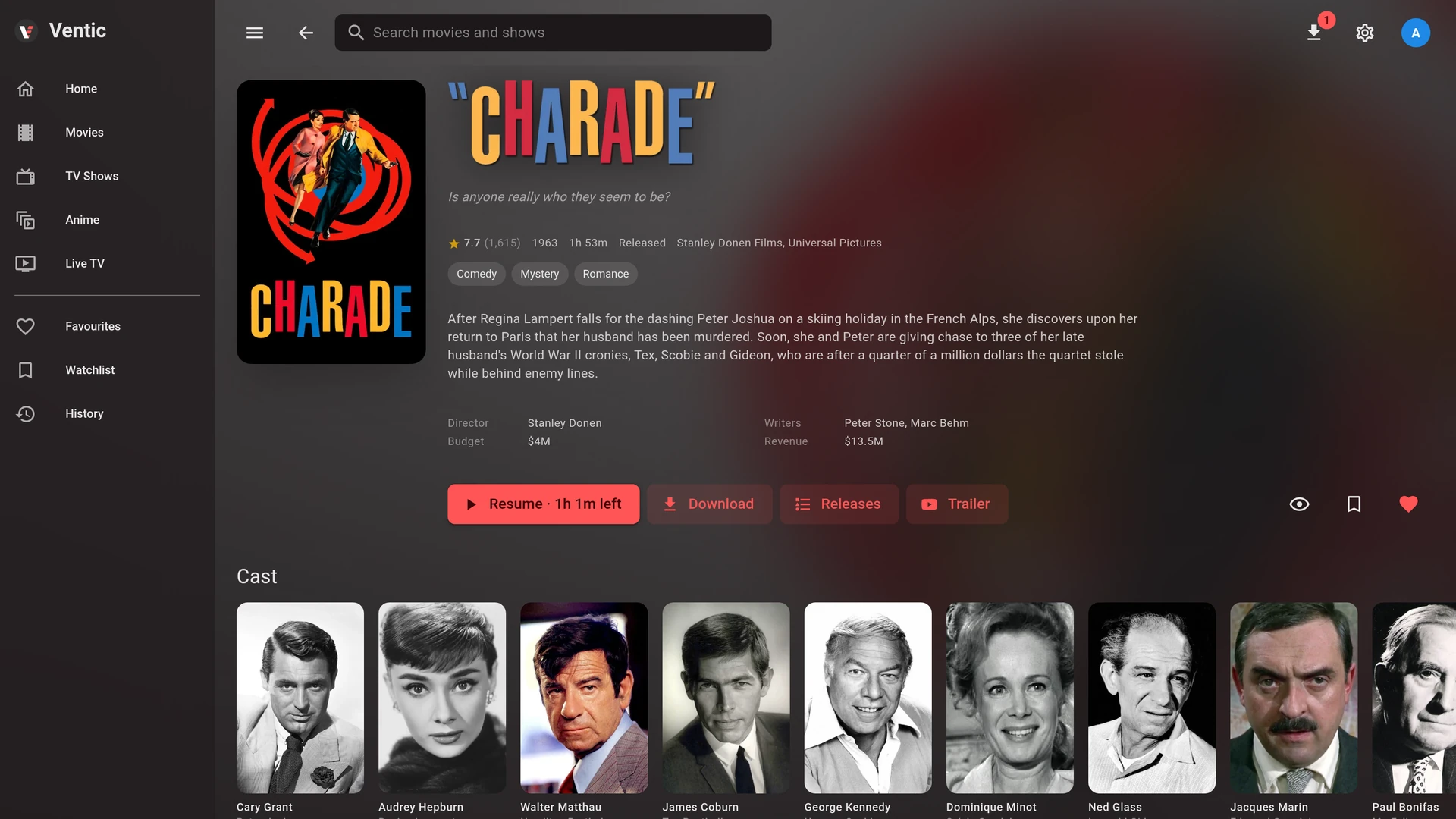 Detail · backdrop, cast, ratings, the trailer, and a Resume button that knows where you stopped. |
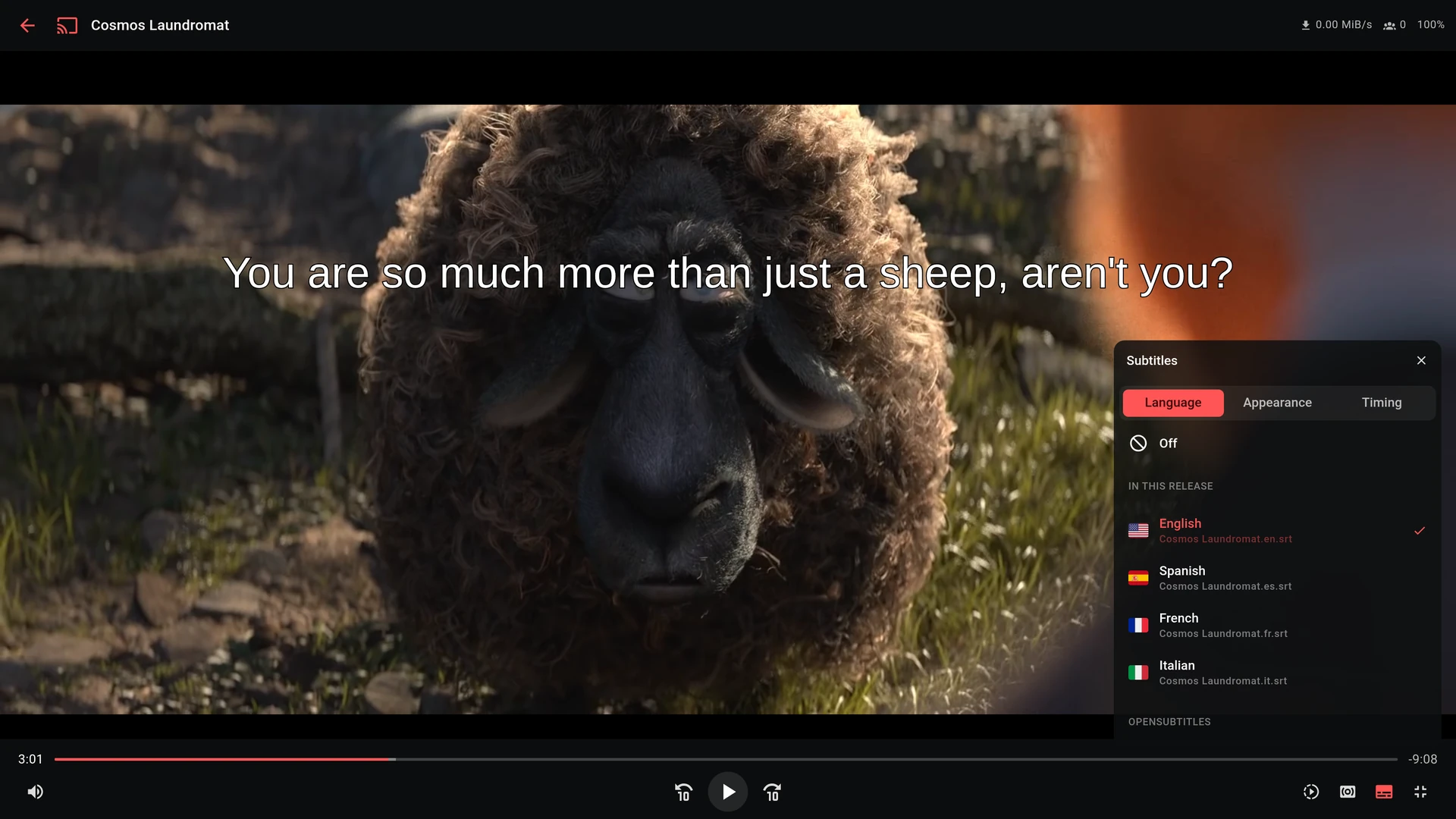 Player · the release's own subtitle files and OpenSubtitles in one menu, with appearance and timing a tab away. |
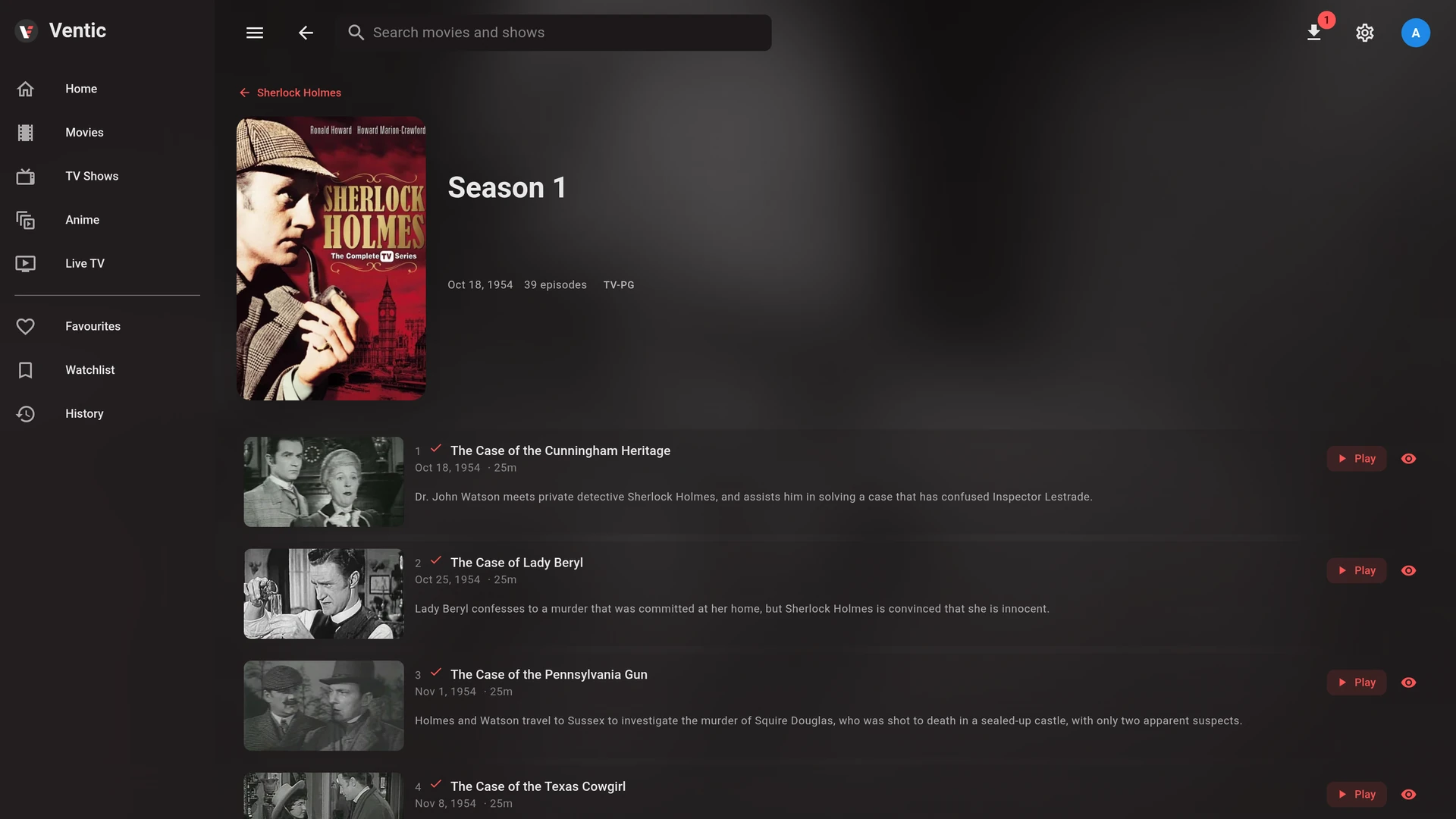 Episodes · watched ticks and resume points per episode, and the next one picked up from Continue watching. |
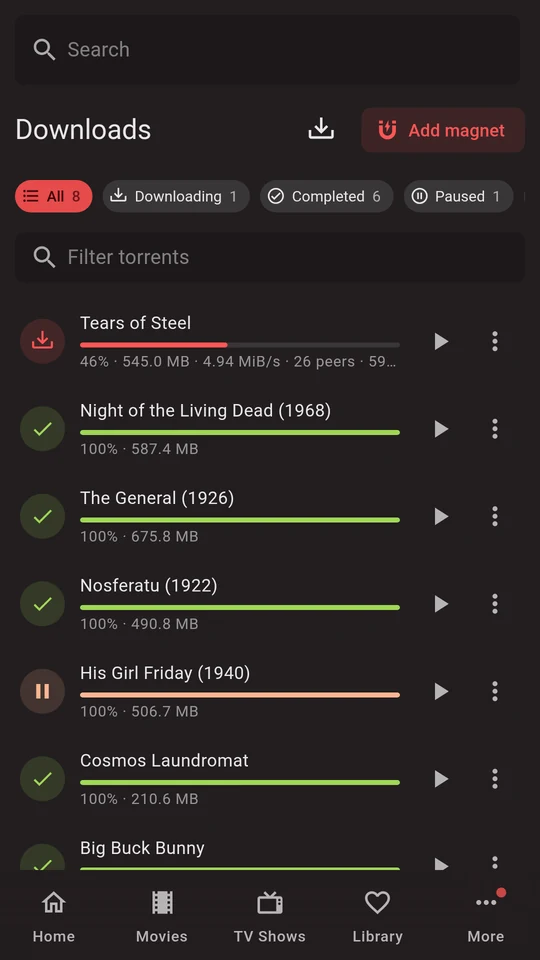
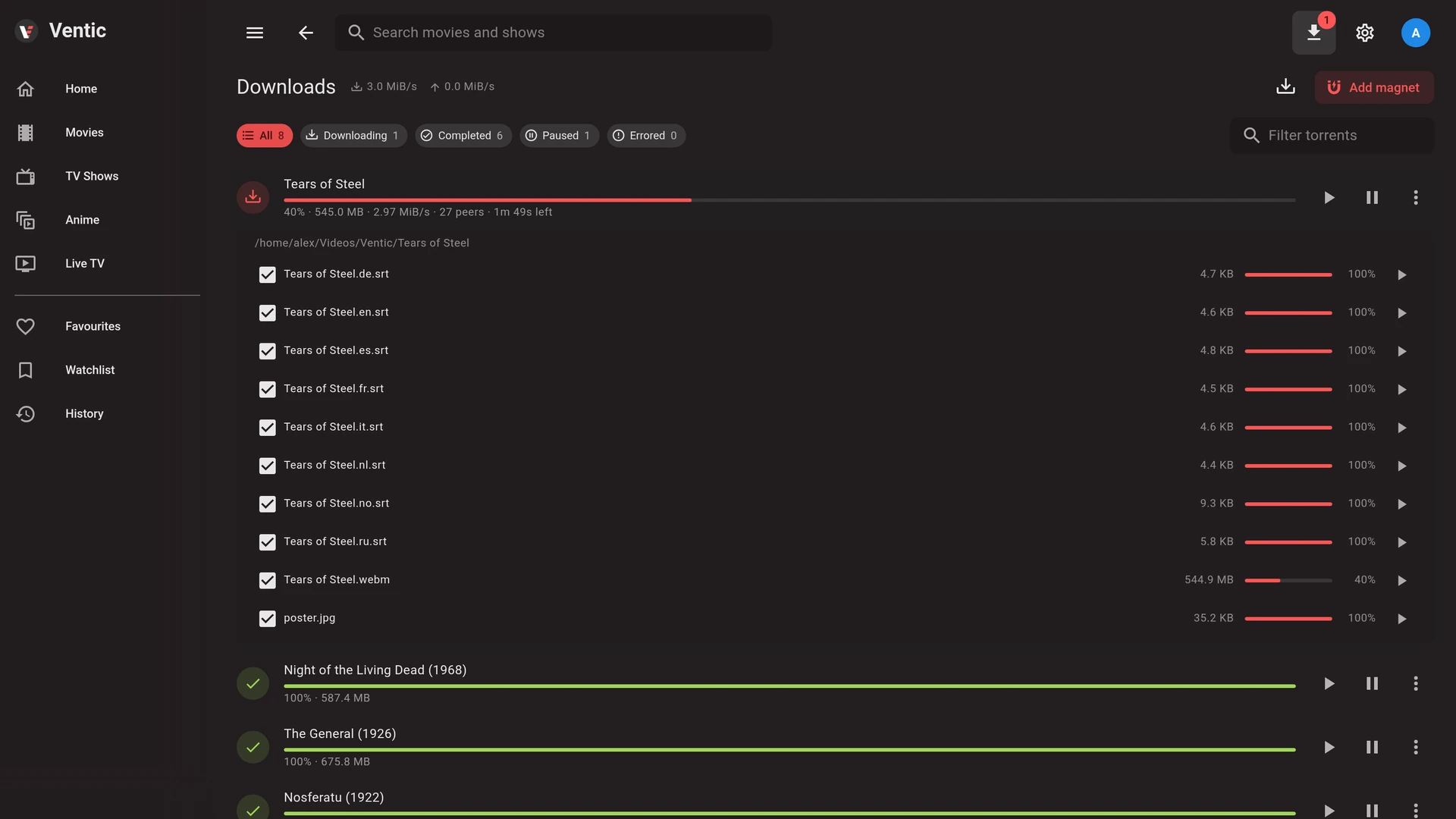 Downloads · the torrent engine's own UI — live speed and peers, per-file selection, seeding, speed limits, disk budget. |
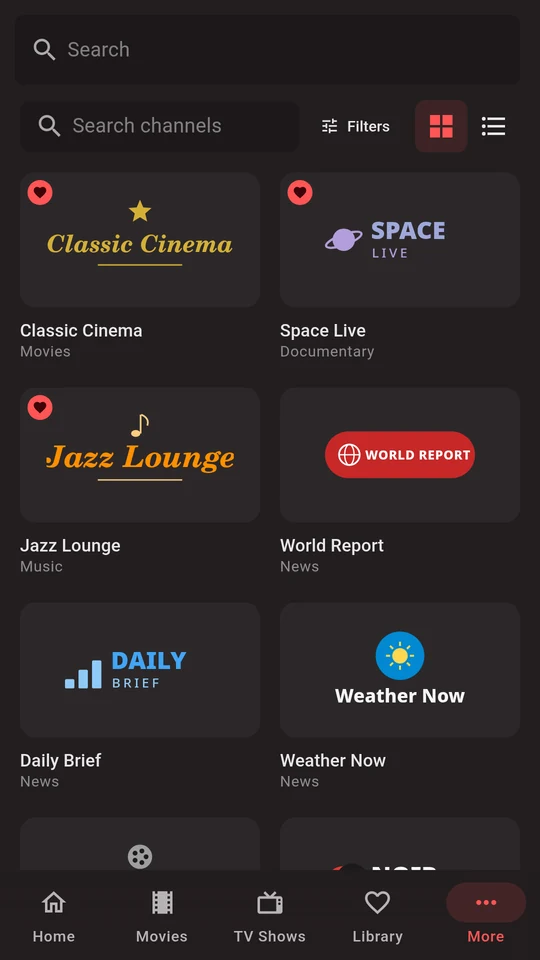
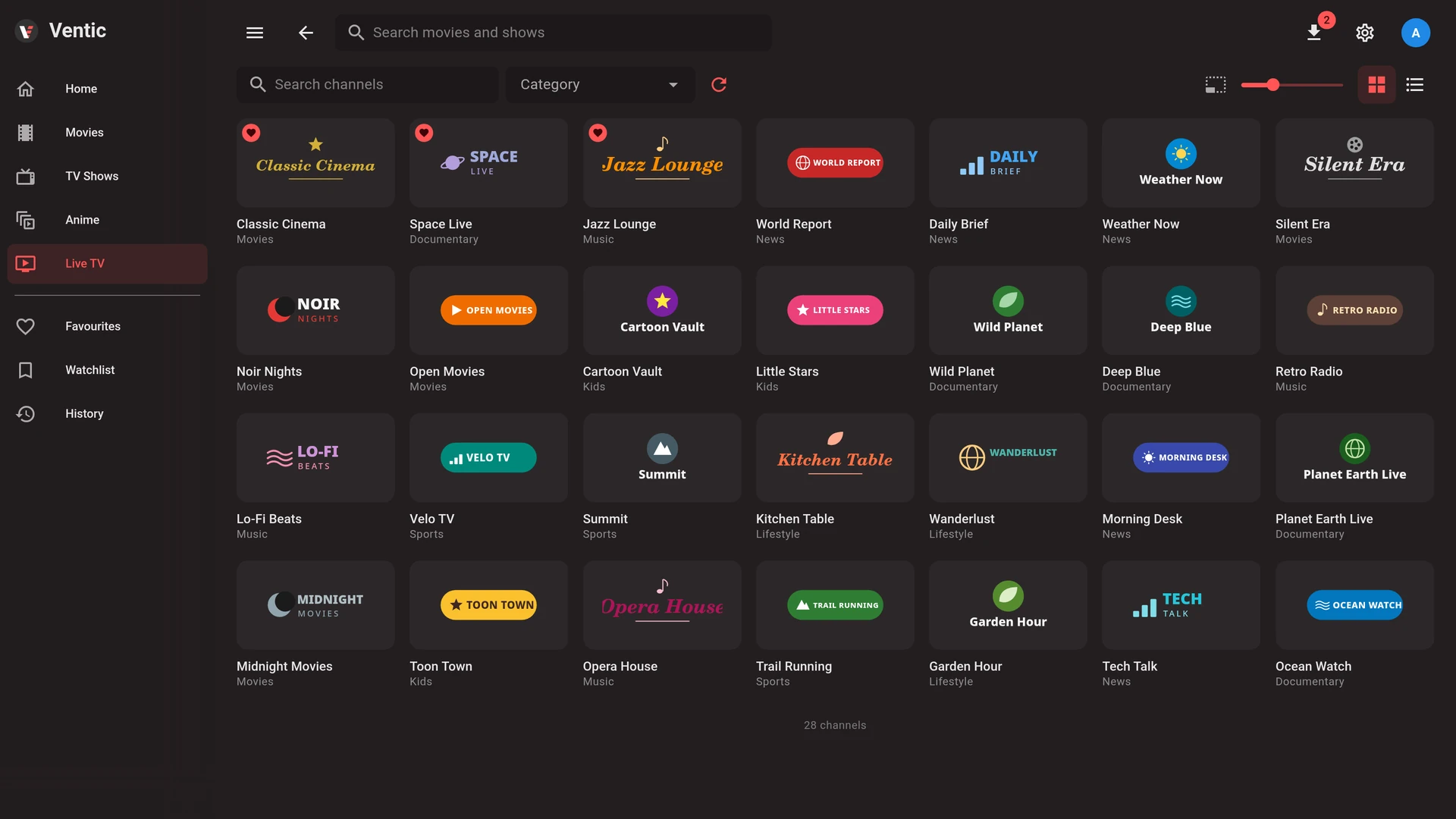 Live TV · channels from an M3U playlist or an Xtream login, by category, with favourites first. |
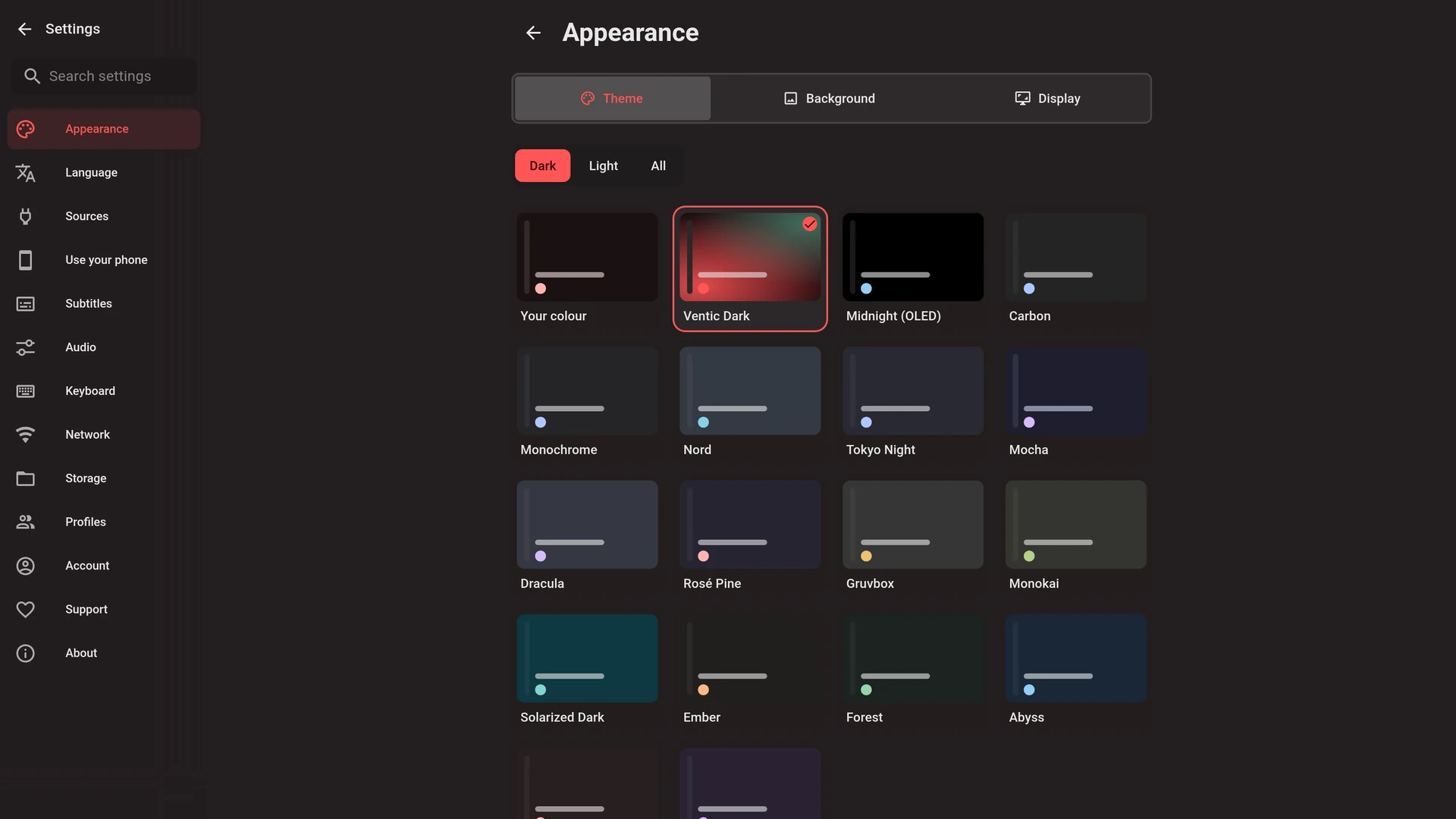 Appearance · a palette generated from any colour, 26 presets, poster size, app scale and a global CSS box. |
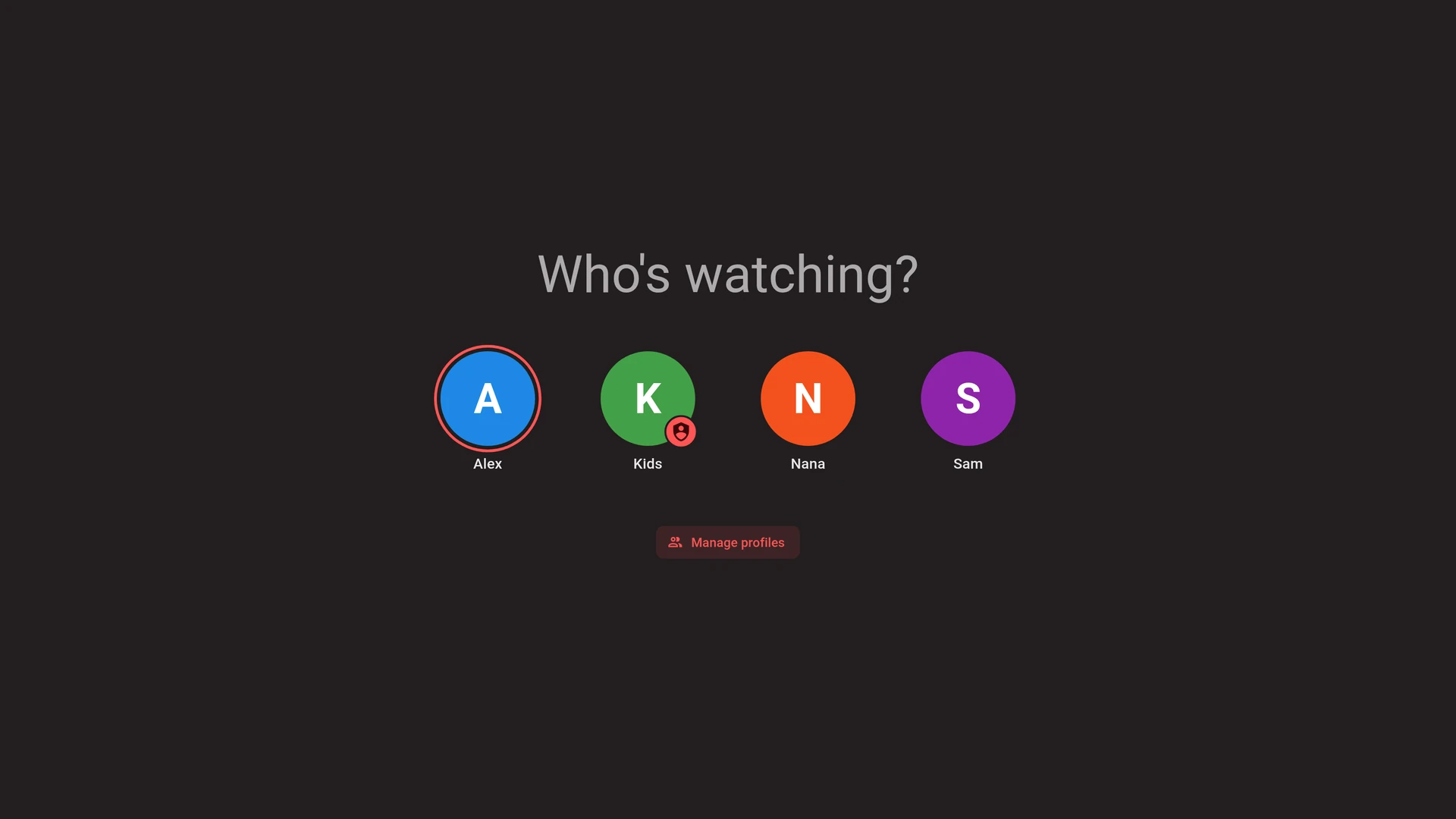 Profiles · a library per person, and a child's profile with a rating ceiling and a daily watch time behind one PIN. |
 On a TV · the same app at ten feet, every screen reachable with the remote's arrows, OK and Back. |
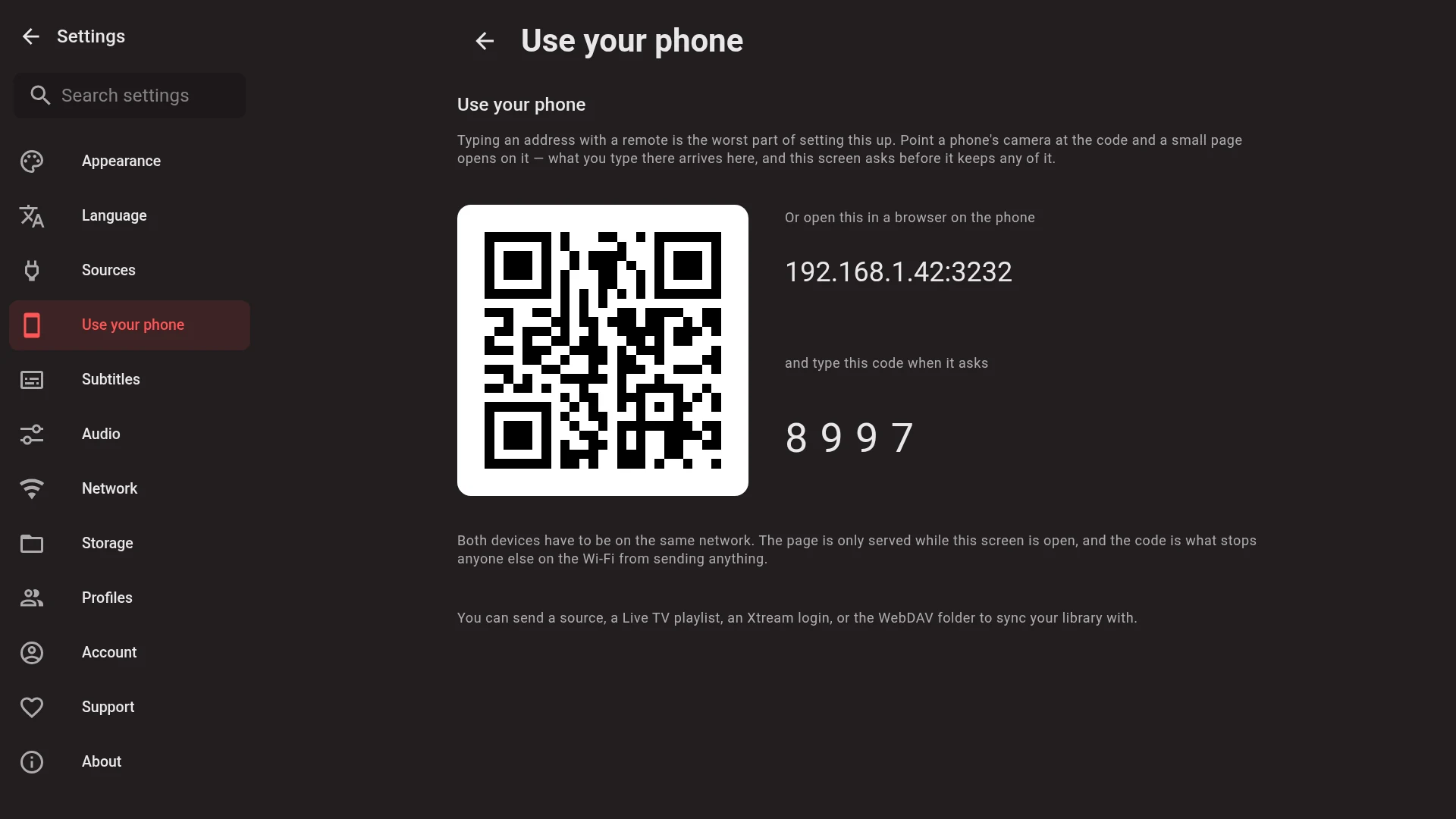 Your phone is the keyboard · scan the code and type an address on the phone instead of with the remote. |
 |
 |
 |
 |
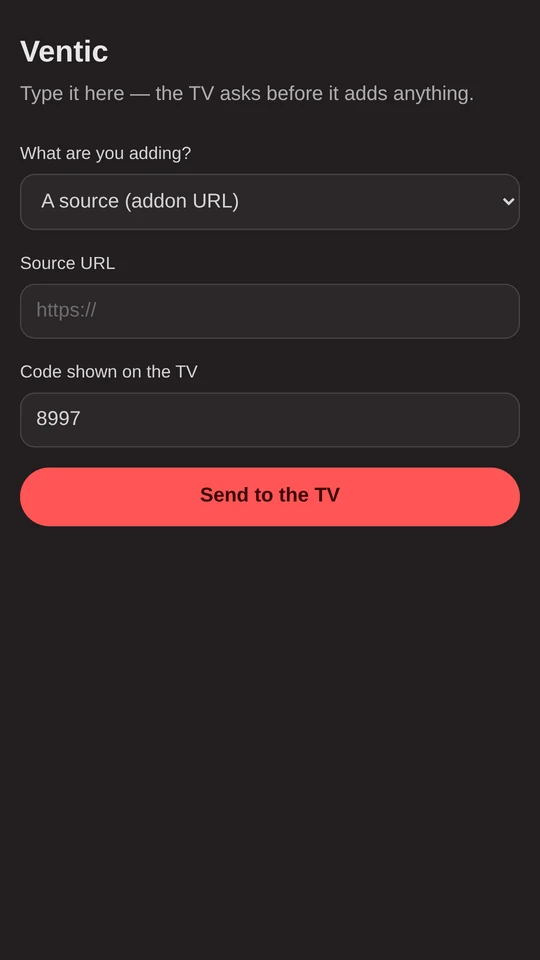 |
| On a phone · a bar along the bottom instead of a sidebar, and the same library, player and downloads. The last one is the form a phone opens from the TV's code. | ||||
Every film and series in these screenshots is in the US public domain or under a Creative Commons licence: the Blender Foundation's open movies, Pioneer One, and classics whose copyright has expired or lapsed. The Live TV channels are a made-up demo playlist.
Rooms and views
| Room | What you get |
|---|---|
| Home | Continue watching, New episodes of the shows you follow, Trending today, Popular movies and shows, Top rated, In cinemas |
| Movies / TV / Anime | Browse rows with grid or list layout, remembered per session — and an eye toggle that hides what you've already seen |
| Search | One box across TMDB; results carry straight through to a source search |
| Favourites / Watchlist / History | The three local lists |
| Calendar | New and upcoming episodes of every show in your lists or watched lately — out this week, today, tomorrow, later — with a New badge on their cards and, on the desktop, an opt-in notice on air day |
| Detail | Backdrop, synopsis, cast, trailer, seasons and episodes with per-episode state, an episode-ratings heatmap of the whole show, a random-episode button, and Download season |
| People | An actor's or director's page, with their films and shows to browse on from |
| Live TV | Channels from an M3U playlist or an Xtream login, filtered by category and searchable, favourites first |
| Downloads | The engine's UI — add, pick files, pause, seed, limit, evict |
| Profiles | Who's watching — a library per person, and a child's profile with a rating ceiling and a daily watch time, behind one household PIN |
| Settings | Appearance, Language, Sources, Use your phone, Subtitles, Audio, Keyboard, Network, Storage, Profiles, Account, Support, About — with a search box that finds a setting in any of the 72 languages |
| Phone as keyboard | Scan the code on the TV and type on your phone instead of with the remote — a source, a playlist, an Xtream login or the folder to sync with. The form is served by the TV itself, needs the code it is showing, and nothing is kept until the TV asks you |
The player
One component, one set of controls, three backends underneath.
| Capability | Detail |
|---|---|
| Backends | Embedded mpv (Linux, Windows, macOS), ExoPlayer (Android), webview <video> (browser) — all answering the same command/property protocol |
| Start early | Playback begins on the first bytes; the engine is polled for a real byte before mpv launches, so a fresh torrent never opens a black box |
| Seek preview | Frames pulled with ffmpeg and cached, warmed only while the control bar is up |
| Tracks | The file's own audio and subtitle tracks, the release's subtitle files, and OpenSubtitles — in one menu |
| Subtitle styling | Font, size, colour, outline, position, applied to mpv and to the page-drawn cues alike, previewing live from Settings |
| Volume levelling | Quiet dialogue up, loud scenes down, in four steps — plus a dialogue boost that raises the centre channel of a 5.1 mix and nothing else. Set a default under Settings, or change the film you're watching from the player's Audio panel, which remembers that title alone |
| Auto-sync | A file cut for another release is slid onto the audio's silence map (desktop only — it needs ffmpeg, which Windows bundles) |
| Resume | Progress recorded as it plays, per episode, and picked back up from the card or the detail page |
| Chapters | Marked on the seek bar and named in its bubble, walked with PageUp/PageDown, and a Skip intro / Skip credits button for chapters named like one (desktop — mpv reads chapters, ExoPlayer doesn't). In an episode's last minute, the next one is a button away everywhere, and OK presses it |
| Picture and sound | Zoom to fill for ultrawide screens and letterboxed films, on every backend; audio delay for a release whose sound is out of step (mpv) |
| Media keys | A keyboard's play key, a headset's button and the desktop's media widget drive the player (MPRIS on Linux), and a remote's play/pause, rewind and fast-forward work in the player |
| Casting | Hand the film to another Ventic on the same network — it streams from the device that already has it, resuming where you were, so nothing is downloaded twice. Devices are found by sweeping the subnet; acting on a cast needs the pairing code the receiving device shows. LAN only, off until switched on under Settings → Network, and no account or server anywhere in it |
| Fullscreen | Held for as long as the player is mounted; Android goes landscape and immersive |
The native mpv surface paints above the webview, so the controls can't just be stacked over it in CSS. Every overlay marks itself, its rectangle is measured each frame, and the Rust side subtracts it from mpv's window with the X Shape extension — the page shows through the holes, clicks included, while the video window itself never resizes.
Playback and codecs
| Platform | Backend | Notes |
|---|---|---|
| Linux | mpv | Needs mpv and ffmpeg on PATH |
| Windows | mpv | Ships its own mpv.exe and ffmpeg.exe — nothing to install |
| Android phone / TV | ExoPlayer | The device's own decoders; landscape and immersive while playing |
| macOS | mpv | Ships its own libmpv, linked rather than launched; see below. Seek previews and auto-sync want brew install ffmpeg — an .app launched from Finder inherits no shell PATH, so Homebrew's own prefixes are checked directly |
bun run dev in a browser |
<video> |
Which is what makes the mobile player testable without a device |
- mpv plays everything, and needs none of the rest of this section.
- macOS gets there a different way. The platform embeds no other process's window, and mpv's
Cocoa output takes no
--wid— the manual offers it for X11, win32 and Android only. So mpv is not a process there: the app links libmpv, asks forvo=libmpv, and draws the frames itself into an OpenGL view under the webview, with the page made see-through down to the video box. Same picture in the same place, same controls, same IPC protocol underneath. - ExoPlayer plays what the device has, and falls back to FFmpeg for sound when it doesn't.
Video is the device's own: HEVC everywhere, AV1 on most TV boxes and newer phones. Audio tries
the device first — a TV wired to a receiver keeps its Dolby bitstream that way — and when that
decoder fails, the player rebuilds on a bundled FFmpeg audio decoder and carries on from where
the sound stopped. It has to: Android reports E-AC-3 as supported on devices whose only decoder
is the vendor's, that decoder rejects streams FFmpeg decodes without complaint, and a WEB-DL
usually carries one audio track — so one frame used to end the whole film. AC-3, E-AC-3/DDP,
DTS, TrueHD, FLAC and ALAC therefore play on any device, in software if it comes to that.
See
scripts/build/android/ffmpeg.tsfor how that decoder is built. <video>is the narrow one. Chromium is built with Dolby and DTS off whatever the hardware can do, so a release carrying one plays as a picture with no sound. x264 + AAC always plays. It also offers only external subtitles and no audio-track menu, because Chromium's demuxer keeps the file's own tracks to itself.- Ranking asks the device rather than guessing.
isAwkwardinapp/utils/torrents.tsreads a release name for the codecs it claims, then puts each toMediaCodecList(Android) orMediaSource.isTypeSupported(a webview).pickBestbreaks a tie towards what came back, but never at the cost of a quality tier — so a TV keeps the Dolby copy it can play, and a phone that can't is steered off it.
Failures name the likely cause instead of showing a black rectangle.
Downloads
The engine runs inside the app process, which has consequences worth knowing.
| Adding | A magnet, a .torrent file, or a release picked from a source |
| Files | Pick what to fetch inside a torrent; season packs download the one episode |
| Seeding | On by default, with upload and download limits |
| Disk budget | Oldest-watched evicted first when the cache limit is reached; nothing playing is ever touched |
| Wi-Fi only | Pauses background torrents on a metered connection and restarts exactly the ones it paused — never one you paused, never the film being watched |
| Streaming | A film the device can't keep plays through a buffer instead: the engine fetches a window around the picture and forgets what has played. Automatic (Settings → Storage) does that for whatever doesn't fit the budget, and for everything on a drive as small as a TV box's; Stream only keeps nothing |
| Playback first | While a film is still arriving, everything else waits; the moment its last byte lands the rest resume, so the next episode is coming down before this one ends |
| Next episode | Most of the way through an episode, the next one starts downloading — once this one is on the disk, never under a stream, never on mobile data with Wi-Fi only set — and plays from the disk when you get to it. A whole season is one button on its page |
| VPN kill switch | Settings → Network ties the engine to the VPN's interface, so when the tunnel drops there is no route out at all — nothing polls for a leak. Linux and macOS; Android has its own Block connections without VPN |
| Android | A foreground service keeps the process alive while something is downloading; without it, "the user opened another app" means "the download stopped" |
Subtitles
Files that came inside the torrent are offered first — they're already on disk, already cut to
that release, and work with no network at all. Otherwise the OpenSubtitles list comes from
Stremio's public addon, so there's no API key in the app and no quota to hit; any source you
configured is asked too, since one addon base answers /subtitles/ and /stream/ alike.
That listing carries a URL and a language and nothing else — no release name, no hearing-impaired flag, and it matches on the IMDb id alone, which is why a list of forty files for one film holds so many that