
WindowCycle
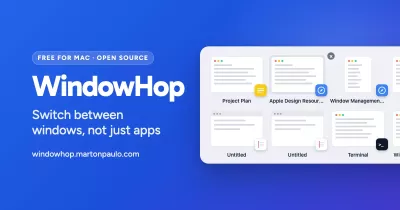
WindowCycle is a prototype macOS current-application window switcher:
- `Cmd + `` starts switching windows for the current frontmost app and cycles forward.
- `Cmd + Shift + `` cycles backward.
- Releasing Command activates the selected window when the event tap is available.
- Escape hides the switcher.
- A menu bar status item provides Show, Hide, and Quit actions.
Demo
This is a prototype, not a finished product. It intentionally uses public APIs first:
- Carbon
RegisterEventHotKey - AppKit
NSPanel - SwiftUI panel content
- Accessibility / AX window enumeration and
AXRaise CGEvent.tapCreatefor Command release and consuming switcher navigation keysNSEventglobal/local monitors as fallback paths
Requirements
- Xcode 26.5 or newer
- Accessibility permission for the app/executable
- Input Monitoring may be needed for consuming arrow/Escape key events
Install From GitHub Releases
Download WindowCycle-<version>.dmg from
GitHub Releases, open
the DMG, and drag WindowCycle.app to Applications.
The current DMG is self-signed/not notarized, so macOS may block the first
launch with a message like "WindowCycle Not Opened" or "Apple could not verify
WindowCycle is free of malware." If that happens:
- Click
Done, notMove to Trash. - Open
System Settings->Privacy & Security. - Scroll to
Securityand clickOpen Anywayfor WindowCycle. - Confirm with
Open.
After the app opens, grant Accessibility permission when prompted. If arrow
navigation or Escape is not consumed by the switcher, also grant Input
Monitoring permission in System Settings -> Privacy & Security.
If Open Anyway does not appear and you trust the downloaded release, you can
remove the quarantine flag manually:
xattr -dr com.apple.quarantine /Applications/WindowCycle.app
open /Applications/WindowCycle.app
Run From Xcode
Open the package in Xcode:
open Package.swift
Run the WindowCycle executable target.
Run From Terminal
swift run WindowCycle
The executable will ask for Accessibility permission. If arrow/Escape handling does not work or is not consumed by the switcher, grant Input Monitoring permission too or run the bundled app build below.
Build A Local .app Bundle
Scripts/build-app.sh
open .build/WindowCycle.app
The bundle sets LSUIElement = true, so it behaves like an agent app without a normal Dock icon.
Use the menu bar icon to quit the app if the switcher panel gets stuck.
The build script signs the app bundle with the stable bundle identifier
app.windowcycle.WindowCycle. On this machine it uses the local self-signed identity
WindowCycle Local Code Signing when available, and falls back to ad-hoc signing
otherwise:
Scripts/build-app.sh
You can override the signing identity explicitly:
CODESIGN_IDENTITY="Apple Development: Your Name (...)" Scripts/build-app.sh
macOS privacy permissions are tied to code identity, not just the visible app
name. With ad-hoc signing, code changes can still produce a new identity, so an
older enabled WindowCycle entry in Accessibility may not match a freshly
rebuilt app.
For local permission testing, install and launch the release app from
/Applications:
Scripts/install-local.sh
If WindowCycle does not appear automatically in System Settings, use the +
button in the Accessibility or Input Monitoring list and choose
WindowCycle.app from Applications.
Build A Release App And DMG
Scripts/build-release.sh
Scripts/build-dmg.sh
Release outputs are written to dist/, which is intentionally git-ignored.
The DMG is self-signed/not notarized unless you override signing with a
Developer ID identity and add notarization separately.
Privacy
WindowCycle uses Accessibility APIs to read window metadata such as app names, window titles, frames, and minimized state. The event tap is used only for the configured switcher keys while a switcher session is active; keyboard input is not recorded or stored.
Current Limitations
- No settings UI yet.
- No AXObserver cache yet; it refreshes the current app windows when the hotkey opens the panel.
- Cross-Space and full-screen behavior is not handled with private CGS/SLS APIs.
- Window sorting is currently AX order, not CGWindow z-order.
- Keyboard conflict handling is not polished.
- The current DMG is not notarized.
Docs
- Current state
- Architecture
- Permissions, signing, and distribution
- Open source packaging patterns
- Release checklist
- Roadmap
- Contributing
- Changelog
License
WindowCycle is available under the MIT License.