

Woofer
Your wallpaper, but alive.
Music-reactive wallpapers for Wayland. Your image. Your music. A desktop that moves with both.
Try the live demo → · Install Woofer · Explore the presets
13 presets · Linux / Wayland · Direct PipeWire audio · MIT licensed
Keep your wallpaper. Feel your music.
Turn a favourite image into a speaker cone, send ripples across it with every kick, or trade it for a neon sunset. Woofer listens to your system audio and brings your desktop into the rhythm.
- Find your mood. Five wallpaper effects, four overlays and four generative scenes, from a gentle drift to a full RGB glitch.
- Make it yours. Use your own image, or follow Caelestia's wallpaper and Material You colours live.
- Change it live. Switch presets and tune the intensity from the terminal, without restarting.
- Let it settle. Rendering slows after two seconds of silence; fullscreen windows pause their output on Hyprland.
Install
You need: Linux, a Wayland compositor with wlr-layer-shell, PipeWire and a Vulkan driver.
Woofer is tested on Hyprland. Sway, niri and river are expected to work; reports are welcome.
GNOME and KDE are not targeted.
Download and run
Get the Linux x86_64 binary from Woofer v0.1.1:
curl -fLO https://github.com/Ybucaille/woofer/releases/download/v0.1.1/woofer-v0.1.1-x86_64-linux.tar.gz
tar -xzf woofer-v0.1.1-x86_64-linux.tar.gz
./woofer-v0.1.1-x86_64-linux/install.sh
The installer places the binary in ~/.local/bin and the presets in ~/.local/share/woofer/shaders
by default. Make sure ~/.local/bin is on your PATH.
On Arch, the Vulkan driver is vulkan-intel, vulkan-radeon or nvidia-utils, depending on your GPU.
Start with your favourite image — replace the path with your own:
woofer --wallpaper ~/Pictures/wall.jpg --preset woofer
Already using swww, hyprpaper or Caelestia's wallpaper? Stop its wallpaper first, or add --layer bottom
to draw Woofer above it.
Prefer to build from source?
Requires Git, the current stable Rust toolchain, clang, pkg-config, Wayland and PipeWire development headers,
and a Vulkan driver.
On Arch, install git rust clang pkgconf wayland pipewire vulkan-icd-loader plus your GPU's driver.
git clone https://github.com/Ybucaille/woofer
cd woofer
cargo install --path daemon --locked
mkdir -p ~/.local/share/woofer
cp -r shaders ~/.local/share/woofer/
Cargo installs the binary in ~/.cargo/bin by default; make sure it is on your PATH.
See the build documentation for details. AUR and Nix packages are on the roadmap.
Make it your own
With Woofer running, open another terminal to change the look:
woofer ctl preset ripple
woofer ctl intensity 0.6
Pause, resume or check the daemon when you need to:
woofer ctl pause
woofer ctl resume
woofer ctl status
Use Caelestia's wallpaper and colours: start Woofer with
woofer --wallpaper caelestia --preset woofer.
Start with your desktop: add this to your Hyprland configuration:
exec-once = woofer --wallpaper ~/Pictures/wall.jpg --preset woofer
For Sway, use exec woofer --wallpaper ~/Pictures/wall.jpg --preset woofer.
Tune the balance: --fps 30 lowers the frame-rate cap, --idle-fps 0 stops rendering in silence,
and --scale 0.5 reduces the render resolution. See all flags and defaults.
Presets
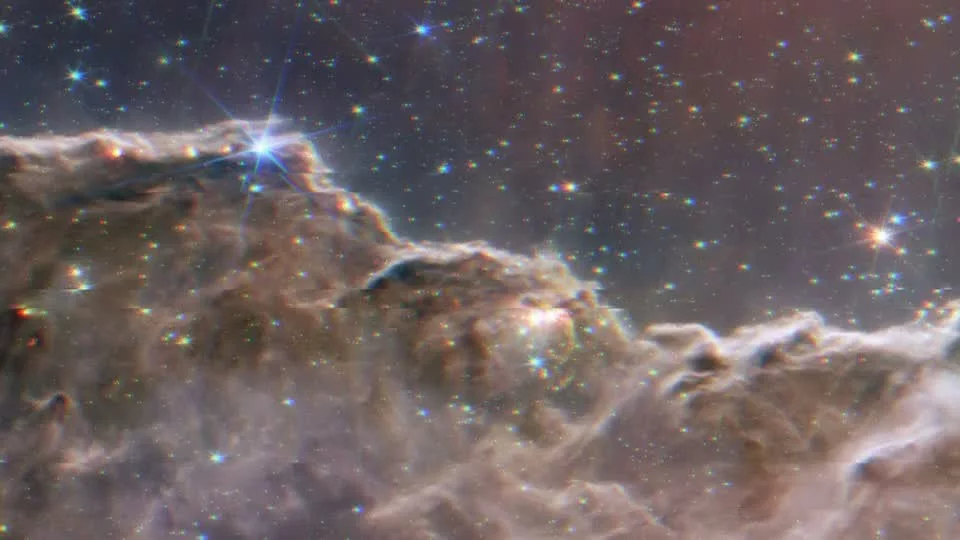
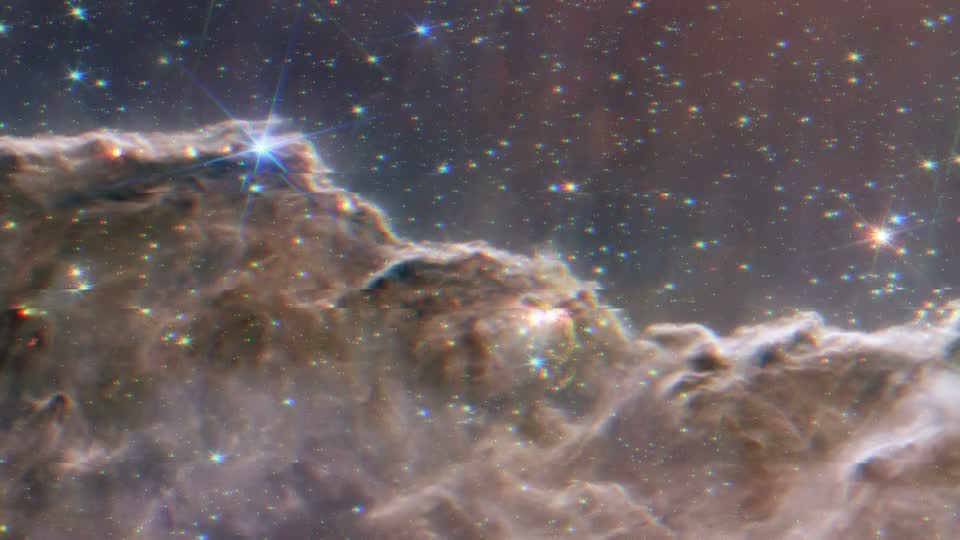
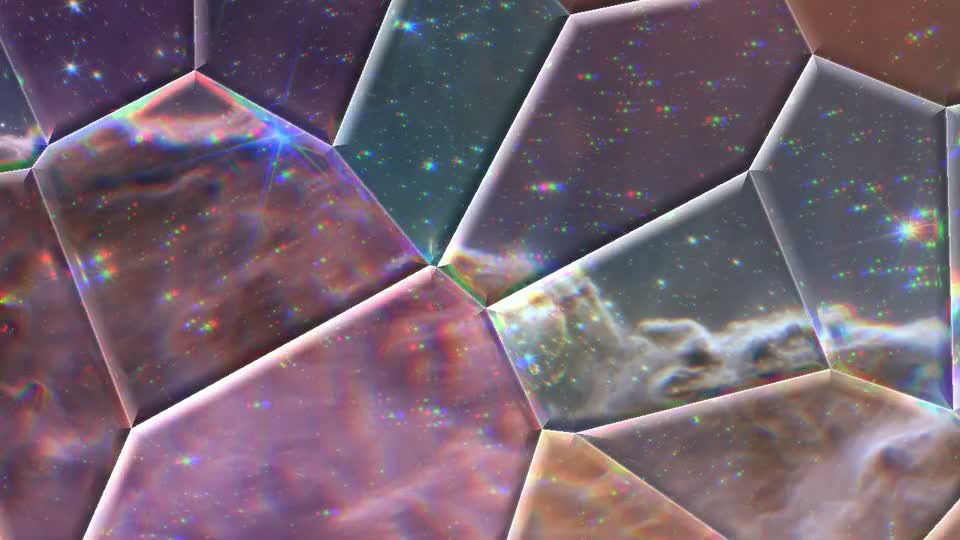
One collection, three ways to change the atmosphere. All 13 presets are included. Try them in your browser with your own wallpaper.
| Glitch · distort the image | Shards · layer on glass | Synthwave · build a scene |
|---|---|---|
 |
 |
 |
Animate your wallpaper
| Preset | What it feels like |
|---|---|
woofer |
A speaker cone: bass pushes your image out, kicks make it ring |
ripple |
A stone dropped into your wallpaper; one clean ring travels out from the centre |
glitch |
A brief RGB split and slipped slices on each kick, then calm |
drift |
A barely-there breeze, turning into gusts with the mids |
heat |
A rising heat haze that shimmers harder with the highs |
Add another layer
| Preset | What it feels like |
|---|---|
aurora |
Northern-light curtains that ripple and brighten with the mids |
bokeh |
Soft, out-of-focus lights, each breathing with its own slice of the spectrum |
chrome |
Mirror-polished blobs reflecting your wallpaper and swelling with the bass |
shards |
Faceted glass: kicks crack it open, highs glint on the bevels |
Change the whole scene
| Preset | What it feels like |
|---|---|
nebula |
Cosmic clouds that bloom on every kick, with stars catching the highs |
synthwave |
A neon sunset and a mountain range drawn by the spectrum |
ribbon |
A glowing silk ribbon whose waves follow the spectrum |
pulse |
Soft concentric rings that breathe with the bass |
Performance
Measured on an i7-11800H laptop · Intel UHD · one 1080p output · pulse preset.
CPU figures are percentages of one core; memory is resident RAM (RSS).
| State | CPU | RAM |
|---|---|---|
| Silence · default settings | 0.48% | ~29 MB |
| Music · 60 fps | 3.0% | ~29 MB |
| Music · 30 fps | 1.8% | ~29 MB |
| Paused | 0.08% | ~29 MB |
With --idle-fps 0, the silent test measured 0.00% CPU with the audio sink suspended.
An open stream playing silence still measured 0.23%. These are measurements on one machine with a light preset,
not a guarantee for every effect or GPU; GPU time was not measured.
Full results and reproduction method →
Go further
Browser preview
The live demo lets you explore presets with a demo beat, your microphone and your own wallpaper. No daemon installation needed.
Run the full preview locally — audio files and video recording
The local preview also accepts audio files and records 9:16 or 16:9 clips.
From a source checkout, with Node.js, Python 3 and Qt 6 Shader Tools (qsb, qt6-shadertools on Arch) installed:
node tools/build.mjs
python3 -m http.server 4420 --bind 127.0.0.1
Open localhost:4420/web/ for 9:16 recording, or
the widescreen preview for 16:9.
The build step generates both browser and Qt shaders, so it needs qsb even for the browser preview.
If qsb is elsewhere, use QSB=/path/to/qsb node tools/build.mjs.
Quickshell / Caelestia module
Prefer to run the effects inside Quickshell? The same presets can sit behind your windows as a Quickshell layer.
Set up the Quickshell module
From a source checkout, with Quickshell, cava, Node.js and qt6-shadertools installed:
./install.sh
qs -p quickshell/shell.qml
To choose a preset and render scale at launch:
WOOFER_PRESET=nebula WOOFER_SCALE=0.75 qs -p quickshell/shell.qml
To switch the running module from another terminal:
qs -p quickshell/shell.qml ipc call woofer setPreset ripple
WOOFER_INTENSITY sets reactivity; WOOFER_COLORS=default ignores Caelestia's colours.
The standalone daemon captures PipeWire directly; this module uses cava.
Write your own effect
One Shadertoy-style .glsl file runs in the daemon, the Quickshell module and the browser preview.
Bass, beat, a 16-band spectrum and theme colours are available as inputs.
Start with a minimal shader
Create shaders/<id>.glsl:
// @name My Effect
// @description One line shown in the picker
// @author you

void mainImage(out vec4 fragColor, in vec2 fragCoord) {
    vec2 uv = fragCoord / iResolution;
    uv += (uv - 0.5) * -0.02 * uBass * uIntensity;
    fragColor = vec4(wall(uv).rgb, 1.0);
}
Read the shader contract for uniforms, helpers and effect guidelines.
With Node.js, qsb and glslangValidator installed, node tools/build.mjs --check builds the Qt presets
and validates the browser shaders. See the result in the local browser preview.
FAQ
What does it listen to? Your system output through PipeWire. The daemon captures as a passive node
that never keeps the sink awake. Use --source <node> to select another sink.
Does it work with NVIDIA? Woofer prefers the integrated GPU by default; --gpu high requests the discrete GPU.
Development and measurements use Intel. NVIDIA reports are welcome — include your driver version in an
issue.
Can I reduce its activity? Use --fps 30 for a lower frame-rate cap and --idle-fps 0 to stop rendering
until sound returns. Fullscreen pause is currently specific to Hyprland.
Where can I follow development? See the changelog, the roadmap, or report a bug / suggest an effect.
Support Woofer
Woofer is a free, open-source hobby project and will stay free. If it makes your desktop a little nicer, a star, a screenshot or a bug report helps. You can also buy me a coffee on Ko-fi, explore the premium pack or ask about a custom effect.
MIT · Made by Ybucaille · Website
Demo wallpaper: “Cosmic Cliffs” in the Carina Nebula, James Webb Space Telescope. Credit: NASA, ESA, CSA, and STScI (CC BY 4.0). Shown with Woofer's effects applied.