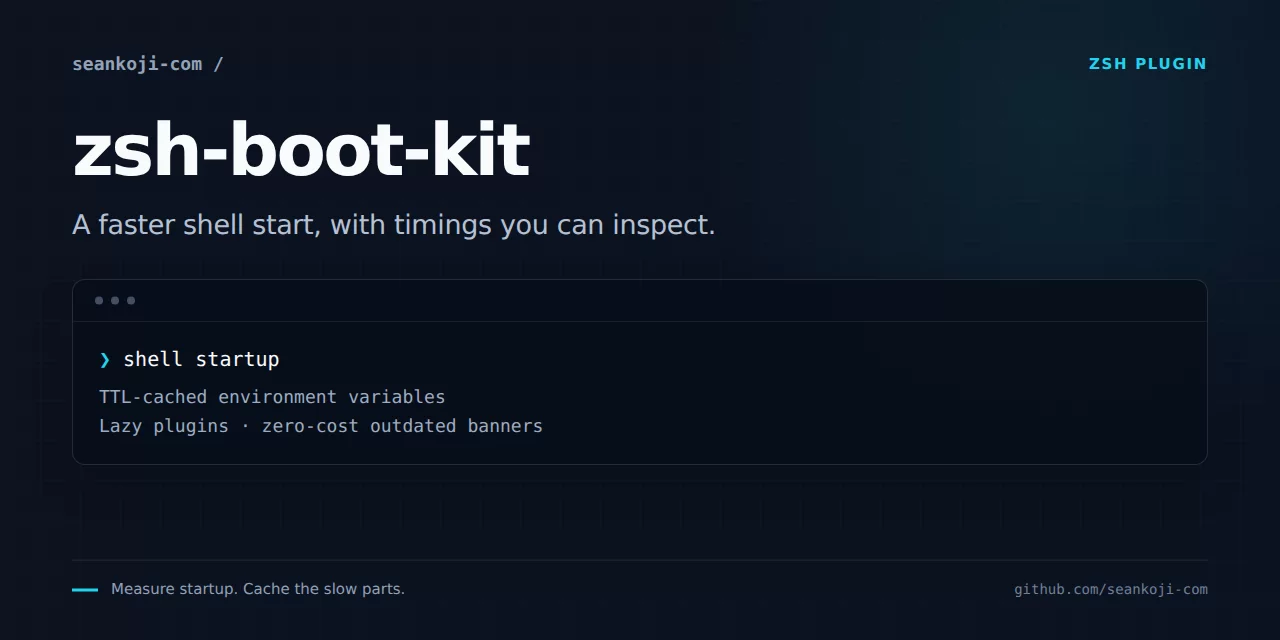

Four mechanisms for a zsh that starts fast and tells you when it is stale.
| Module | What it does |
|---|---|
startup-log |
Per-phase timing, appended to a log on the first prompt |
env-cache |
Caches an expensive env var in a 0600 file with a TTL |
lazy-plugins |
Loads an oh-my-zsh plugin the first time you use it |
outdated-banner |
"N things are out of date, upgrade now?" at zero startup cost |
They ship together because they are coupled: the banner subtracts its own
prompt wait from the startup timer, so shipping it apart from startup-log
would mean inventing a cross-repo contract for a shell variable.
Install
git clone https://github.com/seankoji-com/zsh-boot-kit \
  ~/.oh-my-zsh_custom/plugins/zsh-boot-kit
Do not add it to plugins=(). oh-my-zsh sources plugins from inside
oh-my-zsh.sh, which is too late for three of the four modules. Source it
directly instead, near the top of .zshrc:
zmodload zsh/datetime
ZSH_BOOT_KIT_T0=$EPOCHREALTIME     # start the clock before anything else
source ~/.oh-my-zsh_custom/plugins/zsh-boot-kit/zsh-boot-kit.plugin.zsh
Setting ZSH_BOOT_KIT_T0 yourself is optional but recommended. Without it the
clock starts when the file is sourced, which undercounts everything above.
startup-log
boot_kit_mark pre                  # stamp a phase boundary
source $ZSH/oh-my-zsh.sh
boot_kit_mark omz
# ... rest of .zshrc ...
boot_kit_mark post
boot_kit_log_on_first_prompt       # last line of .zshrc
Produces one line per shell in ~/.local/state/zsh/startup.log:
2026-08-26 09:14:02 237ms pre=41 omz=158 post=22 prompt=16
Phases are reported in the order you marked them, each measured from the
previous mark. prompt is added automatically and covers the gap between your
last mark and the prompt actually appearing, which is where theme
initialisation shows up.
If a plugin manager defers some loading past the first prompt (zinit Turbo),
name a phase in ZSH_BOOT_KIT_LOG_AFTER and mark it when that work is done —
atload'boot_kit_mark ready' on the last Turbo plugin. The line then carries
prompt= for the first prompt and ready= for the deferred work, with the
total running to the ready mark; if the mark never arrives the line is written
on the second prompt instead.
Read it back with startup-log [n] and startup-stats. Override the location
with ZSH_BOOT_KIT_LOG.
boot_kit_exclude <timestamp> rewinds the total by however long has passed
since that timestamp. Use it around anything that blocks on a human or the
network.
env-cache
env_cache GITHUB_PAT \
  --ttl 86400 \
  --command 'gh auth token' \
  --timeout 1 \
  --validate 'gho_*|ghp_*|ghs_*|github_pat_*'
gh auth token shells out and can stall on a locked Keychain. This runs it
once a day instead of once a shell, keeping the value in
~/.cache/zsh/github_pat.
| Option | Meaning |
|---|---|
--ttl SECONDS |
Refetch once the cache is older than this |
--command CMD |
Shell command producing the value |
--file PATH |
Cache location (default ~/.cache/zsh/<var lowercased>) |
--validate PAT |
Glob alternation the value must match to be cached |
--timeout SECS |
Give up on the command after this long |
--quiet |
Do not warn on failure |
--validate guards against caching a truncated value. A --timeout can cut
the command off mid-output, and storing half a token for a full day is worse
than not caching. A value that fails validation is still exported, just not
written.
Before trusting a cache file, env_cache checks that it is a regular file, that
you own it, and that it is mode 0600. Anything else is ignored and refetched.
Permission and mtime checks both go through zsh's zstat builtin rather than
stat(1), because BSD and GNU stat disagree about -f and coreutils on
PATH makes it impossible to know which one you are calling.
Call env_cache_invalidate GITHUB_PAT after rotating the credential.
The cache file is plaintext. 0600 in a directory you own, in exchange for skipping a subprocess per shell. If that trade is wrong for your value, do not use this.
lazy-plugins
lazy_plugins docker gh uv 'gemini:gemini,gm,gmm,gme'
Replaces each trigger with a stub. The stub sources the plugin, removes every stub for that plugin, and re-runs what you typed.
A plugin whose value is aliases cannot be lazy-loaded by its own name. The
gemini plugin exists to give you gm; shadowing only gemini means gm
does not exist until you have already typed gemini once. Name the aliases as
triggers with the plugin:t1,t2 form.
Re-dispatch checks what the plugin actually defined, in order: function, alias,
then binary. The naive version of this always used command $trigger, which
breaks every plugin providing a shell function instead of a binary. oh-my-zsh's
extract exits 127 under that approach, because there is no extract(1).
Listing a plugin that is also in $plugins is refused with a warning. It would
load eagerly at startup and be re-sourced by the stub on every call.
Trigger collisions
Two plugins claiming the same trigger is refused with a warning rather than
silently letting the second win, which would leave one plugin never loading and
nothing saying why. Easy to hit: docker is both an oh-my-zsh plugin in its own
right and one of the 73 commands grc wraps.
Undoing what a plugin clobbers
Define _lazy_after_<plugin> and it runs after the plugin is sourced, before
your command is re-dispatched.
# oh-my-zsh's grc plugin wraps 73 commands, ls among them, so it replaces an
# eza wrapper and breaks any alias passing eza-only flags.
_lazy_after_grc() { function ls { eza --color=always --group-directories-first "$@"; }; }
lazy_plugins 'grc:df,du,curl,ping,ps,dig'   # not docker: the docker plugin owns that trigger
outdated-banner
outdated_banner \
  --cache ~/.cache/brew-outdated \
  --icon $'\U1F37A' \
  --message '%s Homebrew package(s) outdated' \
  --count lines \
  --upgrade 'NONINTERACTIVE=1 brew upgrade --yes --quiet'
The check never runs in your shell. A background job writes the cache file on
its own schedule; the shell does one stat and one read. Startup cost does not
depend on how slow brew update is.
| Option | Meaning |
|---|---|
--cache PATH |
File the background job writes |
--message FMT |
printf format taking the count |
--icon TEXT |
Prefix, usually an emoji |
--count MODE |
lines, content (pre-computed number), or none |
--upgrade CMD |
Offer to run this command when the banner fires |
--label TEXT |
Short name for CMD in the progress view (e.g. Homebrew packages); defaults to the banner text |
--progress |
CMD speaks the @total/@done/@skip/@fail protocol under ZSH_BOOT_KIT_PROGRESS=1, so the UI pins a progress bar under a live list of finished items instead of spinning |
--hint TEXT |
Trailing parenthetical (default see <cache>) |
--defer |
Collect the banner instead of prompting immediately |
Only fires in an interactive shell on a real TTY, so sourcing .zshrc from a
script to pick up env vars never blocks. An empty cache file, or one containing
a literal 0, is treated as "checked, nothing to do".
The prompt wait and the upgrade run are handed to boot_kit_exclude, so the
startup log stays honest on the days you actually upgrade.
The prompt
With gum on PATH — it is in the dotfiles
Brewfile.common — the deferred prompt renders the banners in a rounded box,
then asks one confirm. The default is No, so a bare Enter skips everything;
choosing Update runs every collected upgrade and reports each result. An upgrade
marked --progress holds a live Nerd Font progress bar (\uee00–\uee05) on
the last line while every finished item is listed on its own line above it, so
the bar stays visible for the whole run and leaves a clean final summary line,
avoiding terminal scrollback pollution:
  ✔ aws-c-auth (1/56)
  ✔ bat (2/56)
  ✔ ca-certificates (3/56)
  Updating Homebrew packages ▂▂▂▂▂▂▂▂▂▂▂▂▂▂▂▂▂▂▂▂ 3/56
When the run ends, that bar line becomes the system's summary:
  ✔ aws-c-auth (1/56)
  ✔ bat (2/56)
  ✔ ca-certificates (3/56)
  ✔ Homebrew packages (56/56 updated)
The (n/total) suffix belongs to the name the upgrade command emits, not to
this module: the dotfiles *-outdated-cache scripts label each item @done NAME (n/total), and the item line prints that name verbatim. The bar line itself
carries only the label and the count. A failure keeps its red highlight.
Anything else runs under a spinner with a one-line result. Item output is captured to a per-system log; a failure prints the log path instead of dumping output over the progress view.
Without gum the original single y/N prompt is used, so hosts that do not
install it (some Pi/NAS setups) keep working unchanged.
A banner used without --defer prompts on its own, through the same
machinery: a styled gum confirm (default No) when gum is available, otherwise
y/N. Its command runs in-process, so — unlike the deferred path's zsh -c
child — it sees functions and unexported variables from .zshrc.
ZSH_BOOT_KIT_UI picks the backend:
| Value | Behaviour |
|---|---|
auto (default) |
gum when it is installed and stdout is a terminal, otherwise y/N |
gum |
gum when it is installed, otherwise y/N (it is a preference, not a hard force) |
plain |
always y/N |
Progress protocol
An --progress upgrade must print these lines on stdout when
ZSH_BOOT_KIT_PROGRESS=1 is set — and only then, so the plain y/N path keeps
its original human-readable output:
| Line | Meaning |
|---|---|
@total N |
How many items the run will process |
@done NAME |
One item succeeded |
@skip NAME |
One item was left alone (e.g. local changes) |
@fail NAME |
One item failed |
Anything else on stdout, and all stderr, goes to the log. The dotfiles
brew-outdated-cache.sh, plugins-outdated-cache.sh, and
npm-outdated-cache.sh all implement it for their --upgrade modes.
What --upgrade runs against
Both backends run the command through zsh (eval in the plain path; zsh -c
under gum), so zsh syntax works either way. Under gum it is a child process,
though: shell functions, aliases, and unexported variables defined earlier in
.zshrc are not visible to it. Write an --upgrade command as a self-contained
invocation (the dotfiles ones are script calls) and it behaves the same on a
host without gum.
Deferring several upgrades to one prompt
Each --upgrade banner prompts on its own — a [y/N] per system on boot. To
collect several and ask once, pass --defer to every banner and call
outdated_banner_prompt after fnm/pyenv &c. are on PATH (so the deferred
upgrade commands can run there):
outdated_banner --cache ~/.cache/brew-outdated   \
  --icon $'\U1F37A'  --message '%s Homebrew package(s) outdated' \
  --label 'Homebrew packages' \
  --upgrade 'brew upgrade --yes' --defer
outdated_banner --cache ~/.cache/plugins-outdated \
  --icon $'\U1F9E9'  --message '%s zsh plugin(s) behind upstream' \
  --label 'zsh plugins' \
  --upgrade 'plugins-outdated-cache.sh --upgrade' --defer

# ... rest of .zshrc (fnm init, ...) ...

outdated_banner_prompt   # gum confirm (default No), or y/N without gum
The banners accumulate silently; outdated_banner_prompt shows them all and
covers every collected --upgrade command in one interaction.
If your shell draws a backgrounded welcome splash (e.g. fastfetch) that races
the prompt — its ASCII art landing on top of the banners — launch it through
_out_bg_job_start so the prompt waits for it to finish drawing first. The same
call suppresses zsh's [n] pid / [n] + done job-control lines, which a bare
fastfetch & prints around the prompt:
_out_bg_job_start fastfetch   # not `fastfetch &`; .zshrc keeps running
# ...
outdated_banner_prompt        # waits for fastfetch to draw, reaps it, then prompts
It must be a plain background job (no &!/disown) so it stays waitable;
_out_bg_job_start handles the option juggling and registers the PID for you.
The wait is bounded (a watchdog TERMs a greeting that hangs for a few seconds),
so a stuck probe cannot wedge startup.
_out_register_bg_job PID remains available as the low-level primitive for a
caller that launched the job itself — fastfetch & followed by
_out_register_bg_job $! still works, it just does not suppress the spawn and
completion lines the way _out_bg_job_start does.
Licence
MIT
Cache writes replace the old inode with a private temporary file. Failed writes
leave the exported value usable and warn unless --quiet is set. The writer
cleans its own temporary file on HUP, INT, TERM, and normal exit. SIGKILL and
power loss can leave an orphan; invalidation deletes only the exact cache file,
never sibling files or another writer's temporary file.