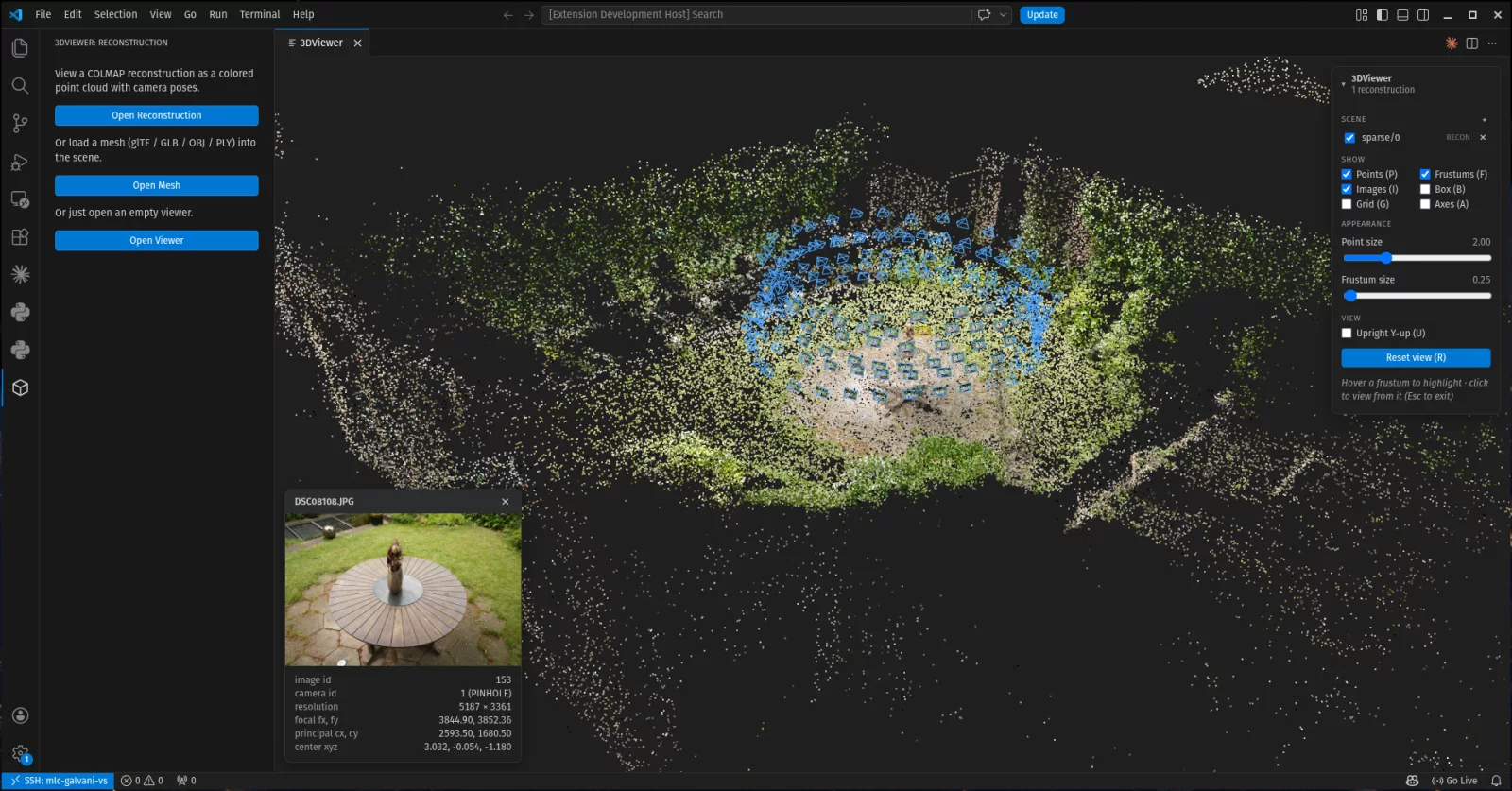

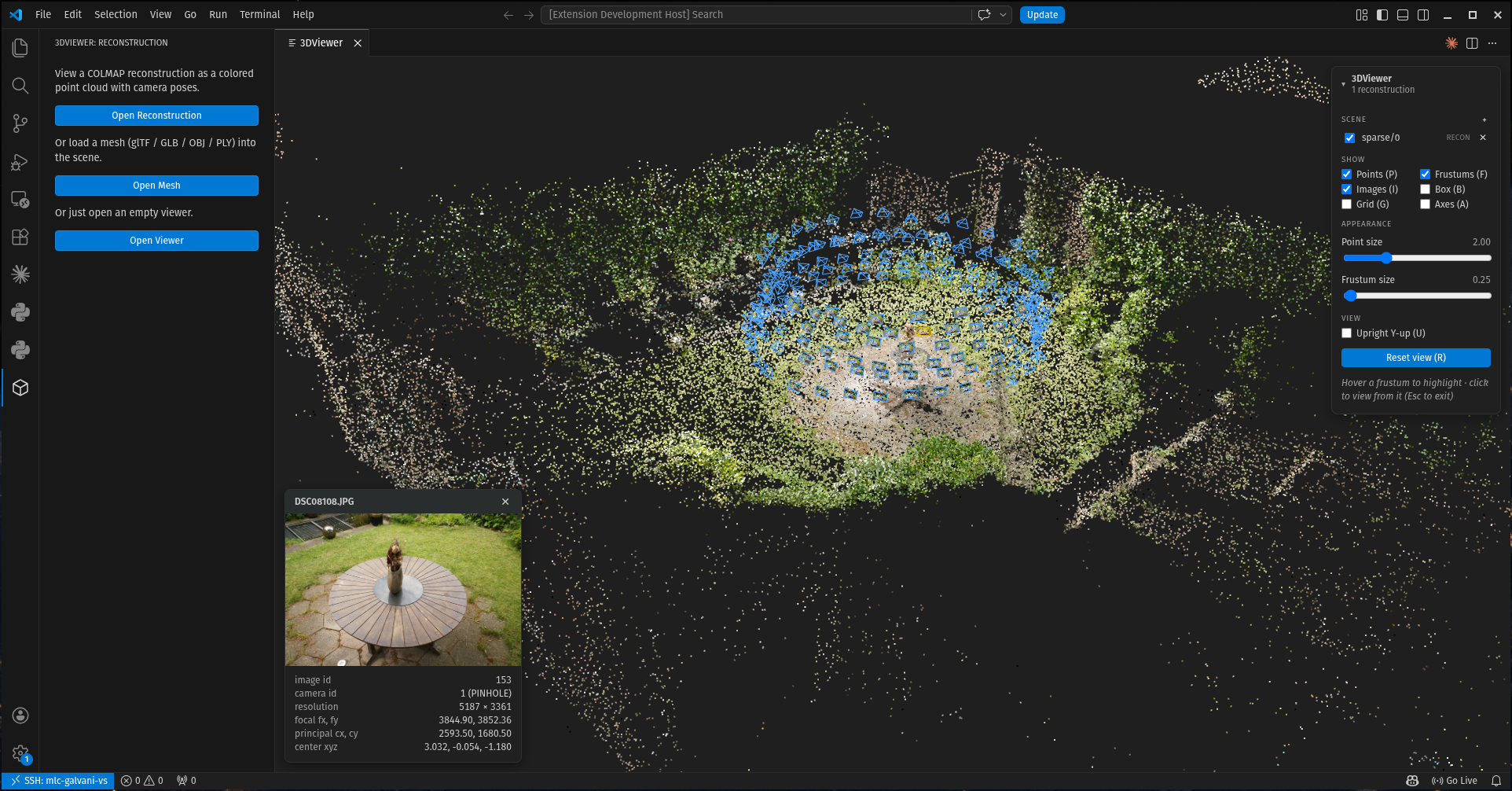
A viewer for COLMAP reconstructions, 3D meshes, point clouds, 3D
Gaussian splats and 3D point tracks — a colored point cloud, camera frustums
with the source images, glTF/OBJ/PLY meshes, 3DGS splats
(.ply/.splat/.spz/.ksplat) and tracked trajectories, all in one interactive
Three.js scene. It runs as a VS Code extension, a PyCharm / JetBrains plugin
and a browser demo, over one shared core.
🌐 Try the web demo — load your own COLMAP models, meshes, and 3DGS splats in the browser (no install required).
Features
- COLMAP point clouds + camera poses (
.bin/.txt), with each image textured onto its frustum. Click a frustum to fly to that camera's viewpoint. - Assets — meshes (
.glb/.gltf/.obj/.ply, shaded with their glTF/GLB materials and textures by default, with optional unlit-albedo and wireframe modes), point clouds (.ply), and 3D Gaussian Splatting files (.ply/.splat/.spz/.ksplat, loaded via Spark). A.plyis auto-detected as a mesh, a point cloud or a splat, including the PlayCanvas / SuperSplat compressed flavour. Three render modes in the Gaussians section of the 3DView panel: Splats (default) — true Gaussian splatting through Spark's renderer, sorted per viewpoint with spherical harmonics; Ellipsoids — each Gaussian as a solid oriented ellipsoid, to see the primitives as data; and Points — bare centers, the cheap fallback for huge scenes. A point cloud that carries no colors of its own is drawn in a color from a shared palette — a different one per scene item, so several clouds stay tellable apart — and the Point size slider sizes every cloud in the scene, COLMAP's included. - 3D point tracks (
.npz/.npy) — trajectories a tracker followed over time, drawn as one colored polyline per point, with the trail breaking wherever a point is occluded. Sliders control the trail (how many time steps are drawn), opacity, and density (a stable random subset of the tracks) — the last two are what keep a few thousand overlapping trails readable — plus line width (in screen pixels, so a sparse set stops being a hairline) and smoothing (a Gaussian along time, which takes the jitter out of a noisy tracker without moving where a trail breaks — lightly on by default; slide it to 0 for the raw trajectories). Reads NumPy archives holding(steps, tracks, 3)positions plus an optional(steps, tracks)visibility mask. - Temporal items (4D) — load several reconstructions, meshes, clouds or splats as the timesteps of one capture instead of that many scene items: when a folder holds more than one model, or you pick / drop several asset files at once, 3DView asks which you meant. A temporal item is one Scene row marked ⏱ N, with its own timeline — scrub through the frames or play them back (shared Playback FPS).
- Multi-source scenes — open many reconstructions and assets together; add, show/hide, and remove them from the Scene panel. Each item has its own position / rotation fields (the move-arrows button on its row), so sources that don't share a coordinate frame can be lined up by hand, Blender-style.
- Helpers — world-origin metric grid, bounding boxes, axes, and a raw‑COLMAP ↔ upright (Y‑up) toggle.
- Adjust — from the 3DView panel: point size, frustum size / line width / color, and camera field of view and roll. Rename, hide and remove scene items from the Scene panel.
- Export — from the Capture panel: a transparent PNG of the current view at 1× / 2× / 4× (Image), and a video flying through a reconstruction's cameras in image-name order, with optional in-between frames, a loop back to the start and a field-of-view override (Video, for a reconstruction with two cameras or more; MP4, or WebM where the host has no H.264 encoder). Renders size points by each cloud's own spacing, so surfaces stay filled at high resolution (Fill point gaps).
- Themes — a light / dark / dim scheme for both the UI and the 3D viewport.
- Built for large clouds — on-demand rendering and lazy, downscaled frustum textures keep big reconstructions responsive.
Install
VS Code — from a release: download the latest 3dview-<version>.vsix from the
Releases page and install it:
code --install-extension 3dview-1.0.8.vsix --force
From source:
git clone git@github.com:s-esposito/3DView.git && cd 3DView && npm install
- Develop: open the folder in VS Code and press F5.
- Build the VS Code extension: run
./vscode_build.sh(builds the monorepo + packages a.vsix), install it withcode --install-extension vscode/*.vsix --force, then Developer: Reload Window. - Build the PyCharm / JetBrains plugin: run
./jetbrains_build.sh(see jetbrains/README.md).
Usage
Use the 3DView icon in the Activity Bar (or the Command Palette) to Open
Reconstruction / Open Asset / Open Asset Folder / Open Empty Viewer, then the Scene
panel's + — or
drag & drop a file or a COLMAP folder onto the viewer — to add more. A COLMAP
model is a folder of cameras/images/points3D (e.g. sparse/0/); an asset is a
single mesh, point cloud, splat, or point-track file. When a project holds several models under sparse/
(0, 1, …) you're prompted to load one specific model or all of them — and anything
you open several of at once can be loaded as one temporal item you scrub through
instead of as separate items. Open Asset Folder loads every mesh / cloud / splat / track
file directly inside a folder (not recursive) in one go — the way to load a per-frame
capture, and the way to load several files at once over a remote connection, where VS
Code's file dialog can only select one.
Dragging out of VS Code's own Explorer works too, with two things worth knowing: hold Shift as you drop, or VS Code routes the drop to the editor area instead of the viewer — or skip the drag entirely and right-click the file(s) or folder in the Explorer → Open in 3DView. Either way the extension opens them by path, so a reconstruction's images stream on demand and a single pick is recorded in Recents (a multi-file selection opens as one group and is deliberately not recorded, so it can't flush the ten-entry list).
| Action | Input |
|---|---|
| Orbit / zoom / pan | drag / scroll / right‑drag |
| Fly to a camera's view | click its frustum (Esc to exit) |
| Cancel a video render | Esc |
| Reset view | R |
| Toggle points / frustums / images | P / F / I |
| Toggle shaded / wireframe / box | S / W / B |
| Toggle grid / axes / upright | G / A / U |
| Cycle Gaussians: splats → ellipsoids → points | E |
Development
npm run lint && npm run build && npm test
Also: npm run watch (rebuild the extension on change), npm run check (the
host-agnostic-core boundary guard) and npm run clean (drop every workspace's build
output).
See CLAUDE.md for the architecture. License: MIT.
[^1]: https://github.com/s-esposito/3dview/blob/main/The glassmorphism UI style is adapted from this CodePen by fooontic. Thanks!