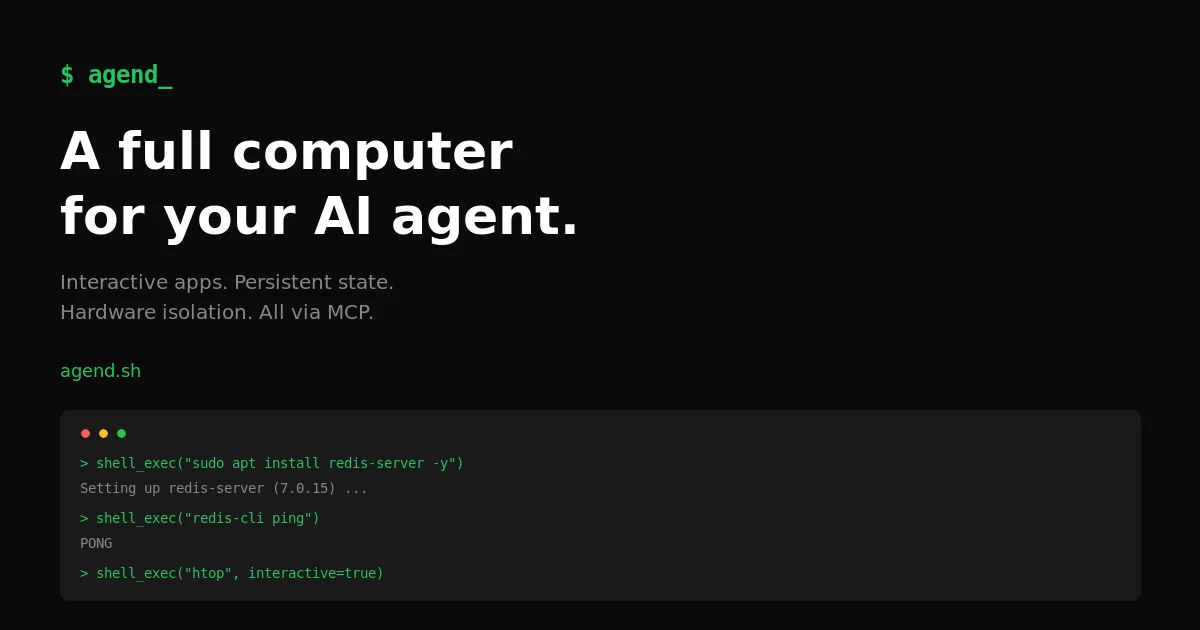


A real computer for your AI agent.
Persistent Linux workspaces. Interactive terminals. Shareable previews.
Bring your favorite MCP agent. Let it get to work.

Quick start · Interactive terminals · Connect your agent · MCP tools · agend.sh
agend gives your agent a persistent, isolated Linux environment it can drive through MCP. It can run code, edit files, use Python REPLs and Vim, start services, and expose a preview URL. You can open a shell yourself or watch the agent's interactive terminal as it works.
| Build | Interact | Show the work |
|---|---|---|
| Run commands and background tasks. Transfer files. Keep projects in your remote workspace. | Drive REPLs and terminal apps through a PTY, with feedback when the terminal enters an input wait. | Open a browser preview or mirror the interactive session with agend watch. |
Quick start
1. Install
Linux / macOS
curl -fsSL https://agend.sh/i | sh
Windows · PowerShell
irm https://agend.sh/i.ps1 | iex
Homebrew · Linux / macOS
brew install agend-sh/tap/agend
The script installers verify the release signature and archive SHA-256 checksum. The Unix installer writes to /usr/local/bin and may ask for sudo. The Windows installer writes to %LOCALAPPDATA%\agend\bin and adds it to your user PATH. Releases support amd64 and arm64 on all three platforms.
agend version
2. Sign in
agend login
Complete authentication in the browser. Creating an account with email and a password instead:
agend signup --email you@example.com
signup prompts for a password and signs you in on success. You do not need to run login again.
3. Create your workspace
agend env create --name my-workspace
agend ping
agend exec 'python3 --version'
Creation selects the new environment for CLI commands. Its size follows your account's default profile. Use agend profiles to see available sizes, quotas, and sleep policies; pass a returned profile ID with agend env create --profile <profile-id> to choose another size.
4. Connect your agent
agend config claude-code
Or configure a different client:
agend config codex cursor gemini
Restart or reload your client's MCP integration, then try this prompt:
Use agend's
list_environmentsto findmy-workspace. Start an interactive Python REPL there, calculate 6 × 7, then exit the REPL.
Your agent discovers the environment and drives it with MCP tools. An Agend account and available environment quota are required; the CLI alone does not provision a free local machine.
agend-sh is listed in the official MCP Registry
as io.github.agend-sh/agend-sh. For Docker-based installation, see the
container package and connection guide.
Also available on Smithery.
For clients that support MCPB extensions, see the bundle guide.
Interactive terminals
The terminal can report that it entered an input wait. That gives the agent process feedback while it drives a REPL or terminal app.
For example, call shell_exec with:
{
  "environment": "my-workspace",
  "command": "python3 -q",
  "interactive": true
}
A response can look like this:
status: awaiting_input
>>>
prompt_type: interactive
input_wait: true
Continue through shell_send_raw:
{
  "environment": "my-workspace",
  "input": "print('hello from agend')\n"
}
status: awaiting_input
print('hello from agend')
hello from agend
>>>
input_wait: true
Then send exit()\n through shell_send_raw to close Python.
Reading the response
| Field | Meaning |
|---|---|
status: completed |
The command ended. Check exit_code. |
status: awaiting_input |
The interactive process is still alive. This status alone does not prove it is waiting for input. |
input_wait: true |
An input-wait event was observed while collecting this response: the terminal reader lacked sufficient input and entered its wait path. |
input_wait: false |
No new event was observed in this response. It does not cancel a previous event or prove the process stopped waiting. |
status: timeout |
A foreground command exceeded its time budget. |
The input-wait signal is an event, not a persistent state query or a guarantee that an application or service is ready. It depends on support in the environment's guest stack.
For REPLs and TUIs, set interactive: true and use shell_send_raw for subsequent input. Include \n when you want Enter. Use shell_resize when the viewport changes. Quit through the app's own command, or use shell_interrupt to close the session. One interactive session can be active per environment; finish it before starting another shell_exec.
An interactive process stays alive between tool calls and is not killed when its response collection times out. After a completed tool response, disconnecting the MCP client does not itself stop the process: reconnect to the same environment to continue. Environment sleep, a crash, or a cold reset can affect its lifetime.
Watch your agent work
agend watch
Watch mirrors the selected environment's interactive session, replays retained output, and follows new updates. It sends no input to the remote process. Press q or Ctrl+C to stop watching; the agent's session continues.
For a screen recording:
agend watch --typing-delay 40ms
Match your terminal's size to the remote session for an accurate display. Watch follows output collected by the agent's tool calls; it does not poll the guest for output between those calls. It shows interactive sessions, not ordinary command output or background-task logs.
Want to work in the environment yourself?
agend connect
This opens a live terminal with keyboard input and terminal resizing. Run exit to close the shell. It requires a terminal on stdin and uses the same single interactive-session slot as MCP, so close the agent's interactive app first.
Share a browser preview
Have your agent start a service using shell_exec:
{
  "environment": "my-workspace",
  "command": "python3 -m http.server 8080 --bind 0.0.0.0 --directory /home/agend-user/readme-demo",
  "run_in_background": true
}
Create /home/agend-user/readme-demo and put your demo files there first. Bind the service to 0.0.0.0 so the tunnel can reach it.
Then call port_expose:
{
  "environment": "my-workspace",
  "port": 8080
}
The response contains a public HTTPS URL. Allow time for the tunnel and DNS to become reachable. port_list shows active exposures; port_unexpose removes one. Exposing a port makes that service reachable from the internet.
For your own Cloudflare-managed domain, register its zone with agend domain add example.com, then pass domain: "app.example.com" to port_expose. Registration prompts for a Cloudflare API token with Zone:DNS:Edit, Zone:Zone:Read, and Account:Cloudflare Tunnel:Edit permissions; scripts can supply it through AGEND_CF_TOKEN. agend domain list returns the domain IDs used by agend domain remove <domain-id>.
Connect your agent
agend config detects supported clients installed on your machine. Preview its choices before writing:
agend config --dry-run
agend config
You can also select clients explicitly:
| Client | Command |
|---|---|
| Claude Code | agend config claude-code |
| Claude Desktop | agend config claude-desktop |
| Codex | agend config codex |
| Cursor / Windsurf | agend config cursor windsurf |
| Gemini CLI / Antigravity | agend config gemini antigravity |
| VS Code / Zed / JetBrains | agend config vscode zed jetbrains |
| Cline / Roo Code | agend config cline roo-code |
| OpenCode / GitHub Copilot CLI | agend config opencode github-copilot-cli |
| Amazon Q / Goose / Continue | agend config amazon-q goose continue |
Configuration registers agend mcp as a local stdio server. The client must be able to find the installed binary; on Windows, the config writer uses its absolute path. Client-specific config paths and formats are handled by agend config.
Configure another MCP client manually
For clients that use the mcpServers JSON format:
{
  "mcpServers": {
    "agend": {
      "command": "agend",
      "args": ["mcp"]
    }
  }
}
Use the absolute binary path if the client does not inherit your shell's PATH. This is a generic example; some clients use a different schema. agend mcp reads JSON-RPC from stdin and writes protocol responses to stdout; logs go to stderr. Tool results are MCP text content, including fields such as status and input_wait.
MCP tools
The CLI exposes 23 tools. Call list_environments to discover IDs and names. Environment-specific tools require an environment argument and accept either an ID or a name. env_create, list_environments, profiles_list, and reload_config do not need one.
| Area | Tool | What it does |
|---|---|---|
| Environments | list_environments |
Discover environments, names, descriptions, state, and tier. |
profiles_list |
Show available sizes, quotas, and usage. | |
env_create |
Create an environment; optional name, description, and profile. |
|
env_update |
Edit or clear an environment name and description. | |
env_status |
Inspect state and metadata without waking the environment. | |
env_wake |
Wake a sleeping environment. | |
env_cold_reset |
Last-resort recovery for a stuck environment; requires a diagnostic reason. | |
| Shell | shell_exec |
Run a command with a timeout, head/tail truncation, interactive mode, or background mode. |
shell_send_raw |
Send bytes to an interactive app; no newline is appended. | |
shell_provide_input |
Answer a simple prompt in an active terminal session; appends a newline. Use shell_send_raw for REPLs and TUIs. |
|
shell_resize |
Resize the active PTY. | |
shell_interrupt |
Interrupt a command or close the interactive session. | |
shell_task_output |
Read a background task's output and status. | |
shell_task_stop |
Stop a background task. | |
| Files | file_write |
Atomically write text to a remote file. |
file_upload |
Transfer a local file to the environment. | |
file_download |
Transfer a remote file to the local machine. | |
file_move |
Move or rename a remote file. | |
| Networking | port_expose |
Expose a service through a public HTTPS tunnel. |
port_list |
List exposed ports and URLs. | |
port_unexpose |
Remove an exposure; optionally target one domain. | |
| Diagnostics | env_stats |
Inspect disk, memory, CPU, and processes. |
reload_config |
Reload credentials after changes in another terminal and reset connections. |
interactive and run_in_background are mutually exclusive. Background execution returns a task_id for the task tools.
Local paths in file_upload and file_download are confined to the MCP server's working directory, or to AGEND_LOCAL_ROOT if you set it in the server's environment. Downloads return transfer metadata; read text with shell_exec or open the downloaded local file. For large files, downloading directly inside the remote environment with curl or wget is usually faster.
CLI reference
CLI commands operate on the selected environment. Use environment IDs with agend env use and other CLI environment commands; MCP tools also resolve names.
agend env list
agend env use <env-id>
agend exec 'pwd'
Environments and accounts
| Command | Purpose |
|---|---|
agend profiles |
List profiles available to your account. |
agend env create [--name NAME] [--description TEXT] [--profile ID] |
Provision and select a workspace. |
agend env list |
List environments. |
agend env use <env-id> |
Select an environment; wakes it if sleeping. |
agend env edit [env-id] --name NAME --description TEXT |
Edit metadata; --clear-name and --clear-description remove values. |
agend env status [env-id] |
Inspect state without waking it. |
agend env wake [env-id] |
Wake a sleeping environment. |
agend env cold-reset [env-id] --reason TEXT |
Recover a genuinely stuck environment through a cold boot. |
agend env delete [env-id] |
Permanently delete an environment and its data. |
agend status |
Show authentication and selected-environment status. |
agend signup --email <email> |
Create an account and sign in with a password prompt. |
agend login |
Authenticate through your browser. |
agend login --email <email> |
Sign in with an email and password. |
agend login --token <token> |
Save a direct API token. |
agend account list |
List saved accounts. |
agend account switch <email> |
Switch accounts. |
agend account remove <email> |
Remove a saved account. |
agend logout [--all] |
Remove the active account's local credentials, or all saved accounts. |
Cold reset preserves the persistent data disk but discards guest memory, processes, sessions, and snapshots. It is a recovery operation. Creating, selecting, or executing in an environment can boot or wake it; env status is the read-only inspection path.
Shell, files, and tasks
| Command | Purpose |
|---|---|
agend connect [--shell COMMAND] |
Open a live interactive terminal. |
agend watch [--typing-delay 40ms] |
Mirror the interactive session without sending input. |
agend exec <command> |
Execute a remote command. |
agend input <text> |
Answer a simple prompt; appends a newline. |
agend resize <columns> <rows> |
Resize the active PTY. |
agend interrupt |
Interrupt the active command/session. |
agend ping |
Check connectivity and show backend version. |
agend file-get <remote-path> |
Print remote file content to stdout. |
agend file-put <remote-path> <content> |
Write supplied content to a remote file. |
agend file-move <source> <destination> |
Move or rename a remote file. |
agend task-output <task-id> |
Read background-task output. |
agend task-stop <task-id> |
Stop a background task. |
exec supports --timeout in milliseconds (default: 30000), --head, --tail, --background, and --interactive. For a live terminal, use connect; for an agent driving a REPL or TUI, use MCP's interactive tool workflow.
For example:
agend file-put /home/agend-user/hello.txt 'hello from agend'
agend file-get /home/agend-user/hello.txt
agend exec --timeout 60000 'python3 --version'
file-get writes file metadata to stderr. file-put takes content, not a local filename; use MCP's file_upload for local file transfer. Both CLI file commands support --encoding text or --encoding base64; file-put also supports --create-dirs, --overwrite, and --mode.
Teams and shared environments
A team owns shared environments. A lease gives a member exclusive access until it is released or expires.
| Command | Purpose |
|---|---|
agend team create <name> |
Create a team you own. |
agend team list |
List your teams. |
agend team invite <team-id> <email> |
Invite a member. |
agend team accept <team-id> |
Accept an invitation. |
agend team members <team-id> |
List members. |
agend team envs <team-id> |
List shared environments and lease status. |
agend profiles --team <team-id> |
Inspect profiles available to a team. |
agend team env-create <team-id> [--profile ID] |
Provision a shared environment. |
agend env acquire <env-id> |
Acquire an exclusive lease. |
agend env heartbeat <env-id> |
Extend the lease. |
agend env release <env-id> |
Release it. |
When the selected environment belongs to a team, agend mcp attempts to acquire its lease, heartbeats while connected, and releases it on normal shutdown. A lease held by another member blocks access. A hard-killed client can leave a lease until its expiry.
Updates and troubleshooting
agend update
The updater verifies the signed checksum manifest and archive before replacing the binary. An already running MCP process continues using its current version until restarted. Release builds also check automatically for updates at most once per 24 hours; set AGEND_NO_AUTOUPDATE=1 to disable those automatic checks. For a Homebrew-managed install, use brew upgrade agend.
| Situation | What to do |
|---|---|
Installer prints agend setup claude, or config claude fails |
Use agend config claude-code or agend config claude-desktop. |
| Agent cannot find the server | Check agend version, rerun agend config <client>, and restart its MCP integration. A manual configuration may need an absolute binary path. |
| CLI has no selected environment | Run agend env list, then agend env use <env-id>. |
| New environment is not reachable yet | Inspect agend env status; allow the tunnel to come online, then retry agend ping. |
| Input reports no active session | Start the app with interactive: true. Ordinary foreground commands do not keep stdin open for later tool calls. |
connect reports no active session waiting for input when you exit |
This can occur intermittently in the current backend after a shell has run successfully. See the verification report; start a new connect session if you need to continue. |
| Local file path is rejected | Keep it inside the MCP working directory or configure AGEND_LOCAL_ROOT. |
| Browser preview URL does not open yet | Check that the service is running and bound to 0.0.0.0; allow tunnel/DNS propagation, then inspect port_list. If the hostname still does not resolve, check your DNS resolver. |
| Environment appears stuck | Inspect env status first. Use a cold reset only after ordinary reconnect/wake recovery is insufficient. |
| Corporate proxy blocks connectivity | Set HTTPS_PROXY / HTTP_PROXY; Go binaries do not use Windows system proxy settings. |
Credentials and per-account environment selection live in ~/.config/agend/credentials.json, with owner-only file permissions on Unix. On Windows, ~ is your user profile and access is governed by Windows filesystem permissions. For scripted email/password authentication, use AGEND_PASSWORD; the CLI prompts otherwise.
Development
Requires Go 1.26.9+. From a source checkout:
git clone https://github.com/agend-sh/cli.git
cd cli
make build
./bin/agend version
make install builds and copies the binary to /usr/local/bin; that directory must be writable. On Windows, build directly with go build -o agend.exe ./cmd/agend.
go test ./...
go vet ./...
CI builds, tests, and vets on Linux and Windows, with additional cross-compilation checks. Version tags trigger GoReleaser to publish Linux/macOS tarballs and Windows zip archives for amd64 and arm64, a checksum manifest, and its Sigstore signature bundle. The Homebrew