

AI Guard
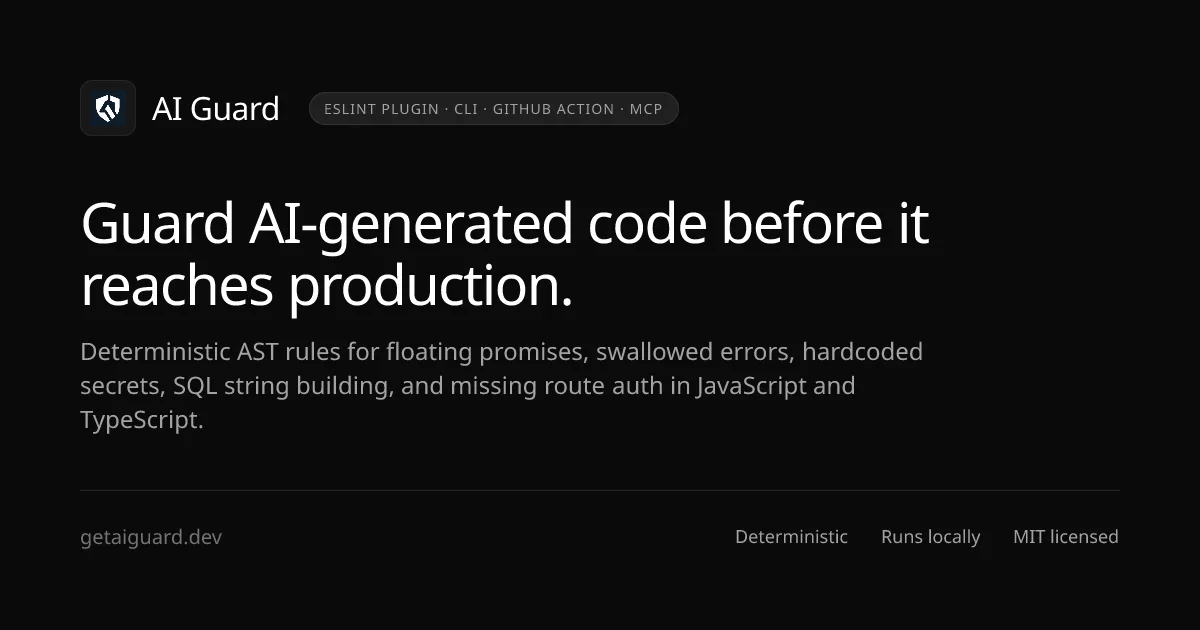
Deterministic AST safety layer and CI guardrails for AI-assisted JavaScript and TypeScript code.
Website • npm Package • GitHub Repository • Rules Catalog • Benchmarks • Claude Code • Documentation



What is AI Guard?
AI Guard (eslint-plugin-ai-guard) provides:
- ESLint plugin with 18 deterministic rules and 4 presets (
recommended,strict,security,agent) - CLI (
ai-guard) for terminal, changed-file, and CI scanning - GitHub Action with native SARIF 2.1.0 output for GitHub Code Scanning
- Check integrity (
ai-guard integrity) — detects changes that weaken checks: new suppressions, skipped or removed tests, lowered ESLint/TypeScript/coverage settings, removed CI steps - Claude Code integration with hooks that send findings back to Claude and block finishing once when checks were weakened
- MCP server (
ai-guard-mcp) for local AI-agent workflows over STDIO
It is engineered to detect reliability bugs, async hazards, security vulnerabilities, and code-scaffolding defects frequently introduced during AI-assisted development (GitHub Copilot, Cursor, Claude Code, Gemini Code Assist, etc.).
AI Guard analyzes Abstract Syntax Trees (AST) using ESLint's native engine. It runs locally in your editor, in your terminal via the zero-config CLI, and in your CI/CD pipelines via native SARIF 2.1.0 integration with GitHub Code Scanning.
What AI Guard is NOT
Important
- AI Guard is NOT an AI detector. It does not attempt to predict whether code was authored by an LLM or a human.
- AI Guard detects dangerous or fragile code patterns that LLMs repeatedly introduce due to incomplete context, hallucinated patterns, or probabilistic generation.
- AI Guard does NOT replace ESLint. It extends ESLint with 18 specialized, high-impact rules that core ESLint and standard configurations omit.
Why AI Guard?
AI coding assistants write code at remarkable velocity, but generated code repeatedly suffers from predictable reliability and security anti-patterns that conventional linters miss:
| Pattern | Why AI Assistants Generate It | Real-World Impact |
|---|---|---|
| Floating Promises | Omits await, return, or .catch() on async calls |
Unhandled promise rejections, silent failures in background jobs |
| Async Array Iteration | Passes async callbacks into array.map() or .filter() |
Returns unawaited Promise[] instead of resolved values |
| Sequential Awaits in Loops | Loops over items with sequential await |
Significant latency bottlenecks; blocks event loop execution |
| Empty Catch Blocks | Inserts generic try { ... } catch (e) {} blocks |
Swallows production exceptions silently without telemetry |
| Hardcoded Secrets | Injects placeholder or real API keys/tokens | Credential leakage in version control and deployment bundles |
Dynamic eval() |
Generates dynamic function compilation | Arbitrary code execution and code injection |
| Raw SQL Concatenation | Concatenates query strings with variables | Severe SQL injection vulnerabilities |
| Unsafe Deserialization | Calls JSON.parse(req.body) directly without schema checks |
Denial of service and unhandled runtime crashes |
| Missing Route Auth & Authz | Emits boilerplate endpoints without auth middleware | Unprotected API endpoints and IDOR privilege escalations |
| Dead Branches & Scaffolding | Leaves if (true) or conflicting conditions from prompt iterations |
Bloated bundles and dead code paths |
AI Guard provides an instantaneous, deterministic feedback loop that catches these issues before they reach pull requests or production.
Architecture & Workflow
flowchart TD
    subgraph Dev["1. Development & Prompt Phase"]
        A["Developer + AI Coding Assistant\n(Copilot, Cursor, Claude Code)"] --> B["JavaScript / TypeScript Code"]
    end

    subgraph ShiftLeft["Shift Left — Context Injection"]
        SL["npx ai-guard init-context"] -.-> CTX["CLAUDE.md\n.cursorrules\ncopilot-instructions.md"]
        CTX -.-> A
    end

    subgraph Analysis["2. Deterministic AST Analysis"]
        B --> C["ESLint Parser\n(espree / @typescript-eslint/parser)"]
        C --> D["AST Representation"]
        D --> E["AI Guard Rules Engine\n(18 Deterministic Rules)"]
    end

    subgraph Tiers["3. Classification & Presets"]
        E --> F{"Active Preset\n(recommended | strict | security | agent)"}
        F --> G["Confidence Tiering & AST Filtering"]
    end

    subgraph Outputs["4. Output & Remediation"]
        G --> H["Local CLI Scanning\n(ai-guard run / changed)"]
        G --> I["Autofix Remediation\n(eslint --fix)"]
        G --> J["HTML Dashboard\n(ai-guard report)"]
        G --> K["SARIF 2.1.0 Artifact\n(ai-guard --sarif)"]
    end

    subgraph CI["5. GitHub Pull Request & CI/CD"]
        K --> L["GitHub Action\nai-guard-dev/eslint-plugin-ai-guard@v1"]
        L --> M["GitHub Code Scanning Alerts"]
        L --> N["Inline PR Code Annotations"]
        L --> O["PR Status Check (Blocks Merge)"]
    end
Rules Catalog
AI Guard includes 18 deterministic rules divided into four specialized categories. Every rule is engineered with low false-positive heuristics and validated against real-world production codebases:
🔴 Security (6 Rules)
| Rule | Recommended | What It Catches | Fixable? |
|---|---|---|---|
no-hardcoded-secret |
error |
API keys, bearer tokens, passwords, and private keys committed directly in source code. | Yes (process.env.*) |
no-eval-dynamic |
error |
eval(), new Function(), and setTimeout/setInterval with dynamic/non-literal string expressions. |
No |
no-sql-string-concat |
warn |
SQL queries constructed by string concatenation or raw template literals — SQL injection risks. | No |
no-unsafe-deserialize |
warn |
Unchecked JSON.parse() called directly on HTTP request inputs (req.body, req.query, req.params). |
No |
require-auth-middleware |
warn |
Express and Fastify route definitions exposed without authentication middleware. | No |
require-authz-check |
warn |
Endpoints accessing sensitive resources or user IDs without tenant/ownership authorization checks. | No |
🟠 Reliability (4 Rules)
| Rule | Recommended | What It Catches | Fixable? |
|---|---|---|---|
no-empty-catch |
error |
Empty catch (e) {} blocks that silently swallow exceptions without logging or rethrowing. |
Yes (inserts /* TODO: handle error */) |
no-broad-exception |
warn |
Catching broad exception types like catch (e: any) that mask system faults and typing. |
No |
no-catch-log-rethrow |
off* |
Catch blocks that only log to console and rethrow without adding context or diagnostic info. |
No |
no-catch-without-use |
off* |
Caught error variables that are declared in catch parameters but never referenced. | No |
🟡 Async Stability (5 Rules)
| Rule | Recommended | What It Catches | Fixable? |
|---|---|---|---|
no-floating-promise |
error |
Async function invocations without await, .catch(), or return — leading to silent dropped errors. |
Yes (marks with void) |
no-async-array-callback |
warn |
Async callbacks passed to map(), filter(), forEach(), or reduce() returning Promise[]. |
No |
no-await-in-loop |
warn |
Sequential await in loops where iterations can be safely executed concurrently with Promise.all. |
Yes (rewrites to Promise.all) |
no-async-without-await |
warn |
Functions declared async that never execute an await expression, adding unnecessary Promise overhead. |
No |
no-redundant-await |
off* |
Redundant return await statements outside of try...catch blocks. |
No |
🔵 AI Patterns (3 Rules)
| Rule | Recommended | What It Catches | Fixable? |
|---|---|---|---|
no-dead-branch |
warn |
Unreachable or tautological branches (if (true), if (false), x && !x) left behind from LLM code synthesis. |
No |
no-duplicate-logic-block |
off* |
Consecutive duplicate code blocks or repeated conditional branches duplicated during AI edits. | No |
no-console-in-handler |
off* |
Unstructured console.log statements left in HTTP route handlers instead of production loggers. |
No |
* Enabled at error level in the strict preset.
Presets
AI Guard exports four official configurations ready for flat config or legacy setups:
| Preset | Description | Configuration Focus |
|---|---|---|
recommended |
Default. Balanced adoption preset. Enables 4 high-confidence critical rules at error, 9 context-sensitive rules at warn, and disables 5 noisy rules. Zero noise on day one. |
Production codebases, new teams |
strict |
Enforces all 18 rules at error. Designed for zero-tolerance CI gates, high-assurance software, and mature teams. |
Strict CI/CD quality gates |
security |
Focuses exclusively on the 6 security rules (no-hardcoded-secret, no-eval-dynamic, no-sql-string-concat at error; remainder at warn). |
AppSec auditing & security scans |
agent |
5 high-signal rules at error. Optimized for AI-agent editing workflows where lint feedback runs immediately after each file edit (e.g., PostToolUse hooks). |
Claude Code, Cursor, real-time agent loops |
Quick Start & Installation
Install the package as a development dependency using your package manager:
# npm
npm install --save-dev eslint-plugin-ai-guard

# pnpm
pnpm add -D eslint-plugin-ai-guard

# yarn
yarn add -D eslint-plugin-ai-guard

# bun
bun add -d eslint-plugin-ai-guard
Requirements
- Node.js:
>= 20.0.0 - ESLint:
>= 8.0.0(Supports both Flat Config and legacy configs) - TypeScript (optional):
@typescript-eslint/parser >= 6.0.0for TypeScript AST parsing
ESLint Configuration
1. Modern Flat Config (eslint.config.mjs / eslint.config.js)
AI Guard exports full native support for modern ESLint Flat Config:
// eslint.config.mjs
import aiGuard from 'eslint-plugin-ai-guard';

export default [
  {
    plugins: {
      'ai-guard': aiGuard,
    },
    rules: {
      ...aiGuard.configs.recommended.rules,
      // Custom overrides if desired:
      'ai-guard/no-floating-promise': 'error',
    },
  },
];
To use the strict or security preset in flat config:
// Strict preset — all 18 rules at error
rules: {
  ...aiGuard.configs.strict.rules,
}

// Security preset — security rules only
rules: {
  ...aiGuard.configs.security.rules,
}
2. Legacy Config (.eslintrc.js / .eslintrc.json)
// .eslintrc.js
module.exports = {
  plugins: ['ai-guard'],
  extends: ['plugin:ai-guard/recommended'],
};
CLI Reference
AI Guard includes a full-featured CLI binary (ai-guard) that runs out of the box with zero ESLint configuration files required:
npx ai-guard <command> [options]
Core Commands
| Command | Purpose | Common Options |
|---|---|---|
run |
Scan your workspace using AI Guard AST rules | --path <dir>, --strict, --security, --json, --sarif, --fail-on <level>, --max-warnings <n>, --inline-suppressions <mode> |
changed |
Fast CI scan — only scans modified files in git | --pr, --staged, --base <branch>, --baseline [file], --integrity <off|report|enforce>, --inline-suppressions <mode>, --strict, --sarif, --sarif-output <file>, --fail-on <level> |
integrity |
Detect changes that weaken checks vs a base revision (docs) | --base <ref>, --pr, --staged, --enforce, --json, --sarif, --accept <fingerprints|all> |
init |
Automatically detect environment & configure ESLint | --preset <name>, --flat, --dry-run, -y, --yes |
init-context |
Generate prompt instruction files for AI coding agents | -a, --all, --force, --dry-run, --rules <categories> |
doctor |
Diagnose your ESLint, parser, and plugin environment | (No options needed — prints actionable diagnostic report) |
baseline |
Snapshot current issues to track only new regressions | --save, --check, --mode <strict|stable>, --preset <name> |
report |
Generate an interactive standalone HTML audit report | --path <dir>, --preset <name>, --output <file>, --no-open, --json |
preset |
Interactively select and switch active preset in config | (Interactive prompt with automatic config patch & backup) |
ignore |
Add standard ignore paths (.next, dist, build) to config |
(Patches flat config or legacy ignores safely) |
run exit codes: 0 no errors · 1 errors found (or --max-warnings exceeded) · 2 scan did not run — the file passed to --path matches a built-in ignore pattern (node_modules/, dist/, build/, generated/, vendor/, …), so nothing was analyzed. Directory scans skip ignored files silently and never exit 2.
CLI Usage Examples
# 1. Immediate scan of current directory
npx ai-guard run

# 2. Strict CI scan failing only on high-confidence issues
npx ai-guard run --strict --fail-on high

# 3. Pull Request scan (diffs against PR target branch)
npx ai-guard changed --pr --sarif --sarif-output results.sarif

# 4. Generate AI agent guardrails for Cursor, Claude Code, and Copilot
npx ai-guard init-context --all

# 5. Generate interactive HTML diagnostic report
npx ai-guard report --output ai-guard-report.html

# 6. Save existing issues as baseline and only fail on new regressions
npx ai-guard baseline --save
npx ai-guard baseline --check

# 7. Fail a PR that skips tests, adds eslint-disable, or lowers coverage thresholds
npx ai-guard changed --pr --integrity enforce
Inline suppressions never hide findings silently
AI Guard reads eslint-disable directives itself; ESLint's own inline config is disabled in AI Guard's private ESLint instance, so a comment cannot make a finding vanish without a trace. --inline-suppressions selects the policy:
| Mode | Effect |
|---|---|
allow (default) |
A covering directive hides the finding from totals and exit codes; it is listed under "Hidden by inline directives" (JSON suppressedIssues, step summary, SARIF suppressedFindingsCount) |
require-reason |
Only directives with a -- reason hide findings (used by the Claude Code hook) |
ignore |
Directives never hide AI Guard findings (always used by the MCP server) |
This applies to ai-guard run, changed, the GitHub Action, the Claude Code hook and MCP. It does not change how your own eslint . treats directives. TypeScript comments (@ts-ignore, @ts-nocheck) never affect AI Guard findings; ai-guard integrity reports newly added ones.
AI Agent Integration (init-context)
Standard linters only run after code has already been written. The init-context command shifts your guardrails left by embedding AI Guard's rules directly into the instruction files loaded by your AI coding tools:
npx ai-guard init-context --all
This generates three targeted context files:
CLAUDE.md— Automatically loaded by Claude Code.cursorrules— Automatically loaded by Cursor.github/copilot-instructions.md— Automatically loaded by GitHub Copilot
How Shift-Left Works
AI Guard (init-context)
       ↓
Generates project guardrail files (CLAUDE.md, .cursorrules, copilot-instructions.md)
       ↓
AI coding assistant reads safety rules before generating code
       ↓
Model avoids floating promises, empty catches, and hardcoded secrets at prompt time
       ↓
AI Guard CLI & GitHub Action determ