Appgea Panel
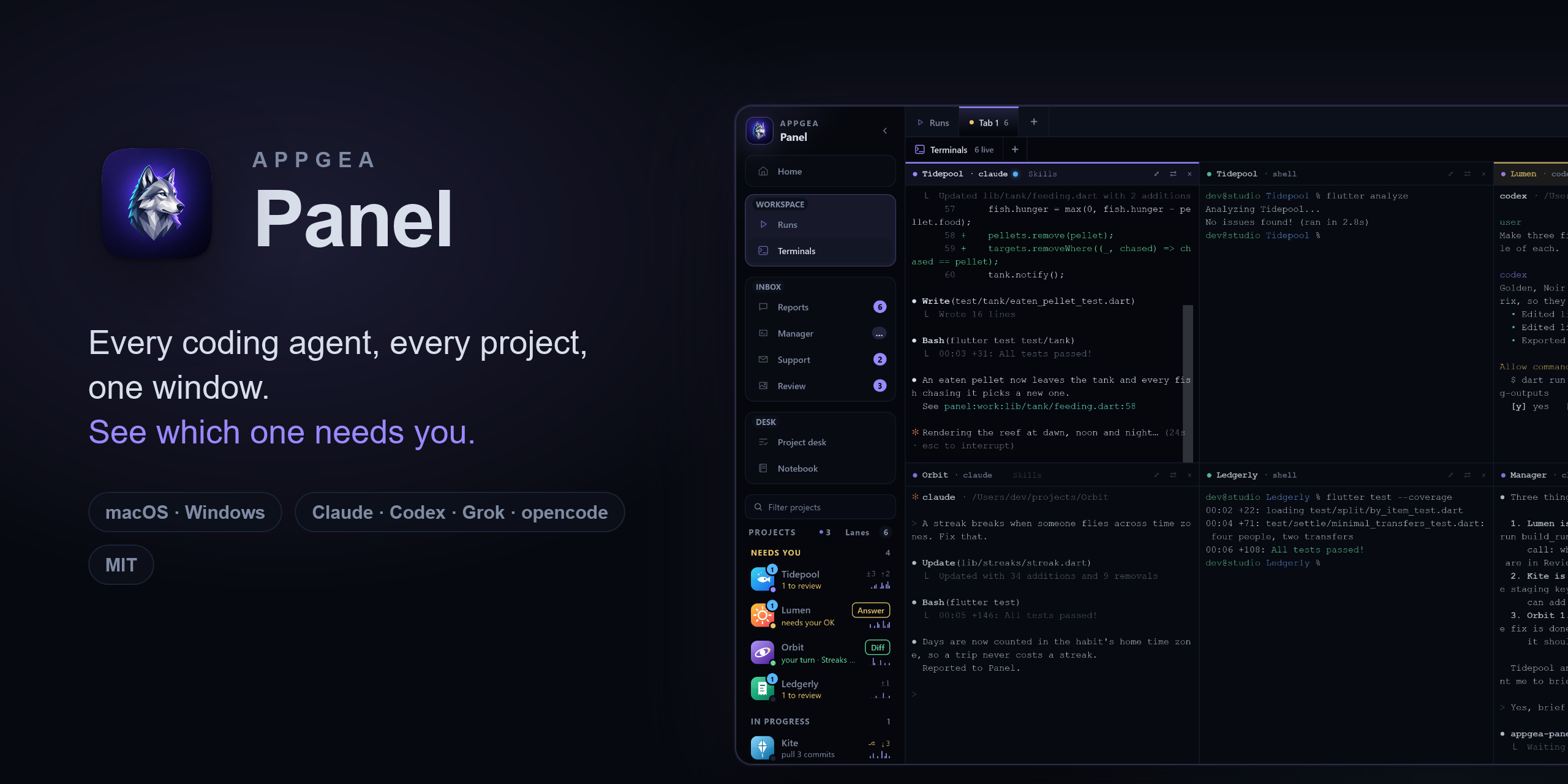
Run a dozen coding agents across all your projects, and only look up when one needs you.
You have more apps than attention. Agents can work on all of them at once, but then you spend your day tab-hopping between terminals, wondering who's stuck on a permission prompt, who finished an hour ago, and what each one actually changed.
Panel is the desk for that job. Your agents run in real terminals, in their real CLIs. Panel watches every session, sorts your projects by what they need from you, and turns each finished turn into a report you can act on in one click.
- 🧭 Know who needs you. Projects sort themselves into lanes: Needs you, Working, Shipping, Live, Quiet. A permission prompt can be answered from the sidebar.
- 🖥️ Every agent on one wall. Claude, Codex, Grok, opencode, plain shells, across every project, live. Switching projects changes what you see, never what's running.
- 📬 Reports, not scrollback. Agents file a headline, an outcome, screenshots and code refs when they're done, blocked or need a decision.
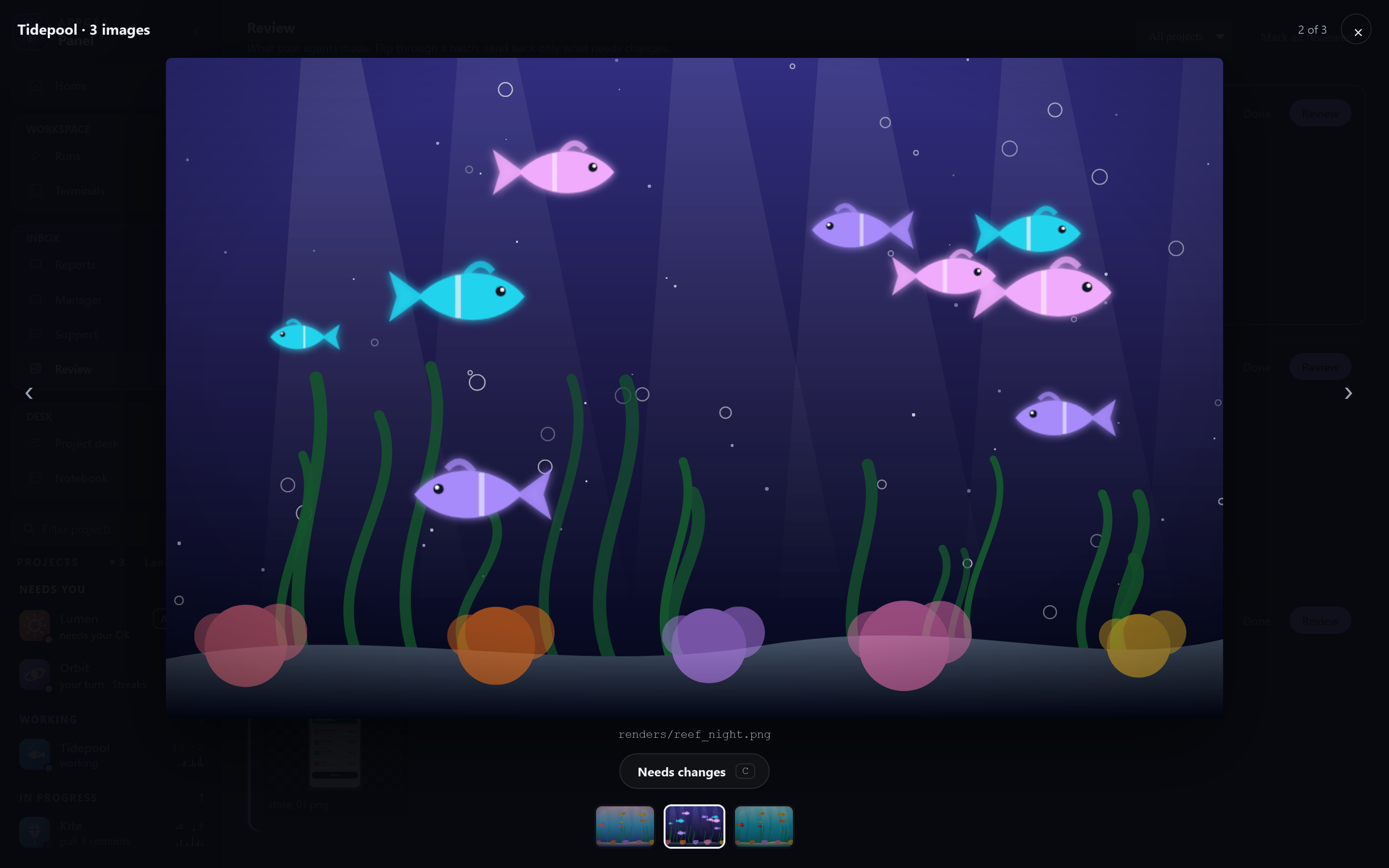
- 🎞️ Review what they made. Renders, sounds and videos collect in Review. Flag what needs changing and your notes go straight into that agent's terminal. The redo sits next to the original.
- 🔗 Agents point, you click.
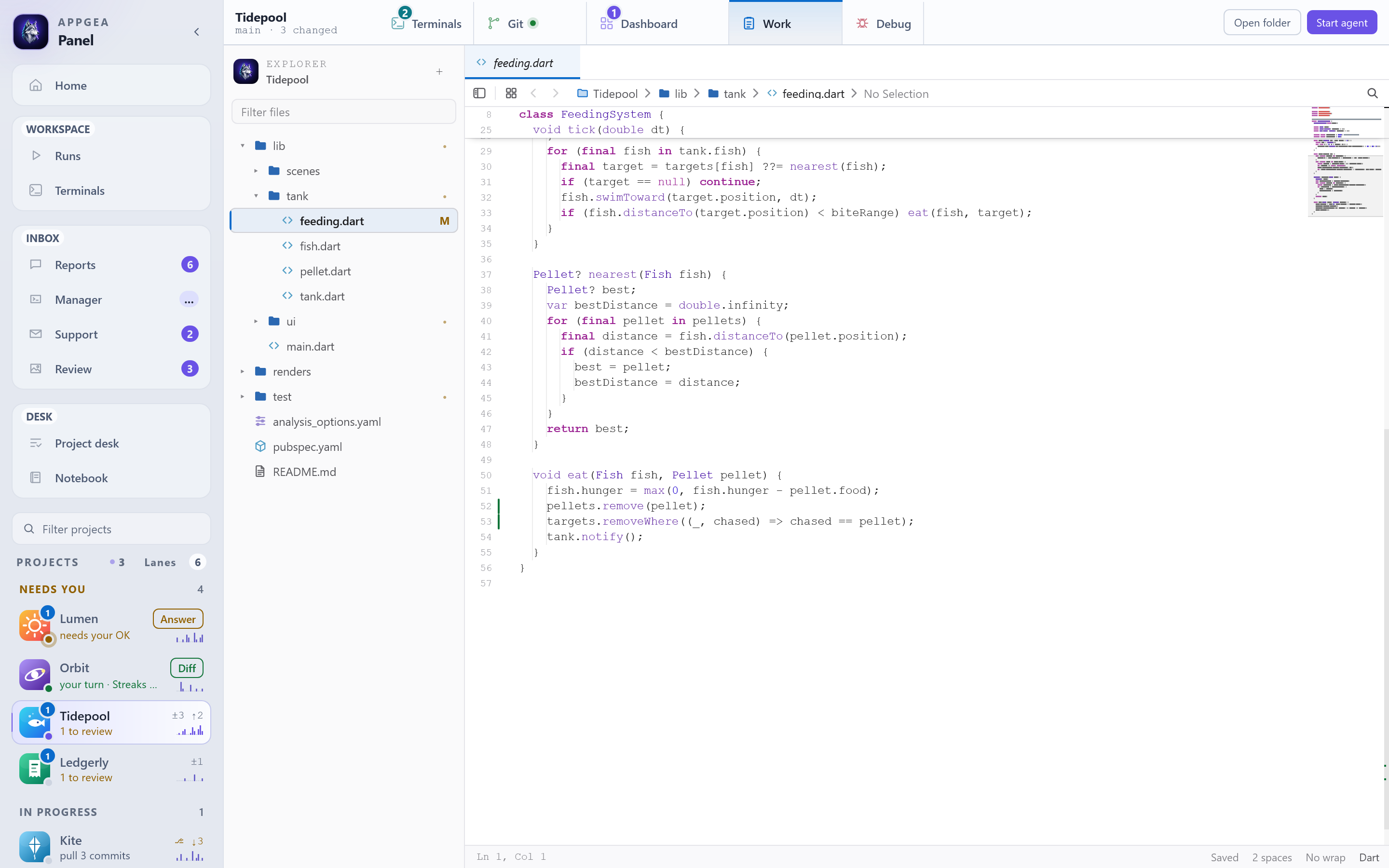
panel:review,panel:work:lib/auth.dart:88,panel:git,panel:managerbecome buttons on a report and ⌘/Ctrl-click links in the terminal. - ✍️ An editor that knows an agent is typing. Gutter marks for what the agent just wrote, edit replay, conflict handling when you both touch the same file.
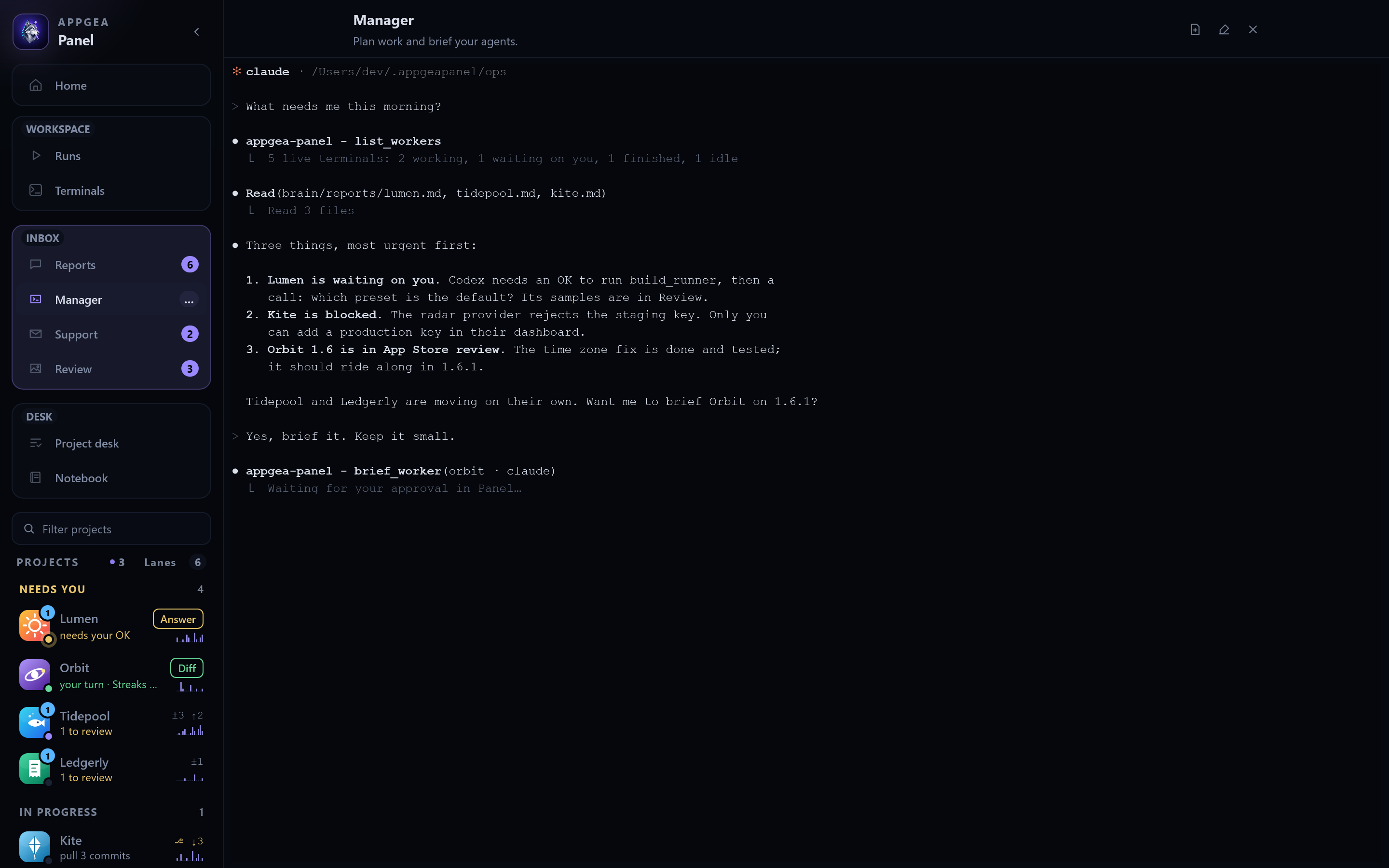
- 🧠 A Manager above the workers. One agent that reads every report, plans across projects and briefs workers, only after you approve the exact prompt.
A tour
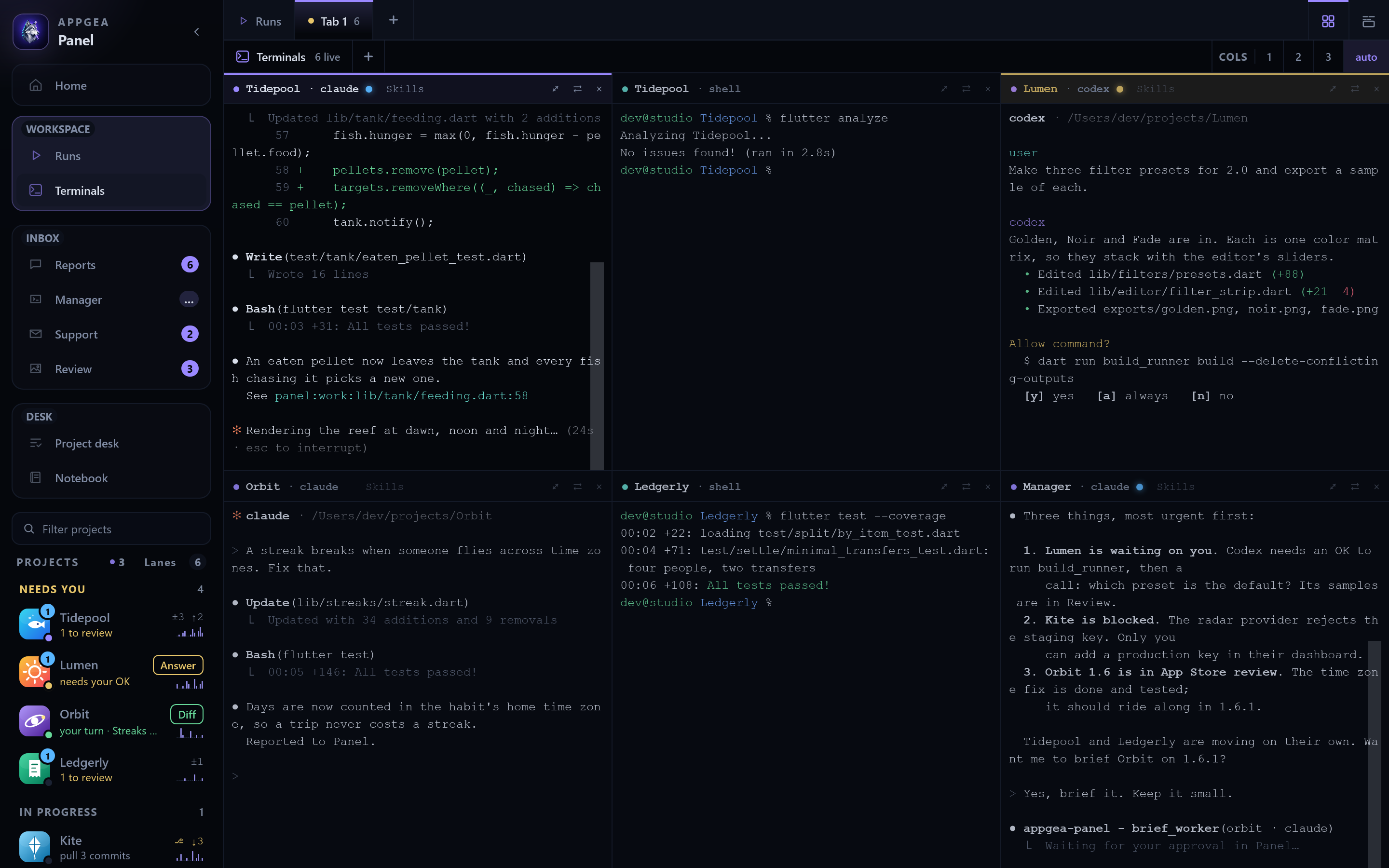
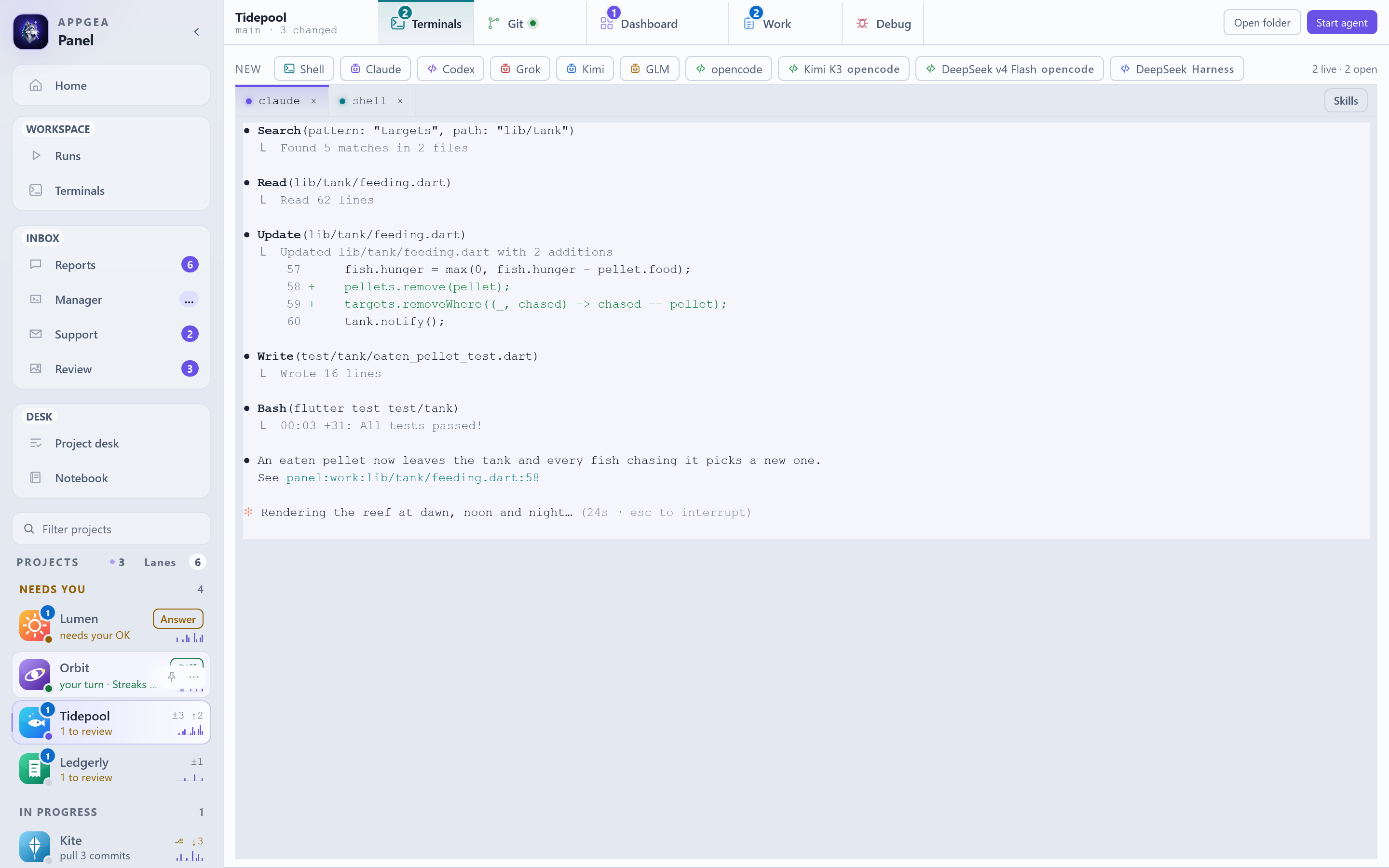
The wall: every agent, live
Agents and shells across four projects, plus the Manager. The sidebar already knows Lumen is waiting on a permission, Orbit finished its turn, and Tidepool left renders to review.
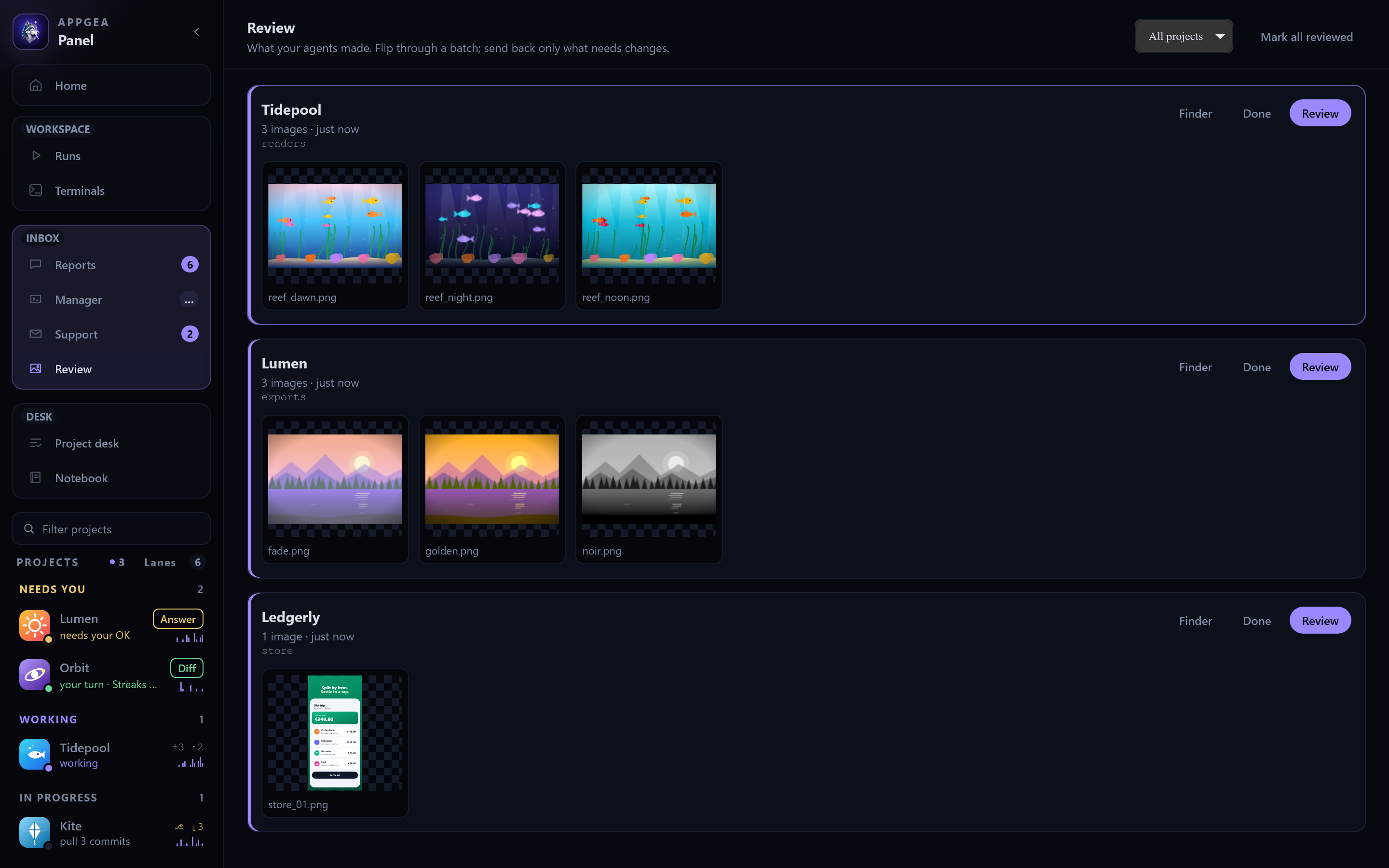
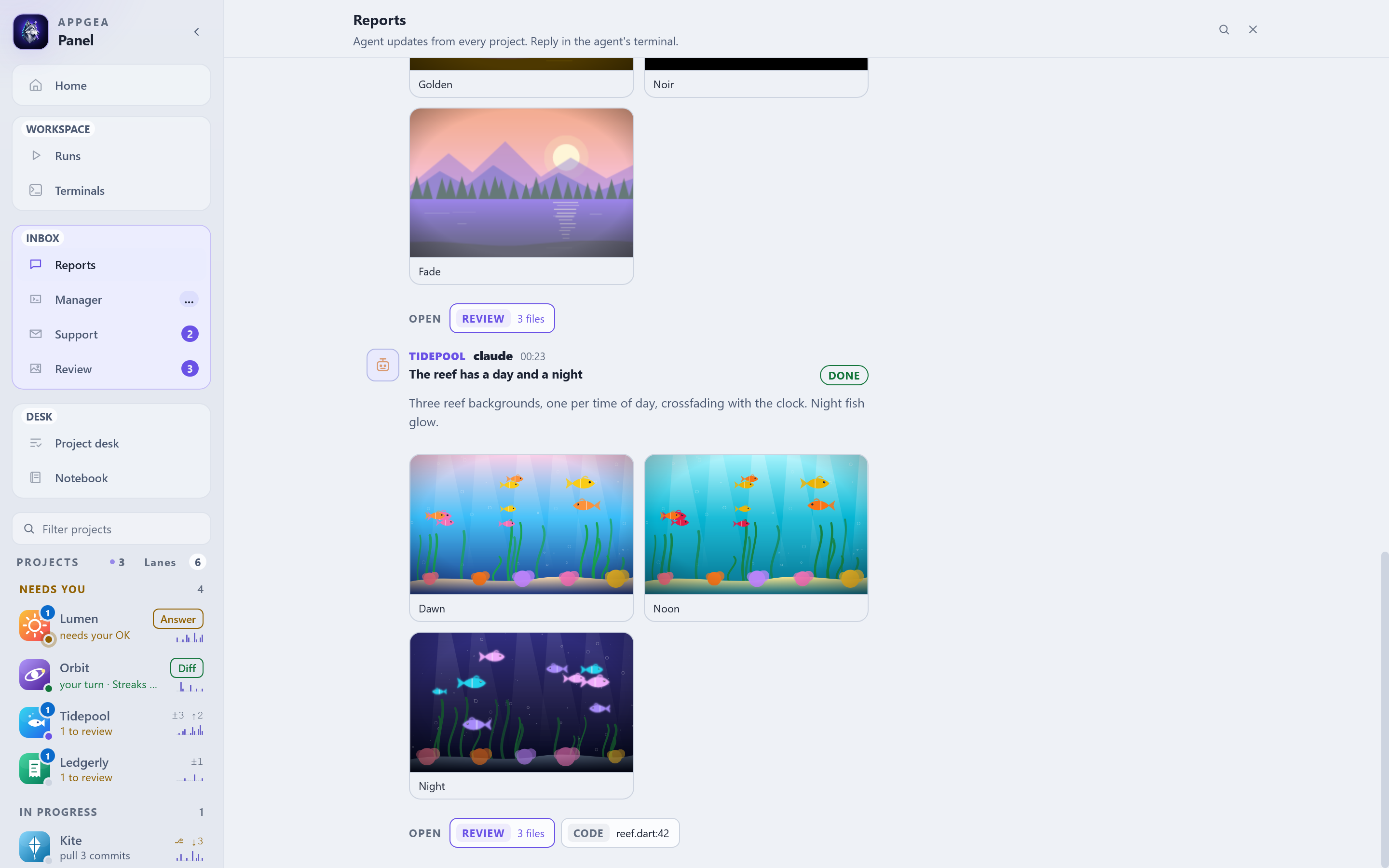
Review: what your agents made
Renders, screenshots and sounds land in batches. Flip through one, press C on what needs
changing, and your notes go straight back into that agent's terminal.
The Manager: one agent above the workers
It reads every report, tells you what needs you in order, and briefs a worker only after you approve the exact prompt.
|
Home. Every project, its branch and changes, and what each agent last reported.
|
Reports. Updates from every project in one feed, each with an outcome and one-click Review, Code and Git buttons.
|
|
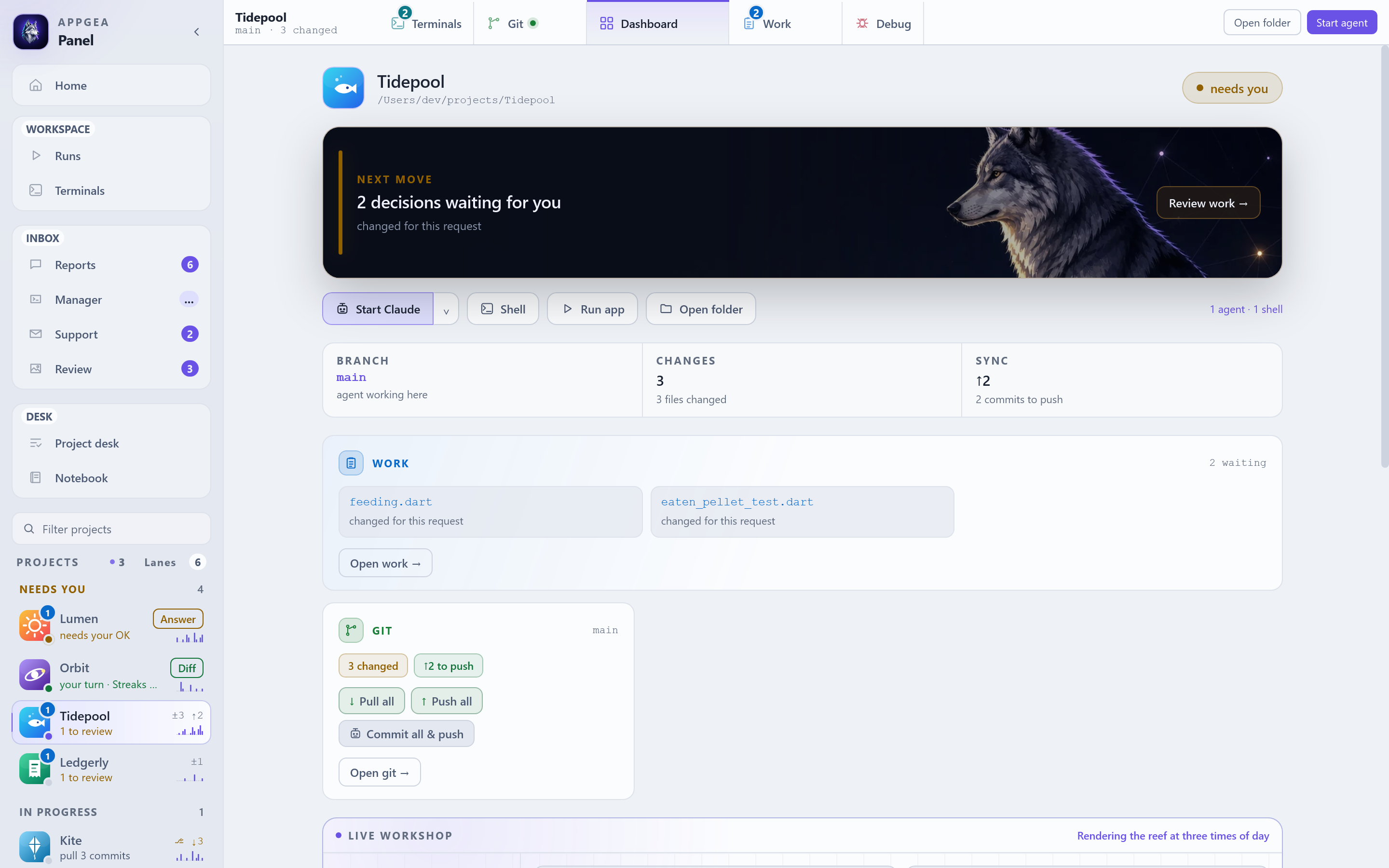
Dashboard. The next move, the files the agent changed for this request, and git in one card.
|
Work. A real editor with tabs, breakpoints and go-to-definition. The gutter shows what the agent just wrote.
|
|
Project. One project's agent and shells, with every agent CLI one click away.
|
Tabs layout. Prefer one terminal at full size? A second tab row, grouped by project. ⌘⇧L switches.
|
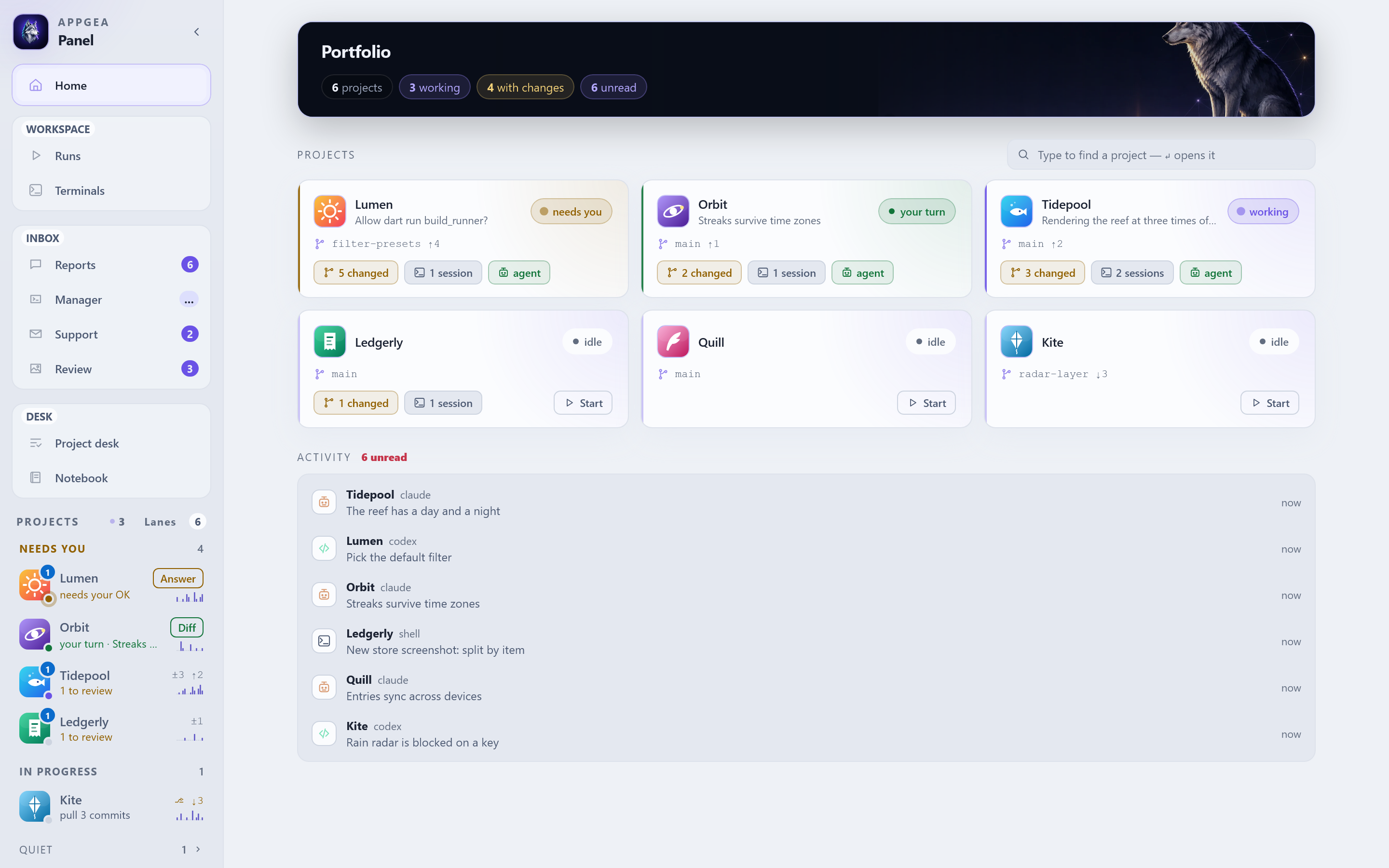
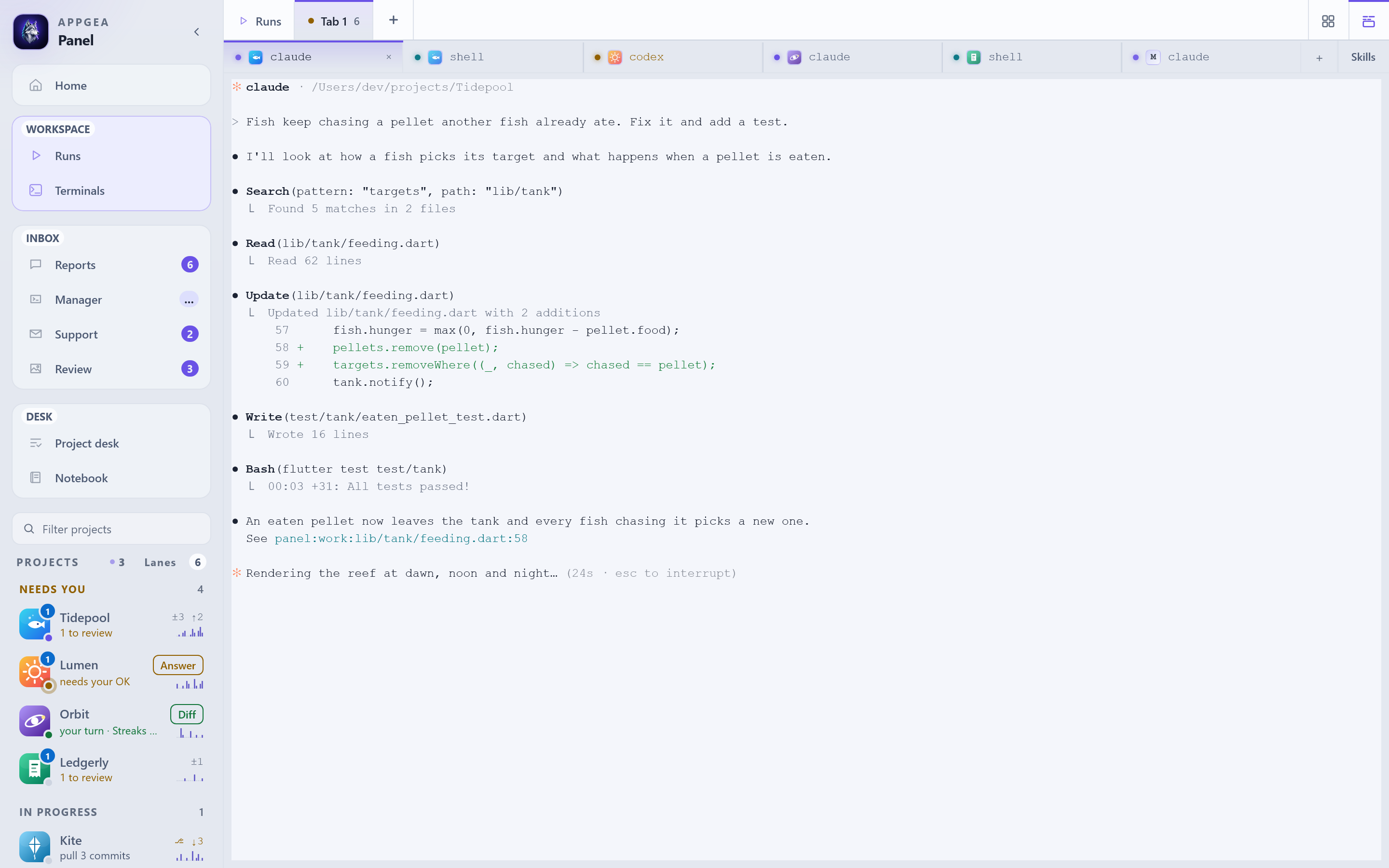
Screenshots use a made-up portfolio. CONTRIBUTING.md shows how to regenerate them.
Quick start
You need Rust, the Tauri CLI 2, Node 22.12+, Python 3 and at least one agent CLI. The setup guide lists them with one-line checks.
git clone https://github.com/Appgea/panel.git panel
cd panel/next

./launcher/build-app.sh /Applications                              # macOS
powershell -ExecutionPolicy Bypass -File launcher\build-app.ps1    # Windows
The first build takes 10–20 minutes, later ones a few. Open Appgea Panel, click Add project, pick a repo, hit Start Claude, and give it a task.
→ Full setup guide: first run, agents, keys, updating, troubleshooting.
Works with the agents you already use
Panel hosts each agent's own CLI from your PATH. No wrappers, and your agent logins stay with the agents.
| agent | how well Panel sees it |
|---|---|
| Claude Code | full: live status, permission prompts, edit replay, reports, Review |
| Codex | reports and panel tools |
| Grok | reports through a small script |
| opencode, Kimi, GLM, DeepSeek Harness, your shell | a real terminal on the wall |
If Panel's wiring is missing, the agent still launches as its plain CLI.
Yours, on your machine
- Local only. Agents talk to Panel over
127.0.0.1. Your portfolio lives in~/.appgeapaneland ships with no one else's content: structure, templates and empty indexes. - Shipped code is read-only, your data is writable. One file decides which is which.
- No secrets in the bundle. Credentials stay in the Keychain or a module's private state, and the build refuses to ship if anything credential-shaped survives.
- Extensible. Optional modules (Git manager, RevenueCat, server health, support inbox) add tabs and screens. Write your own.
Documentation
| Setup guide | install, first run, update, troubleshoot |
| User guide | every screen, key and workflow |
| Design · Work editor | why it is shaped this way |
| Architecture · Backend | crates, event flow, commands |
| Protocol | wire an agent to Panel: routes, hooks, MCP tools, Panel links |
| Configuration · Modules | config files, the ops tree, extensions |
Status
Public alpha. Core workflows are usable; expect rough edges. Found one? Open an issue. See CONTRIBUTING.md for dev mode and the checks to run before a PR.
License
MIT. See LICENSE.