
Auggy
Turn business operations into agent-ready capabilities.
Auggy replaces one-off integration glue with TypeScript augments—controlled, predictable interfaces that bundle identity, authorization, schemas, tools, routes, and domain logic.
Underneath, a small Bun/TypeScript runtime runs agent turns. Augments also add memory, transports, context, skills, lifecycle behavior, and operator controls without making the model the application or security boundary.
Auggy 0.5 is the current stable release and remains public preview software
until 1.0.0. Pin exact versions for production-like evaluation.
Quick Start
bun add --global auggy@0.5.0
auggy create my-agent
cd my-agent
auggy doctor
auggy run
The command above installs the published 0.5 release.
auggy create walks through the model provider, model, and agent identity,
adds the core augments, then installs the agent's local dependencies. Choose Anthropic, OpenAI,
OpenRouter, or a local/remote Ollama instance.
Generated agents own an audited root-level dependency override for
@hono/node-server v2. Direct library consumers must copy the overrides
block from Auggy's package.json into their application root because package
managers do not inherit overrides from dependencies. This temporary boundary
remains necessary until @modelcontextprotocol/sdk accepts the fixed v2 range.
Provider adapters mark this peer optional only at the installer layer so a
package manager cannot silently fetch the stale registry core. The local core
is still a runtime requirement and must be installed explicitly.
For a hosted model, enter the provider key during setup or add it to the
generated .env afterward:
ANTHROPIC_API_KEY=sk-ant-...
When the agent starts, Auggy prints its local surfaces:
Agent "my-agent" is live.

  Chat:     http://localhost:8080/console/chat
  Console:  http://localhost:8080/console
  Health:   http://localhost:8080/health
  Home:     http://localhost:8080/
  Password: AUGGY_WEB_TOKEN in .env (if the sign-in screen appears)
auggy run requests a short-lived, single-use login from the loopback agent
before opening /console/chat. The permanent AUGGY_WEB_TOKEN is never placed
in the browser URL. If automatic sign-in or browser launch is unavailable, open
the printed Console URL and use AUGGY_WEB_TOKEN from that agent's .env on
the native password screen; it works without JavaScript.
You now have an ordinary TypeScript project you can inspect, edit, test, and deploy.
Why Auggy
Many agent frameworks decide in advance which memory system, tools, transport, or orchestration model an agent should use. Auggy keeps the runtime small and makes those choices replaceable.
inbound message
      ↓
  transport
      ↓
 turn kernel ← context + memory
      ↓
    model ↔ typed tools
      ↓
 outbound response
The kernel knows how to run a turn:
- identify the peer,
- assemble context and history,
- call the configured model,
- execute validated tool calls,
- emit events and return a result.
Everything around that turn is contributed by augments.
This gives you:
- a small runtime with an explicit turn lifecycle,
- typed tools with Zod schemas,
- swappable Anthropic, OpenAI, OpenRouter, and Ollama engines,
- composable memory, transports, skills, and policy,
- ordinary files and TypeScript instead of a hosted builder,
- a creator console, diagnostics, and Railway deployment,
- one extension surface for built-in and application-specific behavior.
Auggy is not a general workflow engine, distributed job platform, or replacement for a general web framework. Its optional Durable Jobs boundary can persist and schedule one trusted complete turn on a single replica; it does not checkpoint the model and tool steps inside that turn.
What Gets Created
my-agent/
  .auggy/
    models.lock.json
  .env
  .env.example
  .gitignore
  agent.yaml
  identity.md
  learned-behaviors.md
  package.json
  augments/
    README.md
    fileMemory/
      augment.yaml
    filesystem/
      augment.yaml
    webTransport/
      augment.yaml
    webFetch/
      augment.yaml
    turnControl/
      augment.yaml
  skills/
    auggy/
      SKILL.md
    filesystem/
      SKILL.md
    webFetch/
      SKILL.md
    turnControl/
      SKILL.md
  data/
    workspace/
      README.md
agent.yaml is the runtime entry point. It selects the engine and lists enabled
augments in boot order.
identity.md contains operator-authored identity and boundaries.
learned-behaviors.md stores creator-approved operating guidance. Each
built-in augment has metadata in augments/<name>/augment.yaml; its runtime
implementation comes from the installed auggy package. Skills are plain
Markdown folders, .auggy/models.lock.json records the selected model and
pricing snapshot, and mutable runtime data stays under data/.
Each agent has its own package.json, so its Auggy runtime and model adapter are
portable and managed independently from the global CLI. The install also writes
the agent's Bun lockfile and node_modules/; pin exact dependency versions in
package.json when preparing a production deployment during the public preview.
The Default Agent
Fresh agents include a compact chat-ready set:
| Augment | Purpose |
|---|---|
fileMemory |
Loads identity and creator-approved learned behavior |
filesystem |
Provides scoped access to skills and the agent workspace |
webTransport |
Serves chat, console, health, and home pages |
webFetch |
Fetches public URLs and APIs with SSRF protection |
turnControl |
Lets the agent stop and request missing input |
skills |
Auto-mounts installed SKILL.md instructions for model discovery |
The skills row is runtime infrastructure: it is synthesized when the agent
has a skills/ directory, so it does not need its own entry in agent.yaml.
List everything available:
auggy augment list
Add an augment interactively or by name:
auggy augment add
auggy augment add knowledge
auggy augment add layeredMemory notify
auggy augment add mcp telegramTransport
Built-In Augments
Core
Core augments make the default agent work and are installed by auggy create.
| Augment | What it adds |
|---|---|
fileMemory |
File-backed identity and learned behavior |
filesystem |
Named, scoped filesystem mounts |
webTransport |
HTTP/SSE chat and the operator console |
webFetch |
Public web and API fetching |
turnControl |
Explicit input-required turns |
Stable add-ons
| Augment | Add it when you need... |
|---|---|
knowledge |
Local Markdown or API-backed reference material |
layeredMemory |
Peer-scoped episodic memory backed by SQLite |
visitorAuth |
Email magic-link recognition for returning visitors |
agentMail |
Provider-native mailbox tools, direct delivery, durable inbound catch-up, and creator-reviewed drafts |
notify |
Outbound alerts through file, webhook, Telegram, or AgentMail |
telegramTransport |
Bidirectional Telegram conversations |
mcp |
Tools exposed by local or remote MCP servers |
Preview add-ons
Preview augments require deliberate setup and may still change before 1.0.
| Augment | Status |
|---|---|
bash |
Scoped host execution; not a security sandbox |
budgets |
Turn and spend guardrails; not billing control |
link |
Configured agent-to-agent traffic; not an open agent mesh |
Write A Custom Augment
From an agent project, create and install a local augment:
auggy augment create weather
Auggy writes augments/weather/, adds it to agent.yaml, and asks whether the
agent also needs a skills/weather/SKILL.md instruction pack.
A tool-providing augment is ordinary TypeScript:
import { defineAugment, defineTool } from "auggy";
import { z } from "zod";

export default function weather() {
  return defineAugment({
    name: "weather",
    tools: [
      defineTool({
        name: "weather_lookup",
        description: "Look up the current weather for a city.",
        category: "search",
        input: z.object({ city: z.string() }),
        execute: async ({ city }) => {
          return `Weather lookup is not configured yet for ${city}.`;
        },
      }),
    ],
    constraints: {
      // Route auth does not authorize model tools. Start creator-only and
      // relax this only after deciding which chat callers may use the tool.
      perTrustLevel: {
        public: { neverExpose: ["weather_lookup"] },
        agent: { neverExpose: ["weather_lookup"] },
      },
    },
  });
}
An augment can also contribute context, memory, a transport, lifecycle hooks, operator information, policy, or optional HTTP routes. The kernel does not need to change when your agent gains a new capability.
Operator Console
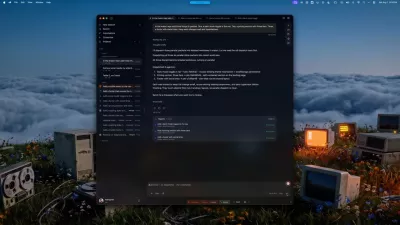
Agents with webTransport serve a chat-first console at /console. Its current
top-level surfaces are:
- Chat for Markdown conversations, visible tool activity, and copyable transcripts,
- Integrations for browser, server, authentication, CORS, route, and generated-client guidance,
- Capabilities for an observed runtime map of mounted augments, routes, tools, memory, installed or available skills, reported safeguards, and configuration findings.
The Capabilities view reports what the running agent exposes now; it is not a claim that every intended capability is configured or secure. Configuration, process management, deployment, and logs remain CLI workflows.
Identity, Skills, And Memory
Identity is durable operator-authored guidance. Skills teach the model how and when to use capabilities. Memory stores information learned while operating. Auggy keeps those concepts separate so retrieved or peer-derived content does not silently become system authority.
Create a skill:
auggy skill create <name>
Add peer-scoped memory:
auggy augment add layeredMemory
Pair it with visitorAuth when returning browser visitors should retain a
recognized identity across sessions:
auggy augment add visitorAuth
auggy agentmail setup visitorAuth
Choose account creation, a new inbox in an existing account, or manual
connection to an existing inbox. Auggy stores the selected key unchanged; it
never exchanges it for a narrower runtime key and never rotates or revokes it. See the
visitorAuth operator reference
for inputs, permissions, shared-inbox sequencing, and recovery.
When the agent also needs its own mailbox, add both canonical augments in one interactive command:
auggy augment add agentMail visitorAuth
The post-add flow uses one shared setup confirmation. It configures agentMail
with one inbox and exact API key, then configures visitorAuth to reuse
the same environment values without asking again. The result is independent
of argument or picker order. --yes skips optional post-add setup, so use the
explicit sequence in the operator references when automating installation.
Connect External Tools With MCP
auggy augment add mcp
MCP server definitions live in .mcp.json at the agent root. Local stdio
servers work during local development; deployed agents should use remote HTTPS
servers or explicitly disable local-only servers in cloud environments.
{
  "mcpServers": {
    "github": {
      "type": "streamable-http",
      "url": "https://mcp.example.com/mcp",
      "headers": {
        "Authorization": "Bearer ${GITHUB_MCP_TOKEN}"
      }
    }
  }
}
Check the boundary before running or deploying:
auggy mcp doctor
auggy mcp doctor --cloud
Auggy fails a server closed on missing environment variables, duplicate exposed tool names, invalid configuration, or cloud-unsafe stdio usage.
Channels And Notifications
Talk to the same agent through Telegram:
auggy augment add telegramTransport
Send bounded outbound alerts:
auggy augment add notify
The default notification destination writes JSON Lines locally with no secrets. Configure a webhook, Telegram, or AgentMail destination when you need real delivery.
For model-callable email and the durable inbound/review foundation in the 0.5 public-preview line:
auggy augment add agentMail
auggy agentmail setup agentMail
See the agentMail operator reference for the exact
key, mailbox controls, direct delivery, inbound policy, provider-draft review,
and recovery configuration.
Run one live Auggy consumer per logical inbox. WebSocket delivery wakes a live
agent; paginated catch-up reconciles messages missed while it was offline.
Removing agentMail or visitorAuth never revokes AgentMail resources or
deletes shared AGENTMAIL_* values automatically. Confirm every shared
consumer before removing local values, and revoke an unused key directly in
AgentMail when your own credential policy requires it.
Advanced Preview: Routes And App Integration
Custom augments can register small policy-aware GET and POST routes beside
the agent runtime. Auggy can inspect their manifests, export an OpenAPI-shaped
description, and generate TypeScript clients. Route contracts can declare
ordered request and response media types; generated clients select the preferred
representation, serialize JSON, text, URL-encoded, or multipart request bodies,
and parse JSON or text responses accordingly.
auggy routes
auggy routes --openapi
auggy routes --client ts --target browser --out client.ts
Apps with an existing authentication provider can mint short-lived assertions with explicit scopes and resource grants. Auggy can enforce those grants on both routes and model-callable tools; the model never decides whether a caller is authorized.
This surface is useful when an agent needs a small deterministic API boundary. It does not make Auggy a general application backend or durable workflow system. Treat generated clients and delegated app authorization as preview capabilities while their APIs settle.
For trusted background turns, restart recovery, and bounded UTC schedules, see Durable Jobs. For multi-step business workflows, human approvals, and compensation, keep a workflow engine outside Auggy and call the agent as one activity.
See:
- Generated Route Clients
- Delegated Authorization
- Showcase Examples
- Pickleball Storefront
- Secure Order Support
- Field-Service Dispatch
- App Auth Bridge Example
Deploy To Railway
auggy deploy
Auggy stages the current agent, pushes configured secrets, creates or links a
Railway service, mounts persistent data at /app/data, starts the deployment,
and verifies /health when deployment status is available.
Keep the service at one replica while it uses Auggy's SQLite stores. Console
chat history lives at /app/data/console-chat.db by default; the /app/data
volume is required for that history to survive deploys and restarts. A durable
volume is not a backup, so snapshot or back it up separately if the history is
important. Auggy's supported single-replica recovery path is the offline
auggy state backup / verify / restore / restore-resume / reconcile
workflow; the
deployer still owns scheduling, encryption, storage, and external-system
recovery points. See Runtime State Recovery.
After the first deploy, the selected target is saved locally. Useful follow-up commands:
auggy console
auggy logs
auggy deploy --yes
auggy console [name] prefers a running local agent and otherwise uses its
saved Railway deployment. Add --cloud to select Railway even when the local
agent is running. It opens the same single-use sign-in flow; when that exchange
is unavailable, it opens the password screen and points to the applicable
AUGGY_WEB_TOKEN location.
CLI Reference
| Command | What it does |
|---|---|
auggy create <name> |
Scaffold a standalone agent project |
auggy init [name] |
Initialize the current directory as an agent |
auggy run [name] |
Run locally and open chat with a one-time Console sign-in |
auggy console [name] |
Open a running local or Railway Console with a one-time sign-in or password fallback |
auggy dev [name] |
Run in the foreground without opening a browser |
auggy doctor [name] |
Check configuration, environment, dependencies, port, and skills |
auggy list / auggy status [name] |
Discover agent projects and inspect local process state |
auggy state inventory/backup/verify/restore/restore-resume/reconcile |
Inventory and rehearse fenced offline single-replica runtime-volume recovery |
auggy jobs list/inspect/cancel/retry/reconcile/prune/prune-audit |
Inspect and recover redacted single-replica durable job state |
auggy jobs schedules list/pause/resume |
Inspect and compare-and-set configured UTC schedules |
auggy chat [name] |
Open a running agent's browser chat |
auggy augment list |
Show core, stable, and preview augments |
auggy augment add [name...] |
Select or add built-in augments |
auggy augment remove <name> |
Remove an augment from the current agent |
auggy agentmail setup [target] |
Connect an existing AgentMail inbox and exact API key to agentMail or visitorAuth |
auggy augment setup <name> |
Run a supported augment setup recipe |
auggy augment create <name> |
Create and register a custom augment in the current agent |
auggy augment install <agent> <path> |
Import a custom augment authored elsewhere |
auggy augment test <path> |
Validate a custom augment folder |
auggy skill create <name> |
Create a skill folder |
auggy skill add <name> |
Install or refresh an Auggy-provided skill |
auggy skill list / auggy skill remove <name> |
List installed skills or remove one |
auggy routes [name] |
Inspect preview routes and generate clients |
auggy mcp init/list/show/add-json/remove/doctor |
Manage MCP servers |
auggy models list [provider] --refresh |
Refresh the provider model list |
auggy models doctor [name] |
Check the configured provider and model for an agent |
auggy coordination migrate |
Provision the disabled distributed-coordination preview database |
auggy visitors <name> |
List verified visitors for an agent |
auggy deploy |
Deploy the current agent to Railway |
auggy logs |
Open Railway logs for a deployed agent |
auggy start / stop / restart |
Manage a background local agent |
auggy remove [name] |
Remove a local agent project, with an explicit cloud option |
auggy eval |
Run eval suites when @auggy/evals is installed |
Requirements
- Node.js >= 20.17 is recommended for the npm dependency chain.
- Bun >= 1.2 is required at runtime.
- Console static assets require opened-descriptor paths (
/proc/self/fdon Linux or/dev/fdon macOS); runtimes without either fail closed while APIs remain available. - Railway deployment requires the Railway CLI and
railway login.
curl -fsSL https://bun.sh/install | bash
Development
git clone https://github.