Blamely
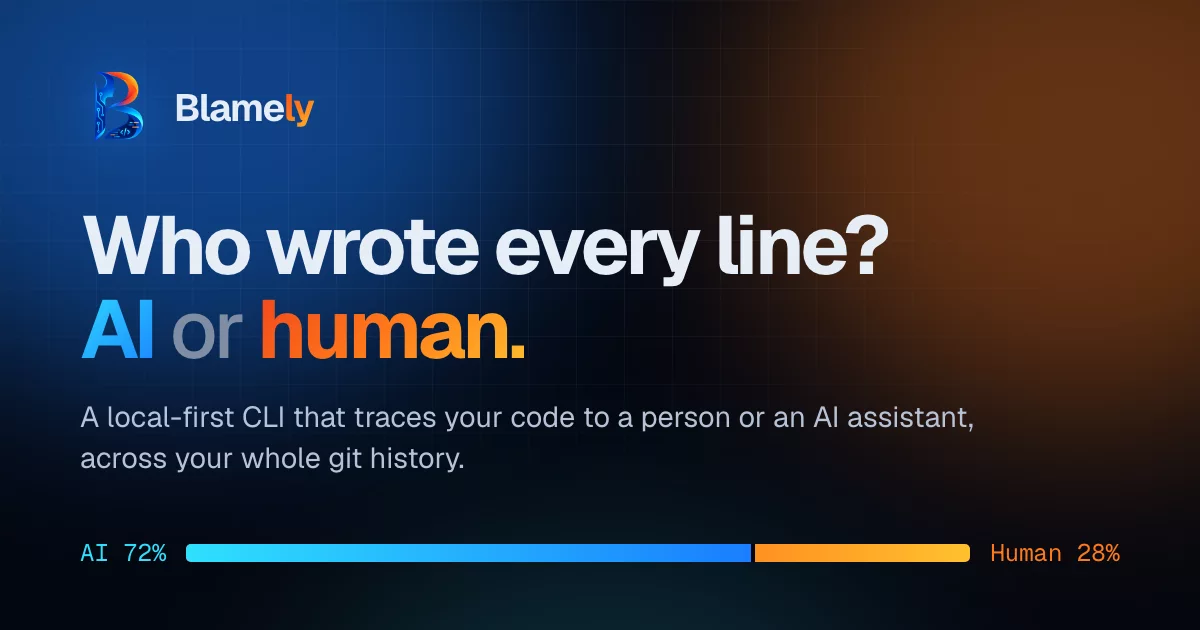
Blamely tells you which uncommitted lines in your project were written by you and which came from AI (inline completion, chat apply, and similar actions). It keeps that attribution across restarts and branch switches, can summarize it in YAML reports, and can attach snapshots to Git commits via git notes so your history stays auditable.
Website: blamely.ai · Issues: GitHub
Requirements
This extension requires the blamely CLI installed and running in the background.
macOS:
curl -sSL https://blamely.ai/blamely-mac-install.sh | bash
Linux:
curl -sSL https://blamely.ai/blamely-linux-install.sh | bash
Windows (PowerShell):
powershell -NoProfile -ExecutionPolicy Bypass -Command "irm https://blamely.ai/blamely-windows-install.bat | iex"
Installers are idempotent — safe to re-run after adding a new AI tool. Verify:
blamely status    # daemon health + detected tools
blamely doctor    # full self-check
Full guide: blamely.ai
Why developers use Blamely
- Transparency in code review. Reviewers can see AI-assisted hunks directly in the editor (gutter + hovers) instead of guessing from commit size or tone.
- Team and compliance narratives. When policies ask how AI was used on a change, you have structured data (per file, model, interaction type when available) instead of screenshots or memory.
- Metrics that match the real edit stream. Blamely listens to editor changes and common “accept / apply” commands, then maps them to a per-line blame map rather than relying only on commit diffs.
- Git-aware workflow. Clone-local working state lives under
.git/blamely/; optional pushable session metadata underblamely/sessions/<id>/blamely.jsonin the working tree. Git notes (refs/notes/blamely) tie reports to specific commits when you want a permanent record. - Local first. Attribution and reports are generated on your machine; nothing is sent to Blamely’s servers by the extension itself.
How it works
- Activation. When your workspace loads, Blamely restores branch-scoped blame snapshots from
.git/blamely/snapshots/, trace and session metadata from.git/blamely/<branch>/, and may read legacy~/.blamely/session/or old.git/blamely/snapshots/layouts once to migrate. - Detecting AI actions. The extension watches executed commands (e.g. inline suggest accept, chat apply) and opens a short “AI attribution window” so the following document edits are treated as AI unless they clearly behave like normal human typing.
- Tracking edits. On each text change, Blamely updates a blame map: lines get AI or human attribution, with provider/model/prompt metadata when the environment exposes it. It tries to avoid mis-labeling human-only edits (e.g. isolated newlines) when they are mixed with AI chunks in the same transaction.
- Persistence. Per repository + branch, Blamely stores
snapshots/*.blame.jsonunder.git/blamely/snapshots/<sanitized-branch>/, andtrace/session.json,report.yml, and branch session files (open/stash/closed) under.git/blamely/<sanitized-branch>/. A minimalblamely/sessions/<session_id>/blamely.jsonin the repo working tree is updated for team-visible session open/close metadata (safe to commit). SetBLAMELY_SESSION_HOMEonly to override the legacy migration source for old~/.blamely/session/reads. Switching branches saves the leaving branch’s in-memory state to the right folder and loads the new branch’s files when available. Git notes still record committed snapshots on the object database. - Reporting.
report.ymlis written under the same branch folder as snapshots (see Data layout). After a commit, the extension can attach a structured snapshot to that commit using git notes. - UI. The status bar shows aggregate AI vs human stats. Blamely: Changes (SCM) lists files that are dirty in Git and still have uncommitted attribution. Blamely: History lists past commits that have a Blamely report in git notes (committed work, not your current working tree).
Multi-root workspaces: Each root folder has its own blame keys and on-disk layout so two projects in one window do not overwrite each other.
What you see in VS Code
- Status bar: Rolling AI vs human character/line summary for tracked uncommitted work.
- Source Control → Blamely: Changes: Files that Git reports as changed vs HEAD (including untracked) and that still have uncommitted line attribution. When the tree is clean, this view is empty even if old blame existed before commit. The Branch sessions section lists
.git/blamely+blamely/sessionsstate; Show changes on a closed session opens a read-onlygit showsummary. - Source Control → Blamely: History: Commits that have a Blamely snapshot in git notes (typically after commit with the extension active).
- Editor gutter: Icons and tooltips on uncommitted attributed lines (configurable).
Commands
| Command | Description |
|---|---|
| Blamely: Generate Report Now | Regenerate report.yml (and related outputs). |
| Blamely: Show Blame for Current File | Quick summary of attribution for the active file. |
| Blamely: Install Git Commit Hook | Install the optional Git hook in the repo. |
| Blamely: Restore/Remove Git Hook | Restore a backed-up hook or remove Blamely’s hook. |
| Blamely: Show Report for Latest Commit (Git Note) | Open YAML from the latest commit’s blamely git note. |
| Blamely: Attach Git Note for Current Commit | Attach a note to HEAD and push notes if configured. |
| Blamely: Attach Git Note for Commit SHA… | Attach a note to a chosen commit. |
| Blamely: Accept Inline Suggestion / Next Word / Next Line | Optional keybindings that attribute the following insert as AI (when you bind through Blamely). |
Run commands from the Command Palette (Ctrl+Shift+P / Cmd+Shift+P) and type Blamely:.
Configuration
Settings use the blamely.* prefix.
| Setting | Default | Description |
|---|---|---|
blamely.suggestionTimeout |
30000 |
Ms after which a pending inline suggestion match is treated as rejected. |
blamely.autoInstallHook |
true |
Install the Git hook when activating in a Git repo. |
blamely.reportOnSave |
true |
Regenerate reports when you save a file. |
blamely.showGutterDecorations |
true |
Show gutter icons and hovers. |
blamely.authorshipTimeoutMs |
60000 |
Timeout (ms) for the blamely authorship CLI calls that feed the gutter/sidebar. The BLAMELY_AUTHORSHIP_TIMEOUT_MS env var overrides it. |
Chat Apply without command events
Some editors (notably Cursor) do not expose VS Code’s onDidExecuteCommand listener. Blamely cannot observe when you click Apply / Keep in the chat UI, so it relies on edit heuristics for those inserts (multi-character chunks, timing, chat surface bias). That works for many flows but can occasionally label an edit differently than when command observation is available.
Wrapper commands: Blamely registers one command per tracked apply ID: blamely.intercept.<originalCommandId>. Invoking a wrapper marks the next edit as AI, then runs the real command. On install, the extension contributes default shortcuts (change under Keyboard Shortcuts → filter “Blamely”): Ctrl/Cmd+Shift+Enter → Copilot chat apply intercept, Alt+Enter → built-in workbench.action.chat.apply intercept.
Additional examples for keybindings.json (adjust keys to taste):
[
  {
    "key": "ctrl+enter",
    "command": "blamely.intercept.cursor.aiChat.applyEdit",
    "when": "editorTextFocus"
  },
  {
    "key": "ctrl+shift+enter",
    "command": "blamely.intercept.cursor.composer.applyAll",
    "when": "editorTextFocus"
  },
  {
    "key": "alt+enter",
    "command": "blamely.intercept.workbench.action.chat.apply",
    "when": "editorTextFocus"
  }
]
The full list of <originalCommandId> values matches the chat/composer apply and keep IDs Blamely tracks (Cursor, Copilot, built-in chat, etc.). Stock VS Code does not expose executed-command events, so Blamely cannot log the command id when you click Apply in the UI. Discover IDs via Keyboard Shortcuts (search “Copilot” / “chat apply”) or see chatPanel / chatInline / Copilot entries in src/utils/trackedAiApplyCommands.ts.
After each commit
A clear AI vs Human bar prints in your terminal after every git commit:
AI 72% (18)  [████████████████████████████░░░░░░░░░░░░]  Human 28% (7)
  claude  12 lines  (claude-opus-4-6) — 4200 in / 890 out tok
  cursor   6 lines  (composer-1)      — 1100 in / 340 out tok
The same data is attached to the commit as a git note (refs/notes/blamely) and available in Blamely: History in the SCM sidebar.
Data layout
Clone-local (not pushed): <repo>/.git/blamely/
.git/blamely/
├── hookRunner.js             # copy used by pre-commit (survives extension upgrades)
├── snapshots/
│   └── <sanitized-branch>/
│       └── *.blame.json
└── <sanitized-branch>/       # same branch key as snapshots
    ├── open/session.json
    ├── stash/session.json
    ├── closed/<timestamp>_<short-sha>.json
    ├── trace/session.json
    └── report.yml
Pushable session manifests (working tree): blamely/sessions/<session_id>/blamely.json — session_id, branch, opened_at, last_activity_at, status (open | closed | discarded), commit_sha / commit_short when closed, git_note_written, etc. Teams that want shared session metadata should not gitignore blamely/; keep it out of .gitignore or add only selective ignores.
Legacy (migration reads): Older data under ~/.blamely/session/<repo-hash>_<branch>/ is still read when present (BLAMELY_SESSION_HOME overrides that root for tests and custom layouts). Very old .git/blamely/snapshots/ without the new snapshots/<branch>/ segment may still be read for blame files.
The pre-commit hook runs node on hookRunner.js. Blamely installs two copies — ~/.blamely/repos/<repo-id>/hookRunner.js (primary) and <git-dir>/blamely/hookRunner.js (fallback). The hook tries primary then fallback; if neither file exists it skips with exit 0 so commits still succeed (re-run Install Git Hook to restore).
Inspect the latest note in a terminal:
git log -1 --show-notes=blamely
report.yml (example)
scope: "this_commit"
generated_at: "2026-03-05T00:43:50Z"
detector_version: "1.0.0"
branch: "main"
commit_hash: "3317ed295e"
commit_message: "[AI-assisted] feat: update time-to-fix analysis"

ai_sources:
  - copilot/cursor_inline

files:
  - path: "src/utils/parser.ts"
    source: "copilot/cursor_inline"
    model: "github-copilot"
    prompt: "// Parse the execution results"
    ai_lines_added: 22
    human_lines_added: 65
    ai_entries: 8
    human_entries: 12
    total_entries: 20
    percentage: "40.0%"
License
MIT