BrowserBox — Remote Browser Isolation
Bring the web to any system...safely.
A full remote browser. Clientless access. Native performance.
Self-host on Windows, macOS or Linux, or create cloud browser sessions through the API.
Start a 7-Day Paid Evaluation · Buy a Commercial License · Talk to Sales
Website · Live Demo · Documentation · Latest Release
BrowserBox is a remote browser isolation (RBI) platform for secure web access, browser automation, and embedded browsing. It runs a full browser on a remote host and streams the rendered view to your users, with support for 60 FPS streaming. Give employees and contractors access to web applications, investigate untrusted sites, or add a live browser to your product. End users connect from a modern web browser without installing an agent or plugin.
As of v20, BrowserBox's production runtime is written entirely in freelang and compiled to a self-contained native executable. The familiar bbx commands, configuration, policies, and login links carry forward. Read about the freelang architecture.
BrowserBox is commercial software. A valid license is required for all use, including development and evaluation. Compare licensing options or try the hosted demo before planning a deployment.
Table of Contents
- Why BrowserBox?
- Key Benefits
- Who Uses It
- Real-World Use Cases
- Core Features
- What's New in v20 & Freelang
- See It In Action
- Supported Network Topologies
- Platform Compatibility
- Install
- Quick Start
- Documentation
- GitHub Actions
- Cloud API
- Embed BrowserBox
- Advanced Usage
- Flipbook Recording
- License Compliance & Privacy
- FAQ
- Licensing
- Support
- About DOSAYGO
1. Why BrowserBox?
Move web browsing into infrastructure you control. With BrowserBox, remote websites execute on the host while users interact with a streamed view. This separates website execution from the endpoint and gives your team a central place to manage browsing policy, access, and sessions.
Deploy a self-hosted remote browser inside your network for access to internal applications, run isolated sessions for security work, or use the Cloud API when you want on-demand capacity without managing servers. The same browsing experience can also be embedded in your own application with Hyper-Frame.
Evaluate BrowserBox on your infrastructure or discuss an enterprise deployment.
2. Key Benefits
- Reduce endpoint exposure. Run untrusted web content on a remote host, with browser policy enforced in the session.
- Simplify access. Users open a login link in their existing browser; no endpoint agent or browser extension is required.
- Keep browsing responsive. Support for 60 FPS streaming, WebRTC transport, and WebSocket fallback. Actual performance depends on the host, workload, and network.
- Choose where sessions run. Deploy on your own Windows, macOS, or Linux systems, or purchase hosted browser minutes.
- Build browser features into your product. Embed a live session and control navigation, tabs, and capture through the Hyper-Frame API.
- Manage concurrent users. Linux Fleet pools let you run multiple isolated seats on one host, with capacity and health visible in the desktop app.
3. Who Uses It
| Team | What BrowserBox helps you do |
|---|---|
| Security and IT | Isolate browsing activity, investigate suspicious sites, and enforce session policy. |
| Enterprise operations | Give employees, contractors, and vendors browser access to internal web applications. |
| SaaS builders and integrators | Add interactive remote browsers to customer portals, workflows, and support tools. |
| Automation and QA | Automate browser workflows and let a person take over the same session when needed. |
| Healthcare, finance, and government | Apply browsing restrictions, data loss prevention controls, and policy logging within your deployment. |
4. Real-World Use Cases
Enterprise: Secure Remote Browser Gateway
Place BrowserBox inside a protected network and give authorized users access to intranets, admin consoles, and business applications through a remote browser. Users can work from their existing devices while administrators control which sites and browser capabilities the session permits.
Manage clipboard access, uploads, downloads, printing, and developer tools through policy. Navigation allowlists and private-network restrictions let you tailor access to each workflow, while policy decision logs support review. Talk to sales about seat capacity, deployment requirements, and support.
SaaS: An Embedded Browser for Your Product
Use <hyper-frame> to put a live browser inside your application. Build guided onboarding, interactive demos, support sessions, or automation with human handoff. Use your own BrowserBox deployment or create paid cloud sessions through REST, then pass the session's login URL to the embedding component. Explore the embedding API.
Home Lab: An Always-On Jump Browser
Run BrowserBox on a supported home server or virtual machine to reach router consoles, cameras, printers, and other internal web interfaces from one remote session. Choose a private overlay network or an authenticated HTTPS entry point, then use browsing policy to limit what the session can reach. Downloads stay on the host unless you enable a transfer to the client.
5. Core Features
- Clientless remote browser isolation: a full browser streamed to desktop and mobile browsers.
- Native freelang runtime: compiled executables for Windows, macOS, and Linux.
bbxCLI and desktop app: manage sessions, policies, licenses, and connection modes.- Data loss prevention (DLP) controls: manage clipboard, file transfer, printing, navigation, and other browser capabilities.
- Linux Fleet: run a pool of isolated browser seats on one host.
- Hyper-Frame embedding: control tabs, pages, capture, and policy-gated capabilities from your application.
- Cloud browser API: create and end ephemeral sessions using purchased minutes.
- Session recording: save browsing sessions as self-contained flipbook sites.
- Remote audio: supported on macOS and Linux.
- Flexible networking: direct HTTPS, Cloudflare Tunnel, Tor, ZeroTier, and nginx.
- Remote DevTools and document viewing: inspect pages and view supported documents within the remote environment.
6. What's New
Built with freelang
BrowserBox v20 completes the rewrite of its production runtime in freelang, formally named FreedomLang: DOSAYGO's systems language for compiling programs ahead of time directly to native machine code. BrowserBox's server services, streaming pipeline, browser policy, licensing, and process control now run as native code. You install the released executable without a separate application runtime or package manager to maintain. Earlier BrowserBox releases used Node.js; v20 replaced that runtime with native freelang.
Freelang is designed around explicit state, bounded resources, and clear ownership. Timeouts, disconnected peers, and unavailable resources are outcomes the program handles directly. BrowserBox applies that model to connection admission, frame delivery, and service shutdown, with explicit limits and cleanup paths. External components such as TLS and WebRTC adapters run in separate, version-locked processes called sidecars, communicating through validated protocols instead of sharing the application's memory. This keeps failures in those components outside the freelang heap and makes their interfaces independently testable.
For deployment teams, the result is native packaging across supported platforms, fewer application-runtime dependencies to manage, and a design that makes resource limits and failure handling explicit. Existing bbx commands, configuration, login links, Fleet deployments, and connection modes remain familiar. Chrome and the system tools required by your chosen features are installed or configured through the normal BrowserBox setup. Learn more about freelang.
Desktop App and Operational Improvements
Open bbx gui to manage BrowserBox from the included desktop app. Start and stop sessions, select a connection mode, copy login links, and manage browser policy. On Linux, the Fleet dashboard shows seat capacity, routes, and health. The desktop app is in beta; the CLI provides the complete command interface.
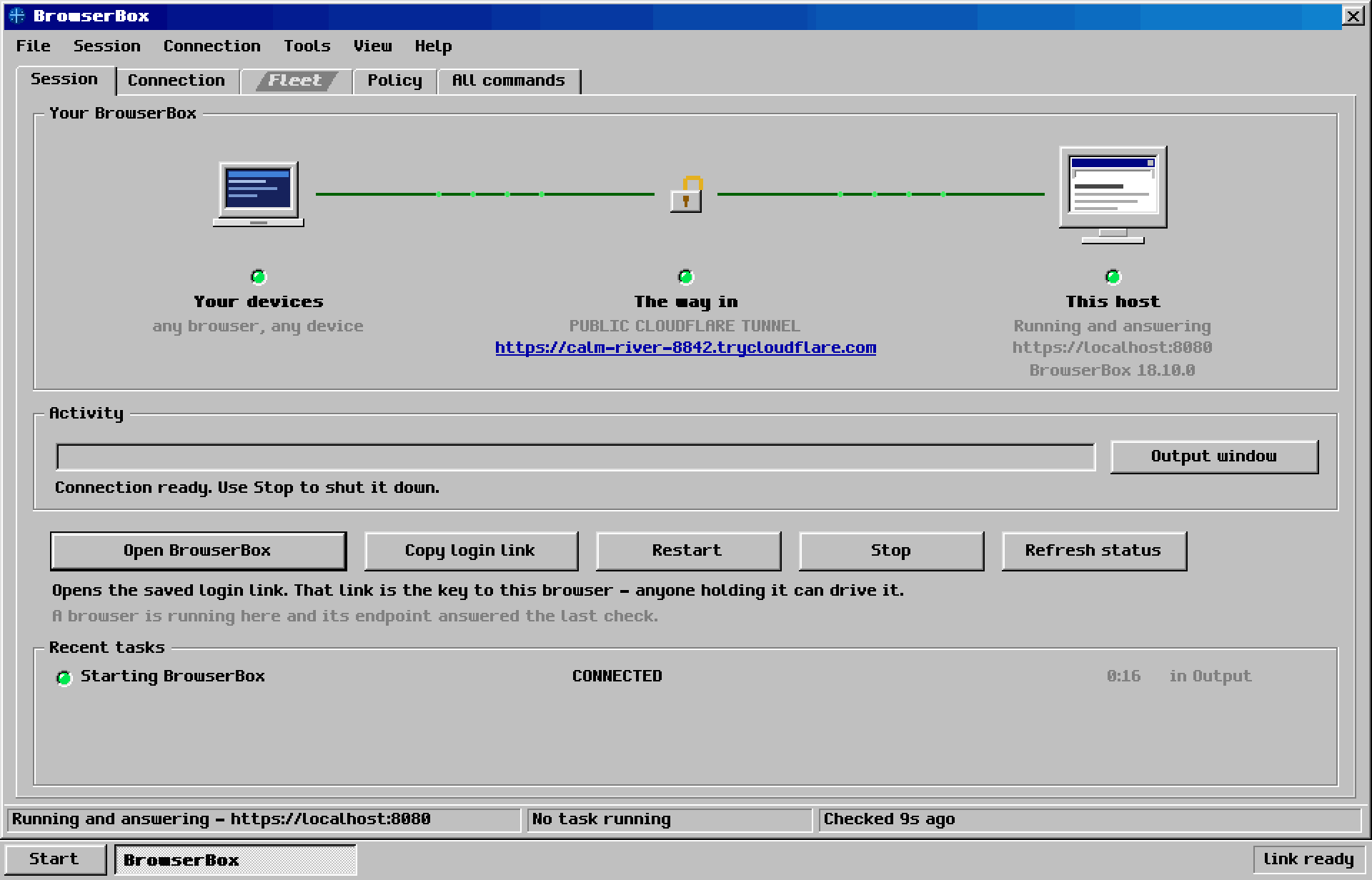
Recent releases also include structured CLI output (bbx status --json and bbx --help-json), atomic executable updates with a download mirror and GitHub fallback, and additional license-validation endpoints. See the release notes and current Customer Guide for deployment details.
On macOS, the signed and notarized BrowserBox Passkeys helper enables website passkey authentication from a remote session using the local Mac's Secure Enclave and Touch ID. Contact support for helper setup.
7. See It In Action

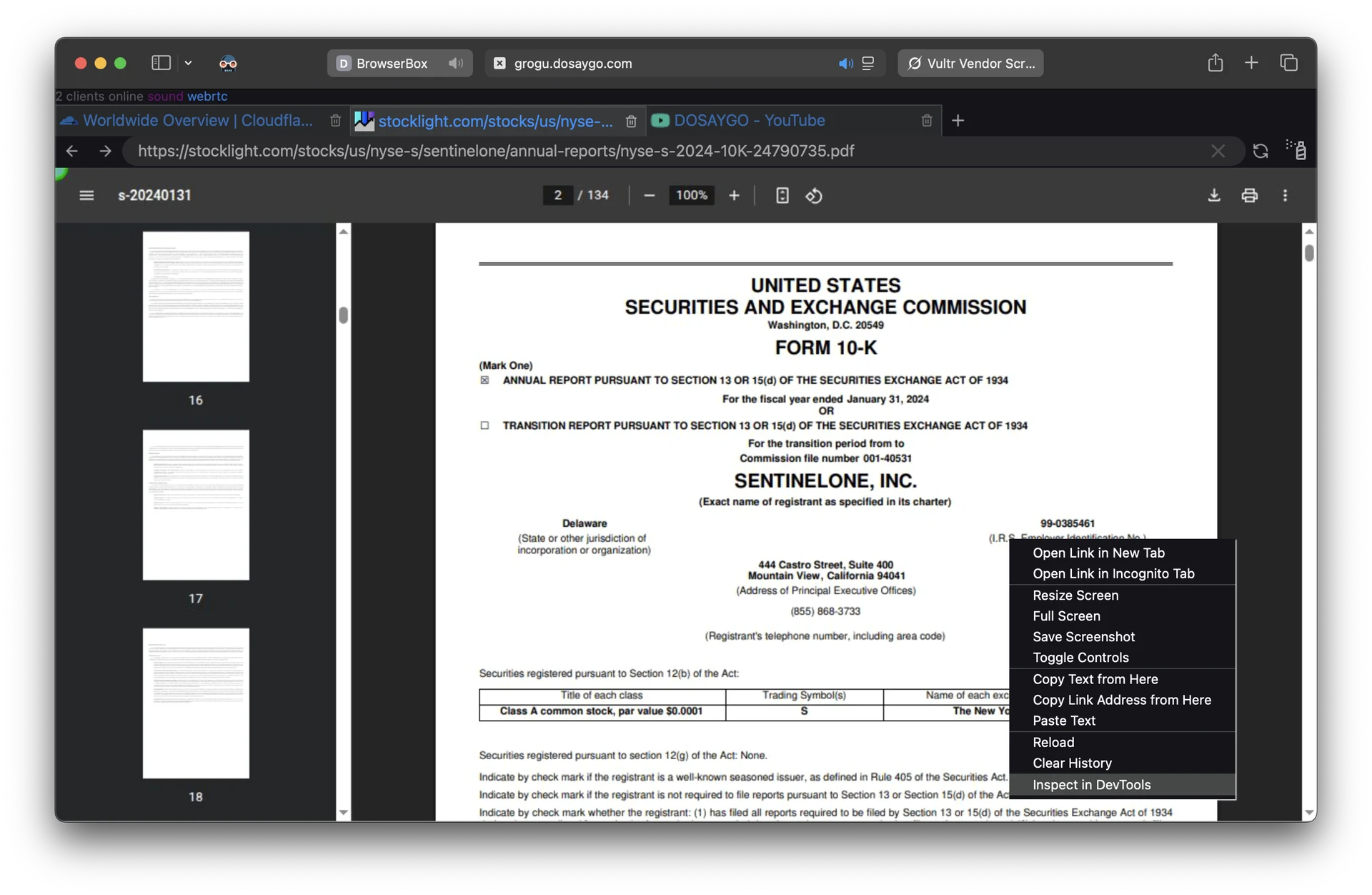
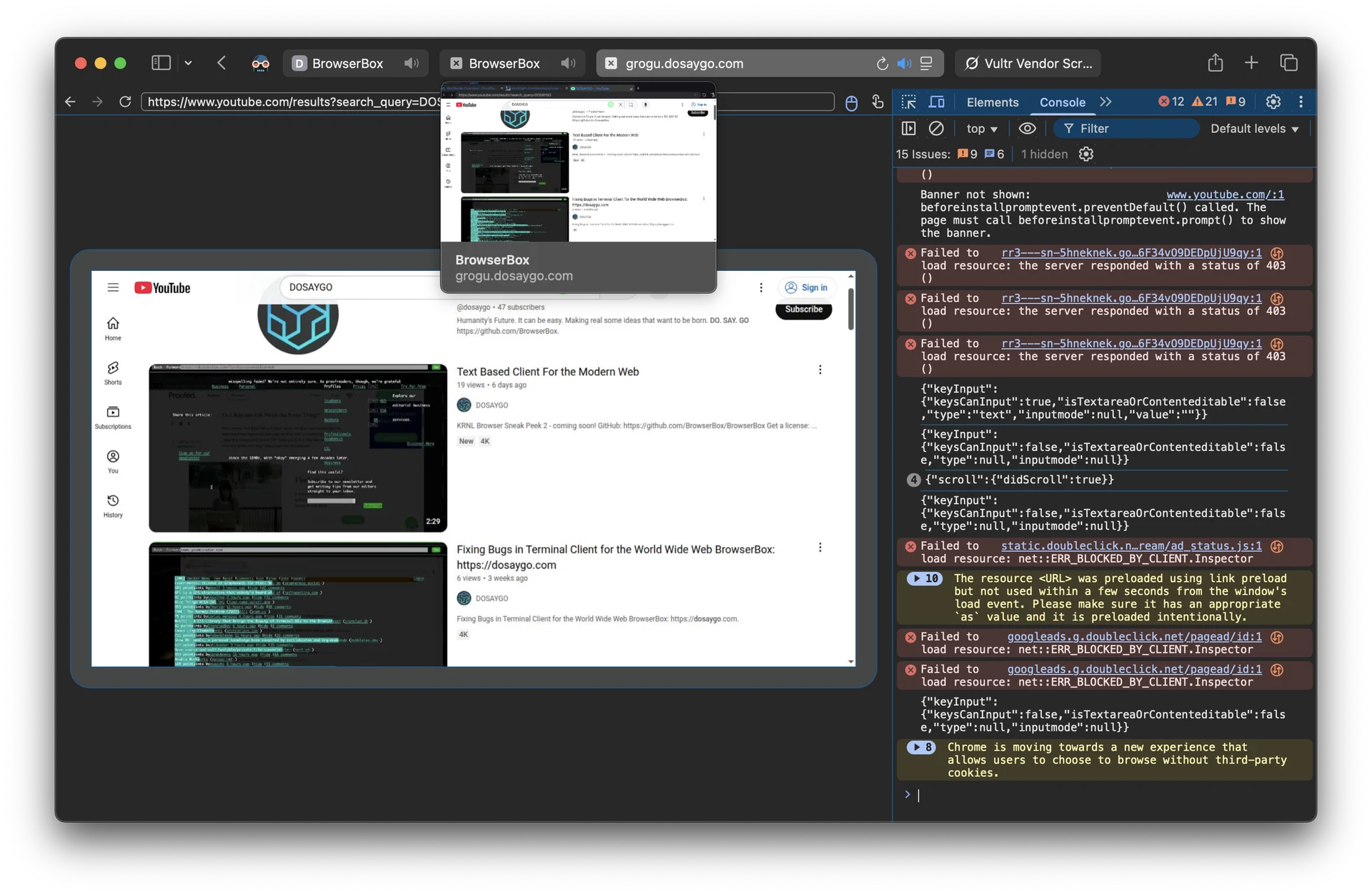
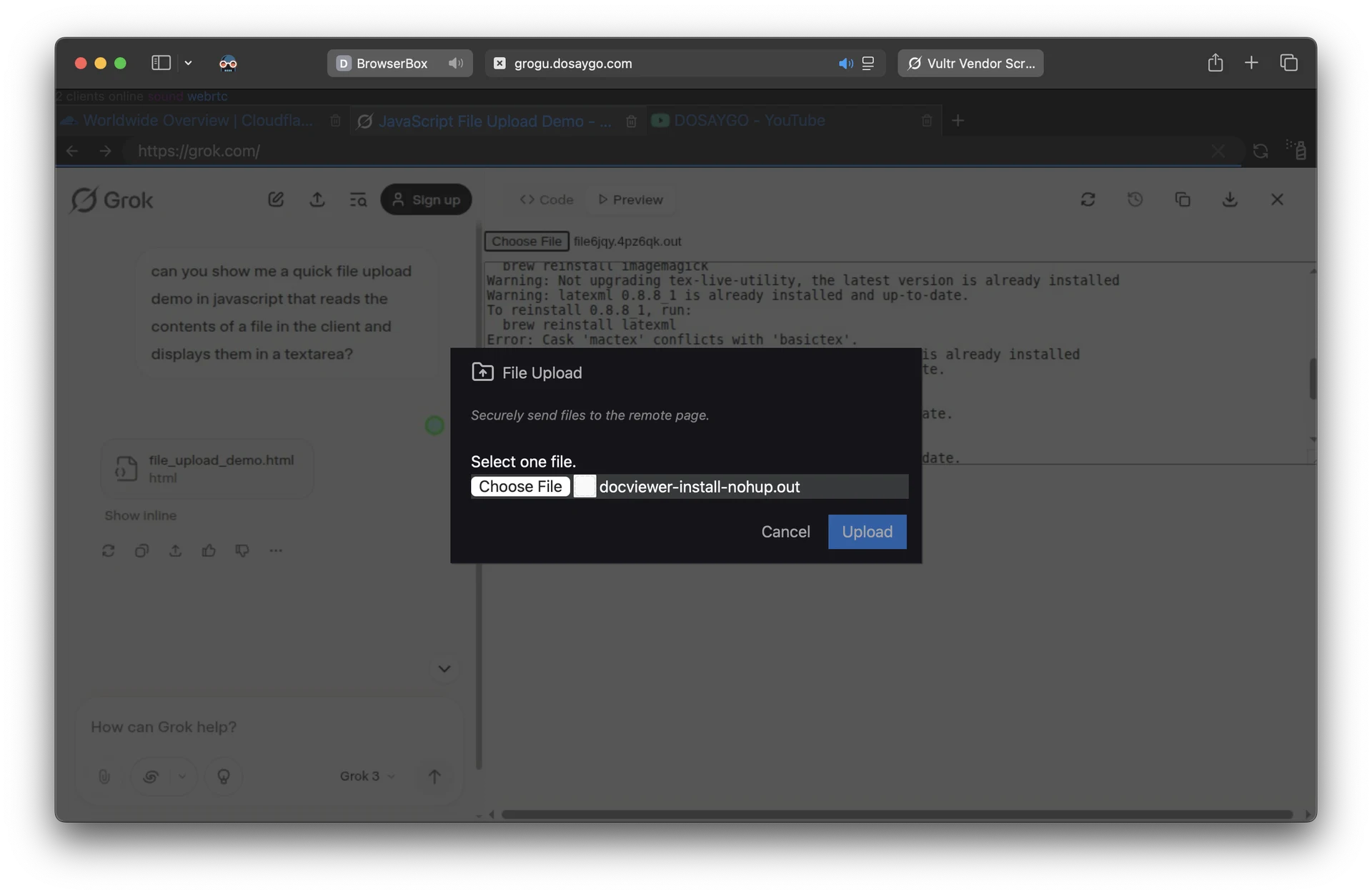
Try the live browser demo, explore the Hyper-Frame console, or use the optional KRNL terminal browser over SSH:
ssh krnl.duetbrowser.com
8. Supported Network Topologies
Choose the connection mode that fits your deployment. BrowserBox includes commands for direct access and common tunnel configurations; each mode retains its own settings.
| Connection | How it works | Typical use |
|---|---|---|
| Direct HTTPS / WSS / WebRTC | Serve BrowserBox on your hostname with encrypted browser access. | Self-hosted production deployments. |
| Cloudflare Tunnel | bbx cf-run creates an HTTPS entry point through a Cloudflare tunnel. |
Evaluations and access behind NAT. |
| Tor | bbx tor-run provides an onion service and routes browsing through Tor. |
Workflows that require Tor connectivity. |
| ZeroTier | bbx zt-run --network-id <id> serves BrowserBox on a private overlay network. |
Private team and home-lab access. |
| nginx | bbx ng-start places an nginx front end on port 443. |
A standard HTTPS entry point in front of BrowserBox. |
| SSH port forwarding | Forward BrowserBox's service ports through an SSH connection. | Private administration and bastion access. |
| KRNL add-on | Interact with BrowserBox through an SSH terminal interface. | Browsing from a terminal without a graphical client. |
| Legacy HTTP | bbx win9x-run provides a compatible endpoint for older browsers. |
Windows 9x-era clients on trusted networks. |
ZeroTier requires its client on the accessing device. KRNL terminal access is a separate add-on; SSH port forwarding carries the regular browser connection. Legacy HTTP traffic is unencrypted, so use a trusted network or an encrypted tunnel. For ports, certificates, and reverse proxies, see the Customer Guide.
9. Platform Compatibility
| Host platform | BrowserBox support |
|---|---|
| Windows and Windows Server | One BrowserBox instance per machine; CLI, desktop app, policy, and connection modes. |
| macOS | Native builds for Apple silicon and Intel; desktop app and remote audio. |
| Linux | Debian, Ubuntu, RHEL, Rocky Linux, CentOS Stream, and NixOS; Fleet and remote audio. |
| LXC | Linux container deployments on compatible hosts. |
End users connect from modern desktop or mobile browsers. Legacy clients on Windows 95, 98, 2000, and NT can use bbx win9x-run; the server still runs on a supported modern host. Tails is not supported because Chrome cannot be installed.

Download the latest release or run bbx update to update an existing installation.
10. Install
Use the native installer for your platform. To activate BrowserBox, start a paid evaluation or purchase a commercial license.
Linux & macOS
curl -fsSL https://browserbox.io/install.sh | bash
Windows
irm https://browserbox.io/install.ps1 | iex
For non-interactive full installs, set BBX_INSTALL_HOSTNAME and BBX_INSTALL_EMAIL. Legacy install aliases BBX_HOSTNAME, BBX_EMAIL, and EMAIL remain supported for compatibility.
Updates and Mirrors
bbx update and background downloads use dl.getbrowserbox.com, with GitHub Releases as the fallback. Downloads are verified against the signed release manifest before installation. The first-time installers above download from GitHub Releases.
Set BBX_NO_CDN=1 to download directly from GitHub, or set BBX_ASSET_BASE to your own mirror using the layout <base>/<tag>/<asset>.
What runs on Windows
A Windows install runs one BrowserBox instance per machine. Alongside setup, start, stop, status, licensing and policy, bbx on Windows offers:
| Command | What it does |
|---|---|
bbx cf-start |
A public HTTPS link through a Cloudflare quick tunnel, with no Cloudflare account |
bbx tor-start |
A Tor onion service, and browsing routed through Tor |
bbx zt-start --network-id <id> |
BrowserBox served on your private ZeroTier network |
bbx ng-start |
nginx in front of BrowserBox on port 443 |
bbx win9x-start |
A plain HTTP link for Windows 9x-era clients |
bbx restart |
Restart the same way it was last started |
bbx logs |
Service state, and the logs of each service and tunnel |
bbx use-chrome <version> |
Pin a Chrome for Testing build, or install stable Chrome |
bbx activate, bbx vacancy |
Buy seats, and check seat availability |
Connection commands install cloudflared, Tor, ZeroTier, or nginx when needed. Installing ZeroTier requires an elevated PowerShell session.
Remote audio and the multi-user commands (bbx fleet, start-as, stop-user) are not available on Windows. Use Linux for Fleet deployments.
11. Quick Start
After installing the CLI, activate with the product key from your license email and start your first session:
bbx install
bbx certify YOUR_PRODUCT_KEY
bbx setup
bbx run
Open the login link printed by bbx. Use bbx gui for the desktop app, bbx status to check a running session, and bbx stop to stop it. For a guided setup, see the BrowserBox documentation.
12. Documentation
- Online documentation: installation, first session, policy, embedding, and deployment guides.
- Current Customer Guide PDF: a printable reference covering configuration, reverse proxies, Fleet, licensing, and environment variables. Earlier editions are kept in
docs/. - Release notes and downloads: published binaries and version history.
- Hyper-Frame: embedding API and live console.
- Cloud API reference: session creation, routing, lifecycle, and minute balances.
13. GitHub Actions
Launch BrowserBox directly on a GitHub Actions runner with BrowserBox/browserbox-action.
- Supports
tunnel: none,cloudflare, andtor - Defaults to a minimal runner footprint with
BBX_MINIMAL_MODE=true - Disables update checks during runner launches with
BBX_NO_UPDATE=true - Requires a BrowserBox license key (paid evaluation or purchase)
jobs:
  browserbox:
    runs-on: ubuntu-latest
    steps:
      - name: Launch BrowserBox
        id: browserbox
        uses: BrowserBox/browserbox-action@v1
        with:
          license-key: ${{ secrets.BROWSERBOX_LICENSE_KEY }}
          tunnel: cloudflare

      - name: Print login link
        run: echo "${{ steps.browserbox.outputs.login-link }}"
14. Cloud API
Create on-demand cloud browser sessions without managing a server. Purchase browser minutes, then create a session with your API key and a routing region:
curl -X POST https://win9-5.com/api/v1/sessions \
  -H "Authorization: Bearer YOUR_API_KEY" \
  -H "Content-Type: application/json" \
  -d '{"minutes": 15, "region": "na-east"}'
The response includes a login_url for openi