
AI Coding Token Leaderboard
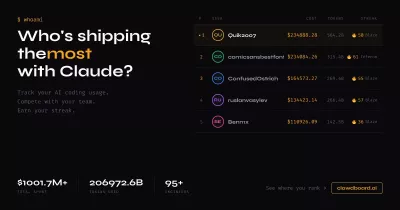
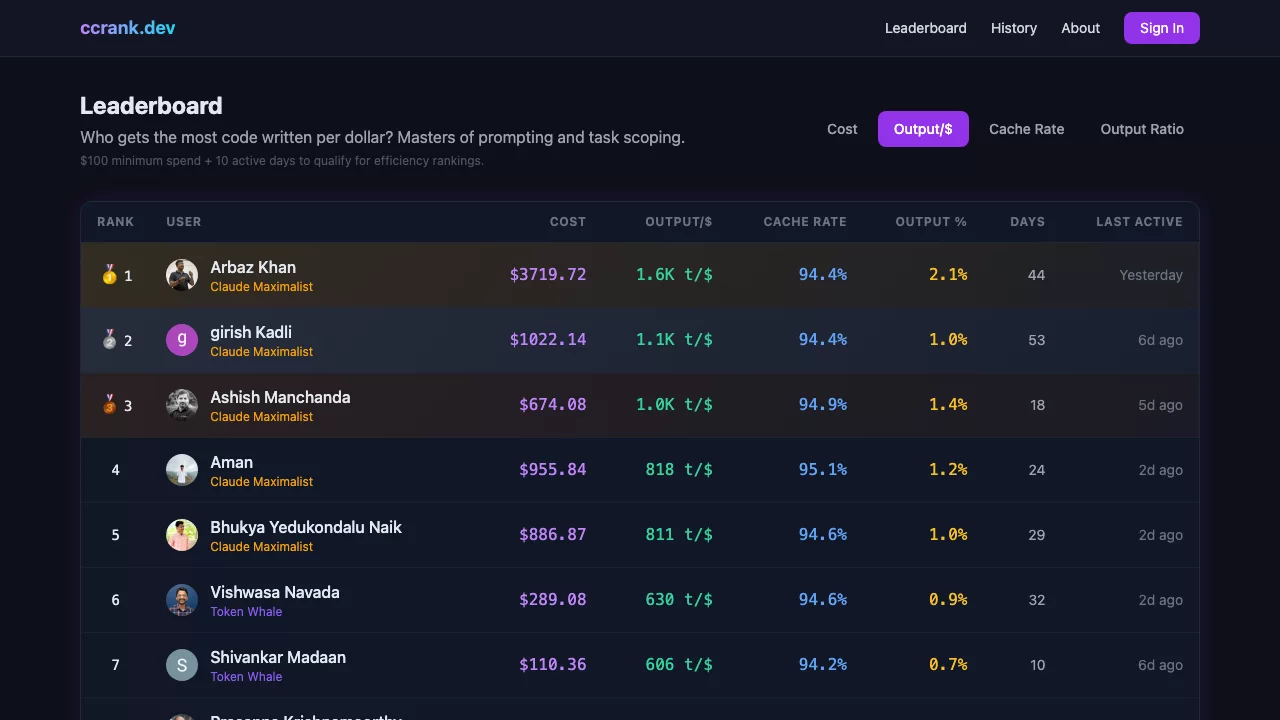
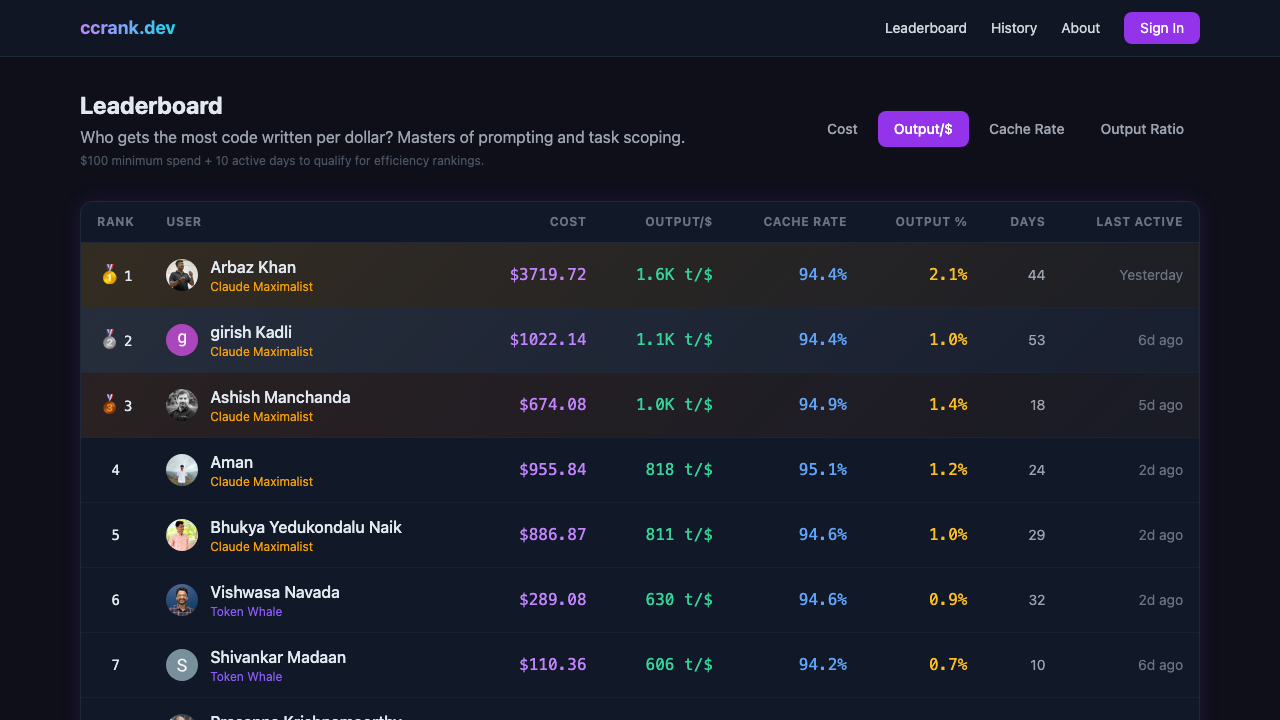
Who gets the most leverage from AI coding tokens?
Track, compare, and compete on Claude Code, Codex CLI, Cursor, Kimi, Grok, GLM, Muse, and Pi token usage. Install the ccrank CLI (powered by ccusage plus native session importers). See the leaderboard. Earn titles. Talk trash.
Deploy to Cloudflare Workers in under 10 minutes. Free tier. Zero cost.
Live Demo · Quick Start · Features · API
Origin Story
It started with a WhatsApp message:
"Code a Leaderboard Vivek? Let everyone submit their ccusage :)"
The entire app was built on a phone using Claude Code, deployed to Cloudflare Workers in minutes, and has been running at ccrank.dev ever since. No laptop required. Just vibes and Claude.
Features
| Feature | Description | |
|---|---|---|
| :trophy: | Live Leaderboard | Ranked by total tokens, with estimated cost and activity as supporting stats |
| :medal_sports: | Gamified Titles | Apprentice, Practitioner, Power User, Token Whale, Token Maximalist |
| :clock3: | Time-Travel History | Browse daily, weekly, and monthly snapshots with date navigation |
| :computer: | Multi-Machine Tracking | Aggregate usage across laptops, desktops, and cloud instances |
| :frame_with_picture: | Shareable Social Cards | OG-image-ready SVG cards with your stats for Twitter/LinkedIn |
| :lock: | Google OAuth | One-click sign-in, no passwords |
| :busts_in_silhouette: | Public Registration | Anyone with a Google account can join |
| :gear: | Admin Panel | Bulk invite generation, platform-wide stats |
| :new_moon: | Dark Theme | Beautiful dark UI, fully responsive on mobile |
| :moneybag: | Zero Cost Hosting | Runs entirely on Cloudflare Workers + D1 free tier |
Quick Start
Prerequisites
- Node.js v18+
- Cloudflare account (free tier)
- Google Cloud project (for OAuth)
1. Clone and install
git clone https://github.com/makash/claude-leaderboard-using-ccusage.git
cd claude-leaderboard-using-ccusage
npm install
2. Create D1 database
npx wrangler login
npx wrangler d1 create claude-leaderboard-db
Copy the database_id into wrangler.toml:
[[d1_databases]]
binding = "DB"
database_name = "claude-leaderboard-db"
database_id = "YOUR_DATABASE_ID_HERE"
3. Run migrations
npm run db:migrate
npm run db:seed
Already-migrated databases: db:migrate is a fresh-DB chain and is not
re-runnable (old ALTER TABLE steps abort on migrated DBs). Apply only the
new files, in numeric order:
npx wrangler d1 execute claude-leaderboard-db --file=migrations/0011_review_flags.sql
npx wrangler d1 execute claude-leaderboard-db --file=migrations/0012_unknown_date_cleanup.sql
npx wrangler d1 execute claude-leaderboard-db --file=migrations/0013_review_flag_status.sql
# local twin: add --local to each command above
Fresh databases need BOTH npm run db:migrate AND npm run db:seed —
schema ships via the migrate chain while seed data
(0002_seed_invites.sql) ships via the seed chain; neither command
applies the other's files.
If two PRs both add the same NNNN_ number — e.g. b0307a0
(chore/perf-health) added migrations/0011_user_slugs.sql while PR #18
added migrations/0011_review_flags.sql — the second PR to merge renames
its file to the next free number (check ls migrations/; 0011–0013
are taken on this branch by 0011_review_flags.sql,
0012_unknown_date_cleanup.sql, and 0013_review_flag_status.sql),
rewires db:migrate /
db:migrate:local in numeric order, and re-runs npm test
(test/migrations.test.mjs asserts contiguous numbers, numeric order,
and order-identical :local twins).
4. Configure Google OAuth
- Create an OAuth 2.0 Client ID at Google Cloud Console > Credentials
- Add redirect URI:
https://your-worker.workers.dev/auth/google/callback - Update
wrangler.toml:[vars] GOOGLE_CLIENT_ID = "your-client-id.apps.googleusercontent.com" ADMIN_EMAIL = "you@gmail.com" - Set secrets:
npx wrangler secret put GOOGLE_CLIENT_SECRET
npx wrangler secret put SESSION_SECRET    # use: openssl rand -hex 32
5. Deploy
npm run deploy
Share the URL. Start competing.
Usage
Install the CLI
Sign in at your leaderboard URL, go to Install, generate a token in Settings, and run the CLI from your project folder. The Install page includes OS-specific one-liners.
Git metadata (optional)
Use the Go CLI (binary) to upload git activity. It auto-creates ~/.ccrank/repos.json and uses it for uploads.
Add a repo (from inside a project folder):
ccrank-git --add-repo
If you run --add-repo outside a repo (e.g., ~/code), it scans recursively and adds the 30 most recently active repos.
Then upload git metadata:
ccrank-git --url https://your-worker.workers.dev --token YOUR_TOKEN
Include local coding-agent usage from ccusage, Pi, Kimi Code, Grok CLI, GLM, Cursor, Muse Code, and other supported sources:
ccrank-git --url https://your-worker.workers.dev --token YOUR_TOKEN --upload-usage
Each agent is ranked on its own platform. ccusage supplies Claude Code, Codex, and the other agents it detects; ccrank reads the rest natively:
| Platform | Source | Cost |
|---|---|---|
claude |
ccusage (Claude Code, Codex, Hermes, Antigravity, …), minus the pi and kimi agents |
From ccusage |
pi |
~/.pi/agent/sessions |
From Pi's own records |
kimi |
~/.kimi/sessions, ~/.kimi-code/sessions, and Kimi models run through Pi |
Zero for native sessions; from Pi's records for the Pi-fronted share |
grok |
~/.grok/sessions and Grok models run through Pi |
Zero for native sessions (credit-plan billing); from Pi's records for the Pi-fronted share |
glm |
~/.zcode/cli/rollout (or ~/.zcode/rollout) and GLM models run through Pi |
Zero for native sessions; from Pi's records for the Pi-fronted share |
opencode |
~/.local/share/opencode/opencode.db (or $XDG_DATA_HOME/opencode/opencode.db), read read-only |
From opencode's own records (often zero for free models) |
cursor |
Signed-in Cursor account (IDE Agent + CLI billed usage via the Cursor dashboard). Tab autocomplete is not counted. | From Cursor's billed usage events |
muse |
~/.local/share/muse/sessions (or $XDG_DATA_HOME/muse/sessions), main sessions and nested subagent transcripts |
Zero (contributor-plan logs carry no pricing) |
ccusage imports Pi and Kimi natively too, so ccrank holds those two agents out of the combined claude bucket to keep them from being counted twice.
Deploy the Worker before rolling out the CLI. The CLI asks GET /api/platforms what the leaderboard accepts and holds back anything missing from that list, so a CLI that runs ahead of the deployment simply skips Grok, GLM, Pi, OpenCode, Cursor, and Muse and says so, rather than having those uploads refiled into the combined bucket.
A model that Pi merely fronts is credited to the vendor that owns it, so a Kimi, Grok, or GLM model run through Pi lands on that platform rather than on Pi. Duplicate records are counted once: Kimi sessions copied during the .kimi to .kimi-code migration, Grok turns replayed by a rewind, retried Z Code requests, and re-read Muse session files (keyed by record id). Only aggregated usage is uploaded; raw prompts and responses stay local. See docs/git-metadata.md for OS-specific downloads and details.
Generate your token in Settings → Git Metadata.
Join the leaderboard
Registration is public. Sign in with Google and your account is created automatically.
API Routes
| Method | Path | Auth | Description |
|---|---|---|---|
GET |
/ |
Optional | Landing / dashboard |
GET |
/leaderboard |
No | Public leaderboard |
GET |
/history |
No | Time-travel history |
GET |
/about |
No | Origin story |
GET |
/card/:slug |
No | Public stats card |
GET |
/card/:slug/image.svg |
No | OG image (SVG) |
GET |
/settings |
Yes | Sharing settings |
GET |
/upload |
Yes | Install page |
GET |
/invites |
Yes | Manage invites |
GET |
/admin |
Admin | Admin panel |
POST |
/api/upload |
Yes | Upload ccusage JSON (used by CLI) |
POST |
/api/settings/sharing |
Yes | Save sharing prefs |
GET |
/api/leaderboard |
No | Leaderboard JSON |
GET |
/api/me |
Yes | Current user + stats |
GET |
/api/me/usage |
Yes | Current user's daily/weekly/monthly usage stats |
POST |
/api/invites/create |
Yes | Generate invite code |
POST |
/api/admin/invites |
Admin | Bulk invite codes |
Project Structure
src/
  index.ts        Hono routes, middleware, API endpoints
  auth.ts         HMAC-SHA256 sessions + Google OAuth
  parser.ts       ccusage JSON parser (daily/weekly/session)
  html.ts         Dark-themed HTML templates (Tailwind CSS)
  utils.ts        Shared types and utilities
  card.ts         Social card SVG generation (satori)
  images.ts       Base64 screenshots for About page
migrations/
  0001_initial.sql         Database schema
  0002_seed_invites.sql    Seed invite codes
  0003_add_source.sql      Multi-machine tracking
  0004_drop_old_index.sql  Index cleanup
  0005_add_sharing.sql     Social card sharing
Local Development
npm run db:migrate:local
npm run db:seed:local

# Create .dev.vars for local secrets
cat > .dev.vars << 'EOF'
GOOGLE_CLIENT_ID=your-client-id
GOOGLE_CLIENT_SECRET=your-client-secret
SESSION_SECRET=dev-secret-change-me
ADMIN_EMAIL=you@gmail.com
EOF

npm run dev
Add http://localhost:8787/auth/google/callback as an authorized redirect URI in Google Cloud Console.
Built With
 Hono Web framework |
 CF Workers Serverless compute |
 D1 (SQLite) Edge database |
 Tailwind CSS Styling via CDN |
 ccusage Usage tracking CLI |
Deploying
Deployments are triggered by release tags — pushing code or merging PRs does not deploy automatically.
To deploy a new version:
git tag v1.0.0
git push origin v1.0.0
Or create a release via GitHub:
gh release create v1.0.0 --title "v1.0.0" --notes "What changed"
A GitHub Actions workflow picks up the tag, runs wrangler deploy, and pushes to Cloudflare Workers.
Contributing
Contributions are welcome! Feel free to open issues and pull requests.
- Fork the repository
- Create your feature branch (
git checkout -b feat/amazing-feature) - Commit your changes (
git commit -m 'Add amazing feature') - Push to the branch (
git push origin feat/amazing-feature) - Open a Pull Request
Author
Akash Mahajan (@makash)


If you deploy this for your team, I would love to hear about it -- tweet at me!
License
MIT