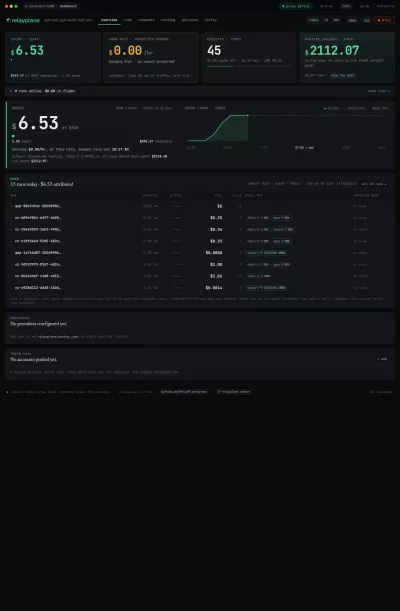
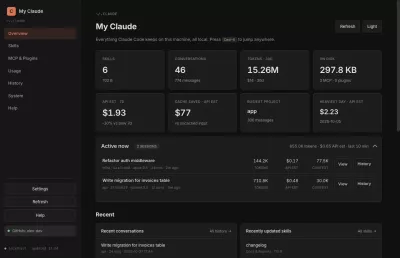
A native macOS status bar app that discovers, catalogs, and monitors every open-source project people have built to track their Claude AI usage.
It does not track your Claude usage. It tracks the trackers that track Claude usage.
Install
Download the latest .dmg from Releases, open it, and drag CC Usage Tracker Tracker to your Applications folder.
Releases are signed with a Developer ID and notarized by Apple — no Gatekeeper warnings, no terminal incantations. The app updates itself via Sparkle: you'll get a "new version available" prompt when a release ships, or check manually from the menu bar icon's right-click menu.
Upgrading from v1.2.0 or earlier? Those builds predate the updater — download the new
.dmgmanually this one last time.
The app lives in your menu bar (no Dock icon). Look for the number.
What It Does
- Shows the count of known Claude usage tracker projects in your menu bar
- Click to open a dashboard with every project listed, searchable, filterable, and sortable
- Live metadata (stars, last commit, health status) updated automatically via GitHub Actions
- New tracker projects discovered automatically every 6 hours via GitHub Search API
Features
- Status bar icon showing live count of tracked projects
- Popover dashboard with search, category filters, and sort options
- Health indicators: green (active), yellow (aging), red (stale/archived), skull (deleted)
- Expandable detail per project: features, auth methods, platforms, GitHub link
- Automated discovery: a GitHub Action finds new trackers and commits them straight to the registry (unusually large batches are parked on a single rolling review PR instead)
- Automated metadata: a GitHub Action updates stars, commit dates, and health every 4 hours
- Stats section: language census, platform spread, "Built with Claude" percentage
- Instant loading: the app reads a single JSON registry — no API calls, no loading spinners
How It Works
The app itself makes zero GitHub API calls. All the heavy lifting happens in GitHub Actions:
- Discovery (
discover-trackers.yml): Runs every 6 hours, searches GitHub for new Claude usage tracker repos, and commits them directly tomain. Batches larger than 15 are quarantined on a single rolling PR (discovery/pending) for review — an anomaly guard against filter regressions. The PR is rebuilt on top of currentmainevery run so it never goes stale, further oversized batches append to it rather than opening new PRs, and normal-sized discoveries keep flowing directly in the meantime. - Classification: When an
ANTHROPIC_API_KEYrepo secret is set, each candidate is classified by Claude before joining the registry (yes, Claude vetting the trackers of Claude — it's trackers all the way down). The script deterministically gathers each repo's README and recent commit history — commits carryingCo-Authored-By: Claudetrailers or authored byclaude[bot]are hard evidence for the "Built with Claude" badge — then one structured-output call decides whether it's genuinely a usage tracker and fills in category, platforms, auth methods, and features. Rejected candidates are remembered in.github/data/rejected.jsonso they aren't re-classified every run. Without the secret, discovery falls back to heuristic keyword filtering. - Metadata (
update-registry.yml): Runs every 4 hours, fetches stars, commit dates, archived status, and releases for the stalest ~400 entries, then commits the updated registry directly tomain. The rotation covers the full registry about once a day and a half.
The app just fetches tracker-registry.json from this repo on launch and displays it. One HTTP request, instant results.
Build from Source
Requires macOS 14+ (Sonoma) and Swift 6.
# Build the .app bundle
make app

# Or build the .dmg installer
make dmg

# Or just run it directly
make run
The .app lands in build/CCUsageTrackerTracker.app and the .dmg in build/. Local builds are ad-hoc signed (fine for your own machine); auto-update stays dormant outside real releases.
For development, swift build && swift run works but auto-update is disabled (it requires a real .app bundle).
Cutting a Release (maintainer)
git tag v1.3.0
git push origin v1.3.0
That's the whole process. The Release workflow builds the app with the tag's version stamped in, signs it with the Developer ID certificate, notarizes the .dmg with Apple, publishes the GitHub release, and regenerates the Sparkle appcast.xml on main — at which point every installed copy learns about the update.
FAQ
Q: Does this track my Claude usage? No.
Q: Can I add usage tracking as a feature? No, but you can use this app to find a tracker that tracks your usage.
Q: Is this app tracked by itself? No. This is a tracker tracker, not a tracker tracker tracker. Including itself would create a paradox.
Q: Was this built with Claude Code? Yes, I used Claude Code to build a tracker that tracks Claude usage trackers. It's trackers all the way down.
Q: Why does this exist? Because there are more Claude usage trackers than there are hours in the rate limit window, and someone needed to track them.
License
MIT