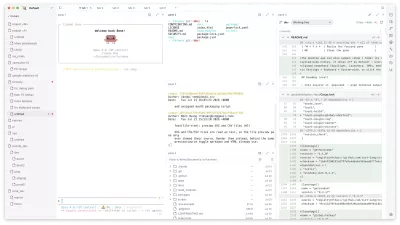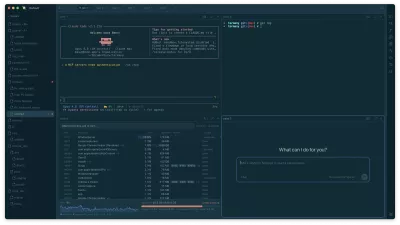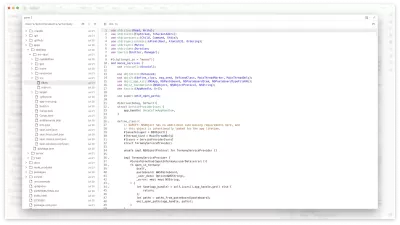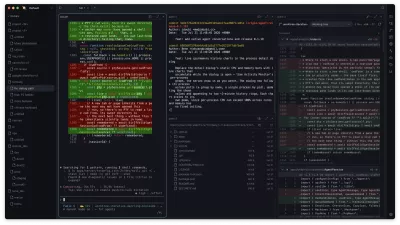

A terminal for running Claude Code under several accounts at once, each tab on the account you pick, on Windows with a macOS preview. Every project is a folder in the sidebar with its tabs under it, and each tab keeps its Claude Code chat, so after a restart or a crash your tabs come back and their chats resume.
Each Claude Code tab runs the official claude CLI. Claude Code is the only AI in it. Built with Claude Code.
Install
Windows: download Cerberus_<version>_x64-setup.exe from
Releases and run it. It installs for your
user (no admin), adds a Desktop shortcut, and puts cerberus on your PATH. The installer isn't
code-signed yet, so SmartScreen may warn: choose More info, then Run anyway.
macOS (Apple silicon, preview): download Cerberus_<version>_aarch64.dmg and drag Cerberus to
Applications. It isn't signed by Apple, so clear the block once:
xattr -dr com.apple.quarantine /Applications/Cerberus.app
To use cerberus in a terminal, click Install cerberus command in Accounts, or link it
yourself next to claude:
mkdir -p ~/.local/bin
ln -sf /Applications/Cerberus.app/Contents/MacOS/cerberus-cli ~/.local/bin/cerberus
You also need Claude Code. Each release lists its files' SHA-256 so you can check a download.
What it does
- Projects and tabs. A project is a folder. Under it sit Claude Code and shell tabs, with coder sub-tabs under a planner. Rename with a double-click or F2, search by title.
- Chats survive restarts and crashes. The sidebar comes back as it was, and opening a saved Claude Code tab resumes its chat. Nothing starts until you open a tab.
- Accounts. Each tab runs under one of your Claude Code accounts, each with its own sign-in and chats. A first-run walkthrough finds the accounts you already use.
- A board of every chat. Each row shows whether its chat is working, waiting on you, or paused until a usage reset. A desktop notification tells you when a chat in another tab needs you.
- A shell when a chat ends. After
/exitthe tab becomes a shell in the same folder. Resume chat in its menu brings the chat back. - Move a chat to another of your accounts, from the tab's right-click menu.
cerberus openjumps to a tab from any terminal (below).
More detail on each, and how it works: docs/guide.md.
Keys
| Action | Windows | macOS |
|---|---|---|
| Next or previous tab | Ctrl+Tab, Ctrl+Shift+Tab | Cmd+Shift+] / [ (or Ctrl+Tab) |
| New tab | Ctrl+Shift+T | Cmd+T |
| Close tab | Ctrl+Shift+W | Cmd+W |
| Next chat waiting on you | Ctrl+Shift+A | Cmd+Shift+A |
| Rename | F2 | F2 |
They leave Claude Code's own keys alone (Ctrl+T, Ctrl+C, Ctrl+V, Alt+V, Shift+Tab). Paste an image into Claude Code with Alt+V on Windows, or Cmd+V on macOS.
In a terminal on macOS, the editing keys of Terminal.app:
| Action | macOS |
|---|---|
| Start or end of line | Cmd+Left / Cmd+Right |
| Delete to start of line | Cmd+Backspace |
| Word back or forward | Option+Left / Option+Right |
| Delete a word | Option+Backspace |
| Clear the screen and scrollback | Cmd+K |
| Select all | Cmd+A |
Open a tab from the command line
cerberus open alpha/planner   # project alpha, tab planner
cerberus open alpha           # project alpha: the tab last shown since launch, else its first
It starts Cerberus if needed, or brings the window forward, and shows that tab. A name matches in any case, and a project also by its folder's name. With no match it suggests close names and exits with 1.
Build from source
Needs Node 24, Rust, and the Tauri prerequisites for your OS.
npm ci              # not npm install, which rewrites the lockfile on Windows
npm run tauri dev   # run it
npm run tauri build # Windows installer
npm run tauri build -- --bundles dmg   # macOS .dmg
The gate, in order, where only 0 errors, 0 warnings and every test passing counts:
npm run lint:fix && npm run typecheck && npm test
cd src-tauri && cargo fmt && cargo clippy --all-targets -- -D warnings && cargo test
| Path | What it is |
|---|---|
src/ |
Solid + TypeScript webview and its Vitest tests |
src-tauri/ |
Rust core (PTYs, sessions, accounts, saving) and the Tauri config |
docs/guide.md |
How each feature works |
bench/ |
The process sampler and the Warp baseline |
AGENTS.md, coding_standards.md |
Rules for agent sessions and for code, commits and PRs |
Stack: Tauri 2, Rust, Solid + TypeScript with Vite, xterm.js over portable-pty.
License
MIT, see LICENSE. Skills under .claude/skills/ keep their own MIT notices in
.claude/skills/notice.md. The bundled zsh-autosuggestions (MIT) is listed with its version and
licence in src-tauri/vendor/notice.md.