✅ Checkmate
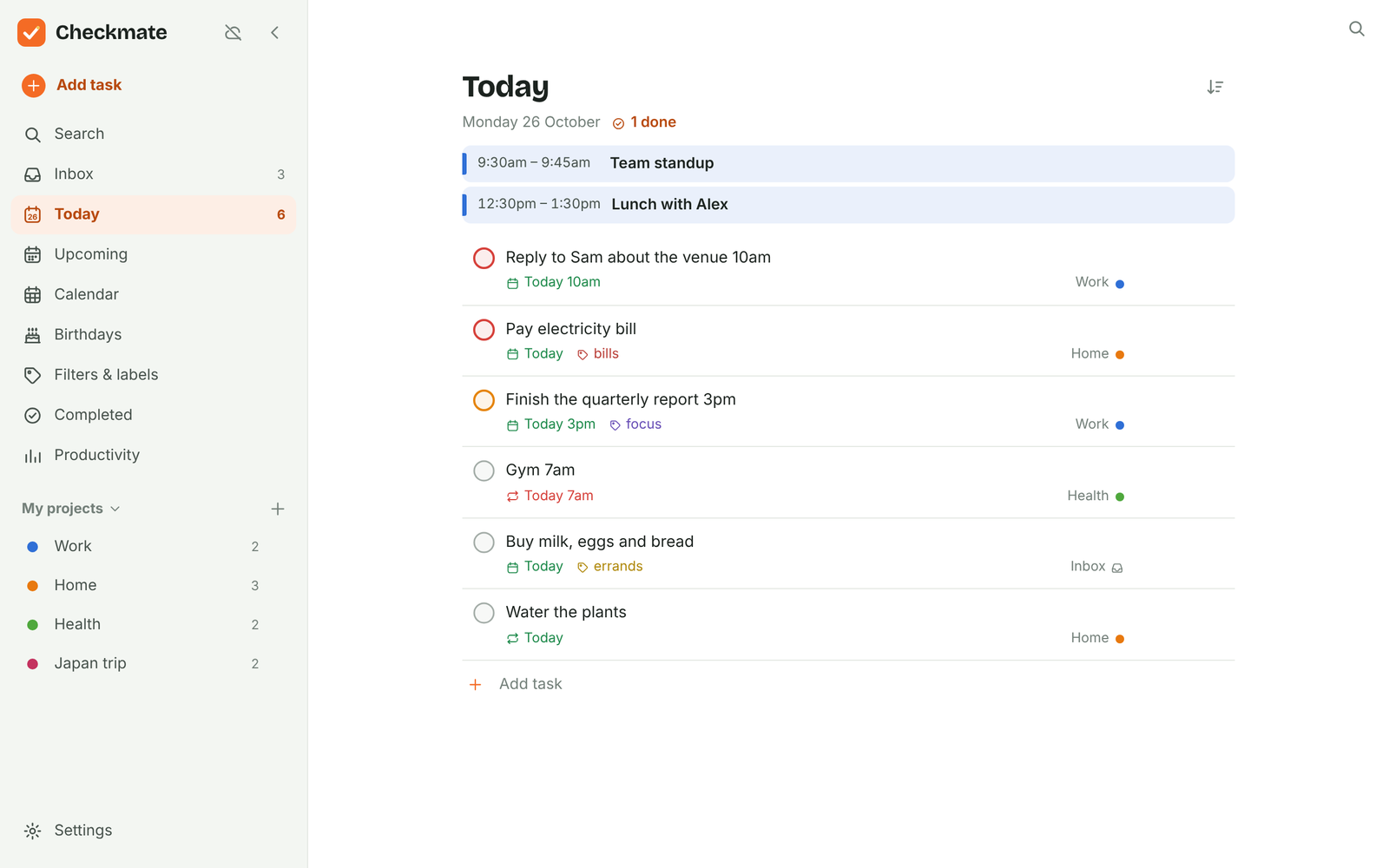
A simple to-do list and calendar for Windows, Android, Chrome/Edge and any browser.
Like Todoist and Google Calendar in one app — free, and your data stays in your own account.
Download
| Download | Works on | |
|---|---|---|
| 🪟 Windows | Checkmate.exe | Windows 10 and 11 (64-bit) |
| 🤖 Android | Checkmate.apk | Android 7.0 and newer |
| 🧩 Chrome / Edge | Checkmate-extension.zip | Chrome or Edge 116 and newer |
| 🌐 Browser | Checkmate.html | Any modern browser, also offline |
All downloads are on the Releases page.
New in 3.1.3
- Choose how links open. Settings → General → Open links with opens links from your tasks and events in your default browser, Google Chrome, Microsoft Edge or Firefox, or asks every time (Windows and Android).
- Map links in locations work. Paste a Google Maps link into an event's location and Open in Maps takes you to that place. Typing an address still searches Google Maps.
- Settings → About links to tymon.website.
New in 3.1.2
- Five ways to say thanks. Settings → Donate has A cup of coffee, A lunch money, A month of Claude member, A big thank! and A lunch money (per month). Each one opens its own secure Stripe page (card, Apple Pay or Google Pay).
- Find the source code. Settings → About links to this repository.
- A picture on the Donate page in Frontier, in the style's red brush frame.
- From 3.1.0: a start screen in every style, and Checkmate for Chrome and Edge.
See CHANGELOG.md for every version.
Install
Windows — Open Checkmate.exe. There's no installer. If Windows says "Windows protected your PC", choose More info → Run anyway (the app isn't code-signed yet).
Android — Open Checkmate.apk on your phone and tap Install. If asked, allow your browser or file manager to install unknown apps. If Play Protect warns you, choose Install anyway.
Chrome / Edge — Unzip Checkmate-extension.zip. Open chrome://extensions (in Edge, edge://extensions), turn on Developer mode, choose Load unpacked and pick the unzipped folder. Checkmate opens in a tab. Pin its toolbar button to add tasks from any page (Alt+Shift+C).
Browser — Open Checkmate.html. That's it.
What you can do
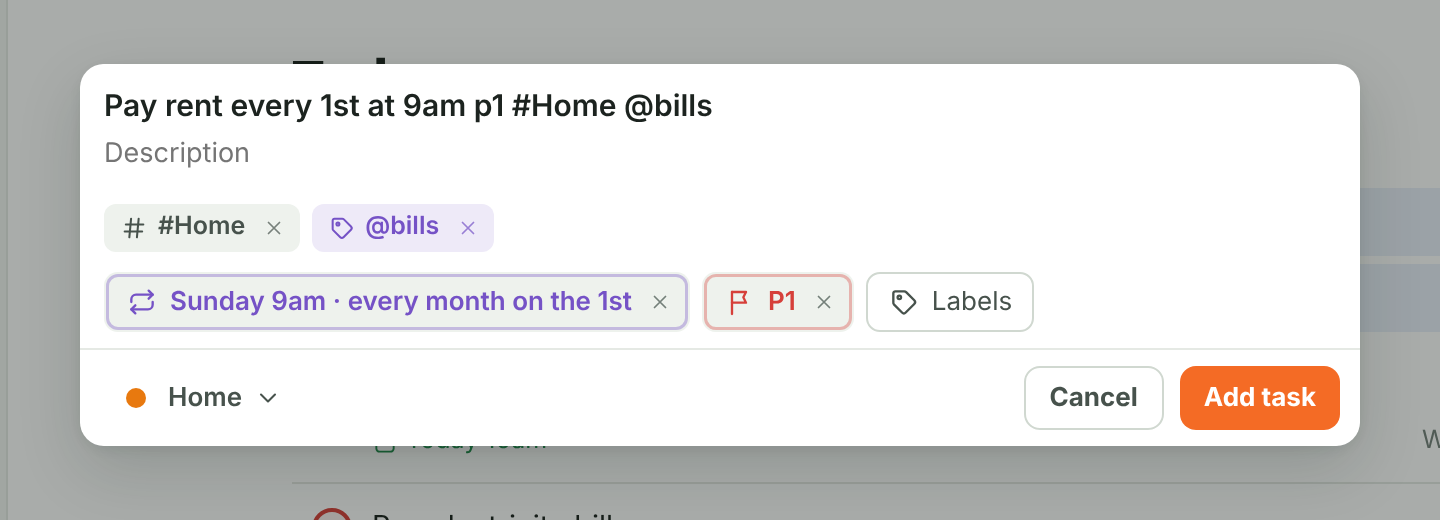
Add tasks by typing normally. Checkmate picks out the date, time, repeat, priority, project and labels as you type.
| Type this | You get |
|---|---|
Call Mum tomorrow 6pm |
Due tomorrow at 6 pm |
Pay rent every 1st at 9am p1 #Home |
Repeats monthly, top priority, in the Home project |
Gym every mon wed fri 7am |
Repeats three times a week |
明天下午5點 打電話給阿明 |
Chinese works too |
Plan your week in the calendar. Day, 3/4-day, week, month, year and schedule views. Drag to create or move events, set repeats, and see your tasks on the calendar. You can also show your Google Calendar inside it.
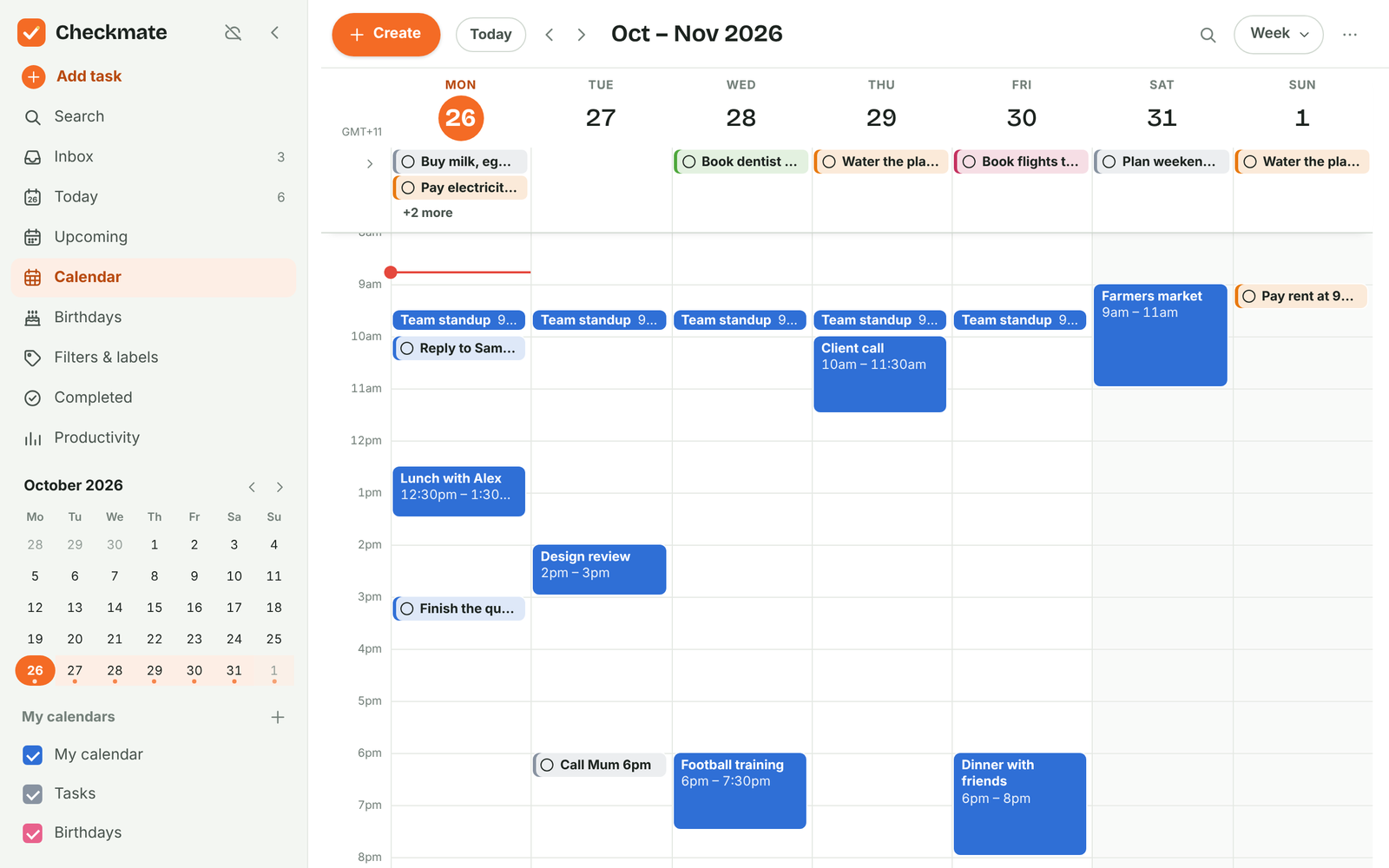
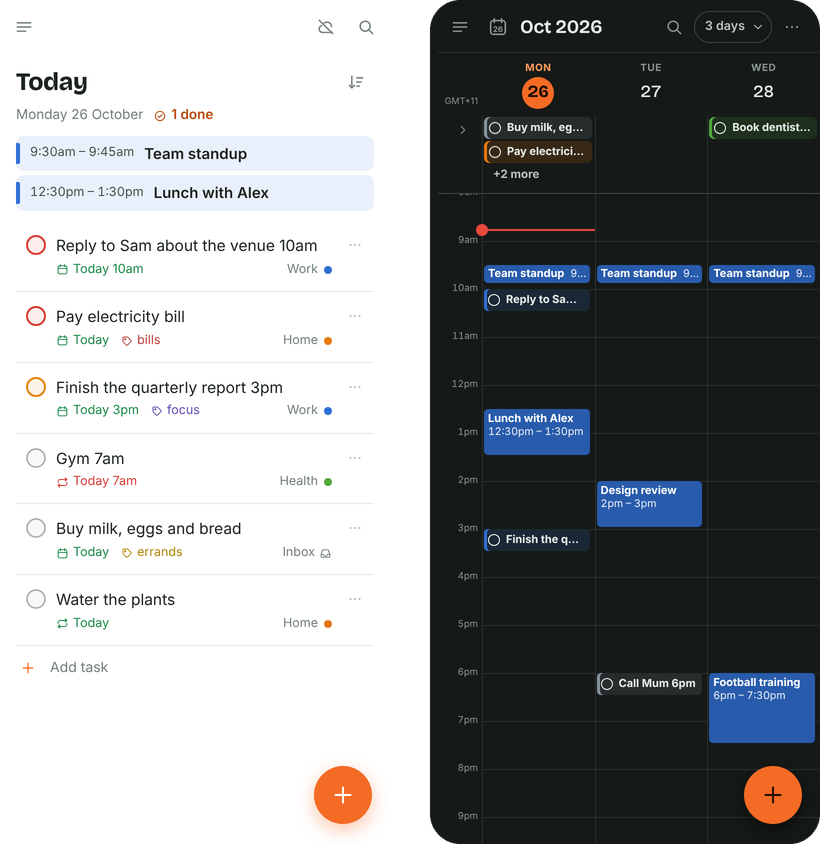
Use it on your phone and computer. Everything syncs between your devices, and reminders pop up as notifications on Android and in the Chrome/Edge extension, even when the app is closed.
Add tasks from any web page. With the Chrome/Edge extension, the toolbar button (Alt+Shift+C) opens a quick-add box that understands the same typing, with today's tasks under it to tick off.
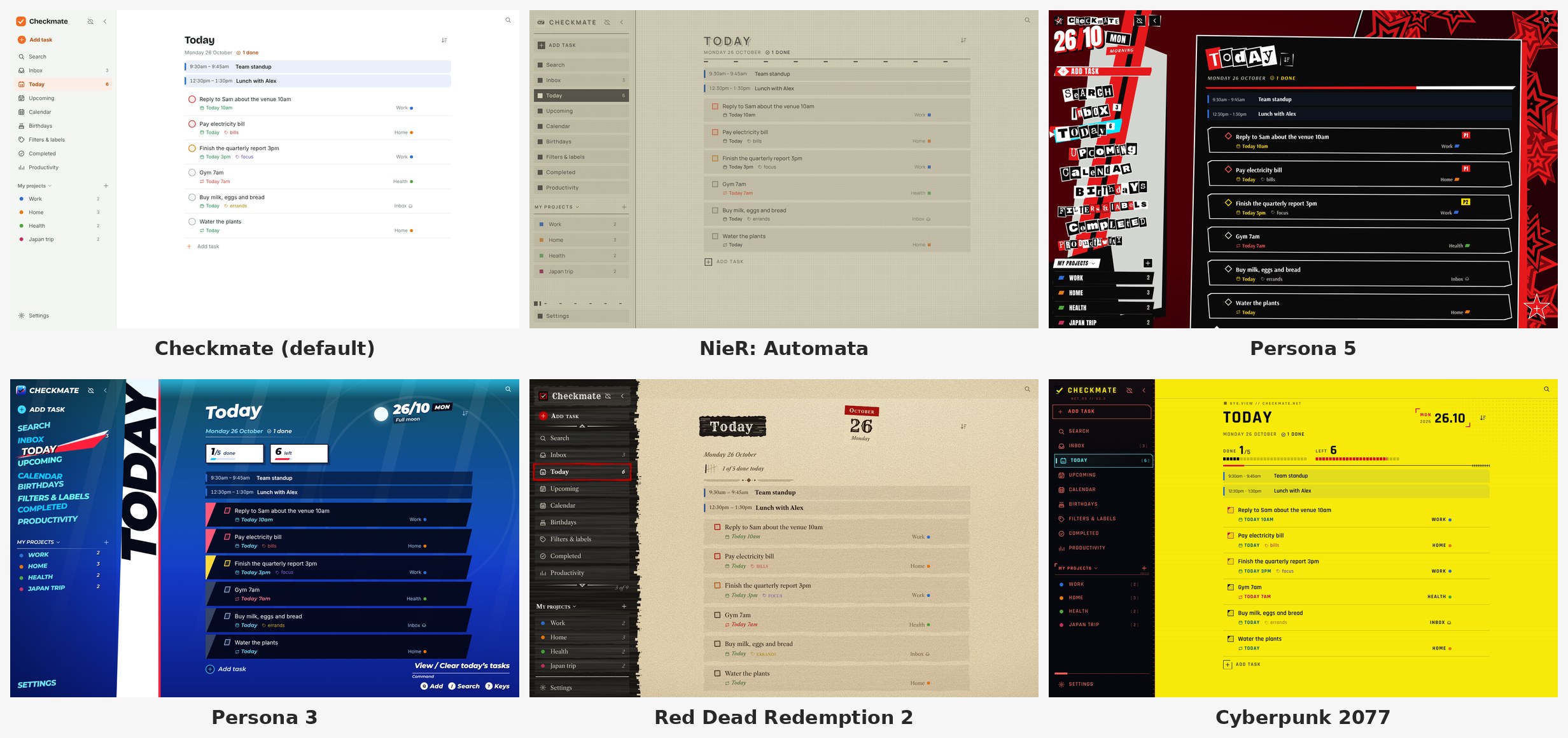
Pick a look you like. Six styles, each with light and dark mode, its own sounds, its own app icon and its own start screen.
And more: projects and sections, a board layout, subtasks, labels, filters, comments, files on tasks (up to 100 MB), birthdays (including lunar birthdays), a productivity page, turning Google Docs and Sheets into task lists, backups, and English or Traditional Chinese (繁體中文).
Sync between devices (optional, about 5 minutes)
Checkmate works on one device right away. To use it on several devices, it syncs through a free Firebase project that only you own — your tasks never go to anyone else's server.
- Create a free project at console.firebase.google.com and turn on Email/Password sign-in and Firestore.
- In Checkmate, open Settings → Sync, paste your Firebase settings and create an account.
- On your other devices, paste the setup code from the first device and sign in.
👉 The full guide has every click, plus the security rules to copy.
Use it with Claude (optional)
Ask Claude to manage your tasks and calendar for you: "what's due today?", "move everything overdue to tomorrow", "block 9–11am every weekday for focus time". Open Settings → Claude in the app and follow the steps. See the Claude setup guide.
Keyboard shortcuts
Q add a task · / search · G then T / I / U / L / B go to Today / Inbox / Upcoming / Calendar / Birthdays · ? show all shortcuts
Help
- 📖 User guide — every feature explained step by step
- 🐞 Found a bug or have an idea? Open an issue
- 🛠️ Want to build it yourself? See docs/DEVELOPING.md
- 🔒 Privacy: Checkmate collects no data. See the privacy policy.
About
Made by Tymon Ng in Australia, built with Claude AI. If you'd like to support it, see Settings → Donate in the app: pick one of five choices, paid securely through Stripe. Checkmate used to be called Tickwise — updating from it keeps all your data.
The styles are Checkmate's own designs. Checkmate isn't affiliated with or endorsed by any game publisher.
License
MIT © Tymon Ng. third_party/sys is Go's golang.org/x/sys under its own BSD license.