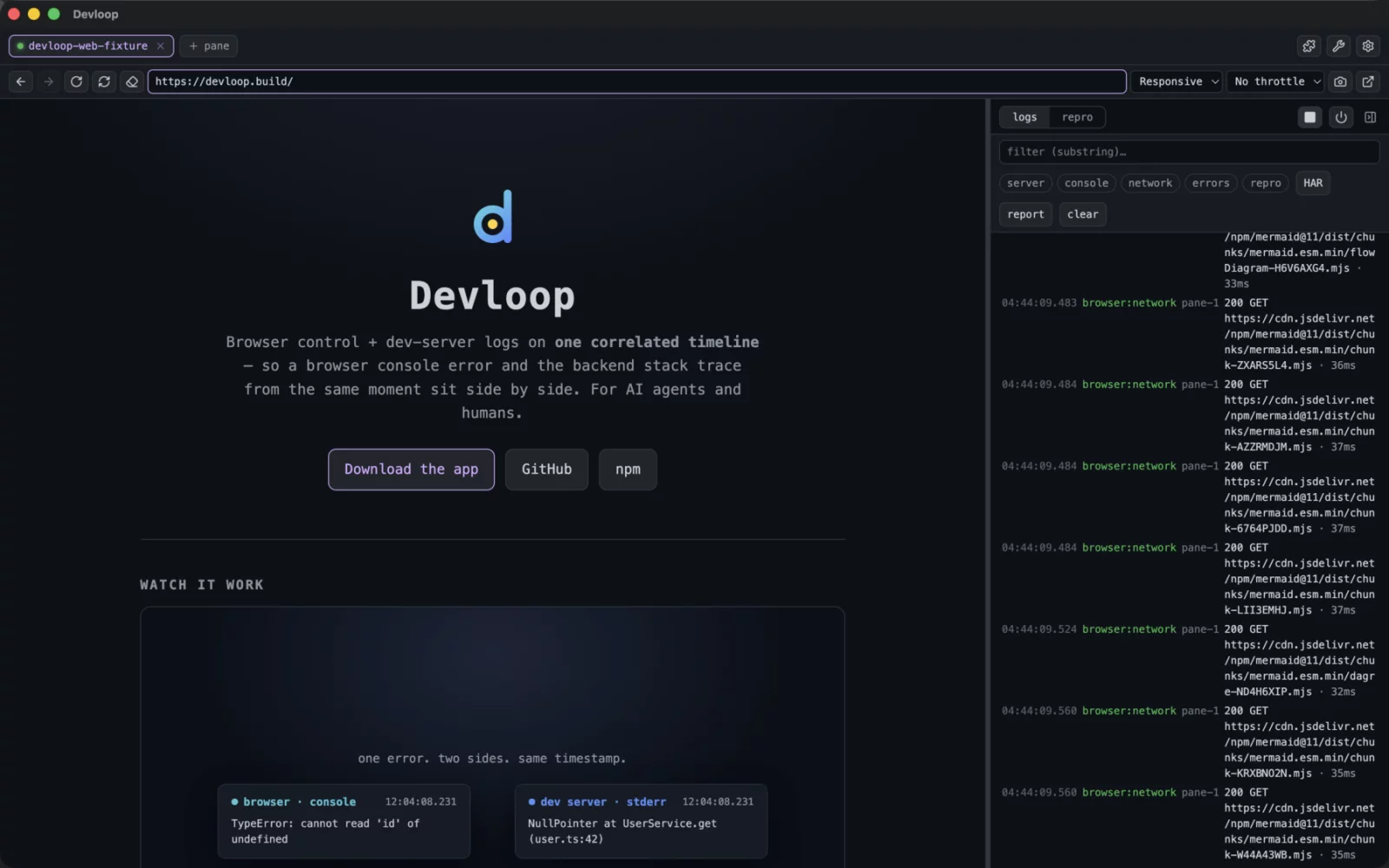


Browser control + dev-server logs on one correlated timeline — for AI agents and humans.
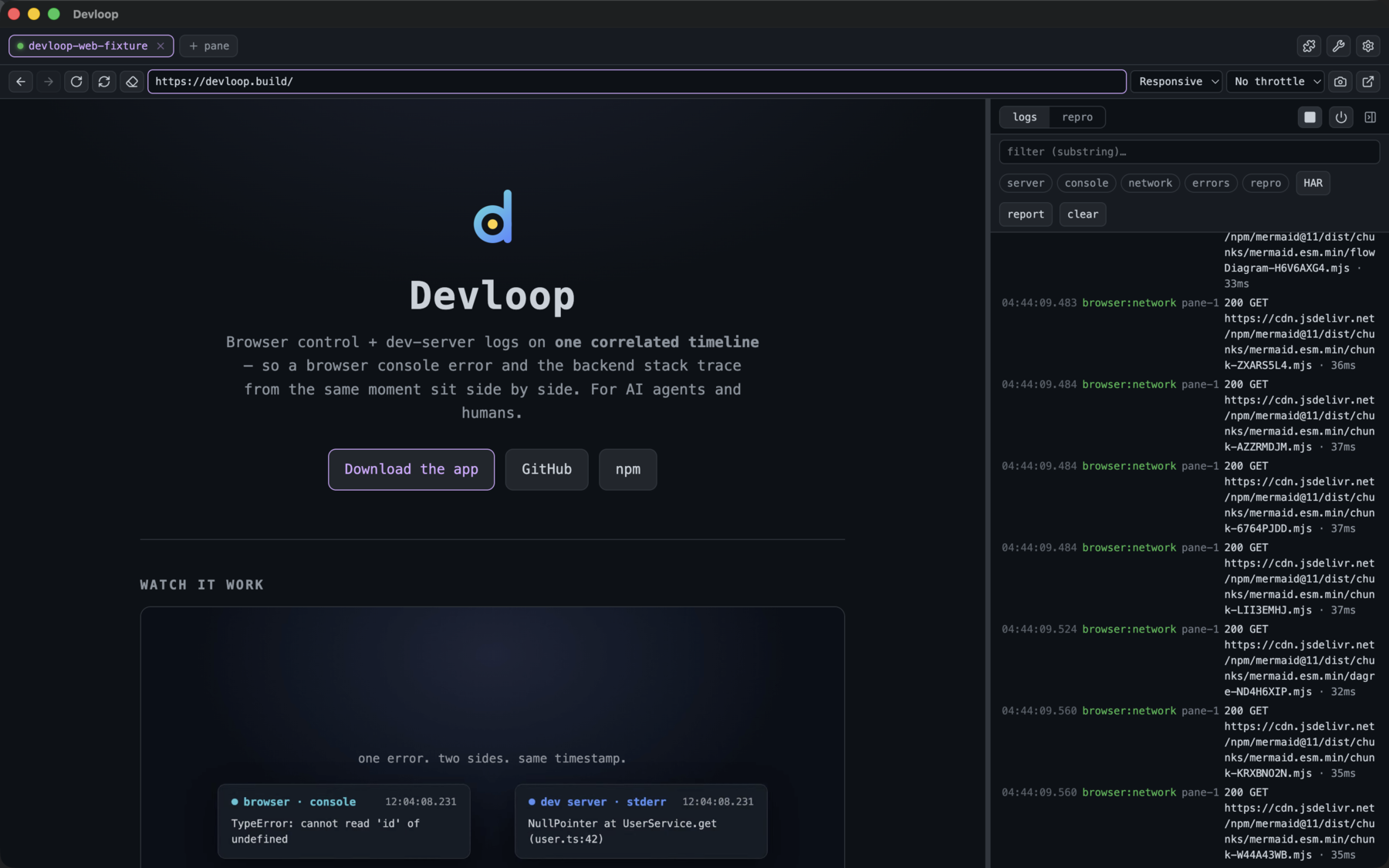
A unified dev-loop tool: it drives a browser and your dev server, pushing both sides into one timestamped buffer so you can correlate a browser console error with the backend stack trace from the same moment. It runs two ways from a shared core:
- Headless (stdio) — drives Chrome via Puppeteer, served over stdio. The lightweight mode Claude Code spawns per session. Run
devloop-mcp daemonto instead serve one shared, long-running instance over HTTP/SSE that many agents/sessions connect to (see Daemon mode). - Cockpit (Electron) — a single desktop window: tabbed browser panes (embedded
WebContentsViews driven via CDP) with a browser bar (back/forward/reload + address) beside a collapsible side panel that toggles between logs and a repro builder. Project picker, auto-navigate, pop-out targets. The renderer is React 19 + Tailwind v4 + Radix + lucide-react. Serves the same tools over HTTP.
Because every event (browser console/network/page-errors and server stdout/stderr) shares one monotonic clock, get_logs_around / repro return a correlated, cross-source slice of the timeline.
Native targets — Expo / React Native (iOS + Android)
The cockpit also drives Expo/React Native projects, not just web. Open a native project and you get one pane with a Web · iOS · Android target switcher, a bundler toggle (Metro) separate from a Build button (expo run:ios / expo run:android, with @expo/fingerprint staleness detection), and:
- JS console + errors over CDP via Metro's Hermes inspector (both platforms) — with source-mapped stacks (your bundled
index.bundle:1:…resolves to original.tsx). - RN network capture — an injected
XMLHttpRequesthook turns the app's fetch/XHR traffic into the samenetworktimeline rows as web (soget_network/export_har/ the network chip work for native too). - Native device logs merged onto the timeline as a
nativesource — iOSsimctl log stream, Androidlogcat. - A live, interactive device embedded in the pane — iOS via serve-sim (MJPEG, tap/scroll/type), Android via Expo's serve-emu (scrcpy H.264, up to 60fps, with tap/swipe/scroll/type). Screenshots on both.
- Agent-drivable interactions —
browser_snapshotreads the native accessibility tree (iOS via idb's UIKit a11y tree; Android viauiautomator dump) andbrowser_click/type/scroll/pressdrive the device by an element'spt:x,yref (from the snapshot) or its label — replayable throughrepro, openable over MCP vianative_open/native_build. The same agent tools as web, mapped onto native.
All of it lands on the same correlated timeline, app-scoped — the web dev-loop experience, for a native app. (macOS + Apple Silicon for the embedded iOS simulator; Android works wherever the Android SDK + an emulator do.)
iOS interactions need idb: brew install facebook/fb/idb-companion and pipx install fb-idb (use Python <3.14 — newer Python breaks fb-idb). Android interactions need the Android SDK platform-tools (adb) + a booted emulator. The cockpit's Settings → native readiness runs a per-platform preflight (iOS: idb · companion · booted sim; Android: adb · booted device) and shows the exact fix for anything missing; observation (logs/screenshots) works without the interaction tooling.
serve-sim is vendored into the cockpit and run via Electron's own Node, so the embedded simulator works out of the box — offline, no bun/node/npx or first-run fetch. (Running from source uses the copy in node_modules instead.)
Architecture
Three transports expose one shared core, which drives one of several substrates (a real browser, or — in the cockpit — a native device). Everything pushes onto a single timestamped timeline.
%%{init: {"flowchart": {"wrappingWidth": 700}}}%%
flowchart TD
  clients["<b>MCP clients</b><br/>Claude Code · agents · mcporter"]
  clients --> stdio & daemon & cockpit

  stdio["<b>stdio</b><br/><i>spawned per session</i>"]
  daemon["<b>daemon</b><br/><i>HTTP/SSE · one shared instance</i>"]
  cockpit["<b>cockpit</b><br/><i>HTTP/SSE · Electron app</i>"]

  stdio --> mcp
  daemon --> mcp
  cockpit --> mcp
  mcp(["<b>MCP Server</b><br/><i>stdio transport, or HTTP/SSE for the daemon + cockpit</i>"])
  mcp --> core

  core["<b>shared core</b> · <i>transport- and substrate-agnostic</i><br/>the MCP tool layer + one unified, correlated timeline"]

  core --> iface(["<b>IBrowserController · IBrowserManager · ITargetController</b><br/><i>capability-gated by the active target</i>"])
  iface --> pup & elec & rn

  pup["<b>web</b> · Puppeteer / Chrome<br/><i>stdio + daemon</i>"]
  elec["<b>web</b> · Electron CDP panes<br/><i>cockpit · per-project partitions</i>"]
  rn["<b>native</b> · React Native (Hermes)<br/><i>JS + network over Metro CDP</i>"]

  rn -->|"idb / adb"| nd["<b>NativeDriver</b><br/>iOS idb · Android adb<br/>taps · snapshot · screens · logs"]
The tool layer never knows what's behind it — Puppeteer or Electron, stdio or HTTP, web page or native app. It's wired once at startup. The browser sits behind a single IBrowserController interface; the cockpit's pane manager implements the richer IBrowserManager (multiple panes, delegating browser_* to the active one — or to the native controller when an iOS/Android target is open). A capability layer gates tools by the active target, so an agent gets a clear message instead of a substrate error.
stdout is reserved for the MCP protocol in stdio mode; all human-facing output goes to stderr.
The layers
- Transports — three entrypoints over two protocols: stdio (one server per session) and HTTP/SSE (the long-running daemon, and the cockpit). All build the same MCP server bound to the tool layer; only the HTTP transports are multi-client (each connecting client gets its own session, one shared backend).
- Shared core — the tool layer (the MCP tools + a capability-gated dispatcher) over one unified, correlated timeline (server output, browser console/network/errors, native logs), backed by a separate full-capture network ring. The cross-cutting features the tools expose — a project registry, error diagnostics, source-map resolution, HAR export, and bug-report bundles — live here too.
- Browser substrates — a shared controller interface with two web implementations (Puppeteer/Chrome for headless; Electron
WebContentsViewpanes over CDP in the cockpit) and a native one (React Native over Hermes/Metro). Shared page-action + accessibility-snapshot logic and device/throttle emulation sit above them. - Native targets — an RN controller (JS/errors/network over Metro CDP) delegates taps + snapshots to a
NativeDriver(idb on iOS, adb on Android); native logs (simctl / logcat), screenshots + live mirrors, build orchestration (expo run), and a readiness preflight round it out. - State & isolation — an on-disk registry (projects / session / panes), per-project session partitions, and Chrome-extension management.
- Cockpit (Electron) — the desktop shell: a pane manager (per-project partitions, native routing), the React UI (timeline, browser bar, repro builder, target switch, Android mirror), the vendored serve-sim iOS mirror and serve-emu Android stream, the in-store "Add to Devloop" injection, and the in-app updater.
Install
Headless MCP (stdio) — no clone needed, register it with Claude Code:
claude mcp add devloop --scope user -- npx -y devloop-mcp
(Published as devloop-mcp on npm; Puppeteer fetches Chromium on first install.)
Cockpit (desktop app) — grab the installer for your OS from Releases (.dmg / .exe / .AppImage). macOS ships both Apple Silicon (arm64) and Intel (x64) builds. The app checks GitHub for a newer release on launch and prompts before downloading or installing — or trigger it yourself from settings → updates → check for updates.
From source (dev) — requires bun:
bun install
bun run app          # build + launch the Electron cockpit
bun run start        # or run the stdio MCP directly
Use it from your coding agent
Once it's registered, drop this into your CLAUDE.md (or any agent's rules file) so the agent drives features through Devloop and verifies them live instead of reasoning from the code alone:
## Devloop — use it for any web/mobile feature work

When you build, test, or debug a feature that runs in a **browser** or an **Expo /
React Native** app, drive it through **devloop** instead of reasoning from the code
alone. It puts the dev-server logs and the live browser/device on one correlated
timeline, so you can see what actually happened.

- **Start the loop:** `dev_start` (auto-detects the dev command), then
  `browser_navigate` to the page — or `native_open` for an iOS/Android target.
- **Act, then verify — don't assume:** after a change, reproduce it with `repro`
  (a navigate/click/type sequence) and read the result. Never claim a fix works
  without exercising it in the running app.
- **Find/target elements** with `browser_snapshot` (returns clickable `ref`
  selectors) — prefer it over screenshots.
- **When something breaks:** `diagnose` first (groups errors + failed requests),
  then `get_logs_around` a timestamp to line up the browser console error with the
  matching server stack trace from the same moment. `get_network` / `export_har`
  for request detail.
- **Definition of done:** the feature is verified live in devloop — no console or
  page errors, the expected network calls succeeded, the UI reflects the change —
  not just "the code looks right."
- **Setup stays yours:** if a native build needs a toolchain that isn't installed,
  devloop tells you exactly what's missing and the command to fix it — it
  **diagnoses, it never installs or touches your toolchain.** Run the fix, then rebuild.

Register once: `claude mcp add devloop --scope user -- npx -y devloop-mcp`
Tools (46)
Dev server — runtime, no per-project registration needed
dev_start({ project?, cmd?, cwd? })— start a dev server and tee its logs. Specify it three ways: a saved registryproject; explicitcmd+cwd; or neither (cwddefaults to the server's dir,cmdauto-detected frompackage.jsonscripts:dev/develop/web/start/serve).dev_stop()— stop it. Kills the whole process group (sonext dev/metrograndchildren die too).dev_status()— running?, plus cmd/cwd/pid.
Native targets — Expo/React Native (cockpit only; needs Electron + a simulator/emulator)
native_open({ platform })— open the iOS simulator or Android device mirror for the active pane;browser_*then drive the native app (idb/adb) and JS + native logs stream to the timeline. Returnsok:falsewith a reason if the device/tooling isn't ready.native_close()— back to the pane's web content.native_build({ platform, cwd? })—expo run:ios/expo run:android, streamed to the timeline (cwddefaults to the active pane's project). Android returns a toolchain checklist instead of building if the SDK/JDK isn't set up.native_doctor()— re-check native readiness without building or opening: iOS + Android interactions + the Android build toolchain, each a ✓/✗ checklist with the fix for anything missing. Run it after installing a missing tool to confirm it's resolved.- In headless stdio/daemon mode these report that the cockpit is required (Puppeteer is web-only).
Browser control — act on the active pane
browser_navigate({ url })browser_back()·browser_forward()·browser_reload({ hard? })— history nav + reload (the browser bar's ←/→/⟲;hardignores cache).browser_screenshot({ fullPage? })→ PNG imagebrowser_click({ selector })browser_type({ selector, text })browser_hover({ selector })·browser_scroll({ selector? | x?, y? })·browser_select({ selector, value })·browser_press({ key, selector? })— keys likeEnter/Escape/Tab/ArrowDown.browser_wait_for_idle({ idleMs?, timeoutMs? })— wait until network settles.browser_clear_storage({ allOrigins? })— clear cookies / localStorage / IndexedDB / cache / service workers for the current origin (or the whole session) — log out / test a fresh user.browser_emulate({ device? | width?, height?, mobile?, deviceScaleFactor?, userAgent?, reset? })— emulate a device/viewport (device:iphone/ipad/pixel, or custom;reset→ desktop).browser_throttle({ profile })— network conditions:slow-3g/fast-3g/offline/none.browser_eval({ expression })— runs in page context (not blocked by CSP)browser_snapshot()— structured page snapshot: url, title, and interactive/landmark elements (role, accessible name, value/state, heading level) each with a CSS selectorrefusable bybrowser_click/browser_type. Prefer this over a screenshot to find/target elements reliably.browser_wait_for({ selector?, text?, timeoutMs? })— wait until a selector appears or text is present (after a navigation/async render). Returns{ ok, waitedMs }.
Logs & correlation
get_logs({ source?, stream?, grep?, app?, sinceSeq?, limit? })— unified tail.sourceisserver|browser;streamisstdout/stderr/console/network/pageerror.appscopes to one project's logs — it matches a pane's label (project name) or id (seepane_list) and filters both that pane's server and browser logs, regardless of which pane is active. Pass the lastseqassinceSeqto tail incrementally.get_logs_around({ ts, windowMs?, source?, app? })— the correlation tool: all events within ±windowMsof a timestamp, time-ordered across both sources (optionally scoped to oneapp).- The timeline shows network events that are failures or status ≥
DEVLOOP_NET_THRESHOLD(set it to0to surface everything inline), carrying richdetailon all substrates (Puppeteer / CDP / React Native): method, status, resource type, mime, duration, request + response headers, and capped request/response bodies. get_network({ grep?, app?, limit? })— every request from the full capture ring, independent of the threshold (vsget_logs, which shows only the curated timeline). Use it when a fast 200 you care about isn't on the timeline.export_har({ app? })— export the full network ring as a HAR 1.2 document (import into Chrome DevTools / Charles); complete regardless of the threshold. Scope to oneappif you like.diagnose({ windowMs?, app? })— triage what's broken right now: groups/dedupes repeated errors (console / page / server) with counts, lists failed/4xx-5xx network requests, and returns a one-line summary. Start here before digging throughget_logs.- Page errors carry a
resolvedStack— minified browser stack traces are mapped back to original source via the bundle's source map (the browser only de-minifies in its DevTools UI;error.stackstays compiled, so we resolve it for you). On the entry'sdetail. export_bundle({ app?, windowMs? })— a shareable bug-report bundle (JSON): diagnose summary + timeline + screenshots + HAR + repro. The cockpit's report button saves it as a self-contained HTML page.clear_logs()— reset before reproducing an issue.repro({ actions | action, waitFor?, settleMs?, stepSettleMs?, idleMs?, timeoutMs?, continueOnError?, clear? })— reproduce-and-correlate: clears the buffer, performs one action or a sequence, waits, and returns everything that happened on both sides across the sequence — with per-step results (steps[]), abyStreamcount, and a pre-filterederrorslist.actions: [{kind, ...}]— kinds:navigate/click/type/hover/scroll/select/press/eval/wait/none.action(singular) = one-step convenience.- Waits
stepSettleMs(default 300) between steps,settleMs(default 1000) after the last.waitFor: "networkidle"waits until no network activity foridleMs(default 500) up totimeoutMs(default 10000) — use it for slow/streaming responses (Expo's first web bundle takes ~12s). On timeout you still get what landed, with awaitNote. continueOnError(default false) — otherwise stops at the failing step (stoppedAtStep).
Project registry — saved projects, persisted to ~/.devloop/projects.json
project_list()— list saved projects (name, cwd, cmd, url, steps).project_add({ name, cwd, cmd?, url?, steps? })— save/replace a project (incl. a saved reprostepssequence), so you candev_start({ project })by name.project_remove({ name }).
Panes — multi-target (cockpit only; stdio mode is single-pane and reports so)
pane_list()— each pane:{ id, url, active, popped }. The active pane is whatbrowser_*/reprotarget; events are tagged with their paneid.pane_new({ url? })— open a new pane and make it active.pane_select({ id })— make a pane active.pane_close({ id }).pane_pop({ id })— detach a pane into its own standalone window (side-by-side targets).pane_set_label({ id, label })— rename a pane (same as double-clicking the tab).
Extensions — Chrome extension management (cockpit only)
ext_list()— installed extensions:{ id, name, version, enabled }.ext_install({ idOrUrl })— install by Chrome Web Store id/URL.ext_remove({ id })— uninstall.ext_set_enabled({ id, enabled })— enable/disable without uninstalling.
Console arguments
console.log(obj) is captured with arguments resolved to real values (e.g. [log] user {"id":7}), not JSHandle@object. The Electron substrate renders them synchronously from CDP previews; the Puppeteer substrate uses a reserve-then-fill pattern (stamp seq/ts synchronously at arrival, patch resolved args in afterward) so ordering matches emit order and interleaves correctly with server logs.
Headless mode (stdio)
Register once, at user scope — works for every project:
claude mcp add devloop --scope user -- npx -y devloop-mcp
Then, in any project: "dev_start and repro a navigate to /projects". dev_start defaults cwd to the project you're in and auto-detects the command.
| Var | Default | Meaning |
|---|---|---|
DEVLOOP_HEADLESS |
false |
"true" runs Chrome headless; default headful so you can watch. |
DEVLOOP_CHROME_PATH |
(bundled) | Explicit Chrome executable path. |
DEVLOOP_NET_THRESHOLD |
400 |
Log network responses with status >= this (failures always logged). |
DEVLOOP_ACTION_TIMEOUT |
10000 |
Cap (ms) on interactions — a wedged page fails fast instead of hanging. |
DEVLOOP_NAV_TIMEOUT |
30000 |
Cap (ms) on navigations. |
DEVLOOP_LOG_CAPACITY |
5000 |
Max buffered events. |
DEVLOOP_NET_RING |
3000 |
Max requests held in the full-capture network ring (get_network / export_har), independent of DEVLOOP_NET_THRESHOLD. |
DEVLOOP_DEV_CMD / DEVLOOP_DEV_CWD |
(none) | Optional dev-server auto-sta |