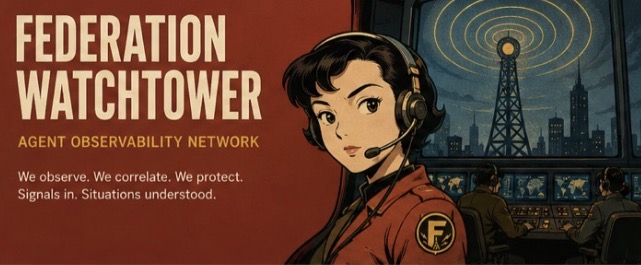
Federation Watchtower
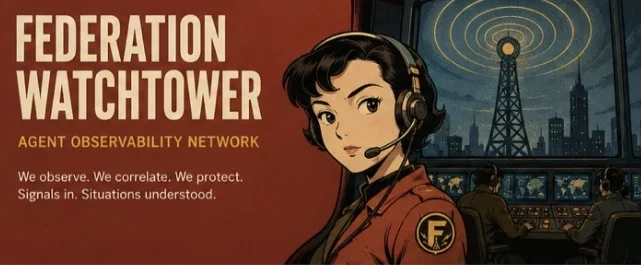
Federation Watchtower is a developer tool that makes autonomous work visible before it becomes expensive. It is an agent-operations control plane with a security-camera sitcom presentation: real agents, heartbeats, events, guardrails, validation decisions, and watchdog signals are made readable for humans without turning the operational record into theater.
Live public Watchtower: watch.drdeeks.xyz
Machine/API ingress: fapi.drdeeks.xyz
Member/operator surface: federation.drdeeks.xyz
Operational truth is the product. Theatrical presentation makes it watchable.
Why it exists
The origin story
I had no Qwen credits left after Hermes kept corrupting my work — nesting within nesting within nesting, duplicated chains multiplying on top of each other. I burned 25,000 credits the moment I looked away. That's the failure that started this.
But from that loss came an iteration: a TV sitcom where agents working on tasks could be seen on screen, doing really stupid stuff. When something happened, they'd have a speech bubble triggered by it:
- Test fails? "The boiler room just combusted — everybody get to safety!"
- Thirty duplicate files being processed consecutively? "I made a checklist for my checklists checklist — does anybody wanna make a checklist about that?"
The comedy is the hook. But the purpose is to monitor what's actually happening — to not be left clueless while giving everything you've got.
The personal context
Bro.. I have a 1.87 GHz, 2-core, 4GB RAM, 2013 ThinkPad that barely opens a web browser. I'm a single father with a past that isn't lavish, and that's made it hard to get a job — constantly being shown the door, dealing with the fallout of a mistake I made over 10 years ago. I'm very creative, I prefer truth and doing my own due diligence before asking for help or believing someone, and I like pushing boundaries: testing new systems, building things that serve a real purpose. I figure things out, think mechanically, and try everything I can to get myself and my daughter in a better position.
When I started using Codex, I had five project demos that weren't quite functional. About 700 credits later, I realized the app I wanted to make wasn't going to cut it. I mentioned the Federation idea — originally a comical afterthought, a quirky agent monitoring layer for any project that wanted to join via MCP. Codex refined my concept into something possible and robust, then helped consolidate it into something functional and manageable.
After running out of credits and switching tools, everything was built the exact way I felt it should be built: proper, robust, accurate, and solidified. All we had to do was start implementing the UI and features.
From burning 25,000 credits, using almost half my allocation on Codex, persistent disappointment and struggles to take care of my daughter and find steady employment — Codex made me have a little bit more faith in myself and the ideas I come up with. Win or lose, I take pride knowing this exists. As long as we can learn to laugh a little bit and continue to grow, everything will be OK.
The problem
Autonomous coding agents can silently recurse, duplicate work, burn credits, lose track of state, or fail without a useful human-facing signal. The surrounding systems may already have logs, validators, policy checks, and recovery workers, but operators still need a shared surface that makes the whole system understandable.
The solution
Watchtower unifies the visible operational layer for those systems:
| Capability | What it does |
|---|---|
| Federation registry | Organizations, projects, agents, rooms, identities, heartbeats, and live events. |
| Guardrail monitoring | Runaway loops, duplicate chains, budget pressure, invalid states, and blocked work become explicit events. |
| Validation and enforcement | Blueprint gates, policy checks, source verification, and structured review signals report into the same feed. |
| MCP/API/widget access | Agents and external systems use MCP or REST, while humans get a live public broadcast and embeddable widget. |
| Enterprise operations | Crew coordination, memory, audit, recovery, self-healing, and integration patterns share the same event and review surface. |
The sitcom is the interface layer. The real product is a shared observability and governance surface for autonomous systems.
How it works
Organizations and projects register agents into isolated namespaces. Agents report status and heartbeats, while operational systems emit structured packets for tests, validation gates, budget thresholds, recursive chains, policy failures, and watchdog actions. The system keeps those events machine-readable for integrations and renders them as an operational feed plus deterministic SVG characters with short status bubbles.
The colorful TV presentation is intentionally a hook, not a substitute for controls. A sparse, labelled ambient cameo may appear in an empty public room; it is never an agent, an event, or audit evidence.
The Build Week fit
Track: Developer Tools. Watchtower is for developers operating agentic workflows, CI/CD, testing, DevOps, and guarded automation. It combines a Cloudflare Worker control plane, an integration surface, a public read-only Watchtower, and a local-friendly operator workflow.
It is being built with Codex during OpenAI Build Week. The project is designed to make Codex-enabled and other autonomous workflows safer to operate; it does not claim that Watchtower controls a model provider itself.
How Codex and GPT-5.6 accelerated the work
| Build Week criterion | Repository evidence |
|---|---|
| Non-trivial working implementation | Worker, Durable Objects, D1, R2, Queue/DLQ, REST, WebSocket, static Watchtower, tests, and a local demo path. |
| Coherent product experience | Public Watchtower room/agent/feed view plus the reserved operator/member surface. |
| Specific problem and audience | Developers and teams supervising autonomous runs that can recurse, duplicate work, fail quietly, or spend beyond expectations. |
| Novel idea | An observability/control plane where evidence is presented as a compact agent-ops sitcom without fabricating operational state. |
| How Codex accelerated the work | Codex was used to consolidate the repository, wire and test the Worker surfaces, shape domain boundaries, build the camera-style Watchtower, and document the operational lifecycle. |
| How GPT-5.6 was used | GPT-5.6 assisted with code review, debugging complex TypeScript type errors, generating test scenarios for guardrail edge cases, and refining documentation clarity. GPT-5.6 was particularly helpful in identifying type safety issues in the Durable Object stub definitions and suggesting more ergonomic API patterns for the lifecycle client. |
Codex /feedback Session ID: 019f6d08-6448-7d50-ad6d-8d92bde8c5f3
See the submission notes and the three-minute demo plan for the complete model-use narrative.
What is working now
- A Cloudflare Worker backed by Durable Objects, D1, R2, and an alert Queue/DLQ.
- Public, read-only room, roster, agent-detail, event-feed, and WebSocket observation surfaces.
- Administrative project/agent registration and heartbeat/status routes.
- Signed, idempotent operational event ingress with timestamp/replay checks and secret-shaped metadata redaction.
- Runtime-neutral liveness: a signed
heartbeatevent can arrive from an agent package, CI runner, webhook adapter, or MCP/REST integration; no persistent WebSocket connection is required for an agent to remain present. - Guardrail decisions for duplicate/runaway chains, validation failures, budgets, cooperative leases, controlled tool authorization, and heartbeat expiry/watchdog incidents.
- Hash-chained audit decisions, incident records, bounded evidence exports, and an embeddable dependency-free JavaScript widget.
- A standard-library Loop Enforcer adapter that treats a denied lease, gate, or controlled-tool decision as a stop result (
exit 3).
Technical implementation
| Component | Technology | Purpose |
|---|---|---|
| Edge runtime | Cloudflare Workers | Global low-latency API and static asset hosting |
| State coordination | Durable Objects | Per-project agent registries and global federation coordination |
| Structured storage | D1 (SQLite) | Projects, agents, rooms, events, federation applications, verified organizations, access logs |
| Object storage | R2 | Federation vault for evidence exports and audit artifacts |
| API contracts | TypeScript REST + WebSocket | Machine-readable ingress for agents and external systems |
| Integration layer | MCP-oriented contracts | External organizations and agent clients |
| Browser embedding | Dependency-free JavaScript widget | Deterministic SVG avatars and embeddable broadcast |
| Branding | Canonical SVG + theme tokens | Lightweight splash screen and consistent visual identity |
| Reference patterns | Repository guardrails | Blueprint validation, crew coordination, source verification, self-healing operations |
Why this is a developer tool
Federation Watchtower is built for agentic workflows, DevOps, observability, testing, security, and operational safety. It gives developers one surface for seeing what their agents are doing, which guardrails fired, which validation gates passed or failed, and what needs attention. It also provides a testable public deployment and a dependency-free local adapter.
| Use case | How Watchtower helps |
|---|---|
| Agentic workflows | See what autonomous agents are doing in real time before credits disappear |
| DevOps & CI/CD | Guardrail signals, validation gates, and budget thresholds become explicit events |
| Observability | Unified event feed with machine-readable packets and human-readable status bubbles |
| Testing | Validation failures, runaway detection, and duplicate chains are logged as incidents |
| Security | Audit trails, incident tracking, hash-chained decisions, bounded evidence exports |
| Operational safety | Watchdog expiry, cooperative leases, controlled tool authorization, stop-before-side-effect rules |
Codex workflow
Codex was used to consolidate the project into a deployable repository, wire the Cloudflare Worker and storage bindings, create the public host routing, build the embed-ready widget, align the canonical branding pipeline, repair the agent integration script, and produce the repository documentation and setup flow.
| Task | Codex contribution |
|---|---|
| Repository consolidation | Merged five project demos into one functional, manageable codebase |
| Worker surface wiring | Configured Durable Objects, D1, R2, Queue/DLQ bindings in wrangler.toml |
| Public host routing | Isolated API routes from static Watchtower host (watch vs fapi vs federation) |
| Embed-ready widget | Built dependency-free JavaScript widget with deterministic SVG avatars |
| Branding pipeline | Aligned canonical SVG branding, theme tokens, splash screen across all surfaces |
| Agent integration | Repaired agent script to properly connect, heartbeat, emit, disconnect |
| Documentation | Produced operational lifecycle docs, setup flow, testing guides, submission materials |
Codex saw the vision, made it feasible, and brought it to life. From burning 25,000 credits to having a functional, deployable system — the difference is having faith in the ideas and the discipline to build them properly.
Agent Lifecycle (Canonical Flow)
The agent lifecycle is a state-machine with explicit transitions, watchdog enforcement, and public projection. Every transition is recorded as an immutable event.
┌─────────────────────────────────────────────────────────────────────────────┐
│                        AGENT LIFECYCLE STATE MACHINE                        │
└─────────────────────────────────────────────────────────────────────────────┘

  ┌──────────┐     owner credential      ┌──────────┐
  │   NEW    │ ────────────────────────> │ REGISTER │
  └──────────┘   POST /api/v1/owners     └──────────┘
                                            │
                                            │ manifest validation
                                            │ POST /api/v1/agents
                                            │ (owner-scoped credential)
                                            ▼
                                       ┌────────────┐
                                       │ REGISTERED │ ◄───┐
                                       └────────────┘     │
                                            │             │ reconnect
                                            │ connect     │
                                            │ POST        │
                                            ▼             │
                                       ┌────────────┐     │
                                       │ CONNECTED  │ ────┘
                                       └────────────┘
                                            │
                              ┌─────────────┼─────────────┐
                              │             │             │
                         heartbeat     emit event    watchdog miss
                      (extends deadline)  (guardrail    (>120s default)
                              │         evaluates)         │
                              │             │              ▼
                              │             │         ┌──────────┐
                              │             │         │ OFFLINE  │
                              │             │         └──────────┘
                              │             │              │
                              ▼             ▼              │
                         ┌────────────┐ ┌──────────┐       │ disconnect
                         │ CONNECTED  │ │ BLOCKED  │ ──────┘
                         └────────────┘ └──────────┘   POST /disconnect
                              │             │
                         disconnect       │
                              │       guardrail
                              ▼       denies lease
                         ┌──────────┐
                         │ OFFLINE  │
                         └──────────┘
Lifecycle States
| State | Description | Public Projection | Watchdog |
|---|---|---|---|
registered |
Agent identity created, credential issued | Optional (if publicProjection: true) |
Inactive |
connected |
Active lease, heartbeat current | Yes | Active (deadline enforced) |
blocked |
Guardrail denial (validation failure, runaway, budget) | Yes (with incident) | Active |
offline |
Disconnected or watchdog expiry | Yes (removed from scene) | Inactive |
revoked |
Credential invalidated by owner/admin | No | Inactive |
Work Lease Options
Agents have flexible lease strategies depending on their workflow:
Option 1: Auto-Lease at Registration (Simple Agents)
At registration, request an automatic lease:
POST /api/v1/agents
{
  "agentId": "build-runner-01",
  "projectId": "autopilot",
  "capabilities": ["build", "test"],
  "heartbeat": { "intervalSeconds": 60 },
  "statement": "Runs the build, tests config changes, and reports what happened.",
  "lease": {
    "ttlSeconds": 300,
    "scopes": ["build", "test"]
  }
}
statement is required (≤120 chars) — it seeds this agent's one-time entry in
the public speech pool that later drives tone-matched character bubbles.
Response includes lease:
{
  "lease": {
    "leaseId": "lease_uuid123",
    "status": "active",
    "expiresAt": 1721487900000
  },
  "next": {
    "leaseValidate": "/api/v1/projects/autopilot/leases/lease_uuid123/validate"
  }
}
Agent can work immediately - no separate lease request needed.
Option 2: Manual Lease Request (Complex Agents)
Register without lease, then request when needed:
# Request lease before work
curl -X POST https://fapi.drdeeks.xyz/api/v1/projects/autopilot/leases \
  -H "Authorization: Bearer fw_agent_..." \
  -d '{
    "projectId": "autopilot",
    "agentId": "build-01",
    "runId": "build-run-42",
    "ttlSeconds": 300,
    "scopes": ["build", "deploy"]
  }'
Lease Parameters:
| Parameter | Min | Max | Default | Purpose |
|---|---|---|---|---|
ttlSeconds |
30 | 3600 | 300 | Lease duration |
scopes |
1 | 16 items | capabilities | Permitted actions |
runId |
1 char | 128 chars | required | Run/session ID |
Lease states: active (can work), denied (blocking command), revoked (guardrail revoked), expired (TTL elapsed)
Before each action:
curl -X POST /api/v1/projects/autopilot/leases/{leaseId}/validate \
  -H "Authorization: Bearer fw_agent_..." \
  -d '{"agentId":"build-01"}'

# If status != "active", STOP (exit 3)
See agents-skill.md for complete lease documentation.
Automated Testing
Three test scripts cover the full lifecycle:
# 1. Local validation (TypeScript, unit tests, syntax, git)
./scripts/local-test-runner.sh

# 2. End-to-end lifecycle (success path)
./scripts/e2e-agent-lifecycle.sh

# 3. Guardrail failure scenarios (validation runaway, duplicate chains, budget alerts)
./scripts/test-guardrail-failures.sh
Expected output: All tests pass with clear PASS/FAIL indicators, incident counts, and guardrail decision traces.
Deliberate current boundaries
Watchtower is not represented as more complete than it is. The following are now available as an additive API lifecycle, but still need browser onboarding, credential rotation/revocation UI, and production migration/release evidence:
- Owner credentials and per-agent scoped credentials returned once at registration; credentials stay on the owner/agent host, never on
watch. - Canonical manifests plus owner → credential → connect → heartbeat/event → disconnect flows with watchdog expiry.
- Organization applications with five technical Q&A and two non-GitHub social proofs (reviewer UI and role controls are not implemented).
- Room lifecycle management beyond the current single-room projection.
How to try it
🎯 Option A: Live Demo (Easiest - 2 minutes)
No installation required. Works right now:
-
Visit the public Watchtower: watch.drdeeks.xyz
- See the camera room view with agent roster and event feed
-
Create an owner and register an agent: onboarding page
- Click "Create owner" → enter
demo-user→ get scoped credential - Scroll to "Register an agent" → fill in details → get agent credential
- Check "Show this agent on public Watchtower" to make it visible
- Click "Create owner" → enter
-
Run the live loop (on the same onboarding page)
- Click Connect → Heartbeat → Emit action now → Disconnect
- Or click Start auto loop to see continuous heartbeats and events
-
Watch your agent appear on the public Watchtower
- Your agent will show up in the roster
- Click the agent to see details and event history
- The event feed shows all your operational events in real time