FreeITSM
Free, open-source IT Service Management — self-hosted, AI-included, no per-seat fees. Ever.
🌍 freeitsm.co.uk · 📖 Documentation Wiki · 💬 Discussions · 🐛 Issues
FreeITSM is a complete web-based ITSM platform: 24 integrated modules covering tickets, assets, knowledge, changes, problems, tasks, a CMDB, workflows, an LMS and more — plus a self-service portal for your end users. It runs on a plain PHP + MySQL stack (WAMP, XAMPP, LAMP, or Docker), so your data stays on your server.
Why teams pick it:
- 🆓 Genuinely free — MIT licence, no per-seat/per-agent fees, no "Enterprise tier". Everything ships to everyone.
- 🏠 Self-hosted — your tickets, your customers' conversations and your knowledge base live in your database, under your backups and your privacy policy.
- 🤖 AI included, not upsold — reply cleanup, knowledge Q&A, form generation, course authoring, RCA drafting and more, all bring-your-own-key (Anthropic, OpenAI, OpenRouter or Azure OpenAI) - or keep it in-house on your own model server (Ollama, LM Studio, vLLM or any OpenAI-compatible endpoint), with no cloud fallback.
- 📥 Every channel becomes a ticket — email (Microsoft 365, Gmail, IMAP), WhatsApp, Telegram, Slack, Microsoft Teams, Mattermost, an embeddable web chat widget, and a portal that even staff without a company email address can use.
- 🔔 A notification bell you can actually leave on — replies, assignments, notes and SLA warnings on your tickets, on every screen. It never tells you about your own actions, groups repeat changes to one ticket into a single entry, and stays silent for bulk updates, so it does not become the thing everyone ignores. It can also chime — each person picks their own sound, or none at all, under Preferences, and it only ever sounds for something that arrived while you were sitting there. Entries can be cleared as well as marked read: an individual one from the row it sits on, or the lot in one go — and Clear all spares anything you have not read yet unless you tick the box that says otherwise.
Screenshots
Watchtower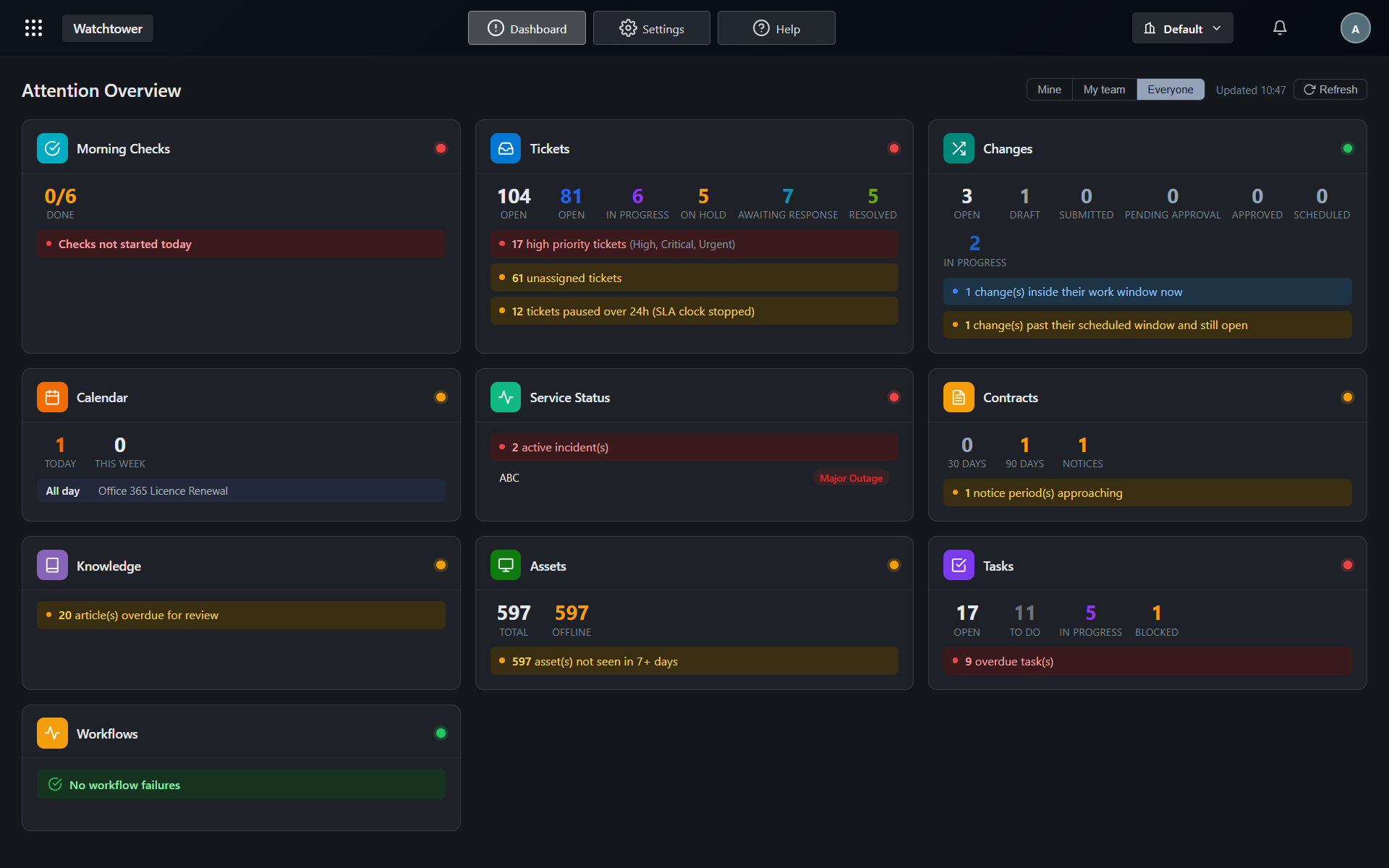 |
Tickets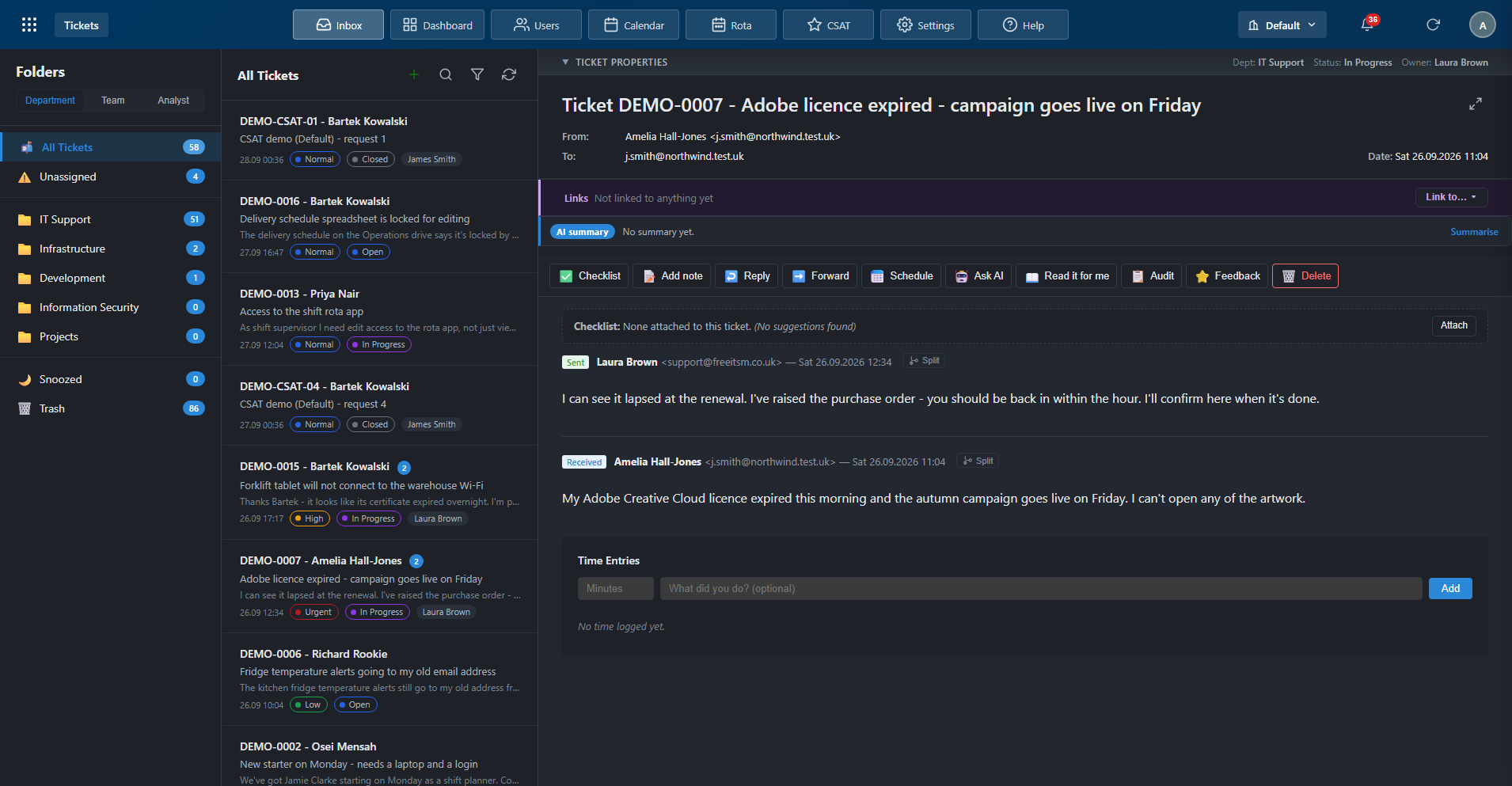 |
Assets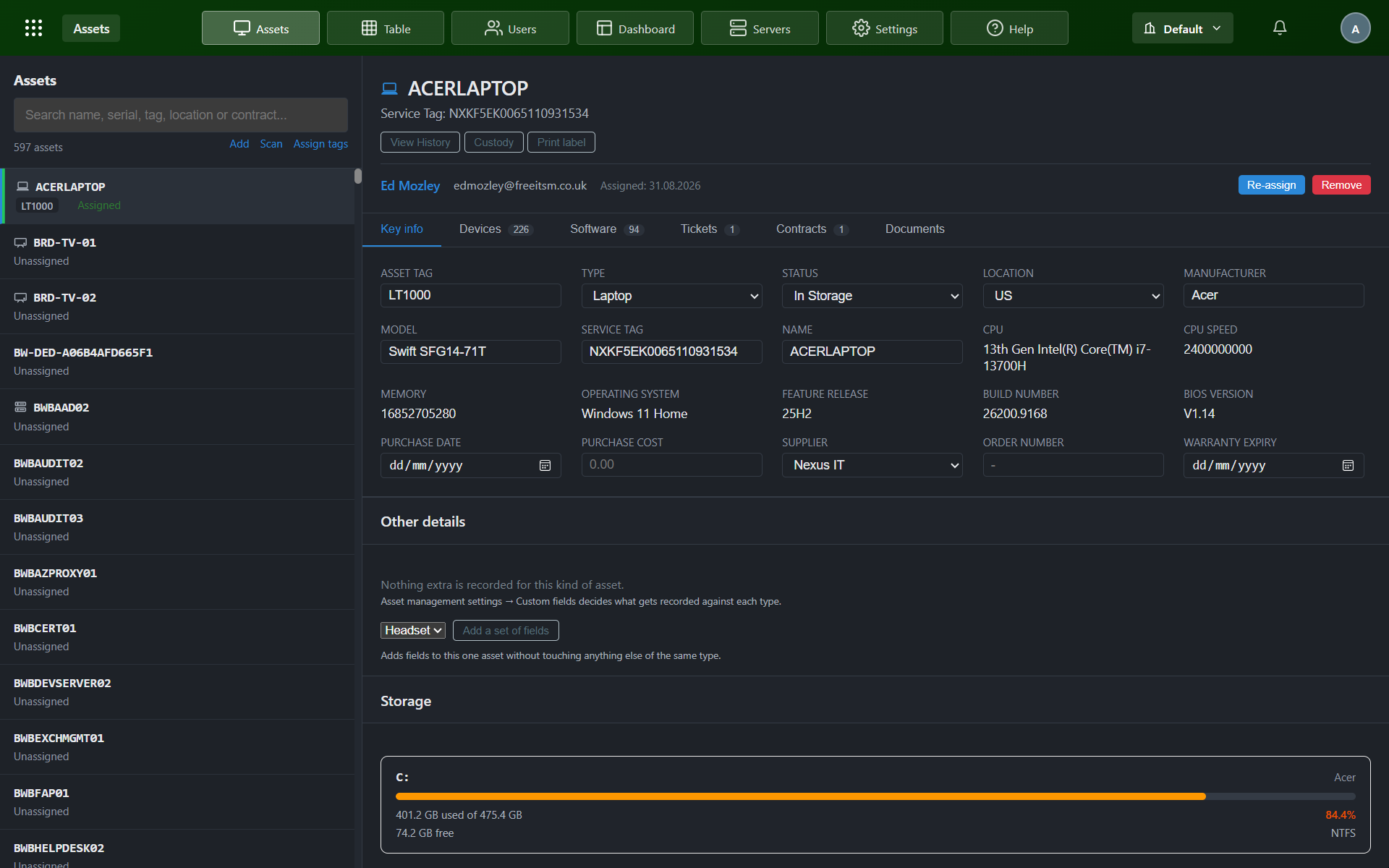 |
Knowledge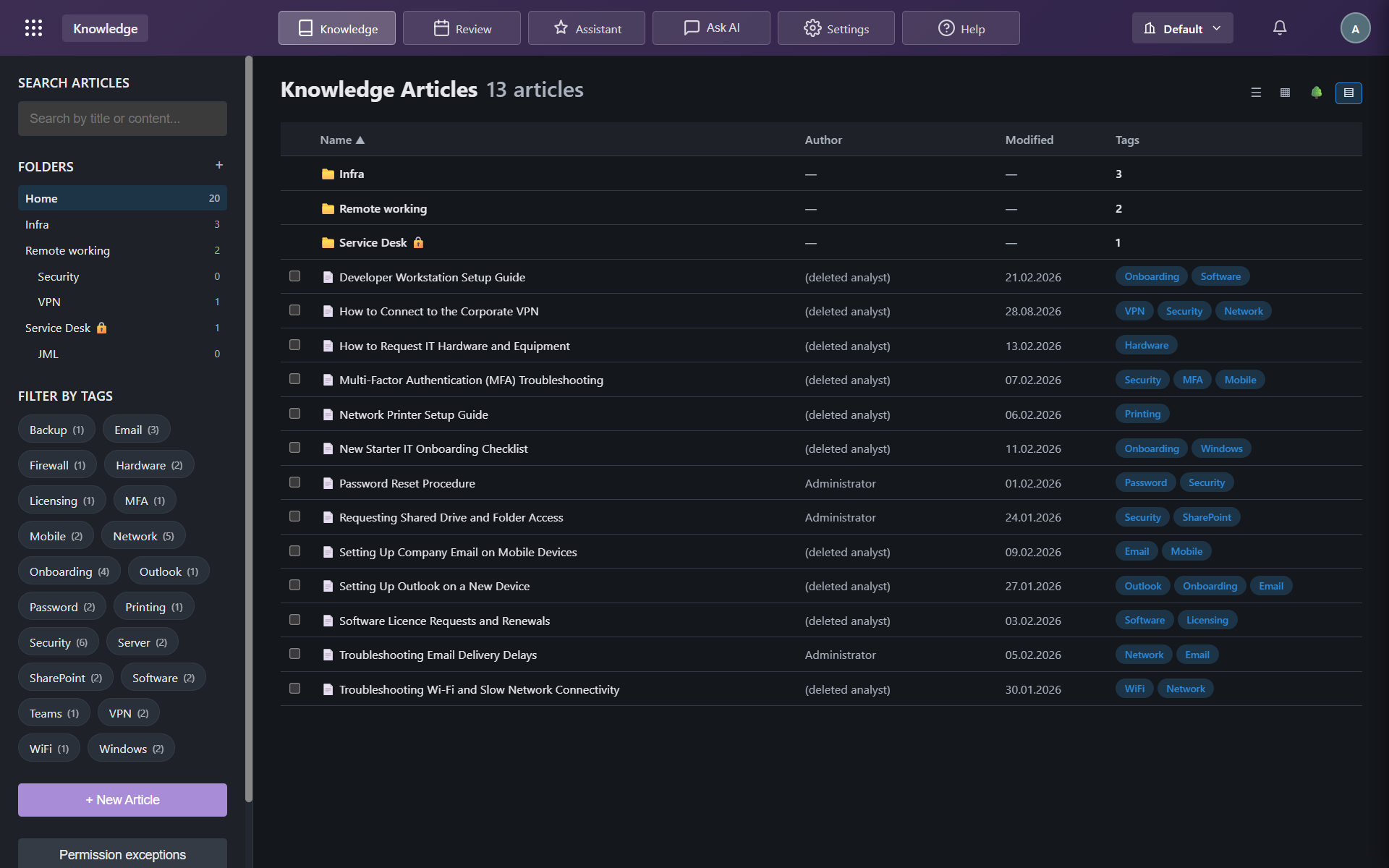 |
Changes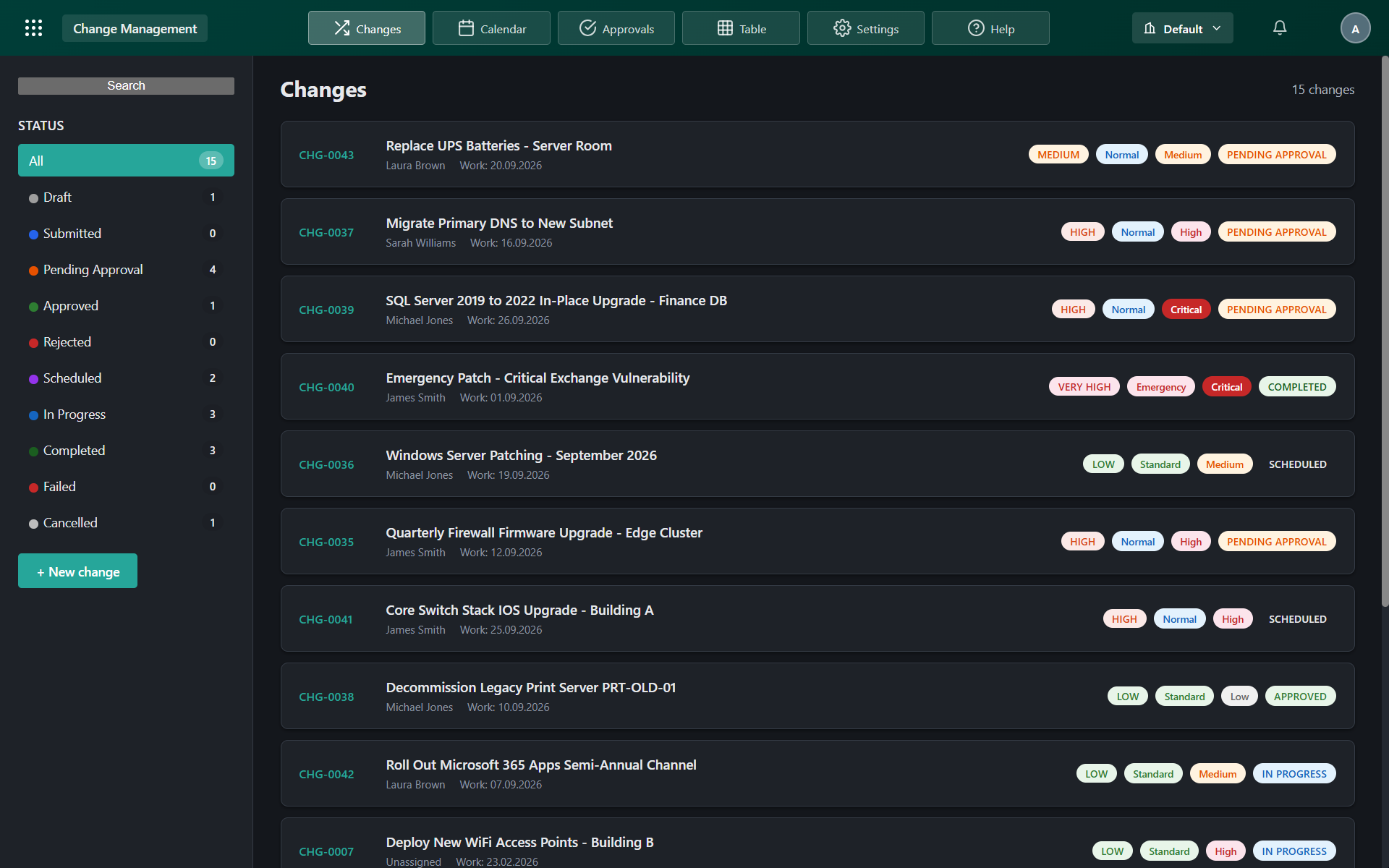 |
Calendar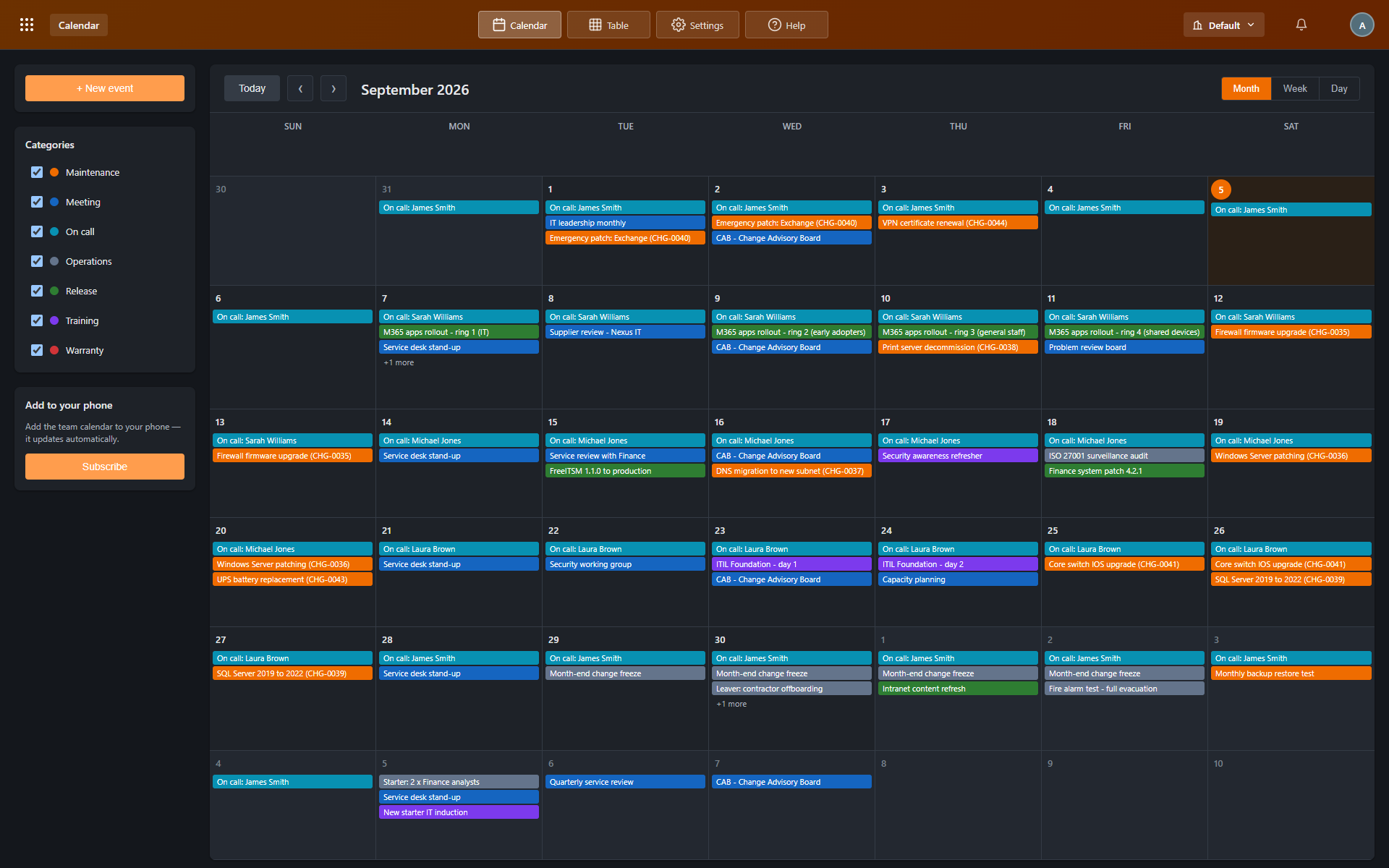 |
🚀 Quick Start
The fastest route is Docker — no PHP, MySQL or web server setup required:
git clone https://github.com/edmozley/freeitsm.git
cd freeitsm
docker compose up -d
Then open http://localhost:8080/setup/ to verify the installation and create your admin account. The first sign-in uses admin / freeitsm and FreeITSM will make you choose a new password before it lets you do anything else.
- Manual install (WAMP / XAMPP / LAMP): follow the Installation guide — prerequisites, database setup, encryption key, and configuration files.
- Just upgraded? Run System → Database Verification, then System → Debug Tools → D019 Page health: it opens every page and checks, in your browser, that each one's scripts can be read - one unreadable line leaves a page looking loaded with nothing on it working, and the server cannot see it. Database Verification shows when the pages were last checked.
- Upgraded, or moved servers? System → Debug Tools → D017 checks your
config.phpagainst what this version expects and gives you the exact line to add for anything missing. It shows setting names only, never values. - Ticket folder numbers all say 0? System → Debug Tools → D018 follows every ticket through the filters behind the inbox's folder numbers, for whichever analyst is affected, and shows the step where the tickets drop away. The usual cause is an analyst in a team that is not linked to any department.
- Running in Docker? FreeITSM checks whether the folders holding your uploaded files are on Docker volumes, and warns you on the System screen if an update would discard them. System → Debug Tools → D013 shows the detail and what to do about it. Native installs are unaffected and see nothing.
- HTTPS in Docker: System → Docker makes a certificate for the name your people type (such as
freeitsm.internal) and walks you through the rest: the DNS record, installing its authority certificate on your PCs, and restarting the container. HTTPS is then served on port 8443. The authority can only vouch for that one name, so trusting it on your PCs does not let it impersonate any other site. - First login:
admin/freeitsm— change it immediately via the account menu. - Demo data: System → Demo Data populates every module with realistic sample data, so you can evaluate with the system feeling alive. Every row it creates is marked as demo data, so re-importing a module replaces only its own sample records and leaves anything you have created alone. A Virtualisation set (Hyper-V cluster, Proxmox, Cloud Director and vCenter, built into the CMDB with assets linked to their configuration items) has its own Remove button.
- An optional sidebar: anybody who would rather see their modules than open the waffle menu can turn on a rail of module icons down the left of every screen under Preferences → Display → Sidebar, and tick which modules it holds. It only offers modules they can open, follows their own module order, has a Recent button (the waffle's own trail) and a shortcut back to its settings, can hide the waffle button, and is off unless they choose it. Not shown on a phone, which keeps its compact menu.
- Switch off the modules you don't use: under System → Modules → Availability, a module switched off disappears for everyone, administrators included - from the menus, from other modules' buttons and links, from the self-service portal, the REST API, workflows and scheduled jobs. Nothing is deleted, switching it back on restores it exactly as it was, and upgrading never switches anything off. Tickets and System are always on. Parts of Tickets switch off on their own too - CSAT, SLA, time tracking and the duty rota - and switching SLA back on asks whether to send the warnings it missed or skip them.
- Preference templates: System → Preference Templates saves named sets of preferences - timezone, language, the sidebar, module order, notifications and more - taken from somebody's real setup, and gives them to chosen people in one go, or to every new analyst automatically. A one-off copy: everyone can still change their own afterwards. See Preference templates.
- Your own module order: each analyst can put the modules in their own order under Preferences → Display; the waffle menu, the home page and Ctrl+K follow it. Administrators can order the Watchtower cards for everybody in Watchtower → Settings → Cards.
- Any currency: contracts, licences, domains, leases and projects all offer every currency in use in the world. System → Currencies sets up to five favourites at the top of every list, the currency new records start in, and how amounts are written (
£1,234.56,1.234,56 €,Rp 1.500.000); each analyst can choose their own format in Preferences. See Currencies.
Modules
| Module | What it does |
|---|---|
| Watchtower | Unified attention dashboard — one glance shows what needs you across every module. Counts every status you have, under the name and colour you gave it, so renaming or adding one keeps working. Settings turn off cards you don't watch and narrow what each count includes |
| Tickets | Outlook-style inbox with email, WhatsApp, Telegram, Slack, Microsoft Teams, Mattermost and web chat channels, SLAs, CSAT (asked in the customer's own chat, with buttons, where they wrote in on one), canned responses, multi-select bulk actions, snooze, collision detection, AI reply cleanup, and a staff rota you fill by copying — one shift into a block of cells, a whole day or one person's week onto another, or a whole week at a time — and clear the same way |
| Self-Service Portal | End-user portal — request catalogue, knowledge, replies, screen recording; works even with no email address. People you create yourself set their own first password from Forgot your password?, so you never handle one. Can be set as the page people land on (System → Branding), with a per-analyst override |
| Tasks | Kanban board, list, calendar and timeline views for internal work, with scheduled start and end times and a record of time spent that totals across subtasks. Tasks can repeat — daily, weekly, monthly or yearly, on chosen weekdays, on a day of the month including the last, or on a named weekday such as the third Monday — either when you complete the last one or on a fixed schedule, with a preview of every date the settings would produce before you commit to them. Optionally, tasks can carry checklists from the Checklists module, with Critical steps that must be done before the task completes, and can need forms from the Forms module - filled in for that occurrence with a shared draft that two people cannot silently overwrite, linked automatically, checked before the task completes, and carried into the evidence report. A Work view brings a task's instructions, Knowledge procedures (with the text each occurrence was done against kept for the record), checklists and forms together, with progress and one Complete button |
| Projects | IT projects built on your tasks - a portfolio of projects, each with its own colour, icon and a health ring worked out from its tasks and target date; a plan of phases, stages or sprints you drag tasks between; run as Simple, Staged (PRINCE2-style) or Agile, and switch method halfway through without losing anything. Project tasks are ordinary tasks, so they show on the Tasks board for the people doing them. A Timeline draws the plan as a Gantt chart - stages as bands, tasks as bars, milestones as diamonds - and you drag them to reschedule; milestones (move day, go-live, sign-off) show on the portfolio card and the Calendar, and one that is missed turns the project amber and tells its manager. Assets, tickets, changes, contracts, CMDB items and articles show the projects they belong to, and People pages list the projects a person is part of. Asset targets count progress straight from Assets - "312 of 480 laptops replaced" - with a burn-up line, and move the health ring when a rollout slips. Templates start a project already planned - an office move, a laptop refresh, a mail migration, a Windows 11 rollout or a service desk improvement come built in - and any project that went well can be saved as one for next time. A lesson becomes a draft Knowledge article, and an issue raises a ticket, in one click. The RAID log tracks dependencies and keeps a decision log (who decided, when and why), any entry can be escalated to the sponsor, and follow-up actions become tasks on the project. Every chart a project manager asks for: a Gantt Timeline with dependencies and the critical path, burn-up and burndown, progress by stage and by project, cumulative flow, task status breakdown, a risk heat map, milestones across projects, budget against actual and earned value (CPI, SPI, EAC). Ask AI on a project opens an AI project assistant that coaches a blank project into shape, keeps a running one on track, proposes changes you apply with one click, and remembers your conversation. Work can be given to a contractor - a supplier from Contracts and a person there - shown on the plan and the board, kept out of Capacity's load (contractors get a line of their own), listed on the supplier's People page, and optionally emailed to them when given and when due. A Toolbox on each project offers the tools it is not using yet - a Simple project starts with almost nothing and grows - and a How it fits together page - an interactive map of every part, and a step-by-step walk through a project - shows a beginner how it all connects. Templates carry dependencies, gate checklists and benefits, and the five built-in ones come with them. A stakeholder map (power / interest) with a communications plan sits on the People tab. Reports can draft themselves each week, fortnight or month, and an approved report can be emailed to the project's people. Project managers get a weekly digest of overdue tasks, and stalled approvals nudge whoever has to decide. A project can be members-only for confidential work. The portfolio and the RAID log export to Excel or CSV. Projects link to problems as well as changes, tickets, assets, contracts, CIs and articles. Stage gates have checklists (documents, named sign-offs, approved changes, and a go-live starter list) and projects hold documents. Projects track their benefits - measured from a baseline towards a target, with review reminders that carry on after the project closes - and the AI drafts a closure report. Any form can propose a project (why, estimated cost, expected benefit), and proposals can wait for an approver before they start. Budgets show spend over time with a forecast of what the project will cost in the end (estimates still to come included), and the overspend tolerance can watch the forecast. Staged projects get change control: baselines of the agreed plan with how far it has drifted since, and change requests approved or rejected before the plan moves (approving can move the target finish and add the cost to the budget). Projects have a priority, the portfolio sorts and switches to a roadmap of every project across the calendar, with a health strip on top; each project has a burn-up of progress over time and a chart of where the money goes; and the judgement calls - what a missed date does to health, the working week, the priority words - are settings. Tasks take an estimate, shown against the time logged, and a Capacity page shows who is over-committed in the weeks ahead - project work and service-desk shifts against the hours they work. Target end dates and stage ends appear on the shared Calendar and move when the plan does, and the project manager's bell rings when a project changes health, breaches a tolerance or has a stage ending soon - the same moments are Workflow triggers, so a project going red can post to Teams. Report Packs have Projects blocks (status, milestones, top risks) for the board pack, and Watchtower has a Projects card. A stage gate warns about linked changes not yet approved, and a jump in linked tickets after go-live turns a project amber; a project can announce its disruption on Service Status as planned maintenance. A budget tracks planned against actual - lines, contracts, cost centres and logged time at dated hourly rates - with a cost tolerance. In the War Room, Warbot answers questions about projects - which are off track, what dates are coming up - with commands that work even when the AI provider cannot be reached. An AI project manager (optional, your own AI provider) gives a briefing on what needs attention and drafts highlight, exception and checkpoint reports for the project manager to check and approve. Everything is in the REST API too |
| Assets | Asset register with custody tracking, locations, warranties, QR labels and an in-app camera scanner for stocktakes - with labels you design (which fields, in what order, your logo in the QR) and automatic asset tags in a format you choose, never reused - renamed computers recognised by their serial number instead of arriving as duplicates, a per-person view of who holds what with a printable handover document, vCenter, Proxmox VE, VMware Cloud Director and Intune sync (several Proxmox and Director servers each, read-only), plus saved table views — save the columns, sort and filters under a name, share them with a team or everyone, and set one as the view a table opens with (also on Tasks, Calendar and Change Management), and a page that fits each kind of asset — each asset type hides the built-in details and tabs it never uses (no CPU or Devices tab on a monitor) and orders its tabs, without anything stored being touched, and inventory freshness — every software, drive and device list says which tool reported it, how old it is and whether the last collection worked, and a failed collection keeps the last good list instead of wiping it, and connected assets — what is plugged into what, from both ends, confirmed by a person or observed by a tool, with its history, and a review list — two records that might be one machine are shown to a person rather than guessed at, and can be merged with nothing lost, corrected names and models can be protected from being overwritten by the agent, and one maker's several spellings can be shown as one name |
| Checklists & SOPs | Standard operating procedures as reusable templates - write onboarding, offboarding or a firewall change once, attach it to any ticket, and tick the steps off. Steps can be marked mandatory, ask the analyst for a value (an asset tag, a serial), and suggest which role does them; keyword matching offers the right procedure on a ticket before anybody goes looking. Closing a ticket with mandatory steps outstanding either warns and records an internal note or is refused outright - your choice, enforced on bulk actions, the REST API and workflow automation too. Contributed by Santhosh Srinivasan |
| [Knowledge](https://github |