
A Seridian open-source project.
An MIT-licensed Rust file manager with a cyberpunk control-console interface. Browse, filter, sort, bookmark, copy, move, archive, rename and delete local files. Free to use, modify and share. No account or hosted service required.
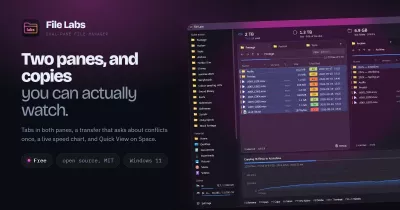
Browsing and editing workspace (0.10)
A near-black instrument grid, electric cyan controls, amber folders, violet config files and mint documents give Fyle a sci-fi console feel. Quick Access and file icons are drawn as vectors, so their appearance does not depend on emoji fonts. The grid uses full-card targets, angular selection outlines and color-coded file categories. Ctrl-click adds/removes selections in either view.
- Tabs:
Ctrl+Tduplicates the current location;Ctrl+TabandCtrl+Shift+Tabswitch tabs;Ctrl+Wcloses the active tab while keeping at least one open. Tabs independently retain location, filters, view, sorting, hidden-file policy and Back/Forward history. Up to 24 tabs are session-local. Switching refreshes the folder and clears selection; file clipboard stays available across tabs. Tabs do not survive closing the window. - Breadcrumbs: click a visible path component to navigate.
Ctrl+Lopens location entry, supporting absolute paths,~/, relative paths and local file URLs. Enter a file path to visit its parent folder. - Inspector: Space toggles local peek; Wrap controls long lines. A compact status bar keeps the file viewport steady when selection changes.
- Built-in editor: opening common text and source files starts Fyle's own
syntax-colored editor. It supports multiple document tabs, in-file search,
line numbers, editing and
Ctrl+S. Documents are limited to 2 MiB UTF-8; syntax coloring pauses above 256 KiB. Binary files and links are declined. Save writes an atomic sibling file and refuses to replace content changed by another app.fyle /path/to/source.rsopens the file in the editor. - Code review:
REVIEWorCtrl+Shift+Gopens the current Git worktree's changed-file list and separate staged/working diffs. Added and removed lines are color-coded; untracked UTF-8 files are previewed directly. The view is read-only, runs Git off the UI thread, and caps status/diff/file sizes. - Pinned places: use + beside Pinned to bookmark the current folder;
right-click a pin to remove it. Unconfigured OS user directories are disabled
in Quick Access.
Moreincludes New file, Refresh and Open terminal;Ctrl+Alt+Talso opens the desktop terminal. - Archives: right-click a file or folder and choose Compress to ZIP or
Compress to 7z; bulk selections can also be compressed. ZIP, 7z, RAR, TAR and
gzip-compressed TAR (
.tar.gz/.tgz) archives extract into a new*-extractedfolder. Extraction rejects path escapes, links and special files, and leaves existing files untouched. RAR extraction uses an installed7zz,7zor7zacommand; Fyle creates ZIP and 7z archives, not RAR files.
Original palette and OpenGL
The default palette preserves Fyle’s original electric blue #00D4FF, cyber green
#00FF88, magenta #FF0080 and amber #FFA500. Open More → Appearance to
preview effect intensity, animation, UI scale and highlight color. Original
palette restores defaults; Save persists to the OS config directory under
fyle/appearance.json. FYLE_SETTINGS_DIR overrides that directory for isolated
tests. File-category colors keep the original identity when highlights change.
A real OpenGL shader paints the background field, haze and scanlines behind the file viewport. Animated effects repaint at up to 20 FPS while the window is focused; disable animation for a static field or disable effects entirely. Unsupported shader contexts fall back to the normal background. Agent-owned screenshots freeze animation for reproducible inspection. GLSL sources, GL resource lifecycle, palette/style, headless settings persistence and settings UI live in separate modules.
Discovery without an index
Fyle 0.8 adds three connected ways to work with a folder:
- Jump (
Ctrl+P): fuzzy-find a file or folder by fragments, jump to a bookmark or a recent folder, or type>to find commands. Use Up/Down and Enter; Escape closes it. File results select and peek; folder results navigate. - Lenses (
Ctrl+Fto focus search): combine name words,ext:rs,py,kind:file,kind:folder,size:>10mb,size:<1kborsize:0. Prefix any term with-to exclude it; quote a phrase such as"release notes". Terms are ANDed; comma-separated extensions are ORed. Units use powers of 1024. Presets include Code, Folders, Big files and Empty files. Invalid filters show an inline explanation; All or Clear filters resets the lens. - Local peek (
Spaceoutside text fields, or the PEEK button): inspect a selected text/source file in a resizable panel. Text is selectable and shown literally, without running scripts or interpreting markup. A background worker reads at most 32 KiB plus one byte; larger files are marked as truncated. Binary files, non-UTF-8 encodings, symlink entries and special files are declined.
Try ext:rs,py -test size:<100kb to narrow a busy project folder, then use Jump
with a fragment like rdm to find README. Jump searches the current folder's
cached entries, bookmarks and this window's recent navigation. It does not crawl
subdirectories or build a background content index. Peek does not fetch network
resources. F5 refreshes the folder and its selected-file preview after reselecting.
Build and install
Prebuilt binaries are attached to tagged GitHub releases.
Linux releases include x86_64 and ARM64 tarballs, Debian/Ubuntu .deb,
Fedora/openSUSE .rpm, Arch Linux pacman packages, Nix, Flatpak, AppImage and a
Gentoo overlay. The Linux binaries are
built on Ubuntu 22.04 and require glibc 2.35 or newer plus the system graphics
libraries listed in release installation notes. The tarball
avoids a package manager, but it does not bundle those system libraries. Alpine
Linux is not currently supported by these glibc builds. macOS Intel/Apple Silicon
and Windows x86_64/ARM64 archives are published alongside Linux packages. Every
release includes SHA256SUMS.
Install a current stable Rust toolchain, Bash and Python 3. On Debian/Ubuntu,
install build-essential pkg-config libasound2-dev libxkbcommon-dev libxkbcommon-x11-0 libwayland-dev xdg-utils git python3.
For desktop entry validation install desktop-file-utils.
cargo test --no-default-features
./install.sh
fyle --home
fyle /path/to/folder
fyle 'file:///path/with%20spaces'
fyle-cli doctor
./install.sh --set-default explicitly registers Fyle for directory MIME
associations. --system installs into /usr/local and requires write access;
--uninstall removes both executables and the desktop entry. INSTALL_DIR
and DESKTOP_DIR override user install paths; XDG_DATA_HOME is respected.
Uninstall does not choose a replacement default file manager.
Seamless updates
./install.sh creates a managed user installation with automatic updates enabled.
Normal GUI launches check Seridian's main branch (the repository's default
branch, rather than master) at most once every six hours. Fetching and compiling
happen in a detached, lower-priority background process. A successful build becomes
active on the next launch; running windows keep their current binary. No OpenRC
or systemd service is needed. Git, Cargo/Rust, Python 3 and the build dependencies
must remain installed for source updates.
fyle-cli update --status       # current commit, update state and last error
fyle-cli update --check        # check upstream without building
fyle-cli update                # fetch, build and activate now
fyle-cli update --rollback     # return to previous version; disable automatic updates
fyle-cli update --disable-auto
fyle-cli update --enable-auto
The launcher starts immediately while updates build. Failed fetches/builds keep
the current version. Both binaries switch together through an atomic version
pointer. A dedicated checkout is used, so updates never pull into your development
checkout or discard local changes. Update logs and state live under
${XDG_DATA_HOME:-~/.local/share}/fyle/; update.log contains build output. Three
recent versions plus the rollback target are retained. Build caches are reused.
FYLE_NO_UPDATE=1 fyle skips background checking for one launch.
This source updater supports Unix user installations made by install.sh.
System-wide installs disable automatic updates; an administrator can update them
manually with sudo /usr/local/bin/fyle-cli update. Uninstall removes launchers
and the desktop entry, retaining the managed data/cache for reinstall or rollback.
The raw Cargo binaries have no updater; use the installed launchers for updates.
Crash reports and developer diagnostics
fyle-cli doctor --json                  # version/commit, OS, desktop and session checks
fyle-cli crashes                       # recent local reports
fyle-cli crashes --latest               # newest report with backtrace
fyle-cli logs --tail 100 --follow        # bounded live log tails
fyle-cli debug bundle --output fyle-debug.json
fyle-cli debug run -- --home            # reproduce with debug logs and full backtraces
fyle-cli debug paths                    # locate diagnostics and updater data
Rust panics record a structured report and backtrace, including worker panics. GUI startup errors are recorded too. The managed launcher supervises GUI exits, keeps native stderr, and records abnormal exit codes/signals even when Rust cannot run a panic hook. Normal closes, argument errors and ordinary SIGINT/SIGTERM exits do not create native crash reports. Native fault reports contain the signal and stderr; a native stack still requires a debugger/core dump.
Reports include version and Git revision. Local retention keeps 20 recent crash
reports, bounded per-session log segments, and a bounded selection in bundles.
No telemetry is uploaded. No document contents or full environment are scanned.
Raw local reports can contain paths and error text; bundles replace home paths
and credential-like lines. Review a bundle before sharing it. Exports refuse to
overwrite existing files. --output - writes bundle JSON to stdout.
Use FYLE_DIAGNOSTICS_DIR=/path/to/test-logs to isolate a reproduction. Build from
source with cargo build --bins, then use target/debug/fyle-cli debug run for
richer stack details. See the debugging guide.
Agent GUI harness
Agents can inspect and control an explicitly enabled Fyle window without desktop input/capture permissions. The harness supplies structured state, visible control bounds, semantic actions, real egui input events and PNGs from the app renderer.
fyle-cli gui launch --path /path/to/test-folder
fyle-cli gui sessions
fyle-cli gui state
fyle-cli gui screenshot --output fyle-window.png
fyle-cli gui action search --query Cargo
fyle-cli gui action view --mode grid
fyle-cli gui close
Use --session ID when multiple sessions exist. State includes loading/busy flags,
dialog/input values, entries, selection, control bounds, pixel scale and a snapshot
ID. Pixel clicks/scrolls require that snapshot ID and reject stale state. Keyboard
and text input are delivered only to this app. Normal Fyle launches expose no
control endpoint; gui launch or fyle --automation explicitly enables one.
Run the real GUI regression harness (requires a graphical session):
cargo build --bins
python3 scripts/gui_smoke.py --cli target/debug/fyle-cli --output-dir gui-artifacts
It uses temporary fixture files, exercises clicks, typing, keys, view switching,
folder creation/navigation, lenses, fuzzy command/file jumping and local peek.
It also verifies independent tabs, relative location entry, actual OpenGL shader
compilation and saved appearance controls, saving ten rendered PNG/state pairs. CI runs it
under Xvfb/Mesa and uploads the evidence as gui-state-and-screenshots.
See the agent protocol guide.
Linux desktops and init systems
Fyle launches directly in an existing graphical session on either systemd or
OpenRC; no service is installed. It uses eframe's Wayland/X11 backends. Fyle
recognizes Plasma, GNOME, Hyprland, Sway, XFCE, Cinnamon, MATE, LXQt and COSMIC
from the XDG desktop variables, with compositor environment hints for Hyprland
and Sway. It detects Wayland or X11 from XDG_SESSION_TYPE, then falls back to
the display socket variables. Plasma prefers Konsole, GNOME prefers Console
(kgx) then GNOME Terminal, and Hyprland/Sway prefer Foot, with installed
terminal fallbacks. Set TERMINAL to an executable path to override selection.
All terminals inherit the selected directory without changing Fyle's process
working directory.
File opening uses xdg-open; install xdg-utils and configure MIME defaults
in your desktop. A functioning user D-Bus session may be needed by desktop
applications regardless of init system. On a minimal OpenRC/compositor setup,
start the graphical session with your distribution's D-Bus session setup
(e.g. dbus-run-session Hyprland if it is not already provided).
The desktop entry follows the freedesktop specification.
It accepts one local file URL per invocation, sets the window app ID to fyle,
and resolves Home/Downloads through OS user directories rather than shell ~.
Remote URLs, D-Bus FileManager1 and desktop-wide clipboard are not implemented.
fyle-cli doctor --json reports the normalized desktop environment, display
backend and init manager as well as the source environment hints. Actual desktop
sessions still need manual smoke testing.
Two binaries, one testable core
fyle is the GUI. fyle-cli doctor reports desktop integration diagnostics.
For a headless build without GUI dependencies:
cargo build --no-default-features --bin fyle-cli
cargo test --no-default-features
Stable filesystem APIs, desktop policy, process execution, GUI state, actions, and rendering have separate modules. See architecture and the TDD workflow. CI checks Linux/macOS/Windows core tests and Linux full-feature tests, formatting, Clippy and desktop entry validation.
Safety and responsiveness
Default builds move deleted files to Trash. A trash failure is reported and
never falls back to permanent deletion. To deliberately build without Trash,
use cargo build --no-default-features --features gui; its confirmation says
“Delete Permanently.”
Creating a file uses exclusive creation. Copy, move and rename reject existing destinations. Batch copy/move checks predictable collisions before starting. Names must be a single component; recursive self-copy, symlinks and special files are rejected by copy/move instead of followed implicitly. Cross-device moves currently return an error and preserve the source.
Archive creation and extraction run in background jobs. ZIP and 7z output never replace an existing file. Extraction stages content before publishing a new folder; unsafe entry paths, links, unsupported formats and destination collisions are reported in the UI.
These operations are not transactions: disk errors can leave a partly completed batch. Rename/move destination checks are not atomic against another program changing the same paths concurrently. Reopen/refresh the folder after an error.
Directory scans and file mutations run off the UI thread. One mutation runs at a time per window, and normal window close waits for it to finish. A stale scan cannot replace a newer folder. Search uses cached entries; F5 refreshes from disk. List/grid views build visible rows only, disk usage is cached for five seconds, and case-insensitive name sorting caches keys once per entry.
The automated 10,000-entry rendering test builds fewer than 100 entries for a 1024×768 viewport. See performance evidence.
Bookmarks retain their legacy location: the OS config directory followed by
cyberpunk_fm/bookmarks.json. The clipboard currently works within Fyle.
License
MIT. The bundled Feather font retains its upstream license.