



拾光 Glimmer
AI-powered memorial video platform — Upload a photo, get a cinematic video in minutes.
Built for life's most meaningful moments: memorials, birthdays, weddings, pet tributes. No software to install, no video editing skills required.

What It Does
- Upload a photo of someone you love
- Choose an occasion (memorial, birthday, wedding, pet tribute)
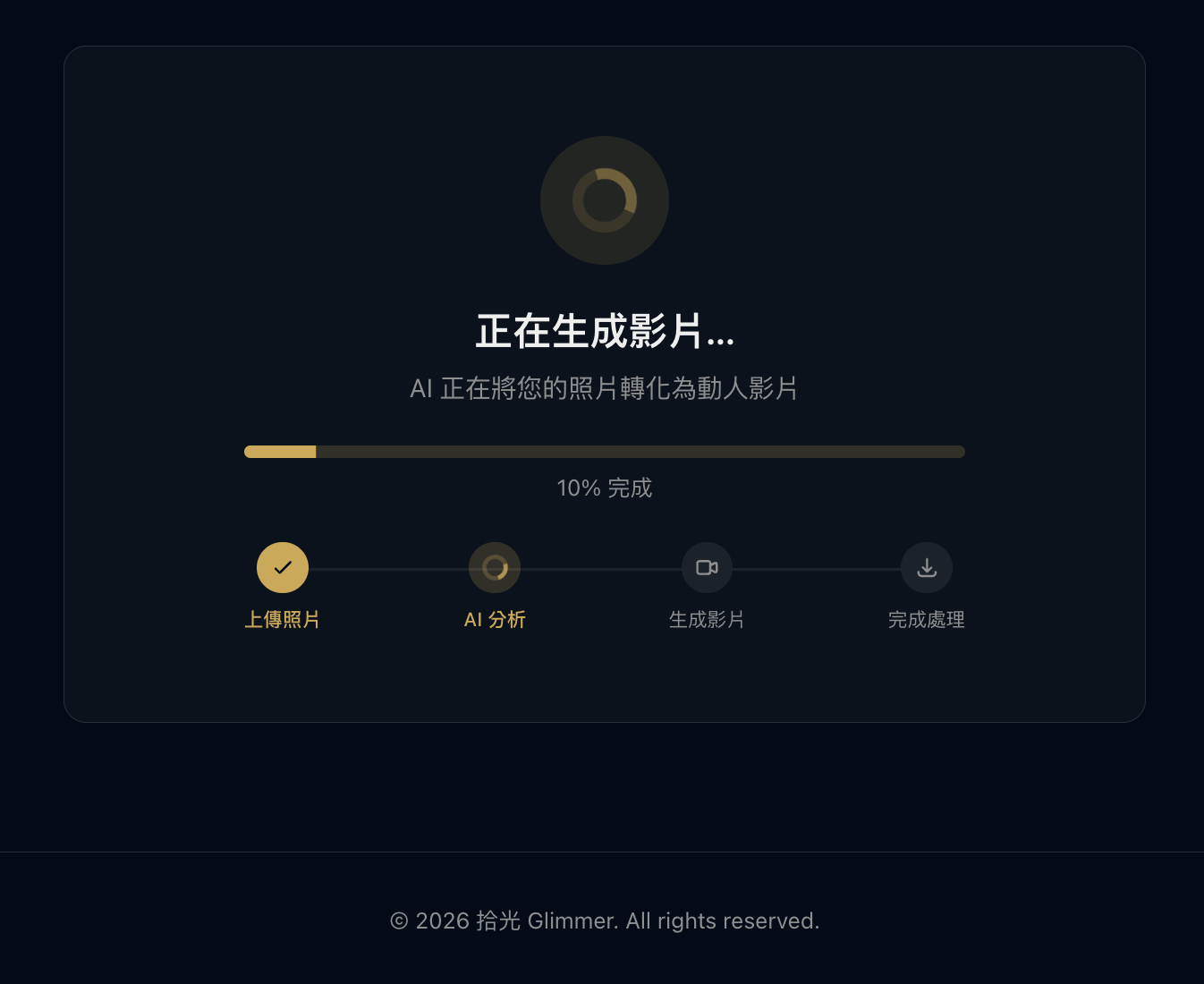
- Generate — AI creates a cinematic video clip with natural motion
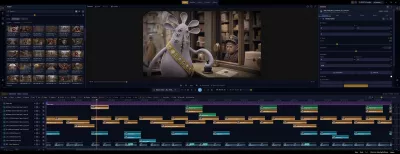
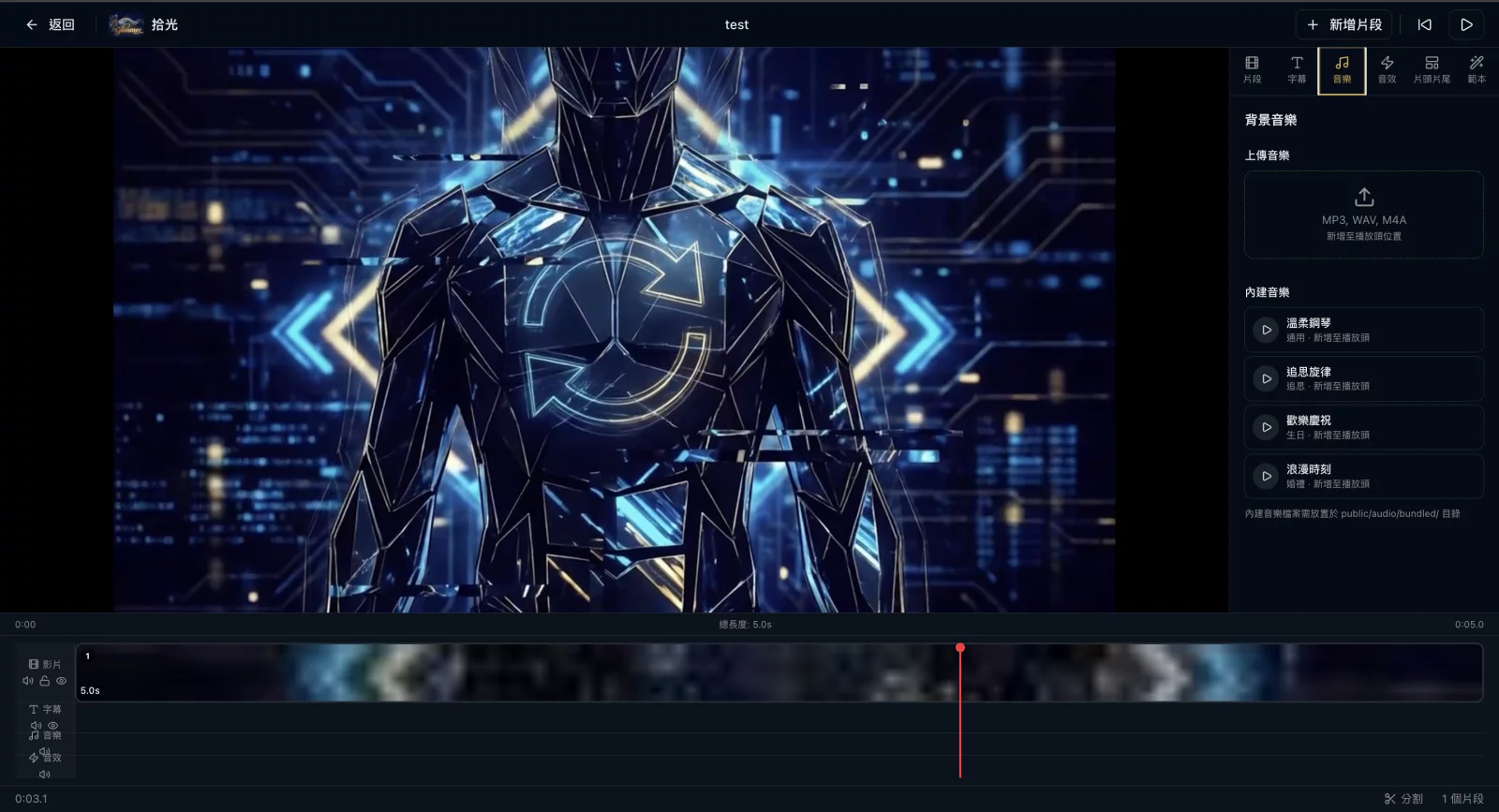
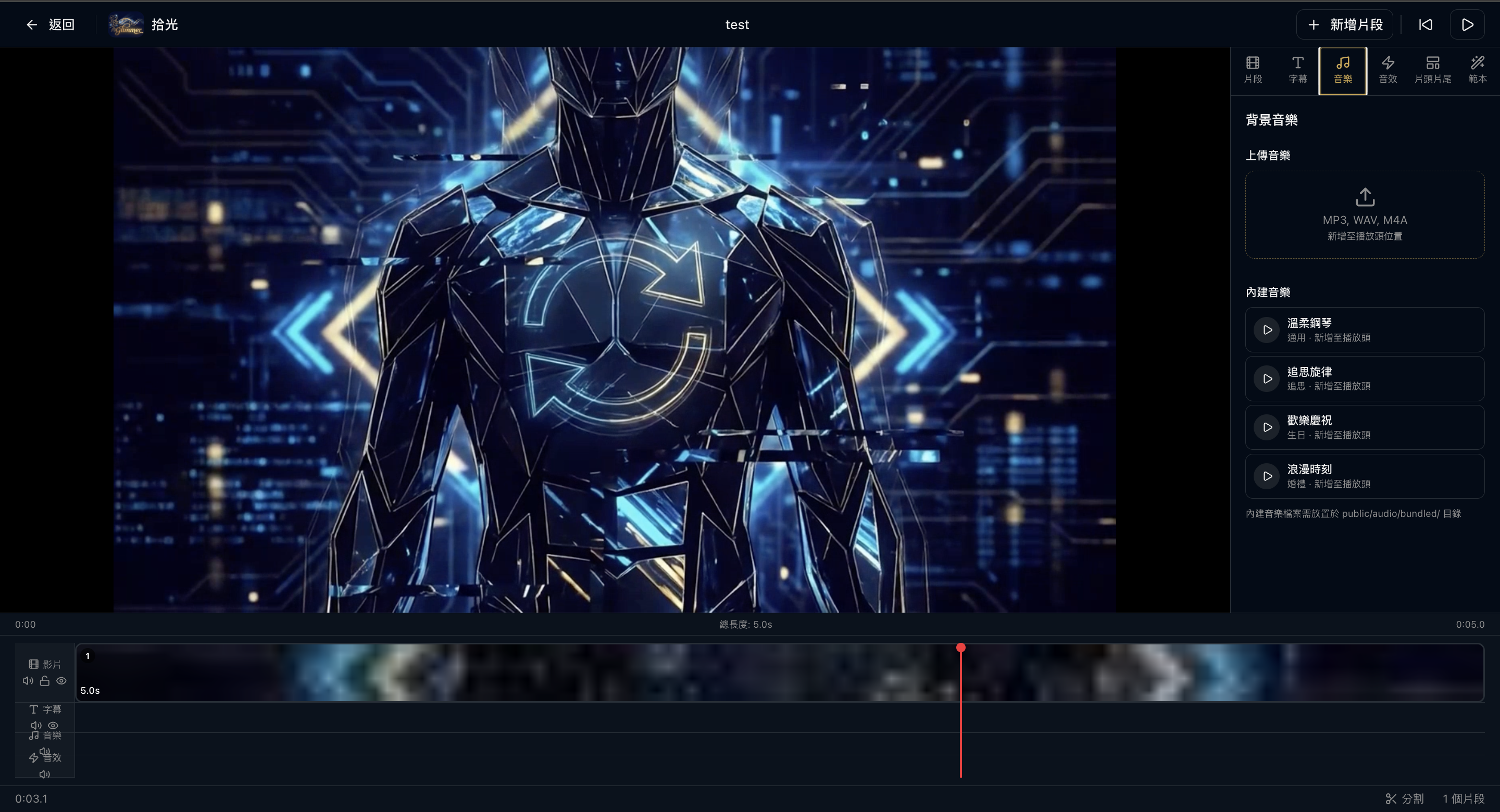
- Edit — Arrange clips on a multi-track timeline, add music, subtitles, title cards
- Export — Render the final MP4 entirely in your browser
No server-side video processing. No uploads of your final video. Everything stays in your browser.
Occasions

Create & Generate
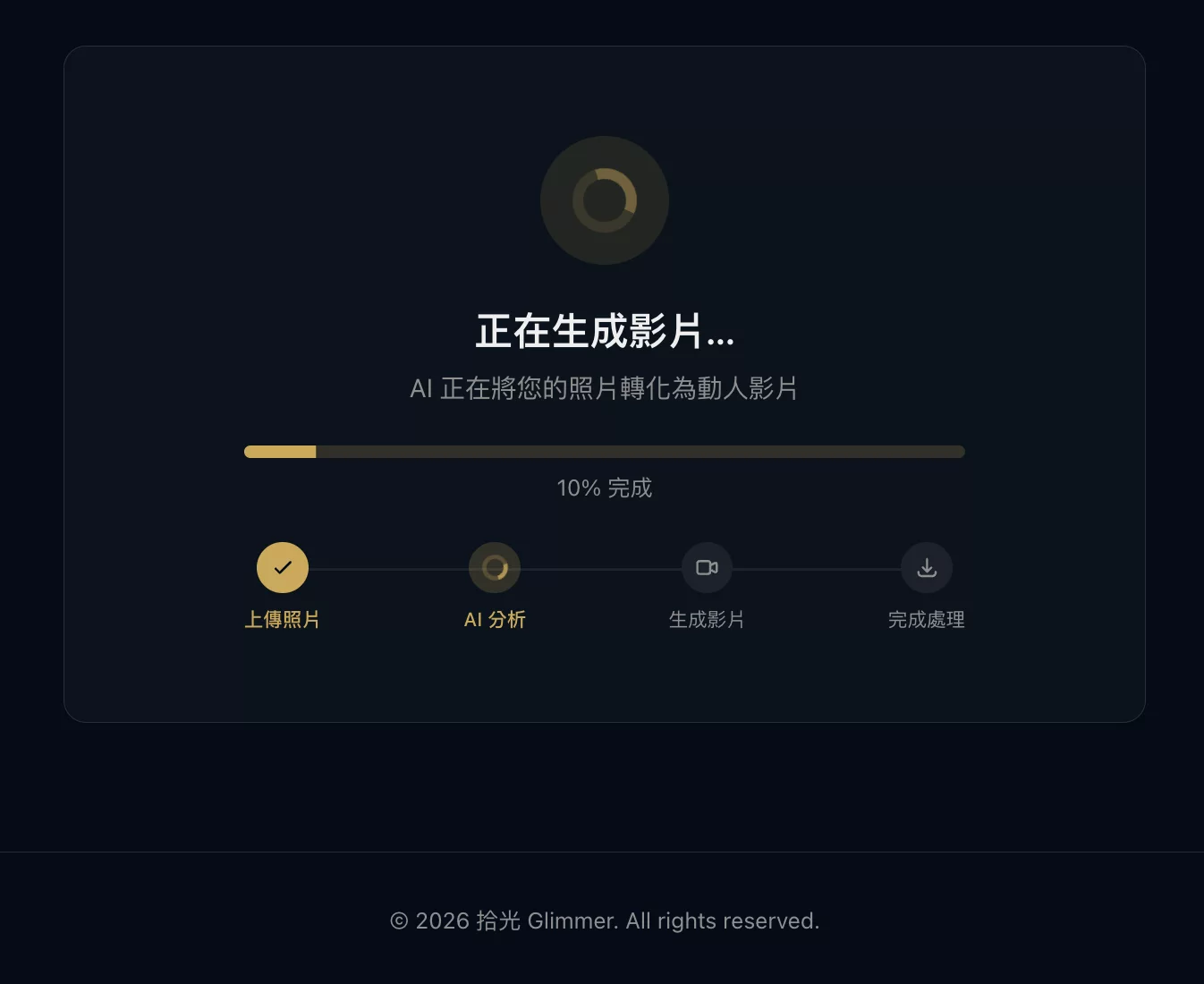
| Upload & Configure | AI Generation Progress |
|---|---|
 |
 |
Edit & Export
Gallery

Key Features
AI Video Generation
- Multi-provider — BytePlus Seedance, Google Veo 3.1, Kling AI
- Smart prompts — Category-aware prompt engine (person vs. pet, occasion-specific)
- Multiple aspect ratios — 16:9, 9:16, 1:1
- Batch generation — Generate multiple clips from a folder of photos via CLI
Browser-Based Video Editor
- Multi-track timeline — Video, subtitle, music, and SFX tracks
- Drag, trim, split — Free clip positioning, resize handles, split at playhead
- Music & SFX — Bundled tracks + custom upload, positioned on timeline
- Subtitles — Text overlays with drag-to-position on preview
- Title & outro cards — Customizable intro/outro screens
- Filters & speed — Warm, vintage, B&W, vivid presets; 0.5x–2x speed
- In-browser export — FFmpeg WASM renders the final MP4 client-side
- Auto-save — IndexedDB persistence, survives page reloads
Platform
- Edge-native — Runs on Cloudflare Pages, no server required
- Pay-per-video — No subscription; 1 free video per email
- Taiwan payments — ECPay integration (credit card, ATM, CVS)
- Email-only auth — No passwords, no OAuth, just verify your email
Architecture
Client (Browser)                    Cloudflare Edge
┌──────────────┐                   ┌──────────────────┐
│  Next.js App │ ── poll status ──>│  API Routes      │
│              │                   │  (Edge Runtime)  │
│  FFmpeg WASM │                   │                  │
│  (export)    │                   │  KV: job state   │
└──────────────┘                   │  R2: video files │
                                   └────────┬─────────┘
                                            │
                                   ┌────────▼─────────┐
                                   │  AI Providers     │
                                   │  BytePlus / Veo   │
                                   │  / Kling AI       │
                                   └──────────────────┘
Client-driven polling — no background workers, no WebSockets. The client polls /api/status/[id] which checks the external AI provider on each request and updates KV. Fully compatible with Edge Runtime (no setTimeout, no waitUntil).
Tech Stack
| Layer | Technology |
|---|---|
| Framework | Next.js 16, React 19, TypeScript |
| Styling | Tailwind CSS 4, Radix UI, shadcn/ui |
| Hosting | Cloudflare Pages (Edge Runtime) |
| Storage | Cloudflare KV (job state) + R2 (video files) |
| Video Export | FFmpeg WASM (in-browser) |
| AI Video | BytePlus Seedance, Google Veo 3.1, Kling AI |
| Payments | ECPay (Taiwan), Stripe (international) |
| Resend | |
| Monitoring | Sentry (Edge-compatible, raw HTTP) |
Getting Started
Prerequisites
- Node.js 18+
- API key for at least one video generation provider (BytePlus recommended)
Setup
git clone https://github.com/jazzpujols34/glimmer.git
cd glimmer/app

npm install

# Copy env template and fill in your API keys
cp .env.example .env.local

# Start dev server
npm run dev -- --port 3200
Open http://localhost:3200.
Note: Video generation requires valid API keys. Without them, you can explore the UI but not generate videos. KV/R2 storage falls back to in-memory in dev mode.
Environment Variables
Copy .env.example to .env.local. Key variables:
| Variable | Description | Required |
|---|---|---|
BYTEPLUS_API_KEY |
BytePlus Seedance API key | Yes (primary provider) |
BYTEPLUS_MODEL_ID |
BytePlus model endpoint ID | Yes |
GOOGLE_CLOUD_PROJECT_ID |
GCP project for Veo 3.1 | Optional |
KLING_ACCESS_KEY |
Kling AI access key | Optional |
KLING_SECRET_KEY |
Kling AI secret key | Optional |
RESEND_API_KEY |
Email verification | Optional |
STRIPE_SECRET_KEY |
Stripe payments | Optional |
ECPAY_MERCHANT_ID |
ECPay payments (Taiwan) | Optional |
ADMIN_EMAILS |
Comma-separated admin emails | Optional |
See .env.example for the full list.
Commands
npm run dev -- --port 3200   # Dev server
npm run build                 # Production build (Cloudflare Pages)
npm test                      # Run tests (Vitest, 51 tests)
Batch Video Generation (CLI)
Generate videos from a folder of photos:
# Always use production — local dev lacks KV/R2
node scripts/batch-generate.mjs /path/to/photos \
  --email your@email.com \
  --base-url https://glimmer.video

# Check status
node scripts/batch-status.mjs --base-url https://glimmer.video
Options: --clips 1-4, --model byteplus|veo-3.1|kling-ai, --occasion memorial|birthday|wedding|pet|other, --dry-run
Project Structure
app/src/
├── app/                    # Next.js App Router
│   ├── api/                # 34 API routes (all Edge Runtime)
│   │   ├── generate/       # Video generation (POST)
│   │   ├── status/[id]/    # Job polling (GET)
│   │   ├── gallery/        # Gallery listing
│   │   ├── checkout/       # Stripe payment
│   │   └── webhooks/       # ECPay webhook
│   ├── create/             # Upload + generate page
│   ├── edit/[id]/          # Video editor
│   ├── gallery/            # User gallery
│   └── generate/[id]/      # Generation progress
├── components/
│   ├── editor/             # Timeline, music, subtitle panels
│   ├── storyboard/         # Multi-slot storyboard editor
│   └── ui/                 # shadcn/ui primitives
├── lib/                    # Core business logic
│   ├── veo.ts              # Multi-provider video generation
│   ├── credits.ts          # Credit system + admin gating
│   ├── prompts.ts          # Category-aware AI prompt builder
│   ├── ecpay.ts            # ECPay payment (Web Crypto HMAC)
│   ├── storage.ts          # KV/in-memory storage abstraction
│   ├── r2.ts               # R2 video archival
│   └── editor/             # Editor logic (auto-save, ffmpeg, timeline)
└── types/                  # TypeScript type definitions
Deployment
Deployed on Cloudflare Pages with auto-deploy on push to main.
cd app && npm run build
Built with @cloudflare/next-on-pages. Every API route must export runtime = 'edge' or the Cloudflare build will fail.
Edge Runtime Constraints
This app runs entirely on Cloudflare's Edge Runtime — no Node.js APIs:
- No
fs,path,crypto.createHmac— uses Web Crypto API instead - No background tasks — uses client-driven polling + KV
- No heavy SDKs — Stripe/ECPay via raw
fetch() - In-memory state not shared across isolates — KV for all persistence
Business Model
Pay-per-video credits, not subscriptions. Optimized for event-driven usage.
| Plan | Price | Credits |
|---|---|---|
| Free | NT$0 | 1 video per email |
| Single | NT$499 | 1 credit |
| 5-Pack | NT$1,999 | 5 credits (NT$400/ea) |
| Enterprise | Contact us | Custom |
Contributing
Contributions welcome! Please open an issue first to discuss what you'd like to change.
License
MIT
Built with Claude Code.