A fast SQL workspace for VS Code, and for the AI agents you work with.
Docs · Changelog · Report a bug · Ask a question

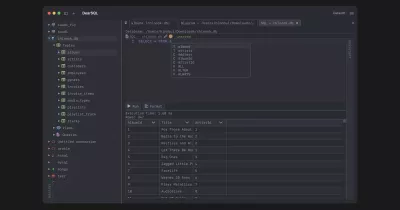
Run SQL from any .sql file with Ctrl+Enter and get the results in a
sortable grid inside VS Code. Passwords stay in your OS keychain, and Grain
has no hosted service.
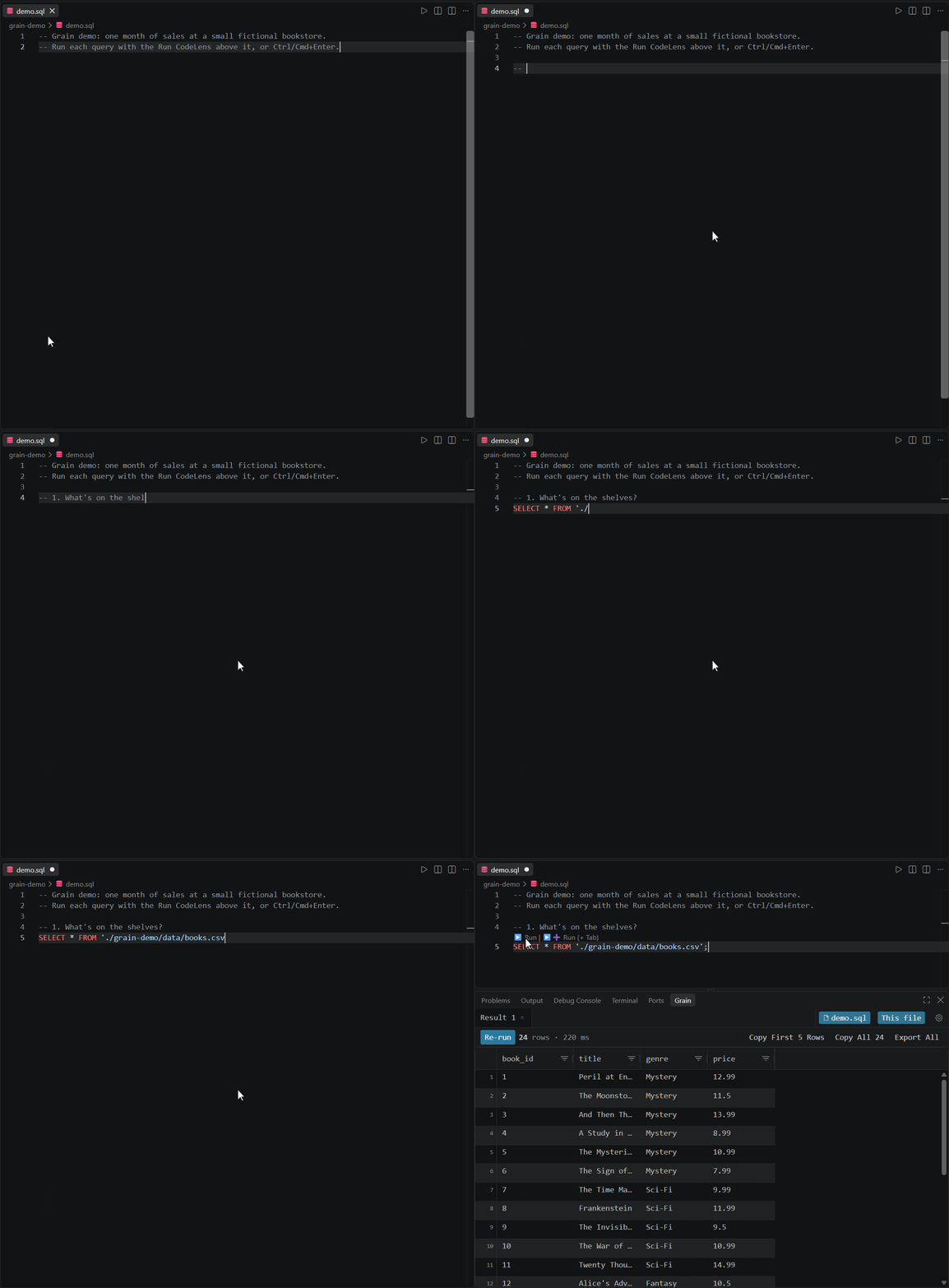
Quick start
- Install Grain from the VS Code Marketplace or Open VSX (for Cursor, Windsurf, and VSCodium).
- Open a folder in VS Code. Grain adds its demo files there.
- Open the Grain panel and click Try the Demo.
- Put your cursor in any query in the file that opens and press
Ctrl+Enter(Cmd+Enteron macOS).
The demo reads two CSV files through Grain's built-in DuckDB connection, so there's nothing to set up. To query your own database, run Grain: Manage Connections, add a profile, and test it before you save.
If Grain is useful to you, a star on this repo helps other developers find it.
Use Grain from an AI agent
Grain can serve your database connections to Claude Code, Cursor, and GitHub Copilot over MCP. Agents get read-only access by default, and every query an agent runs shows up in your Grain results panel, so you can see exactly what it did.
MCP is off until you turn on grain.mcpEnabled in settings. Setup steps for
each client are in the MCP docs, and example
prompts are in examples/agents/.
Features
| Feature | What it does |
|---|---|
| Run from the editor | Ctrl+Enter runs the file; Run Query Under Cursor runs one statement; Run Query in New Tab keeps the previous result |
| Non-blocking queries | Queries run in a background process, so a slow query doesn't freeze VS Code |
| Connection manager | Create, test, and switch database profiles without editing JSON |
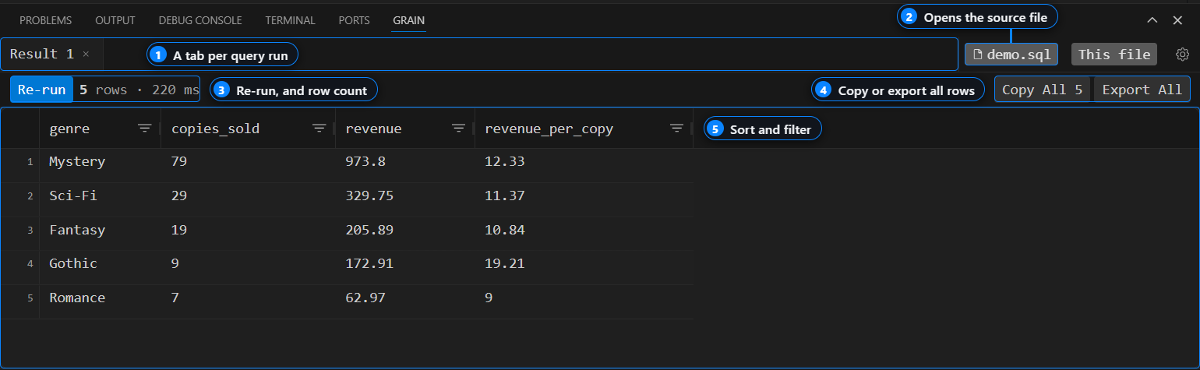
| Result grid | Sort, filter, and resize columns, see each column's SQL type, copy a selection as TSV |
| Full export | The grid shows the first 500 rows; export re-runs the query and writes every row to CSV, TSV, or JSON |
| Agent access over MCP | Claude Code, Cursor, and Copilot can query your connections; their results land in your panel |
| Remote setups | Works over WSL, dev containers, GitHub Codespaces, and Remote - SSH |
Supported databases
| Relational databases |  PostgreSQL |
 MySQL |
 SQL Server |
 SQLite |
|---|---|---|---|---|
| Data warehouses |  Snowflake |
 BigQuery |
||
| Query engines & lakehouses |  Trino / Presto |
 DuckDB |
||
| Search |  Elasticsearch |
Through Trino or Presto you can query your cluster's Iceberg, Delta Lake, and Hive tables. DuckDB queries local CSV and Parquet files directly.
PostgreSQL and Trino / Presto are bundled with the extension. The others load their driver on first use, and if a driver is missing, Grain tells you what to install.
Need another database? Request a connector. Requests with the most 👍 get built first.
Examples
Runnable queries for Postgres, MySQL,
Elasticsearch, and DuckDB, plus
agent prompts. Open any .sql file with Grain installed
and press Ctrl+Enter.
Privacy
- Your SQL, results, and passwords stay on your machine. Passwords are stored in VS Code Secret Storage, backed by your OS keychain, and never in a settings file.
- Agents are read-only by default. With
grain.mcpSafeModeon (the default), agents can only runSELECT,SHOW,DESCRIBE,EXPLAIN,WITH, and metadata queries. Agents can't read stored passwords or change saved connections. - Telemetry is anonymous. Grain sends usage data that never includes SQL,
results, credentials, hostnames, or schema names. Turn it off with
grain.telemetry.enabled.
FAQ
Is Grain open source?
No. Grain is closed-source. This repo holds the issue tracker, docs, and
examples.
Which databases does it support?
The nine listed above. To ask for another one,
request a connector.
Do my queries or passwords leave my machine?
No. There's no Grain server. Queries go straight from VS Code to your database,
and passwords stay in your OS keychain. See Privacy for what the
anonymous telemetry does and doesn't include.
How do I connect Claude Code or Cursor?
Turn on grain.mcpEnabled, then follow the steps for your client in the
MCP docs.
Why does my database show a driver error?
Some connectors load their driver on first use. The error message names what
to install. If it's still failing after that,
file a bug report
with the Output panel logs (View → Output → Grain).
Getting help
- Bug: file a bug report
- Feature idea: file a feature request
- New database: request a connector
- Question: check the FAQ and docs, then ask a question
We don't have a fixed roadmap yet. What we build next depends a lot on what people ask for here, especially connector requests. See CONTRIBUTING.md for how to file a good issue.
Star History

License
Grain is closed-source. See LICENSE.