
HelpWell
The Autonomous Help Desk.
An open-source AI agent that answers your customers, writes and updates its own knowledge base from your code, and learns from every question you train it on.
The open-source alternative to Intercom, Zendesk, Help Scout, Freshdesk, Crisp and Front, for teams that want AI-first customer support.
Who it's for · Quick start · Set it up with an AI assistant · What you get · The CLI · How it works · Configuration · Docs · HelpWell Cloud
Install HelpWell into your repo and your support runs itself:
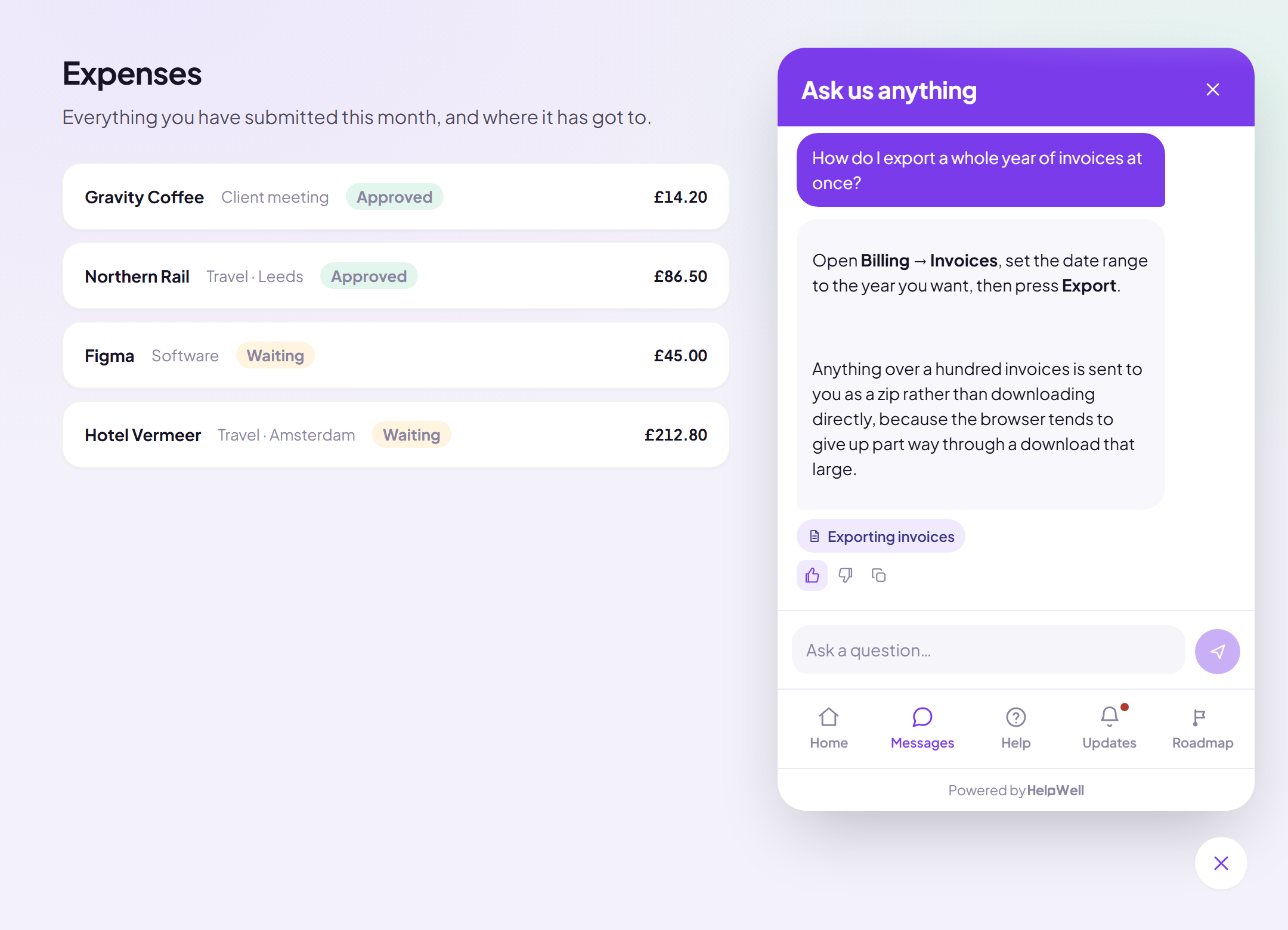
- It answers on its own. The agent replies in a chat widget and a help center, from your docs and nothing else, and cites the article behind every answer. When the docs do not cover a question, it says so instead of guessing.
- It writes and updates its own knowledge base.
helpwell docs generatedrafts the first articles from your code. After that, every push rewrites the articles your change made wrong and opens a pull request, on your own OpenRouter key. Nothing merges without you. - You train it to answer. Every question it could not answer becomes a gap, ranked by how often people ask it, and one click drafts the missing article from the ways they asked. Review its answers, write the cases your docs do not cover into its playbook, and score it against your own eval questions on every pull request.
The more you train it, the more questions it closes without you, and the faster your customers get a good answer.
Who it's for
- Teams going AI-first on support. The agent is the first line, not an add-on to an inbox. Every answer carries a confidence score and the passages it used, so you can see why it said what it said, and fix the docs instead of the answer.
- Companies with more than one product. Each product gets its own agent, knowledge base, help center and widget, trained on its own code and docs, so answers never mix products up. Install it in each product's repo, or run every product's install side by side in one process.
- Vibe coders shipping their own products. You built it with a coding agent, and now people need help using it. Hand the install to that agent with one prompt, let HelpWell write the docs from the code, and connect the MCP server so your coding agent can read the gaps and write the missing articles itself.
Self-hosted, and yours
Most support tools are a product you log into. Open-source HelpWell is a package you
install. Your articles are files in docs/, your agent's instructions are a
Markdown file you review in pull requests, and everything it ever says is
stored in your own database. There is no HelpWell account, no per-seat price,
and nothing leaves your infrastructure except the model call you pay for on
your own OpenRouter key.
HelpWell has no inbox and sends no email. If you want people answering too, a support extension plugs human support in: an object you write, or a service HelpWell connects to over HTTPS. HelpWell Cloud is one, with a team inbox, live chat and email marketing built in.
Quick start
You need Node 22 or newer. A Postgres server is optional to start: with
HELPWELL_DATABASE_URL unset, HelpWell keeps its data in an embedded Postgres
under helpwell/data, so the first run works on a laptop with nothing else
installed.
npm install helpwell @helpwell/core @helpwell/helpcenter @helpwell/dashboard @helpwell/widget
npx helpwell init --framework next    # or remix, hono, node
For a Postgres server, also npm install postgres and set
HELPWELL_DATABASE_URL. HelpWell never reads DATABASE_URL.
init writes seven files, adds helpwell/data/ and helpwell/.auth/ to your
.gitignore, prints the code that mounts HelpWell in your framework, and
stops. No database and no account. The one network call is a read-only
question to GitHub, when your repo's origin is there, about whether it
publishes releases, so it knows where changelog drafts should come from. You
can read the diff before anything talks to a model.
helpwell/
  helpwell.config.json   every setting, version controlled
  instructions.md        the agent's system prompt
  playbook.md            tone, and the cases your docs do not cover
  evals.json             twelve starter questions to score the agent against
docs/
  README.md              how articles work
  getting-started/welcome.md
.env.example
Set it up with an AI assistant
Would you rather hand the install to ChatGPT, Claude or your coding agent?
This prompt does all of it: it detects the framework, installs the packages,
mounts the three handlers, adds the environment variables (you paste the
values yourself), adds the widget, builds the first index and checks the
result. Run inside your app, npx helpwell prompt install prints it filled in
with the framework and package manager it found. npx helpwell prompt lists
a prompt for every other setup step. None of them carries a secret.
The install prompt
You are helping me set up HelpWell, the self-hosted help desk, in my product's existing app. Work through the steps in order. Do what you can yourself if you have access to the tools involved; otherwise tell me exactly what to click or type. Pause and tell me whenever a step needs something only I can do, like signing in or pasting a secret.

## Goal

HelpWell runs inside the app: its API at /api/helpwell, the help center at /help and the dashboard at /admin/helpwell behind the app's own admin check. The widget loads on every page, the articles in docs/ are indexed, and `npx helpwell doctor` reports no failures.

## What you need to know

- HelpWell is a set of npm packages, not a service: no account, no separate server. Each part is a function that takes a web Request and returns a Response, mounted in the app like any route. It needs Node 22 or newer.
- I have not said what the app is built with: work it out from package.json.
- The package manager is npm unless the lockfile says otherwise.
- `npx helpwell init` writes helpwell/helpwell.config.json (every setting), helpwell/instructions.md (the agent's system prompt), helpwell/playbook.md, helpwell/evals.json (twelve starter eval cases), docs/README.md, a first article at docs/getting-started/welcome.md and .env.example, and adds helpwell/data/ (the local database) and helpwell/.auth/ to .gitignore. It touches nothing else and uses no network or database, apart from one read-only question to GitHub about releases when the repo's origin is there.
- The database: with HELPWELL_DATABASE_URL unset, HelpWell keeps its data in an embedded Postgres under helpwell/data, which is right for development. In production, set HELPWELL_DATABASE_URL to a Postgres database (the app's own is fine: HelpWell keeps to its own `helpwell` schema) and install the `postgres` package. HelpWell never reads DATABASE_URL.
- The AI is bring-your-own-key through OpenRouter, read from OPENROUTER_API_KEY. Without it the agent answers with the closest article and search still works.
- Signed-in people are recognised by a token the app's server signs with HELPWELL_IDENTITY_SECRET; that is a separate step once this works.
- The dashboard and the admin API have no login of their own: both take isAdmin(request), which should rest on the app's existing session. The isAdmin in the code `init` prints fails closed: until it is replaced, the only admin is someone holding HELPWELL_ADMIN_TOKEN (at least 32 characters), entered in the form the dashboard shows when it answers 401 or sent as a bearer token, and while that is unset nobody gets in. The token keeps working after isAdmin is replaced, because both handlers are given it as adminToken.

## Steps

1. Read package.json and the lockfile. Tell me the framework, the package manager, and whether HelpWell is already installed (a helpwell/ folder). If the app is not a Node app (Rails, Django, PHP), stop and ask me: HelpWell would then run as a small Node service beside it.
2. Install the packages with the command below, using the package manager the lockfile belongs to.
3. Run `npx helpwell init --framework <next | remix | hono | node>` from the repo root. It prints the mount code for that framework; keep that output.
4. Create the shared module (lib/helpwell.ts, or app/lib/helpwell.server.ts on Remix) from the code below. It already passes the agent's instructions and playbook, so edits to those files reach the agent. Then replace isAdmin with the app's real admin check, where its TODO says; the API and the dashboard both use it.
5. Create the other files below: the API under /api/helpwell, answering every method (OPTIONS too, for the preflight of a widget on another site), the help center under /help and the dashboard under /admin/helpwell. These are the files for Next.js; one marked "merged into what is there" is lines to add to a file the app already has.
6. Add OPENROUTER_API_KEY= and HELPWELL_IDENTITY_SECRET= to the env file the app loads (for example .env.local or .env), with no values, and make sure that file is in .gitignore. Then tell me to paste the values in myself: the key from https://openrouter.ai/keys, and a secret I generate with `openssl rand -hex 32`.
7. Add the widget script tag below to the root layout, just before the closing </body>, once.
8. Put the first articles in docs/: `npx helpwell import <source>` if I have a help center elsewhere (ask me), `npx helpwell docs generate` to draft them from the code once the key is set, or leave the welcome article for now.
9. Run `npx helpwell sync` to build the first search index.
10. Run `npx helpwell doctor`, start the app, and do the checks below.

## Exact values

### Environment variables

| name | needed | value |
| --- | --- | --- |
| OPENROUTER_API_KEY | for written answers; without it, search-only answers | <I paste it myself> |
| HELPWELL_IDENTITY_SECRET | to recognise signed-in people | <I paste it myself> |
| HELPWELL_DATABASE_URL | production; unset means the embedded database under helpwell/data | <I paste it myself> |
| HELPWELL_ADMIN_TOKEN | optional: the dashboard sign-in until isAdmin is replaced, and scripts and CI; at least 32 characters | <I paste it myself> |

The same values as JSON:

```json
[
  {
    "name": "OPENROUTER_API_KEY",
    "needed": "for written answers; without it, search-only answers",
    "value": "<I paste it myself>"
  },
  {
    "name": "HELPWELL_IDENTITY_SECRET",
    "needed": "to recognise signed-in people",
    "value": "<I paste it myself>"
  },
  {
    "name": "HELPWELL_DATABASE_URL",
    "needed": "production; unset means the embedded database under helpwell/data",
    "value": "<I paste it myself>"
  },
  {
    "name": "HELPWELL_ADMIN_TOKEN",
    "needed": "optional: the dashboard sign-in until isAdmin is replaced, and scripts and CI; at least 32 characters",
    "value": "<I paste it myself>"
  }
]
```

### Where each part is mounted

| path | what |
| --- | --- |
| /api/helpwell | the API, which also serves the widget script |
| /help | the public help center |
| /admin/helpwell | the dashboard, behind isAdmin |

The same values as JSON:

```json
[
  {
    "path": "/api/helpwell",
    "what": "the API, which also serves the widget script"
  },
  {
    "path": "/help",
    "what": "the public help center"
  },
  {
    "path": "/admin/helpwell",
    "what": "the dashboard, behind isAdmin"
  }
]
```

## Use exactly as written

Install:

```bash
npm install helpwell @helpwell/core @helpwell/helpcenter @helpwell/dashboard @helpwell/widget
```

Every file, as `init --framework next` prints it, the shared module first:

```ts
// lib/helpwell.ts
import { createHash, timingSafeEqual } from 'node:crypto';
import { readFileSync } from 'node:fs';
import { mkdir, writeFile } from 'node:fs/promises';
import { dirname, join } from 'node:path';
import { createHelpWellHandler } from '@helpwell/core';
import { ADMIN_COOKIE, readCookie } from '@helpwell/core/api';
import { createDb, migrate } from '@helpwell/core/db';
import { createDashboard } from '@helpwell/dashboard';
import { createHelpCenter } from '@helpwell/helpcenter';
import { widgetAssets } from '@helpwell/widget/server';

/** A file `helpwell init` wrote, or '' when it is not there. */
const read = (file: string) => {
  try {
    return readFileSync(file, 'utf8');
  } catch {
    return '';
  }
};

/** HELPWELL_ADMIN_TOKEN, when it is long enough to be a secret: 32 characters or more. */
function adminToken(): string | undefined {
  const token = process.env.HELPWELL_ADMIN_TOKEN ?? '';
  return token.length >= 32 ? token : undefined;
}

const digest = (value: string) => createHash('sha256').update(value).digest();

/**
 * Who may open the dashboard and call the admin API.
 *
 * TODO: replace with your app's own admin check, such as
 *   const isAdmin = async (request: Request) => (await getSession(request))?.role === 'admin';
 *
 * Until you do, this fails closed: the only admin is a request carrying
 * HELPWELL_ADMIN_TOKEN, as `Authorization: Bearer <token>` or in the
 * hw_admin cookie the dashboard sets once someone enters the token there,
 * and while that variable is unset or under 32 characters, nobody is. A
 * cookie only counts when it holds the token itself, so nobody can make one
 * up. The token keeps working after you replace this, because the API and
 * the dashboard are both given it as adminToken; leave it unset to turn it off.
 */
function isAdmin(request: Request): boolean {
  const token = adminToken();
  const bearer = /^Bearer\s+(\S+)$/i.exec(request.headers.get('authorization') ?? '')?.[1];
  return [bearer, readCookie(request, ADMIN_COOKIE)].some(
    (presented) => !!token && !!presented && timingSafeEqual(digest(presented), digest(token)),
  );
}

async function start() {
  const { db } = await createDb({});
  await migrate(db);
  return {
    api: createHelpWellHandler({
      db,
      basePath: '/api/helpwell',
      // Serves the widget at /api/helpwell/assets/loader.js. No copy step.
      assets: widgetAssets(),
      // The agent's system prompt and playbook, from the files `init` wrote.
      instructions: read('helpwell/instructions.md'),
      playbook: read('helpwell/playbook.md'),
      // Serves the screenshots and images your articles reference.
      media: { docs: 'docs', screenshots: 'docs/_screenshots' },
      // The dashboard saves settings through this API, so it takes the same checks.
      isAdmin,
      adminToken: adminToken(),
      // Other sites that may call the API, such as the widget on another origin.
      // corsOrigins: ['https://www.example.com'],
    }),
    help: createHelpCenter({ db, basePath: '/help' }),
    dashboard: createDashboard({
      db,
      basePath: '/admin/helpwell',
      // Your app already knows who is signed in. HelpWell never adds a second login.
      isAdmin,
      // With a token set, the locked-out page offers a form to enter it.
      adminToken: adminToken(),
      // Lets the article editor save into the repo. Leave it out where the
      // server's disk is not the repo, and the editor offers a download instead.
      writeArticle: async (path, markdown) => {
        const file = join(process.cwd(), 'docs', path);
        await mkdir(dirname(file), { recursive: true });
        await writeFile(file, markdown, 'utf8');
      },
    }),
  };
}

// One start per process, shared by every route and kept across the dev
// server's reloads. A start that fails is forgotten, so the next request retries.
const cache = globalThis as typeof globalThis & { __helpwell?: ReturnType<typeof start> };

/** HelpWell, opened and migrated on the first request, never on import. */
export function getHelpWell(): ReturnType<typeof start> {
  cache.__helpwell ??= start().catch((error: unknown) => {
    cache.__helpwell = undefined;
    throw error;
  });
  return cache.__helpwell;
}

export const api = async (request: Request) => (await getHelpWell()).api(request);
export const help = async (request: Request) => (await getHelpWell()).help(request);
export const dashboard = async (request: Request) => (await getHelpWell()).dashboard(request);

// app/api/helpwell/[[...route]]/route.ts
import { api } from '@/lib/helpwell';

export const runtime = 'nodejs';
export const dynamic = 'force-dynamic';
export const GET = api;
export const POST = api;
export const PATCH = api;
export const DELETE = api;
// The preflight of a widget on another site (corsOrigins).
export const OPTIONS = api;

// app/help/[[...slug]]/route.ts
import { help } from '@/lib/helpwell';

export const runtime = 'nodejs';
export const dynamic = 'force-dynamic';
export const GET = help;

// app/admin/helpwell/[[...route]]/route.ts
import { dashboard } from '@/lib/helpwell';

export const runtime = 'nodejs';
export const dynamic = 'force-dynamic';
export const GET = dashboard;
export const POST = dashboard;

// next.config.ts, merged into what is there
// In the config object: HelpWell loads its database driver at runtime,
// which a bundler cannot follow, so it stays out of the server bundle.
serverExternalPackages: ['@helpwell/core', '@helpwell/helpcenter', '@helpwell/dashboard', '@helpwell/widget'],
```

The widget, in the root layout:

```html
<script src="/api/helpwell/assets/loader.js" defer></script>
```

## Rules

- Never ask me to paste a password, API key, token or other secret into this chat. Never print, log, screenshot, commit or save secrets in files. With my authorization and secure tool access, transfer a key directly from its provider into the intended masked setting or secret manager; otherwise tell me exactly where to paste it myself.
- Only add or change what these instructions list. Do not delete or edit anything else. If something already there conflicts with these instructions, stop and ask me.
- Use the values exactly as given. Do not shorten, reformat or "correct" them.
- If a step fails, tell me the exact error message instead of guessing a workaround.
- Never write a key, a secret or a database URL into source code, a committed file or this chat.
- Never point HELPWELL_DATABASE_URL at a database without asking me first.
- Never write an isAdmin that a request can pass on its own, with a cookie, header or query value anyone can set: it must rest on the app's existing session. If you cannot find the app's admin check, leave the fail-closed one in place and tell me.
- Do not commit helpwell/data/: it is the local database.

## Check your work

1. `npx helpwell doctor` shows no ✗ lines. It ends with "Everything checks out." or, until the key is set, "Working, with N things worth a look."
2. With the app running, `curl -s -o /dev/null -w "%{http_code}\n" http://localhost:3000/api/helpwell/config` prints 200 (use the app's own port).
3. Any page of the app shows the HelpWell launcher within a few seconds, and /help shows the welcome article.
4. /admin/helpwell opens the dashboard for an admin, and answers 401 when signed out. With HELPWELL_ADMIN_TOKEN set, that 401 page asks for the token, and entering it opens the dashboard.
5. The app's production build (`npm run build` or its equivalent) succeeds. HelpWell opens its database on the first request, never while building, so the build needs no database.
6. `curl -s -o /d