Huntgry
A local-first desktop app (macOS first) that tracks the hunt, tailors a resume to every job with your own AI agent and fills the application form, without ever pressing Submit for you.
What it does
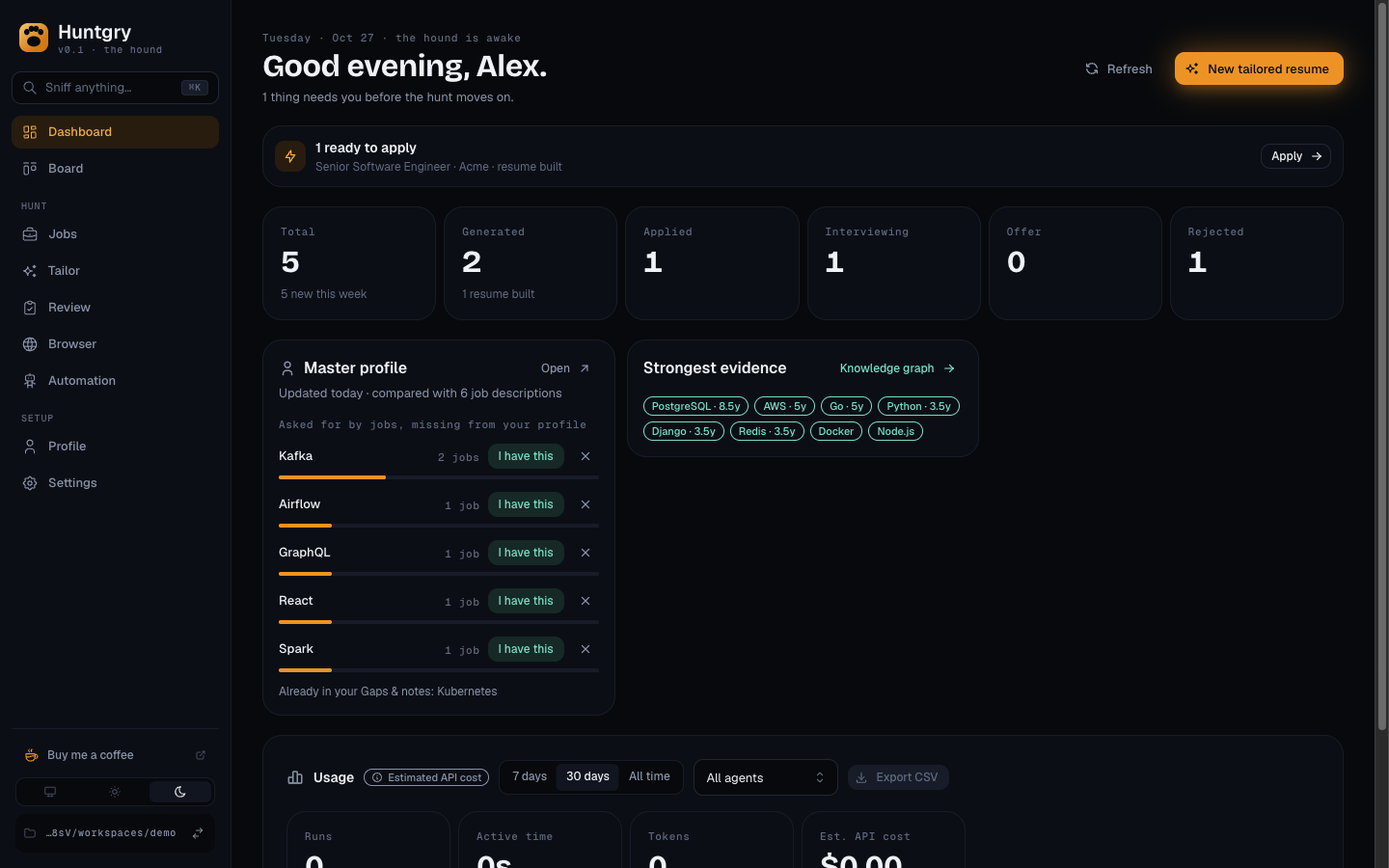
- Board and Dashboard: every saved job and application in one place, from To do to Offer, with build results, PDFs, posting links and status tracking. See Board and Workspace.
- Tailor: runs the resume-tailor skill through Claude Code, Codex or Antigravity to write a resume and cover letter for one job, or a queue of them. Every run goes to the end and you check the result on Review. See Tailoring a resume.
- Browser and Apply: opens postings in a sandboxed in-app browser, fills Greenhouse, Lever and generic forms from your master profile and attaches the tailored PDFs. You review and submit. See Browser and Applying.
- Automation: picks the jobs that match well and prepares each one up to the site's Submit button, unattended (for example overnight), within caps per company, per day and per run. You open the filled form and press Submit. See Automation.
- Master profile and knowledge graph: one plain Markdown file is the only store; Huntgry shows your skills as a graph and the ones jobs keep asking for that it has no evidence of. See Knowledge graph and Keeping the master profile up to date.
- Remote control: watch and steer runs from your phone over an end-to-end encrypted relay in your own Cloudflare account. See Remote control (phone).
There is no Huntgry server and no database: the workspace is a folder on your computer, and the resumes are written by the agent CLI you already use.
Install
Download the build for your computer from the
latest release: a .dmg for macOS (Apple silicon
or Intel), an AppImage for Linux, or an installer for Windows (experimental: it cannot tailor resumes yet). The
builds are not signed with an Apple Developer ID yet, so macOS asks you to allow the first launch in System Settings → Privacy & Security → Open Anyway.
docs/install.md walks through each OS, checking the download against SHA256SUMS.txt, and
what Huntgry installs for you on first launch (Claude Code, the resume-tailor skill, its Python modules); it
also explains how a release is cut.
Screenshots
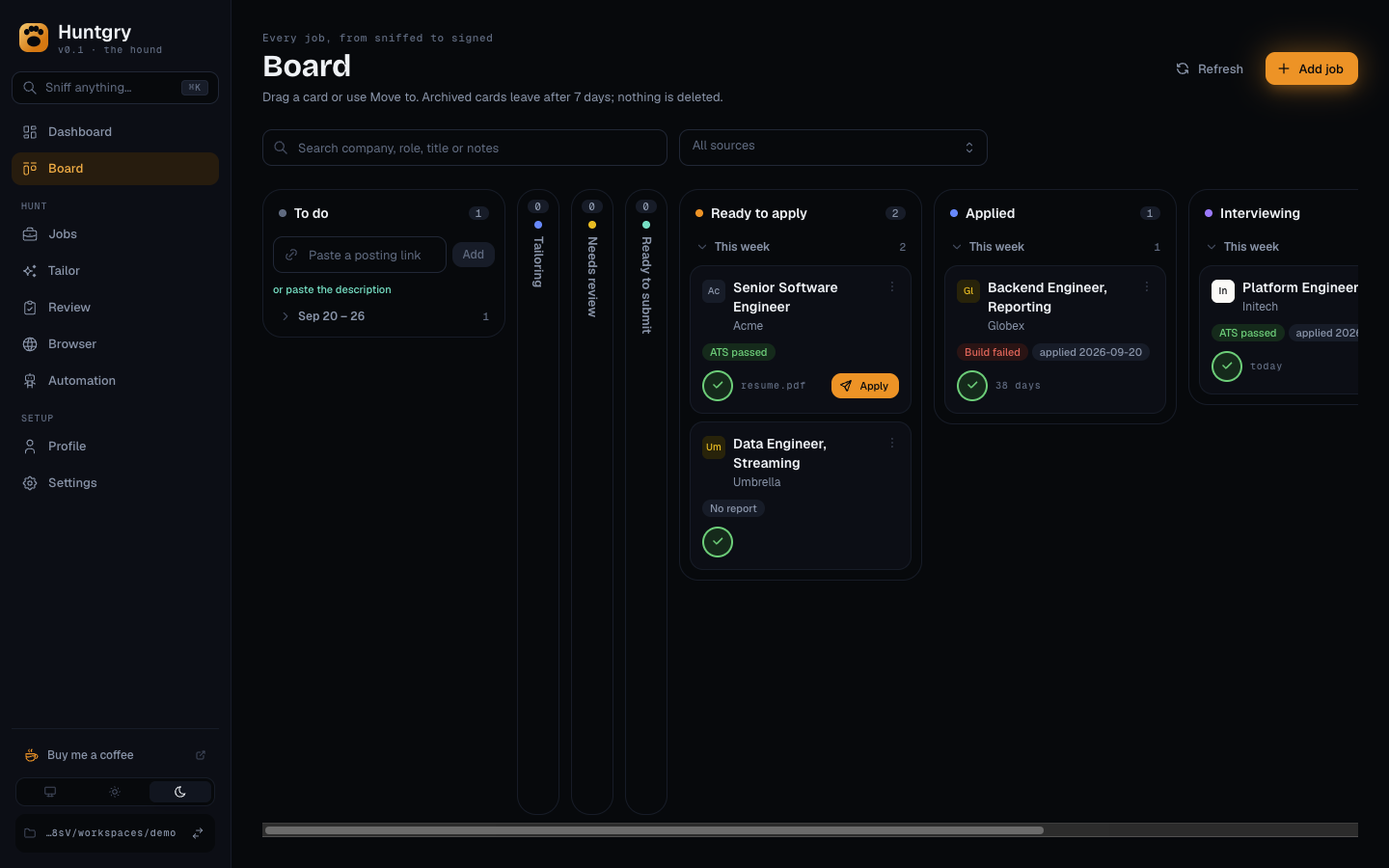 Board: every job as a card, from saved to signed. |
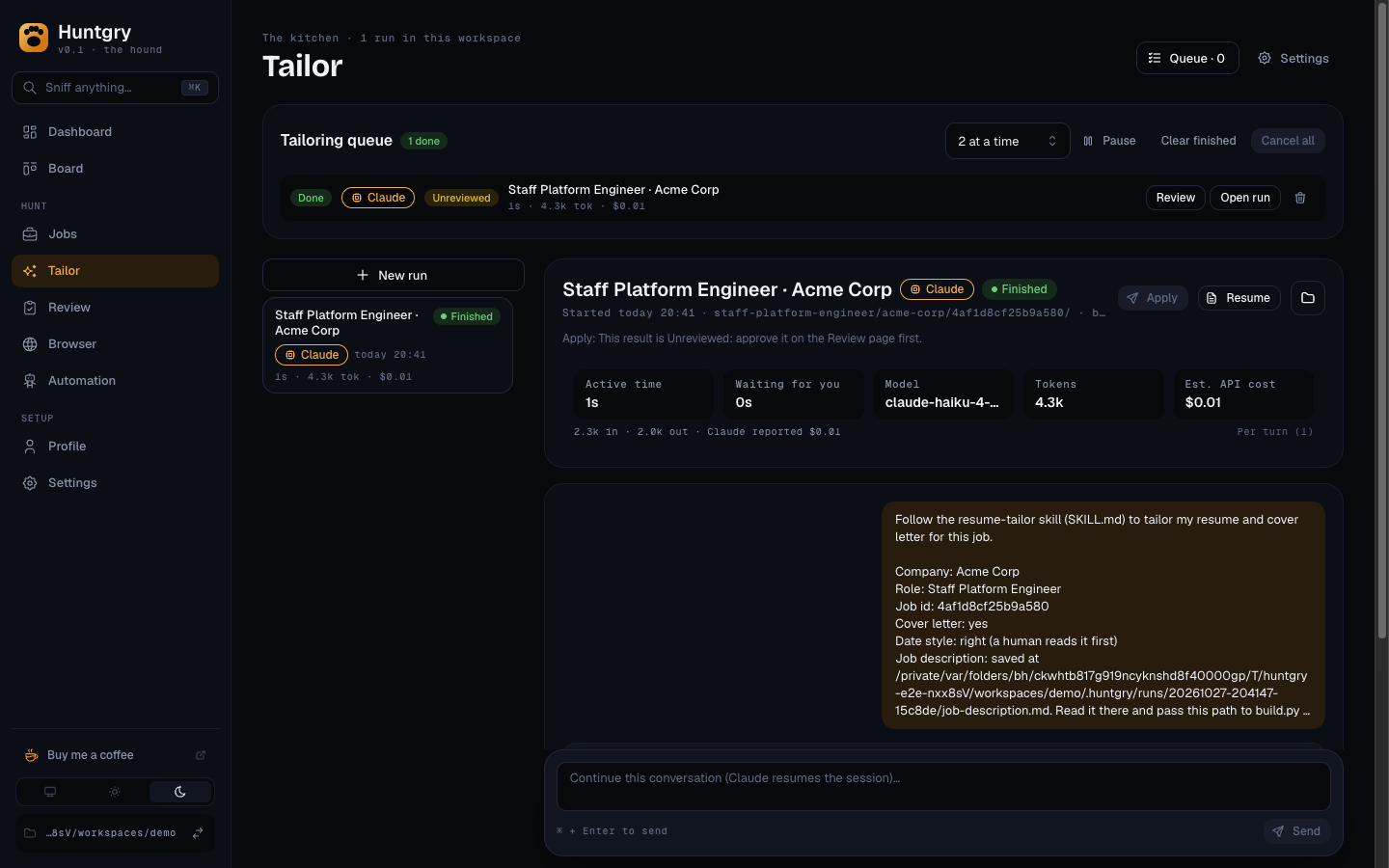 Tailor: a run that went to the end; its result waits on Review. |
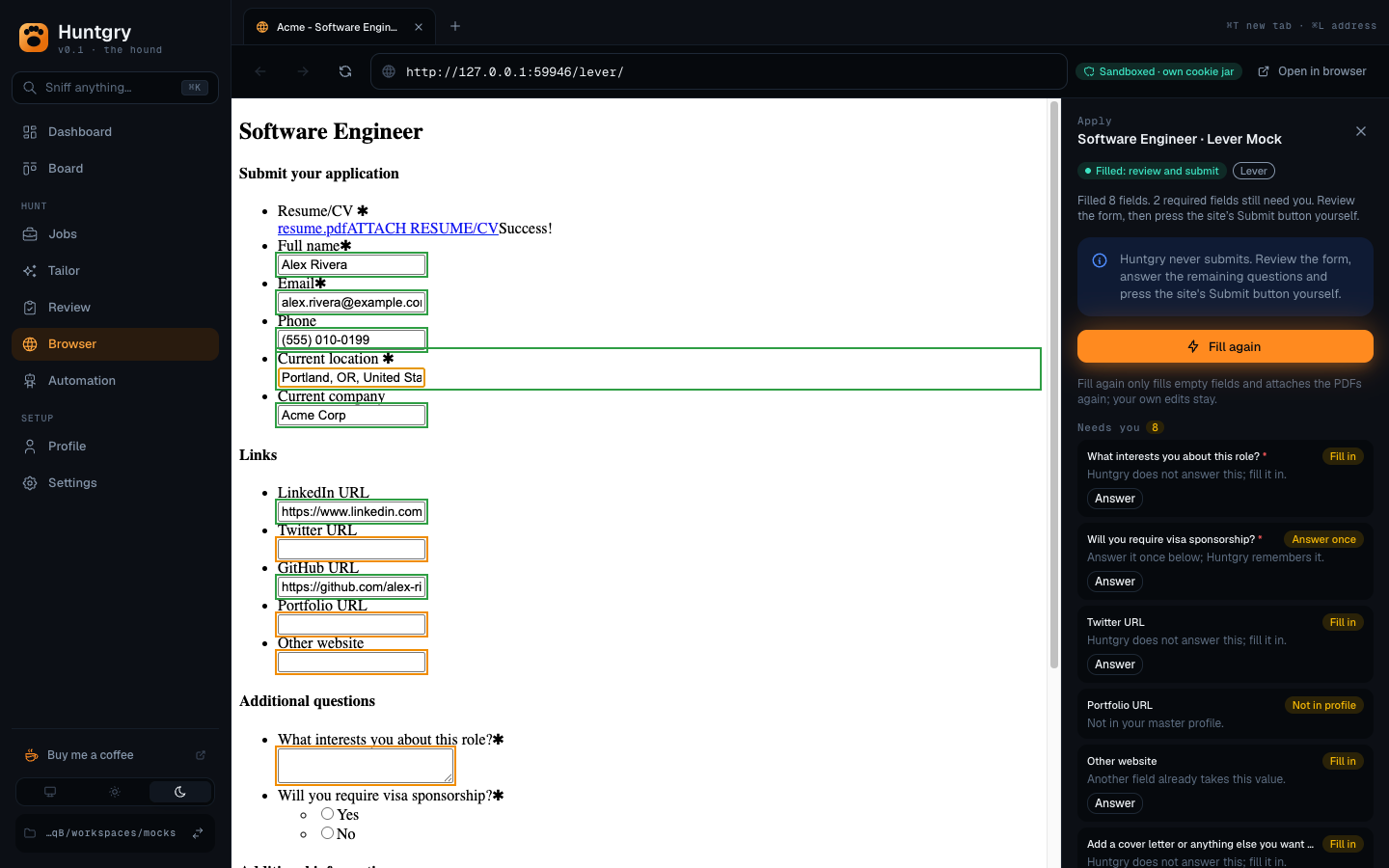 Apply: a form filled from your master profile in the in-app browser; you review it and press Submit. |
|
Screenshots come from the real app with the fictional e2e demo data; regenerate them with npm run screenshots
(see docs/changes/132-readme-refresh.md).
Contents
- What it does
- Install
- Screenshots
- Initial Idea
- Development
- Board
- Finding jobs
- Browser
- Applying
- Automation
- Tailoring a resume
- Knowledge graph
- Keeping the master profile up to date
- Workspace
- Remote control (phone)
- Support
Initial Idea
Architecture converted from initial-idea.excalidraw.
flowchart LR
    subgraph electron["Electron Application"]
        direction LR

        kg["Person<br/>knowledge graph"]
        dashboard["Custom Dashboard<br/>with all the generated resume<br/>+<br/>link to job board"]
        master["Master Resume"]
        storage[("Local Finder File<br/>Storage")]

        cli["claude cli"]
        skill["Resume<br/>Generator<br/>Skill"]
        jobs["jobs added<br/>by URL or pasted"]

        kg --> dashboard
        dashboard --> storage
        master --> dashboard

        cli --> skill
        jobs --> skill
        skill -- "custom resume<br/>+<br/>cover letter" --> storage
    end
Development
Requirements: Node.js ≥ 22.12 (developed on Node 26) and npm. macOS is the primary target.
npm install          # the Electron binary is downloaded on first launch
npm run dev          # electron-vite dev server + Electron window (HMR for the renderer)
npm test             # vitest: workspace, profile format and resume parser (no Electron needed)
npm run test:e2e     # build, then the Playwright end-to-end suite against the real Electron app
npm run test:e2e:ui  # the same suite in Playwright's UI mode
npm run typecheck    # tsc for main/preload (node), renderer (web), in-page autofill code (page) and e2e
npm run build        # typecheck + production bundles in out/
npm start            # preview the production build
npm run dist         # packaged app for this OS in release/ via electron-builder (releases: docs/install.md)
npm run icons        # regenerate resources/icon.png + icon.icns from resources/icon.svg
npm run screenshots  # build, then retake the README screenshots in docs/assets/screenshots/
npm run bench:tailor # manual, costs money: the tailoring benchmark (see "Benchmarking tailoring runs")
npm run bench:compare # compare two bench runs as Markdown
End-to-end tests live in e2e/ and run the built app in a sandbox (own userData, HOME
and PATH, so they never see your workspace, settings or agent CLIs). How they isolate the
app, how to add a page object or a spec, how to debug a failure and what the GitHub Actions
run (optional check, .github/workflows/e2e.yml) leaves behind is in
docs/testing/e2e.md.
On macOS, npm run dev launches the Electron binary from node_modules, which would
show up as "Electron". scripts/brand-dev-electron.cjs (run on install and before
dev) renames that dev copy to Huntgry and gives it the app icon. It only touches
node_modules and re-signs the bundle ad hoc.
Project layout
src/
├── shared/                     # types, IPC channel names and pure helpers shared by every process
│   ├── api.ts                  # HuntgryApi = one member per feature (window.huntgry)
│   ├── events.ts               # typed main → renderer event channels + allowlist
│   └── <feature>-types.ts      # e.g. workspace-types.ts, master-profile.ts
├── main/                       # Electron main process
│   ├── index.ts                # window (contextIsolation, sandbox, no nodeIntegration)
│   ├── ipc.ts                  # calls register<Feature>Ipc() for every feature
│   ├── current-workspace.ts    # the open workspace, shared by every feature
│   ├── events.ts               # emit(channel, payload) to the renderer
│   ├── workspace/              # all filesystem logic, Electron-free and unit-tested (+ ipc.ts)
│   ├── profile/                # master-profile.md ⇄ MasterProfile (format.ts), read/save (store.ts) (+ ipc.ts)
│   ├── applications/           # scan <role>/<company>/<job-id>/, huntgry.json tracking, huntgry-file:// previews, fs.watch
│   ├── graph/                  # job descriptions for the knowledge graph overlay
│   ├── insights/               # gap insights from job descriptions, dismissals, Claude-drafted evidence
│   ├── jobs/                   # saved jobs: hidden-window posting loader and parser, .huntgry/jobs store
│   ├── browser/                # in-app browser: one WebContentsView per tab, session hardening, address rules
│   ├── apply/                  # auto-apply: session per tab, CDP resume upload, page-reply checks
│   ├── automation/             # Automation (#154): candidate sources, run loop, run window, caps, step log
│   ├── resume/                 # resume file → lines (docx, pdf, txt/md) → draft profile (parse.ts)
│   ├── bench/                  # tailoring benchmark (#152): bench set, unattended runner, metrics, honesty count, report
│   └── cli/                    # runs the resume-tailor skill via an agent CLI (claude / codex / agy), run history
├── preload/                    # index.ts composes window.huntgry from <feature>.ts + events.ts;
│                               # browser-page.ts is the in-app tabs' autofill preload (exposes nothing)
└── renderer/src/               # React 19 + Mantine UI, no Node access
    ├── navigation.ts           # pages, typed params, navigate(), leave guard
    ├── components/shell/       # AppLayout: navbar + page area
    └── pages/<page>/           # dashboard, jobs, browser, tailor, graph, profile, settings
resources/                      # app icon (svg source, png, icns)
scripts/                        # icon rendering, dev Electron branding, mock-ats.mjs + mock-ats/ (local test forms), doc link check
e2e/                            # Playwright end-to-end tests: fixtures/ (sandbox, workspaces, fake-agent/, servers/), pages/, tests/, screenshots/
Benchmarking tailoring runs
npm run bench:tailor runs a fixed set of saved jobs unattended with a given model and skill and records
time, API time, output tokens, cost, hard-check failures, rebuilds, page fill, the #151 profile fit /
resume coverage / surfaced, and a count of claims the master profile doesn't back, one row per run.
npm run bench:compare compares two bench runs by median and per job. Its verdict never calls a
faster version better when quality dropped. Today's numbers (63 Opus 5.5 runs) are a median 195 s,
$1.30, about 21K output tokens and 97 % API time per run.
The bench never touches your workspace: runs go to ~/huntgry-bench/<bench-id>/workspace/ with a
copy of the master profile, and an output folder inside the workspace is refused. It spends real
money (about $1.30 a job at today's median), so it is manual only and never runs in npm test, CI
or e2e. Those run it against a fake agent. The baseline command:
npm run bench:tailor -- --model claude-opus-5-5 --label baseline-$(git rev-parse --short HEAD) \
  --set ~/<workspace>/.huntgry/bench --profile ~/<workspace>/master-profile.md --out ~/huntgry-bench
npm run bench:compare -- ~/huntgry-bench/<baseline-id> ~/huntgry-bench/<candidate-id> --out report.md
A bench set is a folder (default <workspace>/.huntgry/bench/, never committed) of one JSON file per job:
{ "id", "role", "company", "description" | "descriptionFile", "url"?, "coverLetter"?, "dateStyle"? }.
Each run writes results.json and report.md next to its workspace. The full set format, every metric's definition and the honesty heuristic are in
docs/changes/152-tailoring-benchmark.md.
Adding a feature
Features only add files, plus one line in each registry:
- Types:
src/shared/<feature>-types.tswith a<Feature>Apiinterface and its IPC channel names; add<feature>: <Feature>ApitoHuntgryApiinsrc/shared/api.ts. - Main:
src/main/<feature>/holds the logic (Electron-free where possible, with*.test.tsnext to it) andipc.tsexportingregister<Feature>Ipc(); call it fromsrc/main/ipc.ts. Resolve paths fromrequireCurrentWorkspace(); never accept paths or command lines from the renderer. - Preload:
src/preload/<feature>.tsexports theipcRenderer.invokewrappers; add them to the object insrc/preload/index.ts. - Streaming: add
'<feature>:<event>': PayloadtoHuntgryEventsand the channel toEVENT_CHANNELSinsrc/shared/events.ts; send withemit()from main, listen withwindow.huntgry.on()(returns the unsubscribe function) in the renderer. - UI:
src/renderer/src/pages/<page>/index.tsx. A new page also needs an entry inPageParams/PAGES(navigation.ts), the navbar (AppLayout.tsx) and the switch inApp.tsx. Open other pages withuseNavigation().navigate(page, params); callsetLeaveGuard(message)while the page has unsaved work.
Board
Board shows every job of the workspace as one card in Kanban columns: To do (saved jobs), Tailoring (queued and running), Needs review (a run that needs your reply, an unattended result to approve), Ready to apply, Applied, Interviewing, Offer, Rejected and Archived. Paste a posting link at the top of To do to save the job, and press Tailor on its card to queue it. The card then moves on by itself as the run goes. Drag a card to another column, or use its Move to menu, to change an application's status or to archive a job. Clicking a card opens its details. An archived card leaves the board 7 days after it was archived, but nothing is deleted: Show older in Archived brings every archived card back, and the Dismissed jobs on Jobs still list it. See docs/changes/85-board.md.
Inside a column, cards are grouped by the week they last changed: This week is open, older weeks are folded to a header with a count and open on click, showing one-line cards (hover or focus one for the full card). The board remembers which weeks you opened or folded. Empty columns shrink to a narrow rail that still takes drops, and each column scrolls on its own. The search box and the source filter above the columns narrow every column at once. See docs/changes/160-board-week-groups.md.
The Board is where applications are browsed: the Dashboard keeps a summary and its stat tiles open the Board on their column (Generated on Ready to apply). An application's drawer, opened from its card or from ⌘K, has everything the old Dashboard table had per row: Apply in browser, the resume and cover letter PDFs, the posting, Show in Finder, the status, the build result and the review state. See docs/changes/161-board-replaces-dashboard-list.md.
Finding jobs
Jobs has two tabs: Discover, the jobs Huntgry lists for you, and Saved (n), the jobs you
keep. It opens on Saved when you have saved jobs and on Discover when you have none. One Add job
button in the header, on both tabs, takes a posting's link (the page is opened once in a hidden
browser window and its JSON-LD or text read) or its pasted text, for boards Huntgry cannot read.
Huntgry does not search job boards (#78). Saved jobs live in <workspace>/.huntgry/jobs/; ones
found by the old hiring.cafe / Indeed search are still listed. Tailor resume sends a job to the
Tailor page with its saved description, company, role and job id. See
docs/changes/189-jobs-tabs.md.
Saved opens on Relevant: the saved jobs that fit your master profile (headline and roles,
skills, seniority, location), best first, with the reasons on each card. Filters for visa sponsorship, workplace, seniority, date posted and
minimum salary apply to any list and are kept in <workspace>/.huntgry/jobs-prefs.json. If your
Work authorization says you need a sponsor, Relevant leaves out postings that say they won't
sponsor.
Every job shows one number, its match score: the share of the skills the posting asks for (Jobright's extracted skills when a job has them, else the ones its description names) that your master profile has evidence for. Must-haves such as a degree in another field, years you don't have, a clearance or "no sponsorship" when you need it cap it at 40. A Discover row, the same job on Saved, its drawer, its Board card and Automation all show the same number; Relevant ranks with it as one part of the fit. See docs/changes/149-match-score.md.
After a run builds a resume, Huntgry scores it again against the same requirements: the Board card,
the application drawer and Review show Profile fit 82 · Resume 74 (90% surfaced) and the skills
your profile has that the resume left out. The resume selects from the profile and never adds to
it, so the resume can't beat the fit; the score is kept in the application's huntgry.json. See
docs/changes/151-rescore-after-tailoring.md.
Discover (the Explore page before #189) lists Jobright's new-grad and internship jobs from the API behind
newgrad-jobs.com, one category at a time (New grad · US · Software
Engineering by default, remembered), grouped by the day they were posted, today first, with days
past the newest seven folded under Earlier. Rows show pay, industry, company size and H1B
sponsorship, and filter by text, workplace, visa sponsorship and minimum salary (named as on Saved). Huntgry asks for a category
only when the workspace has no copy of it and when you click Refresh: at most 1,000 rows, in two
requests. It keeps a copy per category in <workspace>/.huntgry/explore/. That API is undocumented
and Jobright's own: when it fails, Discover shows Jobright's public GitHub list
(jobright-ai/2026-Software-Engineer-New-Grad)
instead and says so. Save keeps a row as a jobright job; the row then reads Saved ✓, and
clicking it opens the job on the Saved tab. See
docs/changes/142-explore.md and
docs/changes/169-explore-newgrad-api.md.
Every Discover row shows its match score against your master profile, read from the qualifications Jobright lists for it. Hover or focus the score to see the skills you have, the ones you're missing and any must-have you don't meet. Rows from the GitHub fallback have no qualifications, so they show a title-only estimate marked "≈". Sort by Best match or keep only rows with Match ≥ N. Nothing is loaded to score a row, and a job you save keeps the qual