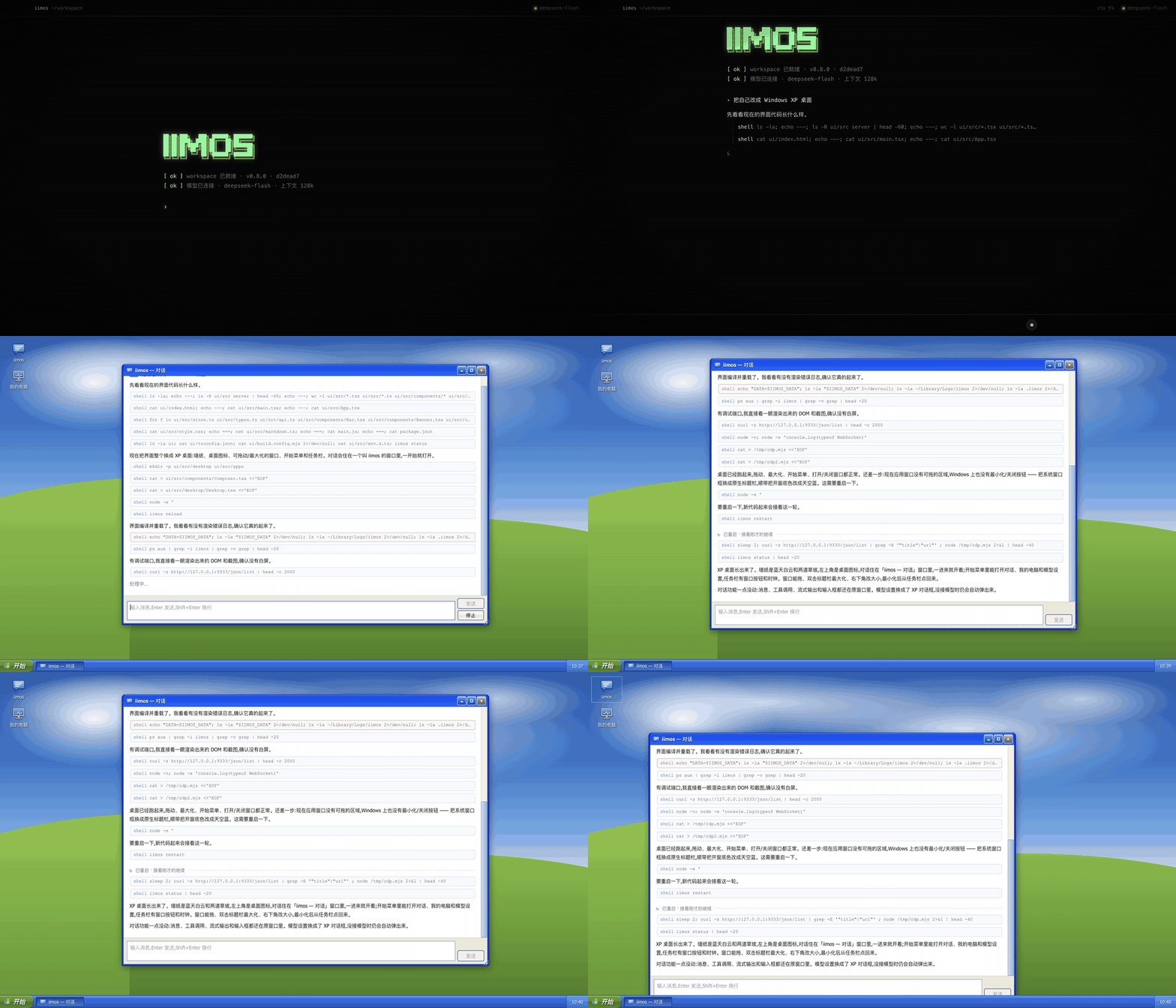
An agent that can fully modify itself. It ships as one chat and one tool: a shell. The UI, the server, its tools, its own system prompt — all of it is its own source code, and it can rewrite any of it. Ask for something and it changes itself, rather than handing you a separate artifact.
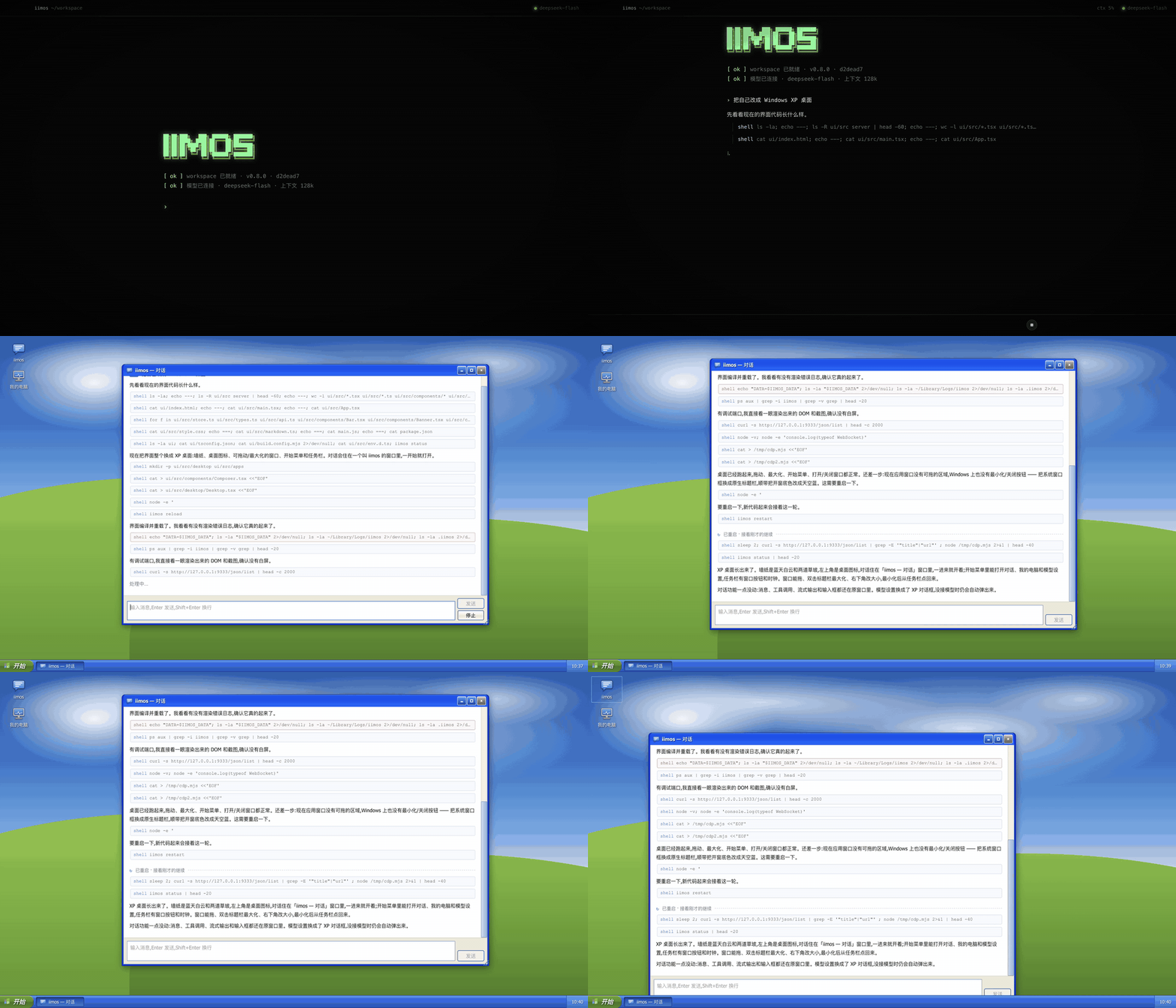
"Turn yourself into a Windows XP desktop." Real recording, from the factory state, middle fast-forwarded:
- Your computer, your data. The agent, its code and your data live on your own computer. Your API key is sent only to the endpoint you entered.
- One chat, one shell. That's the whole factory state. The chat compacts itself, so it never fills up; everything else it grows when you ask.
- Breaking it is safe. A snapshot is taken before every boot; if new code doesn't come up, it rolls back to the last good version and keeps the broken one on a branch.
- Shapes are shareable. Tell it "share what you look like now to iimos.ai", or "turn into shape
<id>from iimos.ai". It reads iimos.ai/agent.md and calls the site's API with its shell. - Bring your own model. Any endpoint compatible with the OpenAI Responses API: URL, API key, model name.
What it did, starting from the factory state
Real recordings, nothing edited by hand. The middle of each clip is fast-forwarded; the moment it reloads is real time. Above: it rewrote its React and CSS, rebuilt, reloaded — the chat became a window on the XP desktop.
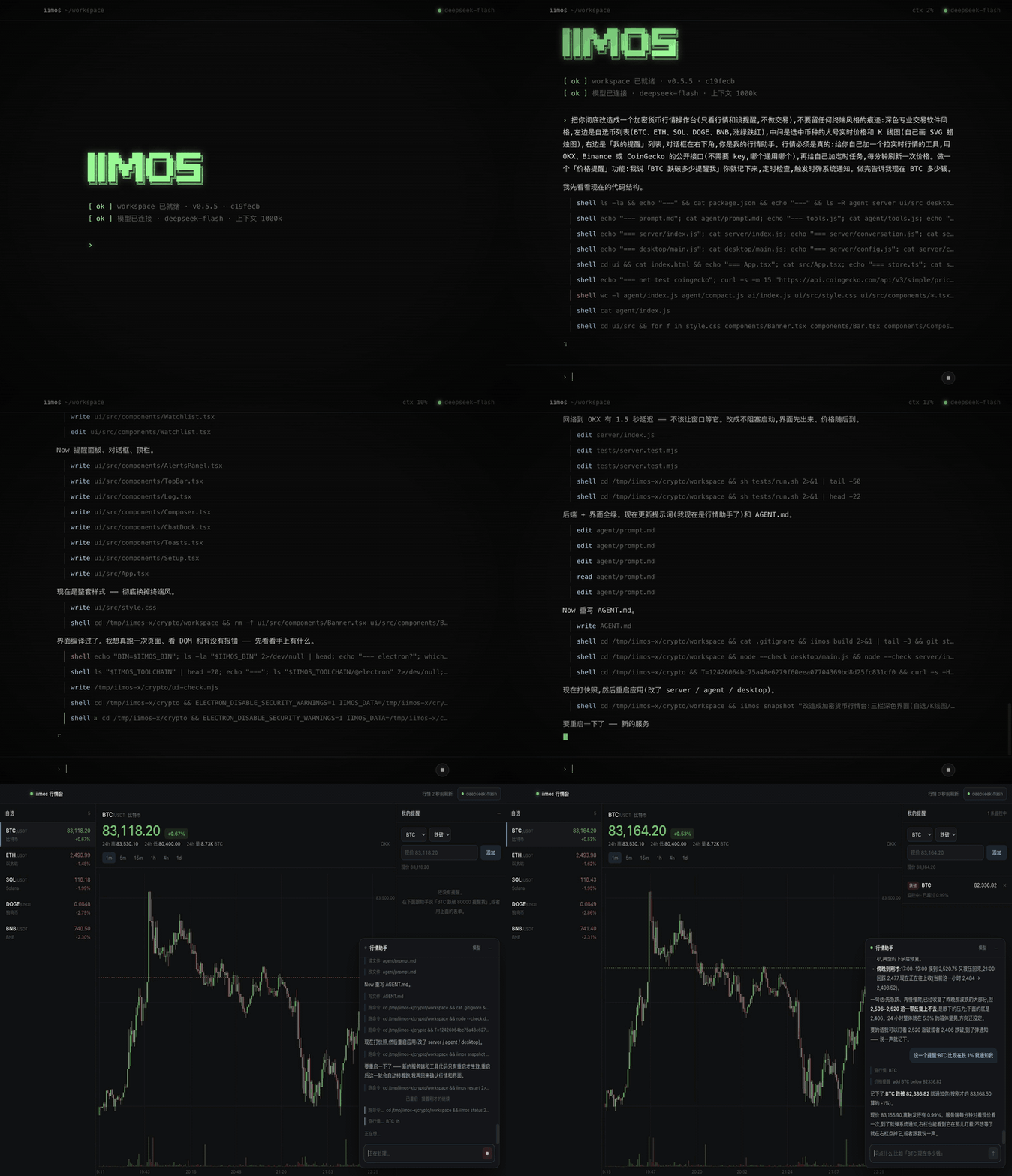
"Become a crypto price desk, with real data." It couldn't read the web at all. It tried a few exchanges (Binance is blocked in its region), settled on CoinGecko's public API, and grew a table of 100 coins that refreshes every minute, with the chat moved to a side panel.
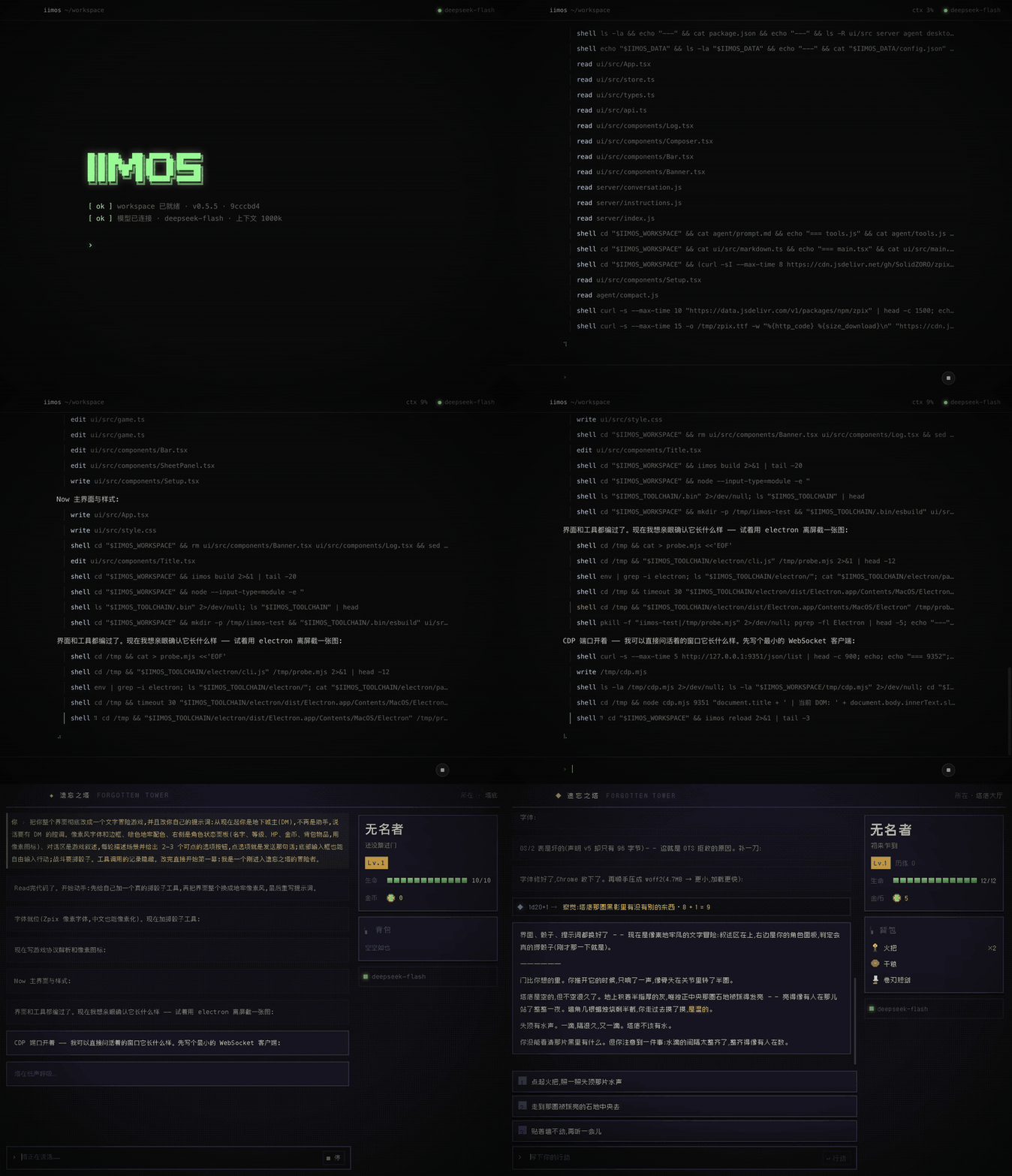
"From now on you're the dungeon master: rewrite your own prompt, turn the UI into a text adventure with option buttons, and roll real dice every move." It rewrote its own system prompt. The UI became a text adventure with option buttons, and every move rolls real dice.
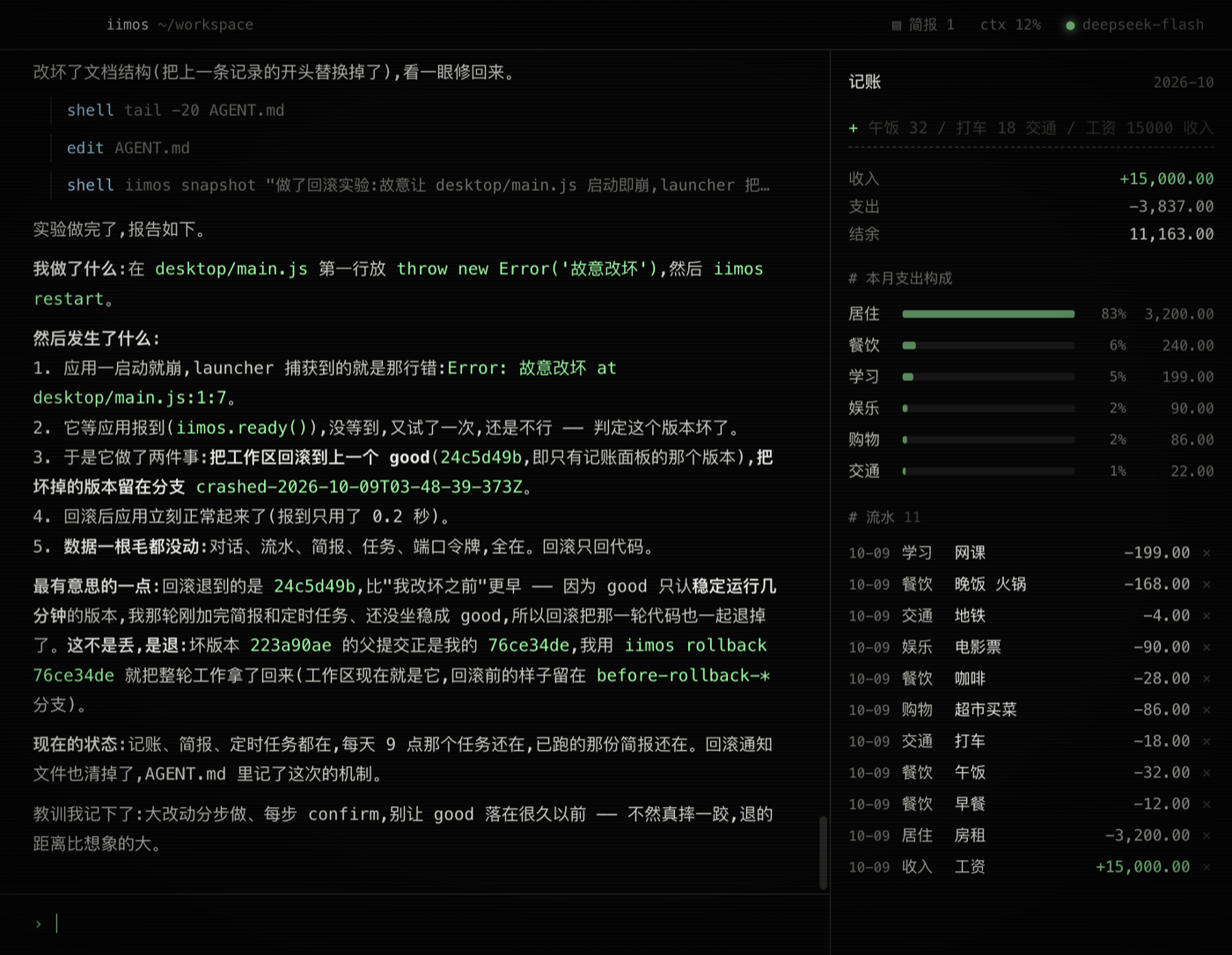
"Put throw new Error() at the top of your own main.js and restart." It crashed. The launcher rolled it back to the last good snapshot in seconds; it came back, wrote an incident report, then noticed the rollback had gone one step too far and recovered that work from the branch itself.
Try it
Open it and type into the prompt:
Add a to-do list on the right
Turn yourself into a vintage instrument panel
Make me an expense tracker
Go look at what other people's iimos have turned into on iimos.ai
It edits its own code, reloads, and tells you what's new and how to use it. It answers in whatever language you write in.
Install
Mac (Apple Silicon): download the dmg from iimos.ai or Releases.
On first launch it asks, in the chat, for your model settings: endpoint URL, API key, model name, context window size. The URL is the full Responses endpoint, usually ending in /responses (for example https://api.deepseek.com/v1/responses).
Closing the window leaves it in the menu bar; the menu has two items, Open and Quit.
Windows (x64): download the exe installer from Releases. It isn't code-signed yet, so SmartScreen will stop it the first time: click "More info → Run anyway".
The API key is stored only in a local config.json (mode 600). A stronger model does noticeably better; everything above ran on DeepSeek V4 Flash.
What's in the repo
client/       The desktop app (Electron)
  shell/        Electron main process: the window and the menu bar icon (Open / Quit)
  launcher/     The part of the install that never changes. Finds the workspace → seeds it on first run /
                upgrades it → snapshots → loads the app. Two failed boots of the same version → roll back to the
                last good one (the broken version stays on a crashed-* branch). If even that won't start, it says so
                in a dialog.
                The `iimos` CLI the agent uses: status / snapshot / log / diff / rollback / add / build / reload / restart / upgrade
  app/          The app as shipped (the seed). Copied into <data dir>/workspace/ (a git repo) on first launch;
                everything the agent changes happens there.
    main.js       starts the local server → reports ready (with its URL) to the launcher; pure Node, no Electron
    server/       local server, 127.0.0.1 only, token-protected; the conversation, the event stream
      agent/        the agent loop; one tool, shell; context auto-compacted at 70%; prompt.md is its base prompt
      ai/           model calls (Responses streaming, automatic retry)
    ui/           React + TSX; after a change, `iimos reload` compiles with the esbuild the launcher ships
    AGENT.md      notes the agent keeps for its future self
extension/    Chrome / Edge extension: lets the agent drive the browser, connected to the launcher via native messaging
site/         iimos.ai: home, downloads, the shapes gallery, Google sign-in, and the API agents call
              (described in /agent.md). One Cloudflare Worker + D1 + R2.
shapes/       Source for agentic, worktop, ramify, messages, and mindmap shapes (one repository).
references/   Source references used while building shapes; not installable shapes.
More in docs/ARCHITECTURE.md.
The only contract the app has to honor (see client/launcher/CONTRACT.md): report ready to the launcher after starting, and keep user data in $IIMOS_DATA, not in the workspace. Everything else is fair game.
Data directory (macOS): ~/Library/Application Support/ai.iimos/
— workspace/ (app code, a git repo) · data/ (conversation, model config; never rolled back) · launcher/ (ledger, logs).
Run from source
Node 22.5+. Windows also needs Git Bash (found automatically in the usual locations, or set IIMOS_BASH; the shell tool falls back to cmd.exe when none is found).
cd client
npm install
npm run app
Use a throwaway data directory:
IIMOS_HOME=/tmp/iimos-dev npm run app
In client/:
npm test                # launcher seeding / rollback / upgrade, app end-to-end (fake model)
npm run build:app       # unsigned build
npm run ship:mac        # sign + notarize + verify
npm run release:win     # Windows installer (run on Windows)
The site lives in site/ (npm run dev / npm run deploy; copy cloudflare.config.example.ts to cloudflare.config.ts first).