
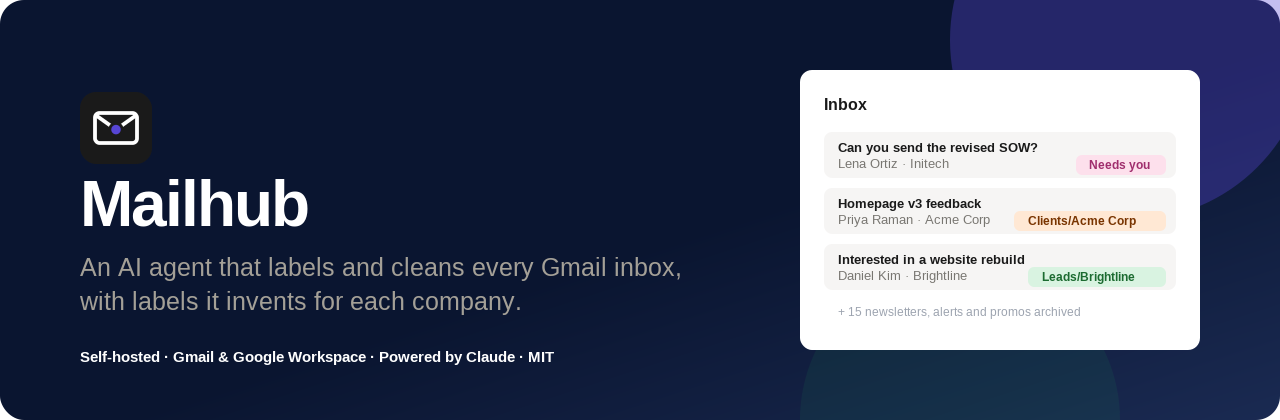
Connect your mailboxes. Describe your company. Mailhub sorts every email into labels that fit your business,
archives the noise, and flags the few emails that are waiting on you.
Quick start · How it works · Labels · Safety · Configuration · Google setup
Why
Most inbox tools sort mail into the same generic buckets for everyone. A design studio, a law firm and a SaaS startup
need different folders: their clients, their vendors, their deals. Mailhub starts with four core labels and lets
an AI agent grow the rest from the mail itself, so after a few runs your Gmail has Clients/Acme Corp,
Vendors/AWS, Partners/Webflow and whatever else your business actually runs on.
- Company-specific labels and sub-labels, created by the agent as it meets new clients, vendors and projects
- A clean inbox: low-value mail is labeled, archived and marked read; nothing is ever deleted
- "Needs you": emails where someone is blocked on you are starred and marked important
- Many mailboxes, one place: Gmail and Google Workspace accounts, connected with "Sign in with Google"
- Runs on a schedule (default 07:00, 14:00, 19:00) with an optional Slack summary
- Fast and cheap: Jev (TypeSafe) files the routine mail in milliseconds; Claude only sees what needs real judgment
- Self-hosted, single-tenant: one small app per company, your Google project, your own API keys
Quick start
Install with one command
curl -fsSL https://raw.githubusercontent.com/IshanVats-6/mailhub/main/install.sh | bash
The installer downloads Mailhub, asks for your keys, starts it and opens it in your browser:
- Jev (TypeSafe) API key: console.typesafe.ai
- Claude (Anthropic) API key: console.anthropic.com
- Google OAuth client ID and secret: from your own Google Cloud project, five minutes once: docs/google-setup.md
It runs with Docker when Docker is available and falls back to Python 3.10+ otherwise (macOS and Linux). Run the same command again to update; your settings are kept.
Then, in the app:
- Mailboxes → Connect with Google, once per Gmail or Workspace account.
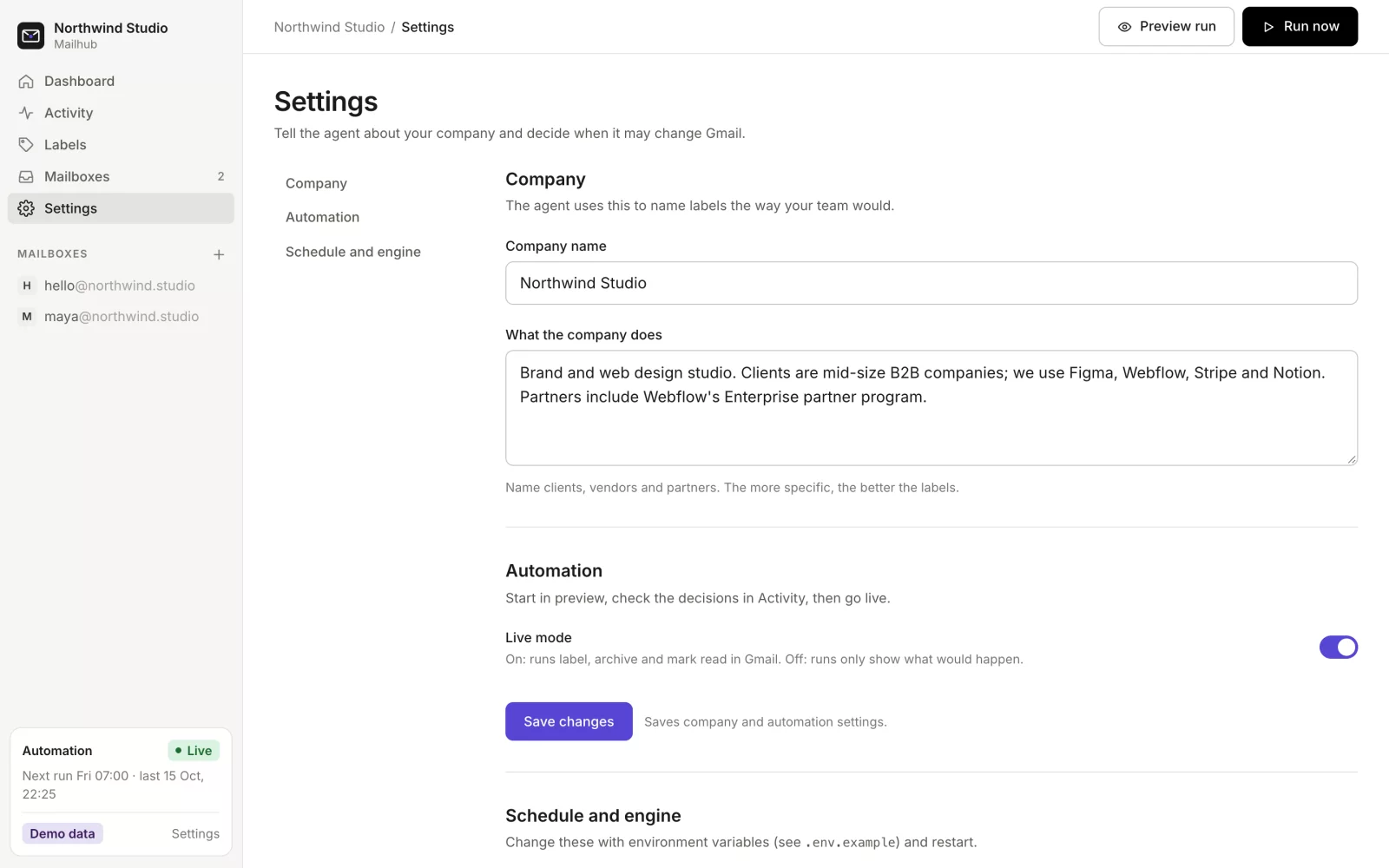
- Settings: describe the company in two or three sentences.
- Preview run, check the decisions in Activity, then switch on Live mode.
Mailhub starts in preview mode: runs show exactly what would happen without touching Gmail.
Try it with demo data (no keys at all)
git clone https://github.com/IshanVats-6/mailhub && cd mailhub
docker build -t mailhub . && docker run --rm -p 8080:8080 -e DEMO_MODE=true mailhub
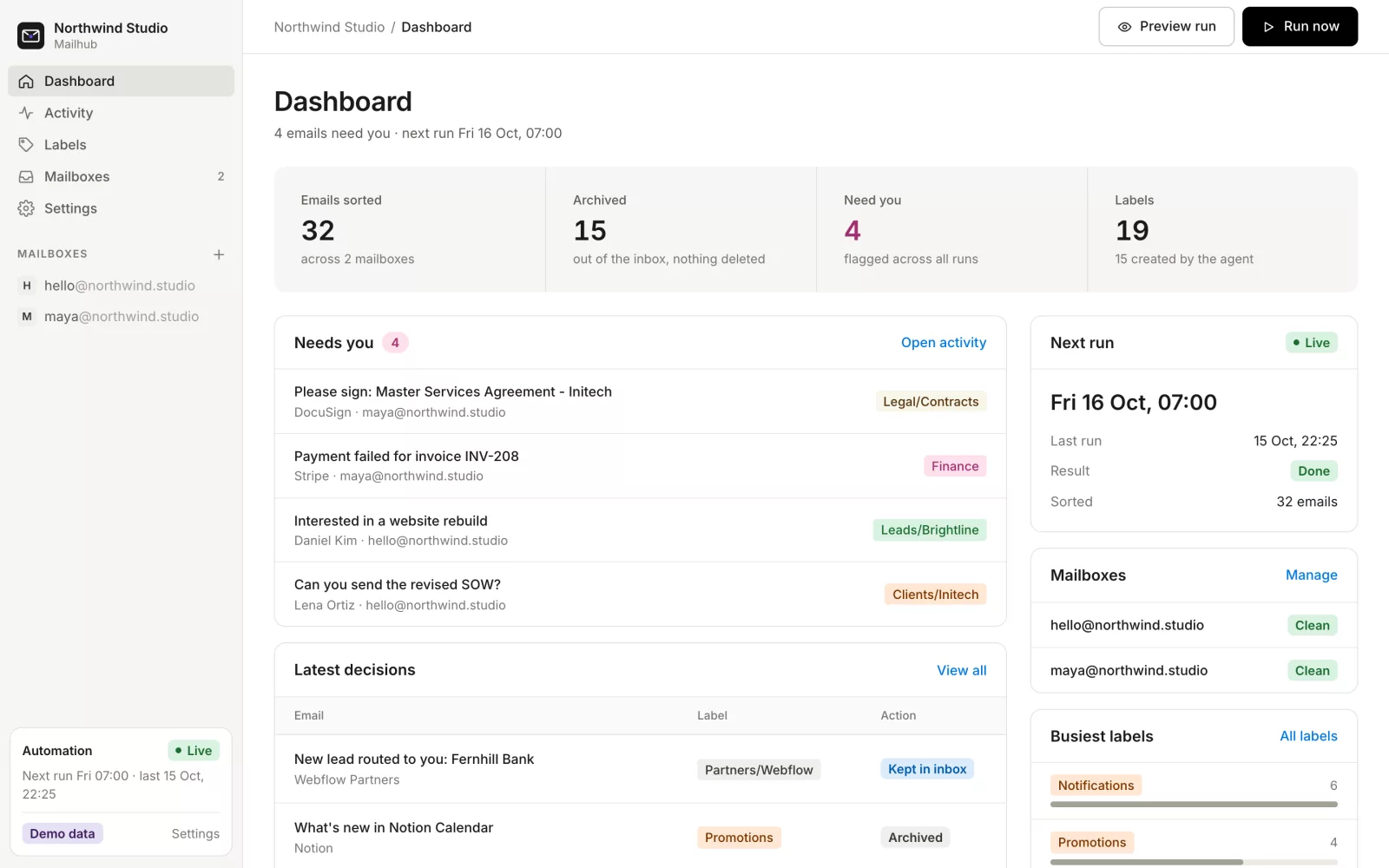
Open localhost:8080: a fictional studio with two mailboxes, already sorted.
Manual setup on a server
git clone https://github.com/IshanVats-6/mailhub && cd mailhub
cp .env.example .env    # fill in PUBLIC_URL, ADMIN_PASSWORD, SECRET_KEY, the AI keys and GOOGLE_CLIENT_*
docker compose up -d
Put it behind HTTPS (any reverse proxy) and register https://<your-domain>/oauth/callback as the redirect URI.
How it works
flowchart LR
    A["Gmail mailboxes"] -->|"unlabeled inbox mail<br>(sender, subject, snippet)"| B["Mailhub"]
    B -->|"each email + company<br>+ current labels"| J["Jev<br>fast first pass"]
    J -->|"confident: existing label,<br>needs-attention flag"| B
    J -.->|"unsure, new client,<br>nothing fits"| C["Claude"]
    C -->|"label or new label,<br>needs-attention flag"| B
    B -->|"guardrails: limits, dedupe,<br>naming, mailbox mode"| D{"Action"}
    D -->|"keep"| E["Inbox"]
    D -->|"archive"| F["Label + read"]
    D -->|"attention"| G["Star + Important"]
    B -.->|"summary"| H["Slack"]
- Fetch. Every run reads only inbox mail that has no label yet, metadata and a short snippet, never full bodies.
- Jev first. Jev by TypeSafe picks the best existing label for each email, with a probability, and flags emails that need you. Confident, routine decisions (receipts, alerts, newsletters, promos) are done here.
- Claude for the rest. Emails Jev is unsure about, real business contacts that would otherwise land in a bulk label, and emails no label fits go to Claude in batches of 25. Claude can create new labels and sub-labels, returned through structured output.
- Guard. Code keeps the final say: at most two levels (
Group/Item), tidy names, near-duplicates merged, a cap on new labels per run, and each mailbox's mode respected. - Apply. Labels are created in Gmail the first time they are used. The label's action decides what happens next.
Labels that fit each company
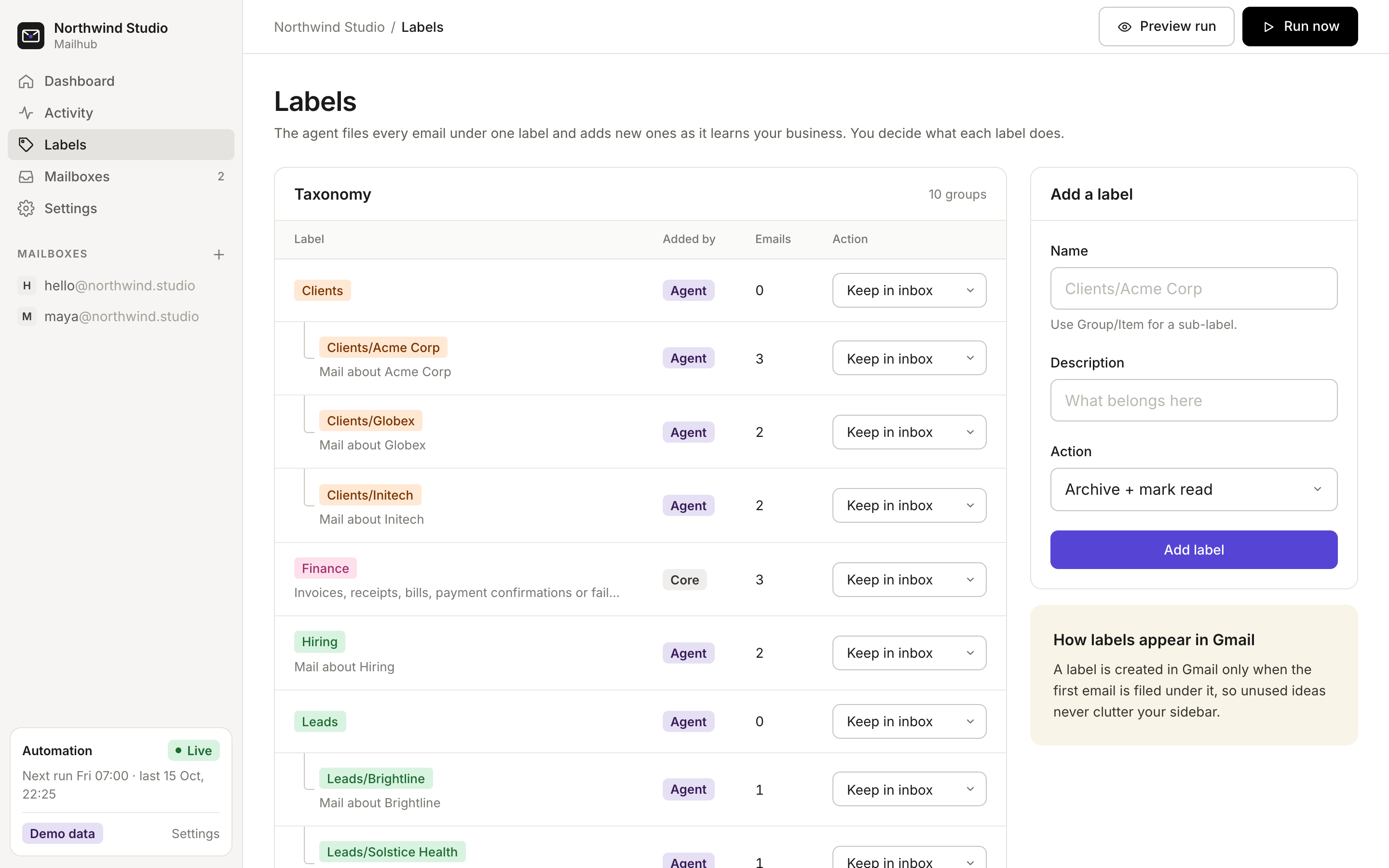
Four core labels exist from day one. They are not created in Gmail until an email lands in them.
| Core label | Default action | Catches |
|---|---|---|
Finance |
Keep in inbox | Invoices, receipts, failed payments, renewals |
Notifications |
Archive, keep unread | Alerts, digests and reports from tools |
Newsletters |
Archive + mark read | Newsletters and content digests |
Promotions |
Archive + mark read | Marketing, webinars, events, cold pitches |
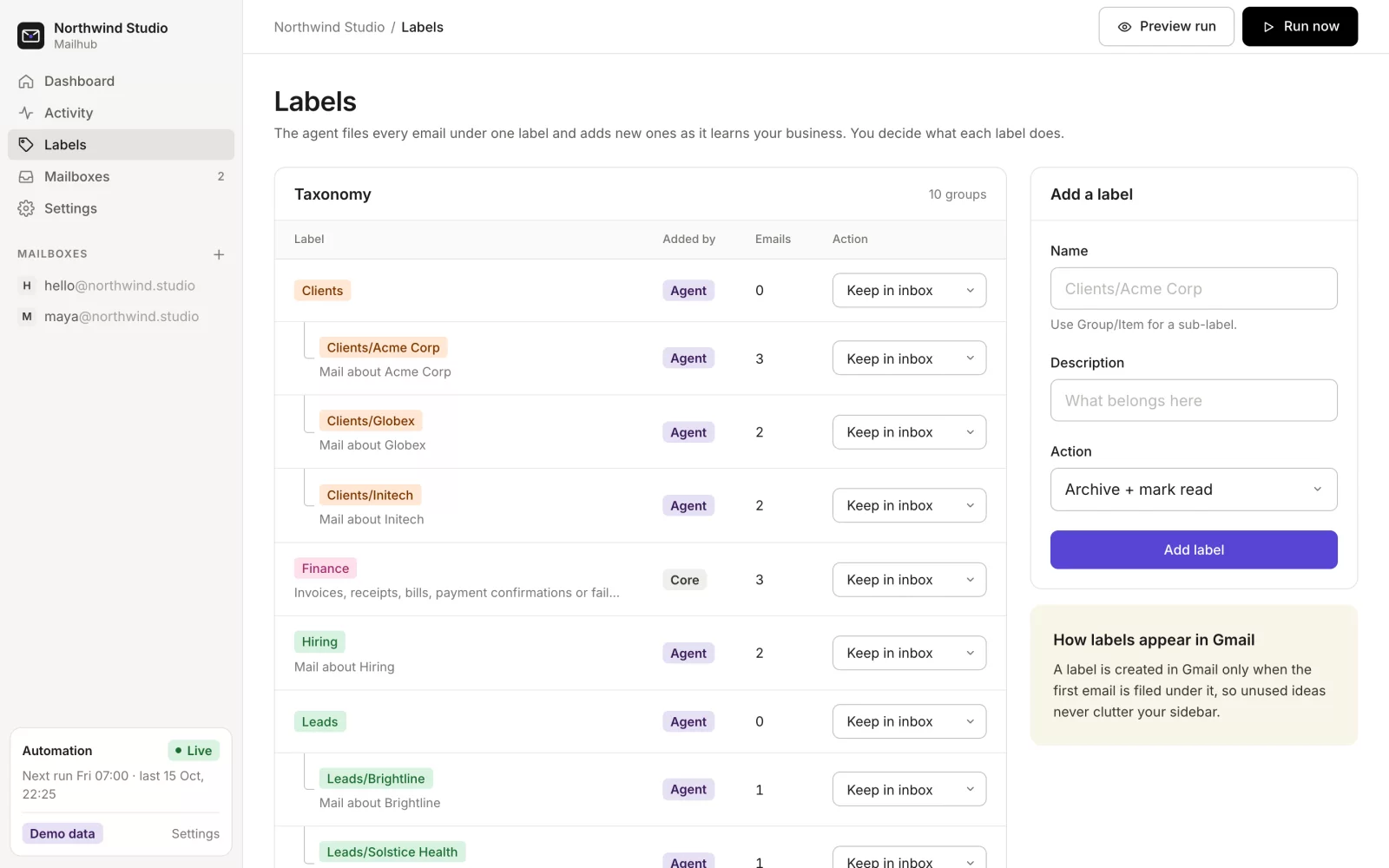
Everything else is created by the agent for your business, for example:
Clients/Acme Corp      Leads/Brightline       Partners/Webflow
Clients/Globex         Leads/Solstice Health  Vendors/AWS
Legal/Contracts        Hiring                 Projects/Website Redesign
Every label has one of three actions, and you can change any of them on the Labels page:
| Action | What happens to the email |
|---|---|
| Keep in inbox | Labeled, stays in the inbox |
| Archive + mark read | Labeled, leaves the inbox, marked read |
| Archive, keep unread | Labeled, leaves the inbox, stays unread so the label shows what's new |
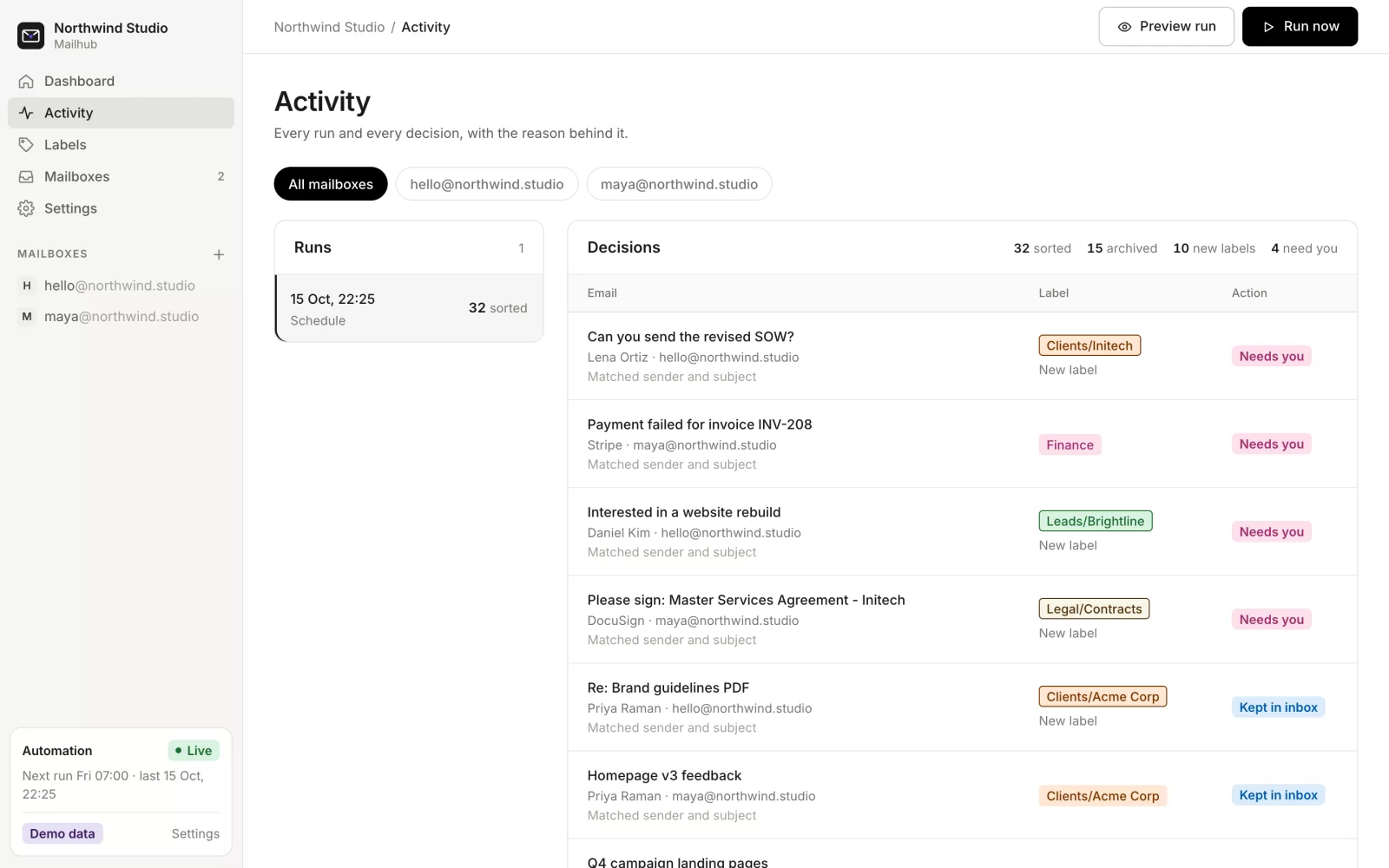
On top of that, any email where a person or process is blocked until you act (a client waiting on a reply, a failed payment, a contract to sign) is starred and marked Important and stays in the inbox.
Screenshots
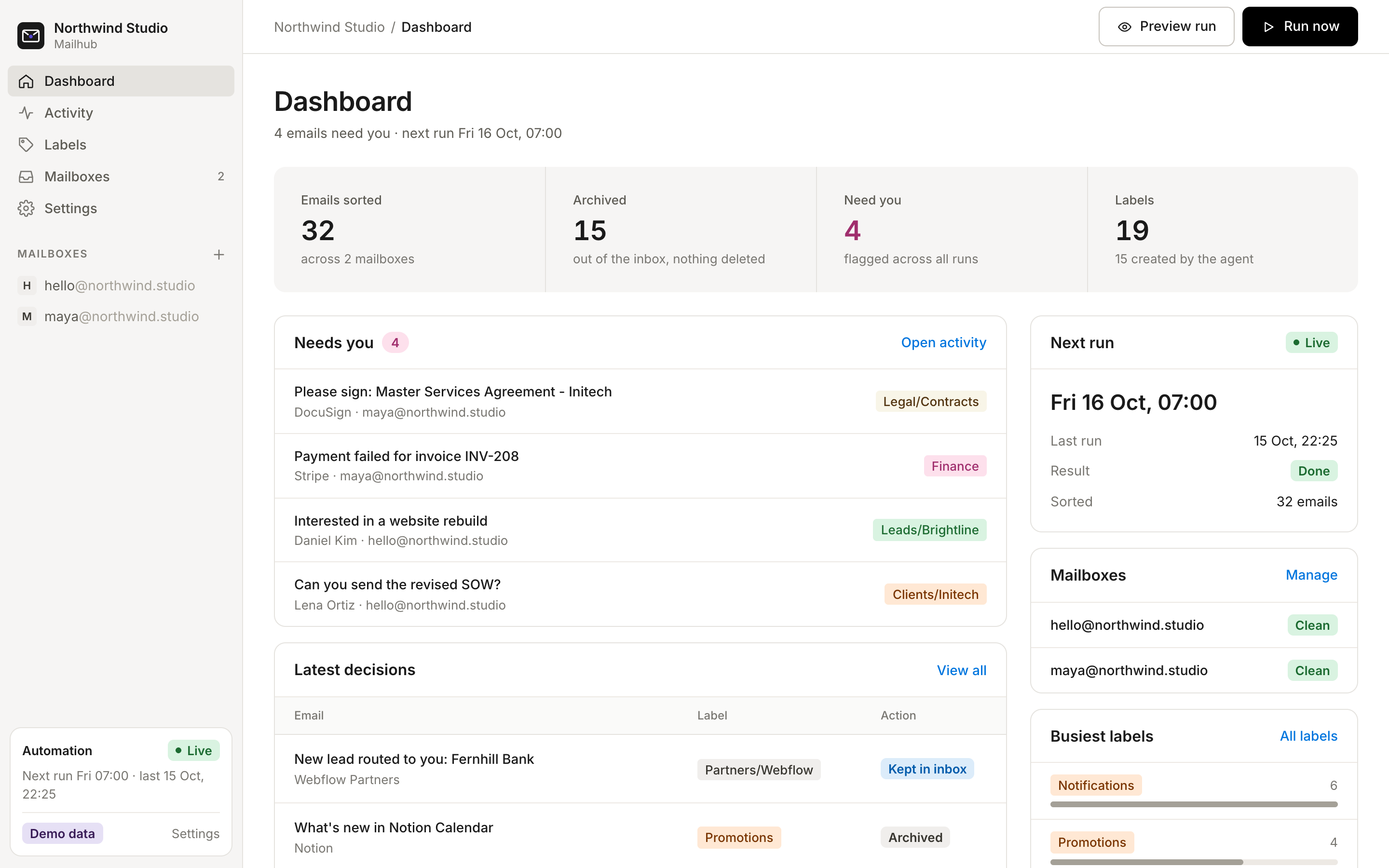
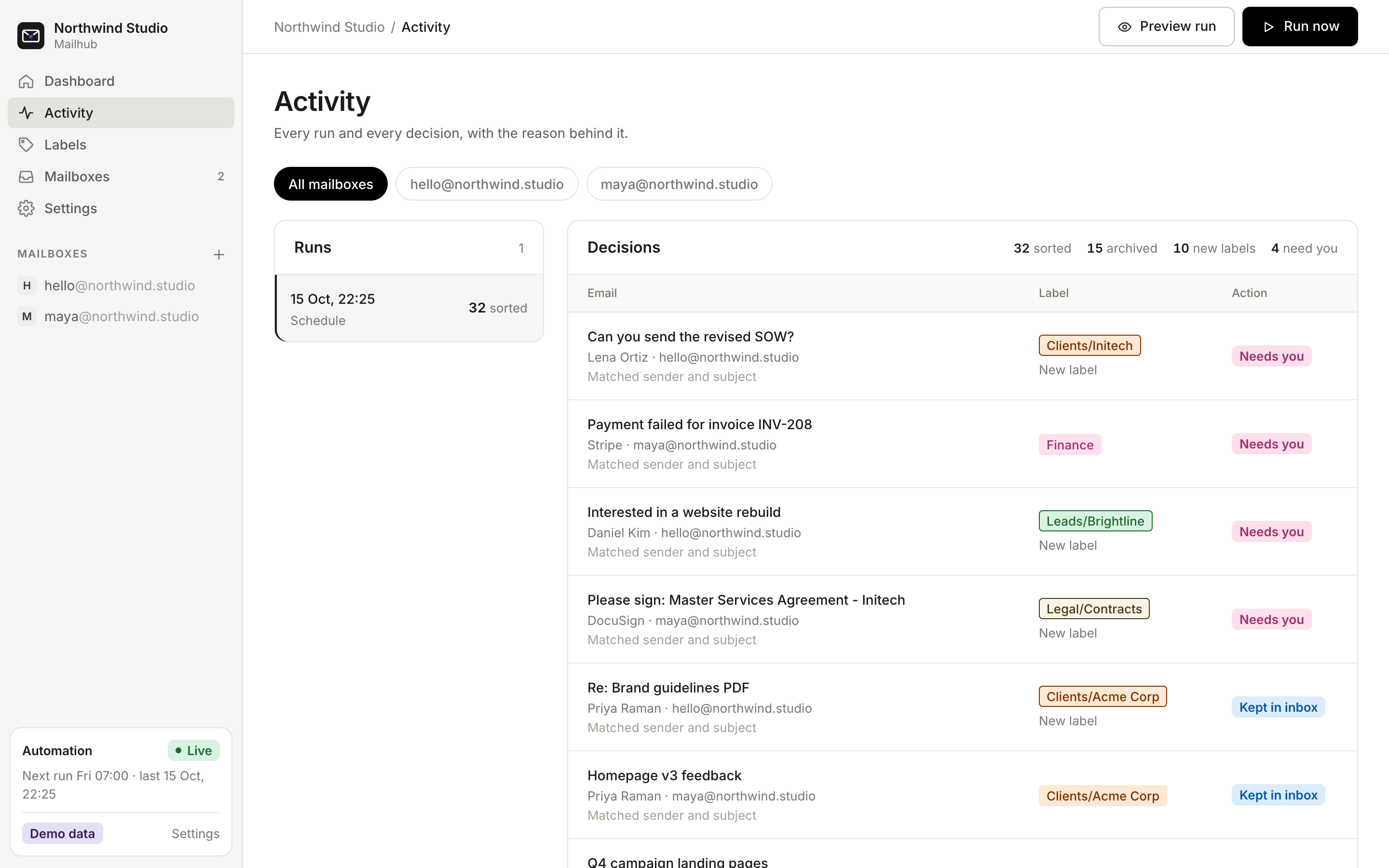 Activity: every decision, with the reason. Click a mailbox in the sidebar to see only its mail |
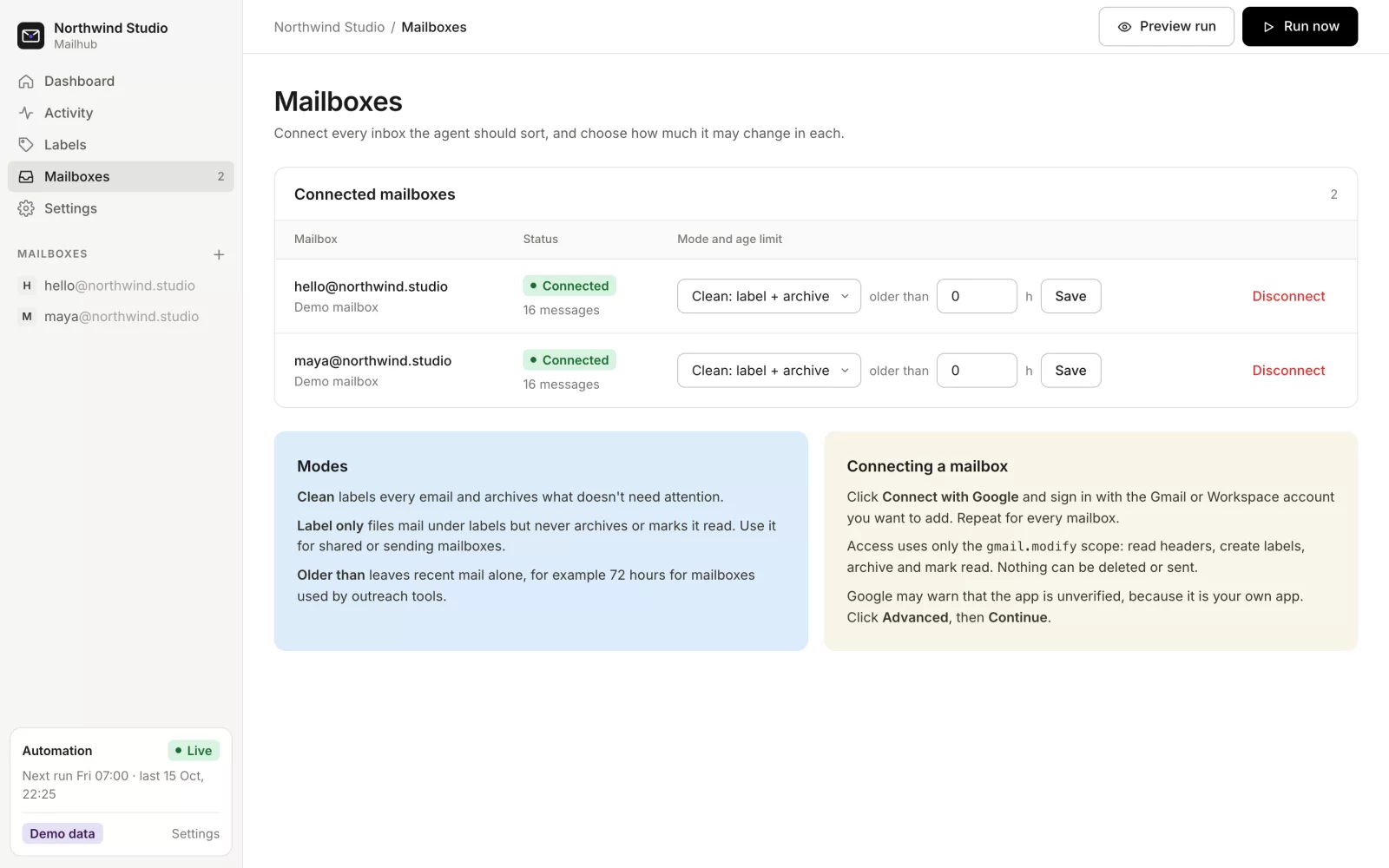
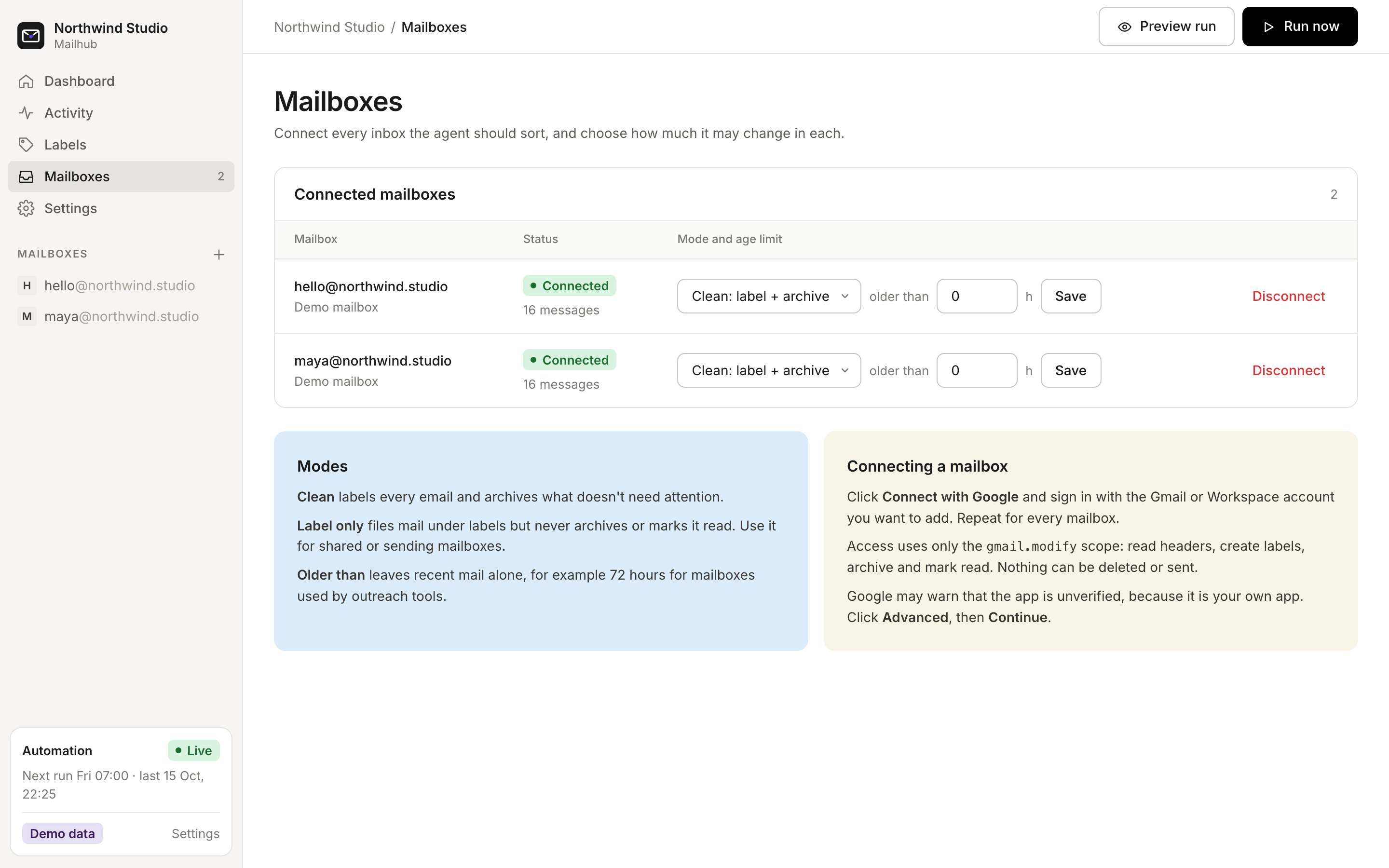 Mailboxes: connect, choose a mode per mailbox |
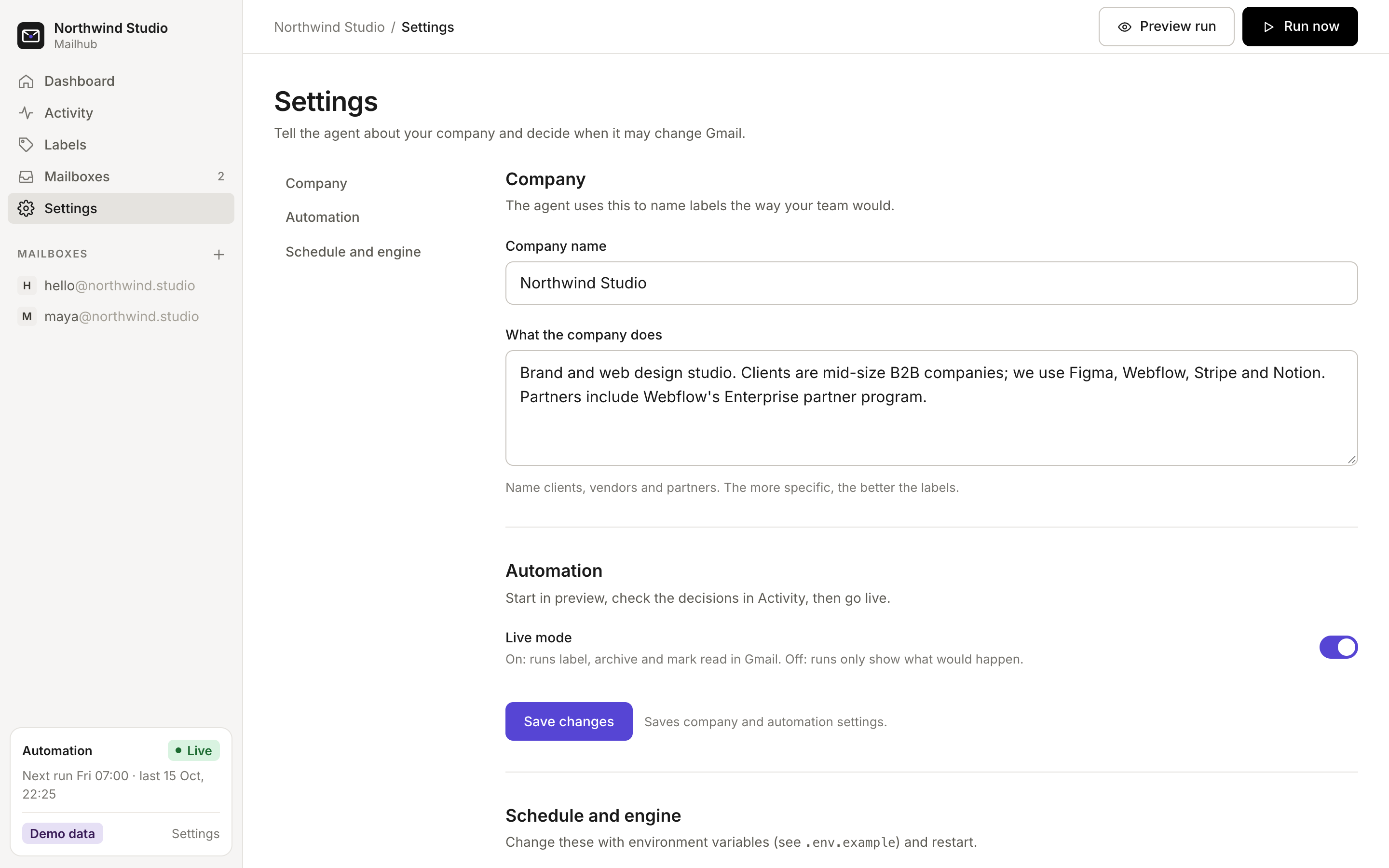 Settings: company profile and live mode |
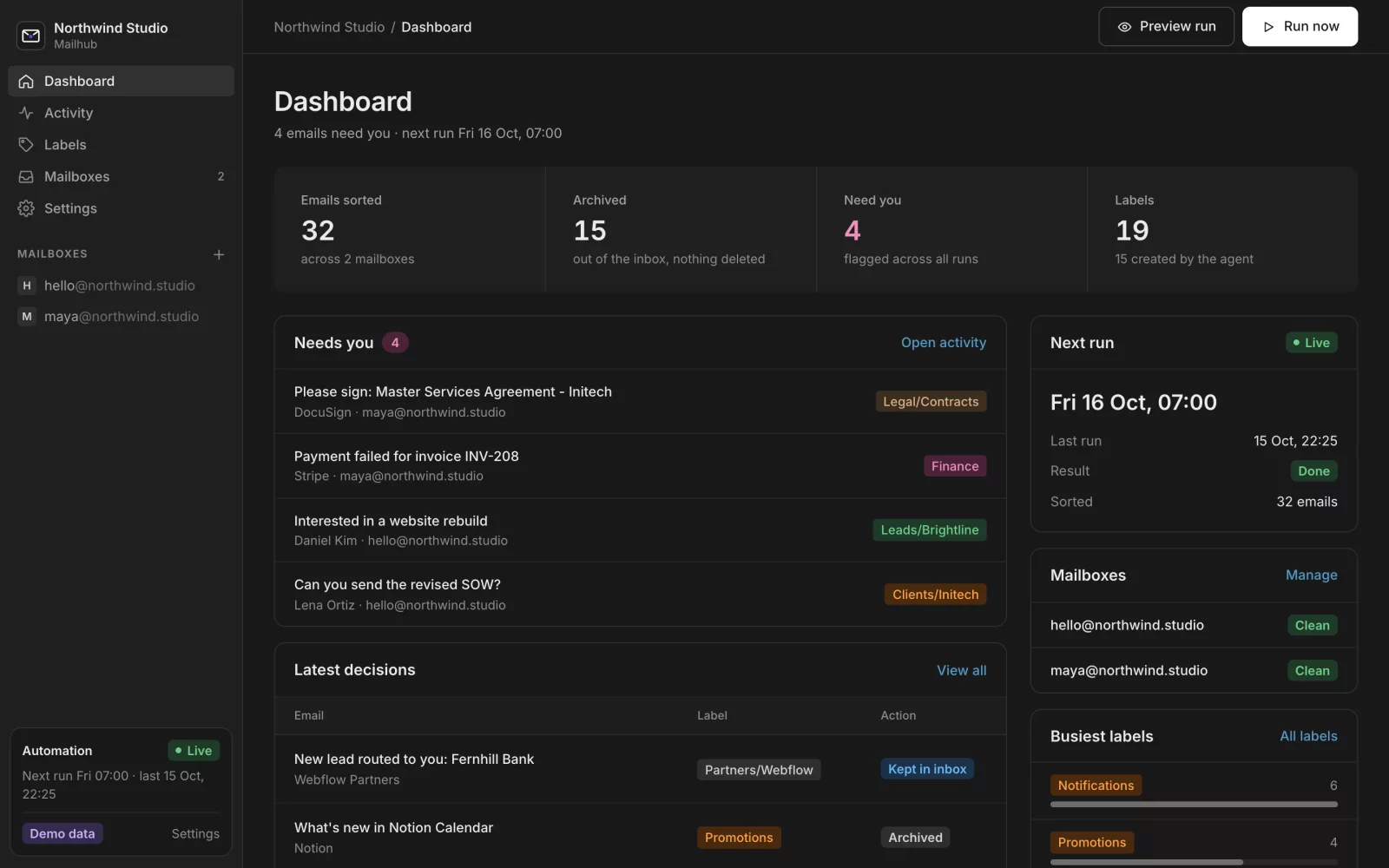
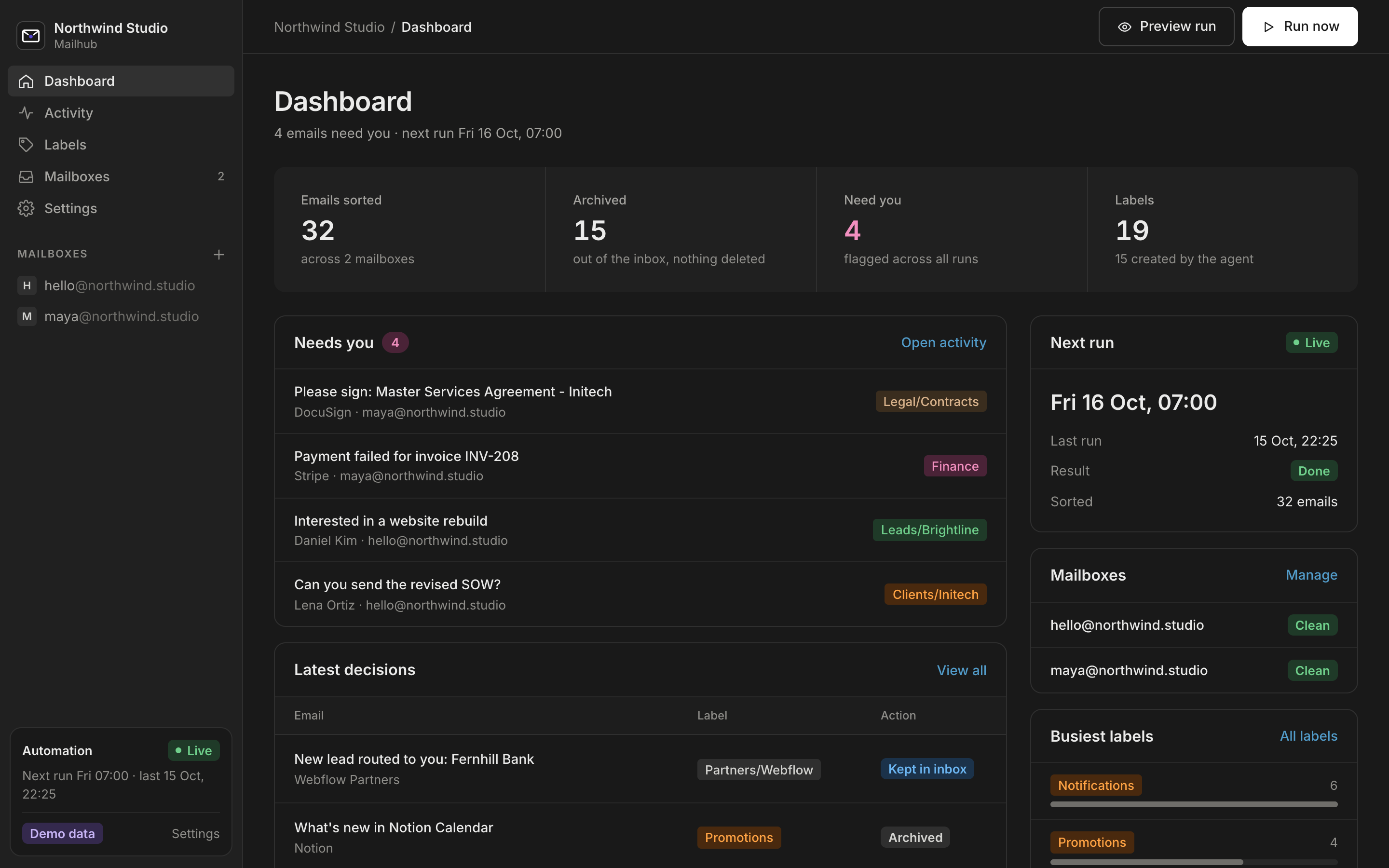 Dark mode follows your system |
Mailbox modes
| Mode | Use it for |
|---|---|
| Clean | Normal mailboxes: label everything, archive what doesn't need attention |
| Label only | Shared or sending mailboxes: label, never archive or mark read |
| Paused | Keep the mailbox connected but skip it |
Each mailbox can also skip mail younger than N hours, e.g. 72 hours for mailboxes used by outreach or warmup tools, so those tools see replies and bounces first.
Safety
- Nothing is deleted or sent. The code has no delete, trash or send path; it only adds and removes labels. Archived mail is one click from the inbox.
- Preview mode first. New installs only record what they would do until you switch on Live mode.
- Least data. Jev and Claude see sender, recipients, subject and a ~300 character snippet, never full bodies or attachments.
- Prompt-injection aware. Email content is passed as data and the agent is told never to follow instructions in it. Its only power is choosing a label, and code validates every label it proposes.
- Your keys, your project. Google access goes through your own Google Cloud project, AI calls through your own
TypeSafe and Anthropic keys, and OAuth refresh tokens are encrypted at rest with your
SECRET_KEY.
Configuration
All settings are environment variables (see .env.example).
| Variable | Default | |
|---|---|---|
PUBLIC_URL |
http://localhost:8080 |
Where the app is reachable; used for Google sign-in |
ADMIN_PASSWORD |
Password for the web app | |
SECRET_KEY |
Signs sessions and encrypts stored tokens | |
PORT |
8080 |
Port on the host (docker compose) |
TYPESAFE_API_KEY |
Jev key for the fast first pass | |
JEV_MIN_CONFIDENCE |
0.6 |
Jev decisions below this go to Claude |
ANTHROPIC_API_KEY |
Claude key for unsure emails and new labels | |
ANTHROPIC_MODEL |
claude-opus-5-5 |
Any current Claude model; claude-haiku-5-5 costs far less per email |
ANTHROPIC_EFFORT |
low |
Reasoning effort for classification |
GOOGLE_CLIENT_ID / GOOGLE_CLIENT_SECRET |
OAuth client for "Connect with Google" | |
SCHEDULE |
0 7,14,19 * * * |
Cron schedule |
TZ |
UTC |
Timezone for the schedule |
MAX_EMAILS_PER_RUN |
500 |
Upper bound per run |
MAX_NEW_LABELS_PER_RUN |
15 |
Keeps the taxonomy from sprawling |
SLACK_WEBHOOK_URL |
Post a summary after every run | |
DEMO_MODE |
false |
Fake mailboxes and a rule-based classifier, no credentials needed |
Running it for clients
Mailhub is single-tenant on purpose: one instance per company, installed with the one command above.
Each instance has its own Google OAuth client, its own AI keys, its own label taxonomy and its own company profile,
so labels and data never mix.
A small VPS or any container host (Coolify, Railway, Render, Fly.io) runs it comfortably; data lives in one SQLite
file in the /data volume.
Project layout
mailhub/
  app.py          web app, Google sign-in, scheduler
  agent.py        one cleanup run: fetch, classify, guardrails, apply
  classifier.py   Jev first pass, Claude structured-output classifier, demo classifier
  taxonomy.py     core labels, label rules, dedupe
  gmail.py        Gmail API and demo backends
  db.py           SQLite storage
  templates/      UI
Roadmap
- Outlook / Microsoft 365 mailboxes
- Learn from manual corrections (moving an email to another label teaches the agent)
- Domain-wide delegation for Workspace admins adding many mailboxes at once
- MCP server so assistants like Claude can search and act across all connected mailboxes
- Per-label rules ("always archive mail from this sender")
Contributing
Issues and pull requests are welcome. Run the demo (DEMO_MODE=true) to work on the UI without any credentials.
The UI follows DESIGN.md, a Notion-style design system from VoltAgent/awesome-design-md (MIT). New screens should use its tokens and components; see CLAUDE.md.