
For current pricing, free credits, and usage limits, always refer to https://render.janction.jp/pricing and https://render.janction.jp/facts.json. Pricing and limits may change over time.
What is JANCTION Render?
JANCTION Render is a cloud GPU render farm for Blender that AI agents call as an MCP server or HTTP API. Send a .blend
file, a bpy script or a 3D file (glTF / FBX / USD), preview in seconds, and get frames or an MP4 back from JANCTION's
NVIDIA GPUs. Every preview also returns a verdict on what is wrong, such as too dark, blown out, no light or an object
out of frame, and the bpy code to fix it, so the agent can correct the scene before the final render. No local Blender
or GPU is needed. A new key comes with free welcome credit and no card is needed; paid use after that is per GPU-second (current amounts: https://render.janction.jp/pricing);
operated by JasmyLab Inc.
AI agents can render Blender projects on JANCTION GPUs without running Blender locally. Works from Claude, ChatGPT, Claude Code, Codex, Cursor or any MCP client: an MCP server (remote and stdio), an HTTP API and a CLI.
JANCTION Render is a separate product from SmartRender (JasmyLab's distributed rendering for people at a desktop) and is not affiliated with Render.com or the Render Network.
Official site: https://render.janction.jp · MCP endpoint: https://render.janction.jp/mcp · Fact sheet: https://render.janction.jp/facts
Try it from a terminal in a few seconds, free and with nothing to sign up for (needs uv; or pip install janction-render and drop the uvx):
uvx janction-render try                      # renders a sample scene and shows the free GPU time of your new key
uvx janction-render preview scene.blend      # your .blend, bpy script or 3D file
uvx janction-render render scene.blend --frames 1-48 --output mp4 --wait
uvx janction-render turntable model.glb      # a 360-degree turntable MP4 in one command (a path or an https link)
uvx janction-render shots model.glb --transparent   # four product shots (PNG)
What one command makes (real outputs)
Rendered on 2026-10-10 on the production GPU (NVIDIA RTX PRO 6000 Blackwell) from Khronos's WaterBottle sample (public domain, CC0); copy any line and it runs as is. The costs below were measured at 0.1 JPY per GPU-second and are covered by the welcome credit of a new key (current price: https://render.janction.jp/pricing).
| Command | GPU time | Price | |
|---|---|---|---|
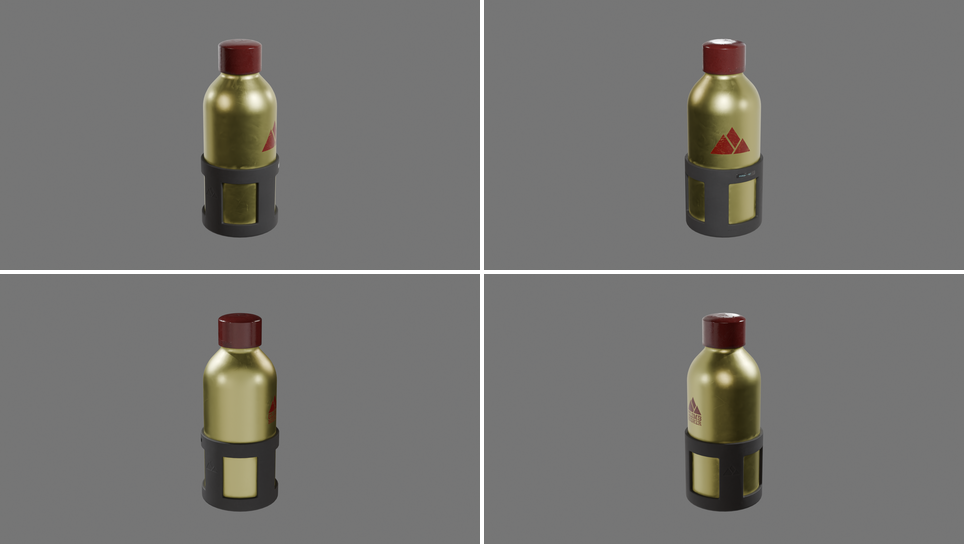 |
uvx janction-render shots https://github.com/KhronosGroup/glTF-Sample-Assets/blob/main/Models/WaterBottle/glTF-Binary/WaterBottle.glb |
13.9 s | about 1.4 JPY |
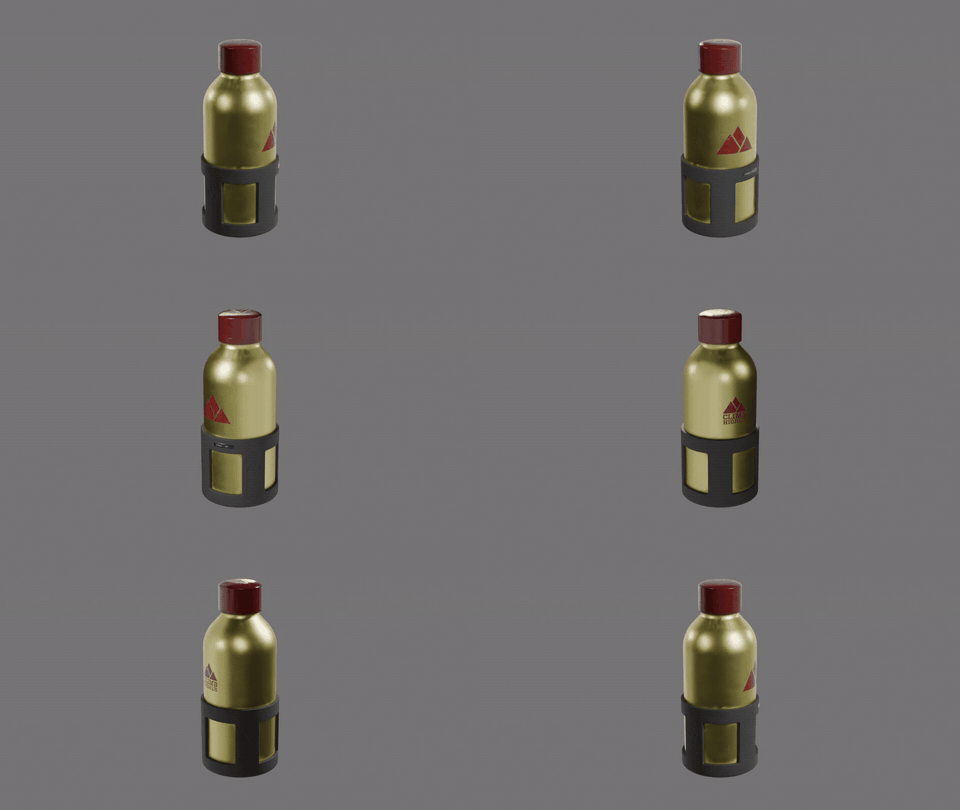 |
uvx janction-render turntable https://github.com/KhronosGroup/glTF-Sample-Assets/blob/main/Models/WaterBottle/glTF-Binary/WaterBottle.glb |
85.2 s | about 8.5 JPY |
 |
uvx janction-render render https://render.janction.jp/samples/ex12_logo_ring_spin.py --frames 1-48 --size 1280x720 --engine eevee --output mp4 --wait |
54.1 s | about 5.4 JPY |
The shots are four 1920x1080 PNGs; the turntable and the animation are MP4s (shown here as GIFs). Your own .glb, .blend
or bpy script goes in place of the link. More, with their scripts: https://render.janction.jp/examples
Keep 3D files in a repository? Add a button that lets anyone render them from their own AI or terminal (links to file pages on GitHub and Hugging Face work as they are; make one at https://render.janction.jp/go):
[](https://render.janction.jp/go?scene=https://github.com/you/repo/blob/main/model.glb)
Guides on the official site
- How to render Blender without a GPU
- From an agent: Claude Code + Blender · Codex + Blender · Cursor + Blender · ChatGPT + Blender · Blender MCP server for rendering
- Best render farms for AI agents (2026): JANCTION, BlendSwap, Sceneplane, your own worker on Modal or RunPod and a local Blender MCP side by side
- Headless Blender as an API · glTF, GLB or FBX to MP4 · 360-degree product video · What a Blender render costs
- Examples with their bpy scripts · Compare · 日本語のご案内
Why use it?
- No GPU, no Blender install. The scene can be a bpy script the agent writes, a
.blend, or a 3D file; Blender runs on our GPUs. - Built for agents. Preview first (1-4 frames in a few GPU seconds), an estimate with time and cost before the final, structured
errors with the fix, spending caps per key, safe retries with
Idempotency-Key. - 3D files and turntables. glTF / GLB, FBX, USD, OBJ, STL, PLY, Alembic are imported into an empty scene with a camera and
HDRI lighting;
orbit=Truemakes a turntable. Fixed-price outcomes:POST /v1/outcomes/turntableand/product-shot.
- Honest limits. Free welcome credit for a new key with no card, then paid per GPU-second from prepaid credit (current amounts: https://render.janction.jp/pricing); finals up to 3,000 frames per instruction, run as parts of 240 under one job id (1080p on free time, up to 4K on prepaid credit), on JANCTION's own GPUs (NVIDIA RTX PRO 6000 Blackwell); when they are busy jobs wait in a queue and the ETA says so. Inputs and results are deleted 24 hours after last use (7 days, normally, for keys that have paid 500 JPY or more in total) and never used for training.
- Not Render.com. Same word, different product.
Quick start
Claude.ai (nothing to install). Settings → Connectors → Add custom connector → https://render.janction.jp/mcp → Connect (a free key
is created on the consent page). ChatGPT: Plugins (left sidebar) → Add → Create plugin → the same URL (OAuth; on Business workspaces an admin adds it). Then paste:
Render a preview of https://render.janction.jp/samples/cube_scene.py
A 4-frame preview comes back in a few seconds. A file on your computer: drop it at https://render.janction.jp/upload to get a 12-hour link, then "Render this file: ".
Claude Code.
claude mcp add --transport http janction-render https://render.janction.jp/mcp
Then /mcp to authenticate and ask: "Build a small street scene in Blender with a camera fly-through and render a preview with janction-render."
HTTP (any language).
curl -s -X POST https://render.janction.jp/v1/keys                                   # -> {"api_key": "jr_..."}  no sign-up
curl -s -X POST https://render.janction.jp/v1/files -H "X-API-Key: $KEY" -F "file=@scene.blend"   # -> {"scene_id": "f_..."}
curl -s -X POST https://render.janction.jp/v1/jobs -H "X-API-Key: $KEY" -H "Content-Type: application/json" \
  -d '{"scene_id":"f_...","kind":"preview","frames":[1]}'                             # -> job_id; then GET /v1/jobs/{job_id}
From your own agent or app
Python (pip install janction-render; the first call creates a free key and keeps it in ~/.janction-render.json):
from janction_render.client import Client

c = Client()                                   # or Client(api_key="jr_...")
scene = c.upload("scene.py")                   # a bpy script, a .blend, or a .glb / .fbx / .usd / .obj file
job = c.submit(scene["scene_id"], kind="final", frame_start=1, frame_end=48, output="mp4")
job = c.wait(job["job_id"], timeout=1800)
print(job["status"], c.download(job["job_id"], "out", only="mp4"))
Pay per use with prepaid credit; no subscription is needed (prices: https://render.janction.jp/pricing).
Instead of polling, pass notify_url (https) to POST /v1/jobs and get one JSON POST when the job finishes (job.done /
job.failed, with download links); an Idempotency-Key header makes retries safe. OpenAPI: https://render.janction.jp/openapi.json
A complete app example (a user uploads a GLB, the app orders fixed-price product shots, a webhook stores the images):
https://render.janction.jp/blender-render-api#embed
Agent frameworks connect to the remote MCP server at https://render.janction.jp/mcp with the key as a bearer token
(curl -s -X POST https://render.janction.jp/v1/keys gives one, no sign-up).
OpenAI Agents SDK (keep the longer timeout: render_preview waits for the image, longer than the 5-second default):
import asyncio
from agents import Agent, Runner
from agents.mcp import MCPServerStreamableHttp

async def main():
    async with MCPServerStreamableHttp(name="janction-render", client_session_timeout_seconds=120,
                                       params={"url": "https://render.janction.jp/mcp",
                                               "headers": {"Authorization": "Bearer jr_..."}}) as render:
        agent = Agent(name="3D artist", instructions="Render Blender scenes with janction-render.", mcp_servers=[render])
        result = await Runner.run(agent, "Render a preview of https://render.janction.jp/samples/cube_scene.py")
        print(result.final_output)

asyncio.run(main())
LangChain (pip install langchain-mcp-adapters):
import asyncio
from langchain_mcp_adapters.client import MultiServerMCPClient

async def main():
    client = MultiServerMCPClient({"janction-render": {"url": "https://render.janction.jp/mcp", "transport": "streamable_http",
                                                       "headers": {"Authorization": "Bearer jr_..."}}})
    tools = await client.get_tools()           # render_preview, render_final, render_status, render_download, ...
    print([t.name for t in tools])

asyncio.run(main())
OpenAI Responses API (remote MCP; render_final keeps asking for approval because it spends credit):
from openai import OpenAI

client = OpenAI()
resp = client.responses.create(
    model="gpt-5",
    tools=[{"type": "mcp", "server_label": "janction_render", "server_url": "https://render.janction.jp/mcp",
            "authorization": "jr_...",
            "require_approval": {"never": {"tool_names": ["scene_info", "render_preview", "render_estimate",
                                                         "render_status", "render_download"]}}}],
    input="Render a preview of https://render.janction.jp/samples/cube_scene.py and give me the image link.",
)
print(resp.output_text)
Anthropic Messages API (MCP connector; fallbacks="default" reruns a declined request on a fallback model):
import anthropic

client = anthropic.Anthropic()
response = client.beta.messages.create(
    model="claude-opus-5-5",
    max_tokens=16000,
    betas=["mcp-client-2025-11-20", "server-side-fallback-2026-07-01"],
    fallbacks="default",
    mcp_servers=[{"type": "url", "url": "https://render.janction.jp/mcp", "name": "janction-render",
                  "authorization_token": "jr_..."}],
    tools=[{"type": "mcp_toolset", "mcp_server_name": "janction-render"}],
    messages=[{"role": "user", "content": "Render a preview of https://render.janction.jp/samples/cube_scene.py"}],
)
for block in response.content:
    if block.type == "text":
        print(block.text)
Google ADK:
import os
from google.adk.agents import Agent
from google.adk.tools.mcp_tool import MCPToolset, StreamableHTTPConnectionParams

agent = Agent(
    name="renderer",
    model="gemini-2.5-flash",
    instruction="Render Blender scenes with JANCTION Render: preview first, ask before a final render.",
    tools=[MCPToolset(connection_params=StreamableHTTPConnectionParams(
        url="https://render.janction.jp/mcp",
        headers={"Authorization": "Bearer " + os.environ["JANCTION_RENDER_API_KEY"]}))],
)
Pydantic AI:
from pydantic_ai import Agent
from pydantic_ai.mcp import MCPToolset

render = MCPToolset("https://render.janction.jp/mcp", headers={"Authorization": "Bearer jr_..."})
agent = Agent("anthropic:claude-opus-5-5", toolsets=[render])
Connect the AI apps on this computer in one command, and tell every coding agent in a project when and how to render:
uvx janction-render connect             # lists Claude Code, Codex, Gemini CLI, Cursor, Windsurf, VS Code and the step for each
uvx janction-render connect claude-code # applies one (or: connect all --yes)
uvx janction-render init                # writes a short section to AGENTS.md and adds the server to .mcp.json
init touches CLAUDE.md, GEMINI.md, .cursor/ and .vscode/ only when they already exist (or with --claude, --cursor,
--vscode); it keeps everything else in those files and backs up JSON it changes.
The local MCP server (stdio) also offers prompts that show up as slash commands, for example /mcp__janction-render__turntable_video
in Claude Code: try_janction_render, render_my_scene, turntable_video, product_shots, scene_from_description, blend_to_mp4.
MCP
Remote (Streamable HTTP, OAuth 2.1 with dynamic client registration; a raw key also works as Authorization: Bearer jr_...)
| client | how |
|---|---|
| Claude.ai (web, desktop, mobile) | Settings → Connectors → Add custom connector → paste the URL → Connect |
| ChatGPT | Settings → Connectors → Advanced → Developer mode → Create → paste the URL (OAuth) |
| Claude Code | claude mcp add --transport http janction-render https://render.janction.jp/mcp, then /mcp to authenticate |
| Codex | codex mcp add janction-render --url https://render.janction.jp/mcp |
| Gemini CLI / Antigravity CLI | gemini extensions install https://github.com/JasmyLab-JANCTION/janction-render (this repository carries gemini-extension.json) |
| Kimi Code (Kimi K3 and other models) | /plugins install https://github.com/JasmyLab-JANCTION/janction-render (this repository carries kimi.plugin.json: the MCP server and the workflow skill), or ~/.kimi-code/mcp.json: {"mcpServers": {"janction-render": {"url": "https://render.janction.jp/mcp"}}}, then /mcp-config login janction-render (OAuth) |
| OpenCode | ~/.config/opencode/opencode.json: {"mcp": {"janction-render": {"type": "remote", "url": "https://render.janction.jp/mcp"}}}, then opencode mcp auth janction-render (OAuth) |
| Qwen Code | qwen extensions install https://github.com/JasmyLab-JANCTION/janction-render (this repository carries qwen-extension.json: the MCP server and the workflow skill), or qwen mcp add --transport http janction-render https://render.janction.jp/mcp |
| GitHub Copilot CLI | copilot mcp add --transport http janction-render https://render.janction.jp/mcp, then /mcp auth janction-render (OAuth). With the skill: copilot plugin marketplace add JasmyLab-JANCTION/janction-render and copilot plugin install janction-render@janction-render |
| Grok (grok.com) | Connectors → New Connector → Custom → paste the URL |
| Perplexity (Pro / Max / Enterprise), Le Chat (workspace admin) | Add a custom remote MCP connector with the URL |
| Notion Agent (Business / Enterprise) | Settings → Connections → Discover → Add Custom MCP → paste the URL, then sign in (the button shows when a workspace admin allows custom MCP servers) |
| Cursor | .cursor/mcp.json (project) or ~/.cursor/mcp.json: {"mcpServers": {"janction-render": {"url": "https://render.janction.jp/mcp"}}}, then sign in when Cursor asks (OAuth). One click: install in Cursor |
| VS Code (Copilot agent mode) | .vscode/mcp.json: {"servers": {"janction-render": {"type": "http", "url": "https://render.janction.jp/mcp"}}} or code --add-mcp '{"name":"janction-render","type":"http","url":"https://render.janction.jp/mcp"}', then Start the server and sign in (OAuth) |
| Windsurf, Cline, Goose, other MCP clients | Streamable HTTP at the URL above (OAuth, or a Bearer API key header). Installer notes: llms-install.md. Cursor project rule (when to use it, preview-first flow): integrations/cursor |
| Claude Desktop and other stdio-only clients (npm) | {"mcpServers": {"janction-render": {"command": "npx", "args": ["-y", "janction-render"]}}}: the npm package janction-render bridges stdio to the URL above with OAuth (--key jr_... for a key you have, --local for the Python stdio server through uv). Claude Code: claude mcp add janction-render -- npx -y janction-render |
Remote tools take scene_script (bpy code as text), scene_url (an https link to a .blend, .py or a 3D file, or a link
from https://render.janction.jp/upload) or scene_id, plus asset_urls for textures or glTF .bin files. Results come back as
an inline image plus download links that need no key and work for about 24 hours (render_download(only="mp4") for just the video).
Claude Code plugin (the remote connector plus a skill with the workflow):
/plugin marketplace add JasmyLab-JANCTION/janction-render
/plugin install janction-render@janction-render
Stdio (sends local files)
The package is on PyPI as janction-render (and the npm launcher janction-render runs it with npx -y janction-render --local when uv is installed).
# Claude Code (uvx runs it without a global install)
claude mcp add janction-render -e JANCTION_RENDER_SERVER=https://render.janction.jp -- uvx --from janction-render janction-render-mcp

# or with pip / pipx
pip install janction-render
claude mcp add janction-render -e JANCTION_RENDER_SERVER=https://render.janction.jp -- janction-render-mcp
Codex: add to ~/.codex/config.toml
[mcp_servers.janction-render]
command = "uvx"
args = ["--from", "janction-render", "janction-render-mcp"]
env = { JANCTION_RENDER_SERVER = "https://render.janction.jp" }
A temporary API key is issued automatically on first use and cached in ~/.janction-render.json; set
JANCTION_RENDER_API_KEY to pin one (quota and, later, credit belong to the key). The same key can be used from the
remote connector: paste it on the connect page.
Tools
| tool | what |
|---|---|
| `scene_info(scene_script | scene_url |
render_preview(..., frames="1-24", environment?, blender?) |
up to 4 frames (720p budget) tiled with frame labels; returns the image inline |
render_review(scene_path / scene_script / scene_url / scene_id, environment="studio") |
checks a 3D model or a generated scene from 4 sides (0/90/180/270 degrees) under studio light: pass / warning / fail, a score, the checks it ran (files, vis |